Questions about making a music video with Muvora
Everything people ask before and after their first video, in plain answers: what to upload, what the free storyboard gives you, how rendering and credits work, and who owns the result.
Getting started
How do I make a music video with Muvora?
Upload a finished song, pick a style and describe your idea if you have one, then read the storyboard the AI director writes, with every cut placed on the beat. Change anything you like, choose a quality, check the price and render. When the video is done you download it in every shape a release needs.
Do I need to film anything or upload footage?
No. Every shot is made by AI from the storyboard, so there is nothing to film, and Muvora doesn't take your own footage. If you want to appear in the video, the Performance style uses one photo of you and lip-syncs your singing shots.
What does the free plan include?
The song analysis and 5 new storyboards a month, each with its style frames, and editing and rewriting them is free. No card is needed. Rendering a finished video takes credits from a plan or a credit pack.
Does Muvora work on my phone?
Yes. Muvora runs in the browser, so you can upload, read the storyboard and download from a phone. Fine edits on the storyboard's timeline are easiest on a laptop or a tablet.
How long does it take to get a storyboard?
The tempo, beats and waveform appear within seconds of the upload, the sections and lyrics follow within a few minutes, and the AI director then writes the storyboard, which takes a few minutes for a full song.
Your song
Which songs can I use?
Songs you wrote, own or have a licence to use in a video. You confirm that with a checkbox on every upload. Songs made with AI music tools are fine as long as that tool's terms let you use them this way.
Which audio files and lengths work?
MP3, WAV, M4A, AAC or FLAC, up to 8 minutes long and 60 MB. Upload the final master: the video is planned on its beats and uses it as the soundtrack.
My WAV is over 60 MB. What should I upload?
A FLAC of the same master. FLAC is lossless like WAV and usually much smaller, and Muvora takes it. A 3-minute stereo WAV at 24-bit and 48 kHz is about 52 MB, so a longer song at that quality can pass the limit. A high-bitrate MP3 or AAC fits too, but it's a lossy copy of the master.
Should I trim the silence at the start of my song before uploading?
Yes, if you want the video to open on the music. The video is exactly as long as your file and starts at its first sample, so silence at the start is picture with no sound. Trim it in your DAW or with the free silence remover, then upload. Muvora never changes the audio itself.
My song is longer than 8 minutes. What can I do?
Upload a radio edit, or split the song into parts and make a video for each part. Each upload gets its own analysis and storyboard.
Do I need to add my lyrics?
No, but it helps. Pasted lyrics are matched to your vocal word by word, so captions are spelled exactly as you wrote them. Without them the lyrics are transcribed from the vocal. An instrumental needs no lyrics at all.
Can I make a video from my lyrics without the song?
No. The video is planned from the song file itself: its beats, sections and drops set every cut. Upload the song and paste the lyrics with it, and the AI director reads the words for the story while the captions follow your vocal.
Will Muvora change my audio?
No. Your original file is the soundtrack of every export, from its first sample. The AI video clips are silent in the finished video, so nothing is mixed over your song.
Should I mix and master my song before uploading it?
Yes. Muvora uses your file exactly as it is: it never mixes, masters, speeds up or changes your audio, so the video sounds like the file you upload. Upload the final master, and upload a sped-up, slowed or radio edit as a file of its own if that is the version the video is for.
Can I make a video for a slowed or sped-up version of my song?
Yes, as its own upload. Muvora analyzes that file afresh, so the slower tempo, the new length and the sections are found again, and the storyboard is cut to them. The rights box still applies: use your own song, or one you have permission to remix.
Can I make a video for an instrumental or a beat?
Yes. The Abstract style and Visualizer quality suit instrumentals and type beats, and the cuts still follow the drums, the sections and the drops.
Can I make a music video for a song I made with an AI music generator?
Yes, when the generator's terms let you use the song that way. Most tie ownership and commercial use to your plan, so read them before you release anything. Upload the song's file like any other: Muvora measures its beats and sections, writes the storyboard and makes the video. Our guide to the best AI music generators compares their terms.
Can I make a music video for a custom song I'm giving as a gift?
Yes. Upload the song you wrote or commissioned, or one a song generator made for you under terms that allow it. Story and Abstract videos use invented characters and places; for someone singing in it, choose Performance with one photo of an adult singer who has agreed. Send it with a private share link you can switch off at any time.
Can I make a video for a DJ mix?
Only of music you hold the rights to, such as your own productions and edits you are cleared to release, up to 8 minutes per upload. A mix of other artists' tracks needs every track's rights, which most mixes don't have, so it isn't something to upload without them.
Can I make a video for a children's song?
Yes. Bright drawn worlds suit children's songs, and karaoke captions turn the video into a sing-along. Use a drawn character as the singer rather than a photo of a child. When you upload to YouTube, set whether the video is made for kids, as YouTube asks of every upload.
Can Muvora give me the stems or an acapella of my song?
No. Muvora finds the vocal inside your song only to time the lip sync of Performance shots, and every video's soundtrack is your original file, untouched. Export stems from your own session or ask whoever mixed the song.
See the answer on your own song
Upload a track and read the storyboard Muvora writes for it, every cut on the beat. Planning and editing are free.
The storyboard and the look
What is in a Muvora storyboard?
A creative brief (the concept, the look and palette, the cast, the places and the mood) and one shot for every beat-aligned stretch of the song, each with its picture prompt, its camera move, its timing and the lyric it plays under. Style frames show the look before you pay.
Can I describe my own idea for the video?
Yes. Choose a style (Story, Abstract, Lyric or Performance), a genre look if you like, and write your idea in up to 600 characters: the story, the places, the colors, the mood. The AI director builds the storyboard around it.
Can I be the singer in the video?
Yes, with the Performance style. Upload one clear, front-facing photo of yourself, or of someone who gave you permission, and tick the consent box. Muvora finds where the vocal is sung and lip-syncs those shots to it.
Can the singer be a cartoon or a drawn character?
Yes. Upload a drawing, a painting or an animated character as the performer photo, and the whole video is drawn in that medium, with the character lip-syncing the sung shots.
Can Muvora make an anime-style or animated music video?
Yes. Describe the drawn style in the idea box, such as 2D anime with cel shading and painted backgrounds, and the storyboard is written and drawn in it from the first shot to the last, with your characters kept the same by a character sheet. Muvora draws new pictures for your song; it never uses footage from existing shows or films.
Will my characters look the same in every shot?
That is what the storyboard is built for. The brief describes each character once, a character sheet is drawn from that description, and every shot's keyframe is drawn from the sheet and checked against it, so a frame that drifts is redrawn. If a shot still slips, re-roll it on the review page.
Can I choose the camera moves and the light?
Yes. Every shot has a framing (wide, close-up, aerial and so on) and a camera move (a push in, a pan, a tracking move, an orbit and more), and its light comes from sources named in the scene. Change any of them in the storyboard editor before you render, for free.
What won't the pictures show?
Real people such as celebrities, nudity, sexual content, gore, and any text or logos on screen. Mature themes, brands as props and fictional characters are allowed when the song calls for them, at your own risk for brands and characters.
Can I move the cuts?
Yes. Drag a cut and it snaps to the nearest downbeat (or any beat), split a long shot in two or merge two short ones. Section changes stay where the song puts them, and every shot stays a length the video models can make.
Rendering, quality and formats
What is the difference between Visualizer, Standard and Cinematic?
All three animate every shot. Visualizer is the most affordable at 38 credits a second, Standard moves to a more detailed video model at 60, and Cinematic makes its clips at 1080p with the most detail at 110. Singing shots are priced at 75 credits a second.
What resolution and file formats do I get?
MP4 files with H.264 video and AAC audio, at 720p or 1080p: the main video, a vertical 9:16 and a square 1:1 version, and an 8-second loop for Spotify Canvas. Cinematic makes its clips at 1080p; in Visualizer and Standard a 1080p export is scaled up from the clips.
Do Muvora videos have a watermark?
No. The videos you render are yours to post as they are: Muvora adds no visible watermark or logo. Some AI models embed an invisible digital watermark in what they make, which viewers never see.
How long does a render take?
From several minutes for a short clip to longer for a full song in a higher quality. The video page shows each shot as it is made, and you can close it and come back later.
What happens if a shot fails to render?
Muvora retries it on its own. A shot that still fails costs no credits, and the video shows a still frame in its place. If too many fail, you can retry them for free or cancel and have the credits put back on your balance.
Can I fix a shot after the video is done?
Yes. On the review page you can re-roll a shot, edit its prompt and re-roll it, show it as a still or swap two shots, then make a new version of the video for free. Re-rolls are free up to 10% of the video's length; after that each one is priced before you confirm it.
Can I use Muvora videos as visuals at a live show?
Yes, as long as the video plays in time with the track. Each video is as long as its song and cut on its beats, so start it muted on the screen on the same cue as the backing track or the click. It doesn't react to live audio, so it suits songs played to a fixed tempo.
Can Muvora make a visualizer with spectrum bars?
Not inside Muvora. Its Abstract style makes a visualizer of AI-made light, shapes and motion, cut on your song's downbeats with a flash on every drop, rather than bars that react to each sound. For spectrum bars or a waveform over your cover art, the free audio spectrum visualizer tool on this site makes one in your browser.
Can I add captions of my lyrics?
Yes. Karaoke-style captions, timed to the vocal word by word, can be switched on or off before you render. Each word lights up as it is sung.
Can I edit a Muvora video in CapCut or another editor?
Yes. Every export is a standard MP4 (H.264 video, AAC audio, 24 frames a second), so any video editor opens it for extra text, effects or a longer intro. Keep the audio as it is so the cuts stay on the beat.
What frame rate are Muvora's videos?
24 frames a second, the classic film rate, in every export. Each cut lands on the frame nearest its beat. If you edit the video further, set the project to 24 fps too, so no frames are added or dropped and the cuts stay on the beat. The free BPM to frames calculator shows how many frames each beat lasts.
Can I use a frame from my video as cover art?
Yes, as long as you have the rights to the song and anything you added, since Muvora claims no ownership of the videos you render. A frame from a 1080p export gives a square of 1080 by 1080 pixels, smaller than the 3000 by 3000 most stores ask for, so it suits posts and teasers best; for the store cover, start from a full-size picture you own.
Know the price before you render
The storyboard shows the exact credits for the quality you pick, and a shot that fails costs nothing.
Credits and billing
How are Muvora credits spent?
By the second of finished video, at the rate of the quality you pick: a 3-minute Visualizer video is 6,840 credits. The storyboard shows the exact price before you render, and nothing is charged for planning or editing.
Do credits expire?
Credits from packs never expire. Credits from a plan roll over from month to month, up to 2 times the plan's monthly credits.
Can I buy credits without a subscription?
Yes. Credit packs start at US$12 and never expire, so you can pay for one video at a time. Plans give a lower price per credit if you release often.
What currency are Muvora's prices in?
US dollars (USD), for everyone: the site doesn't change prices or currency by country. At checkout, Stripe may offer to charge you in your local currency instead, converted at its exchange rate, which includes a conversion fee, and you can choose to pay in US dollars. If you pay in US dollars from an account in another currency, your bank may add its own fee.
Can a label or manager make videos for several artists?
Yes, from one account, for any song you have the rights to use in a video. Each video gets its own storyboard and price before it renders. There are no team seats or shared workspaces yet, and Studio can be bought in larger sizes for a busy release schedule.
How do I cancel my plan?
From your dashboard: Manage billing opens the billing portal, where you cancel in a couple of clicks. The plan runs to the end of the period you paid for, and you keep every credit you have.
Are payments refundable?
No. Payments for plans and credit packs are final, because every render is paid for to the AI providers that make it. What protects you is the price shown before you render and the rule that a failed shot costs no credits.
Rights and privacy
Who owns the music videos I make?
You do. Muvora claims no ownership of the videos you render, so you can post them, monetize them and use them in your release, as long as you have the rights to the song, the lyrics and any photo you add.
Can I post an AI music video on YouTube and earn from it?
You can post it: Muvora adds no visible watermark, and the videos are yours to publish. YouTube has its own rules for AI-made videos. It asks creators to disclose realistic content made or altered with AI when they upload, and its Partner Program decides which videos can earn money, so no tool can promise monetization. Our guide to AI music videos on YouTube explains both.
Who can see my songs and videos?
They are private to your account. A video gets a public link only if you switch sharing on for it, and you can switch it off again at any time.
How long are my files kept?
Your songs, storyboards and finished videos stay in your account. The working files behind a video (its keyframes and clips) are deleted 30 days after its last version, after which its shots can't be changed, but every version stays downloadable.
Can I make a music video for a cover song or a song with samples?
Only with the permissions a video needs. A cover needs a sync licence from the song's publisher, because a mechanical licence covers the audio alone, and every sample needs clearing with the owners of both the recording and the composition. The checkbox on every upload asks you to confirm you have them.
Can I use a photo of someone else as the performer?
Only with their permission, which you confirm with the consent box, and you are responsible for having the right to use the photo. Prompts that name a real person, such as a celebrity, are refused.
Didn't find your question? Email [email protected]
Keep exploring
Pricing
Plans, credit packs and what a music video of any length costs in each quality.
Learn more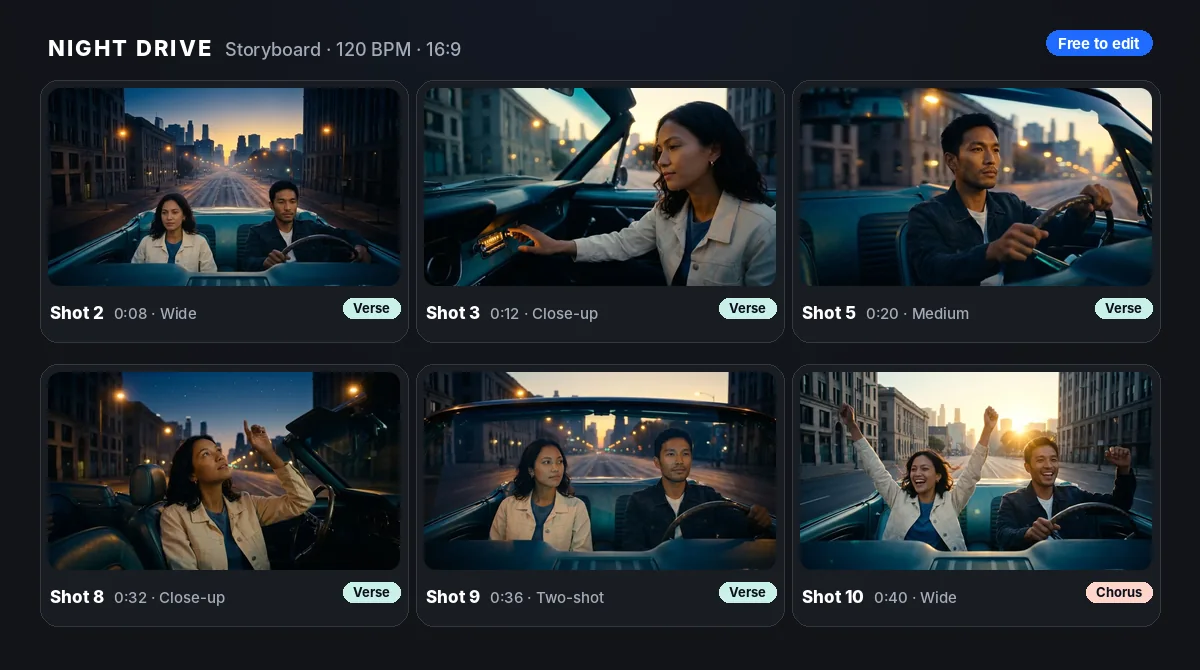
About Muvora
What Muvora is, who it's for, how a song becomes a video and why musicians choose it over other tools.
Learn more
Make a music video with AI
The whole process, from a finished song to a video cut on the beat, in seven steps.
Read the guide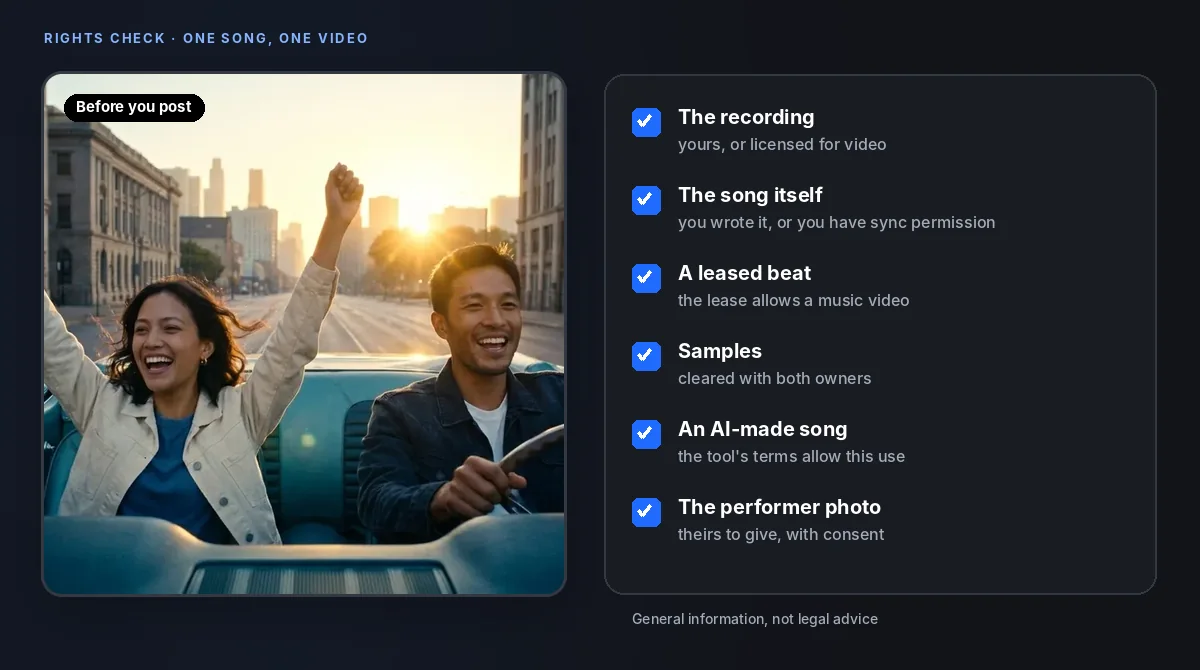
Music video copyright
Covers, samples, leased beats, AI songs and Content ID: what to clear before you make and post a music video.
Read the guideAll free tools
Small, free tools built on the analysis and planning behind Muvora's music videos. Most run right in your browser with nothing uploaded; the ones that upload a song delete it within a day. No account needed.
See them allAll comparisons
Every music video tool turns a song into pictures; they differ in where the pictures come from, who plans the video, how the cuts follow the music, and what you pay before you see anything. These pages put Muvora side by side with the alternatives, with the other products' facts dated and sourced, and show why Muvora is the one built to turn a finished song into a music video.
See them all
Your song deserves a music video
Upload a track and get a free beat-synced storyboard in minutes. Render it when you are ready.
No card needed to start.





