Convert your MP3 to video with visuals made for the song
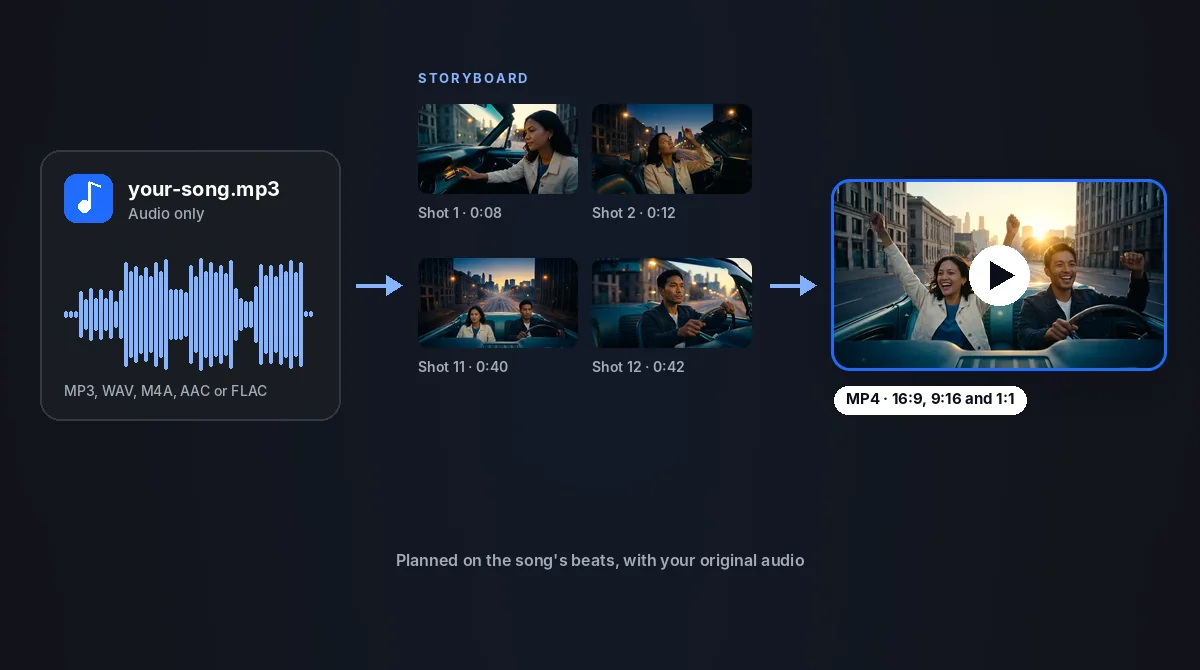
The quickest way to get a song onto YouTube is one picture over the audio, saved as an MP4, and for an archive upload that is fine. When you want people to keep watching, Muvora turns the MP3 (or a WAV, M4A, AAC or FLAC) into an MP4 whose pictures are AI video planned around the song's beats and sections, with your file as the soundtrack.
Free to start · 5 storyboards a month · No card needed
When a still picture is enough
Be honest about what the upload needs. A deep cut for the archive, a demo or a song you just want searchable can go up as cover art over the audio: any video editor exports that in a minute, and if your distributor delivers to YouTube Music, the song may already have an automatic art track with your cover. What a still can't do is follow the song. Muvora is for the tracks where that matters: the picture changes on the downbeats, at each new section and on every drop, so the video still holds attention in the second verse. For how the formats differ, see visualizer vs lyric video vs music video.
- Cover art over audio suits archive uploads
- Your distributor may already make an art track
- Moving visuals when the song is the focus
- Pictures that change with the beat and the sections
See your song as a storyboard first
Upload the track and the AI director plans every shot on the beat in minutes. Edit anything for free; you only pay if you render.
What goes in, what comes out
In: an MP3, WAV, M4A, AAC or FLAC file up to 8 minutes and 60 MB, which you confirm you own or have the rights to. Out: MP4 files with H.264 video at 24 frames a second and AAC audio at 256 kb/s. At 1080p the widescreen file is 1920 by 1080 (1280 by 720 at 720p), and beside it come a 1080 by 1920 vertical file, a 1080 by 1080 square one and an 8-second Canvas loop. The widescreen, vertical and square files each run exactly as long as your song, to the frame. The soundtrack is decoded once from your upload and encoded once to AAC, so send a WAV or FLAC when you have one: an MP3 is already compressed, and a lossless source keeps that one encode clean.
- In: MP3, WAV, M4A, AAC or FLAC, up to 8 minutes
- Out: MP4, H.264 at 24 fps, AAC at 256 kb/s
- 1920 x 1080, plus vertical, square and a Canvas
- A lossless upload gives the cleanest sound
From MP3 to a YouTube upload
Upload the file and the analysis reads its tempo, beats, sections and drops; a few minutes later the AI director has written a storyboard with a shot for every stretch between cuts. Edit it for free, pick a quality and check the exact price before you press Generate: Visualizer, at 38 credits a finished second, is the usual choice for a whole track. When the render is done, download the MP4 and upload it as it is. The free YouTube description generator writes the title, description and chapter list in the format YouTube reads, and the upload guide walks through the settings.
- A storyboard a few minutes after the upload
- The exact price before you render
- The MP4 goes to YouTube unchanged
- Title, description and chapters from a free tool
From your song to a finished video
- 01
Upload your song
Drop in an MP3, WAV, M4A or FLAC up to 8 minutes. Muvora finds the tempo, the beats, the downbeats and the sections of your song, like intro, verse and chorus.
- 02
Edit your free storyboard
An AI director writes a shot-by-shot plan timed to your downbeats. Rewrite any prompt, drag a cut (it snaps to the beat) or ask AI to redo a shot. None of it costs anything.
- 03
Generate your video
See the final price, then render. Pick Visualizer, Standard or Cinematic quality. If a shot fails, its credits come straight back.
The storyboard is free. Rendering is priced per second.
- Visualizer38 credits/s6,840 for 3 minutes
- Standard60 credits/s10,800 for 3 minutes
- Cinematic110 credits/s19,800 for 3 minutes
- The exact price is shown before you generate
- Failed shots cost nothing
- 16:9, 9:16, 1:1 and a Canvas loop from one widescreen render
Free storyboard in minutes. No card needed.
Questions, answered
Can't find what you need? Start a free storyboard and see for yourself.
How do I convert an MP3 to MP4 for YouTube?
Upload the MP3 to Muvora, edit the free storyboard it writes and render it. You download MP4 files, H.264 video with your MP3 as the AAC soundtrack, that YouTube accepts as they are: widescreen for the channel and vertical for Shorts.
Can I convert a WAV to video?
Yes, the same way as an MP3, and it is the better choice when you have it, because the video's soundtrack is encoded once from the lossless file instead of from one that is already compressed. FLAC is just as good and smaller.
Can I just put my album cover over the song?
Not in Muvora: every shot it makes is generated video planned on the song, and it doesn't build a video from a cover image. For a single still over the audio, any video editor does the job in a minute.
Will the MP4 sound different from my MP3?
The music isn't changed: nothing is added, remixed or mastered. The audio track is your file encoded to AAC at 256 kb/s, starting on its first sample, and the sound the AI clips come with is thrown away.
How long can the MP3 be?
Up to 8 minutes and 60 MB. A longer file, such as a DJ mix or a whole EP in one track, has to be split into parts and made into one video each.
Is converting an MP3 to video free?
Planning is: the analysis, the storyboard and its style frames cost nothing, with 5 new storyboards a month on the free plan. The render is priced per finished second at the quality you choose, and you see the total before you start it.
Keep exploring
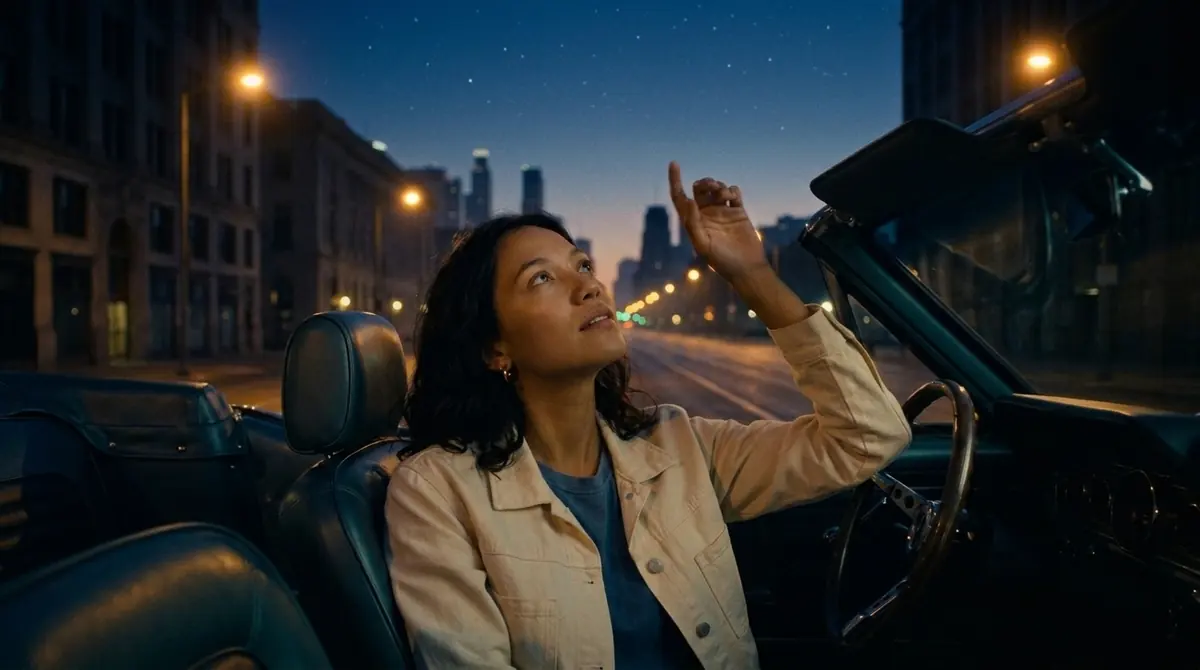
Audio to video
Turn any song file into a video timed to its beats, sections and drops.
Learn more
Upload a music video to YouTube
The title format, a description template, chapters, thumbnail, captions, premiere and the Short, in the order you set them.
Read the guideYouTube music videos
A full-length 16:9 video for your channel, plus the Shorts cut, from one render.
Learn moreYouTube description generator
A music video's title, description, chapters, hashtags and tags, checked against YouTube's limits.
Open the tool
Visualizer vs lyric video vs music video
What each format is, what it takes to make, and which one your song needs first.
Read the guideMusic visualizers
AI video for a whole song, cut on the beat, at the lowest credit rate.
Learn moreLUFS meter
Open a song to read its integrated LUFS, true peak and loudness range, and how far Spotify, YouTube and Apple Music turn it down.
Open the tool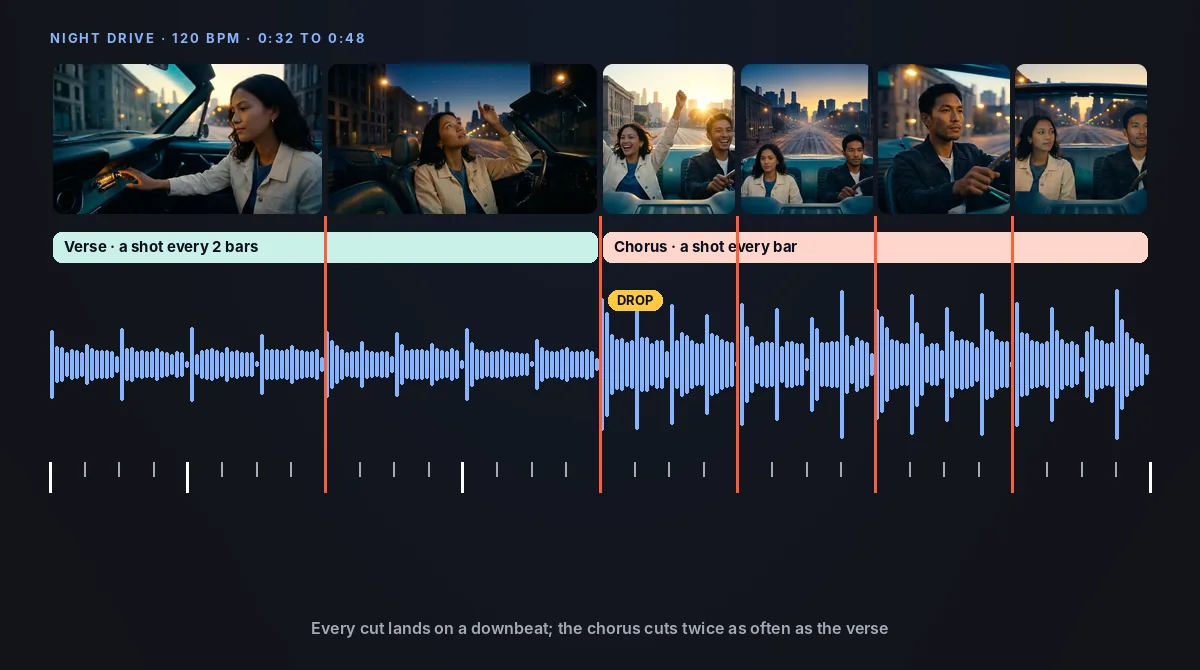
VEED alternative
Muvora and VEED side by side: a music video generated and cut from your song alone, against an online editor for footage, subtitles and waveforms.
See the comparisonMP3 to WAV converter
Convert MP3, M4A, AAC, FLAC or OGG files to 16-bit, 24-bit or 32-bit float WAV on your device, several at once.
Open the tool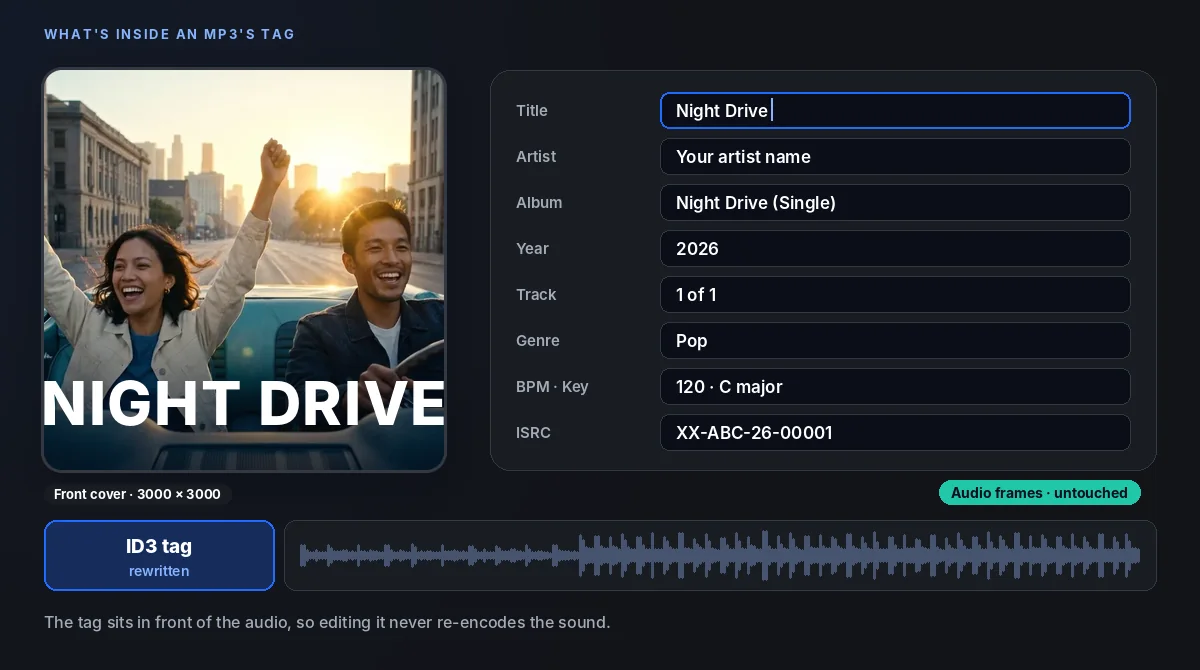
Add album art to an MP3
Embed a cover in an MP3's ID3 tag in your browser or a desktop app, pick the size to embed, and see why Spotify and Apple Music never read it.
Read the guide
Your song deserves a music video
Upload a track and get a free beat-synced storyboard in minutes. Render it when you are ready.
No card needed to start.






