Looking for a Runway alternative for music videos?
Runway is one of the best-known AI video platforms: its own Gen-4.5 model turns a prompt or an image into a clip of up to 10 seconds, models from other companies sit beside it, and its tools keep a character's look, restyle footage and add lip sync. A music video made there is dozens of clips you generate one by one and cut to the song yourself. Muvora starts from the song and plans, renders and edits the whole video on its downbeats. Here is how the two compare.
Free storyboard · 5 a month · No card needed
The verdict
Muvora is the one to pick when the job is a music video for your song: it plans every shot in a free storyboard, cuts on the downbeats, section changes and drops, renders the whole song over your original audio and shows the exact price first. Runway makes AI clips of up to 10 seconds, one prompt at a time, which you then cut to the track yourself.
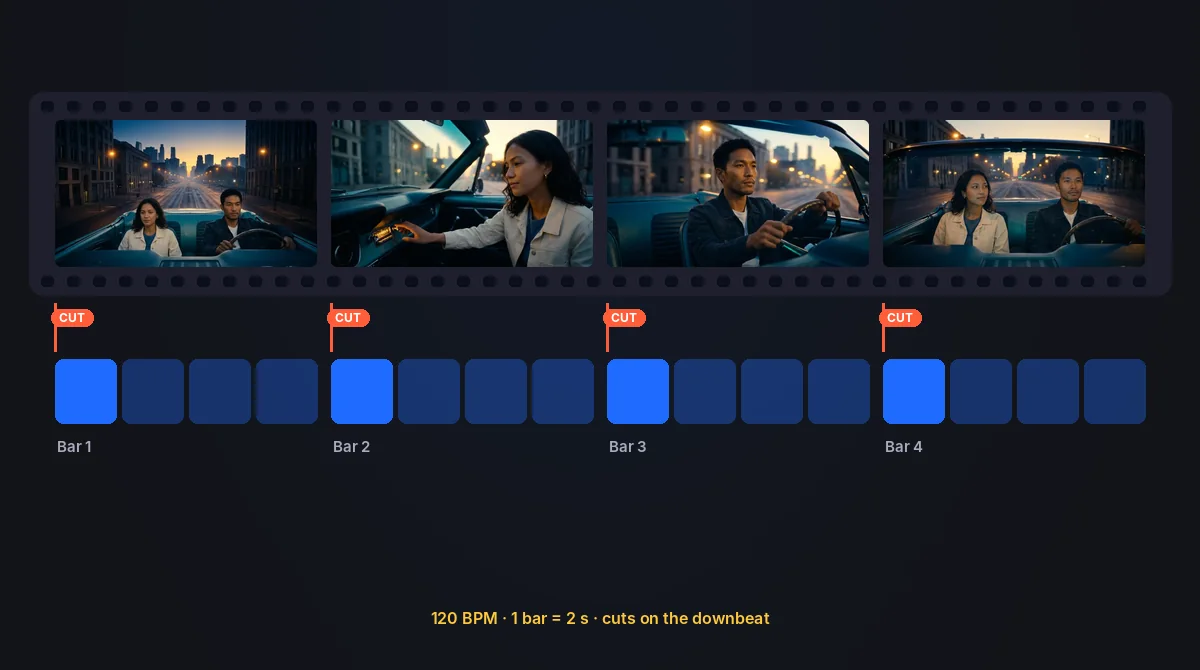
Runway facts checked November 14, 2026. Four storyboard frames from “Night Drive” on a filmstrip over a 120 BPM beat grid, one shot a bar.
Muvora vs Runway
| What is compared | Muvora | Runway |
|---|---|---|
| What it is | A music video generator: upload a song and it plans, renders and edits every shot of the video for that song | A general AI video platform: its Gen-4.5 model and other companies' models make clips from text or images, beside tools that edit, restyle and lip-sync them |
| What you start with | Only the song (MP3, WAV, M4A, AAC or FLAC, up to 8 minutes), plus one photo of the singer if you want lip sync | A prompt for each clip and, for image-to-video, a first frame; up to 3 reference images keep a character's look |
| Clip length | One video exactly as long as the song, made of shots a few seconds long, each placed between two planned cuts | Gen-4.5 clips of 2 to 10 seconds at 720p, so a 3-minute song takes at least 18 clips before any retakes |
| Who plans the video | An AI director writes a brief and a shot for every stretch between cuts; you edit the storyboard for free before rendering | You do: each clip is its own prompt and generation, and the order, pacing and continuity are yours to keep |
| Cutting to the music | Cuts placed by code on downbeats, at every section change and every drop, with longer holds in quiet parts | No beat or section analysis in our sources; the clips are cut to the track in an editor |
| Lip sync | Performance style: the singer drawn from one photo, the vocal separated from your mix, and the sung shots lip-synced to it | Lip sync for a video or a photo with its Add Dialogue app, and Act-Two, which animates a character from a video of your own performance |
| Price model | Credits per finished second: Visualizer 38, Standard 60, Cinematic 110, with the exact total shown before you render | Monthly credits: Standard $15 ($12 billed yearly, 625 credits), Pro $35 ($28, 2,250 credits), Max $95 (9,500 credits); Gen-4.5 spends 12 credits a second |
| Free to start | 5 new storyboards a month with style frames, no card needed; credits are only spent to render | A free plan with 125 credits given once, reported to export with a watermark and without Gen-4.5 |
| Formats | 16:9, 9:16, 1:1 and an 8-second Spotify Canvas loop from one widescreen render, at 720p or 1080p | Gen-4.5 at 720p in 16:9, 9:16, 1:1, 4:3, 3:4 or 21:9, one ratio per clip; reviews list 4K upscaling on paid plans |
Compare it on your own song
Upload a track and see Muvora's whole storyboard, every shot planned on your song's beats, and its exact price before you spend a credit. The storyboard is free, so you can judge the plan before you pay for anything.
What you get with Muvora that changes the outcome
- 01
A plan for the whole song
In a general video tool every clip starts as a blank prompt, so the shape of the video lives in your head or a notes file. Muvora's director reads the song first and writes a brief (concept, cast, locations, palette and mood), then a shot for every stretch between cuts with its framing, action, light and camera move. You read and change all of it for free before rendering; how to storyboard a music video shows what a good storyboard holds.
- 02
The edit is done on the beat
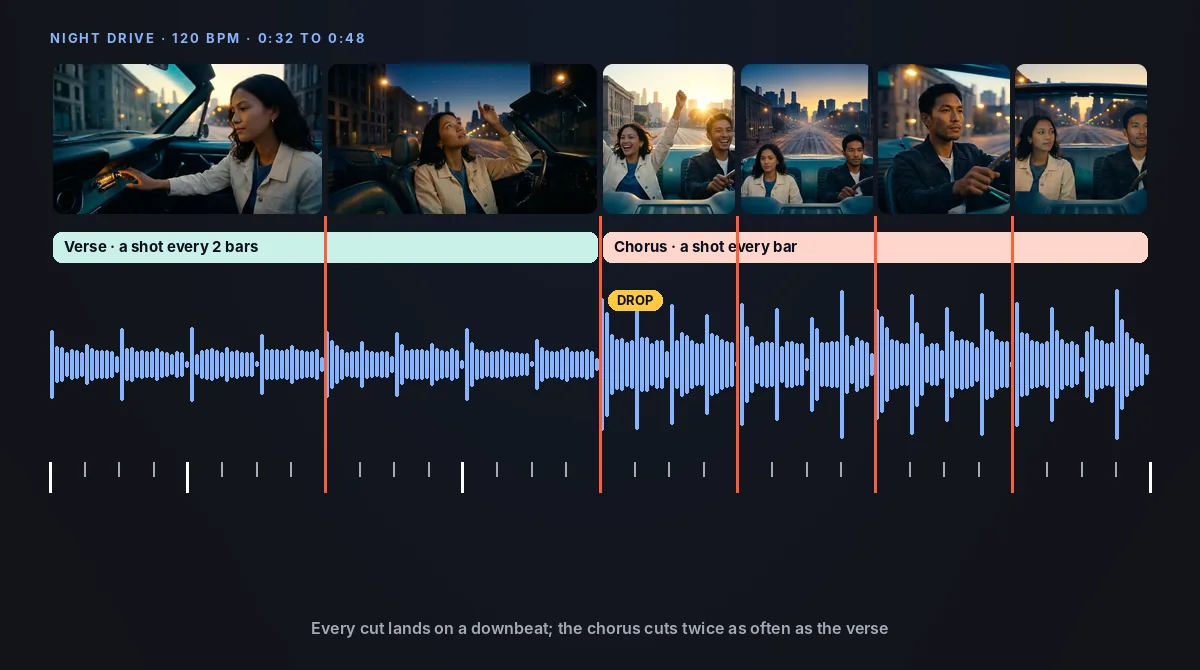
Generating clips is half of a music video; the other half is cutting them to the song. Muvora maps every beat, downbeat, section and drop, holds longer shots in quiet verses, cuts faster in loud choruses, lands each drop on a cut and assembles the shots over your original audio. Drag a cut in the storyboard and it snaps to a beat. Editing a music video to the beat explains the rules it follows.
- 03
One cast from the first shot to the last
Keeping a face and an outfit steady across dozens of separate generations is work you manage reference by reference. Muvora draws a character sheet and style frames before you pay, draws every shot's keyframe from them, checks each one against the sheet and redraws a frame that drifts. For a drawn or painted look, describe the medium in the idea box; making an animated music video covers what works.
- 04
A price for the finished video
Generation credits buy attempts, and a music video needs many of them plus the retakes. Muvora prices the finished video by its length in each quality, shows the exact figure for your song before you press Generate, charges nothing for a shot that fails and includes free re-rolls up to a tenth of the video's length. The cost calculator estimates your song in a few seconds.
The bottom line
Runway is a toolkit for AI clips. Muvora makes the whole music video.
Runway is a general AI video platform: several video models in one place, Aleph for editing footage, Act-Two and lip sync, and close control of every clip you generate. A music video asks for something narrower and harder to assemble by hand: dozens of shots that share one cast, change at the right moments in the song and add up to exactly its length. Muvora does that whole job from your song file, and you read and edit every shot in the storyboard before a credit is spent.
- Every shot planned on your song's beats in a free storyboard
- Cuts on downbeats, section changes and drops, made for you
- One cast, checked shot by shot against its character sheet
- Your singer lip-synced from one photo
- The exact price before you render, and failed shots cost nothing
Still comparing? See how Muvora compares with every other tool.
How Muvora works, and what it costs
- 01
Upload your song
Drop in an MP3, WAV, M4A or FLAC up to 8 minutes. Muvora finds the tempo, the beats, the downbeats and the sections of your song, like intro, verse and chorus.
- 02
Edit your free storyboard
An AI director writes a shot-by-shot plan timed to your downbeats. Rewrite any prompt, drag a cut (it snaps to the beat) or ask AI to redo a shot. None of it costs anything.
- 03
Generate your video
See the final price, then render. Pick Visualizer, Standard or Cinematic quality. If a shot fails, its credits come straight back.
The storyboard is free. Rendering is priced per second.
- Visualizer38 credits/s6,840 for 3 minutes
- Standard60 credits/s10,800 for 3 minutes
- Cinematic110 credits/s19,800 for 3 minutes
- The exact price is shown before you generate
- Failed shots cost nothing
- 16:9, 9:16, 1:1 and a Canvas loop from one widescreen render
Free storyboard in minutes. No card needed.
Questions, answered
Can't find what you need? Start a free storyboard and see for yourself.
Is Muvora a good alternative to Runway for music videos?
Yes, when the job is a music video for a song you've finished. Muvora storyboards the song, renders every shot as AI video and edits the shots on the downbeats over your audio, so you end with one finished video rather than a folder of clips to cut. Runway's strengths are single clips and footage editing; Muvora's is the whole song, planned, rendered and cut for you.
What is the difference between Muvora and Runway?
Runway is a general AI video platform: you prompt clips (up to 10 seconds each with Gen-4.5) one at a time and assemble them in an editor. Muvora is built only for music videos: it analyzes the song, writes a shot for every stretch between cuts, renders them all and edits the result to the beat.
How many Runway clips does a music video take?
At up to 10 seconds a Gen-4.5 clip, a 3-minute song needs at least 18 clips, and more with the quicker cuts a chorus wants, before any retakes. At Gen-4.5's 12 credits a second, 180 seconds of footage is 2,160 credits, a little under the 2,250 a month on Runway's Pro plan as of November 2026. In Muvora the whole song is one render, priced by its finished seconds, and a shot that fails costs nothing.
How much does Runway cost compared with Muvora?
As of November 2026, Runway's Standard plan was 15 dollars a month (12 billed yearly) with 625 credits, Pro 35 dollars (28 yearly) with 2,250, and Max 95 dollars with 9,500, which replaced the Unlimited plan for new subscribers in June. Muvora prices the finished video by its length and quality instead; a 3-minute Visualizer video comes to 6,840 credits, and your song's exact figure shows before rendering.
Can Runway sync a video to music?
Our sources show no Runway feature that finds a song's beats or sections and cuts to them, so the usual way is to generate clips there and cut them to the track in an editor. Runway's lip sync matches a mouth to an audio track, which is a different job. Muvora plans every cut from the song's analysis.
Can I use Runway clips in a Muvora video?
No. Muvora generates every shot itself and doesn't accept uploaded video, so a Runway clip can't go into its render. Making every shot itself is what lets it hold one cast and one look across the song: every shot follows one brief, and each character's keyframes are checked against the same character sheet. Its exports are ordinary MP4 files in 16:9, 9:16 and 1:1, so any editor can open them afterwards.
Keep exploring
VEED alternative
Muvora and VEED side by side: a music video generated and cut from your song alone, against an online editor for footage, subtitles and waveforms.
See the comparisonHow AI music video generators work
The pipeline in plain English: analysis, cut planning, prompts, keyframes, animation, lip sync and the final edit.
Read the guide
Edit a music video to the beat
The bar maths, the shot lengths by section and the cutting tricks that make a video play the song.
Read the guide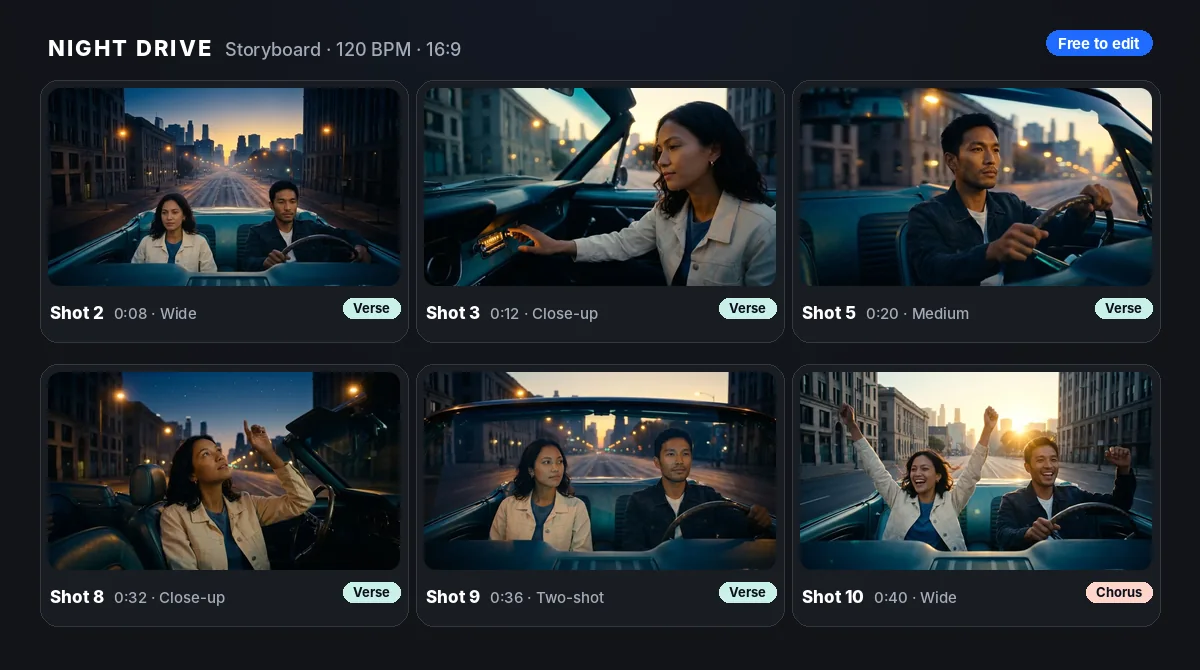
Kaiber alternative
Muvora and Kaiber side by side: one planned, beat-cut music video against a canvas of AI image and video tools.
See the comparison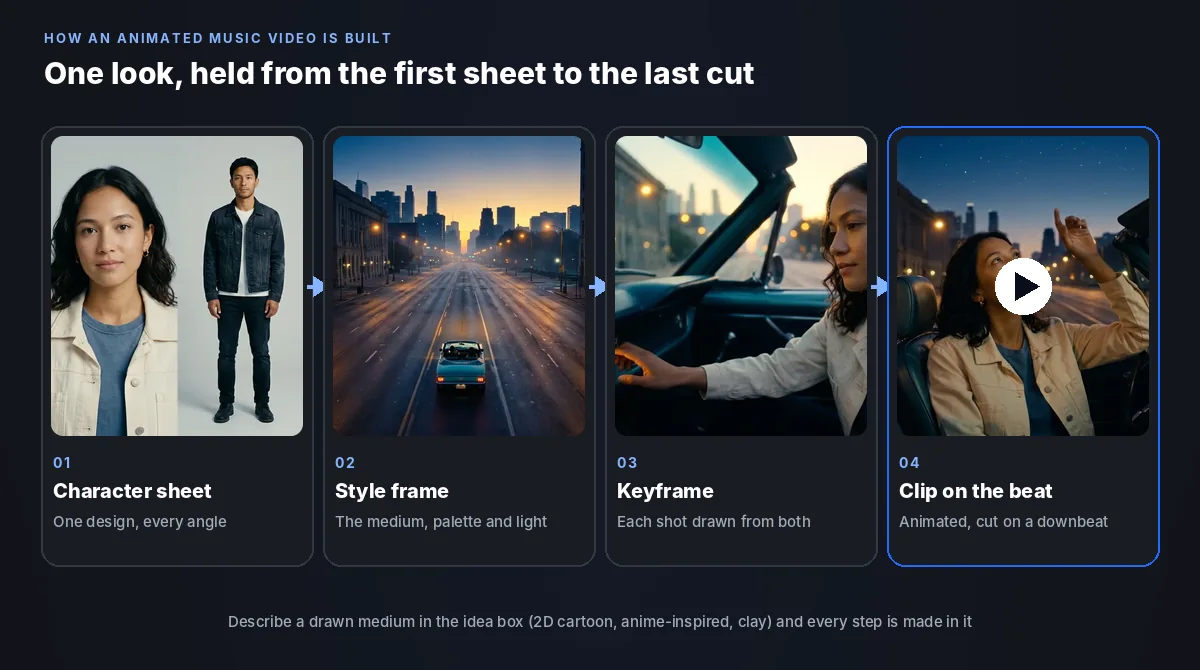
Make an animated music video
Cartoon, anime-inspired, 3D or clay: what each route takes in drawings, weeks and tools, and how to make one with AI from your song.
Read the guide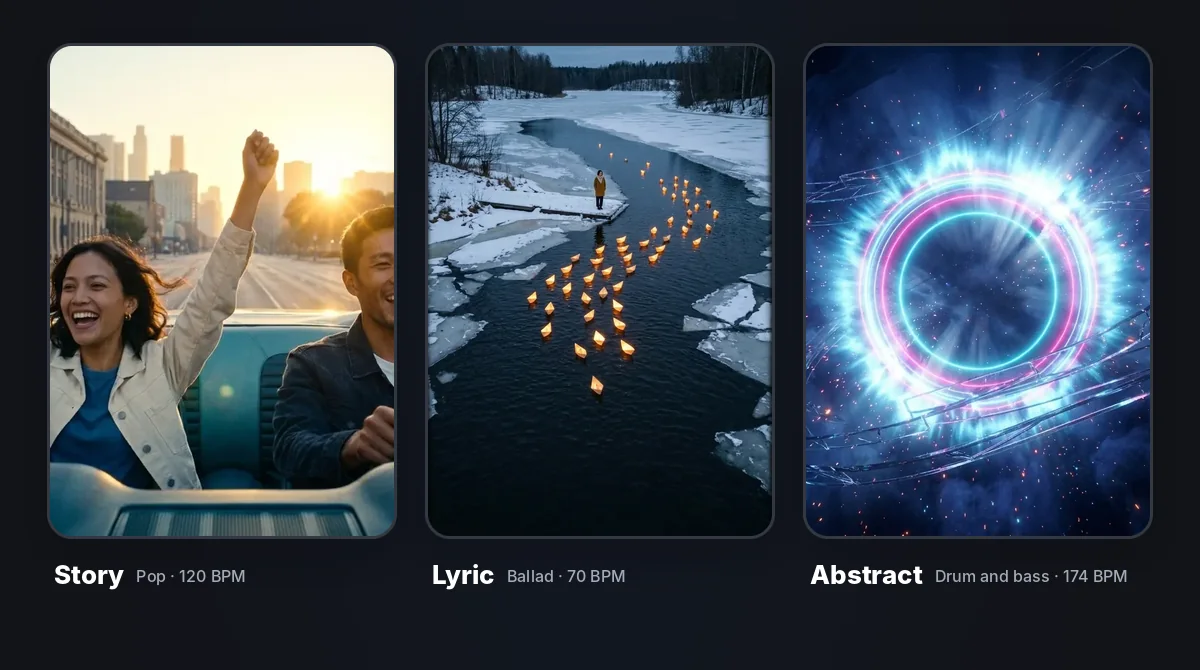
Best AI music video generators
Muvora, Neural Frames, Freebeat, Kaiber and Rotor compared, and why Muvora's beat-cut, editable storyboard is our pick for your song.
Read the guide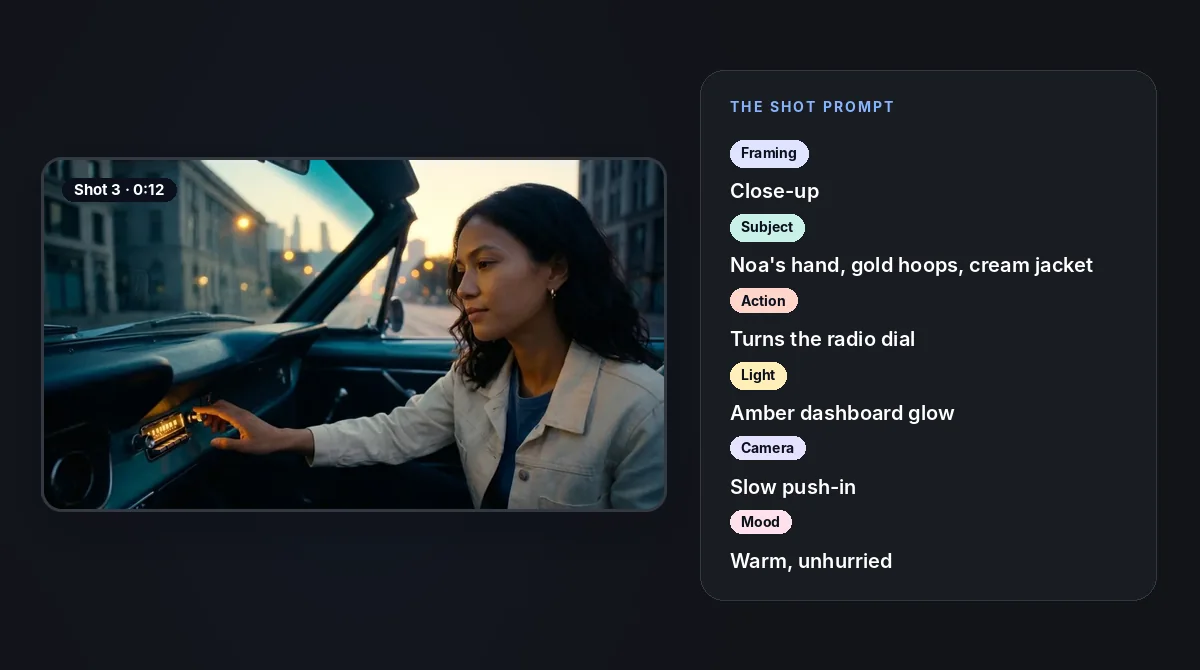
InVideo alternative
Muvora and InVideo side by side: a music video planned from the song's own beats and sections, against an AI agent that scripts, finds stock for and edits any video from a prompt.
See the comparison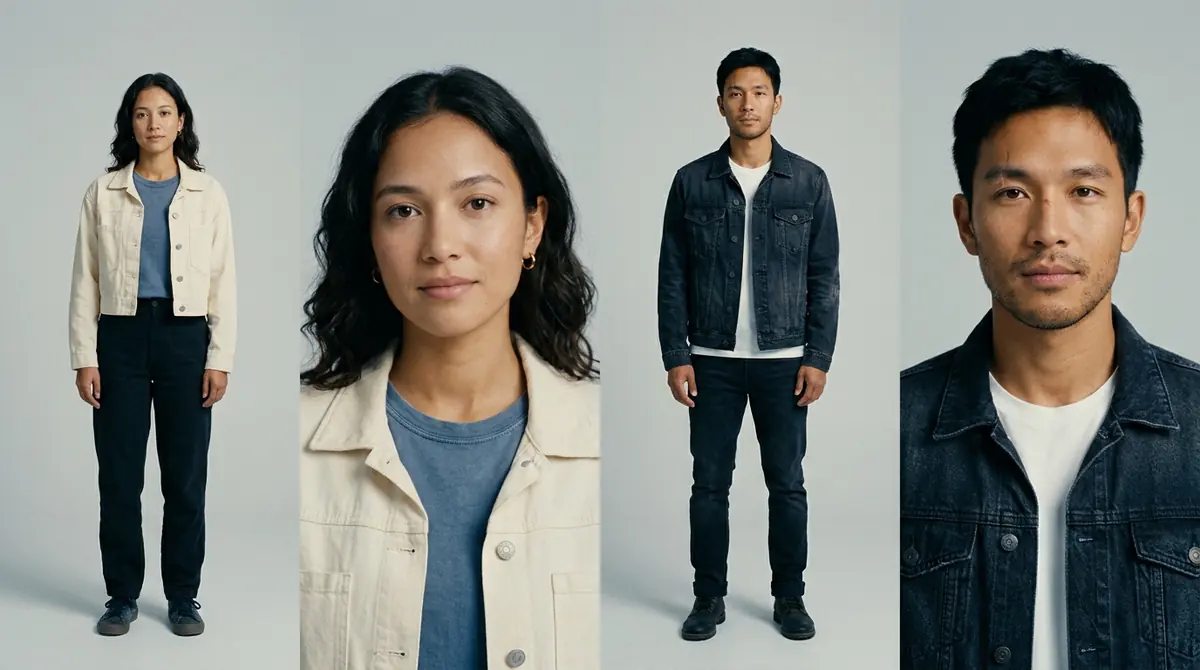
LTX Studio alternative
Muvora and LTX Studio side by side: a music video planned from the song's own beats, against an AI studio that turns a script into a storyboard of shots and clips you direct.
See the comparison
Pika alternative
Muvora and Pika side by side: a whole music video planned on your song's beats, against a creative app for short AI clips, effects, singing images and sound.
See the comparison
Luma Dream Machine alternative
Muvora and Luma AI side by side: a whole music video planned and cut on your song's beats, against Luma's agent workspace for cinematic clips from its Ray models and others.
See the comparison
Higgsfield alternative
Muvora and Higgsfield side by side: a music video planned, rendered and cut from your song in one pass, against an AI studio where you build each shot and cut it in your editor.
See the comparison
Midjourney alternative
Muvora and Midjourney side by side: a whole music video planned and cut on your song's beats, against short silent clips animated from one image at a time.
See the comparison
Your song deserves a music video
Upload a track and get a free beat-synced storyboard in minutes. Render it when you are ready.
No card needed to start.





