Tap along and find the BPM
Play the song, tap the space bar or the big button on every beat, and the tempo settles in a few seconds. Useful when you need a number fast, for a song still in progress, or to check whether a track is felt at half or double time.
Free, no sign-up. Runs in your browser: nothing is uploaded.
Tap here, or press the space bar or T. Pause for 2 seconds to start over.
- Half time
- –
- Taps
- 0
- Double time
- –
Four taps to see how steady you are.
Song finished? Upload it and Muvora plans the whole video on its beats. The storyboard is free.
Make the videoUpload a new songHow to use the tap tempo
- 01
Play the song
Start the track in any player, on any device, and listen for the kick or the snare.
- 02
Tap on every beat
Press the space bar, T, or the tap button in time. Eight or more taps give a steady reading.
- 03
Read the BPM
The average of your latest taps shows at once, with half and double time beside it.
- 04
Start again
Pause for two seconds and the next tap starts a new count, or press Reset.
Why tapping still works
A detector can be fooled by a busy hi-hat or a swung groove; your hand follows the pulse you feel. Tapping is how DJs, drummers and editors check a tempo quickly, and averaging a dozen taps smooths out the wobble of any single one.
- Averages your latest 12 taps
- Shows half and double time
- Tells you how steady your taps are
Half time or double time?
A 140 BPM trap beat is often felt at 70; a drum and bass track at 174 can feel like 87. Neither is wrong: the number you choose decides how fast you count bars, and so how long a shot lasts. The tool shows both readings so you can pick the one the song is felt in.
- Count the snare to feel half time
- Count the hi-hats to feel double time
- Pick the one dancers would move to
From a tempo to cut points
Once you know the BPM you know the bar, and the bar is the unit music videos are cut in. Take the number to the BPM calculator for bar lengths in seconds and frames, or to the shot list generator to see a whole song's cuts.
- One bar of 4/4 at 120 BPM is 2 seconds
- Cut on downbeats, not on seconds
- Longer shots in verses, shorter in choruses

Skip the tapping: Muvora finds every beat for you
Upload a song and Muvora tracks every beat and downbeat, finds the sections and drops, and plans a storyboard with every cut on the beat. The storyboard is free; you pay only to render.
Questions, answered
Can't find what you need? Start a free storyboard and see for yourself.
How many taps do I need?
Four taps give a first reading; eight to twelve give a steady one. The tool averages your latest twelve, so keep tapping until the number stops moving.
Why does my reading jump around?
A single early or late tap moves a short average a lot. Tap a little longer and watch the steadiness line: under 5% means your taps are even enough to trust.
Is tapping as accurate as automatic detection?
For a steady song, a dozen careful taps land within a beat or two per minute. An analysis of the whole file is more precise and also finds every downbeat, which is what Muvora does when you upload a song.
Does it work on a phone?
Yes. Tap the big button with your thumb; it responds on touch, without the delay of a click.
Keep exploring
BPM calculator
Beats and bars in seconds, frames and milliseconds: cut lengths for video and delay times for mixing.
Open the toolBeat marker generator
BPM to timecode: a marker on every beat or bar, as an EDL for DaVinci Resolve, a CSV or plain timecodes.
Open the toolBPM and key finder
The tempo and musical key of any song, with its Camelot code for mixing.
Open the tool
Edit a music video to the beat
The bar maths, the shot lengths by section and the cutting tricks that make a video play the song.
Read the guideMusic visualizers
AI video for a whole song, cut on the beat, at the lowest credit rate.
Learn more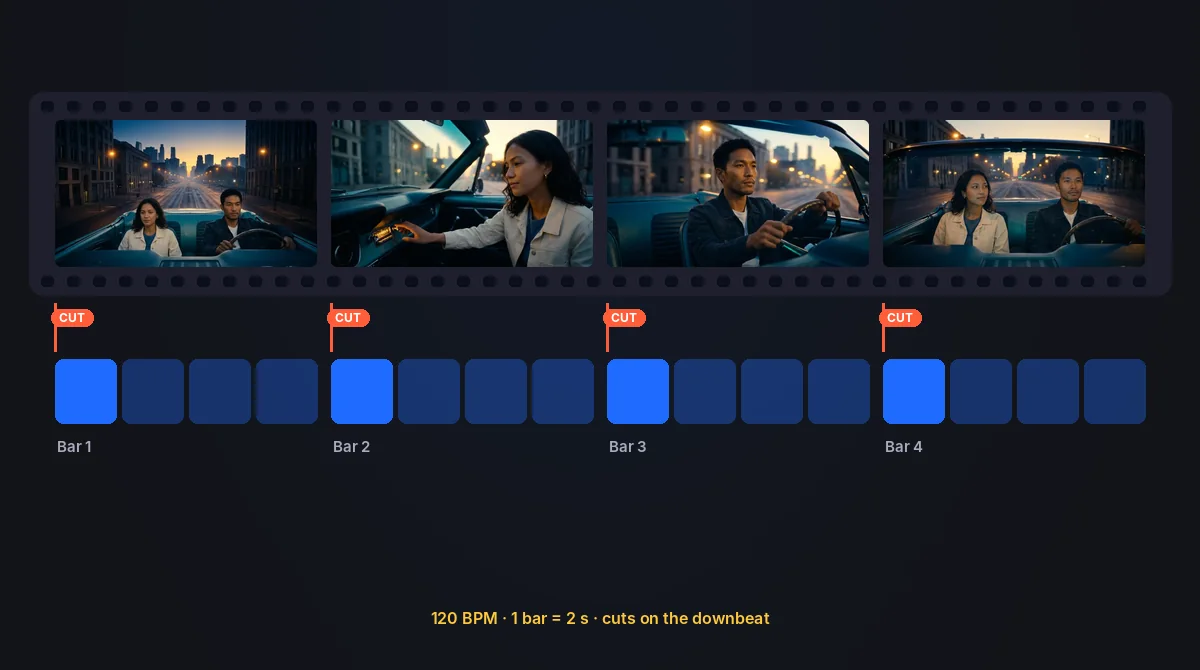
How AI music video generators work
The pipeline in plain English: analysis, cut planning, prompts, keyframes, animation, lip sync and the final edit.
Read the guideMetronome
A steady click from 20 to 300 BPM in seven time signatures, with accents, subdivisions, tap tempo and a tempo trainer.
Open the toolDrum machine
A 16-step drum sequencer in your browser: eight synthesized drums, grooves by genre, swing, accents and rolls, saved as a WAV loop or a MIDI file.
Open the tool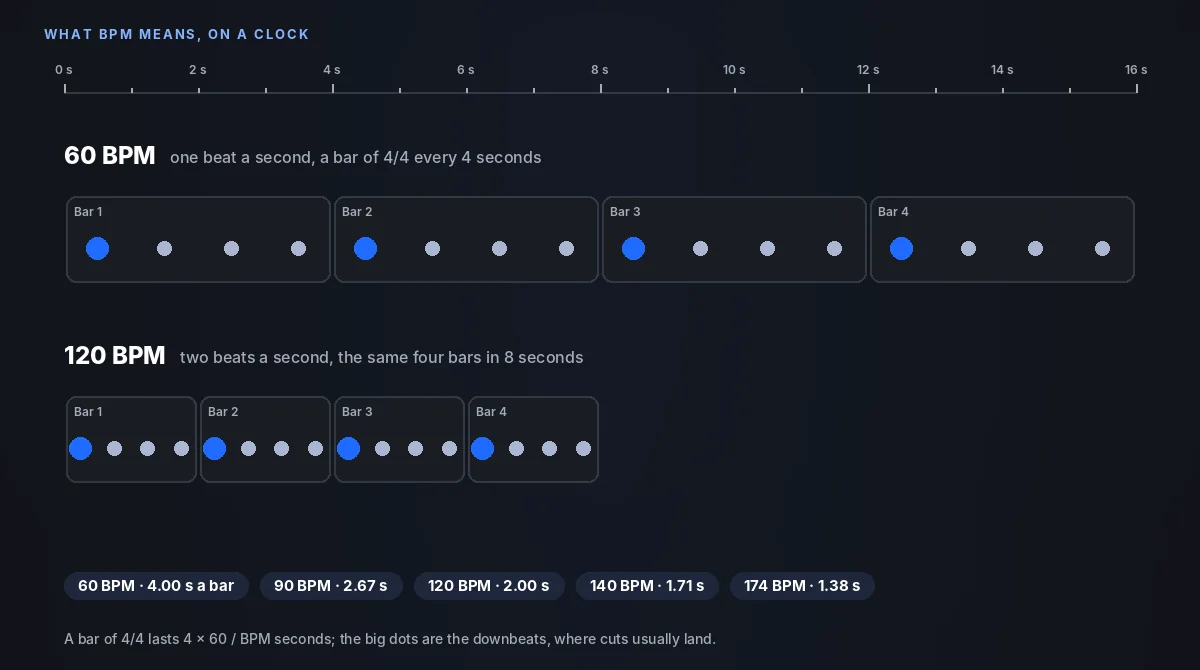
What is BPM?
Beats per minute explained: what BPM measures, how to find a song's tempo, half and double time, tempos by genre and how BPM sets a video's cuts.
Read the guideClick track generator
Make a click track and download it as a WAV: any tempo and time signature, a count-in, accents, subdivisions and a length in bars or minutes.
Open the toolDelay time calculator
Every note value at your tempo in milliseconds, hertz and samples, dotted and triplet, with starting points for delay, reverb, release and LFOs.
Open the toolTempo markings chart
Largo to prestissimo with each marking's BPM range from a cited chart, the names any tempo goes by, and a click to hear each one.
Open the toolBPM to frames calculator
Frames per beat and bar at any frame rate, where every cut lands as a frame and as timecode (drop-frame too), and the tempos that fit whole frames.
Open the tool
More free tools: tempo and timing
Keep time, make a click track, find the BPM, work out bar lengths and mark the beats for a video editor.
Your song deserves a music video
Upload a track and get a free beat-synced storyboard in minutes. Render it when you are ready.
No card needed to start.





