Make a music video thumbnail from a frame of your video
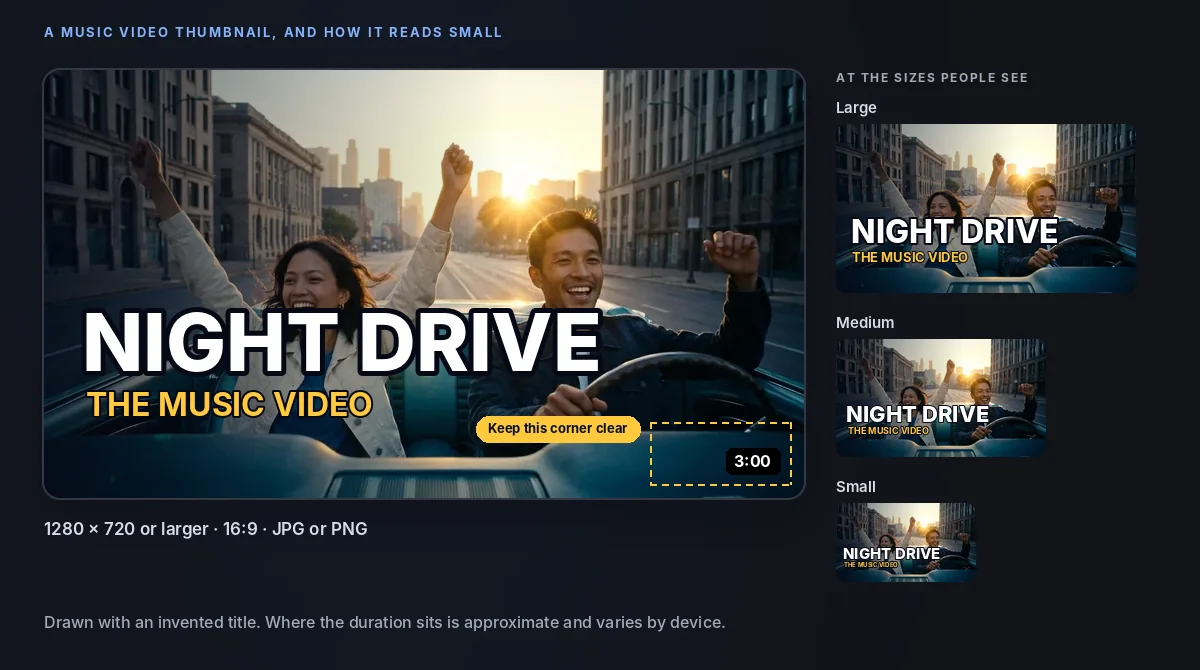
Open a photo, or open the music video itself and step to the exact frame you want. Crop it to 16:9, then set the song's title and a second line large, with an outline, a shadow and a shade behind them so they read over any picture. The maker keeps the type out of the bottom-right corner, where YouTube prints the video's length, draws the thumbnail at the sizes it's really seen, from the home grid down to the up-next column, and checks it as you go. Save it at 1280 × 720, 1920 × 1080 or the 3840 × 2160 YouTube now recommends, as a JPG it steps down until it fits under 2 MB, or as a PNG. Your picture and your video never leave your device.
Free, no sign-up. Runs in your browser: nothing is uploaded.
Drop a picture or a video here
A photo, or your music video itself: pick the frame, then add the title. 1280 pixels wide or more keeps it sharp. Use a picture you made or have the rights to. It's opened on your device and never uploaded.
Song finished? Upload it and Muvora plans the whole video on its beats. The storyboard is free.
Make the videoUpload a new songHow to use the music video thumbnail maker
- 01
Open a picture or your video
Choose, drop or paste a photo, or open the music video and step through it a frame at a time to the moment you want. The frame is taken at the video's own size, so a 1080p video gives a 1920 × 1080 picture.
- 02
Frame it
Drag the picture, or use the zoom and position sliders, to crop it to 16:9. Then add a shade behind the type, or darken, blur or add grain to the whole picture.
- 03
Set the title
Type the song's name and a second line, such as the artist, and pick each line's font, size, color and capitals. Add an outline or a shadow, and choose where the type sits; the duration corner stays clear unless you switch that off.
- 04
Check it small, then save
Read the checks beside the small copies, pick a size and a file type, and save. A JPG starts at the quality you set and steps down until it's under the limit you choose: 2 MB for the phone app, or 50 MB from a computer.
A title that reads at the size people click
Most people meet a thumbnail far smaller than you design it: about 360 pixels wide in the home grid on a laptop, and nearer 168 in the column of suggestions beside a playing video. So the maker draws yours at those sizes as you work and works out how tall each line is there, warning when the title drops under about 10 pixels in the up-next column. A few big words beat a sentence: the video's full title sits beside the thumbnail anyway, so the picture only needs the song's name, or the artist and the song. Over a busy frame, an outline in a contrasting color rings every letter, and the contrast check then judges the letters against the outline; without one, it measures the picture behind each line and reports the ratio 90% of that area reaches. The thumbnail guide covers what gets a music video clicked.
- Drawn at the home grid's and the up-next column's sizes
- Outline, shadow and shade for busy frames
- Contrast measured behind every line
What YouTube's help page asks for now
YouTube's custom thumbnail help page, as it read on 18 November 2026, recommends 3840 × 2160 for videos, with a minimum width of 640 pixels and a 16:9 aspect ratio, in image formats such as JPG or PNG, under limits that depend on where you upload from: 2 MB for a video thumbnail from a phone and 50 MB from a computer. Custom thumbnails need a verified account. The maker saves all three sizes that make sense for a music video. 1280 × 720 is the size YouTube long recommended; 1920 × 1080 is a 1080p frame at full detail; 3840 × 2160 is the new recommendation, which a 1080p frame reaches only by being enlarged twice over, so the picture check says when that happens. The JPG is stepped down in whole percents of quality until it fits the limit you pick, and the result is checked again from the file itself.
- 3840 × 2160 recommended, 640 px wide at least
- 2 MB from a phone, 50 MB from a computer
- A JPG stepped down until it fits
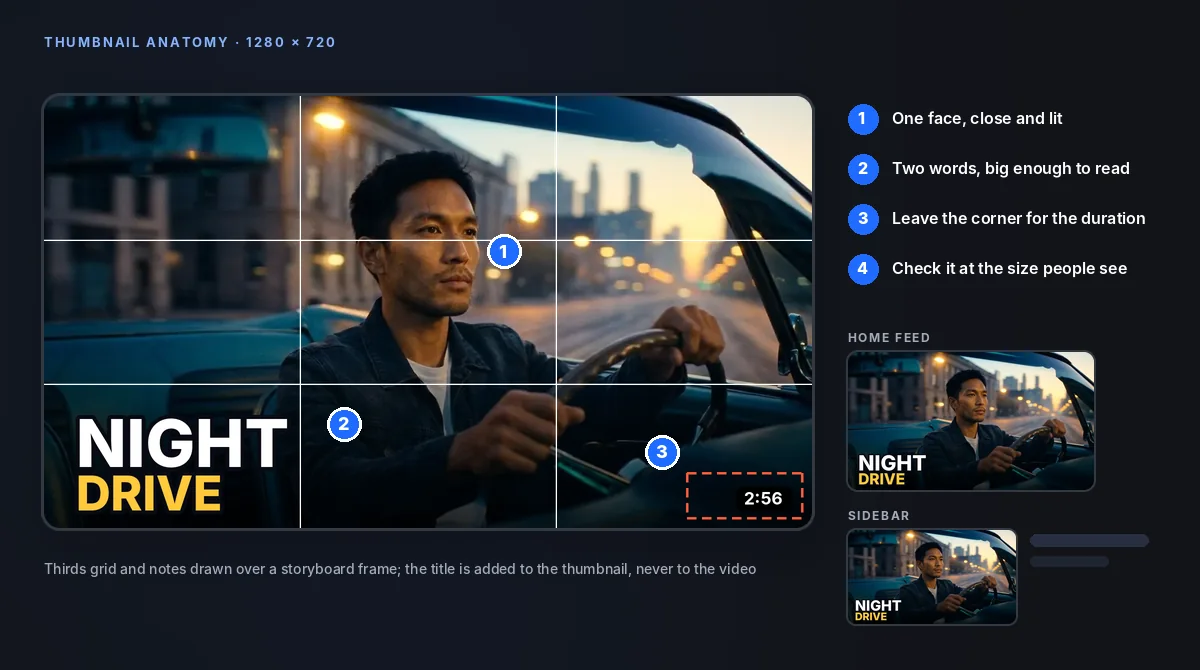
The corner YouTube covers with the video's length
Every thumbnail on YouTube carries a small badge in its bottom-right corner with the video's length, and the badge stays the same size whatever the thumbnail's size. On a big home-grid tile it covers about an eighth of the width and a sixth of the height; in the up-next column it covers closer to a quarter and a third. Type the video's length and the maker marks that corner on the preview, then keeps your type out of it by wrapping it narrower or lifting it above the corner, whichever keeps it bigger. It also looks at the finished picture for detail under the badge, such as half a face, and at how much contrast survives once it's small. All of these sizes are approximate, since YouTube's layout changes with the window, the device and every redesign: the YouTube thumbnail preview shows a saved file beside a title in each layout.
- The length badge's corner marked on the preview
- Type wrapped or lifted clear of it
- Detail under the badge flagged
From a thumbnail to the video it belongs to
Upload the song and Muvora's AI director writes a storyboard cut to its beats, free to read and edit, then renders it shot by shot with no lettering inside the pictures: with captions off, the only words on your thumbnail are the ones you set here. A widescreen render gives you the 16:9 video, vertical and square cuts and an 8-second Canvas loop. Open the finished MP4 in this maker, step to the chorus and the thumbnail comes from the video itself.
Questions, answered
Can't find what you need? Start a free storyboard and see for yourself.
Is the thumbnail maker free, and does my video get uploaded?
It's free with no account, and nothing is uploaded. Your browser opens the picture or plays the video from the file on your device, draws the thumbnail and saves it there. The only things the page fetches while you work are font files from this site, the first time you pick each font.
What size should a music video thumbnail be?
16:9. YouTube's help page, as checked on 18 November 2026, recommends 3840 × 2160 for videos and asks for at least 640 pixels across, as a JPG or PNG under 2 MB from a phone or 50 MB from a computer. 1280 × 720 still works everywhere, and a frame from a 1080p video is sharpest at 1920 × 1080.
Why does the maker keep the bottom-right corner clear?
Because YouTube prints the video's length there on every thumbnail. The badge keeps its size when the thumbnail shrinks, so in the column of suggestions beside a playing video it covers a good part of the corner. Type, a face or a logo under it is hidden, so the maker moves your type out of the way unless you tell it not to.
Which video files can I pick a frame from?
Any video your browser can play. MP4 with H.264 video opens in every current browser and WebM in most; HEVC (H.265) and some MOV files open only where the browser and the device can decode them. If yours doesn't open, export an MP4 from your editor, or grab the frame as a picture with the video frame grabber and open that.
How many words should a music video thumbnail have?
Usually the song's name, or the artist and the song, and sometimes none. The full title already sits beside the thumbnail, so words on the picture are there to be read at a glance, and every extra word makes the rest smaller. The checks warn when the title passes six words or drops too small in the up-next column.
Can I make the thumbnail from a frame of a Muvora video?
Yes. A frame of a video you rendered is yours to use to promote it when you have the rights to the song. Muvora's pictures carry no lettering of their own, so a frame from a render with captions off has no type on it but the title you set here. Pick a strong moment from the chorus, where the frames are usually most striking.
Keep exploring
Music video thumbnails
YouTube's size and file rules, what gets a music video thumbnail clicked, grabbing the right frame, the words, the color and testing.
Read the guideYouTube thumbnail preview
See a thumbnail and title as YouTube lays them out: home, search, up next and a phone, light or dark, up to three side by side.
Open the toolVideo frame grabber
Open a video, step to the exact frame and save it as a full-size PNG, JPEG or WebP, or a 1280 × 720 YouTube thumbnail.
Open the toolAlbum cover maker
Make 3000 × 3000 cover art from your own photo or a color, with the artist name and title in fonts licensed for commercial use.
Open the tool
Upload a music video to YouTube
The title format, a description template, chapters, thumbnail, captions, premiere and the Short, in the order you set them.
Read the guide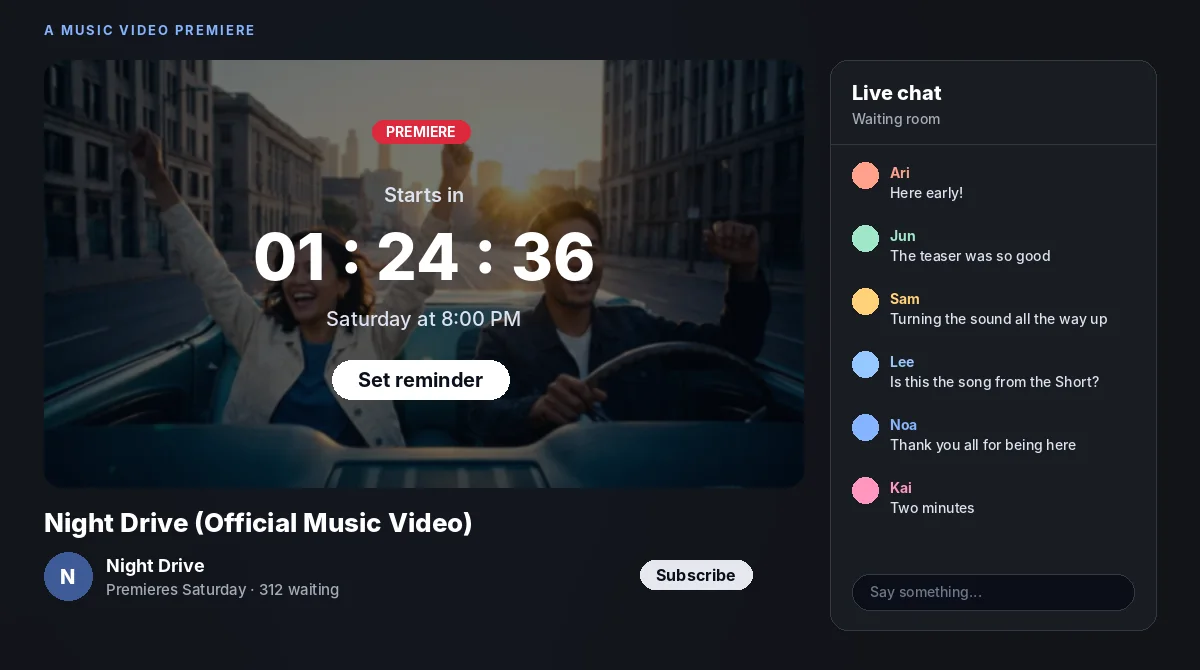
Premiere a music video on YouTube
What a YouTube Premiere does, the limits that catch people out, the setup step by step, and a plan for the week before, the hour of and the days after.
Read the guideGig poster maker
Make a show poster from your photo, a video frame or a color: act, date, venue and tickets laid out for print and Instagram, with a QR code.
Open the toolYouTube music videos
A full-length 16:9 video for your channel, plus the Shorts cut, from one render.
Learn more
More free tools: artwork and video formats
Cover art, Canvas loops, YouTube thumbnails, a spectrum visualizer, sizes, safe zones and bitrates, a video file's specs, and a vertical cut of any clip.
Your song deserves a music video
Upload a track and get a free beat-synced storyboard in minutes. Render it when you are ready.
No card needed to start.






