The music video maker that starts from your song
Template editors ask you to bring footage and drag clips onto a timeline. Muvora starts with the one thing every musician already has: the finished song. It listens first, plans every shot around the beats and sections, and makes the pictures, so the video is cut to the music before you touch anything.
Free to start · 5 storyboards a month · No card needed
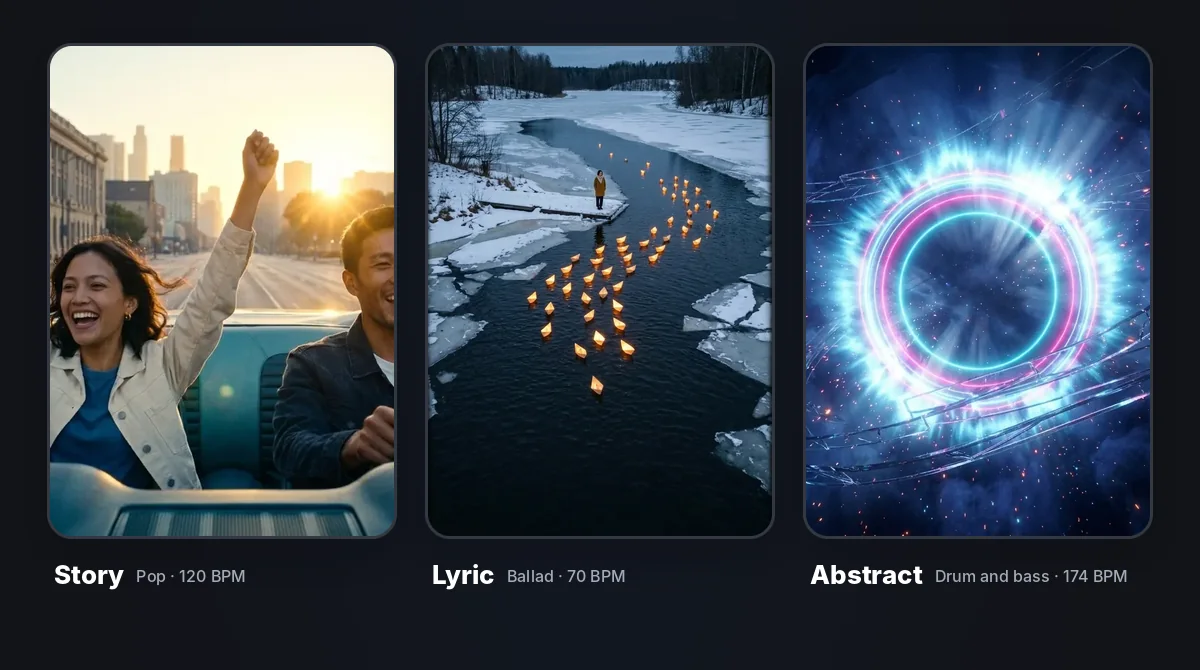
No footage, no timeline
There is nothing to film and nothing to sync by hand. Upload an MP3, WAV, M4A or FLAC and the analysis finds the tempo, every downbeat, the verses and choruses and the drops. Cuts are placed on that grid by code, so every shot starts on the beat, and the soundtrack of every export is your own file.
- Upload a finished song up to 8 minutes
- Cuts placed on the beat for you
- Your original audio in every export
See your song as a storyboard first
Upload the track and the AI director plans every shot on the beat in minutes. Edit anything for free; you only pay if you render.
Every kind of music video in one place
Pick a story with characters, abstract motion, a lyric video with karaoke captions, or a performance where a singer from one photo lip-syncs your vocals. Add a genre look and describe your idea in your own words; the AI director builds the storyboard around it. Not sure where to start? Try the idea generator.
- Story, abstract, lyric and performance styles
- Hip-hop, pop, EDM, rock and lo-fi looks
- Your own idea in up to 600 characters
A whole release from one render
Release day needs more than one file. Every render exports a 16:9 video for YouTube, a 9:16 cut for Shorts, Reels and TikTok, a 1:1 cut for feed posts and an 8-second Spotify Canvas loop. Change a shot afterwards and a new version is assembled free.
- 16:9, 9:16 and 1:1 exports
- An 8-second Canvas loop
- New versions assembled free
From your song to a finished video
- 01
Upload your song
Drop in an MP3, WAV, M4A or FLAC up to 8 minutes. Muvora finds the tempo, the beats, the downbeats and the sections of your song, like intro, verse and chorus.
- 02
Edit your free storyboard
An AI director writes a shot-by-shot plan timed to your downbeats. Rewrite any prompt, drag a cut (it snaps to the beat) or ask AI to redo a shot. None of it costs anything.
- 03
Generate your video
See the final price, then render. Pick Visualizer, Standard or Cinematic quality. If a shot fails, its credits come straight back.
The storyboard is free. Rendering is priced per second.
- Visualizer38 credits/s6,840 for 3 minutes
- Standard60 credits/s10,800 for 3 minutes
- Cinematic110 credits/s19,800 for 3 minutes
- The exact price is shown before you generate
- Failed shots cost nothing
- 16:9, 9:16, 1:1 and a Canvas loop from one widescreen render
Free storyboard in minutes. No card needed.
Questions, answered
Can't find what you need? Start a free storyboard and see for yourself.
Do I need any video footage to use Muvora?
No. Muvora makes every shot with AI from the storyboard, so all you need is the song. It doesn't edit footage you upload; for that, a traditional video editor is the right tool.
Can I make a music video on my phone?
Yes. Muvora runs in the web browser on a phone or a computer, with nothing to install. A bigger screen makes the storyboard timeline easier to edit.
Which songs work best?
Any finished song up to 8 minutes that you own or have the rights to use. Songs with a clear beat get the tightest cuts, and you can move any cut by hand in the storyboard.
Keep exploring

Make a music video with AI
The whole process, from a finished song to a video cut on the beat, in seven steps.
Read the guideAI music videos by genre
A drill beat, a dream-pop chorus and a lo-fi loop need different pictures and different cutting. Pick the genre closest to your song to see how Muvora plans it, then upload your track to get the storyboard for free.
See them allMusic video idea generator
Concepts by genre and mood, each with places, light, a motif and a chorus moment. One click to storyboard it.
Open the toolAll comparisons
Every music video tool turns a song into pictures; they differ in where the pictures come from, who plans the video, how the cuts follow the music, and what you pay before you see anything. These pages put Muvora side by side with the alternatives, with the other products' facts dated and sourced, and show why Muvora is the one built to turn a finished song into a music video.
See them all
Independent artists
A music video for a self-released single: no crew, a free storyboard and the price shown before you render.
Learn more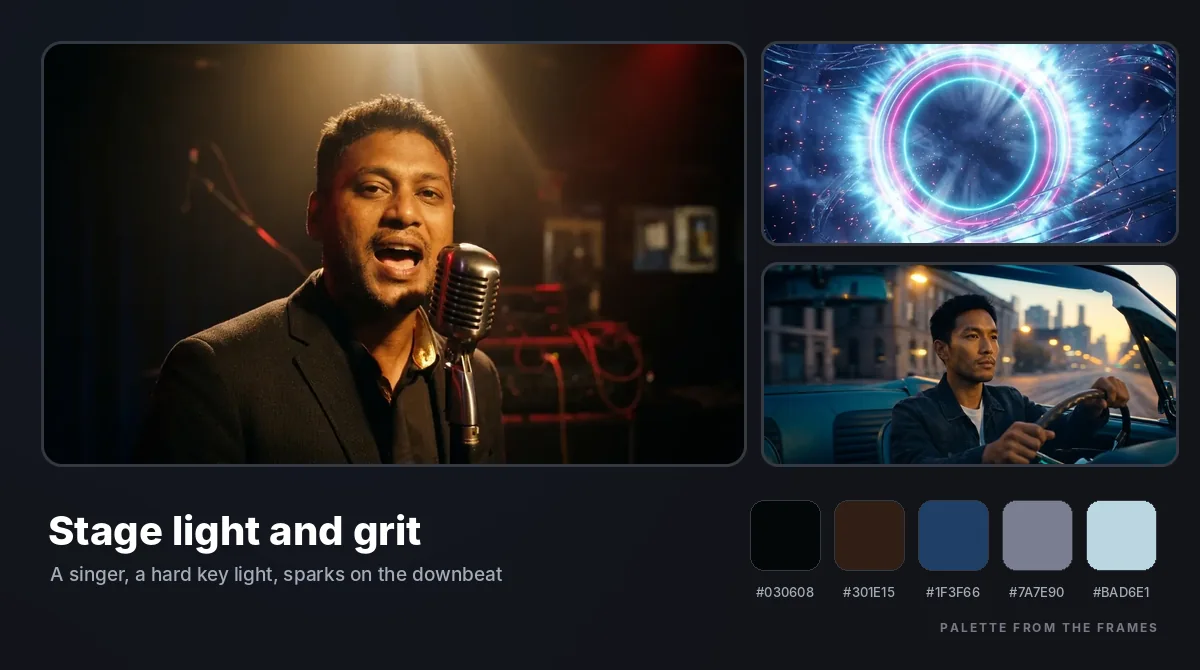
Bands
The singer lip-synced from one photo, the rest of the band written into the story, every release format.
Learn more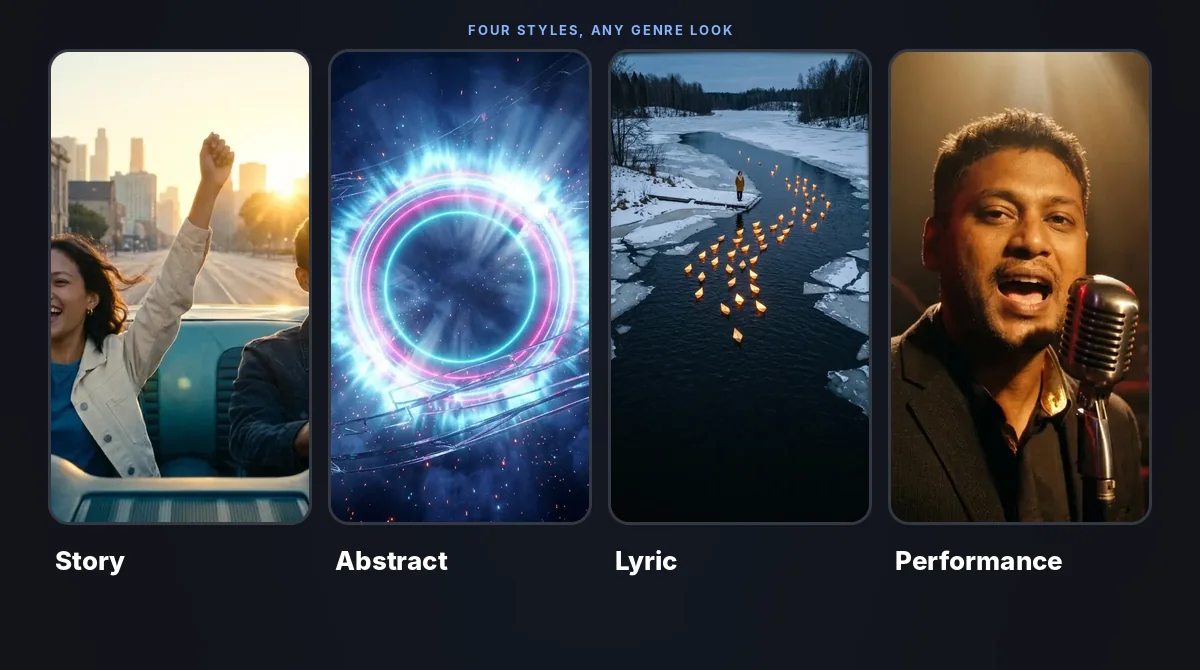
Every use case
Every kind of music video Muvora makes, from lyric videos and visualizers to lip sync from one photo, grouped by what you're making.
See them all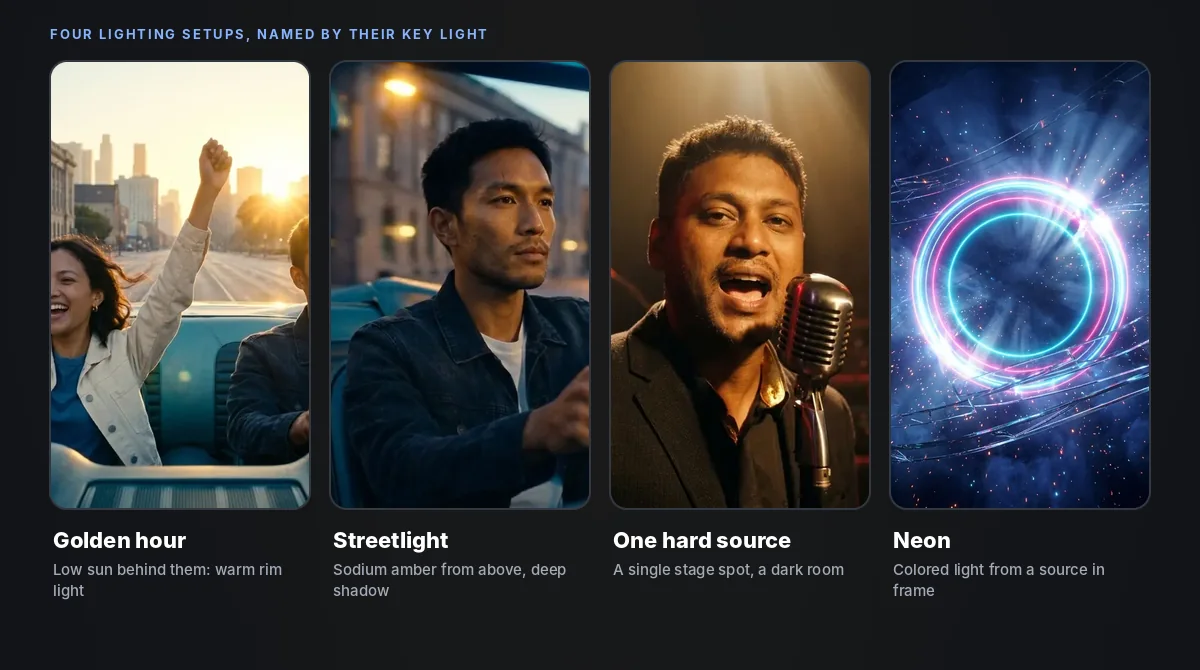
Cinematic music videos
Muvora's highest-quality render: sharper first frames, clips made at 1080p, and light that comes from the scene.
Learn more
No watermark
Clean exports on every plan and pack: plan the video free, see its exact price, and download every shape with no logo on it.
Learn more
Your song deserves a music video
Upload a track and get a free beat-synced storyboard in minutes. Render it when you are ready.
No card needed to start.





