The short answer
To make a lyric video, start with the final lyrics, time each line (or each word) to the vocal, set them as short, high-contrast captions that stay on screen long enough to read, and put calm, on-theme visuals behind them. Export a 16:9 version for YouTube and a 9:16 version for Shorts, Reels and TikTok. Muvora times the words to your vocals and burns in karaoke-style captions for you.
- Paste the real lyrics; a transcript will mishear you somewhere.
- Word-level timing makes karaoke-style captions; line-level timing is enough for a simple lyric video.
- Short phrases, strong contrast and a steady position matter more than a fancy font.
- Keep the visuals quieter than the words, and never put lettering in the generated images.
- Render once and export widescreen and vertical cuts with the same timing.
On this page (7 sections)ShowHide
What makes a lyric video work
People watch lyric videos to learn the words, to sing along, and to hear a song properly when there's no official video yet. That sets the priorities. Timing comes first, because a line that arrives late feels broken even to someone who can't say why. Readability comes second: the viewer has a fraction of a second to take in each phrase. The visuals come third. They set the mood and keep the eye on the screen, but they should never make a word harder to read.
That's also why a lyric video is a smart first release. It's cheaper than a full music video, it suits every genre, and it gives listeners something to share on day one. If you're deciding between formats, see visualizer vs lyric video vs music video.
How to make one, step by step
- 01
Write out the final lyrics
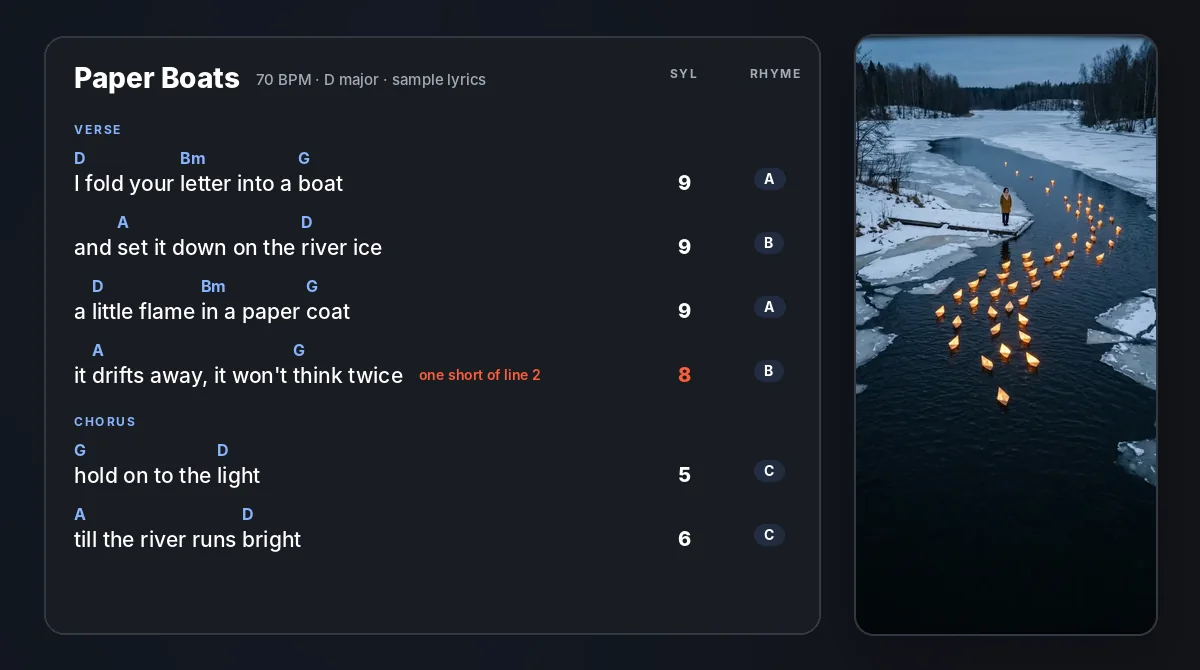
Type them exactly as sung, with every repeat, ad-lib you want shown and the spelling you want fans to copy. Break lines where the singer breathes, not where the lyric sheet happens to wrap.
- 02
Time every line to the vocal
Each line needs a start time, and ideally an end. For a karaoke effect you also need the time of every word. You can tap along in a lyric editor, or upload the song and let a tool align your text to the vocal.
- 03
Pick visuals that sit behind the words
Calm, atmospheric images work best: slow movement, an empty space in the frame, a palette that leaves room for white text. Generated visuals should contain no lettering of their own; the captions are the only text.
- 04
Design the captions for reading
Use a heavy, simple typeface, a few words per line, strong contrast against the picture and a position that doesn't jump around. Highlight the word being sung if you have word timing.
- 05
Watch it through with fresh eyes
Play the whole video once without stopping. Note any line that arrives early or late, any phrase you couldn't finish reading, and any shot where the text gets lost in a bright patch.
- 06
Export each shape you post in
A 16:9 version for YouTube, a 9:16 version for Shorts, Reels and TikTok, and a 1:1 version if you post to a feed. The captions should be sized to each export, not just cropped.
Skip the blank page
Upload your song and Muvora's AI director plans a shot-by-shot storyboard on the beat. Edit every shot for free, and pay only if you render.
Line timing or word timing?
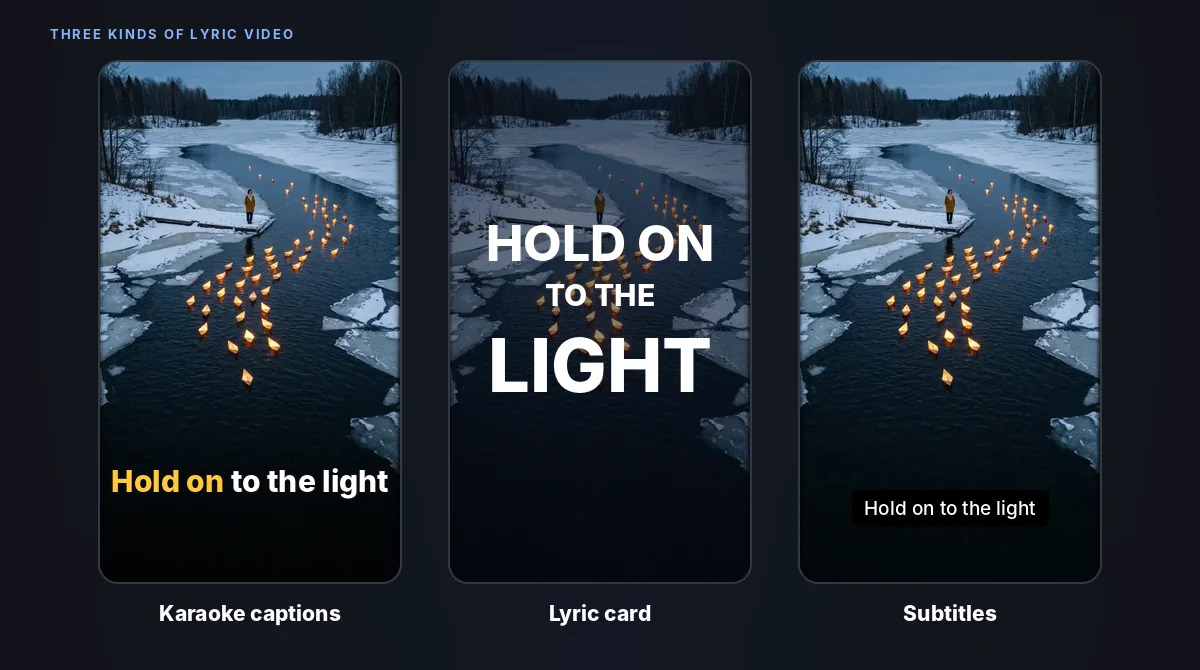
Line timing tells the video when a whole line should appear. It's enough for a classic lyric video where each line fades in and out. Word timing tells it when each word is sung, which lets the line light up word by word, karaoke style. Word timing feels more alive and helps people sing along, especially on fast verses.
[00:12.40] Hold on to the light
A line time (LRC) shows the line; word times let each word light up as it is sung.
| Format | Timing | Typical use |
|---|---|---|
| LRC | One time per line | Synced lyrics in music players and lyric services |
| LRC with word times | A time for every word | Karaoke-style highlighting |
| SRT | Start and end per line | Video editors and YouTube captions |
| WebVTT | Start and end per line | Web video players and YouTube captions |
Captions people can read at a glance
Most lyric videos fail on readability, not timing. A viewer reads a short phrase in one look, so long lines force them to choose between reading and watching. Muvora's karaoke captions follow rules worth copying whatever tool you use:
- Short phrases. At most 7 words or 42 characters on screen at once, so a line reads in one glance.
- Breaks where the singer pauses. A new phrase starts wherever there's a gap of more than 0.8 seconds in the vocal, so the text breathes with the song.
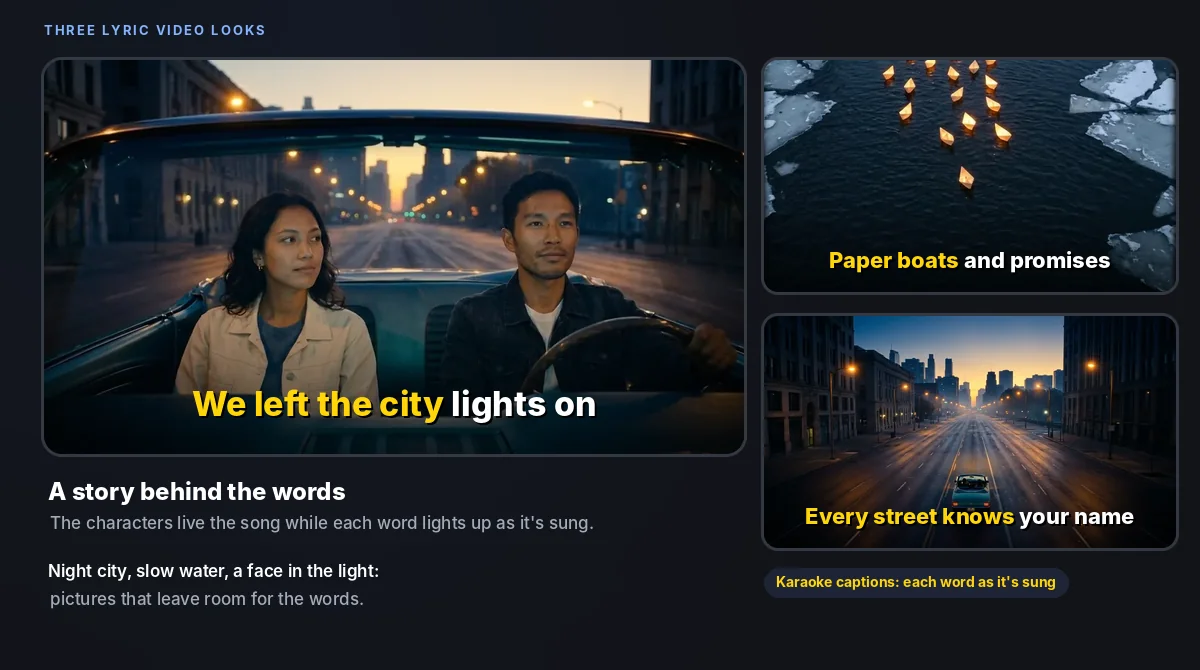
- The sung word stands out. Each word turns from white to yellow as it's sung, so the eye always knows where the voice is.
- Sized to the frame. Captions are drawn for each export's own size, so they're as legible on a phone as on a TV.
Visuals that support the words
The picture behind a lyric video should feel like the song without illustrating every line. If the chorus says "rain", ten shots of rain get old fast. Use the lyrics for meaning instead: what the song is about, where it happens, who it's for. Then choose a few images that return, so the video has a shape. A motif that comes back on every chorus does more than a new idea for every line.



Dark, even backgrounds make white text easy to read; busy, bright scenes need a shadow or a darker grade. Slow camera moves keep the eye steady. And never ask an image or video model for text inside the picture: they garble letters. Put every word in the captions.
Vertical lyric videos for Shorts, Reels and TikTok
A lot of lyric viewing now happens on phones. YouTube treats a square or vertical video of up to 3 minutes as a Short, and Reels and TikTok are vertical by default, so a 9:16 lyric video can reach people who would never open a widescreen one. Post the chorus as a vertical clip a few times in release week, and point to the full video. For every platform's sizes, see music video aspect ratios.
Don't just squeeze the widescreen version. A vertical frame holds fewer words per line and needs the text larger, so the captions should be set again for the new shape. In Muvora the vertical export is cut from the same render and its captions are drawn at the vertical size, so the timing stays identical across both. If your release is mainly for short-form, read the TikTok music video maker page too.
Making a lyric video with Muvora
Upload the song (MP3, WAV, M4A or FLAC, up to 8 minutes) and paste your lyrics. Muvora finds the beats and sections and aligns your words to the vocal; without pasted lyrics it transcribes them. Choose the Lyric style, and the AI director writes a free storyboard of shots timed to the downbeats, with each lyric line linked to the shot it plays over. Edit any shot, then render with captions on. You get karaoke-style captions burned into the 16:9, 9:16 and 1:1 exports, plus an 8-second loop for your Spotify Canvas.
Lyric videos suit Visualizer quality well: 38 credits per finished second covers a whole song affordably, and the exact price is shown before you generate. Captions are a setting you choose before rendering; switch them off for a clean video with no text.
Your lyrics, timed to your voice
Upload the song, paste the words, and get a free storyboard for your lyric video. Render it with karaoke captions when it's right.
Written by the Muvora team. Last updated November 13, 2026. Spotted something out of date? Tell us at [email protected].