A steady online metronome, from 20 to 300 BPM
Set a tempo with the slider, the number field, the arrow keys or a few taps, pick a time signature from 2/4 to 12/8 and press Start or the space bar. Beat one is accented, softer clicks can fill in 8ths, triplets or 16ths, and a trainer can raise the tempo every few bars while you play. Every click is synthesized and timed in your browser: nothing is uploaded and the microphone is never used.
Free, no sign-up. Runs in your browser: nothing is uploaded.
100BPM
Andante (at a walking pace), about 76 to 107 BPM
4/4: 4 beats a bar, each a quarter note
Time signature
Subdivision
Sound
Space starts and stops. With the metronome focused, the arrow keys change the tempo by 1 (with Shift, by 10) and T taps it. The clicks are made in your browser; on a phone, keep this page on screen while you play.
Song finished? Upload it and Muvora plans the whole video on its beats. The storyboard is free.
Make the videoUpload a new songHow to use the metronome
- 01
Set the tempo
Drag the slider, type a BPM from 20 to 300, step with the minus and plus buttons or the arrow keys, or press Tap four times along with a song you can hear.
- 02
Pick the meter and the click
Choose the time signature (and how 5/4 or 7/8 is grouped), the subdivision between beats, one of three sounds, the volume and whether beat one is accented.
- 03
Press Start and play
Start, or the space bar, sets it going. A dot lights for each beat as you hear it, and the tempo's Italian marking shows under the number.
- 04
Let the trainer push you
Turn on the tempo trainer and say how many BPM to add, every how many bars and where to stop; it speeds the click up while you keep playing.
Practicing with a click, step by step
Find the tempo where a passage comes out clean every time, even if that is half the song's speed, and play it there until it feels easy. Then raise the click by 2 to 5 BPM and go again: a tempo you can't play cleanly only rehearses the mistakes. For groove, set the metronome to half the tempo and hear each click as beats 2 and 4 of a 4/4 bar, where a drummer's snare usually lands, so keeping beats 1 and 3 is up to you. To match a recording, find its speed first with tap tempo.
- Start where you play it clean
- Raise it 2 to 5 BPM at a time
- Half tempo, clicks on 2 and 4
Subdivisions, compound meters and odd meters
Subdivisions put softer clicks between the beats: two for 8ths, three for triplets, four for 16ths. They help most at slow tempos, where a long gap between clicks makes it easy to rush, and with syncopated parts that land between beats. In 6/8 and 12/8 the beat is a dotted quarter, so the metronome counts two or four beats a bar and its 8ths setting plays the three eighths inside each; 6/8 at 60 BPM is 180 eighth notes a minute. 7/8 counts eighth notes in groups, 2+2+3 by default, with a lighter accent on each group's first note, and 5/4 can be grouped 3+2 or 2+3.
- 8ths, triplets and 16ths in 2/4 to 5/4
- 6/8 and 12/8 counted in dotted quarters
- 7/8 and 5/4 grouped the way you count
Why the click stays steady
A web page's timers can fire tens of milliseconds late whenever the page is busy, which you would hear as a stumbling beat. This metronome uses the method Web Audio developers call two clocks: a timer wakes every 25 milliseconds and books the clicks of the next tenth of a second on the audio hardware's own clock, which keeps time to the sample, so a busy page delays the booking and never the click. Phones can pause a page in a background tab or with the screen off, so keep it open on screen while you play.
- Each click booked on the audio clock
- A tenth of a second of lookahead
- Keep it on screen on a phone
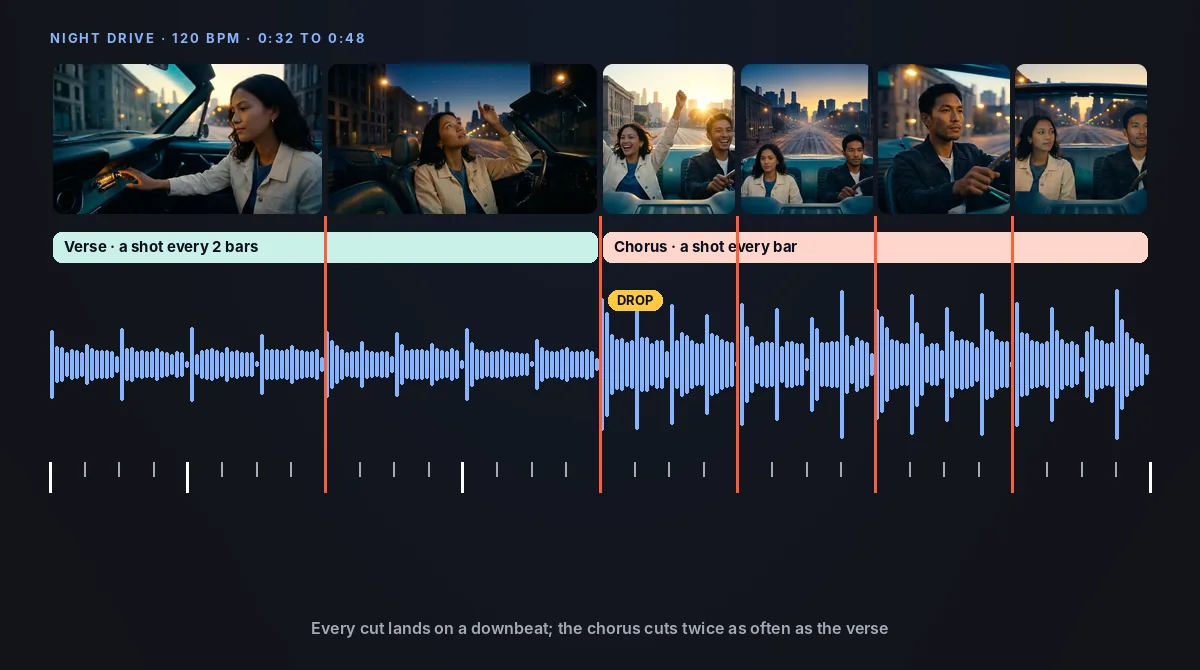
Recorded to a click? The video can cut on every beat
A song tracked to a steady tempo has its beats evenly spaced, the cleanest grid there is to cut pictures on. Upload the finished mix and Muvora finds every beat and downbeat, the sections and the drops, then writes a storyboard that cuts on downbeats, holds longer shots in the quiet parts and moves quicker in the loud ones. Reading and editing it is free, and the price is shown before you render.
Questions, answered
Can't find what you need? Start a free storyboard and see for yourself.
What tempo should I practice at with a metronome?
Start at the fastest tempo where you can play the passage cleanly several times in a row, often well under the song's real speed. Raise it by 2 to 5 BPM once it feels easy, and drop back if mistakes creep in. The tempo trainer does the raising for you every few bars.
What BPM is Largo, Andante or Allegro?
Roughly: Largo about 40 to 59 BPM, Adagio 66 to 75, Andante 76 to 107, Moderato 108 to 119, Allegro 120 to 155 and Presto 176 to 199. Charts differ by a few BPM, and the markings described a piece's character long before metronomes existed, so read them as a guide rather than a rule.
How do I set a metronome for 6/8 time?
Choose 6/8 and set the tempo of the dotted quarter, the beat you tap your foot to: the metronome then clicks twice a bar. Pick 8ths to hear all six eighth notes, three to each beat. If your score gives the tempo in eighth notes, divide it by three: an eighth at 180 is a dotted quarter at 60.
Why does the metronome stop when my phone's screen turns off?
Phone browsers can pause or slow pages that aren't on screen to save battery, and a web page can't prevent that. Keep the page open with the screen on while you play. If you hear nothing on an iPhone, check the ring switch too, since some iPhone browsers mute web audio while it is set to silent.
Should I record my song to a click?
For most pop, rock, hip-hop and electronic songs, yes: a fixed tempo lines the bars up with your recording software's grid, makes takes easier to edit and layer, and gives an editor an even beat to cut on. Songs that breathe with the words, such as some ballads, can sound better played freely. Muvora tracks every beat of an uploaded song either way, so a freely played song still gets its cuts on the beat.
Does the metronome record or upload anything?
No. The clicks are synthesized by your browser's audio engine as they play, and the metronome never uses the microphone or sends anything over the network. Close the tab and nothing is left behind.
Keep exploring
Tap tempo
Tap along to any song to find its BPM, with half and double time and how steady you are.
Open the toolGuitar tuner
Tune a guitar, bass or ukulele with your microphone: the note, the cents off and the nearest string, in standard or alternate tunings.
Open the toolBPM calculator
Beats and bars in seconds, frames and milliseconds: cut lengths for video and delay times for mixing.
Open the tool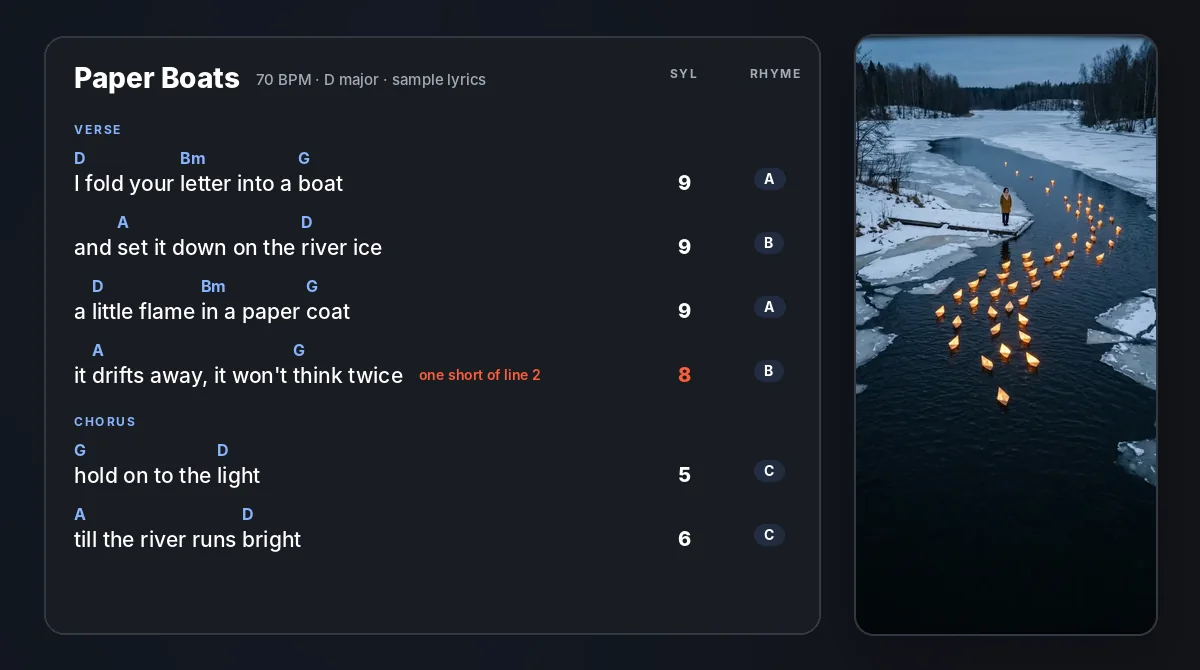
How to write a song
From a title or hook to a finished demo: the form, the chorus, chords, melody, lyrics that fit, rhyme, the bridge and splitting it with co-writers.
Read the guideChord progression generator
Pick a key and a mood for common chord progressions as Roman numerals and chord names, then play them, copy the chart or save a MIDI file.
Open the toolBPM and key finder
The tempo and musical key of any song, with its Camelot code for mixing.
Open the toolDrum machine
A 16-step drum sequencer in your browser: eight synthesized drums, grooves by genre, swing, accents and rolls, saved as a WAV loop or a MIDI file.
Open the toolClick track generator
Make a click track and download it as a WAV: any tempo and time signature, a count-in, accents, subdivisions and a length in bars or minutes.
Open the tool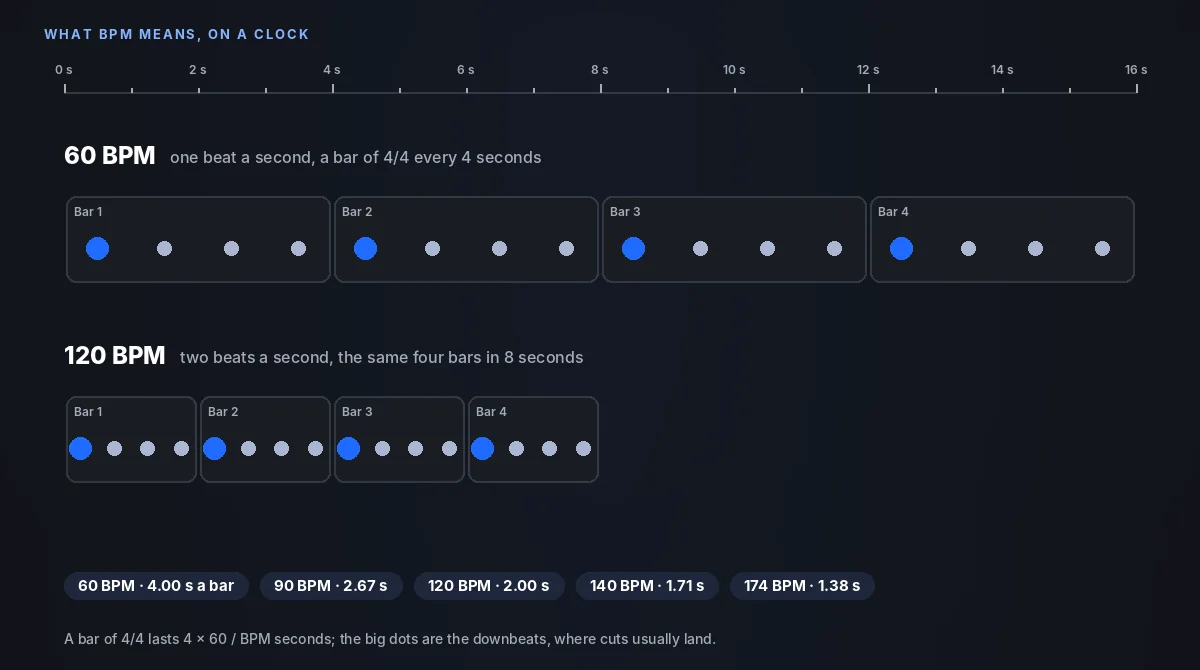
What is BPM?
Beats per minute explained: what BPM measures, how to find a song's tempo, half and double time, tempos by genre and how BPM sets a video's cuts.
Read the guideDelay time calculator
Every note value at your tempo in milliseconds, hertz and samples, dotted and triplet, with starting points for delay, reverb, release and LFOs.
Open the toolSetlist maker
A printable setlist in large type: the songs in order with keys, tempos and lengths, sets and an encore, and each set's running time.
Open the toolTempo markings chart
Largo to prestissimo with each marking's BPM range from a cited chart, the names any tempo goes by, and a click to hear each one.
Open the tool
More free tools: tempo and timing
Keep time, make a click track, find the BPM, work out bar lengths and mark the beats for a video editor.
Your song deserves a music video
Upload a track and get a free beat-synced storyboard in minutes. Render it when you are ready.
No card needed to start.






