The short answer
To release music independently, finish a master that suits streaming, choose a distributor and give it complete metadata, credits and splits, register your songwriting with a performing rights organization, and make 3000 x 3000 cover art. Deliver at least four weeks before release day, pitch Spotify's editors at least 7 days ahead, then launch with a music video, a Canvas and clips.
- A distributor puts the song in the stores; publishing royalties are collected separately, through a PRO and, in the US, The MLC.
- Agree the splits in writing before release, while everyone still remembers who did what.
- Deliver four to six weeks early: the pitch, the pre-save link and the store pages all wait on it.
- Ask your distributor to allowlist your YouTube channel before your own video goes up.
- Make the visuals before release day, then keep posting for a month after it.
On this page (11 sections)ShowHide
The release at a glance
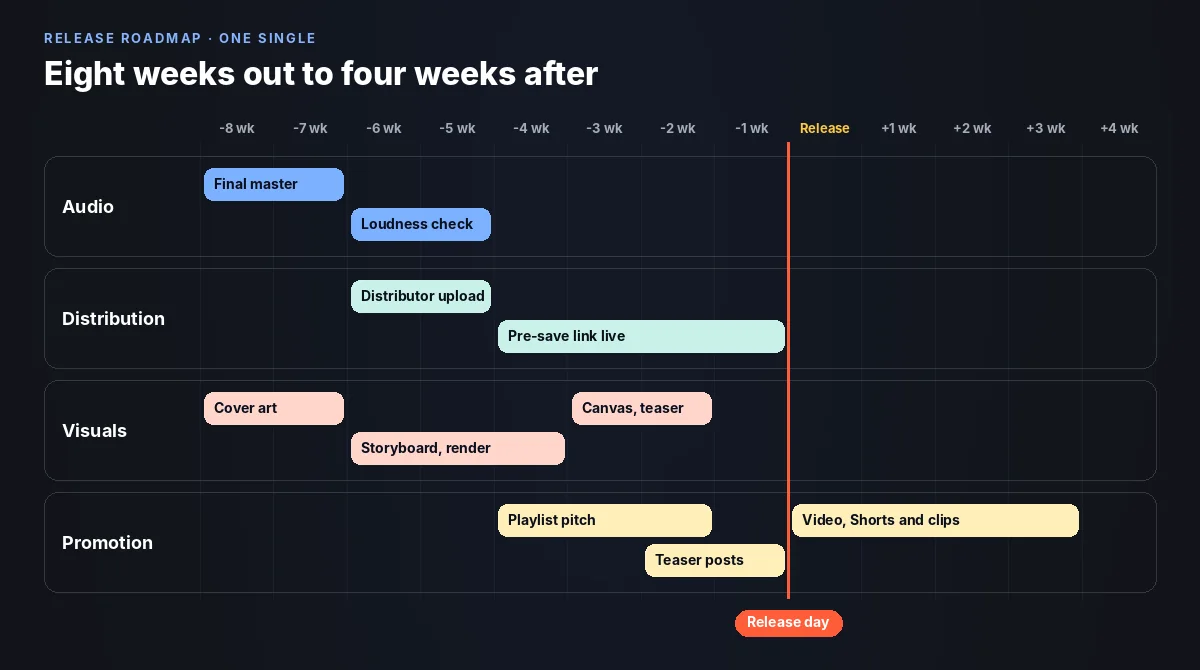
An independent release has four lanes running side by side: the music and its delivery, the paperwork that pays people, the visuals, and the promotion. Most of what goes wrong comes from doing them one after another instead of together, so that the video is still rendering when the pitch is due, or the cover is finished after the distributor wanted it.
- 01
Finish and check the master
Approve the final mix and master, measure its loudness, and export a high-resolution WAV, plus the instrumental if you'll want it later.
- 02
Choose a distributor
Compare how each one charges, what happens to your releases if you stop paying, and whether it handles splits, YouTube Content ID and pitching to other services.
- 03
Prepare the metadata, credits and splits
Write the title, artists, writers, producers and splits exactly as they should appear everywhere, and get the splits agreed in writing.
- 04
Register the songwriting
Register the composition with your performing rights organization and, for US mechanical royalties, The MLC, or let a publishing administrator do it.
- 05
Make the cover art
Design a square cover that still reads as a thumbnail and export it at 3000 x 3000 pixels, or the size your distributor asks for.
- 06
Set the date and deliver early
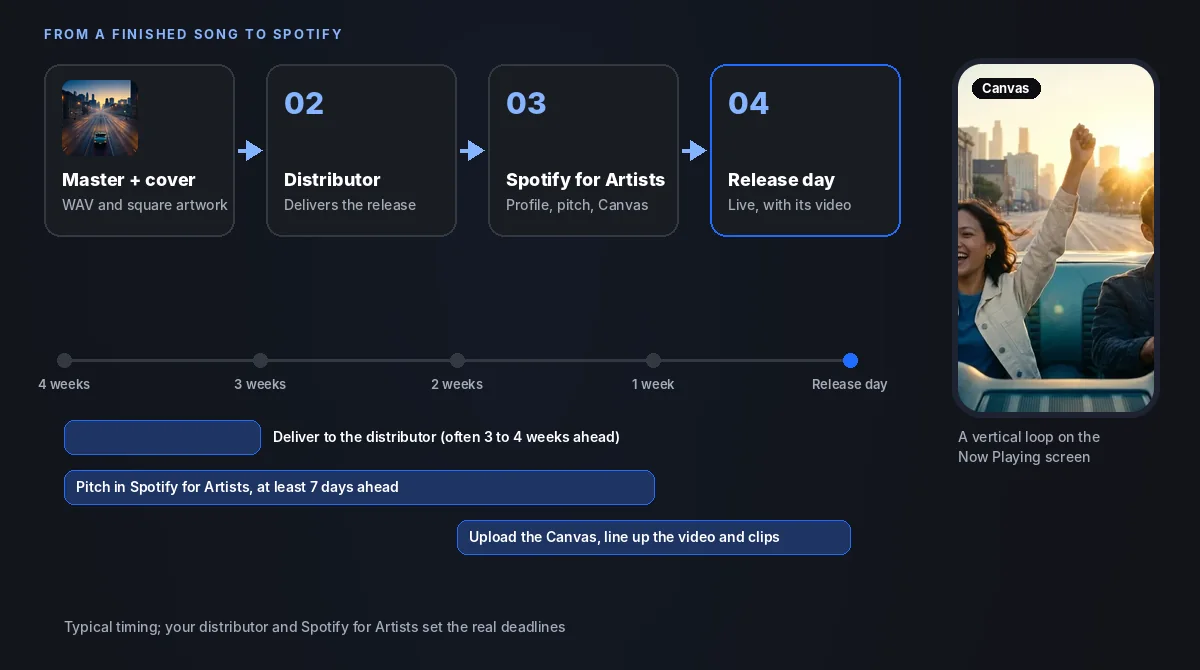
Pick a release day four to eight weeks out and upload everything to the distributor at least four weeks before it.
- 07
Pitch, open pre-saves and make the visuals
Pitch Spotify's editors at least 7 days before release, share the pre-save link, and finish the music video, the Canvas and the first clips.
- 08
Launch, then keep going for a month
Premiere the video on release day, post clips through the following weeks, and check where listeners come from before planning the next release.
| When | Music and delivery | Visuals | Promotion |
|---|---|---|---|
| 8 weeks out | Master approved, split sheet signed | One look chosen for the whole release | The song's story written in one sentence |
| 6 weeks out | Cover, metadata and credits final; songwriting registered | Music video storyboarded | A list of curators, blogs and local press |
| 4 to 5 weeks out | Delivered to the distributor, codes assigned | Video rendered; Canvas and clips cut from it | Pre-save link shared, release date announced |
| 2 to 3 weeks out | Pitched in Spotify for Artists; other services asked about | Canvas uploaded, premiere scheduled | First teaser posted |
| 7 days out | Last day for a pitch to reach Release Radar | Thumbnail, description and chapters ready | Fans emailed the date |
| Release day | Every store link checked | Video premieres | Clips on every app, release email sent |
| Weeks 1 to 4 after | Stream sources checked weekly | New clips several times a week | Curators written to, live dates, a second email |
Finish the master
Everything downstream is copied from this file, so it has to be final before anything else is. Export the master as a WAV at the bit depth and sample rate your distributor lists (16 or 24-bit, 44.1 kHz or higher is the usual ask), with the fade-out intact and nothing clipping. Export the instrumental and a clean version at the same time if you might ever need them for clips, sync or radio.
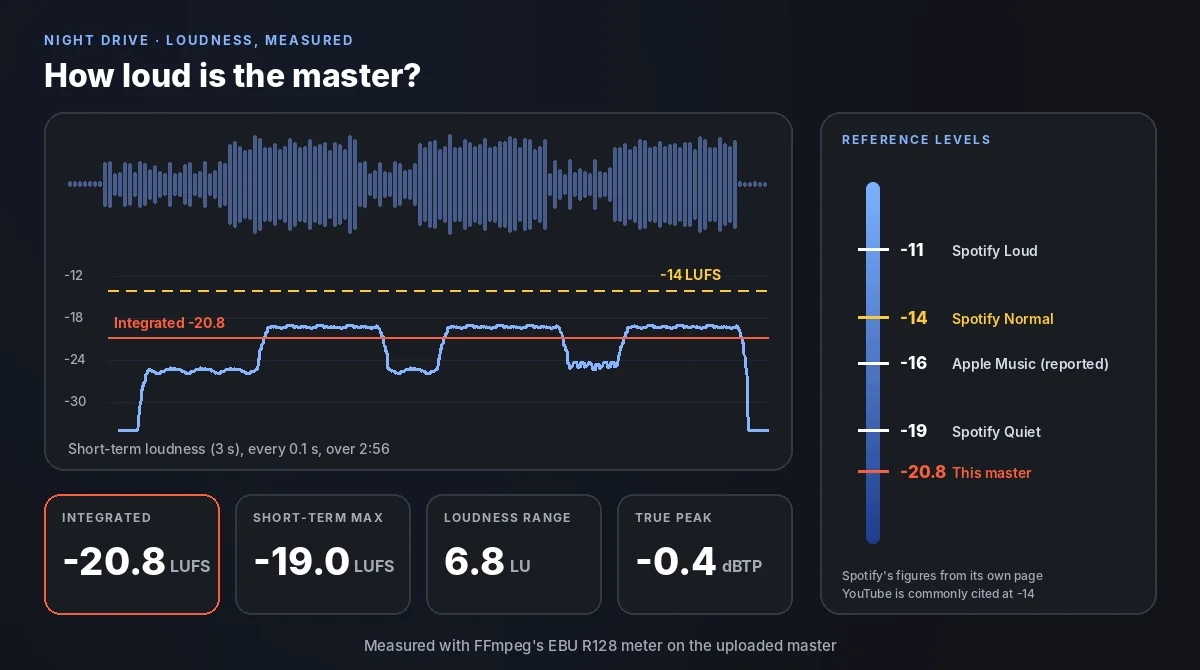
Loudness is where a self-released master most often goes wrong, in one direction or the other. Spotify's page on loudness normalization says it adjusts tracks to -14 LUFS by default, measured with the ITU 1770 method, and that it doesn't change your file: a louder master is simply played back quieter. Other services normalize to their own levels. LUFS for streaming explains what that means for how loud to master, and the trade-off between punch and headroom.
LUFS meterOpen your master in the browser to read its integrated loudness, true peak and loudness range, and see how far each service would turn it down.Skip the blank page
Upload your song and Muvora's AI director plans a shot-by-shot storyboard on the beat. Edit every shot for free, and pay only if you render.
Choose a distributor
A distributor delivers your release to Spotify, Apple Music, Amazon Music, YouTube Music, Deezer, Tidal and the rest, collects what they pay for the recording and passes it on to you. They all reach the big services; they differ in how they charge and what else they do. Prices and plans change often, so compare them on the day you sign up, with these questions:
| Compare | Ask | Why it matters |
|---|---|---|
| How it charges | A yearly fee, a fee per release, a share of your royalties, or a mix? | Decides what a catalog costs you over years, not only this single |
| If you stop paying | Do your releases stay up when a subscription lapses? | Your back catalog shouldn't hang on one renewal |
| Splits | Can it pay collaborators their share of the master directly? | Saves paying producers and bandmates by hand |
| YouTube Content ID | Does it register your songs, and will it allowlist your own channel? | Earns from other people's uploads without claiming your own video |
| Pitching and pre-saves | Does it pitch Apple Music and others, and make pre-save links? | Services other than Spotify take pitches through distributors |
| Delivery and stores | Which services and countries, and how much notice does it want? | Sets the last day you can deliver |
| Reports and payouts | How often it pays, the minimum payout, how detailed the reports are | Shows which service and country your money comes from |
Pick one distributor per release and stay with it for that release: delivering the same song through two at once creates duplicate listings and split stream counts that are slow to untangle.
Metadata, ISRC and UPC
Metadata is everything the stores show and pay from: the artist name, the title, who is featured, who wrote and produced it, the genre, the language and whether it's explicit. Type it once, carefully, and copy it from the same document everywhere afterwards. A misspelled artist name can start a second profile or land the song on a stranger's, and a missing writer credit can leave their royalties with no one to pay.
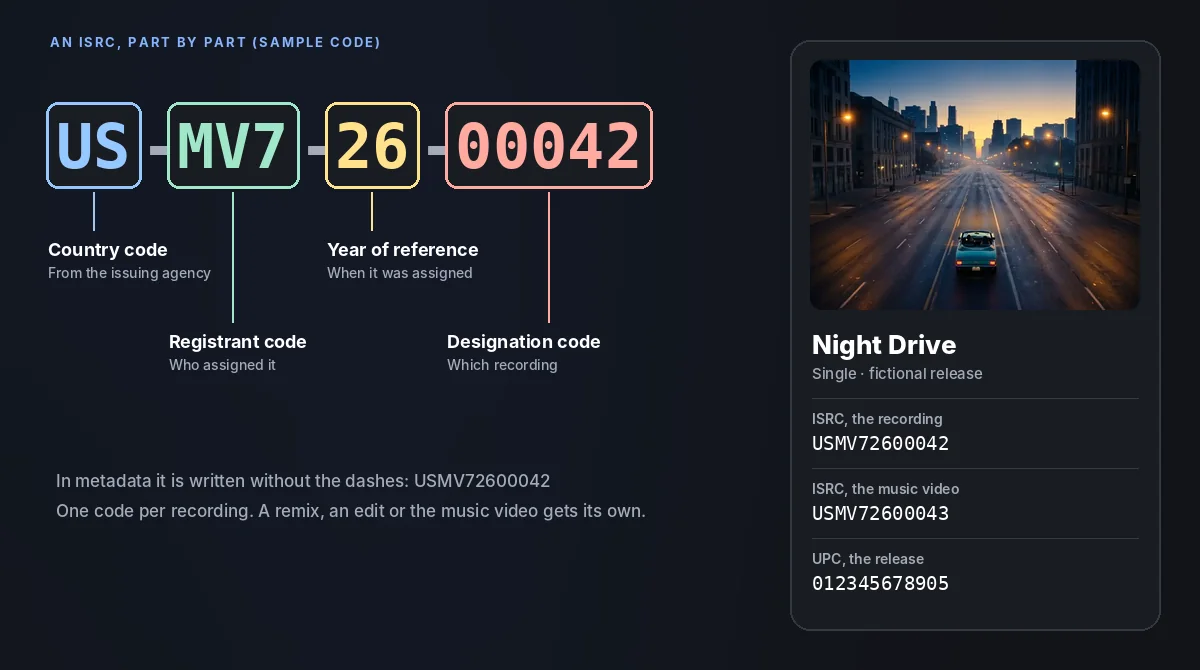
Two codes identify the release. The ISRC identifies a recording: the ISRC agency at IFPI describes it as staying with the recording across releases and formats, so a remix or a new edit gets a new one while the same master on a compilation keeps its own. The UPC (or EAN) is the barcode of the product, the single, EP or album as a whole. Most distributors assign both for free when you upload; if you already have codes for a song that came out before, give the distributor the existing ISRC rather than letting it make a new one.
- Artist name spelled exactly as on your existing profiles, featured artists in the right field (not in the title)
- Title as it should appear, with versions such as "Acoustic" or "Remix" in the version field
- Every writer, producer and performer credited, with their legal names where the form asks
- Genre, language and the explicit flag set honestly
- ISRC for each recording, UPC for the release, written down where you keep the split sheet
- Lyrics exactly as sung, ready for the services and the video's captions
Credits, splits and publishing
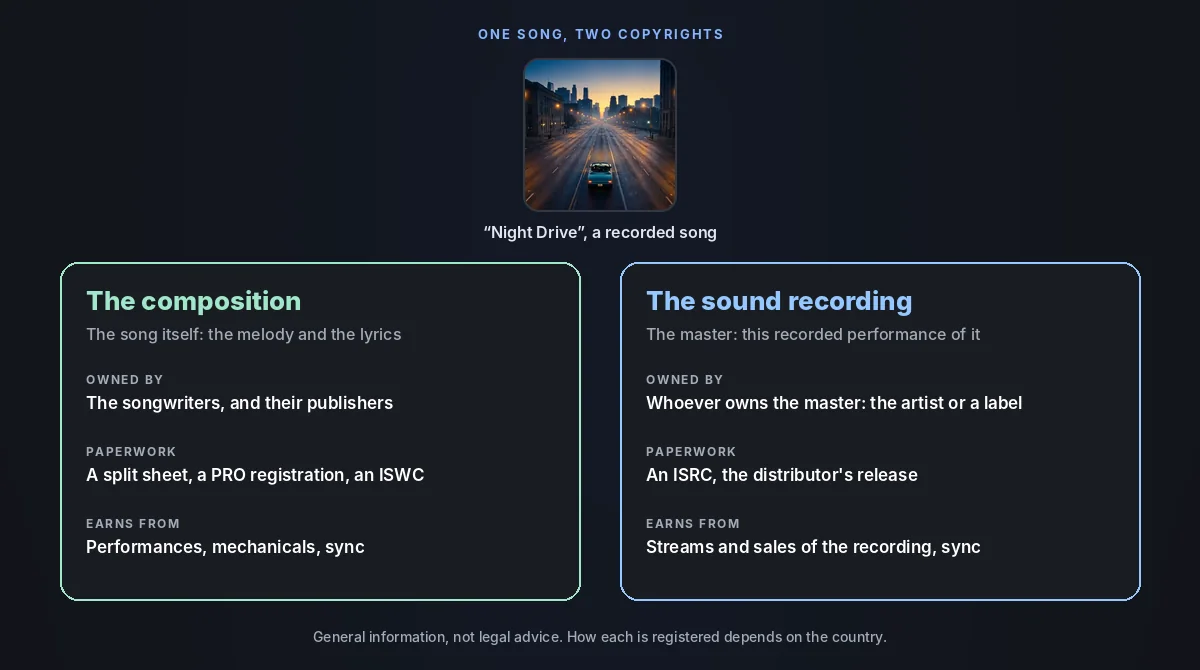
A song carries two sets of rights: the composition (the melody and lyrics, owned by the songwriters and their publishers) and the master (the recording, owned by whoever made and paid for it, often you). Your distributor collects for the master. The composition earns separately, and nobody collects it for you unless you register it. This is general information rather than legal advice: for a contract or a dispute, talk to a music lawyer.
- A split sheet for every song: each writer's share of the composition and each owner's share of the master, signed before release.
- A performing rights organization (ASCAP, BMI, SESAC or GMR in the US, PRS for Music in the UK, SOCAN in Canada, and others elsewhere) collects performance royalties for writers and publishers, from streams as well as radio and live venues. Spotify for Artists keeps a page on performing rights organizations and collecting societies.
- The MLC collects US mechanical royalties from streaming for writers and publishers who become members. Spotify's explainer on The MLC makes the point that belonging to a PRO doesn't collect these for you, and the Copyright Office's guide to the Music Modernization Act explains how the two kinds of royalty differ.
- A publishing administrator can register and collect worldwide for a share, if you'd rather not do it country by country.
Cover art
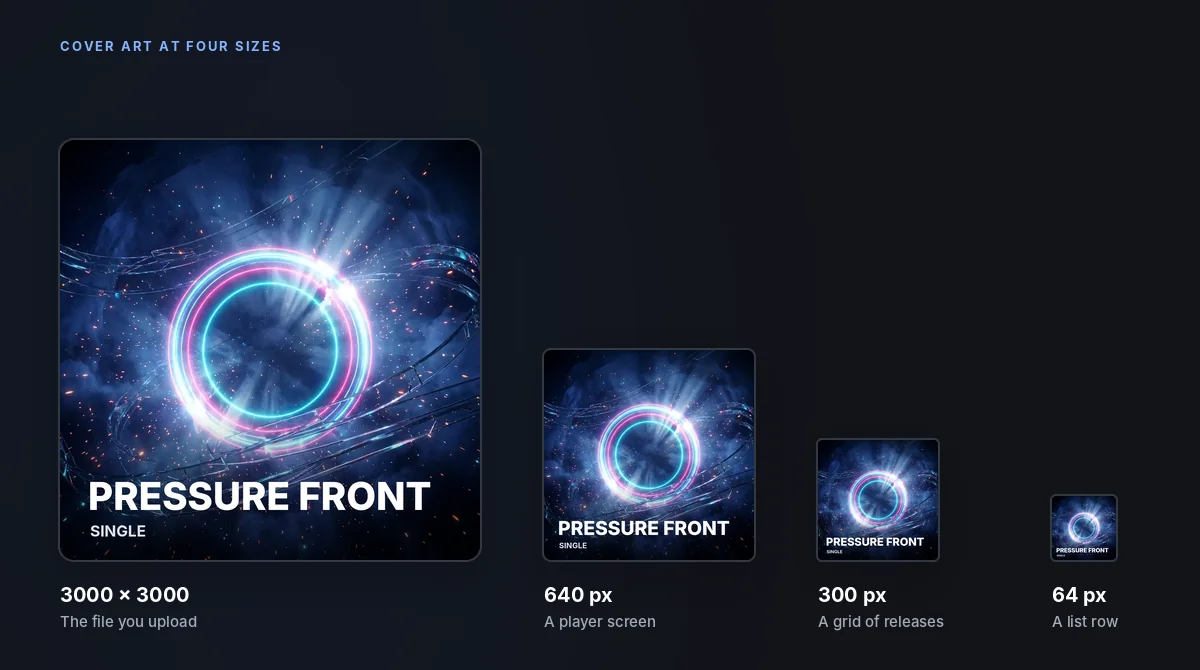
The cover is the image people see most: in the stores, on every playlist row and behind your link in bio. Export a perfect square, usually 3000 x 3000 pixels in RGB, and check it at the size of a fingernail, which is how a playlist shows it. Album cover size has each service's numbers and the rules that get covers rejected, such as web addresses and social handles on the art.
Release date, delivery and pre-saves
Pick a release day, usually a Friday, four to eight weeks after the master is final, and deliver to the distributor at least four weeks before it. That lead time is what makes the rest possible: the song has to reach each service before it can be pitched, before a pre-save link works and before the store pages exist to share.
A pre-save adds the song to a fan's library before it is out, so it is there on release day without them remembering. Most distributors and smart-link services make pre-save links for singles. Spotify's own Countdown Pages are only for new albums and EPs from eligible artists, not singles, so for a single the link comes from your distributor or a link service.
Pitch the editors
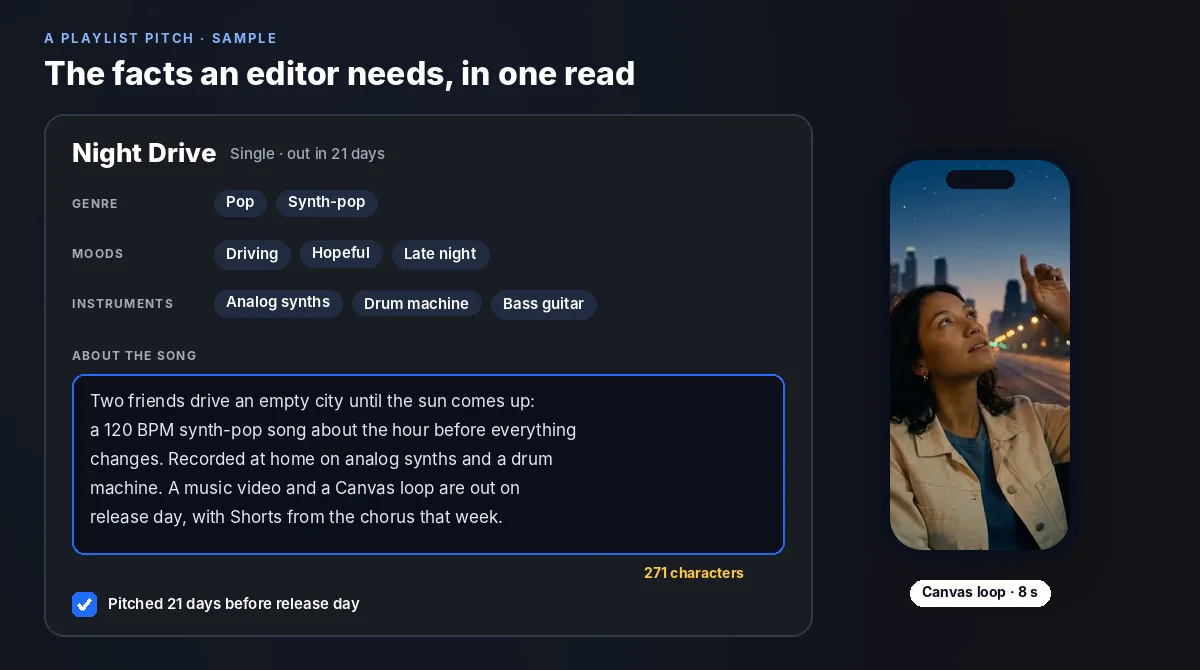
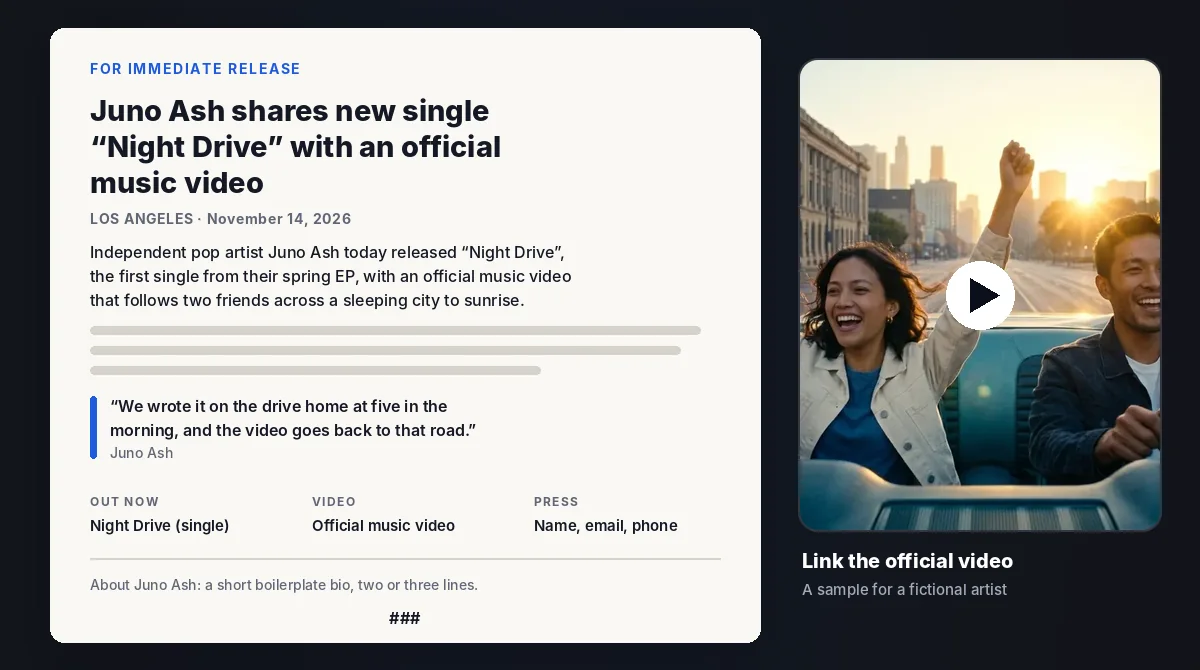
Once the release shows under Upcoming in Spotify for Artists, pitch one song to Spotify's editors. A pitch made at least 7 days before release day also puts the song in your followers' Release Radar, which is the one placement a pitch reliably brings. Other services take pitches through your distributor, so ask it which it pitches and by when. How to get on Spotify playlists covers the three kinds of playlist and what to write. Curators, blogs and local press will want a short bio and a one-page press kit as well: the artist bio generator and how to make an EPK cover both.
Spotify pitch generatorType the song's facts and get three versions of the pitch, counted against the form's limit, with your last day to pitch for Release Radar.Make the visuals
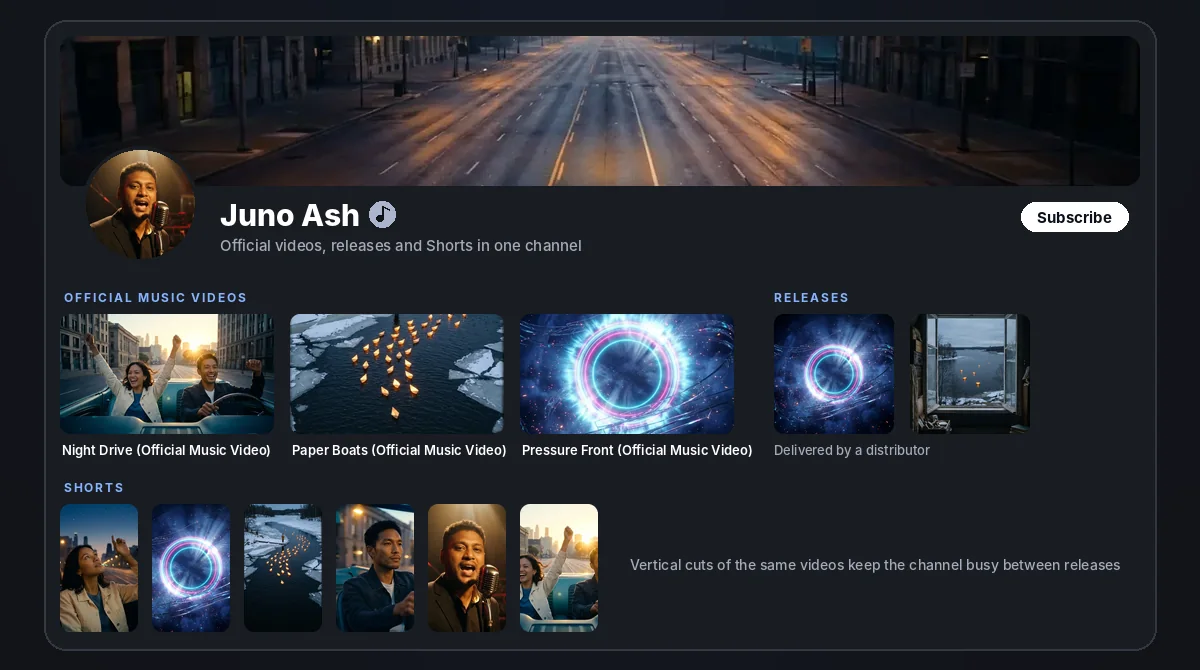
Audio alone is easy to scroll past. A release needs a music video for YouTube, vertical clips for Shorts, Reels and TikTok, a Spotify Canvas for the Now Playing screen, and a thumbnail. They do most of the work of reaching people who have never heard you, and they should all look like one release; a short teaser of the hook is the first of them to post.
This is where Muvora fits. Upload the master and it finds the tempo, the sections and the drops, then writes a storyboard that cuts on the beat, which you can edit for free. Render it and one render gives you the 16:9 video, a 9:16 cut, a square version and an 8-second Canvas loop, with karaoke-style captions if you want them. Rendering is priced per finished second (38 credits a second at Visualizer quality), and you see the exact price before you start. The music promo video maker shows how one render covers a release.

Get the release visuals done before release day
Upload your master for a free storyboard on its beats. Render once for the music video, the vertical cut and the Canvas, so every date in the plan has something to post.
Content ID and your own video
If your distributor registers the song with YouTube's Content ID, YouTube will match the audio wherever it appears, including your own music video, since the video's soundtrack is the same master. The result is your own song claiming your own upload. The fix is to have your channel allowlisted by whoever administers the Content ID claim, usually the distributor, before the video goes up.
YouTube's page on exempting channels from Content ID claims says an allowlisted channel's later uploads aren't claimed, but claims made before the channel was added aren't released by themselves. So ask first, upload second; if a claim lands anyway, ask the distributor to release it. The music video copyright guide covers claims from samples, beats and covers.
Release day and the month after
On release day, check that the song is live on every service and that each link you share opens the right page, then premiere the video and post the first clips. After that, the job for the next four weeks is to keep showing people the song in new ways rather than announcing it once.
- Every store link opened on a phone, and the link in bio pointing at the new song
- Video live with the streaming links in its first lines and chapters from 0:00
- Canvas showing on the track in the Spotify app
- A clip posted most days in release week, then several a week
- Curators written to with the live link
- Stream sources in Spotify for Artists checked each week
- Royalty statements compared with your split sheet when they arrive
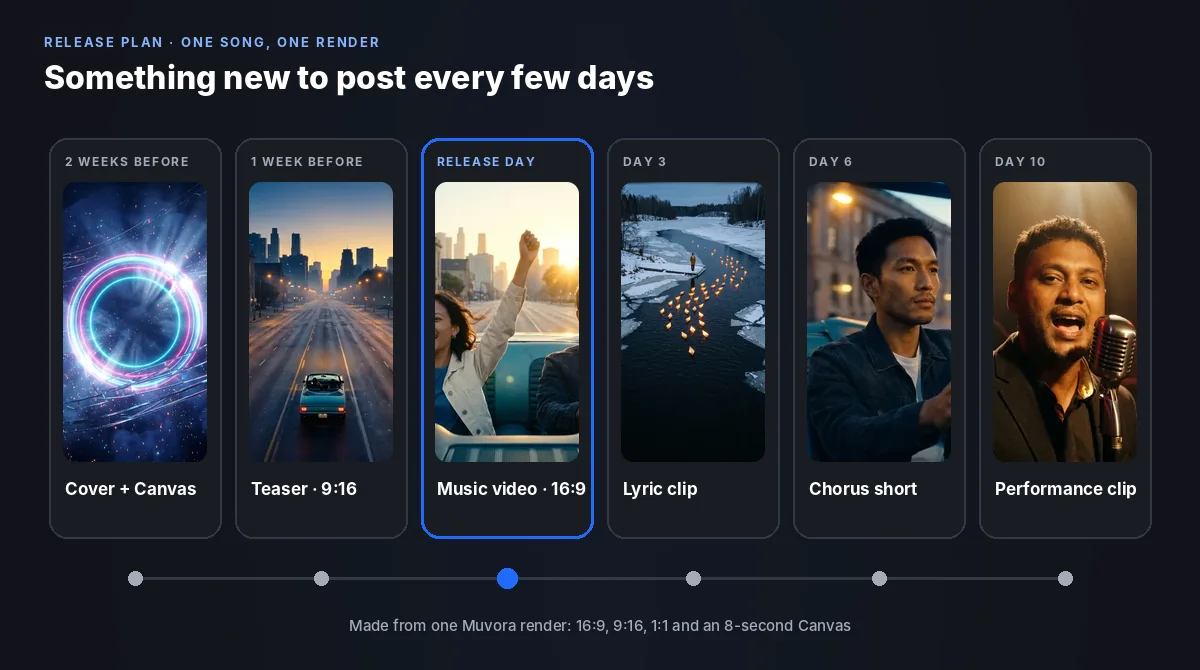
How to promote your music turns this month into a posting calendar, and the music release checklist keeps the file specs and dates in one list you can tick.
Start the next release with the video planned
Upload a song and Muvora drafts every shot on its beats, with style frames that show the look before you pay. The free plan includes 5 new storyboards a month, no card needed.
Written by the Muvora team. Last updated November 14, 2026. Spotted something out of date? Tell us at [email protected].