Time your lyrics to the song and export them
Paste your lyrics, open the song on your device and tap as each line begins: the page plays the song, stamps every line, and gives you LRC, SRT and WebVTT files. A browser can't pick words out of a mix, so the timing is yours, and the song never leaves your device.
Free, no sign-up. Runs in your browser: nothing is uploaded.
No lines to time yet.
Rather tap in a full-width editor? Open the LRC maker.
How to use the Lyric timestamp exporter
- 01
Paste the lyric lines
Put one sung line on each line. Section labels like [Chorus] and blank lines are skipped, and a pasted LRC file keeps its times, ready to correct.
- 02
Tick the box and open the song
Confirm the song is yours or that you have the rights to use it, then choose the MP3, WAV, M4A, AAC or FLAC. It plays inside the page, straight from your device.
- 03
Tap as each line starts
Press Play, then hit the space bar or the big button on the first word of every line. Drop to half or three-quarter speed for a fast verse; the times still follow the song.
- 04
Check and fix the times
Click any line to hear the song from its time, move it a tenth of a second either way, or time again from there. A line timed before the one above it turns coral.
- 05
Download the files
Add the title and artist for the LRC's tags if you want them, then download LRC, SRT or WebVTT, or copy the LRC to paste somewhere else.
Your timing, since a page can't hear the words
Muvora's own analysis lines pasted lyrics up with the vocals by itself, word by word. A page running on your device can play a song but can't pick a voice out of a full mix, so here each line's time comes from you: a tap on its first word. That's also the rule lyric services set: Spotify's help page for artists (read in November 2026) asks for each line to be synced when its first word is sung.
- One tap per line, on its first word
- Half and three-quarter speed for dense verses
- Times to the hundredth, nudged a tenth at a time
Which file goes where
LRC is the plain-text format music players and karaoke apps read: each line opens with its time in square brackets, and a blank timed line clears the words during a long break. SRT is the caption file video editors take, and YouTube's help page on caption files lists SRT, WebVTT and LRC among the formats it accepts. WebVTT is the web's own caption format, for a video player on your site. Streaming services work differently: Spotify's synced lyrics come from Musixmatch, and other services take lyrics through your distributor or a lyrics service, so keep the file as your reference copy and check what each one asks for.
- LRC for players and karaoke apps
- SRT and WebVTT for video and YouTube captions
- Streaming services take lyrics through their own channels
Nothing leaves your device
The song plays from your own storage inside this page, the lyrics stay in the box you typed them into, and each file is written in the page's memory the moment you press Download. There's no account and no daily cap, and closing the tab clears the lot, so download what you need first. For a long song, the LRC maker gives the same tapping a wider editor.
- No account and no daily cap
- Files written when you press Download
- Closing the tab clears everything

Or let Muvora time every word for you
Upload the song to Muvora with the lyrics pasted and its analysis lines each word up with the vocals by itself. Choose the Lyric style and the words become karaoke captions that light up as they're sung, over AI pictures cut on the beat. The storyboard is free to read and edit before anything renders.
Questions, answered
Can't find what you need? Start a free storyboard and see for yourself.
Why do I tap the lines myself?
Hearing when a word is sung inside a full mix takes a speech model running on a server. This page runs only on your device, so it plays the song and records your taps instead. In a Muvora lyric video, the analysis times every word to the vocals for you.
Is the song uploaded while I time the lyrics?
No. The song plays from your device inside this page, and the lyrics and their times stay in this tab until you download them. Nothing is sent to Muvora or anyone else. Use only songs you own or have the rights to use.
Which file should I download?
LRC for music players, lyric apps and karaoke software; SRT for video editors and YouTube captions; WebVTT for a video player on a website. YouTube's help page lists all three among the caption files it takes. They all come from the same taps, so download as many as you need.
Can this file put my lyrics on Spotify?
Not by sending the file. Spotify's help page for artists says its lyrics come from Musixmatch, where verified artists add and sync them for free, and from PetitLyrics for listeners in Japan. Your timed file is a handy reference while you sync there; other services take lyrics through distributors or lyrics services.
Can it time every word for karaoke highlighting?
No. One tap marks one line, so the files carry line times only. Enhanced LRC with a time on each word, and captions that light up word by word, come with a Muvora lyric video, where the analysis times each word to the vocals.
What if my taps land a little late?
Nearly everyone presses a fraction of a second after a line begins. Move every line earlier a tenth of a second at a time, or nudge single lines, then click a line to hear the song from its new time.
Keep exploring
LRC maker
Play your song, tap along to stamp each lyric line, and export an LRC, SRT or WebVTT file.
Open the toolLyric videos
Karaoke-style captions timed to your vocals, over AI visuals.
Learn more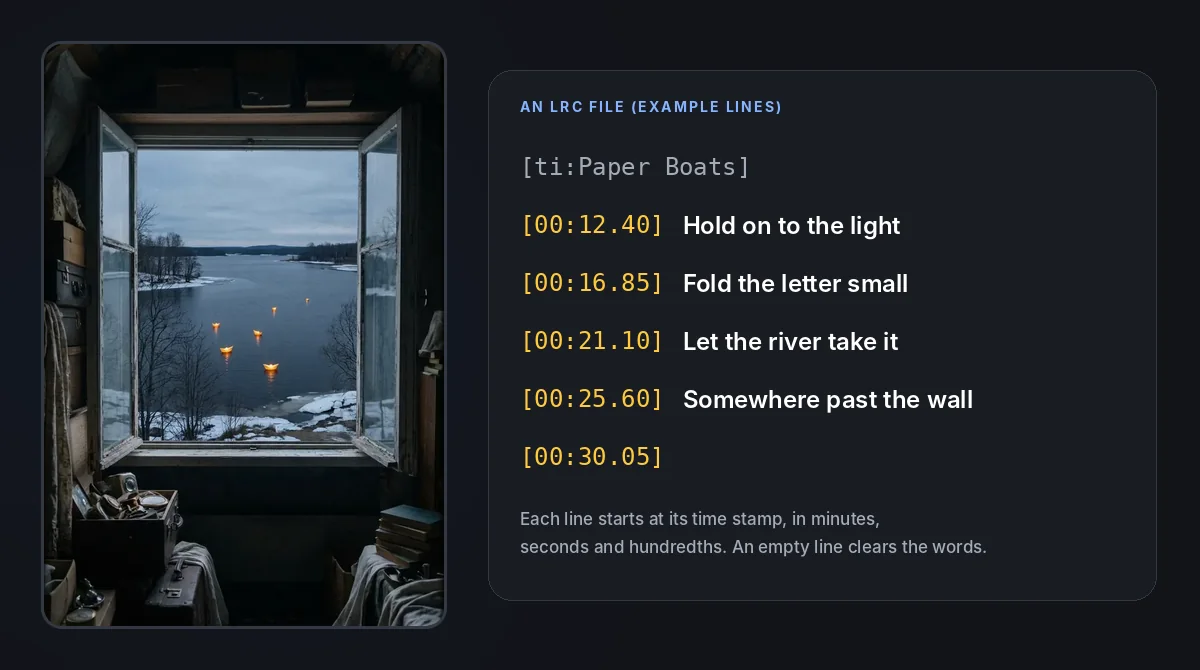
Make an LRC file
The LRC format line by line: time stamps, ID tags, offset and word timing, made by hand or by tapping along to the song.
Read the guideSong structure visualizer
Your song's sections, energy and drops on a timeline, with YouTube chapters.
Open the toolMP3 tag editor
Change an MP3's title, artist, album, track number, lyrics and cover art on your device, and save a copy whose audio is untouched.
Open the toolLyrics formatter
Paste lyrics from a chord sheet, a notes app or an LRC file and get clean lines: chords, times and stray spacing out, sections in place.
Open the tool
Your song deserves a music video
Upload a track and get a free beat-synced storyboard in minutes. Render it when you are ready.
No card needed to start.





