The short answer
To make a music video, start from the finished, mastered song and choose a route: film it, make it with AI, or both. Then every route runs the same steps: a one-line concept, a plan (treatment, storyboard and shot list) timed to the song's bars, production, an edit with every cut on a downbeat, the formats each platform needs, and a planned release.
- The route changes how the shots get made, not the steps around them.
- Plan on the final master, in bars, before anyone films or renders anything.
- A shoot costs people, days and gear; AI costs credits per finished second; a phone costs evenings.
- A storyboard is the cheapest place to fix a video: changing a frame there costs nothing.
- Plan every shape your release needs from the start, not the night before it goes out.
On this page (7 sections)ShowHide
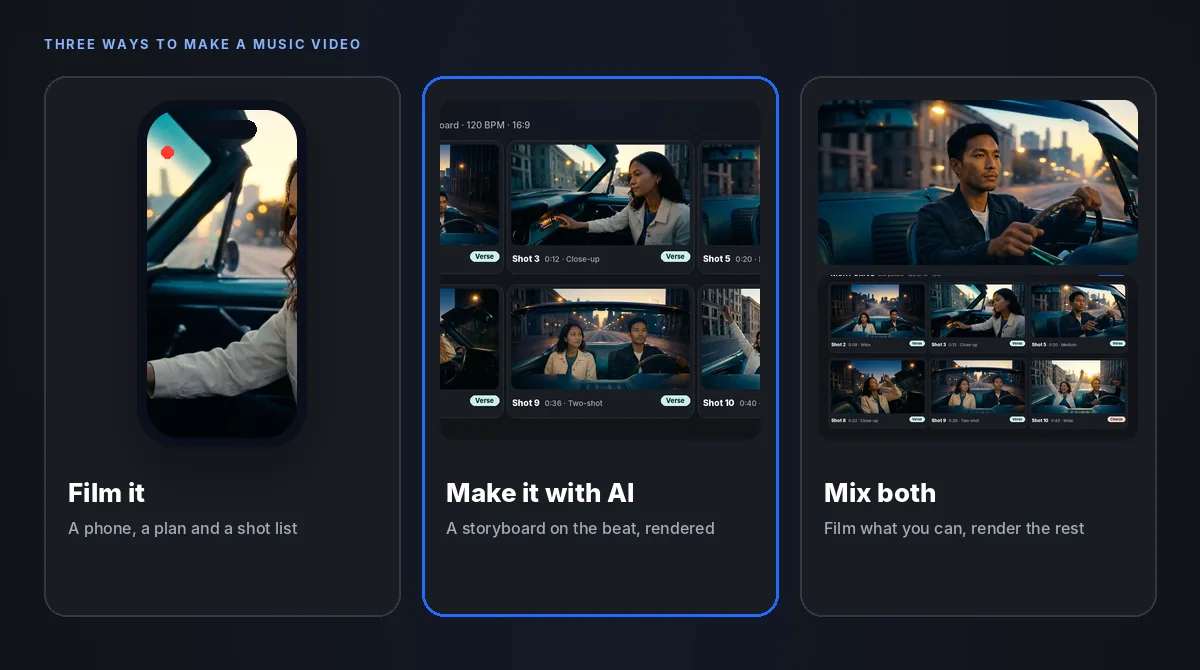
Three ways to make a music video
Before the steps, the choice that shapes them. Each route below can make a video people watch to the end. They differ in what they cost, what they can show and how much of you ends up on screen.
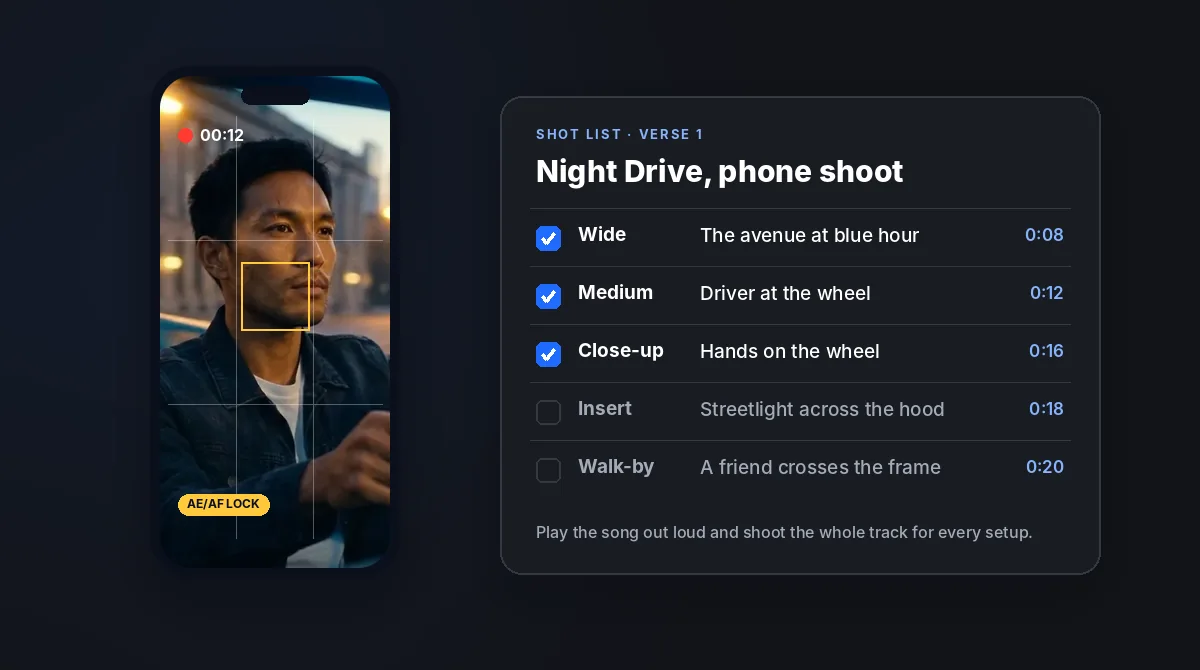
- Film it. A phone and a friend, or a director with a crew. You get real faces, real places and a real performance, limited by what you can reach, light and afford in a day. The phone guide covers the smallest version of this route, and how to direct a music video covers running a shoot with other people.
- Make it with AI. Every shot is generated: an image model draws its first frame, a video model animates it, and the shots are cut together over your song. It can show places no budget reaches (a flooded subway, a desert at dawn, a hand-drawn city) but it can't film you, so a singing performer comes from a photo. How to make a music video with AI walks through this route in depth.
- Do both. Film what only you can give (your performance, your hometown, your band in a room) and generate what you can't. Or plan the whole thing with AI and shoot from the storyboard. Both halves are cut to the same master, so they meet on the same beats.
The steps every route shares
Whichever route you pick, a music video gets made in this order. Skipping a step never saves time; it moves the problem to a later step, where it costs more to fix. Each step links to the guide that covers it properly.
- 01
Finish and master the song
Plan on the file you will release. Cuts are timed to the exact length and arrangement of the master, so a new intro or a trimmed bridge after the plan means re-timing everything. Get the final mix mastered first, then export a WAV or FLAC for the video work.
- 02
Map the tempo, bars and sections
Find the BPM and where each bar starts, then write down when the intro, verses, choruses, bridge and any drop begin. Tap the tempo with the tap tempo tool and turn it into a marker list for your editor with the beat marker generator. Song structure explained covers what each section is for.
- 03
Write the concept in one sentence
Name a lead, a world and a change: "a night-shift nurse dances alone down an empty hospital corridor until the morning staff arrive and join in." If the sentence has no change, the video will have no ending. Music video ideas has concepts by genre and mood to start from.
- 04
Write the treatment
One or two pages that sell the concept to anyone helping: the logline, what happens in each section, the look, the light and the cast. It's the document a crew, a label or an AI director works from. See how to write a music video treatment.
- 05
Storyboard it and write the shot list
Break the treatment into shots, one frame per cut, each with its framing, action, place, light and how many bars it holds. Mix shot types so wides, mediums and close-ups alternate. How to storyboard a music video walks through it, and the shot list generator lays the shots on your song's bars.
- 06
Produce the shots
Shoot them or generate them from the shot list, in the order that suits the day rather than the song. On a shoot, play the track out loud and perform every take from start to finish. With AI, check a few frames of the look before generating the lot.
- 07
Edit to the beat
Lay the master on the timeline first and never move it. Cut on downbeats, change shots at every new section, hold longer in quiet parts and cut faster in loud ones. How to edit a music video to the beat covers markers, holds and the cuts worth protecting.
- 08
Export every format
A release needs more than one file: 16:9 for YouTube, 9:16 for Shorts, Reels and TikTok, a square for feeds and a short vertical loop for Spotify Canvas. Music video aspect ratios lists the sizes and how to reframe a shot without losing its subject.
- 09
Release it and keep it moving
Upload with a clear title, a description with credits and chapters, captions and a thumbnail, then cut the hook into vertical clips for the weeks around release. See how to upload a music video to YouTube and how to promote your music.

Skip the blank page
Upload your song and Muvora's AI director plans a shot-by-shot storyboard on the beat. Edit every shot for free, and pay only if you render.
The plan: treatment, storyboard and shot list
Three planning documents carry a video from idea to production, and each answers a different question. The middle one gets skipped most often, yet it catches the most problems, because a frame on paper shows at once whether a shot is too wide, too much like the one before it or impossible to light.
| Document | The question it answers | Who reads it | Typical length |
|---|---|---|---|
| Treatment | What is this video about, and how does it look and feel? | Collaborators, a label, a director or an AI director | One or two pages |
| Storyboard | What does each shot show, in order, against the song? | Whoever shoots or generates the shots, and the editor | One frame per shot: about 40 to 80 for 3 minutes |
| Shot list | What do we need to capture, and in what order on the day? | The crew on set, or you before you render | One line per shot, grouped by place and light |
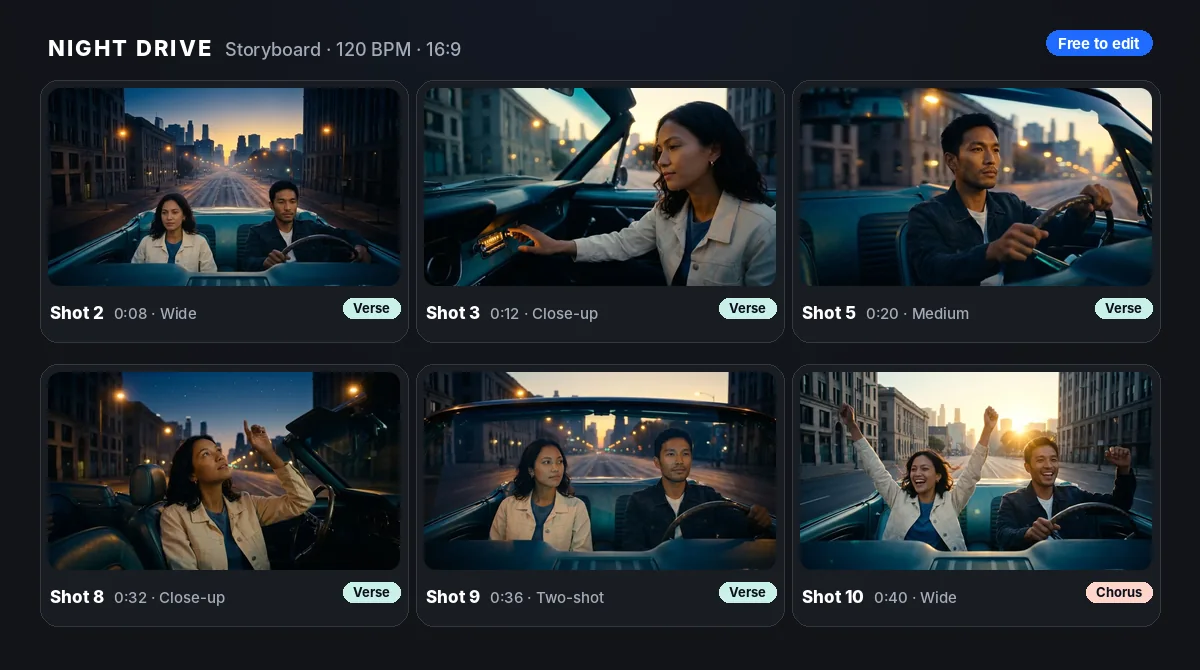
On a shoot, the shot list is the storyboard reordered by place and light: every kitchen shot together, every golden-hour shot at the end of the day. With AI the order doesn't matter, but the storyboard matters even more, because each shot is generated from what its line says and the references it's given. A vague line becomes a vague shot.
Shot list generatorChoose your song's form and tempo and get a shot list laid on its bars, with how long each shot holds, before you book a location or write a prompt.How long each route takes and what it costs
Time and money trade against each other. The ranges below are for one 3-minute song made by an independent artist; a label production takes longer at every stage. For what crews, gear and locations actually charge, the music video cost guide breaks the figures down with sources.
| Route | Planning | Production | Edit and export | What you pay with |
|---|---|---|---|---|
| A phone shoot on your own | An evening | One day | Three or four evenings | Time, plus maybe a tripod and a lamp |
| A small crew shoot | One to two weeks | One or two shoot days | One to two weeks | Day rates for crew, gear and locations, then the edit |
| AI, in Muvora | Minutes for the storyboard, then as long as you spend editing it | From several minutes for a short clip to longer for a full song | Assembled for you, every shape from one render | Credits per finished second: 6,840 credits for 3 minutes in Visualizer, 19,800 in Cinematic |
| Filmed and AI together | The shoot's planning, with the storyboard as its shot list | A shoot day for the performance, renders for the rest | Your own editor, both halves cut to the same master | Some of each |
Different things drive the bill on each route. For a shoot it's days and locations far more than the song's length: an extra minute of song filmed in the same place on the same day adds editing, not shooting. For AI it's the reverse. Every second is generated, so the length and the quality set the price, and Muvora shows the exact figure before you render.
Which route fits which artist
No route is best in general; one is best for a given song, artist and release. Find the line in the table that sounds most like you, then read the guide for that route before you spend anything.
| If this is you | Start with | Why |
|---|---|---|
| A confident performer with a place to film and a friend free on Saturday | A phone shoot | Your face and your town are the video, and filming them costs nothing |
| The song needs places you can't reach: a sunken city, a desert at dawn, a drawn world | AI | Generated video shows any place or medium at the same price per second |
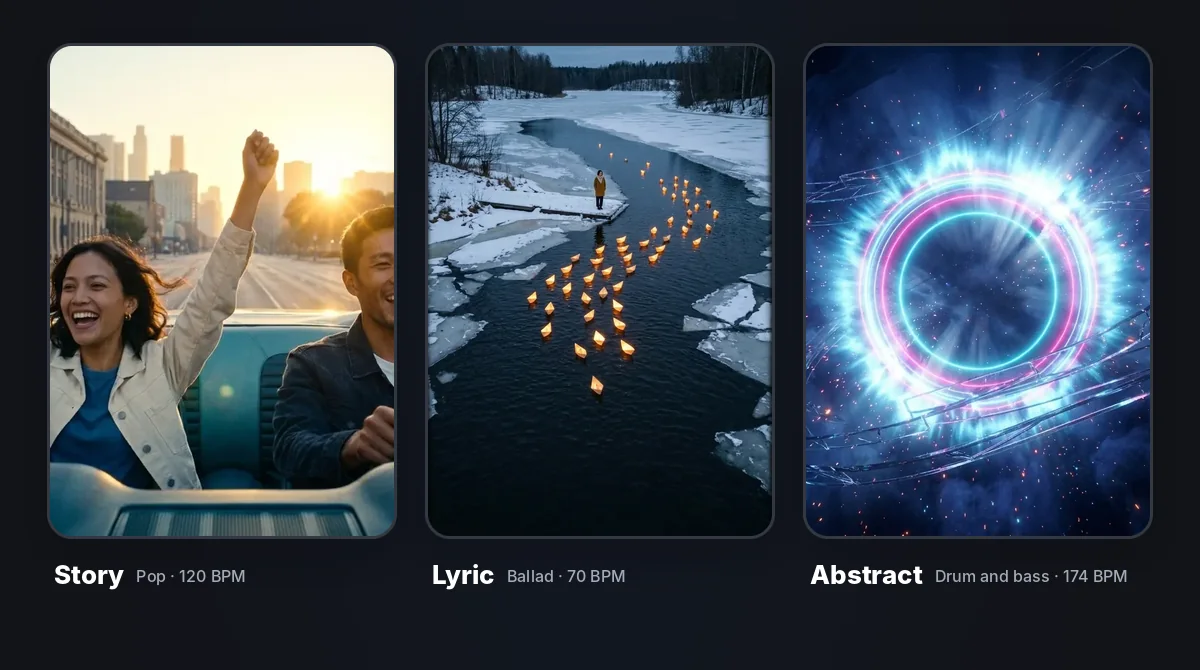
| You'd rather not appear on camera | AI, in a story or abstract style | Characters, or light and shape alone, carry the song; see faceless music video ideas |
| You want to be seen singing but can't shoot | AI with lip sync from one photo | The performer is drawn from your photo and mouths your own vocal |
| An instrumental, a beat or an electronic track | AI, abstract or a visualizer | Motion timed to the drops does more than a cast would |
| A new single every few weeks | AI, with a look you repeat | A storyboard in minutes keeps pace with the release schedule |
| A budget, a crew and a director on board | A filmed shoot, planned on a storyboard | The label and the crew see the video before anyone is booked |
| A live band with a song that also tells a story | Both | Film the band in a room, generate the story and cut both on the same downbeats |
Not sure yet? Read your song's plan first
Upload the song and Muvora writes a storyboard for it in minutes, every shot timed to your beat and the look drawn before you pay. Render it, or keep it as the shot list for a shoot.
Film what you can, generate what you can't
The mixed route is the most flexible and the least written about. Muvora doesn't take your own footage, so the two halves meet in your own editor, and what makes them fit is the master they share. Five habits make the join invisible:
- Plan once, for both. Write one storyboard for the whole song and mark each shot film or generate. Your performance, close-ups of your hands and anything in your own town usually go to the camera; dream places, big weather and anything drawn go to AI.
- Generate the whole song. Render the AI video over the full track, not just the gaps. Its cuts already land on the downbeats, so it becomes a timed backbone, and you replace whole shots with filmed ones wherever you have footage.
- Shoot to the same file. Play the exact master the AI video was made from on set, and clap a slate at the start of every take so each one lines up on the timeline in seconds.
- Match the light. Shoot at the time of day the style frames show, with lamps of the same color and a similar lens. A cool blue AI night next to a warm orange filmed one reads as two different videos.
- Swap on the same beats. Cut each filmed shot to the in and out points of the AI shot it replaces, and the rhythm the planner built survives the swap.
If the only thing you'd film is yourself singing, the Performance style may make the shoot unnecessary: upload one clear, front-facing photo, confirm consent, and the shots over your vocals are lip-synced to your voice. The AI lip sync guide covers which photos work, and AI music video vs videographer weighs the two routes against each other in more depth.
The fastest way to see a plan for your own song
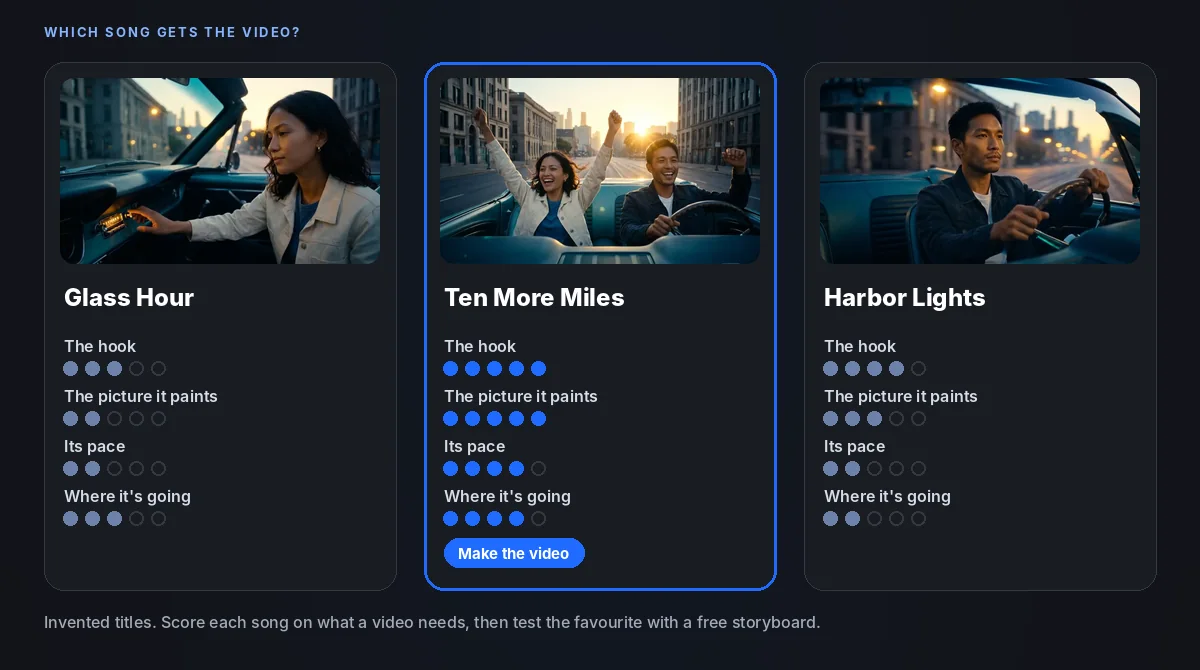
Every route above begins with the same question: what should this song look like, shot by shot, on its own beat? Muvora answers it for free. Upload the master (MP3, WAV, M4A, AAC or FLAC, up to 8 minutes), pick a style and a genre look, add an idea if you have one, and within minutes you get the analysis, a written brief, a shot for every cut and style frames that show the look.
- Your song's tempo, key, sections, drops and timed lyrics
- A creative brief: concept, places, palette, light, cast and mood
- One shot per cut, each with its framing, action, camera move and timing
- Style frames: an establishing shot, a hero frame and a character sheet
- The exact price of the render in each quality, before you spend anything
Edit it until it's right (rewrite prompts, drag cuts that snap to the beat, split and merge shots) and render it, or take it to a shoot as your shot list. Either way it's the quickest honest look at your video you'll get. Start on the music video maker, where the free plan covers 5 new storyboards a month.
Get a storyboard for your song
Upload the finished master and read the plan Muvora writes for it, shot by shot on your beat. Reading and editing it is free, and you can pick the route afterward.
Written by the Muvora team. Last updated November 14, 2026. Spotted something out of date? Tell us at [email protected].