See your song's structure at a glance
Open a song and see it laid out as a timeline: each section starting on its bar line, the parts that repeat lettered alike, every section's energy and the drops marked. Name the parts, then copy them as YouTube chapters. The whole song is read on your device and never sent anywhere.
Free, no sign-up. Runs in your browser: nothing is uploaded.
How to use the Song structure visualizer
- 01
Confirm the rights and open the song
Tick the box to say the song is yours or that you have the rights to use it in a video, then drop the file on the box or choose it: MP3, WAV, M4A, AAC or FLAC, up to 8 minutes.
- 02
Let the page map it
The whole song is decoded on your device, then a background worker follows its beat, counts the bars, and finds where the music changes and which parts come back. A three-minute song takes a few seconds on a laptop.
- 03
Read the timeline and the list
Each section is a block in its part's color, with the energy as a line across them and a dark mark on every drop. Below the timeline, every section has its start time, its length in bars and seconds, and its energy.
- 04
Name the parts, then copy the chapters
Type a name for each part (verse, pre-chorus, bridge) and every section of that part takes it. The YouTube chapters update as you type; copy them into your video's description.
Where the music changes, on the bar line
The visualizer follows the beat from the first second to the last, counts it in bars of four, and compares every beat with the ones around it: the chords, the tone of the mix and how loud it is. Where the four bars before a bar line sound unlike the four after it, a new section starts on that line.
- Each section starts on a bar line
- Its length in bars and in seconds
- A song with no steady beat is read in 2-second steps
Parts that repeat share a letter
Sections that play the same music get the same letter and color, so the form reads at a glance: intro, A, B, A, B, C, B, outro. Your browser hears what repeats and how loud it is, not what a part is for, so it names only a quiet opening (the intro), a quiet ending (the outro) and the loudest part that comes back (likely the chorus). The rest are yours to name, and song structure explained describes each kind of part.
- The loudest returning part marked as likely the chorus
- Rename a part once and every repeat follows
- A last chorus moved up a key gets a letter of its own
Energy, drops and chapters
Each section's energy is ranked against the rest of the song, as Muvora's shot planner ranks it, so you see where the song lifts and where it rests. A drop is marked where the energy jumps within a bar and the two bars after it stay well above the two before, the rule Muvora's own analysis uses. Chapters follow YouTube's rules: the first at 0:00, at least three, each ten seconds or longer.
- Energy from 0, the song's quietest beat, to 100, its loudest
- Drops on the timeline and listed by time
- Chapters under your names, copied in one click
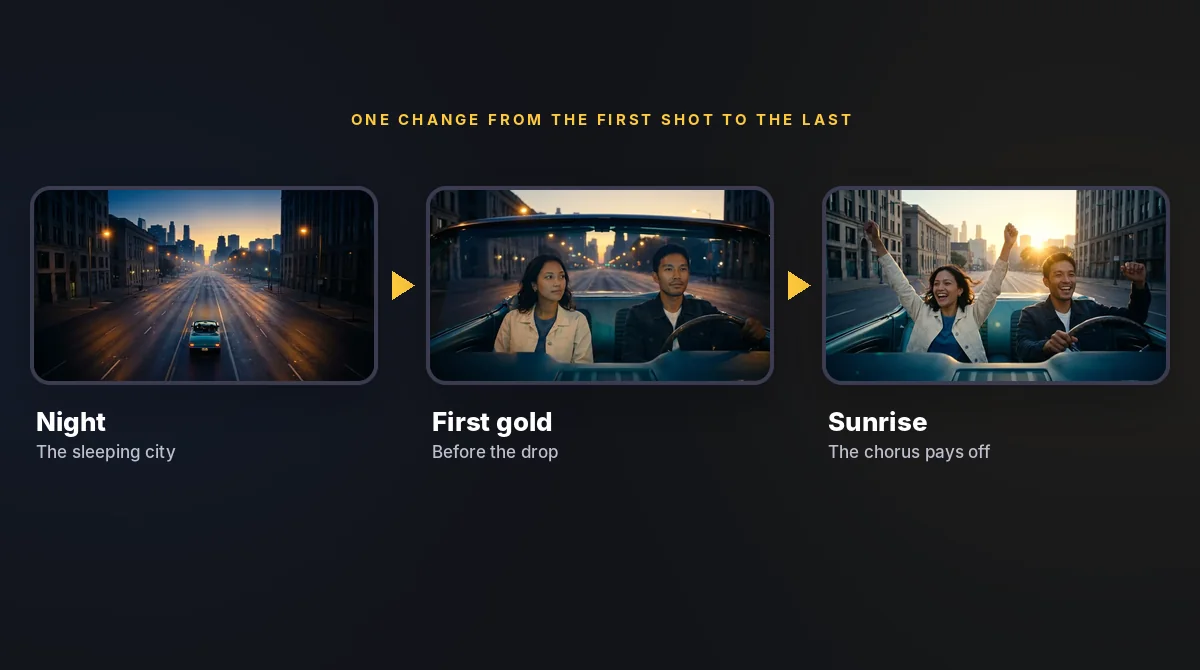
From this map to a music video
Upload the finished song and Muvora runs its own analysis, then plans an AI music video on it: cuts on the downbeats, a new shot at every section change, a white flash on every drop, quiet parts held longer and loud ones cut faster. The storyboard is free, and you see the price before anything renders.
Questions, answered
Can't find what you need? Start a free storyboard and see for yourself.
How accurate is the structure it finds?
On eight songs we synthesize to test it, from 76 to 172 BPM, it found all 43 section changes, each within 0.4 seconds of the real one, added none, and gave every part that returns the letter it had before. Real mixes are harder: a part that changes a lot when it comes back can get a new letter, a last chorus moved up a key reads as a new part, a fast song may be counted at half its tempo (which makes its bars twice as long), and a song that changes tempo is counted at one tempo throughout, so its bar counts are only a guide.
Is my song uploaded when I map it?
No. The song is decoded and mapped inside this page on your own device, and nothing from it is sent to Muvora or anyone else. Use only songs you own or have the rights to use.
Why does it show letters instead of verse and chorus?
Telling a verse from a bridge means knowing what a part does in the song, which a browser can't hear. It can hear which parts repeat and how loud each one is, so it letters the parts, names a quiet opening and ending, and marks the loudest part that returns as likely the chorus. When you upload a song to make a video, Muvora's own analysis labels each section.
Why are there fewer chapters than sections?
YouTube only takes chapters ten seconds long or more, so a shorter section joins the one before it (a short first one takes the next one's name), neighboring sections with one name become a single chapter, and a name that comes back is numbered: Chorus 1, Chorus 2.
Does it work on instrumentals and beatless tracks?
Yes. It listens to the whole mix rather than the vocals, so beats and instrumentals map the same way. A piece with no steady beat, such as an ambient track or a freely played piano piece, is read in 2-second steps instead of bars, and no drops are marked in it.
Which files and lengths does it take?
MP3, WAV, M4A, AAC and FLAC up to 60 MB and 8 minutes, in any format your browser can decode. It reads the whole song from start to finish, so a long one takes a few seconds more.
Keep exploring
BPM and key finder
The tempo and musical key of any song, with its Camelot code for mixing.
Open the toolLyric timestamp exporter
Time your lyrics to the vocals and download LRC, SRT or WebVTT.
Open the tool
EDM
Build-ups, drops and lasers that hit exactly on the one.
Learn more
Song structure explained
Intro, verse, chorus, bridge and drop: what each section does, how long it runs and how to hear it.
Read the guideSong structure builder
Lay out a song's sections in bars at your tempo and see every start time, the length and a colored timeline. Export text, CSV or YouTube chapters.
Open the toolBeat marker generator
BPM to timecode: a marker on every beat or bar, as an EDL for DaVinci Resolve, a CSV or plain timecodes.
Open the tool
Upload a music video to YouTube
The title format, a description template, chapters, thumbnail, captions, premiere and the Short, in the order you set them.
Read the guide
Your song deserves a music video
Upload a track and get a free beat-synced storyboard in minutes. Render it when you are ready.
No card needed to start.




