The short answer
To storyboard a music video, map the song's sections and tempo, write a one-paragraph treatment, then split the track into shots that start on downbeats: long ones in quiet parts, short ones in the chorus. Give every shot a frame, a timestamp, a framing (wide, medium, close-up) and one line of action, and keep the same characters and light throughout.
- Write the treatment first: the storyboard draws it, it doesn't invent it.
- Time panels in bars, not seconds, and start every one on a downbeat.
- Change the framing at every cut so the edit has rhythm.
- Describe each character once and reuse the exact words in every panel.
- A rough storyboard you can change beats a perfect one you can't.
On this page (8 sections)ShowHide
- 1.Treatment, storyboard and shot list: what each one does
- 2.Map the song before you draw anything
- 3.Storyboard a music video in eight steps
- 4.Shot sizes and camera moves to put on the page
- 5.Time every panel to the music
- 6.A sample storyboard page
- 7.Drawing the frames: sketches, references or AI
- 8.Storyboard mistakes that show up in the edit
- Questions
Treatment, storyboard and shot list: what each one does
Music video planning usually produces three documents, and people mix up their names. They answer different questions, and each is built from the one before it. You can skip the formality on a small project, but not the thinking behind each one.
| Document | Answers | Looks like | Who reads it |
|---|---|---|---|
| Treatment | What is the video about, and how does it feel? | A page of prose: concept, characters, places, mood, references | The artist, the label, anyone approving the budget |
| Storyboard | What does the viewer see, in order? | One frame per shot, with timing and a line of action | The director, the camera team, the editor |
| Shot list | What do we need to capture, and how? | A table: shot number, framing, camera move, location, gear | Whoever schedules and shoots (or generates) the shots |
The treatment sells the idea. The storyboard turns the idea into a sequence the song can carry. The shot list turns the sequence into a work plan. In an AI music video, the shot list becomes the list of generations: each row is one clip the video model will make. If you haven't settled on a concept yet, start with the music video ideas guide, and for who makes these calls and how, see how to direct a music video.
Map the song before you draw anything
A music video storyboard is laid out on the song's clock, so you need that clock first. Write down the tempo, where each section starts and ends, and where any drops or big hits land. Mark the line or two of the lyrics that matter most. Everything else on the page hangs off these marks.
Bar 1
Bar 2
Bar 3
Bar 4
Work in bars rather than seconds. At 120 BPM in 4/4 a bar is exactly 2 seconds, so an eight-bar verse is 16 seconds; at 90 BPM the same verse runs about 21 seconds. Planning in bars keeps every panel on the beat whatever the tempo, and the BPM calculator converts the result to seconds and frames when you need them. If the sections aren't obvious by ear, song structure explained walks through how to hear them.
Song structure visualizerUpload a track to see its sections, energy and drops on a timeline, ready to plan against.Skip the blank page
Upload your song and Muvora's AI director plans a shot-by-shot storyboard on the beat. Edit every shot for free, and pay only if you render.
Storyboard a music video in eight steps
- 01
Write a one-paragraph treatment
State the concept in one sentence (a lead, a world, a change), then add the two or three places, the cast and the feeling. If you can't write it in a paragraph, the storyboard will wander.
- 02
Give each section a job
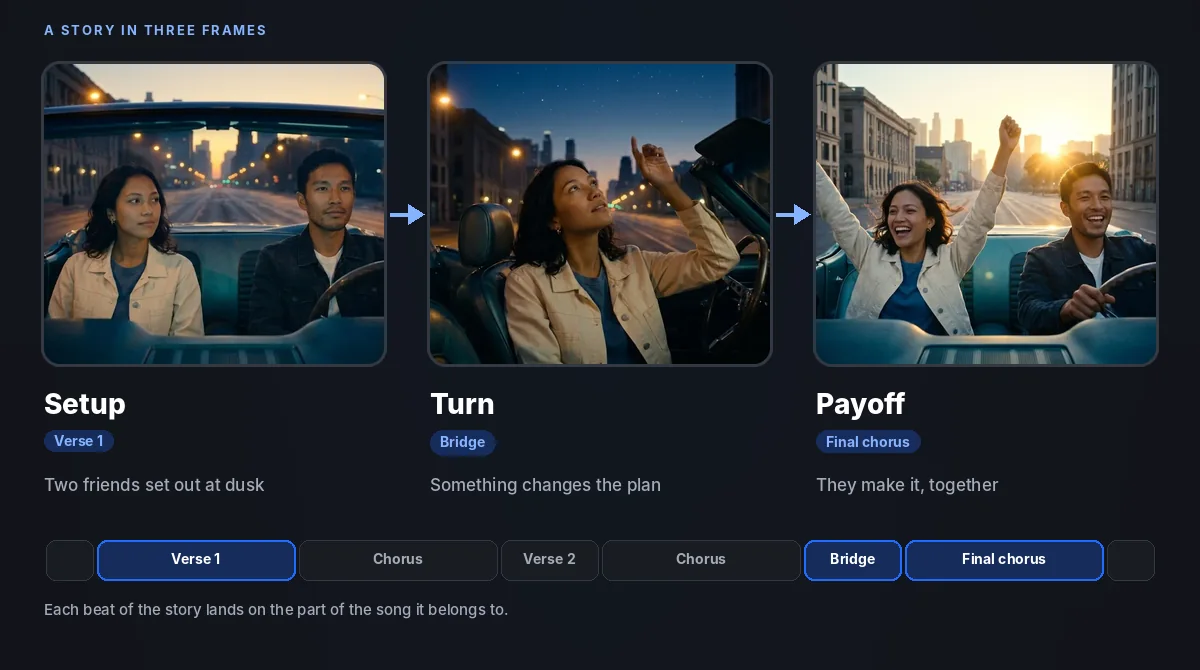
The intro sets the place, verses move the story along, each chorus is bigger than the one before, the bridge turns things, and the outro leaves a final image. Write the job next to each section on your song map.
- 03
Split each section into shots
Start every shot on a downbeat. Hold two to four bars in quiet passages, one or two in mid-energy ones, and a bar or less at the loudest moments. Always cut where a new section begins and on a drop.
- 04
Pick a framing for every shot
Open a new place with a wide shot, then move in. Never put two shots of the same size and angle back to back unless the repeat is the point.
- 05
Write one line of action per panel
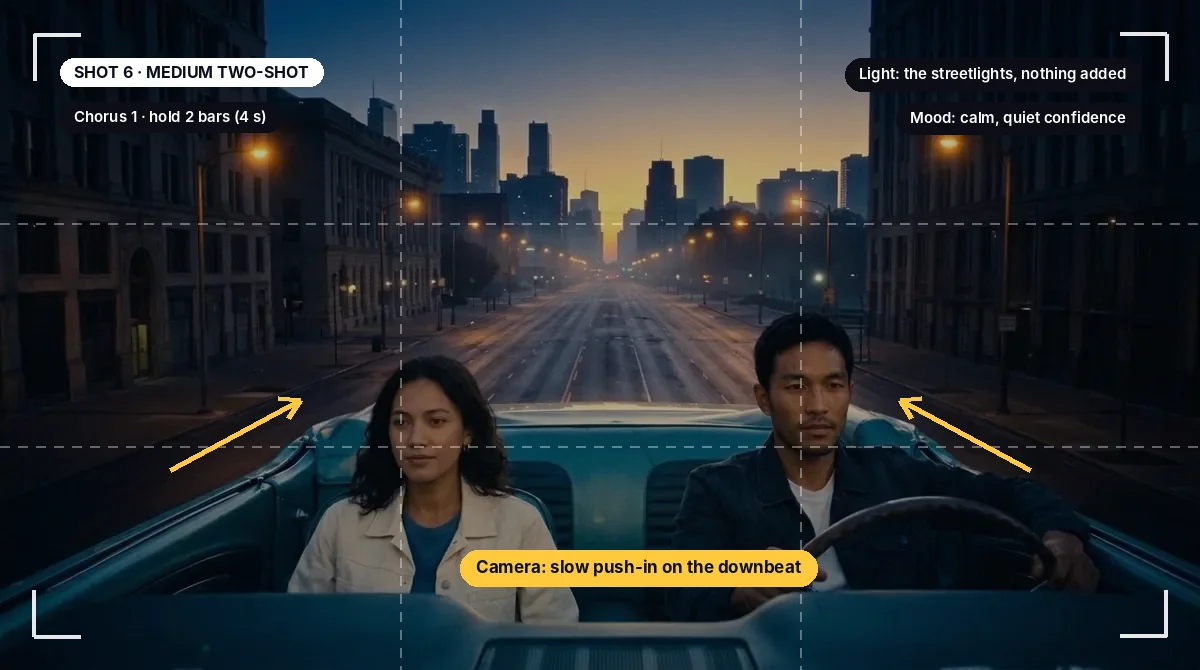
Who is in frame, what they are doing, where, and what lights them: "Close-up: she turns the radio dial, dashboard glow on her face." Use verbs, not poses.
- 06
Draw or generate the frames
Stick figures are fine for a shoot. For an AI video, the frame is the first image of the shot, so it has to look like the final video.
- 07
Lock characters and look
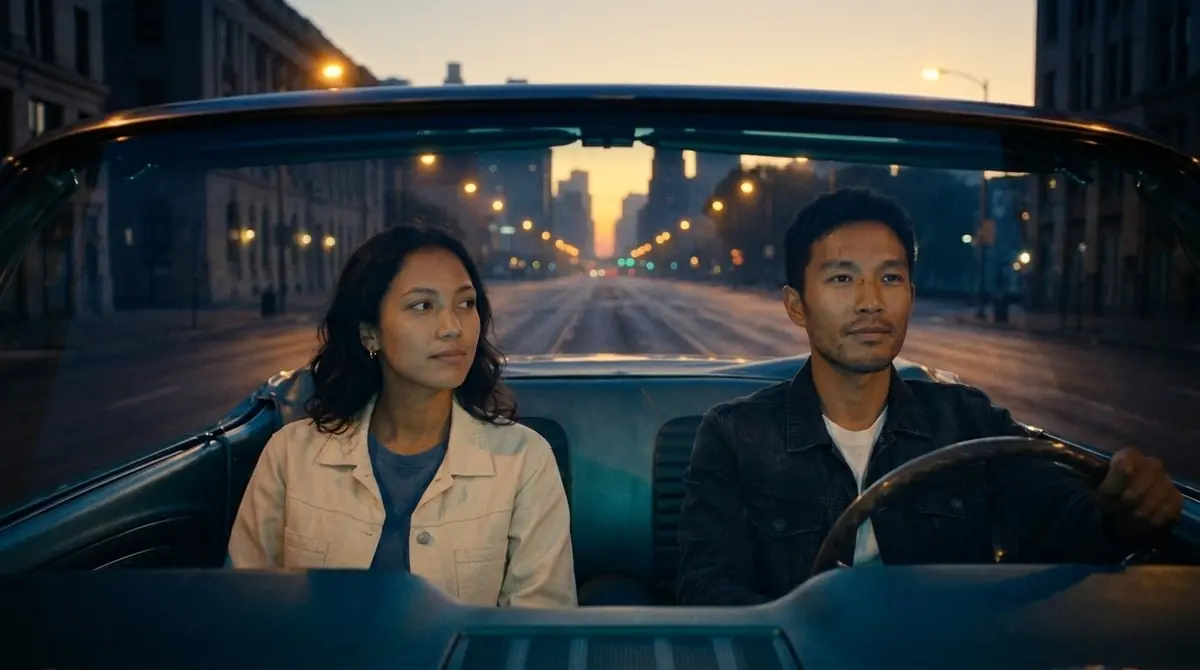
Describe each character once (age, build, hair, skin, outfit) and paste the same words into every panel they appear in. Note the palette and the light per section.
- 08
Watch it against the song
Play the track and step through the panels on their timestamps. Anything that feels long, repeated or off the beat shows up now, when it costs nothing to fix.
Shot sizes and camera moves to put on the page
Each panel needs a framing and, if the camera moves, a move. These are the vocabulary of the storyboard. Mixing them is what makes a sequence feel edited rather than recorded.
Wide
Where are we?
Medium
What are they doing?
Close-up
How do they feel?
Insert
A detail that matters
Change the framing at every cut, so two shots in a row never look alike.
- Extreme wide and aerial: the whole world, tiny figures. Openers, transitions and endings.
- Wide: people head to toe in their surroundings. Use it whenever the story arrives somewhere new.
- Medium: waist up. The workhorse for action and for two people sharing a frame.
- Close-up: a face filling the frame. Save it for the line or look that matters.
- Insert: a detail such as hands on a wheel, a dial or a letter. Inserts make cheap, strong cutaways on the beat.
For camera moves, a slow push-in builds attention, a pull-out reveals, a pan follows something across the frame, a crane lifts the viewer above the scene, and handheld adds energy. Keep the quiet sections steady and let the moves get bolder in the chorus. The music video glossary defines every term you're likely to see on a shot list.
Time every panel to the music
The single thing that separates a music video storyboard from a film storyboard is that the soundtrack already exists, so every panel has a fixed start and end. Pacing follows energy: the louder and denser the music, the shorter the shots. That contrast is what makes a chorus land.
Each block is a shot. Same tempo, same bar grid: only the shot length changes with the energy.
| Energy | Shot length | At 90 BPM | At 120 BPM | At 140 BPM |
|---|---|---|---|---|
| Quiet (intro, breakdown) | 2 to 4 bars | 5.3 to 10.7 s | 4 to 8 s | 3.4 to 6.9 s |
| Medium (verse, bridge) | 1 to 2 bars | 2.7 to 5.3 s | 2 to 4 s | 1.7 to 3.4 s |
| Loud (chorus, drop) | Half a bar to 1 bar | 1.3 to 2.7 s | 1 to 2 s | 0.9 to 1.7 s |
A sample storyboard page
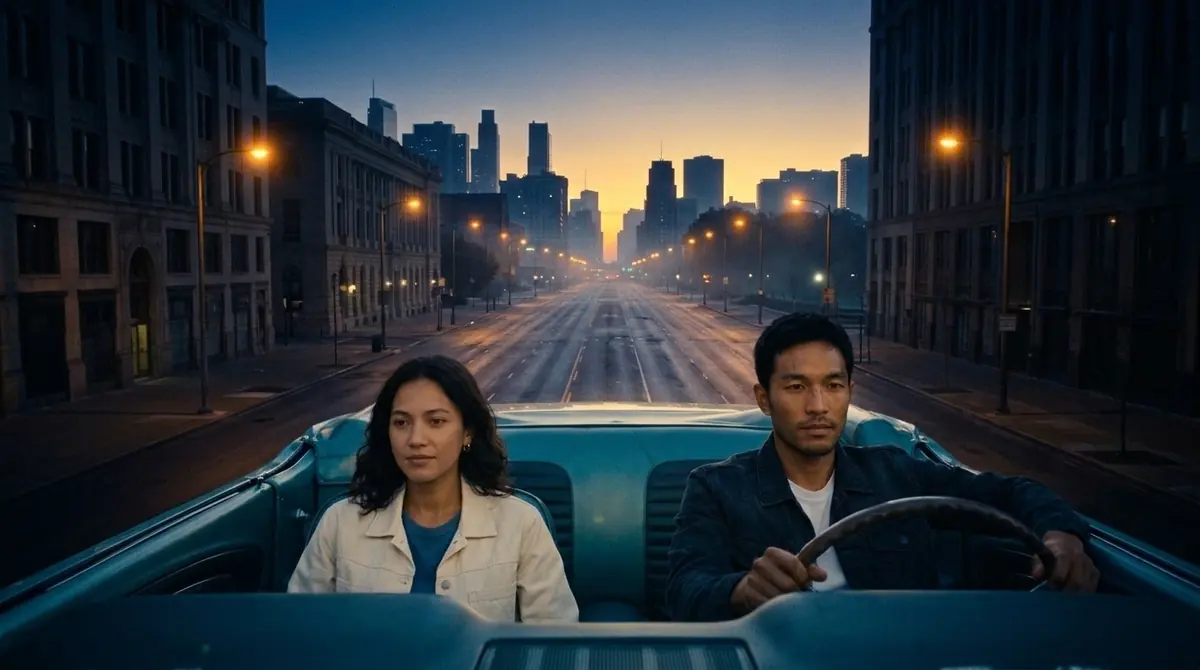
Here is the first verse of "Night Drive", a 120 BPM pop test song storyboarded by Muvora. Each row is one panel. Notice how the shots hold two bars each in the verse, how the framing changes at every cut, and how every line of action names a light source.
| Shot | Time | Section | Framing | What happens |
|---|---|---|---|---|
| 1 | 0:00 to 0:08 | Intro | Extreme wide | An empty avenue at night, rows of amber streetlights receding into blue haze |
| 2 | 0:08 to 0:12 | Verse 1 | Wide | A vintage teal convertible carrying the two leads passes under a streetlight |
| 3 | 0:12 to 0:16 | Verse 1 | Close-up | Noa rests her hand on the glowing radio dial, dashboard light on her face |
| 4 | 0:16 to 0:20 | Verse 1 | Aerial | The sleeping city from above, the car a small light on the avenue |
| 5 | 0:20 to 0:24 | Verse 1 | Medium | Eli grips the wheel as streetlight slides across his face |
| 6 | 0:24 to 0:28 | Verse 1 | Wide | Dark apartment windows, headlight glow sweeping the wall |
| 7 | 0:28 to 0:32 | Verse 1 | Insert | Dashboard gauges glowing amber, the needle steady |


Drawing the frames: sketches, references or AI
How you fill the panels depends on what happens next. For a live shoot, quick sketches or phone photos of the location are enough: the crew needs composition and movement, not finished art. Reference stills pulled from films help agree on a look. For an AI music video, the frame is far more important, because the video model starts each shot from it. A vague frame becomes a vague shot.
- Sketches: fastest, fine for live shoots. Arrows show camera and subject movement.
- Photo references: real locations or stills that set the light and palette.
- Style frames: two or three finished-looking images (an establishing shot, a chorus hero shot, a character sheet) that every other panel matches.
- AI keyframes: one finished image per shot, drawn from the style frames, that the video model animates.
Muvora's storyboard generator does all four steps on one page. It reads the song, writes the concept (a brief with the look, the light and the characters) and a shot for every beat-timed slot, draws style frames and a character sheet, and lets you rewrite any shot, move cuts (they snap to the beat) or merge and split shots before anything is rendered. The storyboard is free; you only pay if you render it.
Storyboard mistakes that show up in the edit
- Panels without timestamps. A frame that isn't tied to a bar can't be checked against the song.
- Illustrating every lyric. Pick a few lines to echo; let the rest of the video carry the feeling.
- The same framing three times running. Alternate sizes and angles so cuts read as cuts.
- Too many places. Two to four designed locations look richer than ten sketched ones.
- Characters that change between panels. Fix hair, clothes and props once and repeat them exactly.
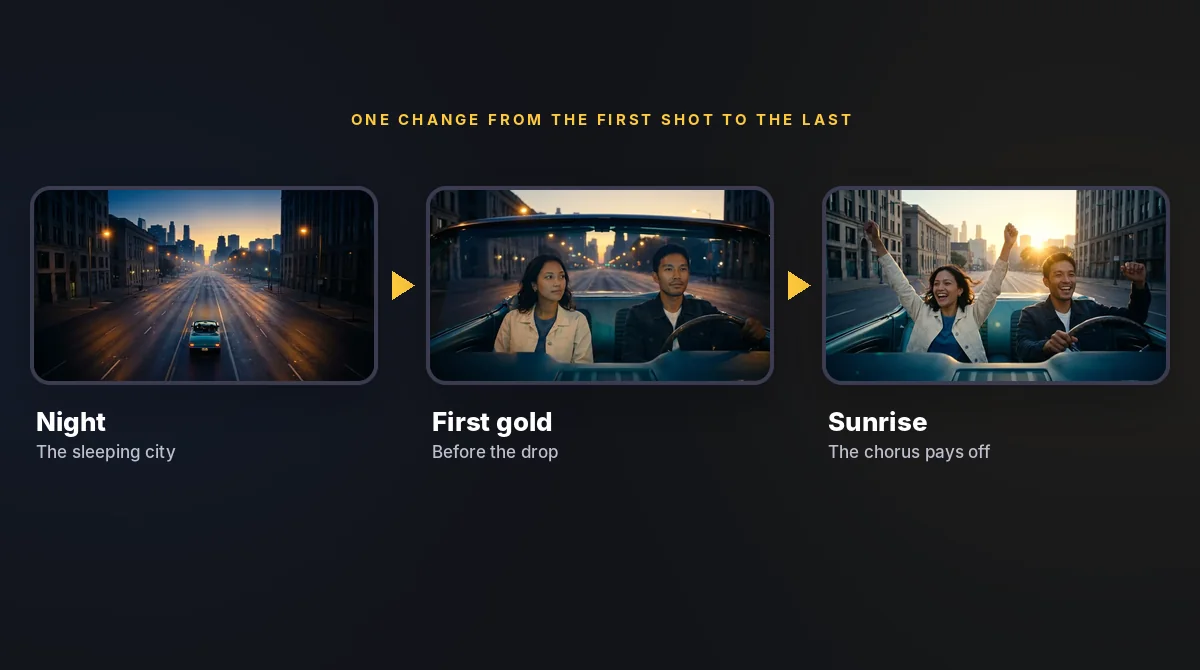
- No change from start to end. If the last panel could swap with the first, the video has no arc.
Get a storyboard for your own song
Upload a track and Muvora maps it, writes the concept and lays out a shot for every stretch between cuts, every one editable before you spend a credit.
Written by the Muvora team. Last updated November 13, 2026. Spotted something out of date? Tell us at [email protected].