Looking for a CapCut alternative for music videos?
CapCut is a video editor, and a capable one that's free to start: a timeline on desktop, web and phones, templates, auto captions, tools that cut your clips to a song's beat, and AI tools that now generate short clips as well. Muvora starts from the other end. You bring only the song, and it plans, generates and edits the whole music video on the downbeats. Here is how the two compare.
Free storyboard · 5 a month · No card needed
The verdict
With a finished song and no footage, Muvora is the one to choose: it plans, generates and edits the whole music video, from a free storyboard cut on the downbeats to a widescreen render that also gives you vertical, square and Canvas versions, and you see the exact price first. CapCut is an editor for clips you already have; Muvora makes both the clips and the edit.
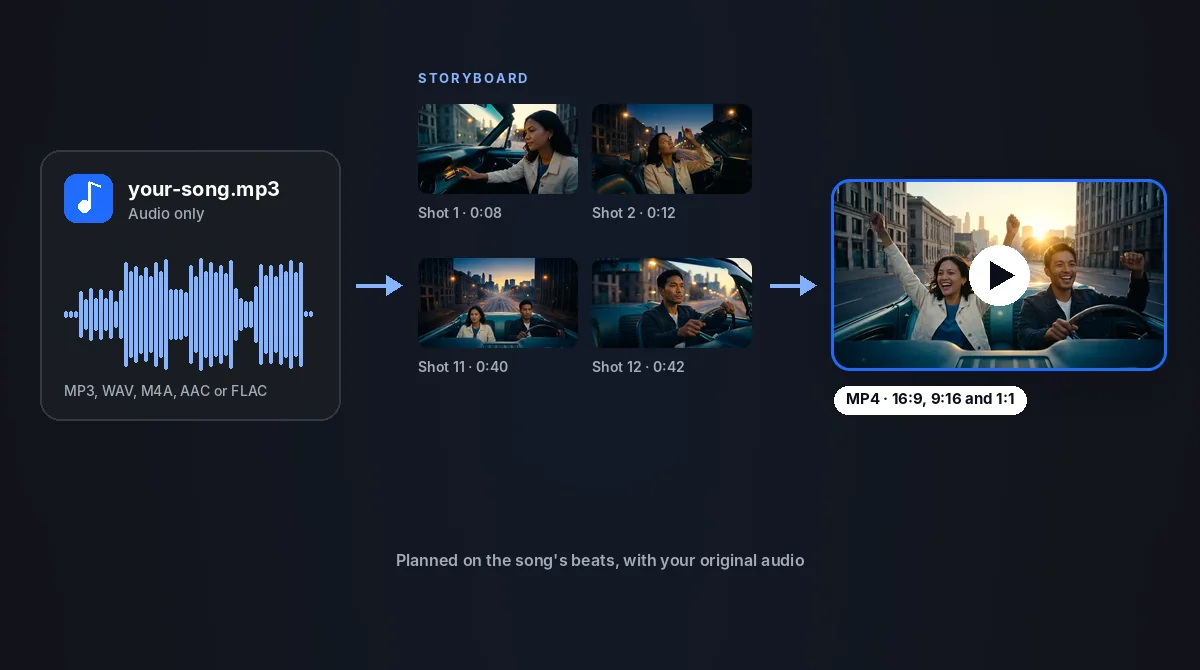
CapCut facts checked November 14, 2026. The waveform of “Night Drive”, a 120 BPM pop test song, beside storyboard frames Muvora drew for it.
Muvora vs CapCut
| What is compared | Muvora | CapCut |
|---|---|---|
| What it is | A music video generator: upload a song and it writes, renders and edits every shot of the video | A video editor for desktop, web and phones: a timeline for your own footage, with templates, auto captions and AI tools |
| What you start with | Only the song (MP3, WAV, M4A, AAC or FLAC, up to 8 minutes), plus one photo of the singer if you want lip sync | Your clips and photos, a template, or AI-generated clips that you place on the timeline |
| Who plans the video | An AI director writes a brief and a shot for every stretch between cuts; you edit the storyboard for free before rendering | You do; its AI music video page says it generates visuals from your music, while its own workflow guide advises placing visual changes on musical moments yourself |
| Cutting to the beat | Cuts placed by code on downbeats, at every section change and every drop, with longer holds in quiet parts | Auto Cut's Beat Sync on desktop (Music Beat on mobile) slices your clips to the beat; its help says it wasn't on CapCut Web as of early 2026 |
| AI video | Every shot is AI video, drawn from the storyboard's style frames and character sheet and checked for consistency | Since March 2026, clips of up to 15 seconds from text or images with ByteDance's Seedance 2.0, rolled out country by country |
| Lyrics and captions | Lyrics timed word by word to the vocal, with optional karaoke-style captions burned in | Auto captions on web, desktop and mobile; Auto lyrics on CapCut Web detects the sung words |
| Price | The storyboard is free (5 a month on the free plan); rendering costs credits per finished second: Visualizer 38, Standard 60, Cinematic 110 | Free to start; Pro $19.99 a month or $179.99 a year in the US, and a cheaper Standard tier reported at $9.99 a month; prices vary by region, platform and promotion |
| Formats | 16:9, 9:16, 1:1 and an 8-second Spotify Canvas loop from one widescreen render, at 720p or 1080p | Whatever ratio you set the project to, with auto reframe to keep the subject in frame when you switch |
Compare it on your own song
Upload a track and see Muvora's whole storyboard, every shot planned on your song's beats, and its exact price before you spend a credit. The storyboard is free, so you can judge the plan before you pay for anything.
What you get with Muvora that changes the outcome
- 01
No footage, no shoot
An editor needs something to edit. When all you have is the finished song, Muvora makes the pictures: the director reads the song, writes a concept with a small cast and a handful of designed locations, then a shot for every stretch between cuts, each with its framing, action, light and camera move. The guide to making a music video weighs filming, AI and a mix of both.
- 02
Cuts planned from the whole song
Beat tools put cuts on the beats; a music video also needs to know where the verse ends and the chorus lifts. Muvora maps every downbeat, section, drop and the energy of each beat, then holds the verses, quickens the choruses and lands every drop on a cut with a short white flash. Drag any cut in the editor and it snaps back onto a beat.
- 03
The same faces in every shot
When AI clips are generated one at a time, keeping the same face, wardrobe and light from one to the next is work you do yourself. Muvora draws style frames and a character sheet before you pay, draws every shot's keyframe from them and checks it, redrawing one that drifts. A Performance video draws the singer from one photo and lip-syncs the sung parts.
- 04
Every format, and the price before you start
One render gives you the 16:9 video, 9:16 and 1:1 versions and an 8-second Canvas loop, with optional karaoke-style captions timed to the vocal. The storyboard costs nothing, the editor shows your song's exact price before you press Generate, and a shot that fails costs nothing. Estimate yours with the cost calculator.
The bottom line
CapCut edits the footage you have; Muvora makes the music video you don't have yet
CapCut is a video editor for desktop, web and phones: a timeline for your own clips, with templates, auto captions, beat tools and AI clips of up to 15 seconds. A music video made from a song alone needs more than a timeline: a concept, a shot planned for every stretch between cuts and an edit that follows the verses, choruses and drops. Muvora does all three for you, and its MP4 files open in any editor if you want to add a title card afterwards.
- Only the song needed: no footage, no shoot
- Every shot planned and generated for your song
- Cuts on downbeats, section changes and drops, placed for you
- Lyrics timed word by word, with optional karaoke-style captions
- The exact price before you render; failed shots cost nothing
Still comparing? See how Muvora compares with every other tool.
How Muvora works, and what it costs
- 01
Upload your song
Drop in an MP3, WAV, M4A or FLAC up to 8 minutes. Muvora finds the tempo, the beats, the downbeats and the sections of your song, like intro, verse and chorus.
- 02
Edit your free storyboard
An AI director writes a shot-by-shot plan timed to your downbeats. Rewrite any prompt, drag a cut (it snaps to the beat) or ask AI to redo a shot. None of it costs anything.
- 03
Generate your video
See the final price, then render. Pick Visualizer, Standard or Cinematic quality. If a shot fails, its credits come straight back.
The storyboard is free. Rendering is priced per second.
- Visualizer38 credits/s6,840 for 3 minutes
- Standard60 credits/s10,800 for 3 minutes
- Cinematic110 credits/s19,800 for 3 minutes
- The exact price is shown before you generate
- Failed shots cost nothing
- 16:9, 9:16, 1:1 and a Canvas loop from one widescreen render
Free storyboard in minutes. No card needed.
Questions, answered
Can't find what you need? Start a free storyboard and see for yourself.
Is Muvora a good alternative to CapCut for music videos?
Yes, when you have a song and no footage. Muvora plans the whole video from the song, generates every shot and cuts it on the downbeats, with a free storyboard to edit first. CapCut is an editor for the clips you bring; Muvora does the planning, the shots and the beat-matched edit, so the finished song is all you need.
What is the difference between Muvora and CapCut?
CapCut is a video editor: you bring footage, a template or AI clips and arrange them on a timeline. Muvora is a music video generator: it analyzes the song, writes a storyboard, renders each shot as AI video and edits the shots together on the beat over your original audio.
Can CapCut make a music video from just a song?
CapCut's AI music video page says it generates visuals from your music, and since March 2026 it can generate clips of up to 15 seconds with Seedance 2.0. CapCut's own workflow guide still suggests placing the visual changes on chosen musical moments yourself rather than counting on exact automatic sync. Muvora places every cut for you from the song's analysis: on the downbeats, at every section change and on every drop.
Is CapCut free?
CapCut has a free plan. As of November 2026, Pro was 19.99 dollars a month or 179.99 dollars a year in the US, with a cheaper Standard tier, and CapCut's help says prices vary by region, platform and promotion. Muvora's storyboards are free, with 5 new ones a month, and you pay credits only to render.
Does Muvora work with clips I filmed?
No. Muvora generates every shot from its storyboard and doesn't accept uploaded video, though you can add one photo of the singer for a Performance video. What it gives you is a music video that needs no filming at all: a cast, locations and camera moves planned for the song, and the singer lip-synced where the song is sung.
Can I edit a Muvora video in CapCut afterwards?
Yes. Muvora exports ordinary MP4 files in 16:9, 9:16 and 1:1, so you can bring one into CapCut or any editor to add a title card or cut a teaser. Inside Muvora you change the video shot by shot: re-roll a shot, edit its prompt, show it as a still or swap two shots.
Keep exploring
Specterr alternative
Muvora and Specterr side by side: AI video shots planned for your song against audio-reactive visualizer and lyric templates.
See the comparison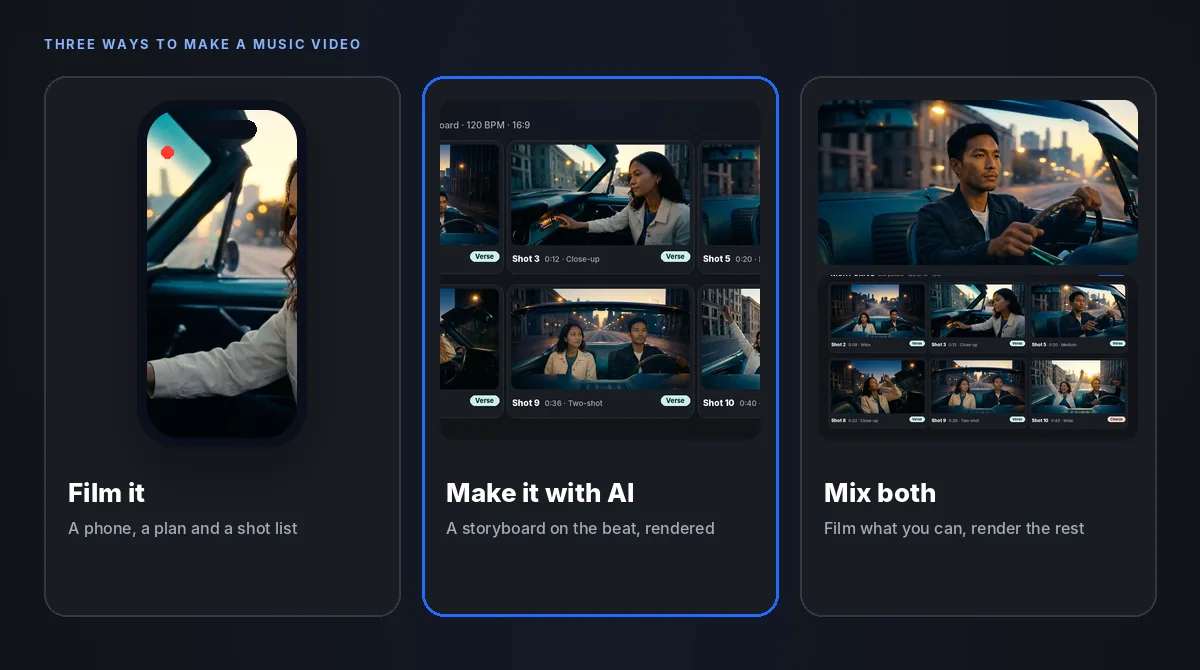
How to make a music video
Film it, make it with AI or do both: the steps every route shares, what each costs in time and money, and which one fits your song.
Read the guide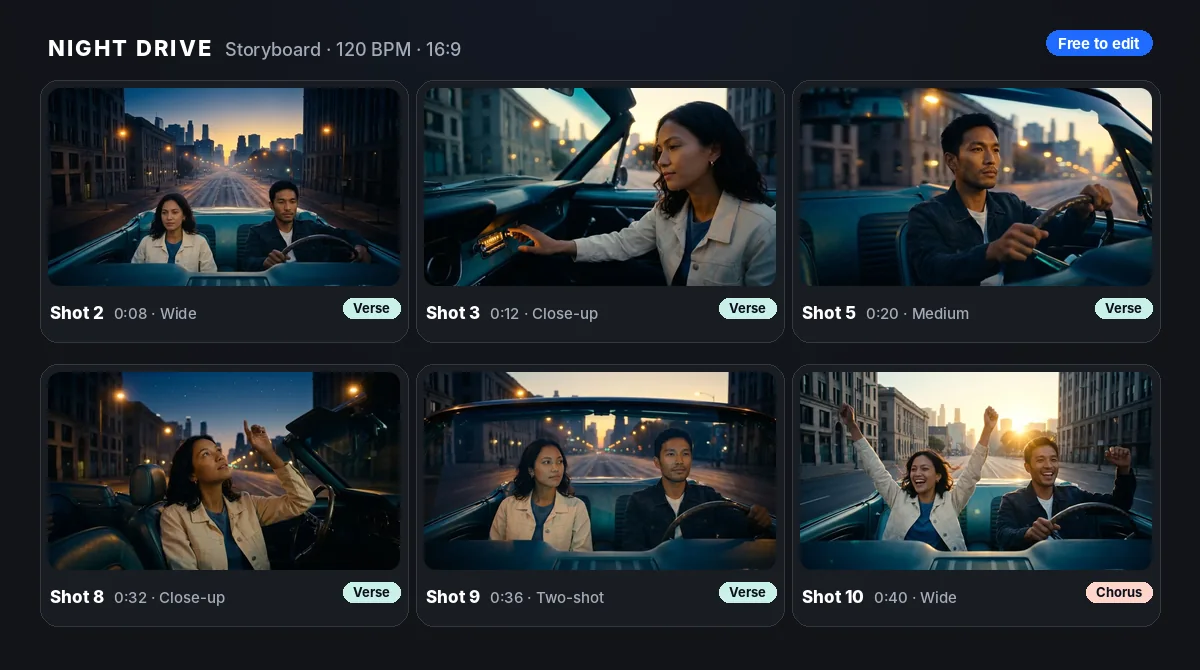
Make a music video for free
Three honest ways to make a music video with no budget, a shot list to copy, and what each route really costs.
Read the guide
Edit a music video to the beat
The bar maths, the shot lengths by section and the cutting tricks that make a video play the song.
Read the guide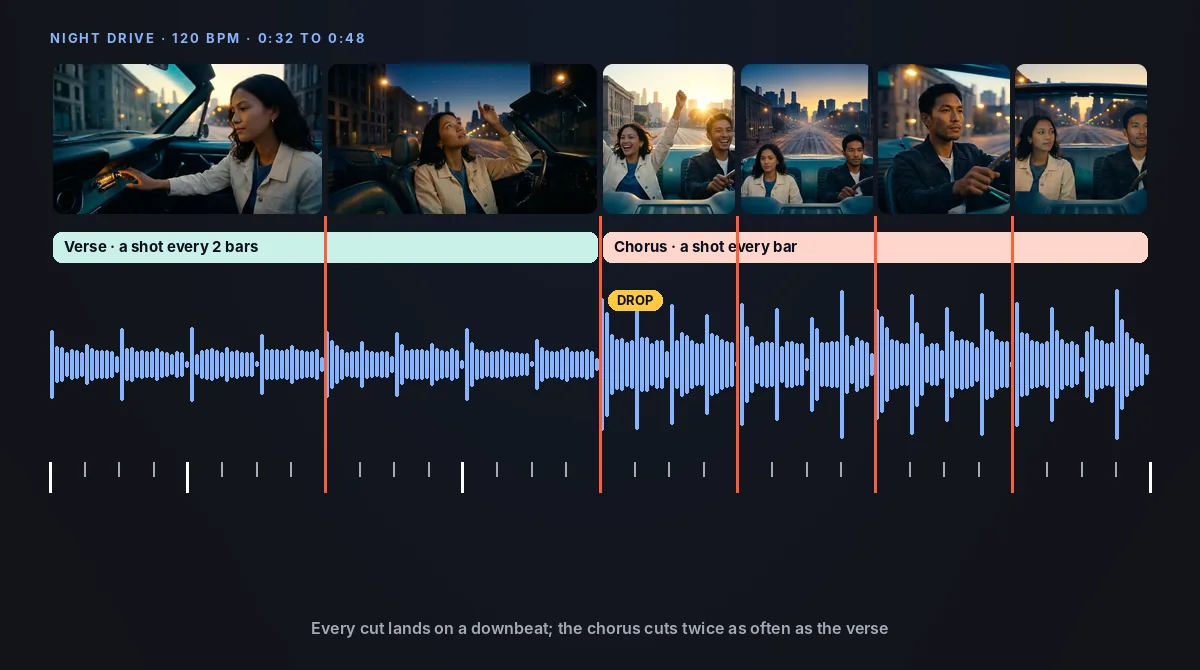
Beat sync videos
Every cut placed on a downbeat, a section change or a drop, to the nearest frame.
Learn more
Rotor Videos alternative
Muvora and Rotor Videos side by side: AI shots made for your song against edits of licensed stock footage and your own clips.
See the comparison
Canva alternative
Muvora and Canva side by side: a music video generated and cut from the song itself, against a design tool's templates, stock clips and beat markers.
See the comparison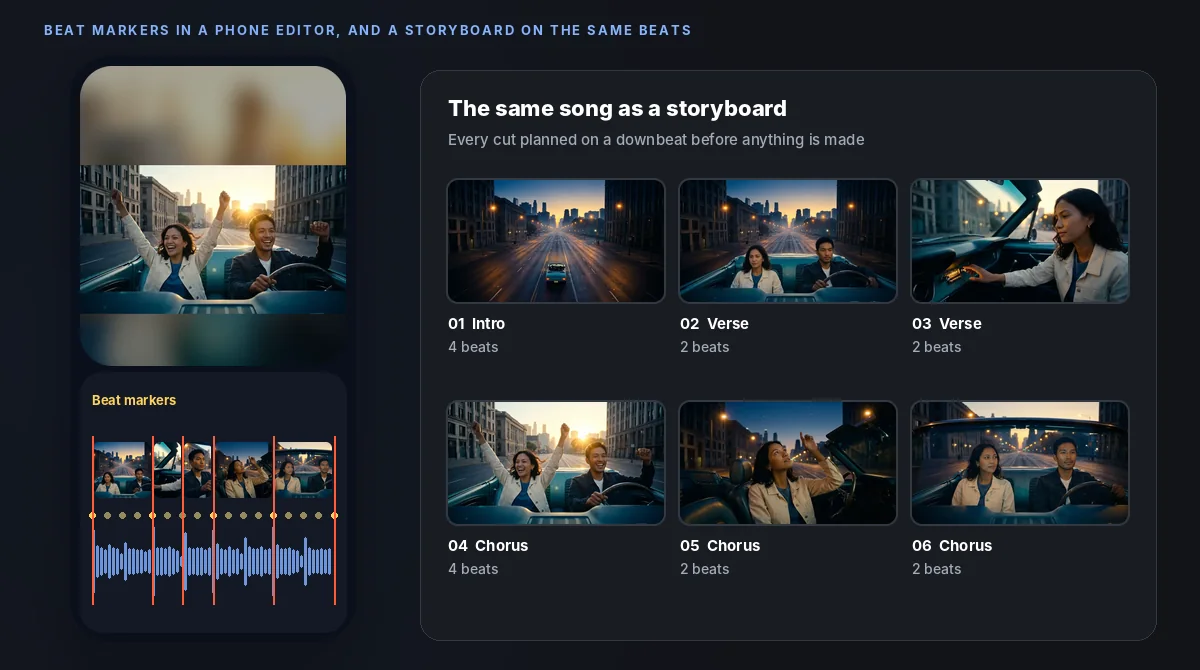
Make a music video in CapCut
Song first, beat markers on, clips trimmed to the downbeats, captions checked and the right export, on a phone or a computer.
Read the guideClipchamp alternative
Muvora and Clipchamp side by side: a music video generated and cut from your song alone, against Microsoft's free editor for the clips, stock and recordings you put on its timeline.
See the comparison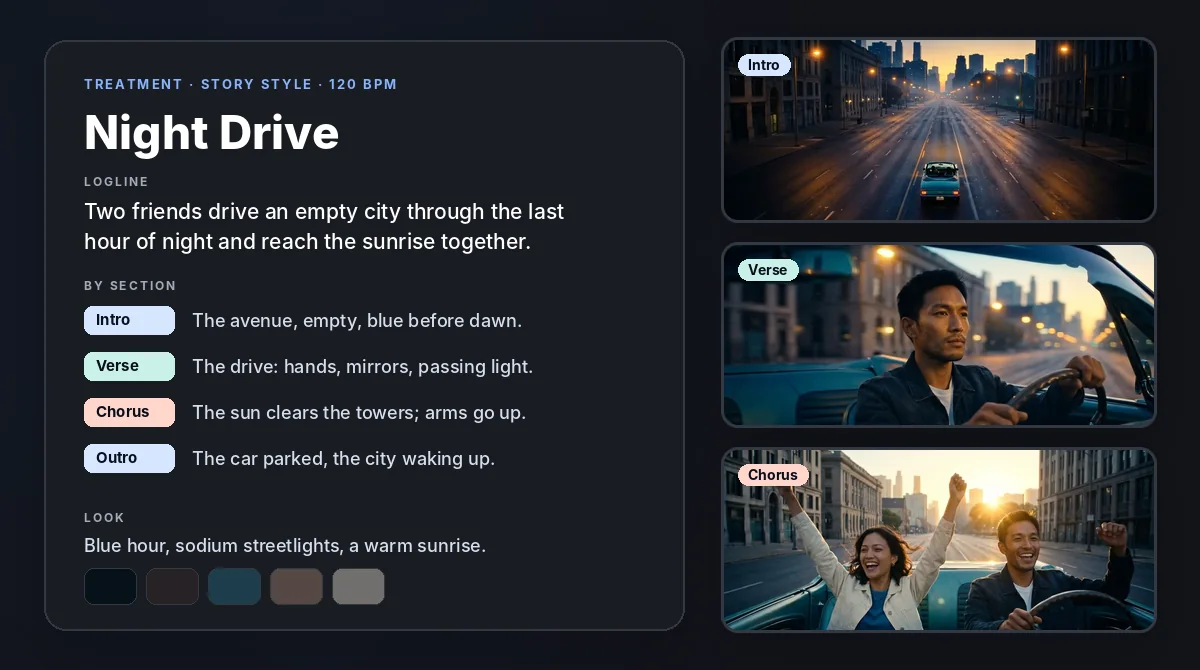
Descript alternative
Muvora and Descript side by side: a music video generated and cut from your song's beats and sections, against a text-based editor where you assemble the visuals from footage, stock and prompt-made clips.
See the comparisonFilmora alternative
Muvora and Filmora side by side: a music video generated shot by shot and cut on your song's beats, against Wondershare's editor that beat-matches the footage and clips you bring.
See the comparison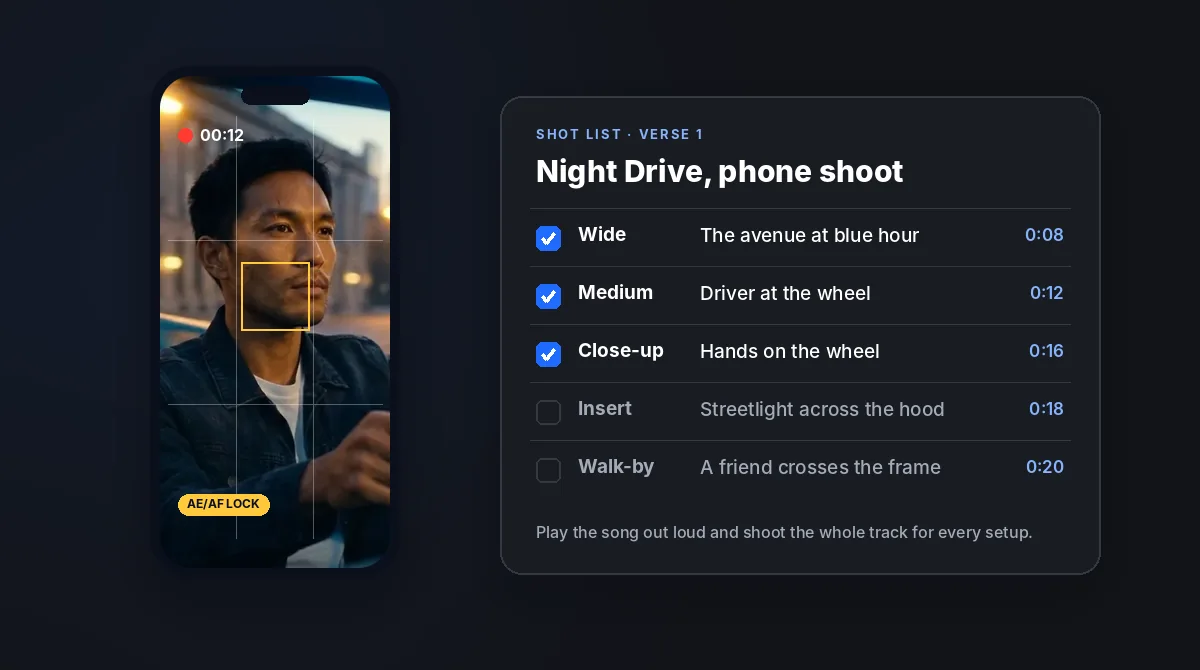
Videoleap alternative
Muvora and Videoleap side by side: a music video generated shot by shot from your song and cut on its beats, against Lightricks' phone editor with templates, AI effects and a Beats tool for the clips you shot.
See the comparison
Your song deserves a music video
Upload a track and get a free beat-synced storyboard in minutes. Render it when you are ready.
No card needed to start.





