Make an album cover from your own photo, sized for the stores
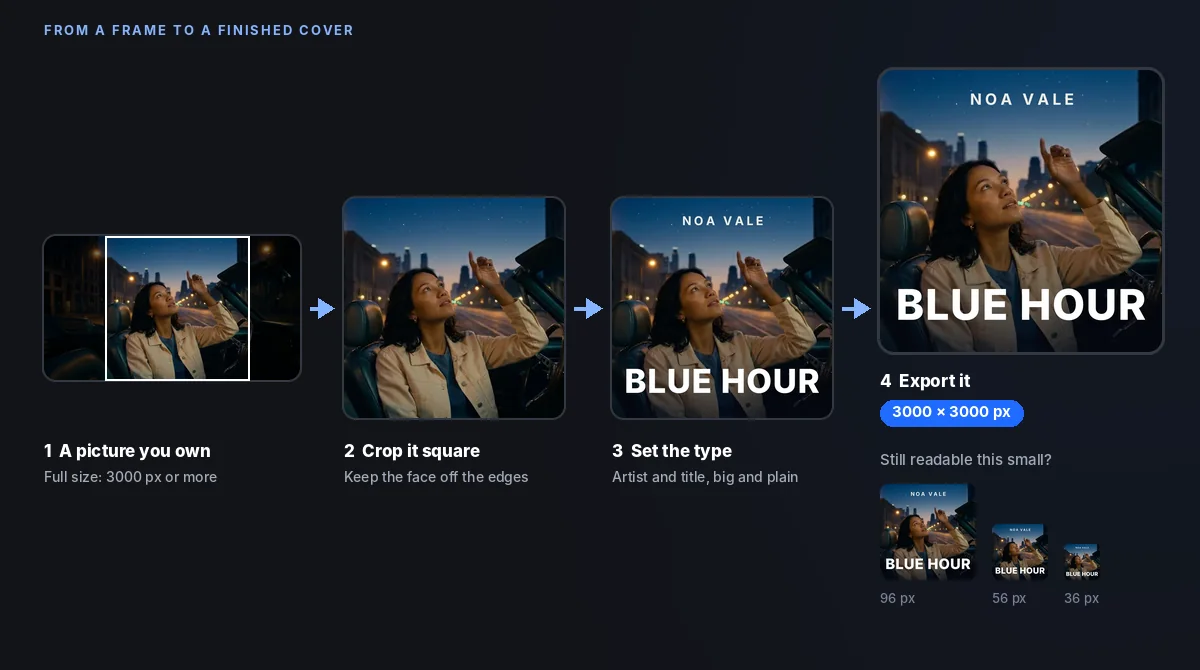
Open a photo you took, or start from a color or a gradient, frame it as a square and set the artist name and the release title in one of eight fonts licensed for commercial use. While you work, the cover is drawn at 160 and 64 pixels, the sizes most listeners first see it at, and checked as you go: whether the photo has to be enlarged, whether the type holds words stores refuse, such as a web address or a handle, and whether each line stands out from the picture behind it. Then save a 3000 × 3000 JPG or PNG. Your photo never leaves your device.
Free, no sign-up. Runs in your browser: nothing is uploaded.
Drop a photo here, or start from a color
JPG, PNG or WebP, ideally 3000 pixels or more on its shorter side. Use a photo you took, or one you have a license or written permission to put on a cover. It's read on your device and never uploaded.
Song finished? Upload it and Muvora plans the whole video on its beats. The storyboard is free.
Make the videoUpload a new songHow to use the album cover maker
- 01
Choose the picture
Open, drop or paste a photo you took or have the rights to, or start from a solid color or a two-color gradient. Drag the photo, or use the zoom and position sliders, to frame the square.
- 02
Treat the picture
Darken it to make room for type, blur it into a soft backdrop, add film grain, or turn it into a duotone in a shadow color and a highlight color you pick.
- 03
Set the name and the title
Type the artist name and the release title as your distributor's form has them, then choose each line's font, size, color, letter spacing and capitals, and where the pair sits.
- 04
Read the checks, then save
Watch the thumbnails and the checks, then save a 3000 × 3000 JPG at the quality you set, or a PNG. The saved file is read back and checked store by store.
Type that still reads in a playlist
A cover is made at 3000 pixels and often met at 64, the size of a row in a track list. So the maker draws yours at 160 and 64 pixels on a dark and a light screen as you edit, and works out how tall each line of type is at those sizes. It also measures the contrast between each line and the picture behind it, reporting the ratio 90% of that area reaches, so a dark patch under one word can't make a mostly bright background look fine. A long title wraps between words before it shrinks, and no letter is set outside the margin you choose. If the picture can carry the cover alone, clear both lines: stores take a cover with no type at all. The album cover ideas guide has looks to start from.
- Thumbnails at 160 and 64 px, dark and light
- Contrast measured behind every line
- Long titles wrap between words, then shrink
Fonts you can put on a record you sell
A font is software with a license of its own, and many fonts on free font sites are licensed for personal use only. Every font here allows commercial use. Bricolage Grotesque, Figtree, Anton, Unbounded, Playfair Display, Space Mono and UnifrakturMaguntia are under the SIL Open Font License 1.1, and Permanent Marker is under the Apache License 2.0. Both licenses apply to the font files themselves, not to the artwork you make with them. The files come from this site and load only when you pick a font, so the page stays light and the words you type stay on your device.
- Eight fonts, each named with its license
- SIL OFL 1.1 or Apache 2.0: commercial use allowed
- Loaded from this site only when picked
What stores check before a cover goes live
Distributors pass on the rules Apple Music, Spotify and the other stores publish, and the maker checks the ones it can see. It warns when your crop is under 3000 pixels across and has to be enlarged, and marks it to fix under 1400, the minimum in Apple's delivery spec and at CD Baby, because enlarging adds no detail. It flags web addresses, emails, handles and prices in the type, and asks about store names, dates and words like “out now”. Then it reads the saved file back with the album cover checker's rules: the square, the pixel size, the format, RGB color and the file size. What no tool can judge, such as your rights to the photo or a logo inside it, is on the list under the maker, and the album cover size guide has every store's rule with its source.
- Warns before a photo is enlarged
- Flags URLs, handles, prices and store names
- Saved file checked store by store
From the cover to a video in the same colors
Upload the song the cover belongs to and Muvora's AI director writes a storyboard cut to its beats, free to read and edit. Once you've saved a cover here, the button under the maker puts its palette into the idea box, so the video starts in the cover's colors. A widescreen render gives you the 16:9 video, vertical and square cuts and an 8-second Canvas loop for Spotify, priced before you render.
Questions, answered
Can't find what you need? Start a free storyboard and see for yourself.
Is the album cover maker free, and does it upload my photo?
It's free with no account, and nothing is uploaded: your browser opens the photo, draws the cover and saves the file on your device. The only thing the page fetches while you work is a font file from this site, the first time you pick that font.
Can I use these fonts on a cover for a release I sell?
Yes. Seven of the eight fonts are under the SIL Open Font License 1.1 and Permanent Marker is under the Apache License 2.0. Both allow commercial use, and both license the font files rather than what you make with them, so a cover set in them can go on any release, on streaming services or on a physical copy.
What size and file type does the maker save?
3000 × 3000 pixels unless you choose otherwise, the size most distributors ask for, or 1400, 1000 or 640 for a form that wants a smaller file. Pick a JPG, with its quality setting, or a PNG. Both are RGB in sRGB colors, as Spotify asks; a JPG of a photo usually stays at a few megabytes, while a PNG of one can pass the 10 MB TuneCore takes.
Can I make the cover from a frame of my music video?
You can open one, but check its size first. A frame from a 1080p video is 1920 × 1080, so the largest square in it is 1080 pixels across. Reaching 3000 means enlarging it almost three times, which the maker marks to fix: stores ask for art that isn't upscaled, and enlarging adds no detail. Use the frame for the look, then make the cover from a full-size photo or illustration.
Which words can go on an album cover?
The artist name and the release title, spelled exactly as in your release's details, or no words at all. Stores turn down covers with web addresses, social handles, prices, store names and logos. The maker flags those in what you type, but it can't read text or logos inside your photo, so look over the picture too.
Do I need permission to use a photo on my cover?
Yes, unless you took it yourself. A photographer's shot needs their license for cover use, a stock image needs a license that covers album art, and anyone recognizable in it should agree to being on your cover. Apple asks for written permission for images that belong to someone else, so keep the license or the email with the release's files.
Keep exploring
How to make an album cover
From the song's idea to a 3000 x 3000 file: the specs, what stores refuse, type that reads small, photo, AI and font rights, and a matching video.
Read the guideAlbum cover checker
Check cover art against Apple Music, Spotify and distributor rules: square, pixel size, format, color mode and file size.
Open the tool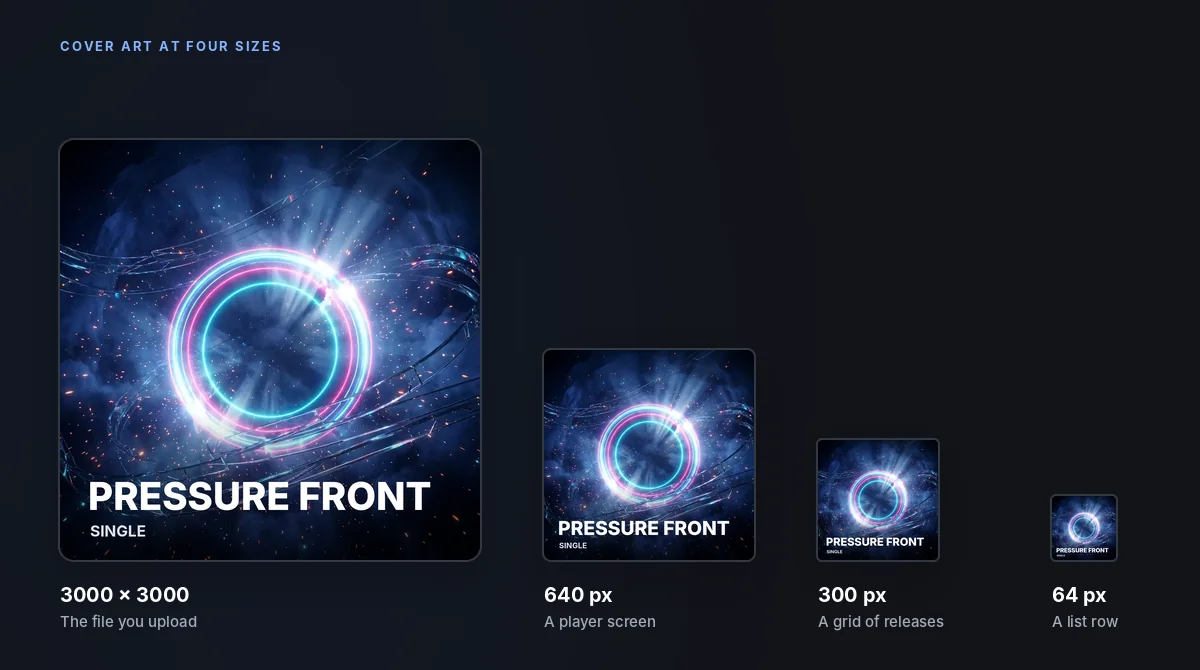
Album cover size and specs
The square size to export, the file and color settings, what gets cover art rejected and how to design for a tiny thumbnail.
Read the guide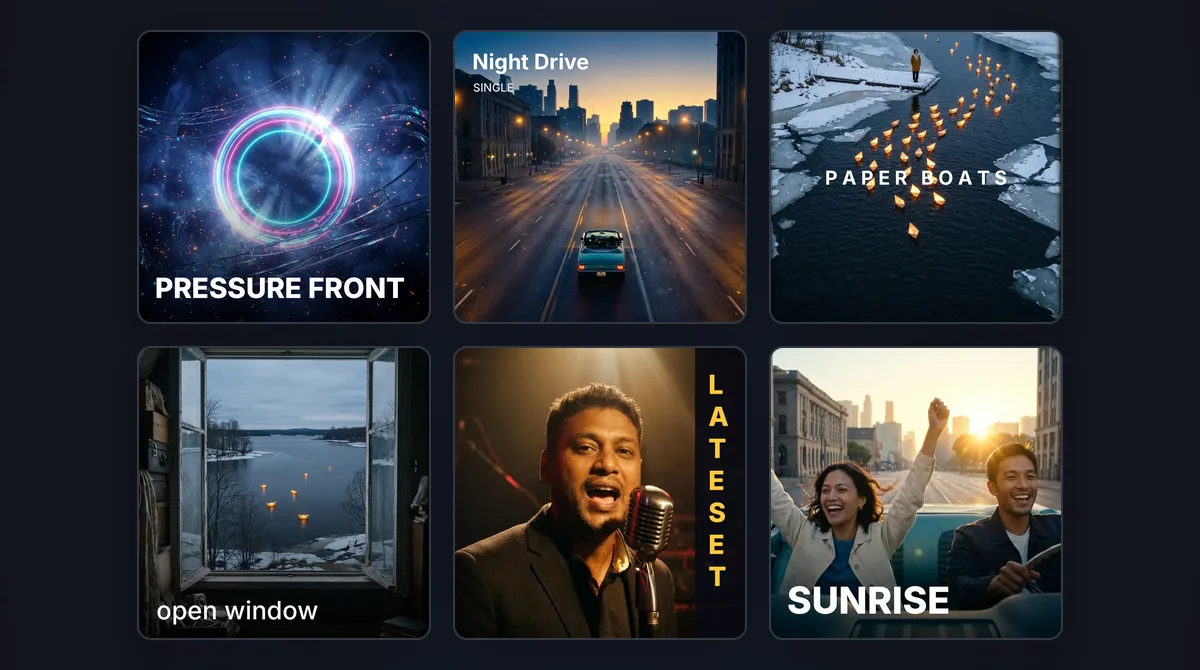
Album cover ideas
28 cover art concepts, from a phone-lit portrait to a three-single rollout, each written so a designer can make it and a video can match it.
Read the guideColor palette generator
Drop in any image and get its five to eight main colors with hex codes, shares and readable text colors, ready to copy as CSS or as an idea for a video.
Open the toolVideo frame grabber
Open a video, step to the exact frame and save it as a full-size PNG, JPEG or WebP, or a 1280 × 720 YouTube thumbnail.
Open the toolMP3 tag editor
Change an MP3's title, artist, album, track number, lyrics and cover art on your device, and save a copy whose audio is untouched.
Open the tool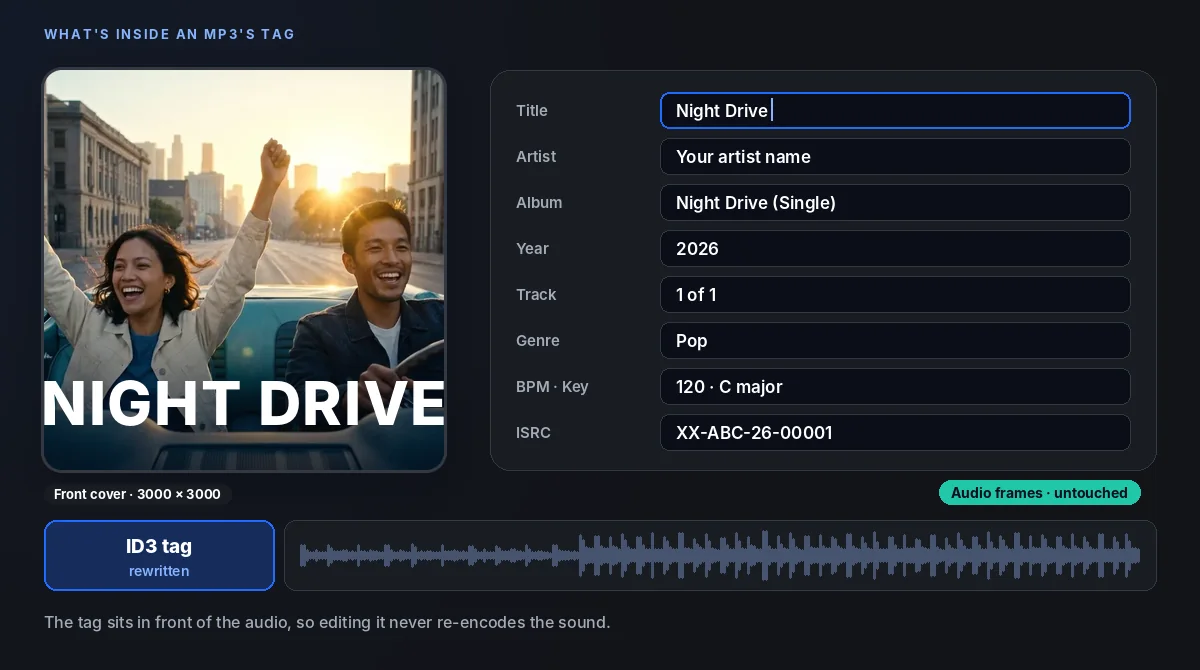
Add album art to an MP3
Embed a cover in an MP3's ID3 tag in your browser or a desktop app, pick the size to embed, and see why Spotify and Apple Music never read it.
Read the guideMusic video thumbnail maker
Make a 16:9 YouTube thumbnail from your photo or a frame of your video, with the title set big and the duration corner kept clear.
Open the toolGig poster maker
Make a show poster from your photo, a video frame or a color: act, date, venue and tickets laid out for print and Instagram, with a QR code.
Open the tool
More free tools: artwork and video formats
Cover art, Canvas loops, YouTube thumbnails, a spectrum visualizer, sizes, safe zones and bitrates, a video file's specs, and a vertical cut of any clip.
Your song deserves a music video
Upload a track and get a free beat-synced storyboard in minutes. Render it when you are ready.
No card needed to start.






