Looking for an OpenArt alternative for music videos?
OpenArt is an AI creative suite from San Francisco for images, video and audio, running many companies' models under one credit balance. Its Director mode builds multi-scene videos of up to 5 minutes from a chat, and one of its quick starts is a music video: upload a song, pick Narrative, Lyrics Video or Visualizer, and it cuts to the rhythm with your AI artist in the scenes. Muvora is built only for music videos. Here is how they compare.
Free storyboard · 5 a month · No card needed
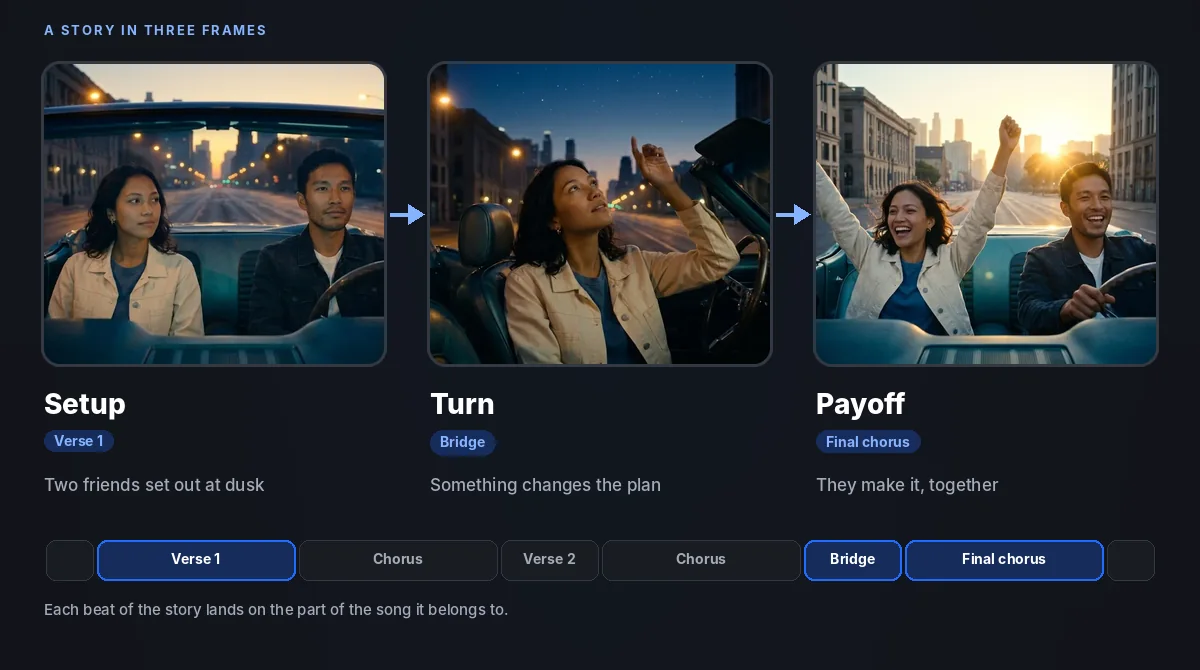
The verdict
Muvora is the one to choose when you want to see and shape your music video before you pay for it: a free storyboard of every shot, cuts placed on your song's downbeats, section changes and drops, a singer lip-synced from your own photo, and credits that roll over. OpenArt's Director mode makes music videos by chat inside a suite built for every kind of video.
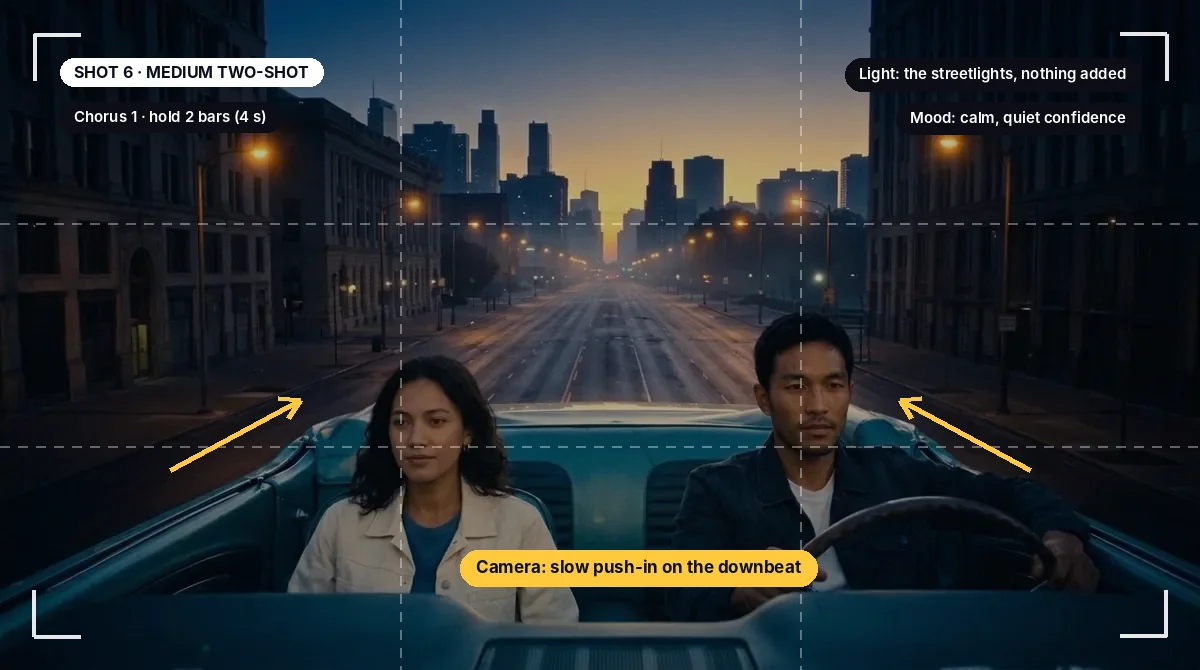
OpenArt facts checked November 18, 2026. Storyboard frames from “Night Drive”, laid out for this guide.
Muvora vs OpenArt
| What is compared | Muvora | OpenArt |
|---|---|---|
| What it is | A music video generator: upload a song and it plans, renders and edits every shot | An AI creative suite for images, video and audio: Director mode, Characters, Brand Kit, Smart Shot, Worlds and 100+ models under one credit balance, in the browser and a desktop app |
| What you start with | Only the song file (MP3, WAV, M4A, AAC or FLAC, up to 8 minutes), plus one clear photo of the singer for lip sync | A song (MP3, WAV or M4A, up to 50 MB), a prompt describing the video, and up to 10 reference images or videos, such as cover art or a saved character |
| Who plans the video | An AI director writes the brief and a shot for every stretch between cuts; you read and change all of it for free before rendering | Director mode plans the scenes from your prompt, its assistant Ori can settle the style, aspect ratio and genre, and you give notes in chat and in its Scenes and Timeline tabs |
| Cutting to the music | Cut points from the song's downbeats, at every section change and every drop (with a two-frame white flash), each one shown and movable in the storyboard | Cuts, motion and energy locked to the rhythm automatically, by its music video page; seven transition types in Director's timeline |
| Styles | Story, Abstract, Lyric and Performance, with hip-hop, pop, EDM, rock and lo-fi looks and a 600-character idea box | Narrative, Lyrics Video (the words on screen, synced to the track) and Visualizer (one minimal loop behind the music) |
| The singer | Performance style: your singer from one consented photo, the vocal separated from your mix and only the sung shots lip-synced | Your AI artist, from its Characters library or a reference image, kept the same in every scene, with the performance synced to your vocals |
| Length | Songs up to 8 minutes in one render, over your original upload | Director projects up to 5 minutes, each clip within its video model's limit (often 15 seconds) |
| Shapes | 16:9, 9:16, 1:1 and an 8-second Spotify Canvas loop from one widescreen render, at 720p or 1080p | The aspect ratio you set for YouTube, Reels, TikTok or Shorts, with the same artist across formats |
| Price | Storyboards free (5 a month on the free plan); rendering per finished second: 38 credits in Visualizer, 60 in Standard, 110 in Cinematic, 75 lip-synced | Starter $14 a month (4,000 credits), Plus $34 (12,000), Pro $56 (24,000), Wonder $240 (106,000); credits reset every 30 days and don't carry over |
| Free to start | 5 new storyboards a month with style frames, no card needed | 40 free credits over the first 7 days with no card, then a daily allowance for basic images |
| Commercial use | Yours to use commercially when you have the rights to the song | From the Plus plan up, by its terms (July 30, 2026); free-plan output may carry a visible watermark |
Compare it on your own song
Upload a track and see Muvora's whole storyboard, every shot planned on your song's beats, and its exact price before you spend a credit. The storyboard is free, so you can judge the plan before you pay for anything.
What you get with Muvora that changes the outcome
- 01
A storyboard you approve before any credit
OpenArt's Director mode plans scenes from your prompt, and its assistant, Ori, can settle the style, aspect ratio and genre for you before generating; you refine the result with notes in chat. Muvora puts its plan in front of you as a storyboard: a brief with a concept, a small cast, a handful of designed locations and a palette, then one shot for each stretch between cuts with its framing, action, light and camera move, beside style frames and a character sheet. Reading it, rewriting a shot and moving a cut cost nothing, and the free plan gives 5 new storyboards a month; the storyboard example shows a real one.
- 02
Cuts you can see on the song's beat grid
OpenArt's page says its cuts lock to the rhythm automatically. Muvora shows you where every one falls. Its analysis measures the downbeats, sections, drops and energy, and the shot planner cuts on downbeats, starts a new shot at each section, marks every drop with a two-frame white flash and holds longer through quiet stretches, paced for the genre. The storyboard's timeline draws the waveform with each cut on it, and a cut you drag snaps back onto a beat; the beat sync video maker page sets out the rules.
- 03
Your own singer, synced where the song is sung
OpenArt puts an AI artist in the scenes, built in its Characters library or from a reference image, and syncs the performance to your vocals. Muvora's Performance style starts from one clear, front-facing photo of the real singer, or a drawn character, confirmed with a consent box. It separates the vocal from your mix, finds every stretch that is really sung, cuts the vocal to those shots and lip-syncs them with the mouth resting between words, and the singer can appear in the story shots without singing. Photo to music video shows the steps.
- 04
Credits that keep, and one rate a second
OpenArt's subscription credits reset every 30 days, and its plans' video estimates leave Director projects out. Muvora prices the finished video at one rate per second for the quality you choose, plus 75 for each lip-synced second, shows the exact total before you press Generate, charges nothing for a shot that fails and covers re-rolls up to 10% of the length. Unused plan credits roll over up to 2 months' worth and packs never expire; check a song in the cost calculator.
The bottom line
OpenArt directs every kind of video. Muvora is built for one: your music video.
OpenArt gives creators, brands and agencies one account for many image, video and audio models, with Director mode turning prompts into ads, micro-dramas, trailers, explainers and music videos. A musician with a finished track needs a tool that starts and ends with the song: a plan to read for free, cuts placed from the song's own beat grid, their own singer from one photo, songs up to 8 minutes and credits that keep. Muvora is that tool; how AI music video generators work walks through each step.
- Made only for music videos, from the song file up
- A free storyboard of every shot, before any credit
- Every cut on a downbeat, section change or drop, and movable
- Your singer from one photo, lip-synced where it's sung
- Plan credits that roll over, packs that never expire
Still comparing? See how Muvora compares with every other tool.
How Muvora works, and what it costs
- 01
Upload your song
Drop in an MP3, WAV, M4A or FLAC up to 8 minutes. Muvora finds the tempo, the beats, the downbeats and the sections of your song, like intro, verse and chorus.
- 02
Edit your free storyboard
An AI director writes a shot-by-shot plan timed to your downbeats. Rewrite any prompt, drag a cut (it snaps to the beat) or ask AI to redo a shot. None of it costs anything.
- 03
Generate your video
See the final price, then render. Pick Visualizer, Standard or Cinematic quality. If a shot fails, its credits come straight back.
The storyboard is free. Rendering is priced per second.
- Visualizer38 credits/s6,840 for 3 minutes
- Standard60 credits/s10,800 for 3 minutes
- Cinematic110 credits/s19,800 for 3 minutes
- The exact price is shown before you generate
- Failed shots cost nothing
- 16:9, 9:16, 1:1 and a Canvas loop from one widescreen render
Free storyboard in minutes. No card needed.
Questions, answered
Can't find what you need? Start a free storyboard and see for yourself.
Is Muvora a good alternative to OpenArt for music videos?
Yes, when you want a tool made only for music videos. Muvora reads your song's beats, sections, drops and words, writes a storyboard of every shot that you can change for free, renders it as AI video, lip-syncs your singer from one photo and cuts it on the downbeats over your original audio. In OpenArt, a music video is one of many Director mode projects, beside ads, dramas and trailers.
What is the difference between Muvora and OpenArt?
OpenArt is a creative suite: image, video and audio models, Characters, Brand Kit and Director mode, which builds multi-scene videos of up to 5 minutes from a chat. Muvora is a music video generator: its planner puts every cut on the song's own beat grid, its director writes a shot for each stretch between cuts, and you approve the whole plan before anything renders.
Can OpenArt make a music video from my song?
Yes. As of November 2026 its music video page has you upload an MP3, WAV or M4A of up to 50 MB, describe the video, add your artist and pick Narrative, Lyrics Video or Visualizer, and it cuts to the rhythm, in projects of up to 5 minutes. Muvora also takes FLAC and AAC files and songs of up to 8 minutes, and shows every shot and cut in a free storyboard before you pay.
How much does OpenArt cost compared with Muvora?
As of November 2026, OpenArt's pricing page listed Starter at 14 dollars a month for 4,000 credits, Plus at 34 for 12,000, Pro at 56 for 24,000 and Wonder at 240 for 106,000. Its credits reset every 30 days, and its plans' video estimates leave Director out. Muvora prices the finished song by the second, shown before you render: a 3-minute Visualizer video is 6,840 credits.
Can OpenArt lip-sync my singer?
It syncs the performance of your AI artist to your vocals, and the artist can come from its Characters library or a reference image. Muvora's Performance style starts from one clear, front-facing photo of your singer, given with a consent box, separates the vocal from your mix, finds every stretch that is really sung and lip-syncs those shots, letting the mouth rest between words.
Can I use an OpenArt or Muvora video commercially?
OpenArt's terms allow commercial use of output made on the Plus plan or above, and output made on its free plan may carry a visible watermark. Muvora's videos are yours to use commercially when you have the rights to the song, and no export carries a visible watermark, logo or end card.
Keep exploring
Plazmapunk alternative
Muvora and Plazmapunk side by side: a music video storyboarded shot by shot and cut on your song's downbeats, against scenes generated along your waveform from prompts and a choice of AI models.
See the comparison
Higgsfield alternative
Muvora and Higgsfield side by side: a music video planned, rendered and cut from your song in one pass, against an AI studio where you build each shot and cut it in your editor.
See the comparison
Midjourney alternative
Muvora and Midjourney side by side: a whole music video planned and cut on your song's beats, against short silent clips animated from one image at a time.
See the comparison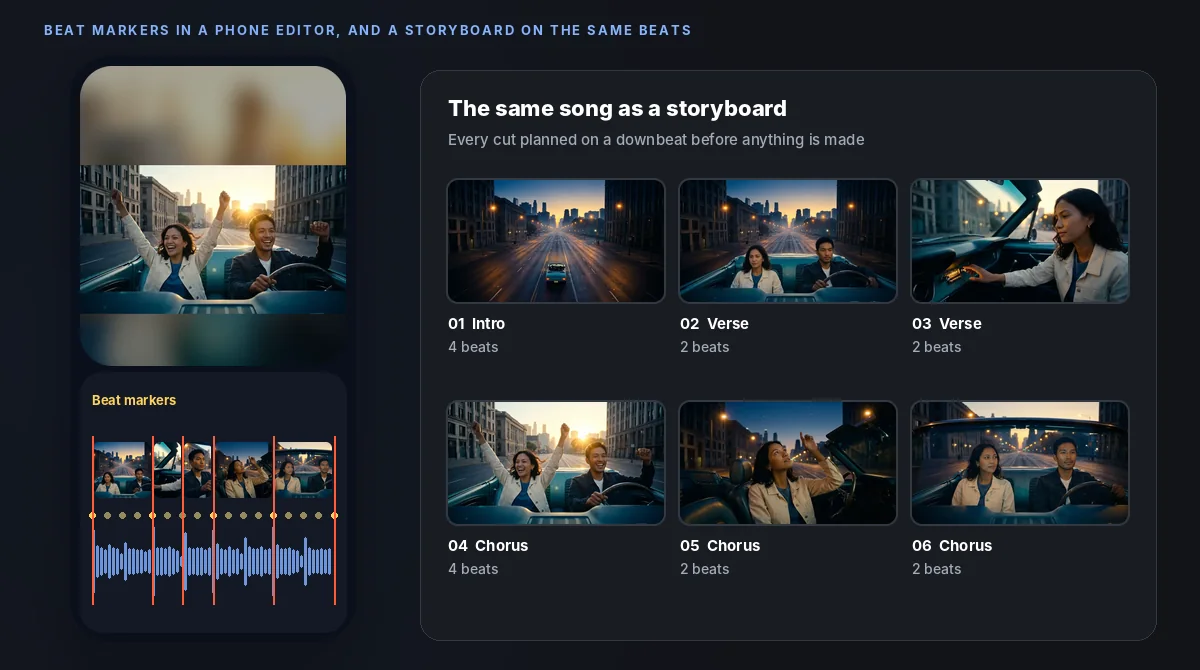
Filmora alternative
Muvora and Filmora side by side: a music video generated shot by shot and cut on your song's beats, against Wondershare's editor that beat-matches the footage and clips you bring.
See the comparison
Lyric videos
Karaoke-style captions timed to your vocals, over AI visuals.
Learn more
Lip-sync videos
A singer made from one photo, lip-syncing to your vocals where the song is sung.
Learn more
Enkio alternative
Muvora and Enkio side by side: a music video storyboarded for free and cut on your song's downbeats, against Wondershare's AI MV agent that turns a song and one reference photo into scenes.
See the comparison
Your song deserves a music video
Upload a track and get a free beat-synced storyboard in minutes. Render it when you are ready.
No card needed to start.



