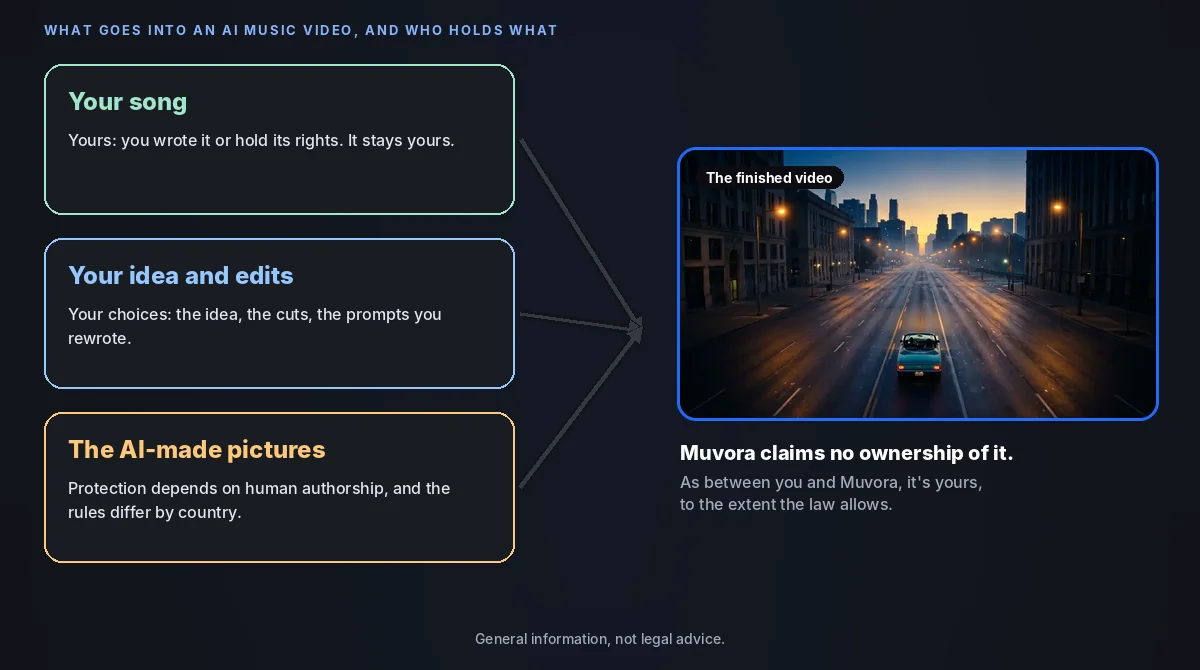
The short answer
Yes, you can post AI music videos on YouTube, and they can earn like any other once the channel is in the Partner Program. Disclose AI when the video looks realistic: lifelike people, places or events that never happened, or a real person shown doing what they didn't. Clearly animated or abstract videos don't need it. Mass-produced, repetitive uploads can't earn, AI-made or not.
- AI music videos are allowed on YouTube, under the same Community Guidelines as any upload.
- Disclose AI when the video looks real; clearly animated or abstract videos don't need it.
- The label doesn't affect earnings, but repeatedly skipping a needed disclosure can.
- Mass-produced, repetitive uploads can't earn, whoever or whatever made them.
- Content ID matches your own song in your video, so get your channel allowlisted first.
On this page (9 sections)ShowHide
- 1.Are AI music videos allowed on YouTube?
- 2.How to post an AI music video on YouTube, step by step
- 3.When YouTube asks you to disclose AI
- 4.What the label does, and what happens if you skip it
- 5.Can an AI music video earn money on YouTube?
- 6.Content ID and your own song
- 7.The made-for-kids setting
- 8.Real people, voices and likeness
- 9.Before you publish: a checklist
- Questions
Are AI music videos allowed on YouTube?
Yes. YouTube has no rule against music videos made with AI, and it holds them to the same Community Guidelines as everything else: its help page on disclosing AI use says those rules apply to all content, altered or synthetic or not. When a monetization update worried creators in July 2025, YouTube said it welcomes creators using AI tools to enhance their storytelling and that channels using AI in their content remain eligible to monetize, as Social Media Today reported.
What AI changes is a short list of questions the upload has to answer honestly. None of them asks whether a camera was involved. Each is about something a viewer or a rights owner cares about: could someone mistake the pictures for real events, does the channel look like a production line, who owns the sound, and who is the video for.
| Question | Why it matters | Covered in |
|---|---|---|
| Does it look real? | Realistic AI scenes, and real people shown doing what they didn't, need the AI disclosure | When to disclose |
| Is the channel original? | Mass-produced or repetitive uploads can't earn from ads, made with AI or not | Earning money |
| Who owns the song? | Content ID matches the audio, and only the song's owners can earn from it | Content ID |
| Who is it for? | Every upload is set as made for kids or not, and the setting changes what the video can do | Made for kids |
How to post an AI music video on YouTube, step by step
Most of the work happens before the upload, while there's still time to fix a claim or a setting. Do it in this order and the video goes public with the right label, the right audience and no surprise claim from your own release.
- 01
Confirm the rights to the song
Make sure you own the composition and the recording, or hold licenses that cover a monetized video. If an AI music tool made the song, check that the plan you used when you made it allows commercial use.
- 02
Ask your distributor about Content ID
If your release is registered with Content ID, have your channel allowlisted before the video goes up, so the official video isn't claimed by your own song.
- 03
Decide on the AI disclosure
Look at the video the way a stranger would. Lifelike people, places or events that never happened mean yes; a clearly drawn, animated or abstract video means the disclosure isn't needed.
- 04
Set the audience
Choose made for kids only when children are the audience the song and the video are for. A cartoon look on its own doesn't make a video made for kids.
- 05
Write the title, description and credits
Use the Artist - Song (Official Music Video) title, credit the writers and the producer, and add a line on how the video was made if you like. Credits also help publishers and distributors match the song.
- 06
Pick the thumbnail
Choose a frame from the chorus or design one. YouTube counts AI used for a thumbnail, a title or a script as production help, which doesn't need the disclosure.
- 07
Upload as private, then check before you publish
Let YouTube's copyright checks finish, look at the label and any claim on the private video, fix what's wrong, then schedule it or set a premiere.
Steps 1 and 2 have guides of their own: music video copyright for the rights, and the Official Artist Channel guide for bringing your releases and your uploads into one channel. If the song in the video belongs to someone else, you'll need a sync license from its publisher before step 7. The upload screens themselves are walked through in how to upload a music video to YouTube.
YouTube description generatorWrite the title, a description with the writing and production credits, chapters from the song's sections and a few hashtags, ready to paste into YouTube Studio.YouTube thumbnail previewPreview a thumbnail and title the way YouTube's layout shows them in the home grid, search, the up-next list and on a phone, before you upload.Skip the blank page
Upload your song and Muvora's AI director plans a shot-by-shot storyboard on the beat. Edit every shot for free, and pay only if you render.
When YouTube asks you to disclose AI
YouTube asks creators to disclose content that is altered or synthetic when it seems realistic. Its help page, as search results quoted it in November 2026, names three situations: content that makes a real person appear to say or do something they didn't, that alters footage of a real event or place, or that generates a realistic-looking scene that didn't actually occur. The question sits in the upload's details in YouTube Studio. YouTube has renamed it over time, from altered content to AI use, so look for either.
The same page lists what doesn't need it: content that's clearly unrealistic (animation is YouTube's own example), color and lighting adjustments, special effects filters such as background blur or a vintage look, minor edits to real footage, and production assistance, meaning generative AI used for a video's outline, script, thumbnail, title or infographic. Disclosing content that didn't need it isn't a problem; leaving out content that did is.
One item matters for musicians in particular. Among its examples of content to disclose, YouTube's page has listed synthetically generating music. If an AI music tool made your song, read the page as it stands on the day you upload, and lean toward yes.
| Your video | Which of YouTube's examples it fits | Disclose? |
|---|---|---|
| Lifelike story shots: people, streets and rooms that look filmed | A realistic-looking scene that didn't happen | Yes |
| Your own photo as the singer, lip-synced in places you've never been | A real person appearing to do something they didn't | Yes |
| A drawn, anime, painted or clay look from start to finish | Clearly unrealistic, animated | Not needed, by YouTube's examples |
| Abstract light, shapes and particles | Clearly unrealistic | Not needed |
| A lifelike video over a song an AI music tool generated | A realistic scene, and synthetic music is on YouTube's list | Yes |
| A filmed video with an AI-made thumbnail, title or description | Production assistance | Not needed |
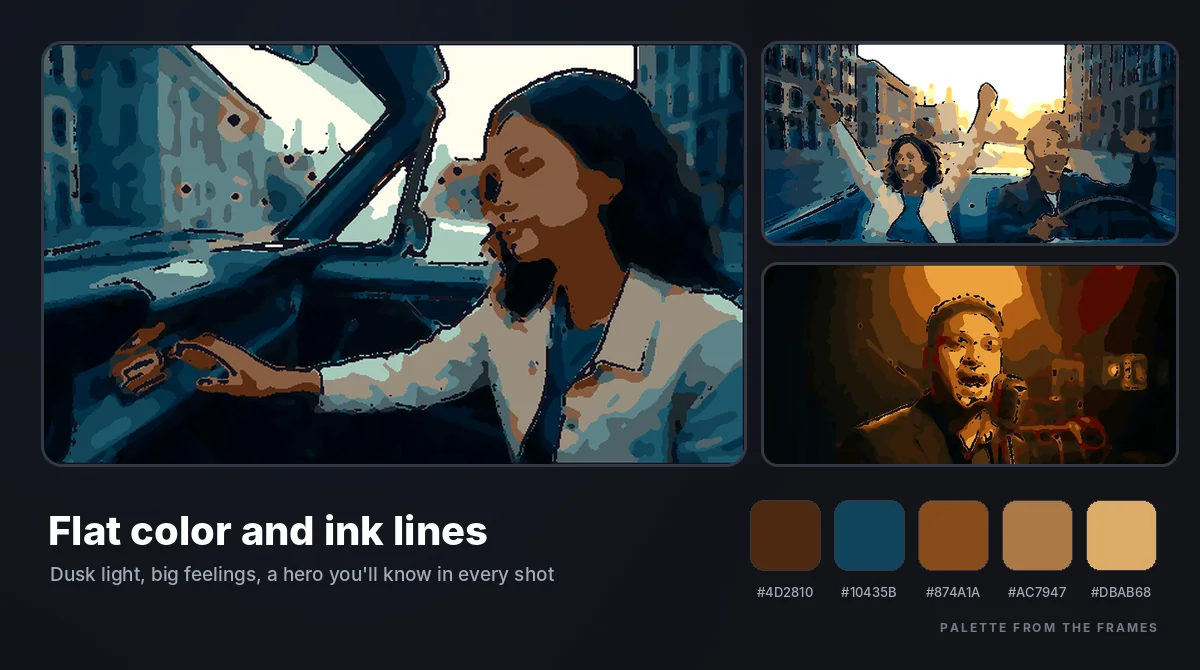
Muvora videos can land on either side of that line, and you choose which. A video in a live-action look is made to look filmed, with every shot lit by sources in the scene (a streetlight, a window, a lamp), so it's realistic in YouTube's sense and should carry the disclosure. Describe a drawn medium in the idea box instead, such as "2D anime style with cel shading and painted backgrounds", and the director makes the whole video in it; the animated music video maker page shows how.
Choose the look before you pay
Upload your song and say in the idea box whether you want a lifelike video or a drawn one. The free storyboard's style frames show the look before you render a second of it, and the free plan gives you 5 new storyboards a month.
What the label does, and what happens if you skip it
Where the label shows changed in May 2026. As TechCrunch reported, the label on photorealistic or meaningfully altered content moved to directly under the player, above the description, and onto Shorts as an overlay on the video, while a disclosure on unrealistic, animated or lightly altered content stays in the expanded description. YouTube also started labeling videos itself when its systems detect significant photorealistic AI use that the creator didn't disclose.
A creator can correct a label YouTube applied, in YouTube Studio, with exceptions. By the same report, a label that came from YouTube's own AI tools, or from content credentials (C2PA data) showing a file was made by AI, stays on. A file that carries such credentials may be labeled whether or not you tick the box.
Ticking yes costs nothing you can measure. YouTube's help page says a disclosure won't limit a video's audience or its eligibility to earn money, and the May 2026 coverage reported the same of the labels. Not ticking it when you should can cost more: when YouTube announced the rule, it said creators who consistently choose not to disclose may face content removal, suspension from the YouTube Partner Program or other penalties, as Tubefilter reported.
Can an AI music video earn money on YouTube?
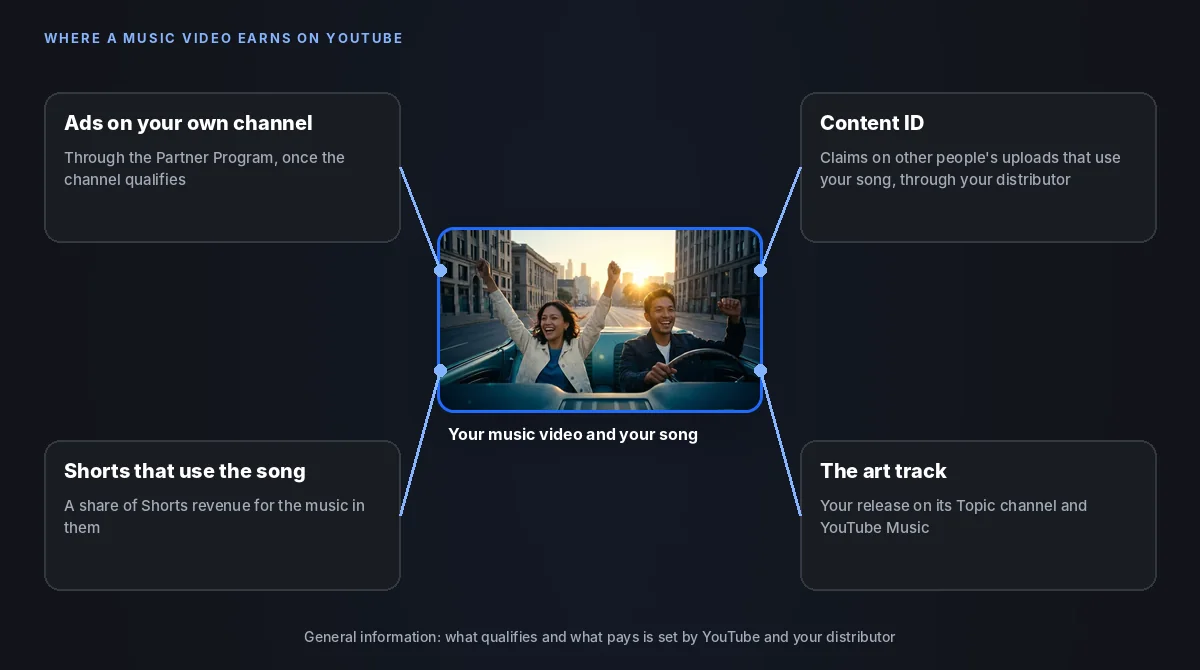
It earns the way any music video earns: from ads once the channel is in the YouTube Partner Program and the video meets YouTube's monetization policies, and through your distributor for the song itself. The thresholds, the changes due in 2027 and every other way a song pays on YouTube are in how to monetize music on YouTube. Two of the policies weigh more on AI-made channels than on others.
The first is inauthentic content. In July 2025 YouTube renamed its repetitious content policy to make clear it covers mass-produced and repetitive videos, a change TechCrunch reported amid concern about low-effort AI videos; YouTube's creator liaison called it a minor update to long-standing rules. In July 2026 YouTube spelled out three kinds of content that can't earn under it: generic or repetitive content made from a template, content that's unsatisfying or off-putting, and AI personas discussing sensitive topics such as finance, legal or medical questions (TechCrunch, Tubefilter).
The second is reused content: material that isn't clearly yours, such as other artists' songs, including versions that are only sped up or pitched. A channel of your own songs is clear of it by definition. What an AI-made channel has to watch is sameness. Twenty uploads of one loop with a different song under each can read as a template; a video planned for each song, with its own story, places and cuts, doesn't.
- One video per song, made for that song. A storyboard written from the song's own sections, lyrics and tempo is the opposite of a template.
- Vary what surrounds it. A lyric video, a visualizer and Shorts of the same single are normal; dozens of near-identical uploads in a week can look mass-produced.
- Keep the channel about your music. YouTube's 2026 categories single out AI personas giving advice on sensitive topics, which has no place on an artist channel anyway.
- Disclose where it applies. It doesn't affect eligibility, and leaving it off realistic videos again and again can.
Content ID and your own song
A Muvora video's soundtrack is the file you uploaded, untouched, so to Content ID it sounds exactly like your release. If your distributor registered the song, YouTube matches the official video the way it would match a stranger's upload of the song, and claims it on the distributor's behalf. The AI-made pictures have nothing to do with it; the audio does. That's why the allowlist comes before the upload, not after a claim notice.
YouTube's page on exempting channels from claims explains how it works: the rights owner adds a channel to its allowlist, and that channel's new uploads aren't claimed. Ask your distributor how it handles this. With an Official Artist Channel, your releases and your uploads sit together, and the question usually comes up once.
Two cases need more care. Content ID only takes reference audio its claimant holds exclusive rights to, as YouTube's eligibility page sets out, so a song built on a non-exclusive beat lease or an uncleared loop may not be registrable at all, or may be claimed by someone else who registered the same beat. And for a song made with an AI music tool, ask your distributor before release whether it will deliver the song and register it, since distributors' rules for AI-made music differ.
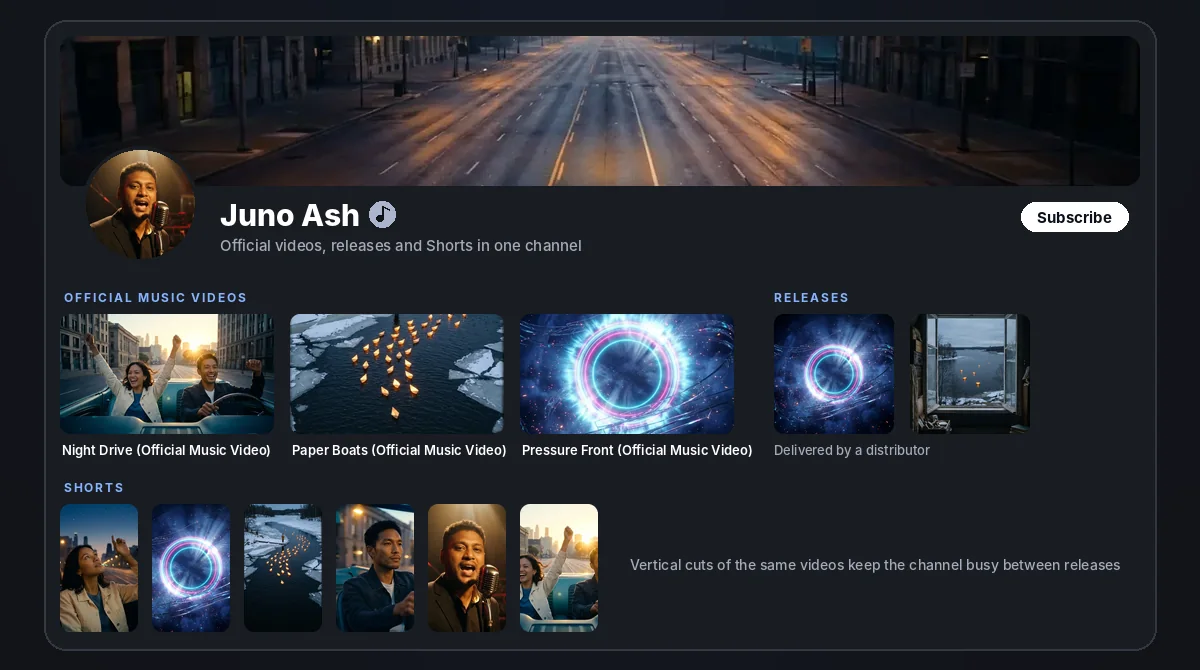
The made-for-kids setting
Every upload has to say whether it's made for kids. YouTube's page on setting your audience asks it of every creator, to comply with the US Children's Online Privacy Protection Act (COPPA) and other laws, and limits data collection on videos set as made for kids. So those videos lose features such as comments, the notification bell, the miniplayer, cards and end screens, and their ads aren't personalized.
YouTube's guide to the decision lists what points toward made for kids: among others, songs, stories or poems for children, characters, celebrities or toys that appeal to children, language meant for children to understand, and whether the video is advertised to them. A drawn look doesn't decide it alone. The US Federal Trade Commission's guidance for channel owners says bright colors or animated characters don't automatically put a video under COPPA, and that content doesn't become directed to children just because some children may watch it.
- An anime-style video for a breakup song is for a general audience: not made for kids.
- A sing-along for preschoolers, with simple words and a cartoon animal leading it, is made for kids.
- A bright, family-friendly pop video aimed at teens and adults: decide by who it's made for, not by whether a child could watch it.
For a song that really is for children, the kids' song video maker page goes through the look. Two choices matter in Muvora: make the performer a drawn character rather than a photo of a child, and keep the karaoke captions on, so children can sing along with the highlighted word.
Real people, voices and likeness
The disclosure covers realistic depictions of real people, and YouTube has two further routes for the people depicted. Anyone can ask YouTube to remove AI-made content that simulates their face or voice through its privacy complaint process, which Music Business Worldwide reported YouTube opened to such requests. And YouTube said in November 2023 that music partners would be able to request the removal of AI-generated music that mimics an artist's unique singing or rapping voice (Music Business Worldwide).
For a musician the safe ground is simple: the only real face in your video is yours, or that of someone who agreed, and the only voice is the one on your recording. Muvora's pictures hold that line for you. Prompts that name real people are blocked, and the Performance style animates a photo only after you confirm "This is me, or I have this person's permission." A lifelike performer is still a real person appearing to do something they didn't, though, so tick the disclosure for it.

A drawn performer settles both questions at once: the Performance style lip-syncs a drawn or animated character from one picture just as it does a photo, and a clearly animated video falls outside the disclosure. Make a photo sing covers how the singing shots are planned, and who owns what in the result is in who owns an AI music video.
Before you publish: a checklist
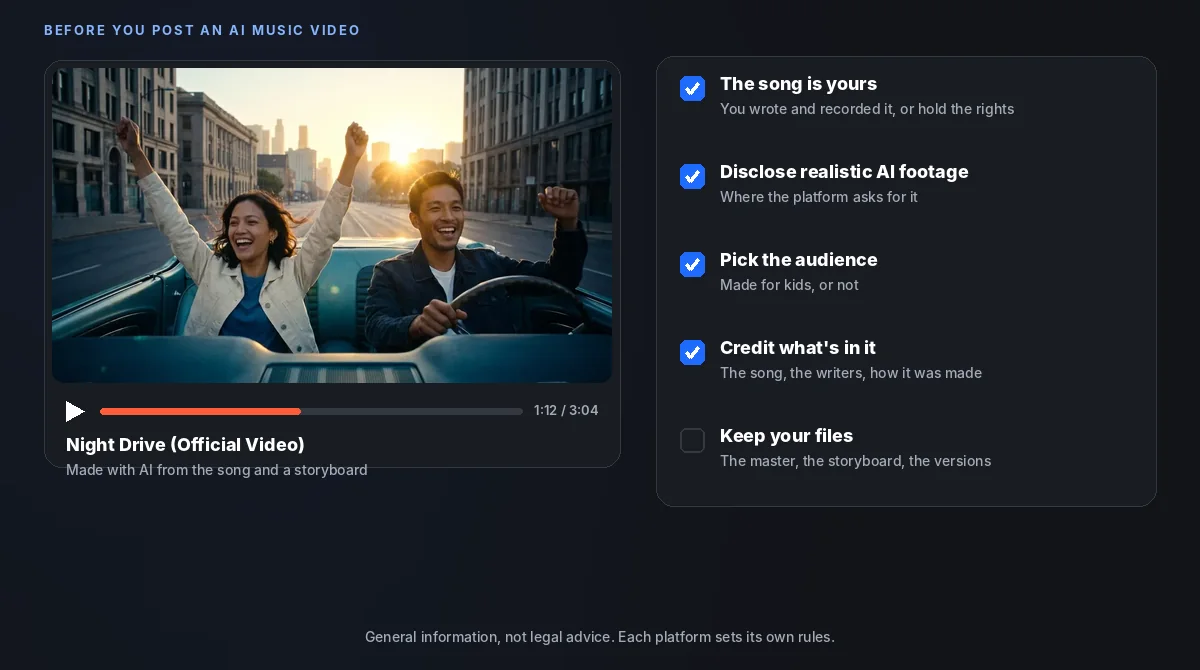
Run through it with the video still private. Every line is something YouTube asks or checks, and each is easier to fix before the first view than after.
- I own the song, or hold licenses that cover a monetized music video
- If an AI music tool made the song, its terms for my plan allow commercial use
- My distributor has allowlisted my channel, or knows the official video is coming
- The AI disclosure matches how realistic the video looks
- Every real face in it is mine or used with written permission
- The audience is set by who the song is for, not by its look
- The title, description and credits name the writers and the producer
- The private upload shows no claim or label I didn't expect
Make the video your channel posts
Upload the song (MP3, WAV, M4A, AAC or FLAC, up to 8 minutes), pick a lifelike or a drawn look and get a storyboard cut to its beats. One render gives the 16:9 video for your channel, a 9:16 cut for Shorts and a square for posts. The YouTube music video maker shows what each export is for.
Written by the Muvora team. Last updated November 16, 2026. Spotted something out of date? Tell us at [email protected].