Beat markers from a BPM, ready for your timeline
Type the tempo, the frame rate and where the first downbeat lands, and get a marker on every beat or every few bars with its timecode and frame number. Import them into DaVinci Resolve as an EDL, open them as a spreadsheet or copy the timecodes, and cut on the music instead of guessing.
Free, no sign-up. Runs in your browser: nothing is uploaded.
90 markers
One every bar: 2 s apart, 48 frames at 24 fps. The last falls at 2:58.00, 01:02:58:00.
| Bar.beat | Seconds | Timecode | Frame |
|---|---|---|---|
| 1.1 | 0.000 | 01:00:00:00 | 0 |
| 2.1 | 2.000 | 01:00:02:00 | 48 |
| 3.1 | 4.000 | 01:00:04:00 | 96 |
| 4.1 | 6.000 | 01:00:06:00 | 144 |
| 5.1 | 8.000 | 01:00:08:00 | 192 |
| 6.1 | 10.000 | 01:00:10:00 | 240 |
| 7.1 | 12.000 | 01:00:12:00 | 288 |
| 8.1 | 14.000 | 01:00:14:00 | 336 |
| 9.1 | 16.000 | 01:00:16:00 | 384 |
| 10.1 | 18.000 | 01:00:18:00 | 432 |
| 11.1 | 20.000 | 01:00:20:00 | 480 |
| 12.1 | 22.000 | 01:00:22:00 | 528 |
| 13.1 | 24.000 | 01:00:24:00 | 576 |
| 14.1 | 26.000 | 01:00:26:00 | 624 |
| 15.1 | 28.000 | 01:00:28:00 | 672 |
| 16.1 | 30.000 | 01:00:30:00 | 720 |
| 17.1 | 32.000 | 01:00:32:00 | 768 |
| 18.1 | 34.000 | 01:00:34:00 | 816 |
| 19.1 | 36.000 | 01:00:36:00 | 864 |
| 20.1 | 38.000 | 01:00:38:00 | 912 |
| 21.1 | 40.000 | 01:00:40:00 | 960 |
| 22.1 | 42.000 | 01:00:42:00 | 1008 |
| 23.1 | 44.000 | 01:00:44:00 | 1056 |
| 24.1 | 46.000 | 01:00:46:00 | 1104 |
| 25.1 | 48.000 | 01:00:48:00 | 1152 |
| 26.1 | 50.000 | 01:00:50:00 | 1200 |
| 27.1 | 52.000 | 01:00:52:00 | 1248 |
| 28.1 | 54.000 | 01:00:54:00 | 1296 |
| 29.1 | 56.000 | 01:00:56:00 | 1344 |
| 30.1 | 58.000 | 01:00:58:00 | 1392 |
| 31.1 | 60.000 | 01:01:00:00 | 1440 |
| 32.1 | 62.000 | 01:01:02:00 | 1488 |
Showing 32 of 90. The files hold every marker.
Putting the markers in your editor
- Set this tool to your timeline's frame rate and start timecode.
- DaVinci Resolve: in the Media Pool, right-click the timeline, then Timelines, Import, Timeline Markers from EDL, and pick the .edl file. Bars come in blue, other beats green.
- Premiere Pro and others: the CSV suits a marker-import extension or script; without one, type a timecode into the playhead's timecode display and press M to drop a marker there.
Rather not count beats? Muvora finds every downbeat in the song and cuts a storyboard on them.
Upload a songUpload a new songSong finished? Upload it and Muvora plans the whole video on its beats. The storyboard is free.
Make the videoUpload a new songHow to use the beat marker generator
- 01
Enter the tempo and the song
Type the BPM, the song's length in minutes and seconds, and when the first downbeat (the 1 of bar 1) is heard, in seconds.
- 02
Match your timeline
Pick the time signature, the timeline's frame rate and its start timecode: 01:00:00:00 for a new Resolve timeline, 00:00:00:00 for most other editors.
- 03
Choose how often
A marker on every beat for tight cutting, or one every bar, 2, 4 or 8 bars to map out phrases and sections.
- 04
Export the markers
Download the EDL and import it in Resolve, take the CSV to a spreadsheet or a marker script, or copy the plain timecodes.
BPM to timecode, frame by frame
A beat lasts 60 divided by the BPM in seconds: 0.5 s at 120 BPM, so a bar of 4/4 is 2 seconds, or 48 frames at 24 fps. The generator adds the first downbeat's offset, works out every beat in real time, rounds each one to the nearest frame and writes the timecode of that frame. Every marker is placed from the start of the song rather than from the marker before it, so rounding never piles up over a long edit.
- Seconds to three decimals
- The nearest frame for every marker
- No drift across a long song
23.976, 29.97 and 59.94 without surprises
Video at 23.976, 29.97 or 59.94 fps runs 0.1% slower than its round number, so non-drop timecode counts 24, 30 or 60 frames per timecode second while the music keeps real time. The tool puts each marker on the frame where the beat really falls and labels that frame in non-drop timecode: a beat 176 seconds into a song reads 00:02:55:25 at 29.97, not 00:02:56:00. Set the same rate as your timeline and the markers sit on the beats you hear.
- 23.976, 24, 25, 29.97, 30, 50, 59.94 and 60 fps
- Non-drop timecode at the nominal rate
- Frames placed at real time
Into DaVinci Resolve as timeline markers
The EDL follows the layout Resolve itself writes when it exports timeline markers: one event per marker, one frame long, with a color and a name such as Bar 9. In the Media Pool, right-click the timeline and choose Timelines, Import, Timeline Markers from EDL; bars arrive blue and the beats between them green. An EDL numbers its events up to 999, so for a long, fast song mark every bar, or use the CSV.
- Bars blue, beats green
- Names like Bar 9 and Bar 9 beat 3
- CSV and plain timecodes for other editors
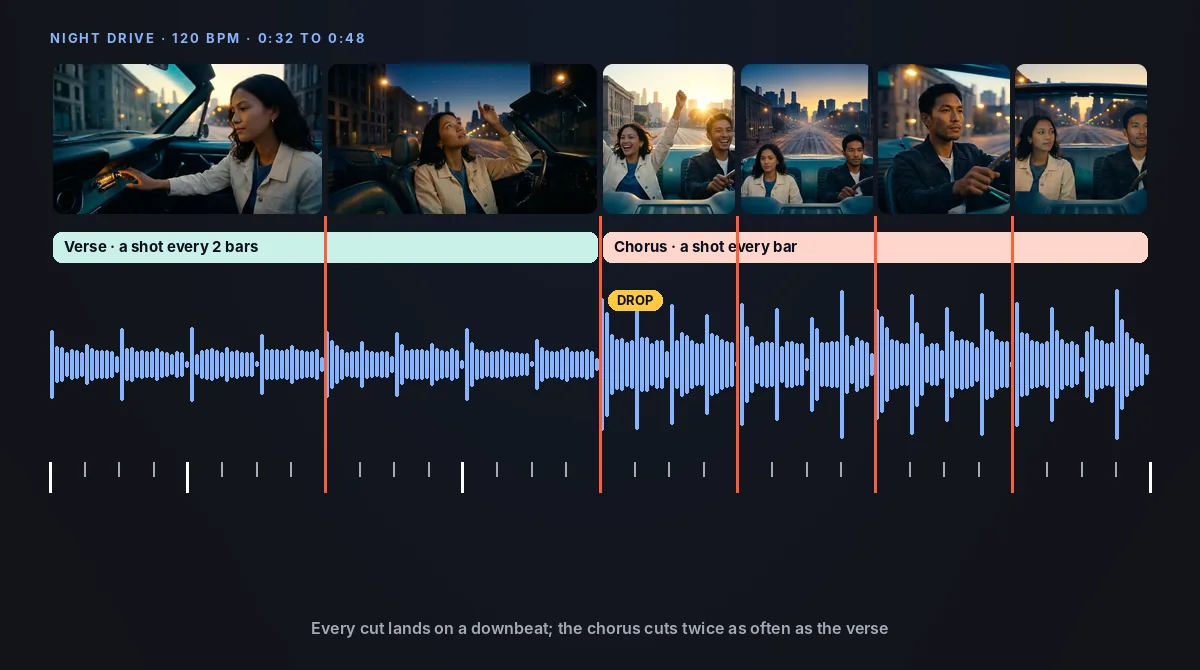
Skip the counting: Muvora reads the beats from the audio
A BPM gives an even grid, but a played song pushes and pulls against it. Upload the track and Muvora finds every beat and downbeat in the audio itself, cuts the storyboard on them with a cut at every section change and drop, and assembles the finished video on the beat. The storyboard is free to edit before you render.
Questions, answered
Can't find what you need? Start a free storyboard and see for yourself.
How do I convert BPM to timecode?
Divide 60 by the BPM for the length of a beat in seconds, multiply by the beat's number and add the first downbeat's offset. Multiply that time by the frame rate and round it to get the frame, then write the frame as hours, minutes, seconds and frames. The generator does it for every beat at once.
How many frames is one beat?
The beat's length times the frame rate. At 120 BPM a beat is 0.5 seconds: 12 frames at 24 fps, 12.5 at 25 and 15 at 30. A beat that falls between two frames is placed on the nearer one.
How do I import beat markers into DaVinci Resolve?
Download the EDL from this page, then in Resolve's Media Pool right-click your timeline and choose Timelines, Import, Timeline Markers from EDL. Set the generator to the timeline's frame rate and start timecode first, or the markers land in the wrong place.
Can I get the markers into Premiere Pro?
Premiere Pro's support for importing a marker list varies by version, so the CSV is there for marker-import extensions and scripts. Without one, type a timecode into the playhead's timecode display and press M to drop a marker at that point.
Why does my Resolve timeline start at 01:00:00:00?
It's Resolve's default for new timelines, a habit from tape editing that leaves room before the program begins. Pick 01:00:00:00 as the start timecode here so the markers match, or 00:00:00:00 if you changed the timeline's start.
Where is the first downbeat in my song?
It's the 1 of the first full bar, usually the first strong hit of the drums or the bass after any pickup notes. Scrub the waveform to that hit and read its time, or upload the song to Muvora, whose analysis marks every downbeat.
What if the song changes tempo?
A single BPM can't follow a tempo change or a drummer who drifts. Make markers for each part on its own, with its own tempo and offset, or upload the song to Muvora, which tracks every beat in the audio instead of assuming an even grid.
Keep exploring
BPM calculator
Beats and bars in seconds, frames and milliseconds: cut lengths for video and delay times for mixing.
Open the toolTap tempo
Tap along to any song to find its BPM, with half and double time and how steady you are.
Open the tool
Edit a music video to the beat
The bar maths, the shot lengths by section and the cutting tricks that make a video play the song.
Read the guideShot list generator
Type a song's tempo and sections and get a beat-timed shot list, made by Muvora's own planner.
Open the tool
Song structure explained
Intro, verse, chorus, bridge and drop: what each section does, how long it runs and how to hear it.
Read the guideAudio cutter
Cut a 15 to 60 second clip from a song that starts and ends on a bar line, add fades and save it as a WAV.
Open the toolClick track generator
Make a click track and download it as a WAV: any tempo and time signature, a count-in, accents, subdivisions and a length in bars or minutes.
Open the tool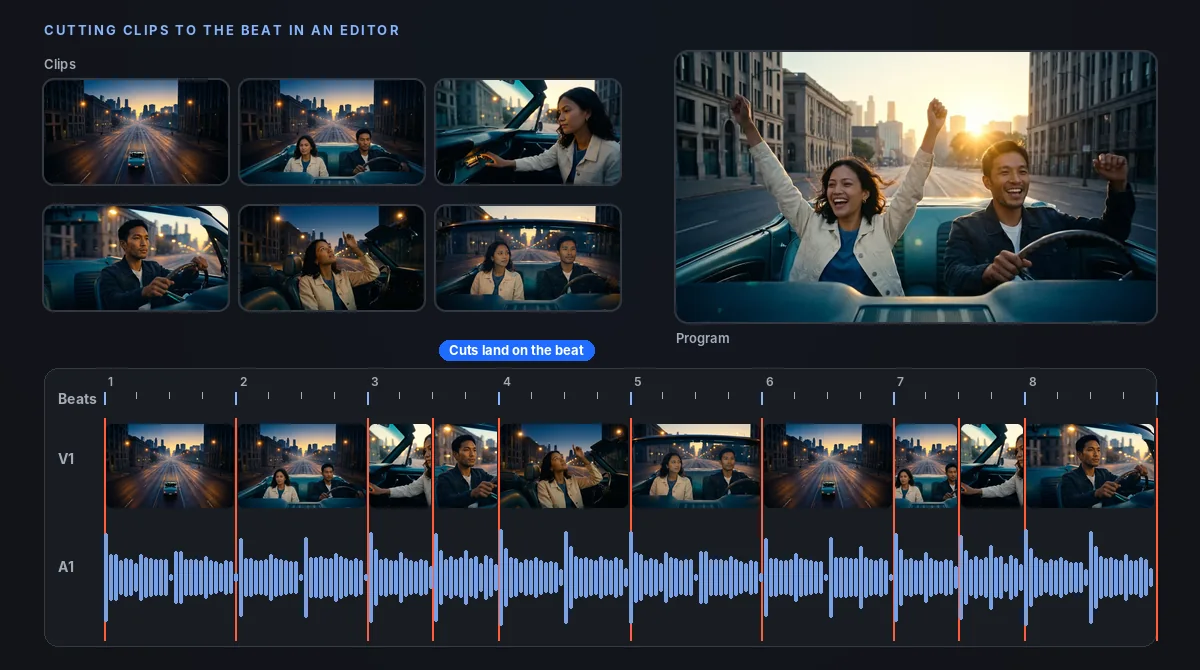
Best editing apps for music videos
DaVinci Resolve, Premiere, Final Cut Pro, CapCut, Edits, Filmora, iMovie, Shotcut and Canva compared on devices, price and the help each gives with the beat.
Read the guide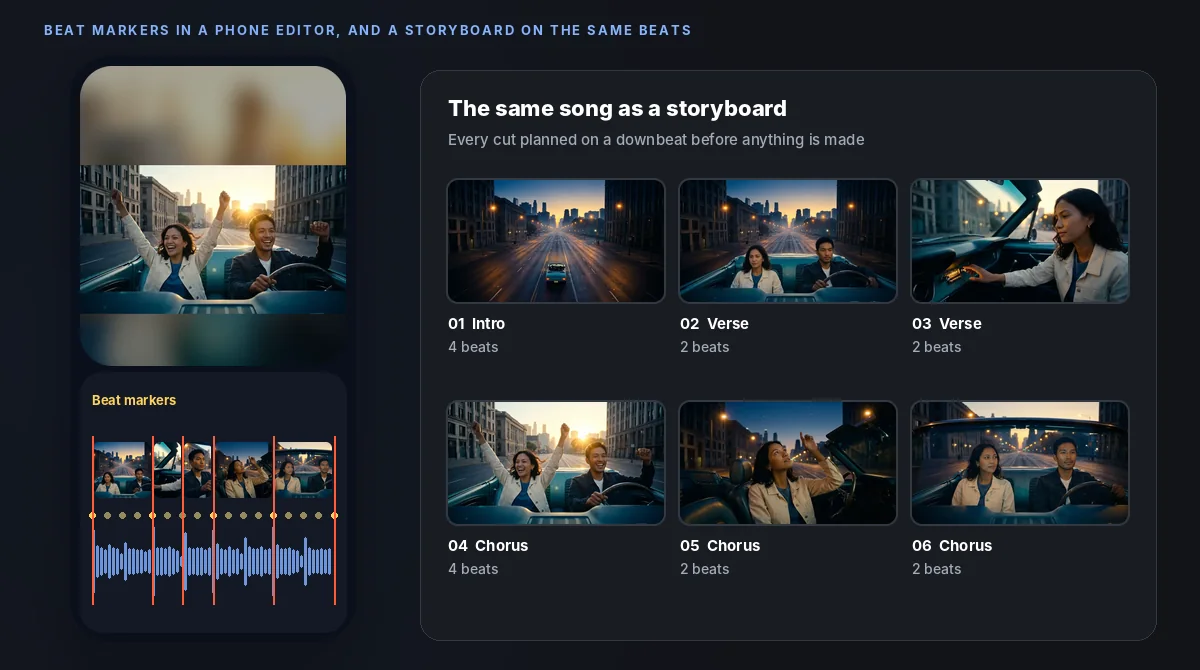
Make a music video in CapCut
Song first, beat markers on, clips trimmed to the downbeats, captions checked and the right export, on a phone or a computer.
Read the guideFilmora alternative
Muvora and Filmora side by side: a music video generated shot by shot and cut on your song's beats, against Wondershare's editor that beat-matches the footage and clips you bring.
See the comparisonBPM to frames calculator
Frames per beat and bar at any frame rate, where every cut lands as a frame and as timecode (drop-frame too), and the tempos that fit whole frames.
Open the tool
More free tools: tempo and timing
Keep time, make a click track, find the BPM, work out bar lengths and mark the beats for a video editor.
Your song deserves a music video
Upload a track and get a free beat-synced storyboard in minutes. Render it when you are ready.
No card needed to start.




