Looking for a Renderforest alternative?
Renderforest is an online kit for videos, logos and websites built on templates, and musicians know it for its music visualizers: spectrum, circle and waveform templates that react to your track over your image, footage or colors. It also has lyric video templates and, more recently, an AI music video generator. Muvora does one job: it storyboards your song, generates every shot and cuts the video on the downbeats. Here is how they compare.
Free storyboard · 5 a month · No card needed
The verdict
For a music video of scenes made for your song, Muvora is the one to choose: a free storyboard you can edit, every cut on a downbeat, section change or drop, one cast throughout, your singer lip-synced from one photo and the exact price before you render. Renderforest is a template kit for visualizers, lyric videos and promos, with logos, websites and a newer AI generator beside them.
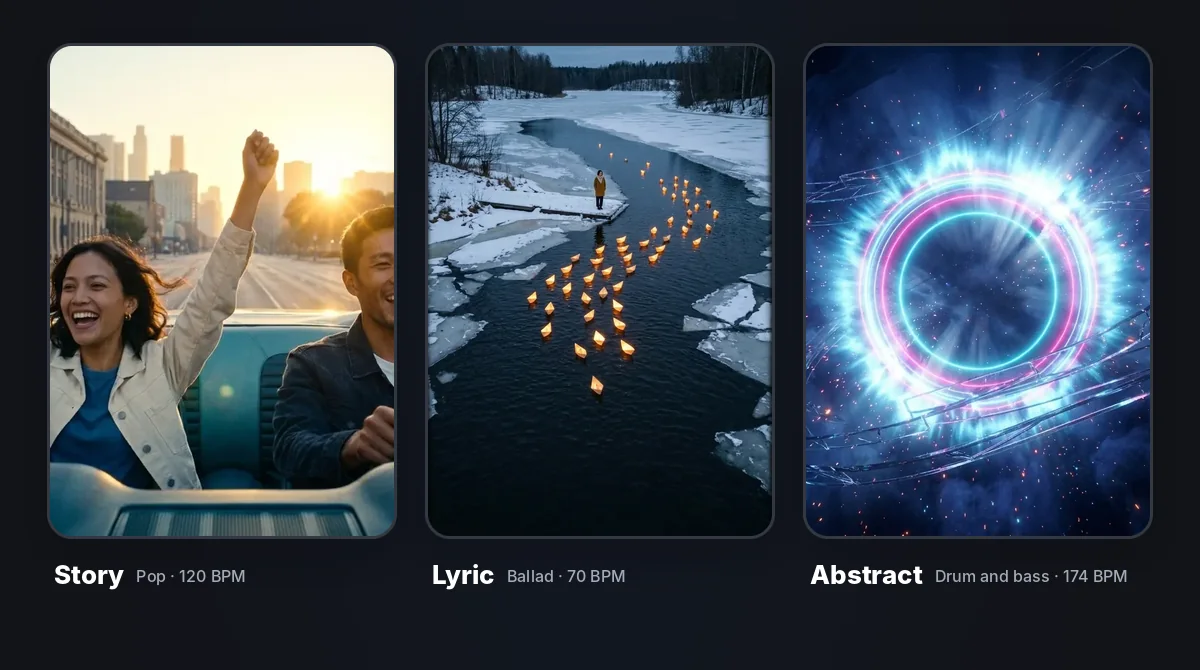
Renderforest facts checked November 14, 2026. One storyboard frame from each of Muvora's three test songs (Story, Lyric and Abstract styles), cropped to the same shape.
Muvora vs Renderforest
| What is compared | Muvora | Renderforest |
|---|---|---|
| What it is | A music video generator built around a storyboard: upload a song and every shot is planned, rendered and edited for it | An online maker of template videos (intros, promos, explainers, lyric videos, music visualizers), with logos, mockups and websites in the same account |
| Music visualizer | No spectrum or waveform overlay; the Abstract style generates motion cut on the beat, with a flash at every drop | Over a hundred visualizer templates (spectrum bars, circles, waveforms, particles) that react to your track over an image, footage or colors you choose |
| AI music video | A free storyboard (a brief, style frames and a shot for every stretch between cuts) to edit before any credit is spent, then every shot rendered as AI video | An AI generator that takes your MP3 or WAV with an optional prompt and reference images, makes scenes with Kling 3.0, Seedance 2.5 or its own models and cuts them to the beat; single shots can be regenerated |
| Lyrics | Pasted lyrics aligned to the vocal word by word (or transcribed), with optional karaoke-style captions | Lyric video templates with animated text you fill in; its AI generator says it reads the lyrics too |
| Price model | Credits per finished second: Visualizer 38, Standard 60, Cinematic 110, with the exact total shown before you render | Plans billed yearly from $9 a month (Lite), $19 (Pro) and $39 (Business), more billed monthly; AI scenes spend credits, such as 55 for a 5-second 720p Kling 3.0 clip |
| Free to start | 5 new storyboards a month with style frames, no card needed | A free plan whose exports carry a watermark at a low resolution (reviews say 360p); the AI generator's free credits make one 10-second 480p scene |
| Resolution | 720p or 1080p; Cinematic is made at 1080p | 720p on Lite, 1080p on Pro and 4K on Business, as reviews list the plans |
| Length | Songs up to 8 minutes, rendered as one video exactly as long as the song | Several visualizer templates are listed at up to 10 minutes; its pages put other videos at 3 to 60 minutes depending on the plan |
| Formats | 16:9, 9:16, 1:1 and an 8-second Spotify Canvas loop from one widescreen render | Widescreen, square and portrait versions of many templates, and 9:16 Canvas loops from the AI generator |
Compare it on your own song
Upload a track and see Muvora's whole storyboard, every shot planned on your song's beats, and its exact price before you spend a credit. The storyboard is free, so you can judge the plan before you pay for anything.
What you get with Muvora that changes the outcome
- 01
A look written for your song
A template starts from someone else's design and swaps in your track, your image and your colors. Muvora's director starts from the song (its tempo, sections, energy and lyrics) and from your idea in the idea box, then writes a concept, a small cast, a few designed locations and a palette, and draws style frames so you see the look before paying. The music video styles guide shows the four styles side by side.
- 02
Every shot in front of you before you pay
Muvora's storyboard lists every shot with its time, framing, action, light and camera move, and it costs nothing to read or change: rewrite a prompt yourself or with AI, drag a cut (it snaps to a beat), split a shot or merge two. Your edits are what gets rendered, and the exact price of your song in each quality sits beside the Generate button.
- 03
Cuts from the song's structure
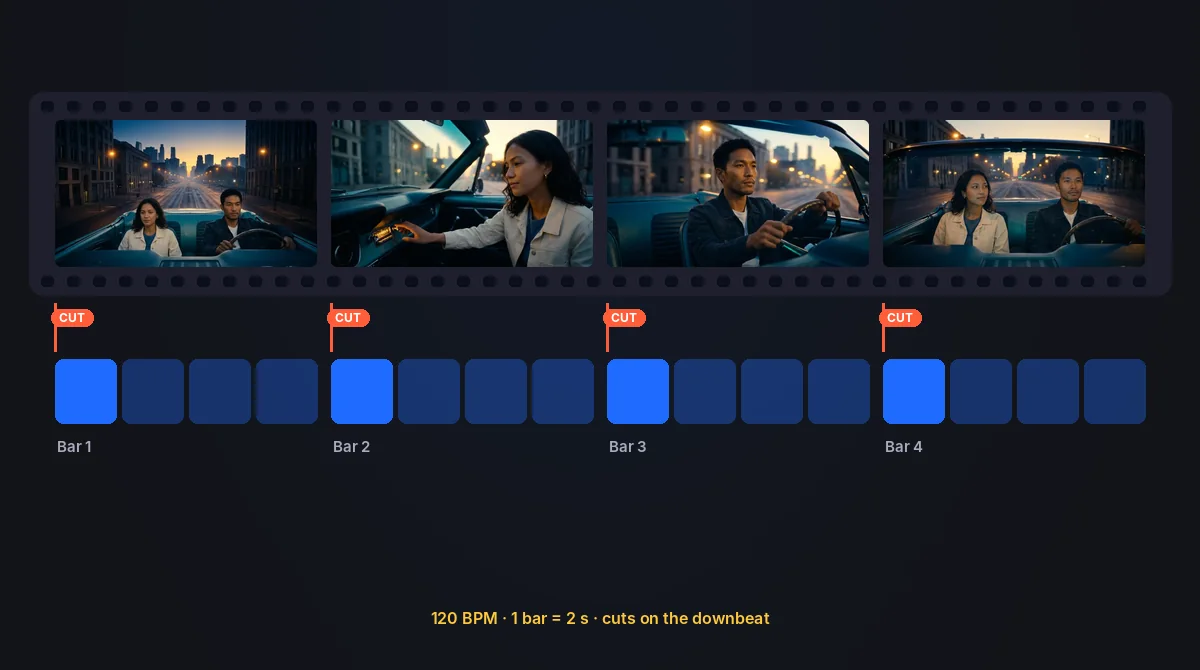
A visualizer moves with every sound; a music video changes picture at the moments that matter. Muvora cuts on downbeats, at every section change and every drop, holds longer shots in quiet parts and cuts faster in loud ones, with the genre look setting the pace. Song structure explained shows the parts it reads, from the intro to the outro.
- 04
Your singer in the video, lip-synced
Template videos rarely have the artist in them. Muvora's Performance style draws your singer from one clear photo (yours, or someone who agreed, confirmed with a consent box), separates the vocal from your mix and lip-syncs the shots where the song is sung, and the performer can lead the story shots as well. See AI lip sync music videos for how it works.
The bottom line
Renderforest starts from a template. Muvora starts from your song.
Renderforest fills designs with your track, your art and your words: spectrum and waveform visualizers, lyric video templates, promos, and an AI generator that turns a song and a prompt into scenes. When the thing you need is the music video, Muvora reads the song's structure and your idea first, writes a concept, a small cast and a shot for every stretch between cuts, and lets you change any of it for free before you render. One render then covers the release, from YouTube's 16:9 to an 8-second Spotify Canvas.
- Scenes written for your song, not a template's design
- A free storyboard to edit before any credit is spent
- Cuts on downbeats, section changes and drops
- Your singer in the video, lip-synced from one photo
- 16:9, 9:16, 1:1 and a Canvas loop from one widescreen render
Still comparing? See how Muvora compares with every other tool.
How Muvora works, and what it costs
- 01
Upload your song
Drop in an MP3, WAV, M4A or FLAC up to 8 minutes. Muvora finds the tempo, the beats, the downbeats and the sections of your song, like intro, verse and chorus.
- 02
Edit your free storyboard
An AI director writes a shot-by-shot plan timed to your downbeats. Rewrite any prompt, drag a cut (it snaps to the beat) or ask AI to redo a shot. None of it costs anything.
- 03
Generate your video
See the final price, then render. Pick Visualizer, Standard or Cinematic quality. If a shot fails, its credits come straight back.
The storyboard is free. Rendering is priced per second.
- Visualizer38 credits/s6,840 for 3 minutes
- Standard60 credits/s10,800 for 3 minutes
- Cinematic110 credits/s19,800 for 3 minutes
- The exact price is shown before you generate
- Failed shots cost nothing
- 16:9, 9:16, 1:1 and a Canvas loop from one widescreen render
Free storyboard in minutes. No card needed.
Questions, answered
Can't find what you need? Start a free storyboard and see for yourself.
Is Muvora a good alternative to Renderforest?
Yes, when your song needs a music video with scenes made for it. Muvora storyboards the song, generates every shot as AI video and cuts it on the downbeats, and every change you make to the storyboard before rendering is free. Renderforest's templates are built for visualizers, lyric videos and promos; Muvora is built for the music video itself, with your singer in it if you add one photo.
What is the difference between Muvora and Renderforest?
Renderforest fills templates with your track, text and images, and its newer AI generator turns a song and a prompt into scenes. Muvora makes only music videos: it analyzes the song, writes a storyboard you can edit for free, renders each shot as AI video and edits them on the beat over your audio.
Can Muvora make a Renderforest-style music visualizer?
No. Muvora has no spectrum or waveform templates and doesn't put bars over your cover art. For a track without a story, its Abstract style generates motion for your song, cut on the downbeats with a white flash at every drop, and one render exports it in 16:9, 9:16 and 1:1 and as an 8-second Spotify Canvas loop.
How much does Renderforest cost compared with Muvora?
As of November 2026, Renderforest's own pages listed Lite from 9 dollars a month, Pro at 19 and Business at 39, billed yearly, with AI scenes paid in credits (55 for a 5-second 720p Kling 3.0 clip). Muvora prices a finished video by length and quality: a 3-minute Visualizer video is 6,840 credits, and you see your song's total before you render.
How long can a Renderforest music visualizer be?
Several of Renderforest's visualizer templates are listed as flexible in length up to 10 minutes, and its pages say other videos may run from 3 to 60 minutes depending on the plan. Muvora renders songs of up to 8 minutes as one video exactly as long as the song.
Can I try Renderforest and Muvora for free?
Yes. Renderforest's free plan exports with a watermark at a low resolution, and its AI generator's free credits make one short 480p scene. Muvora's free plan gives you 5 new storyboards a month with style frames and no card, and you spend credits only when you render.
Keep exploring
Runway alternative
Muvora and Runway side by side: a whole song storyboarded and cut on its downbeats, against a toolkit for generating and editing AI clips one at a time.
See the comparison
Music visualizers
AI video for a whole song, cut on the beat, at the lowest credit rate.
Learn more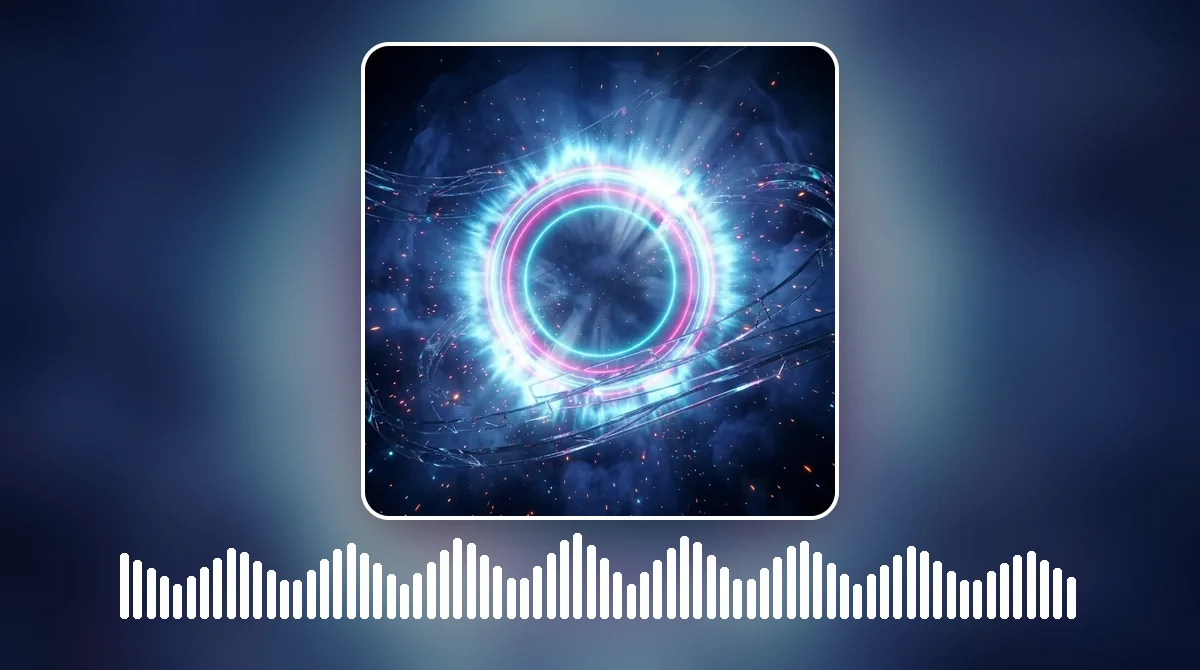
Specterr alternative
Muvora and Specterr side by side: AI video shots planned for your song against audio-reactive visualizer and lyric templates.
See the comparison
Lyric videos
Karaoke-style captions timed to your vocals, over AI visuals.
Learn more
Music promo videos
A teaser, the full video, vertical and square cuts and a Canvas loop for one release.
Learn moreVisualizer vs lyric video vs music video
What each format is, what it takes to make, and which one your song needs first.
Read the guide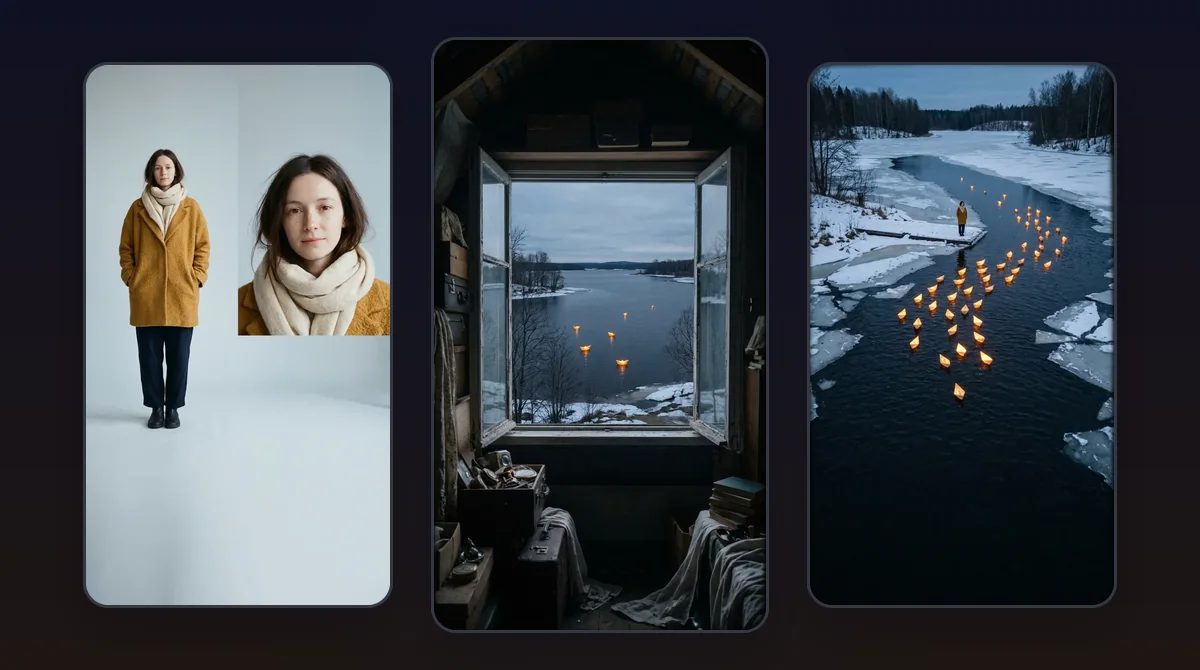
Animoto alternative
Muvora and Animoto side by side: a music video whose every shot is generated and cut for your song, against a template video maker that arranges the photos and clips you bring.
See the comparison
Your song deserves a music video
Upload a track and get a free beat-synced storyboard in minutes. Render it when you are ready.
No card needed to start.





