Looking for a Videoleap alternative for music videos?
Videoleap is Lightricks' video editor for iPhone and iPad, with an Android app and AI effects on the web: layers, keyframes, green screen, thousands of premade templates, an AI Editor that assembles your clips from a short description, and a Beats tool on iOS for syncing music to your edit. The footage still comes from your camera roll. Muvora makes every shot from your song. Here is how they compare.
Free storyboard · 5 a month · No card needed
The verdict
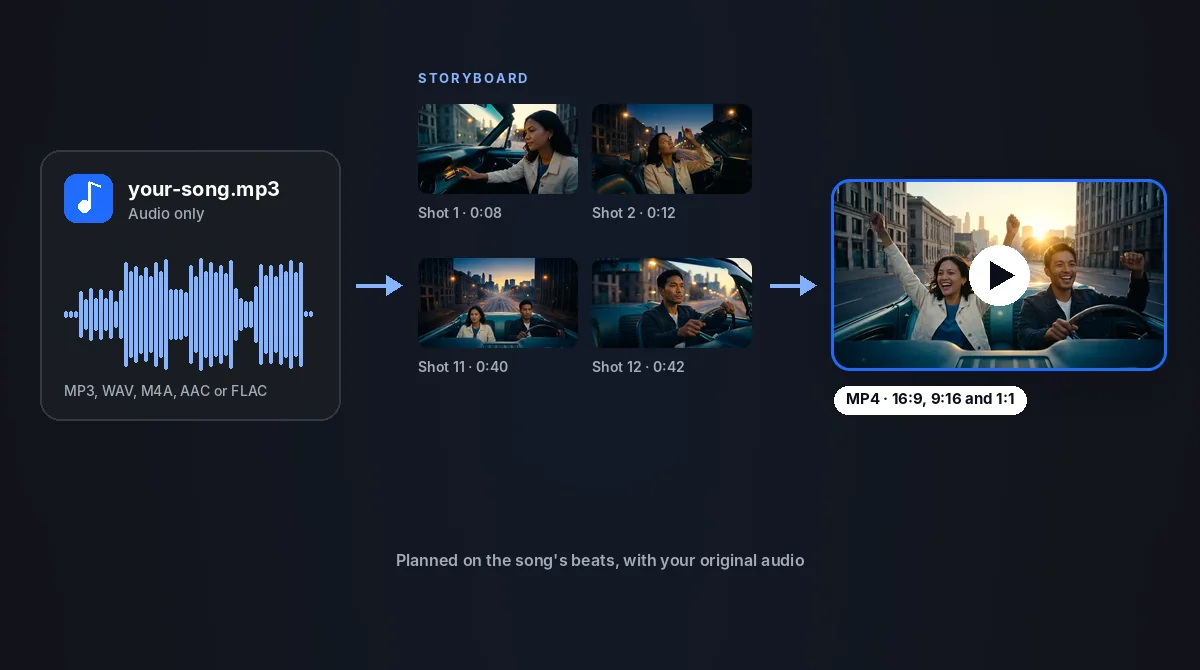
Muvora is the one to choose when you have a finished song and nothing filmed: it plans a free storyboard on the track, generates every shot as AI video, lip-syncs your singer from one photo and cuts the whole video on the downbeats over your original audio, in every shape from one widescreen render. Videoleap is a phone editor whose Beats tool and templates work on the clips you bring.
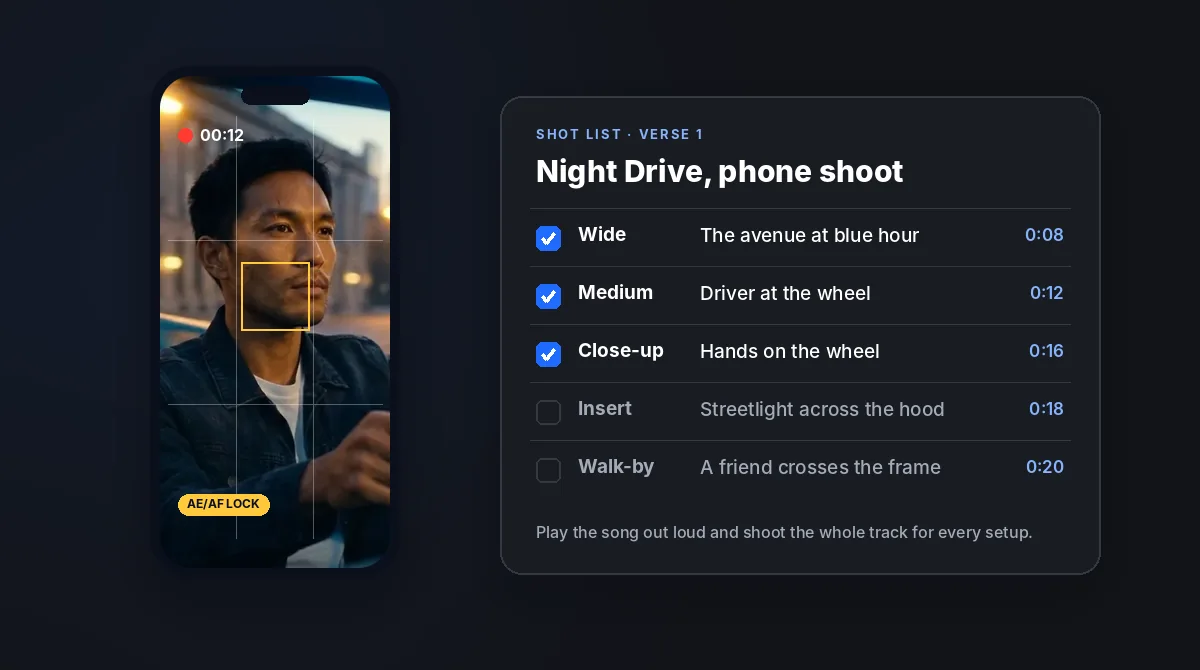
Videoleap facts checked November 18, 2026. A storyboard frame from “Night Drive”, a 120 BPM pop test song, cropped to 9:16 inside a drawn phone, beside a sample shot list.
Muvora vs Videoleap
| What is compared | Muvora | Videoleap |
|---|---|---|
| What it is | A music video generator: upload a song and it plans, renders and edits every shot | Lightricks' video editor app for iPhone and iPad (iOS 17 or later) and Android, with AI effects online: layers, keyframes, chroma key, motion tracking, templates and AI tools |
| What you start with | Only the song file (MP3, WAV, M4A, AAC or FLAC, up to 8 minutes), plus one clear photo of the singer for lip sync | Your own videos and photos, in-app stock footage, and its royalty-free music library or your own audio (MP3, AAC, WAV, FLAC and more) |
| Who plans the video | An AI director writes the brief and a shot for every stretch between cuts; you read and change all of it for free before rendering | You do, on the timeline; templates and the AI Editor (describe your goal and it edits your assets with music, filters and transitions) give a starting point |
| Cutting to the music | Cut points from the song's downbeats, at every section change and every drop, with quicker cutting where the song is loud | A Beats tool, on iOS only, for syncing the music with your edit's visual flow |
| Where the pictures come from | Every shot generated as AI video from the storyboard, in Visualizer, Standard or Cinematic quality | Your footage, photos and stock, AI images made from text (iOS only), and AI effects, generated backgrounds and object removal applied to them |
| Lyrics on screen | Optional karaoke-style captions, each word timed to the vocal from lyrics you paste (or transcribed when you paste none) | Text and captions you place and animate yourself, which its text page suggests for a lyric video, plus an AI subtitle generator |
| Lip sync | Performance style: your singer from one consented photo, the vocal separated from your mix and only the sung shots lip-synced | Not described on its site or store listing (November 2026) |
| Price | Storyboards free (5 a month on the free plan); rendering per finished second: 38 credits in Visualizer, 60 in Standard, 110 in Cinematic, 75 lip-synced | A yearly plan billed at about $70 ($5.83 a month, on its site); the US App Store lists a Videoleap Subscription at $69.99 and at $9.99; adding music needs Pro, after a 7-day free trial |
| Formats | 16:9, 9:16, 1:1 and an 8-second Spotify Canvas loop from one widescreen render, at 720p or 1080p | Preset aspect ratios for YouTube, Instagram, Reels and Shorts, and a resize tool to fit a video to another shape |
Compare it on your own song
Upload a track and see Muvora's whole storyboard, every shot planned on your song's beats, and its exact price before you spend a credit. The storyboard is free, so you can judge the plan before you pay for anything.
What you get with Muvora that changes the outcome
- 01
No footage to shoot or find
Videoleap's tools (layers, keyframes, green screen, templates and AI effects) work on clips from your camera roll and its stock library, and its AI Editor assembles the assets you give it. Muvora needs only the song. Its director writes a concept, a small cast, a handful of designed locations and a palette, then a shot for every stretch between cuts, and every one is rendered as AI video, so a song with no shoot behind it still gets a full video; the faceless music video maker shows one with no performer at all.
- 02
Cuts planned from the song, not lined up by hand
Videoleap's Beats tool, on iOS, syncs the music with the visual flow of clips you've laid out on the timeline. Muvora's planner reads the song's downbeats, sections, drops and energy and places every cut itself: on a downbeat, at each section change, with a two-frame flash on each drop, holding longer through quiet stretches and cutting faster in loud ones, paced for the genre. Each cut shows in the storyboard and snaps to a beat if you drag it; the beat-editing guide explains the rules.
- 03
Words timed to your voice, and a singer who sings them
In Videoleap a lyric video means typing, timing and animating each line with its text tools. Muvora's Lyric style aligns the lyrics you paste to the vocal, or transcribes them when you paste none, and draws karaoke-style captions that light up word by word as they are sung. Its Performance style goes further: from one photo of your singer and a consent box, it separates the vocal from your mix and lip-syncs the shots where the song is sung. The lyric video maker shows the captions.
- 04
Your song as the soundtrack, in every shape
Videoleap's AI Editor adds tailored music, filters and transitions to the assets you give it, and adding music to a project needs its Pro plan. In Muvora your uploaded file is the soundtrack, untouched from its first sample to its last, and one widescreen render gives the 16:9 video, 9:16 and 1:1 versions and an 8-second Canvas loop. The MP4s still open in Videoleap if you want a title, a sticker or an end card; the Reels music video maker covers the vertical cut.
The bottom line
Videoleap is a phone editor for clips you have. Muvora is built for your music video.
Videoleap gives creators a layered editor in their pocket, with templates, effects, green screen and AI tools for Reels, TikToks, recaps, ads and birthday videos. A musician with a finished song and no footage needs the shots themselves, planned for the song's sections, cut on its downbeats and laid over the original audio. Muvora makes them from the song file, and its MP4s still open in any phone editor; the phone music video guide covers both routes.
- Every shot generated from your song, nothing to film
- A free storyboard to read and change before you pay
- Cuts placed on downbeats, section changes and drops
- Captions timed to your vocal, and a singer from one photo
- 16:9, 9:16, 1:1 and a Canvas loop from one widescreen render
Still comparing? See how Muvora compares with every other tool.
How Muvora works, and what it costs
- 01
Upload your song
Drop in an MP3, WAV, M4A or FLAC up to 8 minutes. Muvora finds the tempo, the beats, the downbeats and the sections of your song, like intro, verse and chorus.
- 02
Edit your free storyboard
An AI director writes a shot-by-shot plan timed to your downbeats. Rewrite any prompt, drag a cut (it snaps to the beat) or ask AI to redo a shot. None of it costs anything.
- 03
Generate your video
See the final price, then render. Pick Visualizer, Standard or Cinematic quality. If a shot fails, its credits come straight back.
The storyboard is free. Rendering is priced per second.
- Visualizer38 credits/s6,840 for 3 minutes
- Standard60 credits/s10,800 for 3 minutes
- Cinematic110 credits/s19,800 for 3 minutes
- The exact price is shown before you generate
- Failed shots cost nothing
- 16:9, 9:16, 1:1 and a Canvas loop from one widescreen render
Free storyboard in minutes. No card needed.
Questions, answered
Can't find what you need? Start a free storyboard and see for yourself.
Is Muvora a good alternative to Videoleap for music videos?
Yes, when you have the song and want the video without filming or editing it yourself. Muvora plans every shot in a free storyboard from the song's beats, sections and words, generates each one as AI video, lip-syncs your singer from one photo and assembles the whole video on the downbeats over your original audio. Videoleap is an editor, and its tools work on footage and photos you bring.
Can Videoleap make a music video from just a song?
Not on its own, by its pages as of November 2026: its editor, templates and AI Editor start from videos and photos you add (its AI image generator, on iOS, makes stills from text), and the AI Editor builds an edit from your assets and a short description. Muvora takes only the song file and returns the whole music video, planned on the song's structure, generated shot by shot and cut on the beat.
Does Videoleap sync video to the beat?
Its Beats tool, on iOS only, syncs the music with your video's visual flow, and its App Store listing promises syncing videos to the rhythm of the music. Muvora reads the song's downbeats, sections and drops itself and places every cut from them, so the finished edit arrives already on the beat.
How much does Videoleap cost compared with Muvora?
As of November 2026, Videoleap's AI video editor page showed a yearly plan billed at about 70 US dollars (5.83 a month), the US App Store listed a Videoleap Subscription at 9.99 and at 69.99, and its add-music page says adding music needs Pro after a 7-day free trial. Muvora charges per finished second for the quality you pick, shown before you render: a 3-minute Cinematic video is 19,800 credits.
Can I edit a Muvora video in Videoleap?
Yes. Muvora exports MP4 files with H.264 video and AAC sound, at 720p or 1080p, and a widescreen render gives 16:9, 9:16 and 1:1 plus an 8-second Canvas loop, so any of them opens in Videoleap on your phone for a title, a sticker or an end card. Muvora never edits footage you shot; every shot in its video is made for you.
Can I make a lyric video in Videoleap or Muvora?
In Videoleap you type and animate each line yourself with its text tools, which its text page suggests for lyric videos. Muvora's Lyric style times every word to the vocal from lyrics you paste, or transcribes them when you paste none, and draws karaoke-style captions that light up as each word is sung.
Keep exploring
CapCut alternative
Muvora and CapCut side by side: a music video generated from the song alone against an editor for the footage you already have.
See the comparison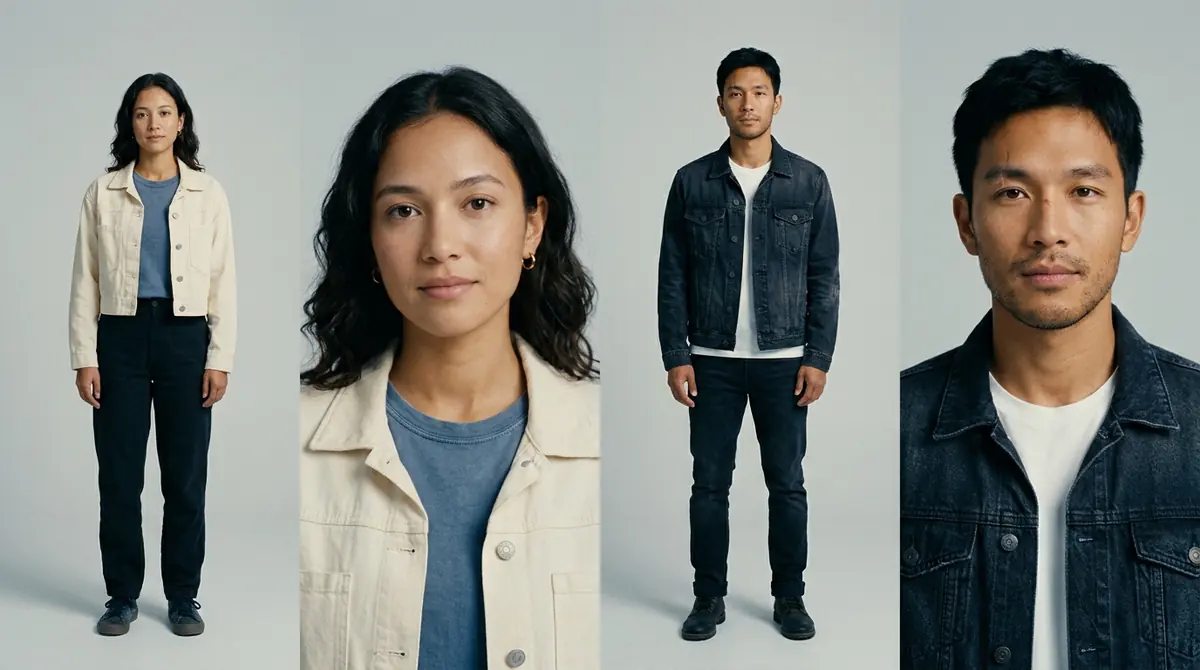
LTX Studio alternative
Muvora and LTX Studio side by side: a music video planned from the song's own beats, against an AI studio that turns a script into a storyboard of shots and clips you direct.
See the comparison
Enkio alternative
Muvora and Enkio side by side: a music video storyboarded for free and cut on your song's downbeats, against Wondershare's AI MV agent that turns a song and one reference photo into scenes.
See the comparison
Viggle alternative
Muvora and Viggle side by side: a whole music video planned and cut on your song's beats, against an app that puts a character from one image into a dance or motion clip.
See the comparisonMake a music video on your phone
Plan, shoot and edit a music video with the phone in your pocket: settings, light, lip sync and cutting on the beat.
Read the guideTikTok, Reels & Shorts
Vertical 9:16 cuts of your hook, priced by the second.
Learn more
Your song deserves a music video
Upload a track and get a free beat-synced storyboard in minutes. Render it when you are ready.
No card needed to start.





