
Words at first light
Lyric style, lo-fi look: slow landscapes at dawn behind the words, calm enough for the projector.
Worship songs climb: a verse over a lone keyboard, a chorus the room joins, a bridge sung four times, each one a little higher. Muvora plans a video that climbs with it, from your own recording: a worship lyric video for the sanctuary screen with each word lit as it's sung, a testimony told in a few honest scenes, or your worship leader singing from one photo.
Free to start · 5 storyboards a month · No card needed
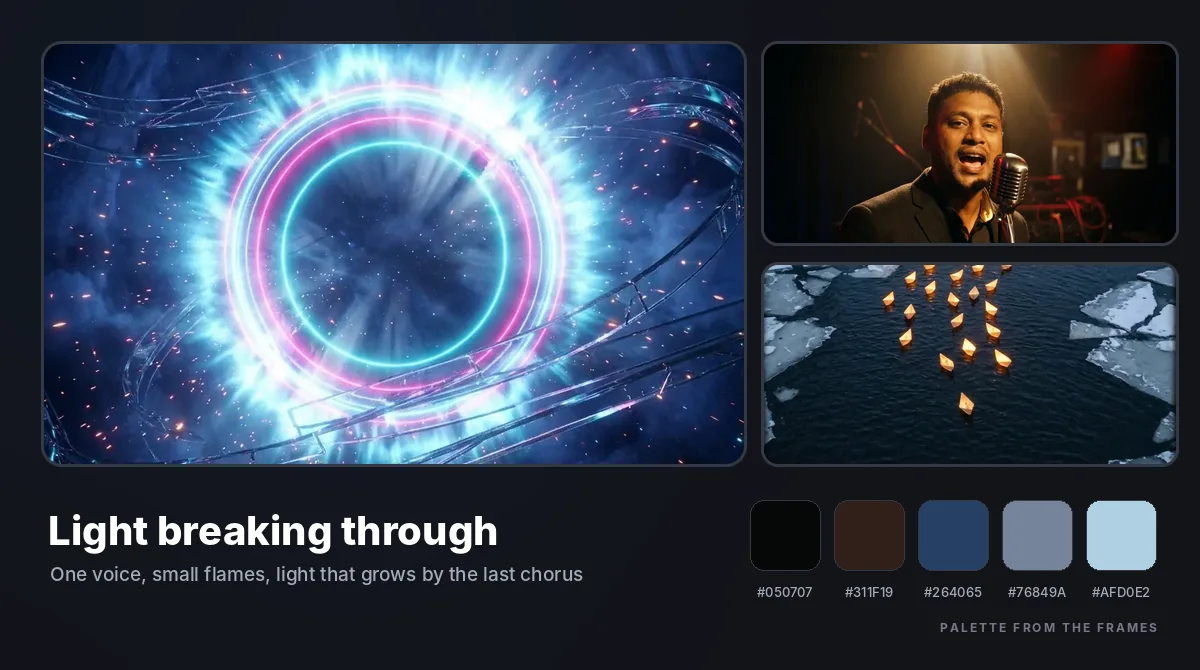
Pick the Lyric style and 16:9 when you upload, render at 1080p, and you get a 1920 by 1080 MP4 for a sanctuary projector or LED wall, with karaoke-style captions: a phrase at a time, at most seven words or 42 characters to a line, each word turning from white to yellow as it's sung. Paste the lyrics so the wording matches your song sheet. Behind the words, ask for pictures that stay out of the way: mist over a field at first light, a candle in a dark room, water moving slowly. The words are timed to the recording, so the video works when the room sings along with that track, not over a live band at its own tempo. The lyric video maker goes deeper into the captions.
See your song as a storyboard first
Upload the track and the AI director plans every shot on the beat in minutes. Edit anything for free; you only pay if you render.
Choose Story for a testimony: one person's before and after, told in a few concrete places (a hospital corridor at night, a kitchen table covered in unopened letters, the church steps on a bright Sunday), with the light warming each chorus. Choose Performance to have your worship leader sing from one clear, front-facing photo, with the consent box ticked, while the choir sways and claps in wide shots around them, because only one singer is lip-synced. The gospel music video ideas guide lists 17 concepts, from choir lofts to quiet devotional loops.
The same 16:9 render gives you the file for the sanctuary screen and the livestream, a 9:16 cut for Reels and Shorts during the week, a square post and an 8-second Canvas for Spotify, so a new worship single goes out in every shape at once. A video meant for a projector should stay calm, and the lo-fi look holds each shot about a third longer than pop does; a fast shout song can take pop or rock. Mind the rights: a license to project lyrics in services doesn't cover publishing a recording, so upload songs your church wrote and recorded, or ask the publisher first.
Each card opens the upload with a style, a look and an idea filled in, in 16:9 for the sanctuary screen. Change the places and the light to fit your church and your song.
Lyric style, lo-fi look: slow landscapes at dawn behind the words, calm enough for the projector.

Story style, pop look: one woman's year of starting over, the light and the company growing each chorus.

Performance style, lo-fi look: your worship leader sings from one photo, with the choir in wide shots.
Abstract style, lo-fi look: candlelight and slow water with no people, to run quietly during prayer or an offering.
Drop in an MP3, WAV, M4A or FLAC up to 8 minutes. Muvora finds the tempo, the beats, the downbeats and the sections of your song, like intro, verse and chorus.
An AI director writes a shot-by-shot plan timed to your downbeats. Rewrite any prompt, drag a cut (it snaps to the beat) or ask AI to redo a shot. None of it costs anything.
See the final price, then render. Pick Visualizer, Standard or Cinematic quality. If a shot fails, its credits come straight back.
Free storyboard in minutes. No card needed.
Can't find what you need? Start a free storyboard and see for yourself.
Upload your recording, choose the Lyric style and 16:9, paste the lyrics and turn captions on. Muvora times every word to the vocal and plans quiet pictures behind it; render at 1080p for a 1920 by 1080 MP4 to play on the projector.
Yes. Story turns a testimony or a parable-like idea into scenes with characters, Performance has your singer lip-sync from one photo, and Abstract makes slow light and color with no people at all, which suits an instrumental or a prayer loop.
Only one performer is lip-synced, from one photo. The choir can still fill the video: describe them standing, swaying and clapping in wide and medium shots, where no one is seen mid-word, and keep the close singing shots for the lead.
It's cut and captioned to your recording, so it lines up only while that recording plays. Over a live band playing at its own tempo the words would drift, so keep it for moments when the track itself is played, or have the band play along to the recording.
No: the looks are hip-hop, pop, EDM, rock and lo-fi. Lo-fi holds shots longest, which suits a slow hymn or a ballad at 60 to 80 BPM; pop suits a mid-tempo praise song. Describe the sanctuary, the light and the wardrobe in the idea box.
Yes, if the church has the rights to the song and the recording. The files carry no visible watermark, the pictures never show real people or lettering, and you confirm you own the song or have permission each time you upload.
17 gospel and worship concepts: testimony stories, choir lofts, lyric videos for the sanctuary screen and quiet devotional loops.
Read the guideKaraoke-style captions timed to your vocals, over AI visuals.
Learn more
Sing-along lyric videos of the full song, each word lighting up as it is sung.
Learn moreTimed lyrics, readable captions and visuals behind the words, for YouTube and vertical feeds.
Read the guidePlay your song, tap along to stamp each lyric line, and export an LRC, SRT or WebVTT file.
Open the toolA singer made from one photo, lip-syncing to your vocals where the song is sung.
Learn moreUpload a track and get a free beat-synced storyboard in minutes. Render it when you are ready.
No card needed to start.



