Your face, your single
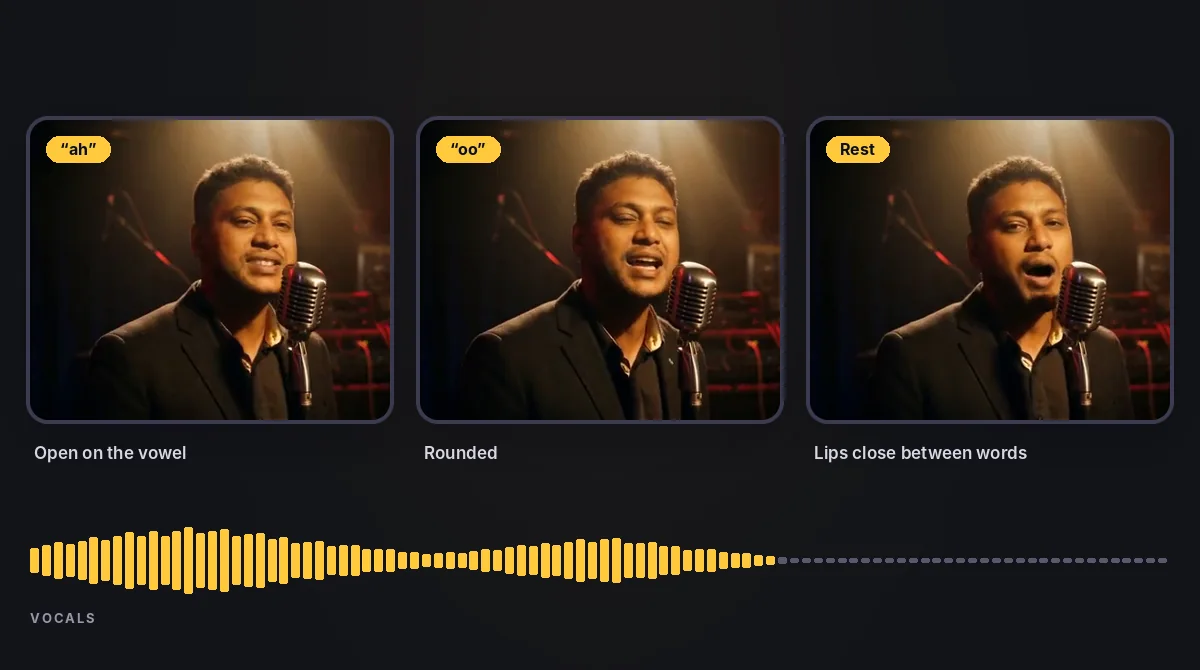
Performance style, pop look: you sing from one photo, and the cutaways show the week the song came from.
Releasing on your own means every dollar spent on a video is one not spent on mastering, ads or gas for the next show. Muvora lets you see the whole video as a storyboard before paying anything, shows the exact price for your song's length before you render, and turns one render into every file a release needs.
Free to start · 5 storyboards a month · No card needed

A traditional shoot means a director, a camera operator, gear, a location and a day booked around everyone's schedule. Here it's you and the track: upload the song, pick a style, write the idea, and the AI director returns a storyboard with a creative brief, a cast and one shot for every slot, cut to your downbeats. If you want to be in it, the Performance style lip-syncs you from one clear, front-facing photo. The AI music video vs videographer guide is an honest look at when each one makes sense.
See your song as a storyboard first
Upload the track and the AI director plans every shot on the beat in minutes. Edit anything for free; you only pay if you render.
The storyboard is free to read and edit, and the free plan makes 5 new ones a month with no card, so you can try two styles on the same song before choosing. Rendering is priced per finished second: 38 credits a second in Visualizer, 60 in Standard and 110 in Cinematic, with the total for your exact length on screen before you press Generate. A shot that fails costs nothing, and re-rolls of shots you don't like are free up to 10% of the video's length. Work out a budget ahead of time with the music video cost calculator.
A single needs more than one video: a 16:9 file for YouTube, a vertical cut for Reels, TikTok and Shorts, a square post and an 8-second loop for Spotify's Canvas. All four come from one 16:9 render, at 720p or 1080p, with karaoke-style captions if you want them. If you put out a song every few months, credit packs fit the rhythm: they start at US$12 and never expire, while a monthly plan's unused credits roll over up to 2 times its monthly amount. Map the weeks around the drop with the release timeline planner.
Each card opens the upload with a style, a look and an idea ready to change. Read the storyboard for free and render only the one you'd put your name to.
Performance style, pop look: you sing from one photo, and the cutaways show the week the song came from.

Lyric style, pop look: the words on screen over a simple city night, ready to post the day the song is out.
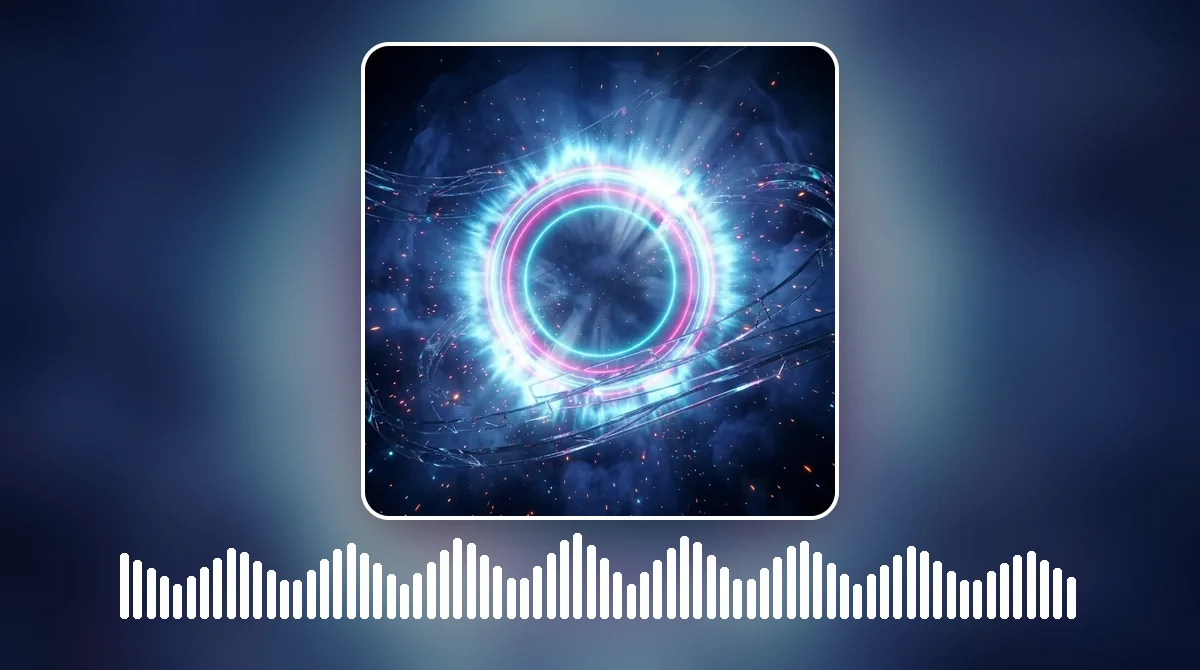
Abstract style, lo-fi look: slow color and light for a track that doesn't need a story.
Drop in an MP3, WAV, M4A or FLAC up to 8 minutes. Muvora finds the tempo, the beats, the downbeats and the sections of your song, like intro, verse and chorus.
An AI director writes a shot-by-shot plan timed to your downbeats. Rewrite any prompt, drag a cut (it snaps to the beat) or ask AI to redo a shot. None of it costs anything.
See the final price, then render. Pick Visualizer, Standard or Cinematic quality. If a shot fails, its credits come straight back.
Free storyboard in minutes. No card needed.
Can't find what you need? Start a free storyboard and see for yourself.
Storyboards are free. A rendered video costs credits per finished second: a 3-minute video comes to 6,840 credits in Visualizer, 10,800 in Standard and 19,800 in Cinematic. Packs start at US$12 and plans at US$39 a month, and you see the exact total before anything renders.
No. Every shot is made with AI from the storyboard, and nothing is filmed. If you want to appear in the video, one clear photo of you is enough for the lip-synced singing shots.
A shot that fails to render costs nothing. One that renders but misses can be re-rolled on the review page, with its prompt edited first if you like, and then you make a new version of the video for free. Re-rolls are free up to 10% of the length, then cost a few credits each.
Yes. Muvora claims no ownership of what you render, so you can monetize it on YouTube or use it in ads for your release, as long as you hold the rights to the song and anything else you upload.
The 16:9 file goes to YouTube, the vertical cut to Shorts, Reels and TikTok, the square one to feed posts, and the 8-second Canvas loop to Spotify for Artists, all without a watermark.
For a single every few months, a pack: you pay once and the credits never expire. If you release monthly, or make a video plus short clips for every song, a plan costs less per credit and its unused credits roll over up to 2 months' worth.

An honest comparison: what a shoot does best, what AI does best, and when to use both.
Read the guideYour song's length and quality in, the credits and the plan or pack that covers it out.
Open the tool
A teaser, the full video, vertical and square cuts and a Canvas loop for one release.
Learn moreWhat to finish six weeks, four weeks and two weeks before release day, and what to do that week.
Read the guide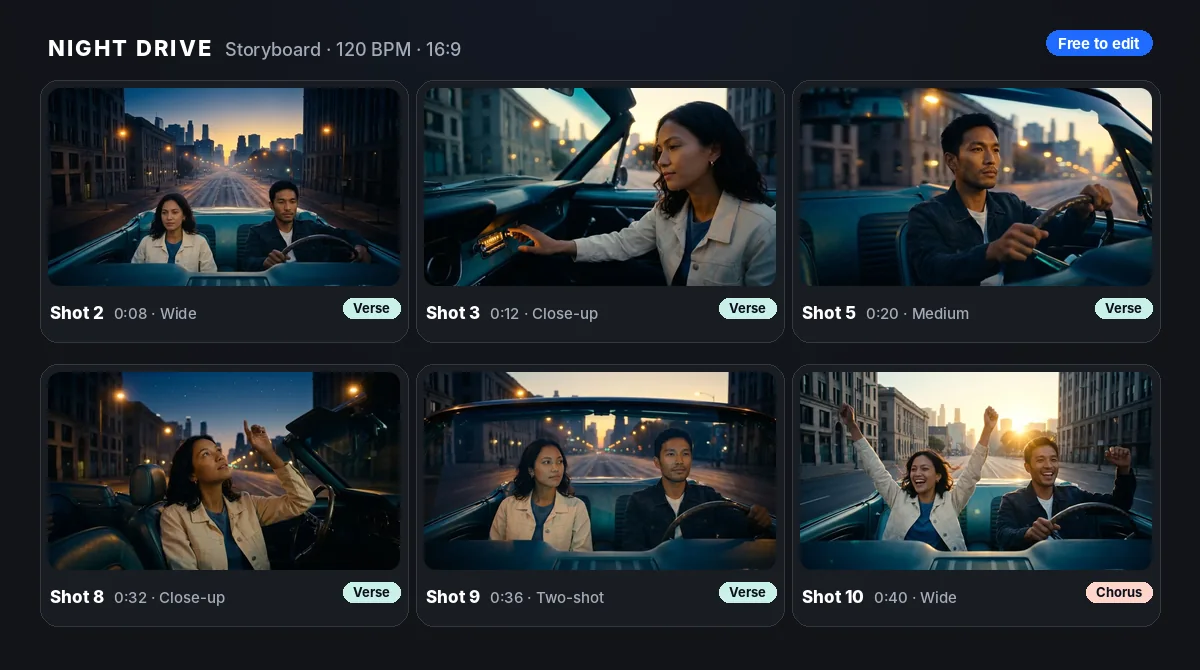
Plan the whole video free: the analysis, the storyboard and the style frames. Pay only to render.
Learn moreOne photo of the singer becomes lip-synced performance shots inside a full video.
Learn more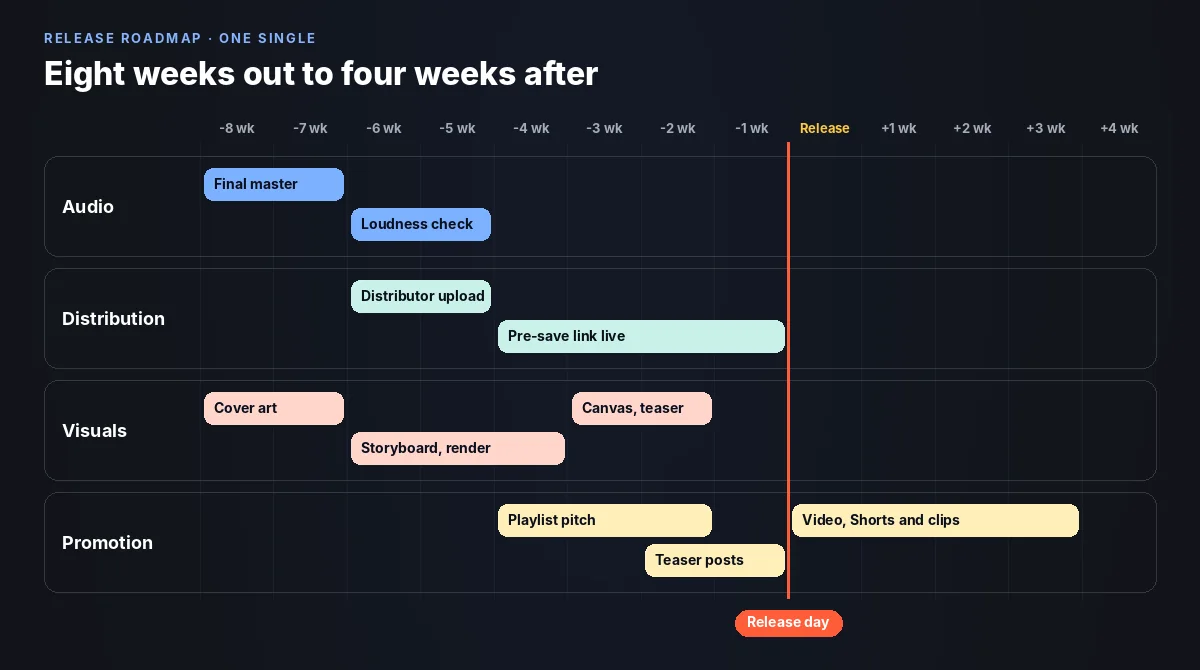
From a finished master to the month after release: loudness, distributors, codes, splits, publishing, art, pitching and visuals.
Read the guide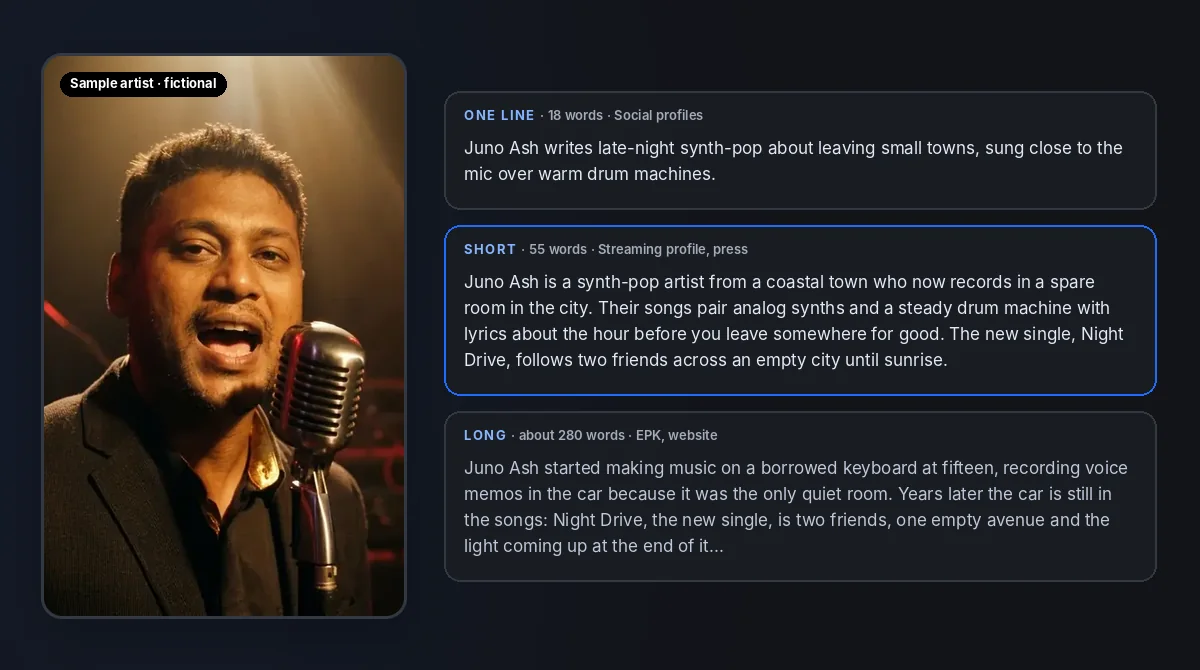
The four lengths of bio and where each goes, what to put first, third or first person, facts over adjectives, examples and mistakes.
Read the guide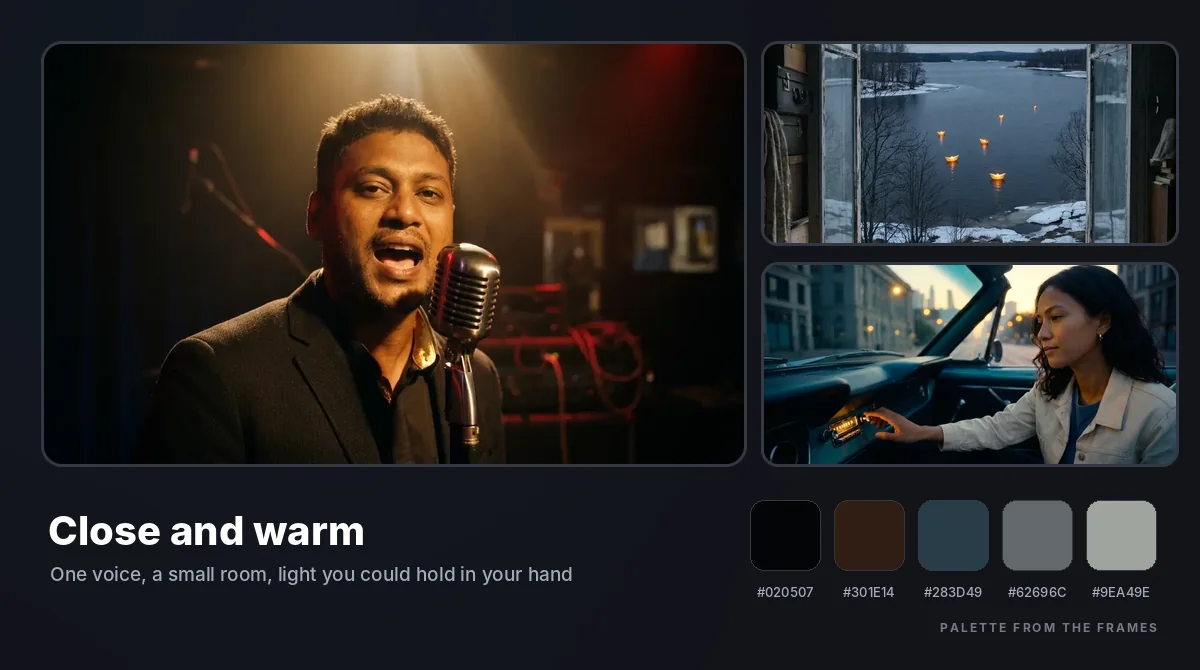
Acoustic and piano songs with the voice up front: you singing from one photo, the story in between, cuts that wait for the line.
Learn more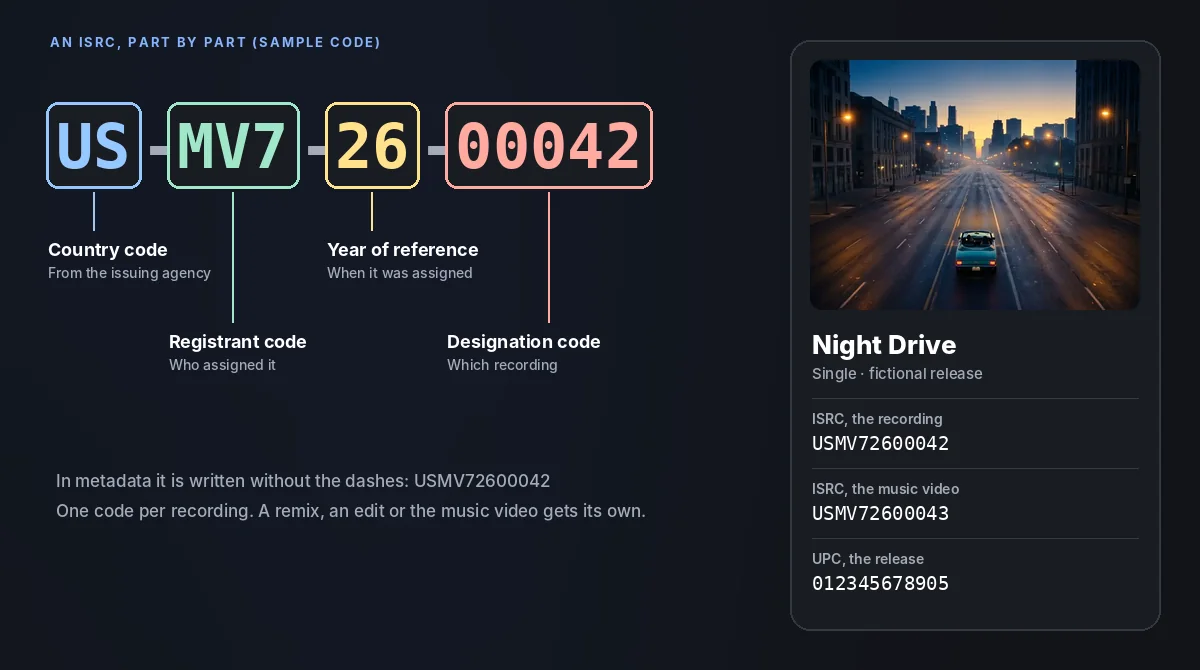
The 12-character code for a recording: its four parts, ISRC vs ISWC vs UPC, when a remix, an edit or a music video needs its own, and how to get one.
Read the guide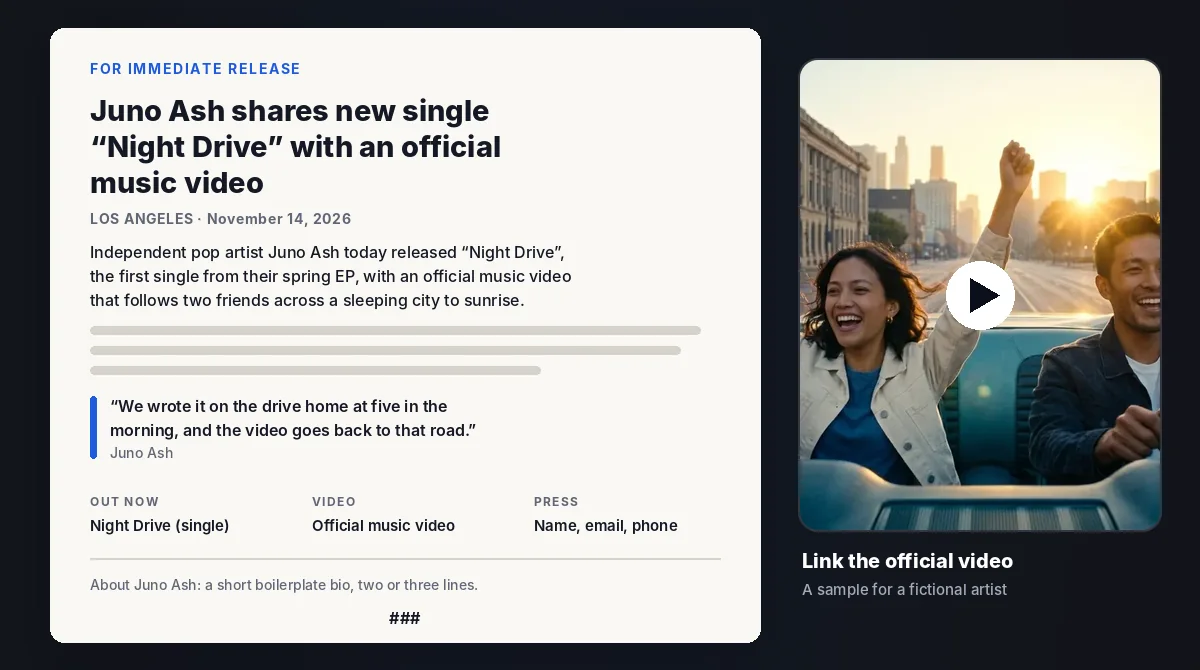
The one-page layout part by part, the headline and first paragraph, the quote, what to link, who gets it and when, a full sample and the follow-up.
Read the guide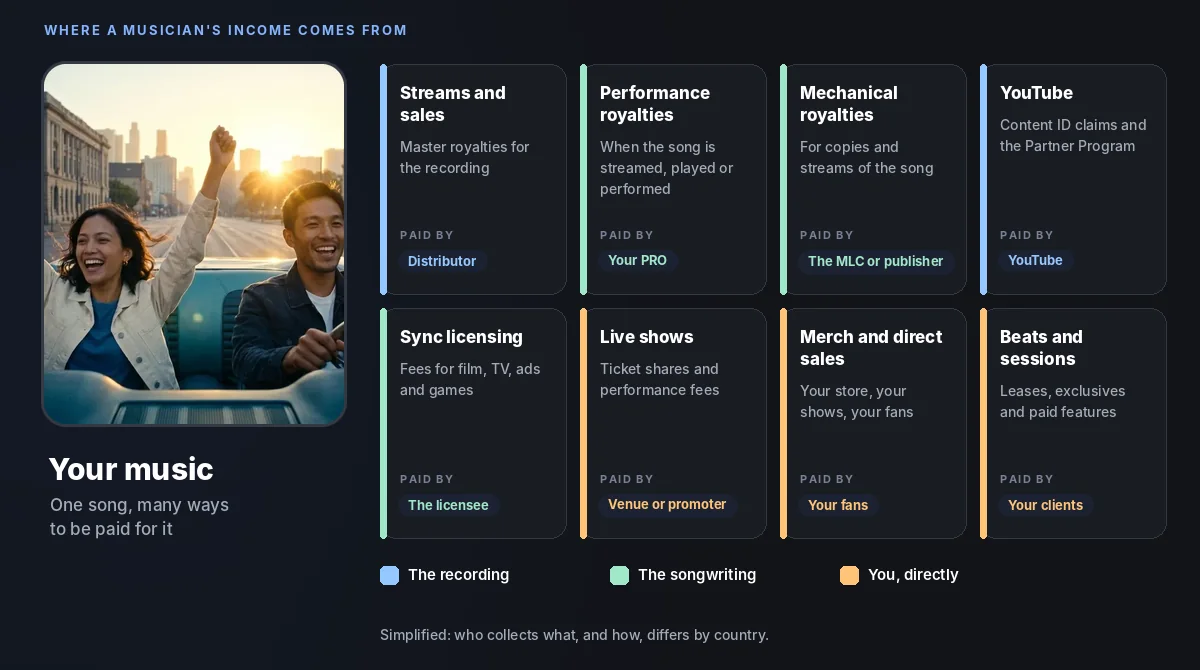
Every way an independent musician earns: streams, songwriting royalties, YouTube, sync, shows, merch, direct sales, fan support, beats and teaching.
Read the guideA storyboard and an exact price for every release on the schedule, every format from one render, and Studio sized for a roster.
Learn more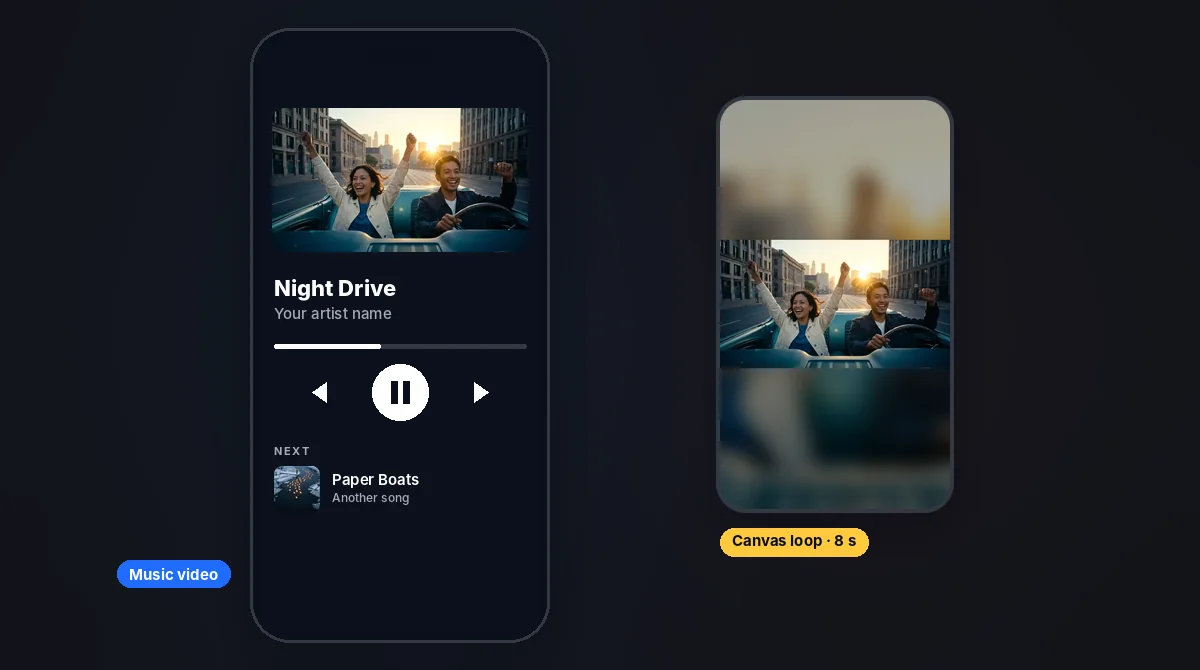
The 16:9 video Spotify asks for, with captions off, and the Canvas and vertical clips from the same render. Your distributor or Spotify for Artists does the delivery.
Learn moreUpload a track and get a free beat-synced storyboard in minutes. Render it when you are ready.
No card needed to start.





