Roots at the fishing beach
Story style, lo-fi look: the boats come in at dawn on a working beach, and the whole village turns out by the last chorus.
Roots, dancehall, lovers rock or a reggae-pop crossover: the video has to feel like a real place and move at the riddim's pace, slow enough to let the bass breathe. Upload your song and Muvora finds its tempo, beats, sections and drops, then its AI director writes a storyboard from the yard, the dance or the front room you describe. Read it, change any shot for free, and pay only for the seconds you render.
Free to start · 5 storyboards a month · No card needed
In a one-drop riddim the kick and the rim shot land together on beat three and beat one is left empty, which is what makes reggae feel unhurried, and also why software can count it two ways. Muvora's shot planner cuts on the downbeats the analysis finds, and always on a section change or a drop. With a one drop the analysis may count the bar from the drum hit; if a cut feels half a bar off, drag it and it snaps to the nearest beat. Slow songs have long bars (3.2 seconds at 75 BPM), so a verse can hold a shot for one or two. The lo-fi look stretches every shot by about a third for roots and lovers rock, and hip-hop cuts about a fifth faster for dancehall. Find out whether your song reads at 70-something or 140-something with the tap tempo tool before you upload.
See your song as a storyboard first
Upload the track and the AI director plans every shot on the beat in minutes. Edit anything for free; you only pay if you render.
There's no reggae genre look, so the world of the video comes from the idea box, which takes up to 600 characters. Write the place your music belongs to: a hillside farm at first light, speaker boxes stacked against a wall at a street dance, a front room with the furniture pushed back for a Saturday party. Add the hour, the light sources, two or three colors that are really there and one piece of wardrobe the lead keeps in every shot. Leave out the palm-beach-and-flag clichés an image model reaches for first, and treat Rastafari as a faith rather than a costume. The pictures never show real people or lettering, so describe a sound system by its boxes and its crowd, not its painted name. The reggae music video ideas guide has 15 concepts across roots, dancehall, lovers rock and fusion.
Choose Story for a place and its people, or Performance to put the singer on screen from one clear, front-facing photo with the consent box ticked. Muvora separates the vocal, finds where it's sung and lip-syncs those shots (a deejay's chanted verse counts as vocal too), and the same performer can turn up in other shots, crossing the yard or riding the bus. Paste your lyrics with the upload so patois and slang appear in the karaoke captions exactly as you spelled them. One render then gives you 16:9 for YouTube, 9:16 for Reels, TikTok and Shorts, a square cut and an 8-second Spotify Canvas.
Each card opens the upload with a style, a look and an idea already in the box. Swap in your own place, people and colors once the song is in; the cuts come from its own beats.
Story style, lo-fi look: the boats come in at dawn on a working beach, and the whole village turns out by the last chorus.

Performance style, lo-fi look: you sing on a small stage at a Saturday dance in 1981 while couples take the floor.
Story style, hip-hop look: a young selector plays her first dance on a closed road, and the crowd builds with every chorus.
Drop in an MP3, WAV, M4A or FLAC up to 8 minutes. Muvora finds the tempo, the beats, the downbeats and the sections of your song, like intro, verse and chorus.
An AI director writes a shot-by-shot plan timed to your downbeats. Rewrite any prompt, drag a cut (it snaps to the beat) or ask AI to redo a shot. None of it costs anything.
See the final price, then render. Pick Visualizer, Standard or Cinematic quality. If a shot fails, its credits come straight back.
Free storyboard in minutes. No card needed.
Can't find what you need? Start a free storyboard and see for yourself.
Yes. Upload the finished track (MP3, WAV, M4A, AAC or FLAC, up to 8 minutes) and the analysis finds the tempo, the beats, the sections and any drops. Pick a style, describe the place and its people in the idea box, and the AI director writes a shot for every slot. Reading and editing the storyboard is free; credits go only on the seconds you render.
It cuts on the downbeats it finds. Because the one drop leaves beat one empty, the analysis may count the bar from the drum hit on beat three, or read the tempo at double time. Play the storyboard with the song, drag any cut that feels off (it snaps to a beat) and merge shots that change too fast.
No. The five looks are hip-hop, pop, EDM, rock and lo-fi. Lo-fi gives roots, lovers rock and dub their longer holds; hip-hop suits dancehall; pop suits reggae fusion and crossover singles. Everything else, from the place to the palette, comes from what you write.
Yes, as AI video. Describe the dancing as movement in the scene (a crew dropping low together, a spin at the end of a line) and keep groups small, since it won't follow counted steps. Speaker stacks, bulbs and a crowd on a closed road are all fine; painted names and logos never appear.
Paste the lyrics with the upload and the captions use your text, aligned to the vocal and lit word by word as it's sung. Automatic transcription has a harder time with patois and slang, so pasting is how you get every word the way you wrote it.
Planning is free: the storyboard costs nothing to read or edit, and the free plan covers 5 new storyboards a month. A render costs 38 credits per finished second in Visualizer, 60 in Standard or 110 in Cinematic, and lip-synced seconds 75; your song's exact total is on screen before you press Generate.
15 concepts for roots, dancehall, lovers rock and reggae fusion, with the places, light and cutting that suit a one-drop riddim.
Read the guide
Soft rain, warm lamps and slow shots for late-night calm.
Learn more
Night streets, low angles and cuts that hit with the snare.
Learn moreTap along to any song to find its BPM, with half and double time and how steady you are.
Open the tool
Afrobeats and amapiano videos with warm color, real places and cuts that sit on the groove.
Learn moreA singer made from one photo, lip-syncing to your vocals where the song is sung.
Learn more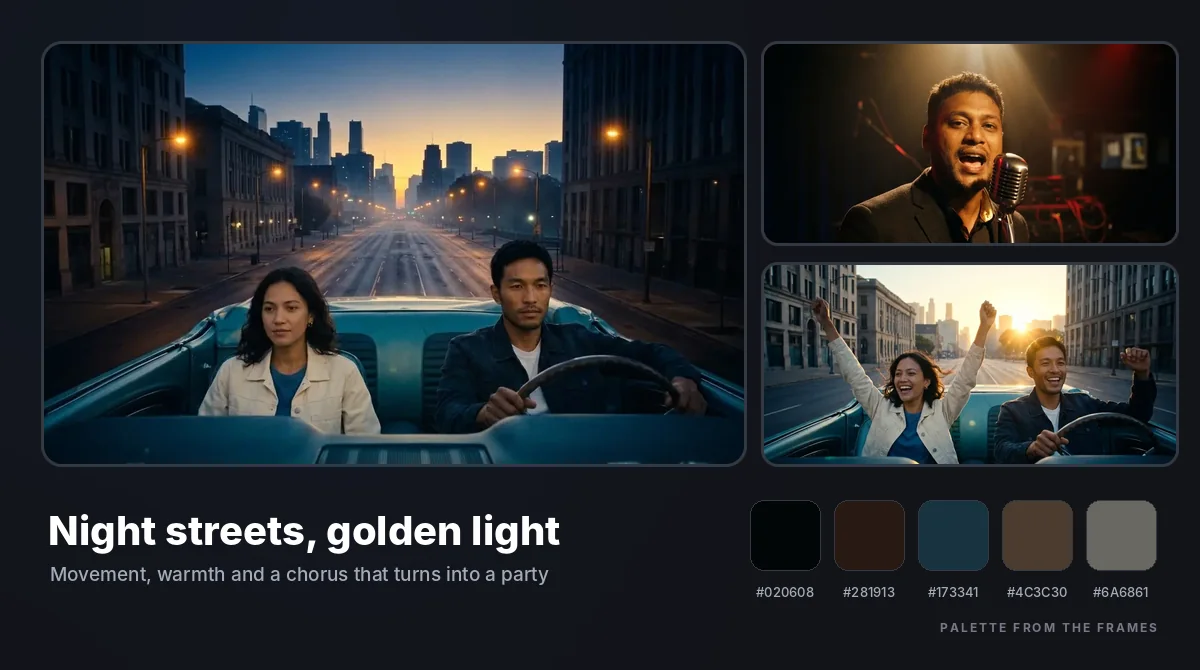
Reggaeton, bachata, corridos and Latin pop videos set in places that feel lived in, cut on your song's downbeats.
Learn moreUpload a track and get a free beat-synced storyboard in minutes. Render it when you are ready.
No card needed to start.



