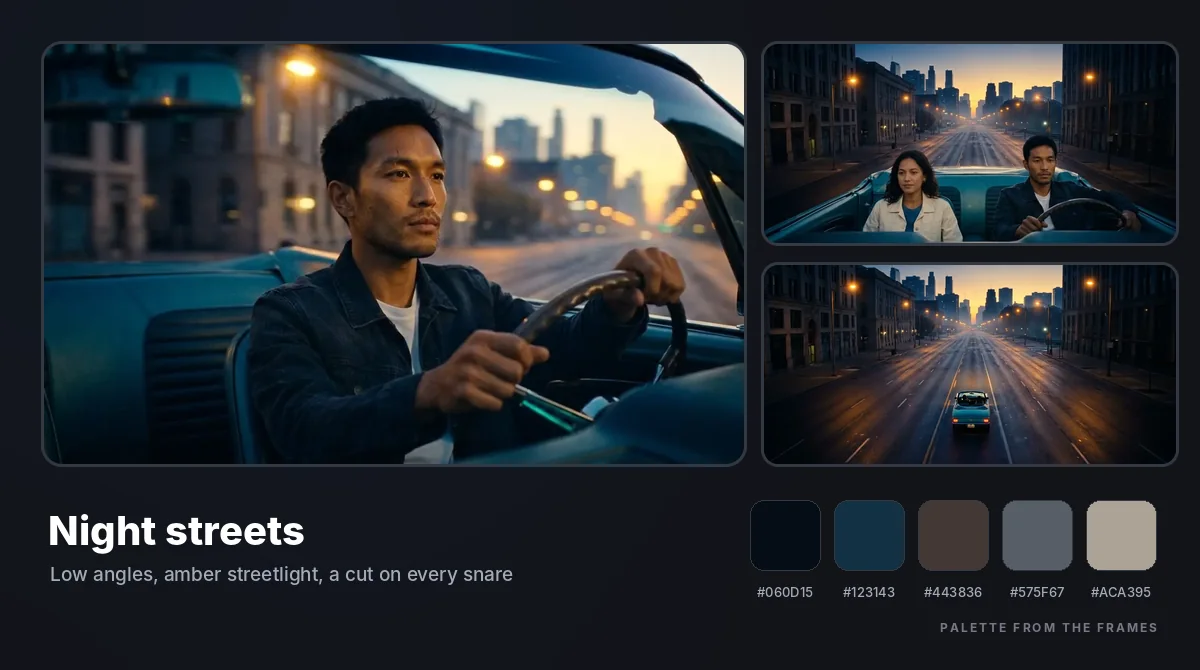
Hard cuts on a rap verse
Story style, hip-hop look: the driving pace, so a verse full of words gets a new angle every bar or two.
Upload a song and Muvora finds every beat, downbeat, section and drop, then puts each cut of an AI music video on that grid: on beat 1 of the bar, at every new section and on every drop, with shots held longer when the song is quiet and cut faster when it's loud. There are no markers to tap and no clips to nudge.
Free to start · 5 storyboards a month · No card needed
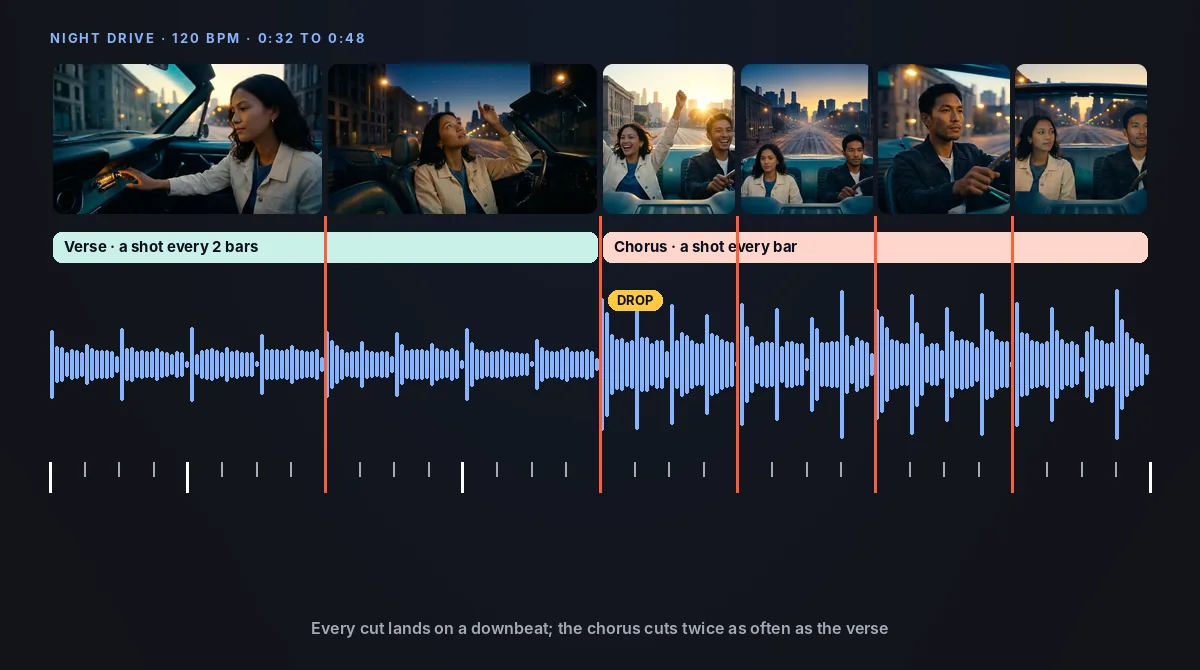
The shot planner is code, not guesswork. It reads the downbeats from your audio and cuts on them, since beat 1 of the bar is where the ear expects something new. Every section change is a cut, and so is every drop. Between those fixed points it picks shot lengths from the song's loudness: at 120 BPM, where a bar lasts 2 seconds, a quiet intro or verse holds a shot for two to four bars, while a loud chorus cuts about every bar. Shots keep to whole phrases of 1, 2 or 4 bars wherever they can, and above 150 BPM bars are counted in pairs, so a 174 BPM chorus cuts every 2.8 seconds rather than every 1.4.
See your song as a storyboard first
Upload the track and the AI director plans every shot on the beat in minutes. Edit anything for free; you only pay if you render.
The genre look you pick sets the pace on top of that: lo-fi lets every shot run about a third longer, hip-hop, EDM and rock cut a fifth shorter, and pop holds a steady middle. When the video is assembled at 24 frames a second, each cut goes on the frame nearest its planned time, counted from the start of the song, so it is never more than half a frame (about 21 milliseconds) from its beat and nothing drifts by the last chorus. Every drop gets a two-frame white flash, and crossfades appear only between shots in the quietest stretches. The guide to editing a music video to the beat explains the same rules for cutting by hand.
The plan is yours to change before anything renders. Drag a cut on the storyboard timeline, or nudge it with the arrow keys, and it snaps to a downbeat; hold Alt, or set snapping to every beat, when you want a cut on beat 2 or 3. Split a long shot and the new cut lands on a beat as well. Section starts stay where the song puts them and every shot stays between 1 and 8 seconds, so no edit can knock the video off the beat. Cutting your own footage instead? Find the tempo with tap tempo and get markers for your editor from the beat marker generator.
The genre look sets how fast the cuts come. Each card opens the upload with a look and an idea picked for its pace; the cuts themselves still come from your own song's beats.
Story style, hip-hop look: the driving pace, so a verse full of words gets a new angle every bar or two.

Abstract style, EDM look: shots shorten through the build, then the drop lands with a cut and a white flash.
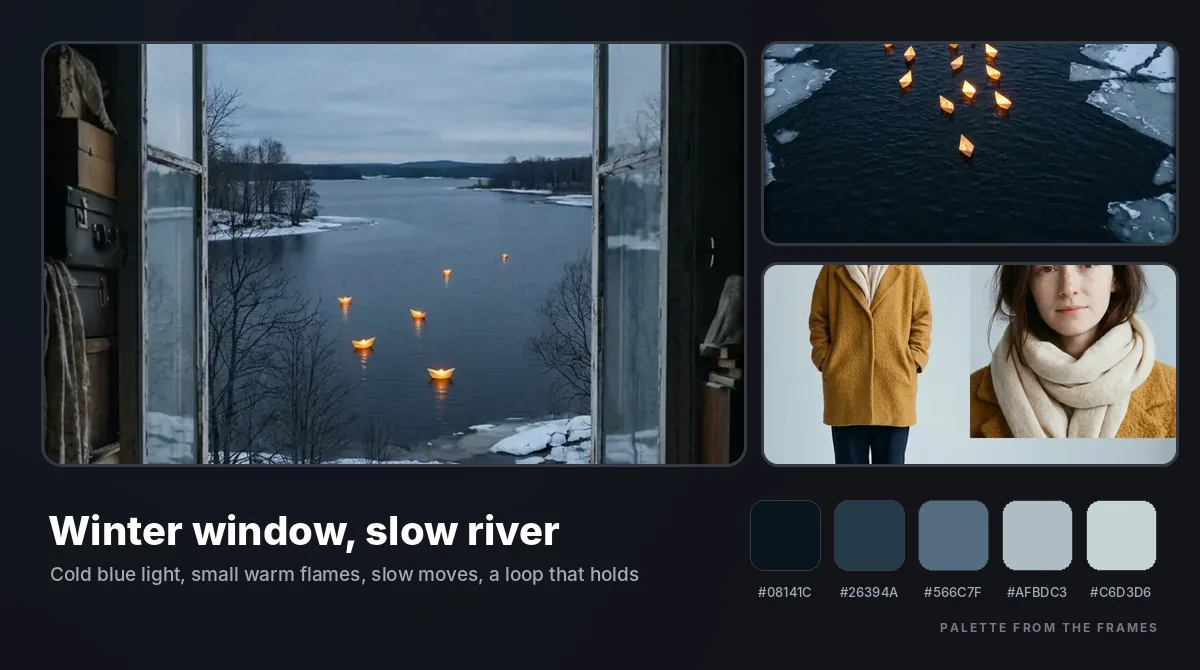
Story style, lo-fi look: the relaxed pace lets each shot breathe for several bars before the next cut.
Drop in an MP3, WAV, M4A or FLAC up to 8 minutes. Muvora finds the tempo, the beats, the downbeats and the sections of your song, like intro, verse and chorus.
An AI director writes a shot-by-shot plan timed to your downbeats. Rewrite any prompt, drag a cut (it snaps to the beat) or ask AI to redo a shot. None of it costs anything.
See the final price, then render. Pick Visualizer, Standard or Cinematic quality. If a shot fails, its credits come straight back.
Free storyboard in minutes. No card needed.
Can't find what you need? Start a free storyboard and see for yourself.
Upload the song to Muvora. The analysis finds the beats, downbeats, sections and drops, and the shot planner places every cut on that grid before the AI director writes a single shot. You get the plan as a free storyboard, then render it into AI video when it looks right.
No, on the downbeat, the first beat of each bar, which is how most music videos are cut; a cut on every beat would flicker. Cuts between downbeats are kept for the loud parts of slow songs and for the moments right after a drop, where faster cutting helps.
There is always a cut on the drop itself, the picture flashes white for two frames, and the shots just after it run about half their usual length, so the drop hits harder than anything before it.
The cuts sit on the beats detected in your recording rather than on a fixed metronome, so a band that pushes ahead in the last chorus keeps its cuts with the drummer. Songs recorded to a click give the tightest grid, and you can move any cut by hand in the storyboard.
No. Muvora makes every shot itself with AI and doesn't edit footage you upload. For your own clips, the free tap tempo tool and beat marker generator give you beat times to cut to in your own editor.
Yes. Each cut is rounded to the nearest frame from its own time in the song, so small errors never pile up, and every export is checked to last as long as the song to within one frame. The soundtrack is your own file, starting on its first sample.

The bar maths, the shot lengths by section and the cutting tricks that make a video play the song.
Read the guideBPM to timecode: a marker on every beat or bar, as an EDL for DaVinci Resolve, a CSV or plain timecodes.
Open the toolTap along to any song to find its BPM, with half and double time and how steady you are.
Open the tool
AI video for a whole song, cut on the beat, at the lowest credit rate.
Learn moreBuild-ups, drops and lasers that hit exactly on the one.
Learn moreType a song's tempo and sections and get a beat-timed shot list, made by Muvora's own planner.
Open the tool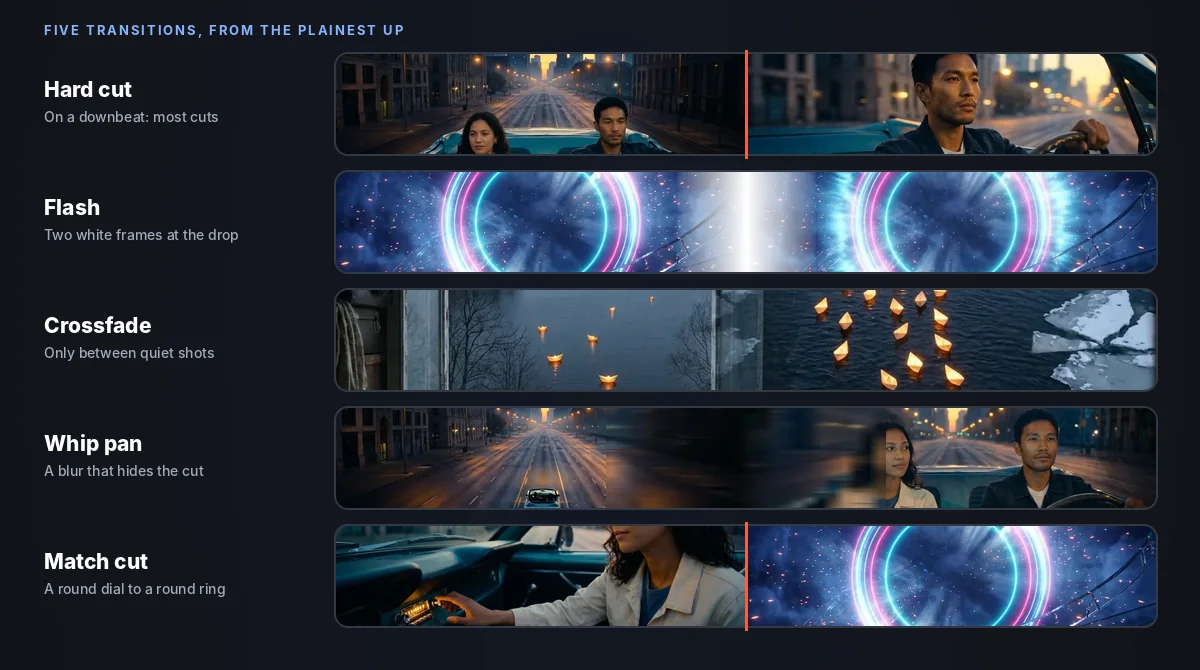
Fifteen transitions music videos use, what each does to the song and where it belongs, from the hard cut on the beat to the whip pan.
Read the guideUpload a track and get a free beat-synced storyboard in minutes. Render it when you are ready.
No card needed to start.





