Looking for a Descript alternative for music videos?
Descript is an AI-powered video and audio editor from San Francisco: you edit a recording by editing its transcript, with an AI co-editor called Underlord, captions, Studio Sound, screen recording, avatars and clips generated from prompts on models such as Kling, Gemini Omni and MiniMax H3. Its lyric video maker times the words from the transcript and sets them over stock footage, backgrounds or your own clips. Muvora starts from your song and makes the whole music video, planned on its beats. Here is how they compare.
Free storyboard · 5 a month · No card needed
The verdict
Muvora is the one to choose when you want your song turned into a music video rather than edited by hand: a free storyboard plans every shot, each one is generated as AI video, and the cuts land on the downbeats, section changes and drops, priced before you render. Descript is a text-based editor for recordings, where a song's pictures come from your footage, stock or prompt-made clips.
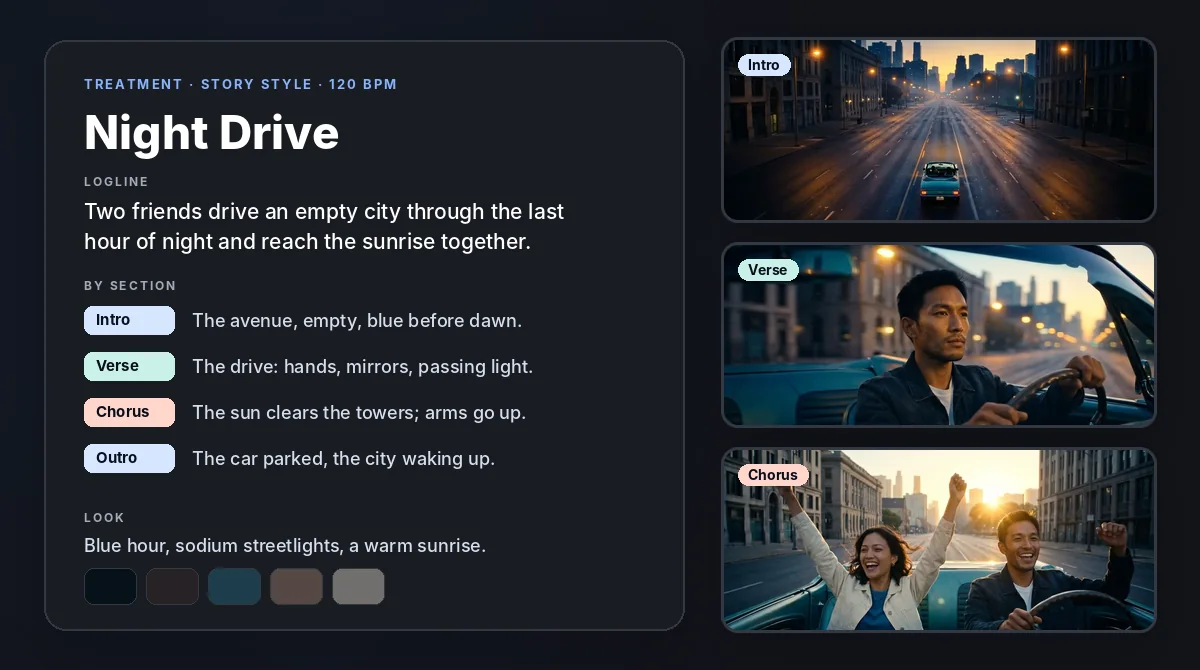
Descript facts checked November 18, 2026. A sample treatment page laid out beside three storyboard frames from “Night Drive”, a 120 BPM pop test song.
Muvora vs Descript
| What is compared | Muvora | Descript |
|---|---|---|
| What it is | A music video generator: upload a song and it plans, renders and edits every shot | An AI-powered video and audio editor: you edit by editing the transcript, with Underlord (an AI co-editor), captions, Studio Sound, remote recording, screen recording, avatars and generated media |
| What you start with | Your song (MP3, WAV, M4A, AAC or FLAC, up to 8 minutes), an optional idea of up to 600 characters, and one photo of the singer for lip sync | Recordings and media you import (its lyric video page lists WAV, MP3, AIFF, M4A and FLAC for a song), its stock library, or a script |
| Where the pictures come from | Generated for your song: every shot drawn as a keyframe in the brief's look, then animated as AI video | Your footage, stock video, images and GIFs, or clips generated from a text prompt on a model you pick, such as Kling v3.0, Gemini Omni Flash 1.1, MiniMax H3 Max Turbo or PixVerse v5 |
| Cutting to the music | Cut points from the song's analysis: downbeats, every section change and every drop (with a two-frame white flash), holding longer where it's quiet | By hand: its lyric video page has you use Scenes to match visuals to verses and choruses, split clips where the song changes and adjust clip speed to hit the beat |
| Lyrics | Pasted lyrics aligned to the vocal word by word, or the vocal transcribed, shown as optional karaoke-style captions | First-pass timing from the transcript, which its page says depends on vocal clarity, then fixed in Correct mode and dragged word by word; karaoke captions and SRT or VTT files |
| Lip sync | Performance style: the vocal separated from your mix and the sung shots lip-synced from one photo of the singer | Avatars that present a script you write (including custom ones from a photo) and Regenerate, which syncs a speaker's mouth to edited speech; singing along to a song isn't described in our sources |
| Audio visualizer | No spectrum bars: the Abstract style makes generated motion and light cut on the beat | Waveform elements (lines, circle, ring or wave) that move with the audio; its help center ties them to the script's speech and speaker labels |
| Formats and length | 16:9, 9:16, 1:1 and an 8-second Spotify Canvas loop from one widescreen render, at 720p or 1080p, for songs up to 8 minutes | 9:16, 1:1 or 16:9; exports at 720p on Free, 1080p on Hobbyist and 4K on Creator and Business |
| Price | Per finished second, the exact total shown before you render: 38 credits in Visualizer, 60 in Standard, 110 in Cinematic, 75 for lip-synced seconds | Per person a month: Hobbyist $24 ($16 billed yearly) with 10 media hours and 400 AI credits, Creator $35 ($24) with 30 hours and 800 credits, Business $65 ($50) with 40 hours and 1,500 credits; unused hours and credits don't roll over |
| Free to start | 5 new storyboards a month with style frames, no card needed | 1 media hour a month, 100 one-time AI credits and 720p export; its plan table lists watermark-free export on the paid plans |
| Commercial use | Yours to use commercially when you have the rights to the song | Its terms (February 25, 2025) give you ownership of your inputs and AI outputs to the extent the law protects them; stock from Storyblocks comes under Storyblocks' license |
Compare it on your own song
Upload a track and see Muvora's whole storyboard, every shot planned on your song's beats, and its exact price before you spend a credit. The storyboard is free, so you can judge the plan before you pay for anything.
What you get with Muvora that changes the outcome
- 01
Pictures made for the song, not gathered for it
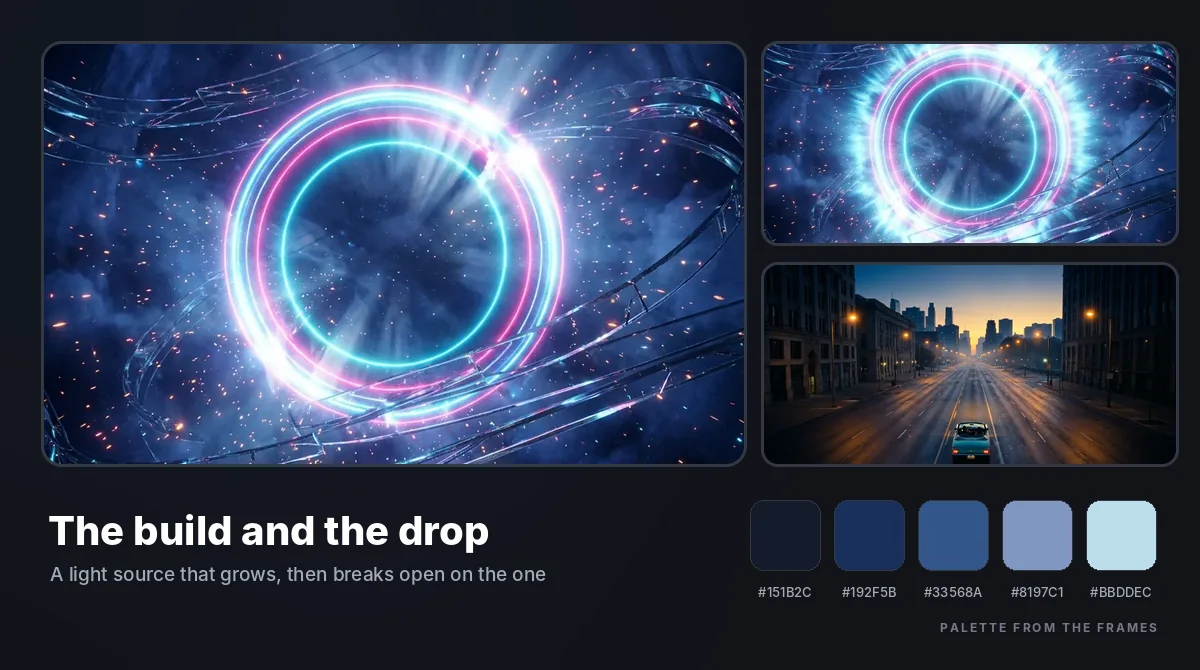
In an editor, a song's visuals are whatever you bring: footage you shot, stock clips, or prompt-made clips generated one at a time. Muvora's director listens first (tempo, sections, drops, energy and words), writes a concept with a small cast, a few designed locations and a palette, then a shot for every stretch between cuts with its framing, action, light and camera move. Style frames and a character sheet show the look, and all of it is free to read and change in the music video storyboard generator.
- 02
Cuts worked out from the track
Descript's own lyric video steps suggest matching scenes to verses and choruses, splitting clips where the song changes and speeding clips up to hit the beat. Muvora does that part from the song's analysis: it cuts on downbeats, changes shot at every section boundary, lands each drop on a cut with a two-frame white flash, holds long shots through a quiet verse and cuts faster through a loud chorus, paced for the genre. A cut you drag snaps back onto a beat; the beat sync video maker page sets out the rules.
- 03
Lyrics timed to the singing
Descript's page says its automatic timing of a song depends on how clear the vocal is, with Correct mode and word-level dragging for the rest. Muvora aligns the lyrics you paste to the vocal word by word, or transcribes the vocal when you don't paste them, and its director reads them for meaning when it writes the story. Turn on captions and each word lights up as it's sung, over scenes made for that line; the lyric video maker shows how it looks.
- 04
A singer from one photo, and the price first
In the Performance style your singer comes from one clear, front-facing photo, confirmed with a consent box. Muvora separates the vocal from your mix, finds the stretches that are really sung and lip-syncs those shots, and the singer can appear in the story shots too. The editor shows the exact price per finished second before you press Generate, a shot that fails costs nothing, free re-rolls cover up to 10% of the length, and one widescreen render gives every shape plus a Canvas loop. Check your song in the cost calculator.
The bottom line
Descript is built for editing recordings. Muvora turns your song into its music video.
Descript makes podcasts, tutorials, product demos and marketing videos quick to edit: you cut a recording by cutting its transcript, with Underlord, captions and generated clips to help. A music video starts from a finished song, and it needs shots made for each section, cuts placed on the beat and a singer whose lips follow the vocal. Muvora plans and renders all of that from the song file, and you approve the plan for free first; how AI music video generators work walks through the steps.
- Every shot generated for your song from one upload
- A free storyboard to read and change before any credit
- Cuts on downbeats, section changes and drops, placed for you
- Lyrics aligned to the vocal word by word, as optional captions
- A singer lip-synced from one photo, and every shape from one render
Still comparing? See how Muvora compares with every other tool.
How Muvora works, and what it costs
- 01
Upload your song
Drop in an MP3, WAV, M4A or FLAC up to 8 minutes. Muvora finds the tempo, the beats, the downbeats and the sections of your song, like intro, verse and chorus.
- 02
Edit your free storyboard
An AI director writes a shot-by-shot plan timed to your downbeats. Rewrite any prompt, drag a cut (it snaps to the beat) or ask AI to redo a shot. None of it costs anything.
- 03
Generate your video
See the final price, then render. Pick Visualizer, Standard or Cinematic quality. If a shot fails, its credits come straight back.
The storyboard is free. Rendering is priced per second.
- Visualizer38 credits/s6,840 for 3 minutes
- Standard60 credits/s10,800 for 3 minutes
- Cinematic110 credits/s19,800 for 3 minutes
- The exact price is shown before you generate
- Failed shots cost nothing
- 16:9, 9:16, 1:1 and a Canvas loop from one widescreen render
Free storyboard in minutes. No card needed.
Questions, answered
Can't find what you need? Start a free storyboard and see for yourself.
Is Muvora a good alternative to Descript for music videos?
Yes, when the job is a music video for a finished song. Muvora writes a free storyboard of every shot, generates each one as AI video, cuts on the downbeats, section changes and drops, and can lip-sync your singer from one photo. Descript is built around editing recordings through their transcript; Muvora makes both the pictures and the edit from the song itself.
What is the difference between Muvora and Descript?
Descript is a video and audio editor: you import or record media and edit it like a document, with AI tools for captions, sound, clips, avatars and generated footage. Muvora is a music video generator: it analyzes your song, plans a shot for each stretch between cuts, renders the shots and assembles them on the beat over your original audio.
Can Descript make a lyric video from my song?
Yes. As of November 2026 its lyric video maker takes your track, times the words from its transcript (which depends on how clear the vocal is), lets you correct them and drag their timing word by word, and sets them over stock footage, backgrounds or your own clips. Muvora times your lyrics to the vocal for you and also makes the scenes behind them, cut on the song's beats.
How much does Descript cost compared with Muvora?
As of November 2026, Descript's pricing page listed Hobbyist at 24 dollars a month (16 billed yearly) with 10 media hours and 400 AI credits, Creator at 35 (24 yearly) with 30 hours and 800 credits, and Business at 65 (50 yearly) with 40 hours and 1,500 credits, per person. Generated video spends AI credits, more on premium models. Muvora charges one rate per finished second for the quality you pick: a 3-minute Visualizer video is 6,840 credits, shown before you render.
Can Descript lip-sync a singer?
Its help center, as we read it in November 2026, describes avatars that present a script and Regenerate, which syncs a speaker's mouth to edited speech, but not a singer lip-synced to a song. Muvora's Performance style draws your singer from one clear photo, separates the vocal from your mix and lip-syncs only the shots where the song is sung.
Can I use a Descript or Muvora video commercially?
Descript's terms give you ownership of what you put in and of what its AI tools make, to the extent the law protects it, and its stock comes under Storyblocks' license. Muvora's videos are yours to use commercially when you have the rights to the song, and no export carries a visible watermark, logo or end card.
Keep exploring
Vizzy alternative
Muvora and Vizzy side by side: a music video with scenes generated and cut on your song's beats, against a free browser editor where you build audio-reactive visualizers and lyric videos layer by layer.
See the comparison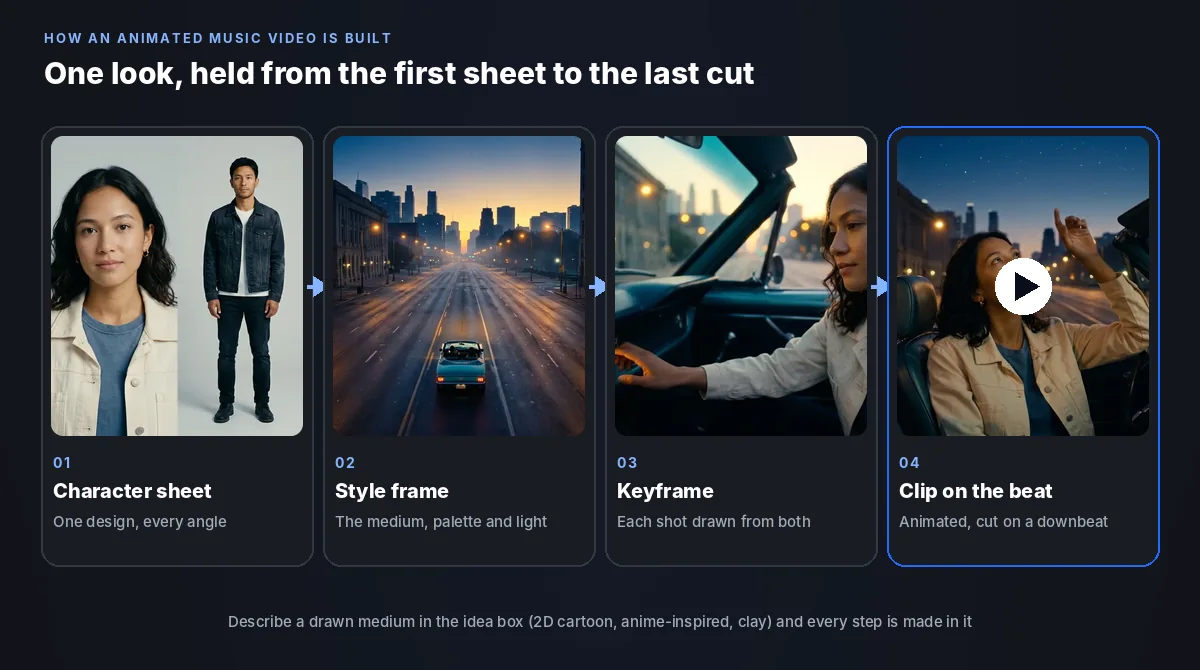
Hailuo AI alternative
Muvora and Hailuo AI side by side: a whole music video planned and cut on your song's beats, against MiniMax's generator of short clips from prompts and references that you cut to the track yourself.
See the comparison
Kapwing alternative
Muvora and Kapwing side by side: a music video generated and cut from your song, against a browser editor with lyric videos, auto subtitles, waveforms and AI clips.
See the comparison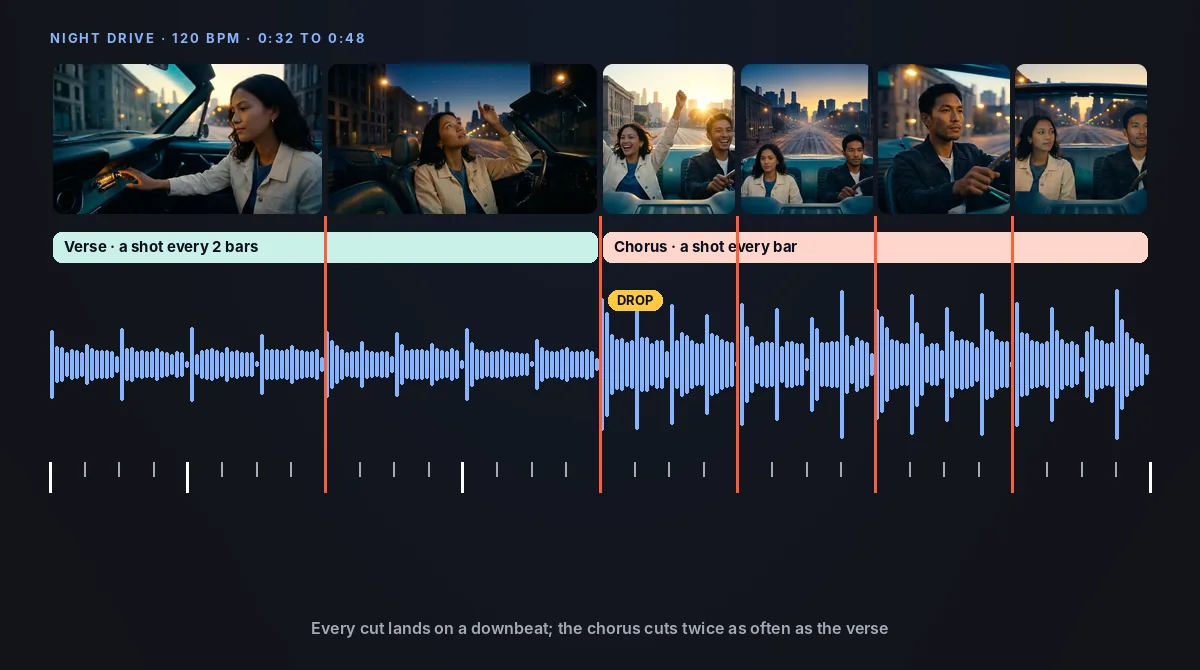
VEED alternative
Muvora and VEED side by side: a music video generated and cut from your song alone, against an online editor for footage, subtitles and waveforms.
See the comparison
Lyric videos
Karaoke-style captions timed to your vocals, over AI visuals.
Learn more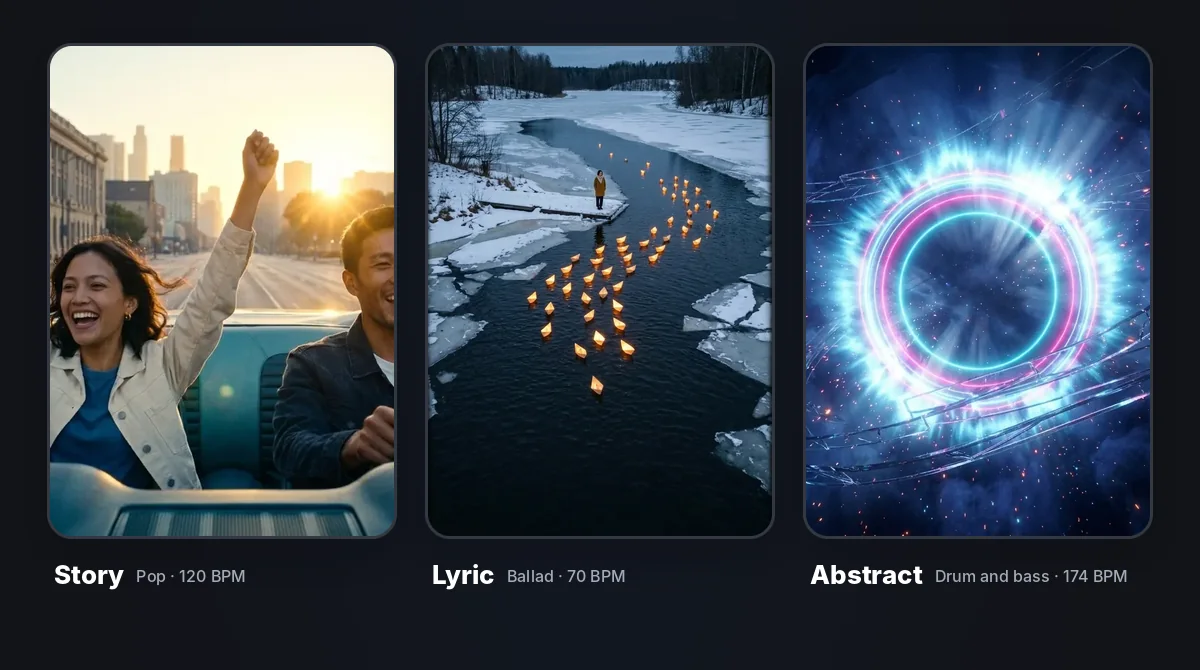
Best AI music video generators
Muvora, Neural Frames, Freebeat, Kaiber and Rotor compared, and why Muvora's beat-cut, editable storyboard is our pick for your song.
Read the guide
Your song deserves a music video
Upload a track and get a free beat-synced storyboard in minutes. Render it when you are ready.
No card needed to start.





