Looking for a Vizzy alternative for music videos?
Vizzy is a free online editor for music visualizers and lyric videos, funded by ads and donations. You build a scene from layers of spectrums, particles, text, images, 3D items, shaders and Butterchurn presets that react to your track, or start from a community template, then render it in your browser on your own computer at up to 4K and 60 frames a second. Muvora makes a different kind of video from the same song: one with scenes, planned on its beats. Here is how they compare.
Free storyboard · 5 a month · No card needed
The verdict
Muvora is the one to choose when your song needs a music video with scenes: a free storyboard plans every shot, each one is generated as AI video, and the cuts land on the downbeats, section changes and drops, with your lyrics timed to the vocal for you. Vizzy is a free browser editor where you build audio-reactive visualizers and lyric videos yourself, layer by layer.
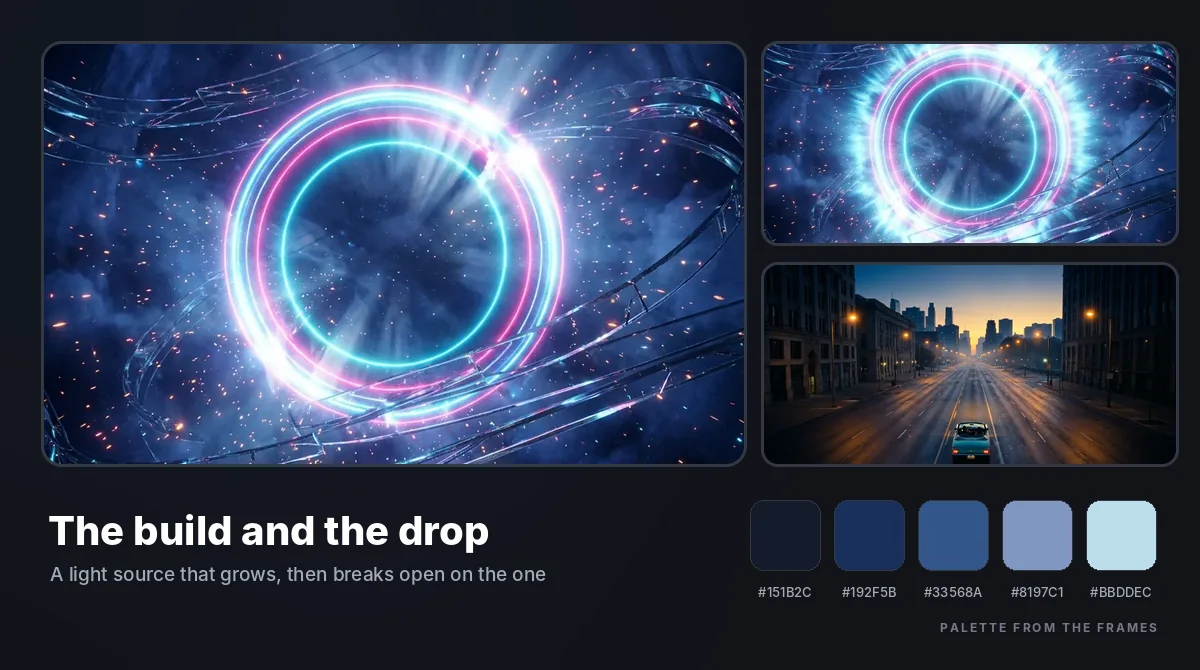
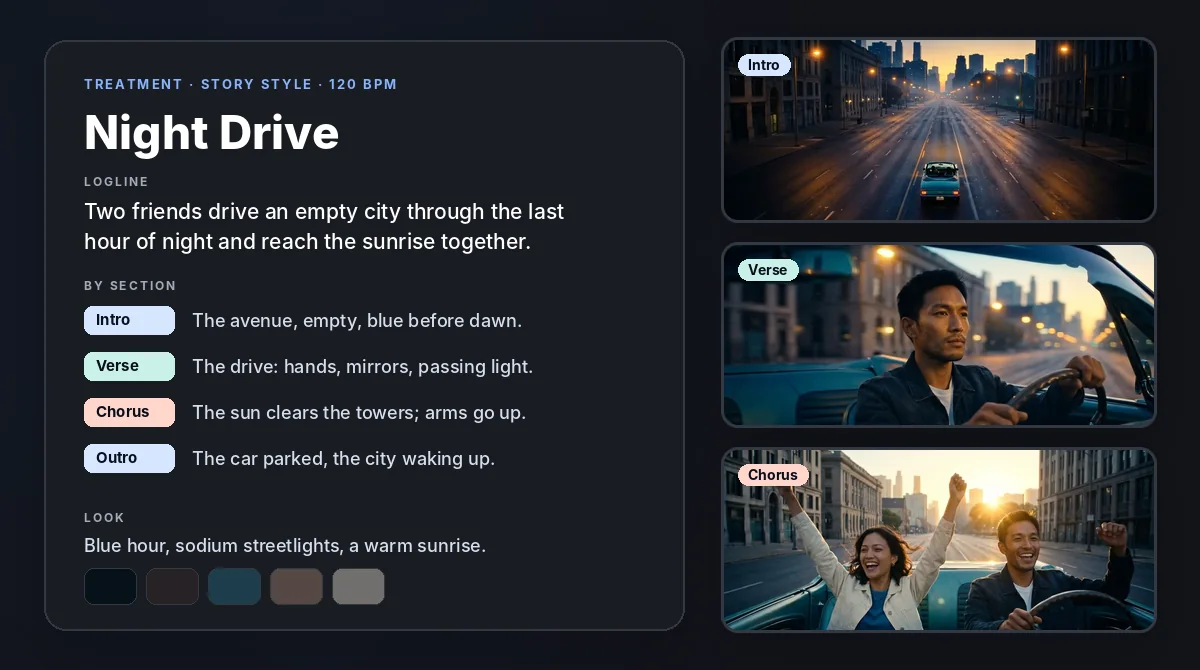
Vizzy facts checked November 18, 2026. Storyboard frames from “Pressure Front”, a 174 BPM drum and bass test song, and “Night Drive”, arranged as a mood board for build-and-drop visuals, with the palette taken from the frames.
Muvora vs Vizzy
| What is compared | Muvora | Vizzy |
|---|---|---|
| What it is | A music video generator: AI-made scenes planned and cut from your song | A free online editor for music visualizers and lyric videos that runs in a desktop browser; no standalone or mobile app |
| What you start with | Your song (MP3, WAV, M4A, AAC or FLAC, up to 8 minutes), an optional idea of up to 600 characters, and one photo of the singer for lip sync | Your audio in any format your browser plays, your images and videos, or a template from the community's published projects |
| Where the pictures come from | Generated for your song: a brief with characters, places and a palette, and every shot drawn and animated as AI video | Layers you build: spectrum, particle, text, image, video and 3D items, GLSL shaders and Butterchurn (Milkdrop-style) presets, with effects and keyframe automations |
| Following the music | Cuts placed from the song's analysis: downbeats, every section change and every drop (with a two-frame white flash), holding longer where it's quiet | Audio analyzers drive each element, so the graphics react to the sound as it plays; you set how strongly each one responds |
| Lyrics | Pasted lyrics aligned to the vocal word by word, or the vocal transcribed, shown as optional karaoke-style captions | A built-in mapper where you mark each line's start and end as the song plays, a search of LRCLIB's synced lyrics, or an imported LRC, SRT, VTT, TTML, DistroKid or JSON file |
| Lip sync | Performance style: the vocal separated from your mix and the sung shots lip-synced from one photo of the singer | None in our sources |
| Where it renders | In the cloud: every shot is generated and the edit assembled for you, then each export is ready to download | On your own computer, in the browser; its FAQ recommends Chrome, Edge, Vivaldi or Chromium on desktop and doesn't support mobile browsers |
| Formats and limits | 16:9, 9:16, 1:1 and an 8-second Spotify Canvas loop from one widescreen render, at 720p or 1080p, for songs up to 8 minutes | Portrait, landscape, square or a custom size, up to 4K and 60 frames a second, as MP4 (H.264 and AAC); its WebAssembly encoder stops at 2 GB (4 GB with the File System API), its WebCodecs encoder has no size limit |
| Price | Storyboards free (5 a month on the free plan); rendering per finished second: 38 credits in Visualizer, 60 in Standard, 110 in Cinematic, 75 lip-synced | Free, as many videos as you like, with no watermark; funded by ads and donations |
| Commercial use | Yours to use commercially when you have the rights to the song | Videos may go on personal or commercial video-sharing platforms and be monetized on YouTube; reselling them through marketplaces such as Fiverr needs its written permission |
Compare it on your own song
Upload a track and see Muvora's whole storyboard, every shot planned on your song's beats, and its exact price before you spend a credit. The storyboard is free, so you can judge the plan before you pay for anything.
What you get with Muvora that changes the outcome
- 01
A music video, with a world in it
Vizzy's layers react to the sound: spectrums, particles and effects move as the track plays. Muvora's director makes the song a place to be: a concept with its own characters, locations and light, and a shot drawn and animated for every stretch between cuts, such as two friends in a convertible at blue hour or paper boats glowing on a frozen river. For a track without a story, the Abstract style keeps the light and motion; the music visualizer ideas show what that can look like.
- 02
An edit shaped by verses, choruses and drops
Graphics that answer every sound follow the track moment to moment. Muvora also follows its shape: the shot planner maps the downbeats, sections, energy and drops, holds a shot for several bars in a quiet verse, changes it as often as every bar in a loud chorus and turns each drop into a cut with a two-frame white flash, paced for the genre. Visualizer vs lyric video vs music video helps you decide which format a release needs.
- 03
Lyrics without the line-by-line mapping
In Vizzy you time a lyric video yourself: paste the lines, press a key at the start and end of each one as the song plays, then review the timings, unless you already have a timed file. Muvora aligns pasted lyrics to the vocal word by word, or transcribes the vocal when you paste nothing, and its captions light up each word as it's sung, over scenes written with those lines in mind. The lyric video ideas guide has looks to start from.
- 04
Rendered for you, in every shape
Vizzy's FAQ explains that previews and exports run on your own hardware, in the browser. Muvora renders in the cloud: the editor shows the exact price per finished second before you press Generate, a shot that fails costs nothing, free re-rolls cover up to 10% of the length, and one widescreen render returns the 16:9 video, 9:16 and 1:1 versions and an 8-second Canvas loop. Your singer can be lip-synced from one photo too. Try your song's length in the cost calculator.
The bottom line
Vizzy is built for visualizers you design. Muvora makes the music video for your song.
Vizzy gives musicians and creators a free, deep editor for audio-reactive graphics and lyric videos, with community templates to start from and control over every layer. A music video asks for scenes and characters made for the song, an edit that follows its verses, choruses and drops, and a singer whose lips follow the vocal. Muvora storyboards and generates all of that from your track, and when you want classic spectrum bars on your own device, Muvora's free audio spectrum visualizer draws them.
- Scenes, characters and places generated for your song
- A free storyboard to change before you spend a credit
- Cuts on downbeats and section changes, with a flash on every drop
- Lyrics timed to the vocal for you, as optional karaoke captions
- Rendered for you in every shape, at a price shown first
Still comparing? See how Muvora compares with every other tool.
How Muvora works, and what it costs
- 01
Upload your song
Drop in an MP3, WAV, M4A or FLAC up to 8 minutes. Muvora finds the tempo, the beats, the downbeats and the sections of your song, like intro, verse and chorus.
- 02
Edit your free storyboard
An AI director writes a shot-by-shot plan timed to your downbeats. Rewrite any prompt, drag a cut (it snaps to the beat) or ask AI to redo a shot. None of it costs anything.
- 03
Generate your video
See the final price, then render. Pick Visualizer, Standard or Cinematic quality. If a shot fails, its credits come straight back.
The storyboard is free. Rendering is priced per second.
- Visualizer38 credits/s6,840 for 3 minutes
- Standard60 credits/s10,800 for 3 minutes
- Cinematic110 credits/s19,800 for 3 minutes
- The exact price is shown before you generate
- Failed shots cost nothing
- 16:9, 9:16, 1:1 and a Canvas loop from one widescreen render
Free storyboard in minutes. No card needed.
Questions, answered
Can't find what you need? Start a free storyboard and see for yourself.
Is Muvora a good alternative to Vizzy for music videos?
Yes, when your song needs a music video with scenes rather than a visualizer you design. Muvora storyboards the track, generates each shot as AI video, cuts it on the downbeats and drops and times your lyrics to the vocal. Vizzy hands you a free editor to build reactive graphics yourself; Muvora hands you the finished video, planned around the song.
What is the difference between Muvora and Vizzy?
Vizzy is a browser editor: you stack layers of spectrums, particles, shaders, text and images that react to your audio, then render the video on your own computer. Muvora is a music video generator: an AI director writes a storyboard for your song, every shot is generated as AI video in the cloud, and the edit follows the song's beats and sections.
Is Vizzy really free?
Its FAQ, as of November 2026, says yes: as many videos as you like, no watermark, paid for by ads and donations, with the rendering done on your own computer. Muvora's free plan gives you 5 new storyboards a month with style frames and no card; rendering costs credits per finished second, and the editor shows the exact price before you start.
Can Muvora make an audio-reactive visualizer like Vizzy's?
Not the kind that reacts to every sound: Muvora draws no spectrum bars or waveforms over a still. Its Abstract style makes generated motion and light, cut on the downbeats with a flash on each drop and a new shot at every section, and Muvora's free audio spectrum visualizer tool draws classic bars from a song on your own device.
Does Vizzy time lyrics automatically?
No. Its FAQ describes a mapper where you paste the lyrics and press a key at the start and end of each line as the song plays, a search for synced lyrics on LRCLIB, and imports of timed files such as LRC or SRT. Muvora aligns pasted lyrics to the vocal word by word, or transcribes the vocal, and can burn in captions that light up each word as it's sung.
Can I use a Vizzy or Muvora video commercially?
Vizzy's terms let you post its videos on personal or commercial video-sharing platforms, and its FAQ allows monetizing them on YouTube, while reselling them through marketplaces needs its written permission. Muvora's videos are yours to use commercially whenever you have the rights to the song, with no visible watermark, logo or end card.
Keep exploring
Descript alternative
Muvora and Descript side by side: a music video generated and cut from your song's beats and sections, against a text-based editor where you assemble the visuals from footage, stock and prompt-made clips.
See the comparison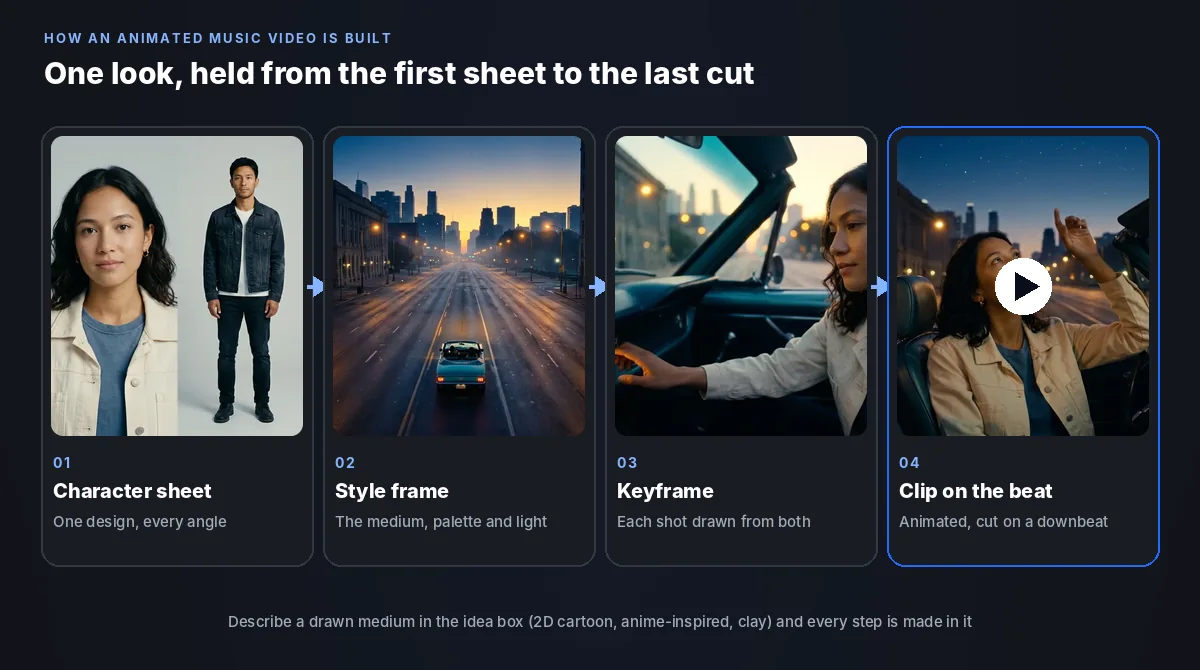
Hailuo AI alternative
Muvora and Hailuo AI side by side: a whole music video planned and cut on your song's beats, against MiniMax's generator of short clips from prompts and references that you cut to the track yourself.
See the comparison
Specterr alternative
Muvora and Specterr side by side: AI video shots planned for your song against audio-reactive visualizer and lyric templates.
See the comparison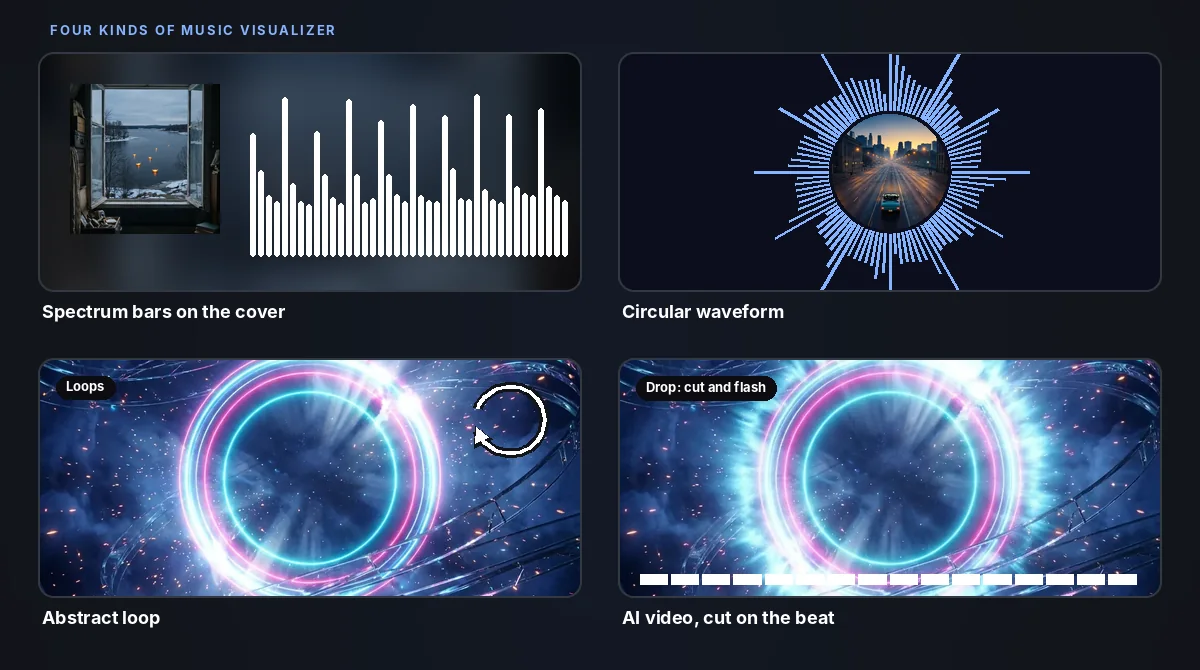
Videobolt alternative
Muvora and Videobolt side by side: a music video of generated scenes cut on the beat, against thousands of motion-graphics templates for visualizers and lyric videos.
See the comparison
Music visualizers
AI video for a whole song, cut on the beat, at the lowest credit rate.
Learn more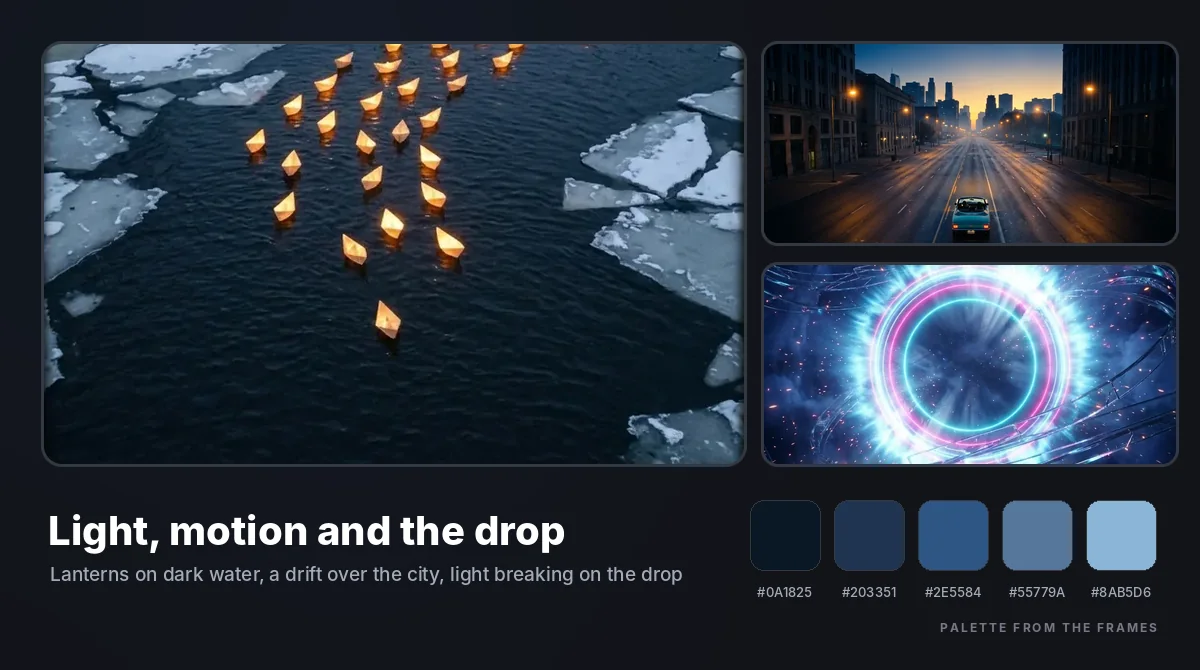
Music visualizer ideas
15 visualizer ideas with no one on screen, from ferrofluid spikes to a dam that opens on the drop, and how to plan each section of a track.
Read the guide
Your song deserves a music video
Upload a track and get a free beat-synced storyboard in minutes. Render it when you are ready.
No card needed to start.






