Looking for an InVideo alternative for music videos?
InVideo AI turns a prompt into a finished video: its agent writes a script, finds footage in a stock library of more than 16 million clips, images and tracks or generates scenes with models such as Kling, Veo and Seedance, adds a voiceover and edits it all on a timeline. Much of it is made for explainers, ads and YouTube videos, and it has a music video maker too. Muvora does one job: it reads your song, then plans, renders and edits the music video on its downbeats. Here is how the two compare.
Free storyboard · 5 a month · No card needed
The verdict
Muvora is the pick for a music video planned from the song: a free storyboard with a shot for every stretch between cuts, one consistent look, every cut on a downbeat, section change or drop, and the exact price before you render. InVideo AI is a prompt-led agent for many kinds of video, assembling stock or generated scenes on a timeline whose cuts its own pages say to check.
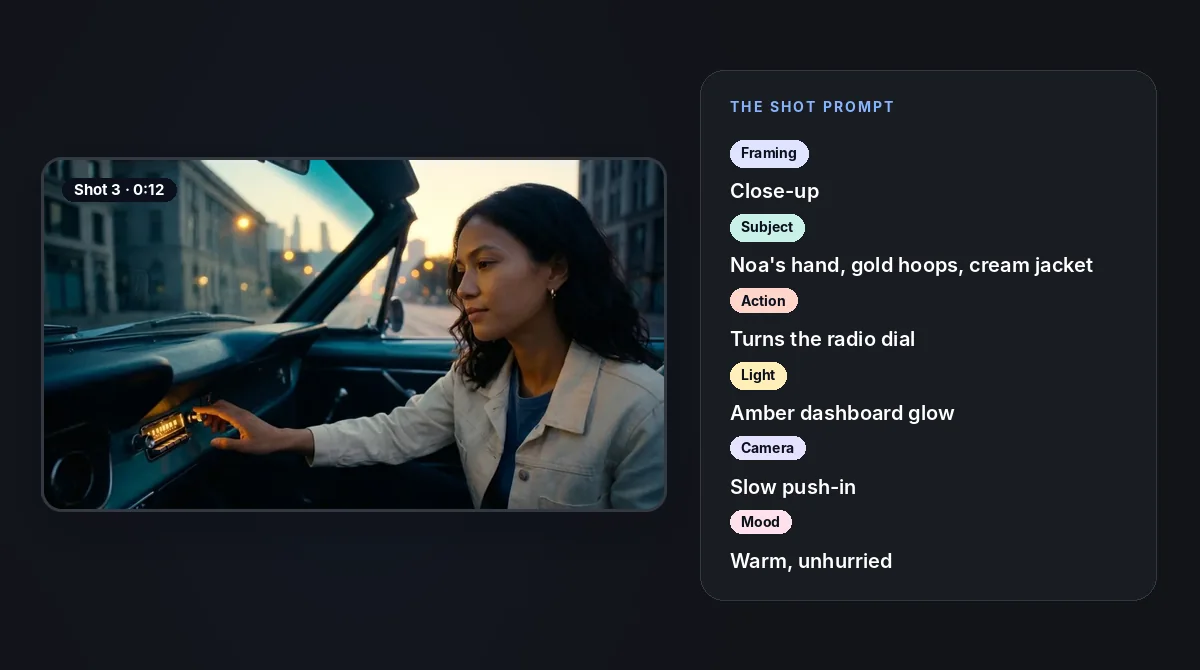
InVideo facts checked November 15, 2026. Shot 3 of “Night Drive” beside the parts of a shot prompt, written out for this guide.
Muvora vs InVideo
| What is compared | Muvora | InVideo |
|---|---|---|
| What it is | A music video generator that goes from the song's analysis to a finished, beat-cut video | An AI video agent and timeline editor for any kind of video: scripts, voiceovers, stock media, avatars and generated clips |
| What you start with | Your song file, up to 8 minutes in MP3, WAV, M4A, AAC or FLAC; one photo of the singer for a Performance video | A prompt or a script; for a music video, your track, any footage or images, and a description of the setting, the mood and the part of the song to cover |
| Where the pictures come from | Every shot generated as AI video for this song, from the storyboard's style frames and character sheet | Stock (16 million+ clips, images and tracks from iStock, Shutterstock and others, cleared for commercial use), scenes from models such as Kling, Veo and Seedance, or your uploads |
| Cutting to the music | Cuts placed on downbeats from the song's analysis, at every section change and drop, with longer holds in quiet parts | The agent arranges scenes around the song's sections and can make a rhythmic first pass; InVideo's own pages say to check the timing on the timeline rather than count on automatic beat matching |
| Lip sync | Performance style: the singer drawn from one photo and lip-synced to your separated vocal on the sung shots | An AI lip sync tool for a photo or a video with your audio; its page says it handles singing, though speech syncs most accurately |
| Lyrics | Word-by-word timing from the vocal, with karaoke-style captions on or off | A lyric video maker that aligns pasted lyrics to an uploaded track, with presets such as Karaoke and Dynamic Typography |
| Price | Credits per finished second (38 a second in Visualizer, 60 in Standard, 110 in Cinematic), with the exact total shown before rendering | Per seat: Starter $20 a month ($10 billed yearly, 400 credits), Plus $60 ($30, 2,000 credits), Max $150 ($75, 5,000 credits); generated video is charged per second at each model's rate |
| Free to start | 5 new storyboards a month with style frames, no card needed | A free plan with a small allowance that resets weekly; its help center says the watermark comes off when you export on a paid plan |
| Unused credits | Roll over up to 2 months' worth; pack credits never expire | Plan credits reset each month and don't roll over; extra credits bought separately last up to 12 months |
| Formats | 16:9, 9:16, 1:1 and an 8-second Spotify Canvas loop from one widescreen render, at 720p or 1080p | 1080p MP4, upscaled in the agent's Pro and Ultra modes; landscape or portrait by regenerating, square through Resize in the editor |
Compare it on your own song
Upload a track and see Muvora's whole storyboard, every shot planned on your song's beats, and its exact price before you spend a credit. The storyboard is free, so you can judge the plan before you pay for anything.
What you get with Muvora that changes the outcome
- 01
Planned from the music, not the prompt
In a prompt-led tool, the video's shape comes from what you type. Muvora starts from the track: it maps the tempo, the downbeats, the sections, the drops, the energy of every beat and the timed lyrics, then writes the brief and a shot for each stretch between cuts, holding the verses and quickening the choruses. You edit any of it for free; how AI music video generators work walks through each step.
- 02
Every shot drawn for your song
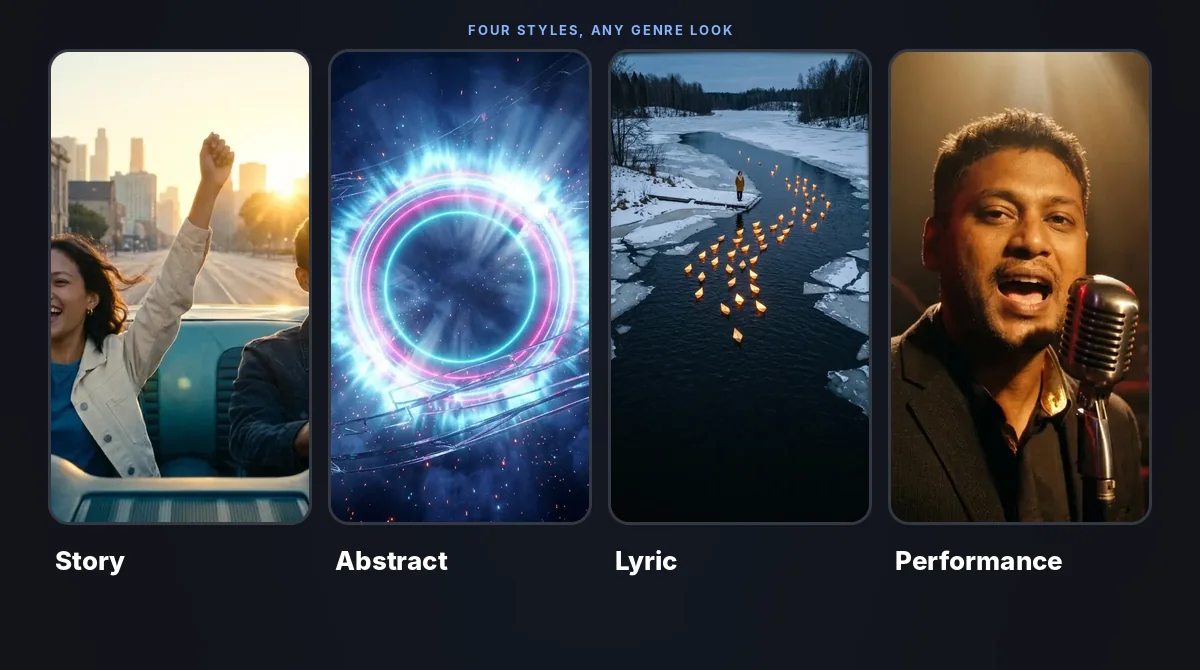
Stock footage is shot to suit many videos, so the same clip can turn up in someone else's. Muvora uses none: it draws style frames and a character sheet for your song, draws each shot's keyframe from them, checks it and redraws one that drifts, so one cast, one palette and one kind of light carry through. Describe a look, a decade or a medium in the idea box and the whole video follows it.
- 03
Cuts that land without a manual pass
A rhythmic first pass still leaves the timing to check by ear. Muvora's cuts sit on downbeats from the start, with a cut at every section change and every drop and a short white flash on each drop, and the shots are assembled over your untouched audio. If you want a cut somewhere else, drag it in the storyboard and it snaps to a beat. Editing a music video to the beat explains the choices.
- 04
Priced by the finished video
When generation is charged per second at each model's rate, a video's cost depends on the models, the retakes and how much footage you end up generating. Muvora prices the finished song at one rate per quality, shows the exact total before you render, includes free re-rolls up to 10% of the length and charges nothing for shots that fail. Try your song's length in the cost calculator.
The bottom line
InVideo covers every kind of video. Muvora is made for the one your song needs.
InVideo AI is built for range: explainers, ads, voiceover videos and avatars, with a script writer, a stock library of more than 16 million clips and a timeline for every cut. A music video is a narrower job, and Muvora is built only for it: the song's beats, sections and lyrics decide the shots and the cuts, every shot is drawn for your song from one brief and one cast, and the price is set per finished second. Put your track's length into the cost calculator to see what it comes to.
- Cuts placed on the downbeats before anything renders
- Every shot drawn for your song, with no stock clips
- One cast and one palette from the first shot to the last
- Monthly credits roll over up to a cap; pack credits never expire
- Your singer lip-synced on the sung shots
Still comparing? See how Muvora compares with every other tool.
How Muvora works, and what it costs
- 01
Upload your song
Drop in an MP3, WAV, M4A or FLAC up to 8 minutes. Muvora finds the tempo, the beats, the downbeats and the sections of your song, like intro, verse and chorus.
- 02
Edit your free storyboard
An AI director writes a shot-by-shot plan timed to your downbeats. Rewrite any prompt, drag a cut (it snaps to the beat) or ask AI to redo a shot. None of it costs anything.
- 03
Generate your video
See the final price, then render. Pick Visualizer, Standard or Cinematic quality. If a shot fails, its credits come straight back.
The storyboard is free. Rendering is priced per second.
- Visualizer38 credits/s6,840 for 3 minutes
- Standard60 credits/s10,800 for 3 minutes
- Cinematic110 credits/s19,800 for 3 minutes
- The exact price is shown before you generate
- Failed shots cost nothing
- 16:9, 9:16, 1:1 and a Canvas loop from one widescreen render
Free storyboard in minutes. No card needed.
Questions, answered
Can't find what you need? Start a free storyboard and see for yourself.
Is Muvora a good alternative to InVideo for music videos?
Yes, if the music video is the job. Muvora storyboards your song from its analysis, generates every shot as AI video in one look and cuts it on the downbeats, at a price you see before rendering. InVideo AI makes many kinds of video from a prompt; Muvora puts all of its planning into the one kind your song needs.
What is the difference between Muvora and InVideo AI?
InVideo AI is a general video agent: from a prompt it writes a script, finds stock or generates scenes, adds a voice and edits on a timeline. Muvora is made only for music videos: the song's beats, sections and lyrics decide the shots and the cuts, and every shot is generated for that song.
Can InVideo make a music video from my song?
Its music video maker takes your uploaded track, any footage and a description of the setting and mood, then assembles stock or generated scenes around the song's sections on a timeline. InVideo's own pages suggest reviewing the cuts against the music rather than relying on automatic beat matching, and adjusting them in the editor. Muvora places its cuts on the downbeats before it renders, and a cut you move in the storyboard snaps to a beat.
How much does InVideo cost compared with Muvora?
As of November 2026, InVideo's pricing page listed Starter at 20 dollars a seat a month (10 billed yearly) with 400 credits, Plus at 60 (30 yearly) with 2,000 and Max at 150 (75 yearly) with 5,000, and generated video is charged per second at each model's rate. Muvora prices the finished video: a 3-minute Visualizer video is 6,840 credits, shown before you render.
Does InVideo use stock footage?
Yes. Its agent can search a library of more than 16 million clips, images and music tracks from iStock, Shutterstock and other providers, which InVideo says are cleared for commercial use, or it can generate scenes with models such as Kling, Veo and Seedance. Muvora uses no stock at all: every shot is generated for your song from its storyboard.
Can InVideo's lip sync work for a singer?
InVideo's lip sync tool takes a photo or video with a face plus your audio, and its page says it handles singing, with spoken word syncing most accurately. Muvora's Performance style separates the vocal from your mix, finds where it is sung and lip-syncs those shots from one photo, while the rest of the video tells the story.
Keep exploring
VidMuse alternative
Muvora and VidMuse side by side: two storyboard-first music video makers, compared on how they cut to the song, what you choose yourself and what you pay.
See the comparison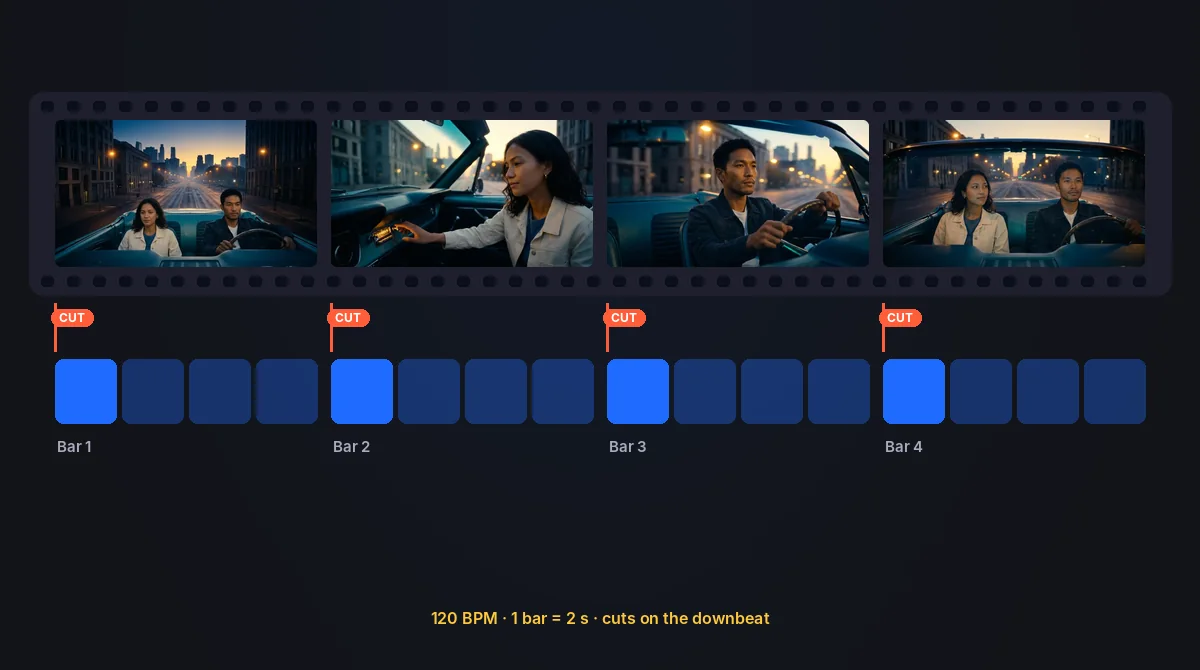
Runway alternative
Muvora and Runway side by side: a whole song storyboarded and cut on its downbeats, against a toolkit for generating and editing AI clips one at a time.
See the comparisonHow AI music video generators work
The pipeline in plain English: analysis, cut planning, prompts, keyframes, animation, lip sync and the final edit.
Read the guideAI song to video
A music video for a track from any AI music tool: download the file, add the lyrics you wrote, edit a free storyboard.
Learn more
Make a music video with AI
The whole process, from a finished song to a video cut on the beat, in seven steps.
Read the guideMusic video cost calculator
Your song's length and quality in, the credits and the plan or pack that covers it out.
Open the tool
Revid alternative
Muvora and Revid side by side: a music video storyboarded and cut on your song's downbeats, against a short-form video maker that times scenes to lyrics or beats and posts them.
See the comparison
Your song deserves a music video
Upload a track and get a free beat-synced storyboard in minutes. Render it when you are ready.
No card needed to start.





