Looking for a Higgsfield alternative for music videos?
Higgsfield is an AI creative suite based in San Francisco: Cinema Studio for cinematic shots with camera, lens and light controls, Soul ID for consistent characters, Lipsync Studio, a Storyboard Generator, an agent called Supercomputer, Canvas and more than 90 one-click apps, over models such as Kling, Veo, Seedance and WAN. Its own music video guide builds the shots there and cuts them to the song in your editor. Muvora starts from your song and hands you the music video already cut on the beat. Here is how they compare.
Free storyboard · 5 a month · No card needed

The verdict
Muvora is the one to pick when you want the finished music video for your song: a free storyboard plans every shot, then one render lip-syncs your singer from a single photo and cuts it all on the downbeats and drops. Higgsfield gives you a studio of models to build each shot, and its own guide has you cut them to the track in an editor.
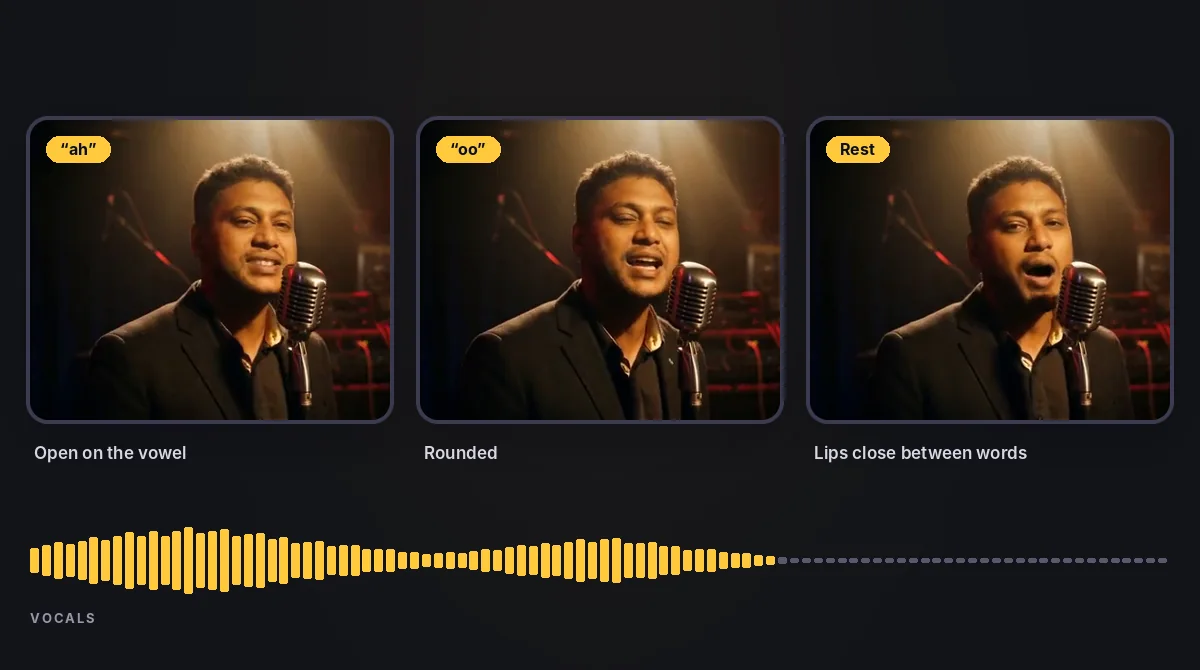
Higgsfield facts checked November 17, 2026. The keyframe Muvora drew from one photo of a singer, then three frames of the lip-synced shot made from it (a generated face, not a real person).
Muvora vs Higgsfield
| What is compared | Muvora | Higgsfield |
|---|---|---|
| What it is | A music video generator: upload a song and it plans, renders and edits every shot | An AI creative suite: Cinema Studio, Soul ID characters, Lipsync Studio, a Storyboard Generator, Marketing Studio, the Supercomputer agent, Canvas and 94 one-click apps over many companies' models |
| What you start with | Only the song file (MP3, WAV, M4A, AAC or FLAC, up to 8 minutes), plus one clear photo of the singer for lip sync | Prompts, reference images and video; its music video guide adds the finished track and 20 or more reference photos to train the artist's Soul ID |
| Who plans the video | An AI director writes the brief and a shot for every stretch between cuts; you change the storyboard for free before rendering | You do, shot by shot in Cinema Studio; its Storyboard Generator makes up to 8 matching scenes, and Supercomputer can plan a project from a brief |
| Cutting to the music | Cut points from the song's downbeats, at every section change and every drop, with longer holds where it's quiet | In your editor, by its music video guide: the song goes on the timeline first and each shot is cut to planned timestamps; its Urban Cuts app beat-matches 10-second outfit videos |
| Lip sync | Performance style: the vocal separated from your mix and only the sung shots lip-synced from one photo | Lipsync Studio syncs a performance shot to the vocal, across 18 languages and seven models by its guide, from the song excerpt you trim for each shot |
| Consistent characters | A character sheet and the performer's look sheet drawn before you pay; every keyframe checked against them and redrawn if it drifts | Soul ID trained from 20 or more reference photos, and Elements that save characters and locations in Cinema Studio |
| Clip length and sound | The whole song in one render, up to 8 minutes, over your original upload | Cinema Studio 4.0 on Seedance 2.5 makes clips of up to 30 seconds; its guide says to mute generated clip audio that clashes with your track |
| Price | Storyboards free (5 a month on the free plan); rendering per finished second: 38 credits in Visualizer, 60 in Standard, 110 in Cinematic, 75 lip-synced | Starter 200 credits a month ($15), Plus 1,000 ($49, or $39 billed yearly), Ultra 3,000 ($129, or $99); another price set shows Starter at $19 for 270 credits and Plus at $59 for 1,200; credits reset each cycle |
| Free to start | 5 new storyboards a month with style frames, no card needed | A free plan with a few models, one generation at a time and no monthly credits; its generations can carry a visible Higgsfield watermark |
| Commercial use | Yours to use commercially when you have the rights to the song | Its terms (October 23, 2026) claim no ownership of outputs and don't restrict their commercial use |
Compare it on your own song
Upload a track and see Muvora's whole storyboard, every shot planned on your song's beats, and its exact price before you spend a credit. The storyboard is free, so you can judge the plan before you pay for anything.
What you get with Muvora that changes the outcome
- 01
One render instead of a production pipeline
Higgsfield's guide to an artist's music video runs through several tools: Soul Cinema for references, Soul ID for the face, Cinema Studio for each shot, Lipsync Studio for the sung ones, then your editor to lay the song on a timeline and cut every shot to it. Muvora runs that chain for you from the song file. The director writes the concept, the cast, the locations and a shot for every stretch between cuts, and the finished video comes back edited over your original audio; how AI music video generators work walks through the steps.
- 02
Cuts that come from the song
Cutting each shot to planned timestamps means working those timestamps out first. Muvora's shot planner reads the downbeats, the sections, the drops and the energy of every beat, then cuts on downbeats, changes shot at every section boundary and lands each drop on a cut with a two-frame white flash, holding longer where the song is quiet. Any cut you drag in the storyboard snaps to a beat; the guide to editing a music video to the beat sets out the rules.
- 03
A singer from one photo, synced where the song is sung
Higgsfield's guide trains an artist's likeness from twenty or more reference photos and syncs each performance shot to a trimmed excerpt of the vocal. Muvora needs one clear, front-facing photo, confirmed with a consent box: it separates the vocal from your mix, finds the stretches that are really sung, cuts the vocal to each of those shots itself and lip-syncs them, letting the mouth rest between words, while the singer can appear in other shots without singing. Photo to music video shows how it fits together.
- 04
The price of the whole video, first
On Higgsfield every generation, including takes you don't keep, is charged by model, length and resolution, so the cost of a full video depends on how many tries it takes. Muvora prices the finished song at one rate a second for the quality you pick plus 75 for each lip-synced second, shows the exact total before you press Generate, charges nothing for a shot that fails and covers re-rolls up to 10% of the length. Check your song's length in the cost calculator.
The bottom line
Higgsfield is a studio for making shots. Muvora makes your music video.
Higgsfield gives creators and filmmakers a studio of models with cinematic camera controls, trained characters, lip sync and dozens of one-click apps, built for ads, short films and social content as much as for music. A music video for a finished song also needs a plan for its sections, cuts placed on its beats and a singer whose lips follow its vocal. Muvora plans, renders and edits all of that from the song file; consistent characters shows how it keeps the cast the same from the first shot to the last.
- From song file to edited video: planned, generated and cut
- A free storyboard to change before you spend a credit
- A singer from one photo, lip-synced only where it's sung
- Cuts on downbeats, section changes and drops, placed for you
- Every shape and a Canvas loop, priced exactly up front
Still comparing? See how Muvora compares with every other tool.
How Muvora works, and what it costs
- 01
Upload your song
Drop in an MP3, WAV, M4A or FLAC up to 8 minutes. Muvora finds the tempo, the beats, the downbeats and the sections of your song, like intro, verse and chorus.
- 02
Edit your free storyboard
An AI director writes a shot-by-shot plan timed to your downbeats. Rewrite any prompt, drag a cut (it snaps to the beat) or ask AI to redo a shot. None of it costs anything.
- 03
Generate your video
See the final price, then render. Pick Visualizer, Standard or Cinematic quality. If a shot fails, its credits come straight back.
The storyboard is free. Rendering is priced per second.
- Visualizer38 credits/s6,840 for 3 minutes
- Standard60 credits/s10,800 for 3 minutes
- Cinematic110 credits/s19,800 for 3 minutes
- The exact price is shown before you generate
- Failed shots cost nothing
- 16:9, 9:16, 1:1 and a Canvas loop from one widescreen render
Free storyboard in minutes. No card needed.
Questions, answered
Can't find what you need? Start a free storyboard and see for yourself.
Is Muvora a good alternative to Higgsfield for music videos?
Yes, when you want the finished video for your song rather than a set of shots to edit. Muvora plans the whole track as a free storyboard, renders every shot, lip-syncs your singer from one photo where the song is sung and cuts it all on the downbeats over your original audio. Higgsfield's own music video guide ends in your editor; Muvora's process ends with the edited video.
What is the difference between Muvora and Higgsfield?
Higgsfield is a multi-model studio: you generate images and shots with its Cinema Studio, characters, apps and models, then assemble them. Muvora is a music video generator: it analyzes your song, writes a shot for each stretch between cuts, renders them and edits them together on the beat, with lip sync on the sung shots.
Can Higgsfield make a music video from my song?
Yes, as a project you build: its guide trains the artist's face with Soul ID, generates the shots in Cinema Studio, syncs the performance shots in Lipsync Studio, then has you place the song on a timeline in your editor and cut each shot to it. Muvora takes the song file and returns the music video already planned, lip-synced and cut.
How much does Higgsfield cost compared with Muvora?
As of November 2026, trackers and Higgsfield's own guide listed Starter with 200 credits a month at 15 dollars, Plus with 1,000 at 49 and Ultra with 3,000 at 129, while another price set showed Starter at 19 dollars for 270 credits and Plus at 59 for 1,200. Its music video guide put one 20-second Cinema Studio shot at 240 credits. Muvora prices the finished video by the second, shown before you render.
Does Higgsfield have lip sync for singing?
Yes. Lipsync Studio syncs a performance shot's mouth to the vocal you give it, and its guide says to use the correctly trimmed excerpt of the song for each shot. Muvora works from your full mix: it separates the vocal, finds the sung stretches, cuts the vocal to each sung shot itself and lip-syncs them from one photo of the singer.
Can I use a Higgsfield or Muvora video commercially?
Higgsfield's terms claim no ownership of your outputs and don't restrict their commercial use, though free-plan generations can carry a visible watermark. Muvora's videos are yours to use commercially when you have the rights to the song, and they download without a watermark.
Keep exploring
Hedra alternative
Muvora and Hedra side by side: a whole music video storyboarded and cut on your song's beats, against a studio that makes a character from one image talk or sing to your audio.
See the comparison
Luma Dream Machine alternative
Muvora and Luma AI side by side: a whole music video planned and cut on your song's beats, against Luma's agent workspace for cinematic clips from its Ray models and others.
See the comparison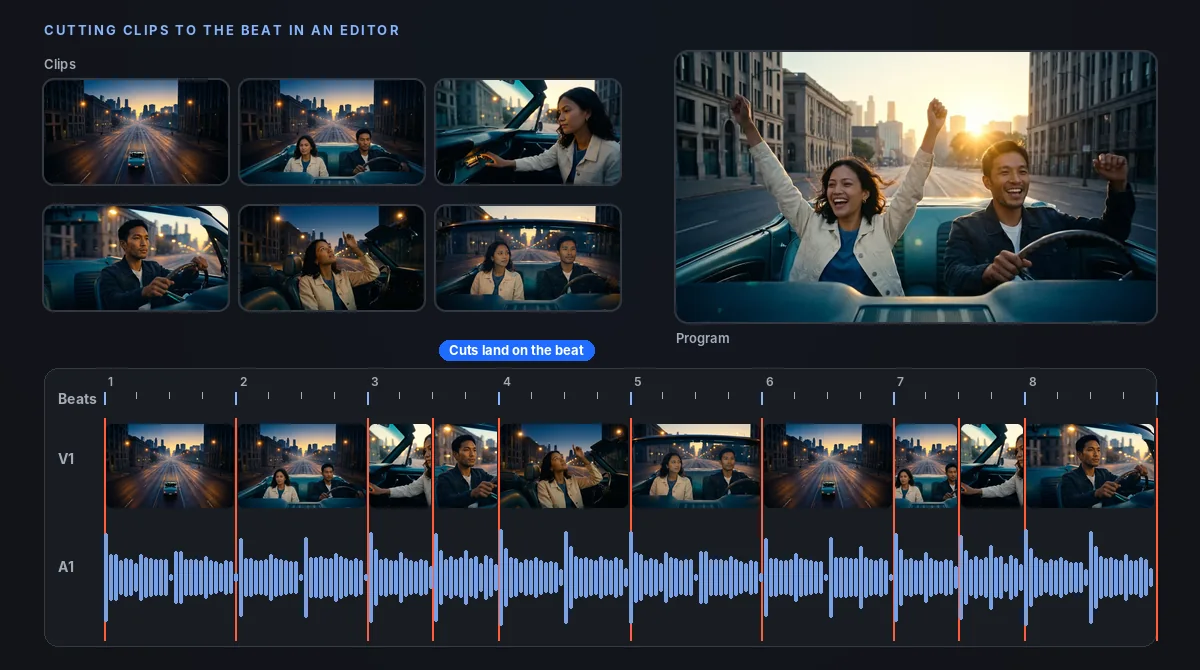
Adobe Express alternative
Muvora and Adobe Express side by side: a music video written, generated and cut on your song's beats, against Adobe's design and video app for templates, stock and the footage you bring.
See the comparisonMake a photo sing
Your photo sings your own song: its face lip-synced to your vocals in every sung shot of a full music video.
Learn more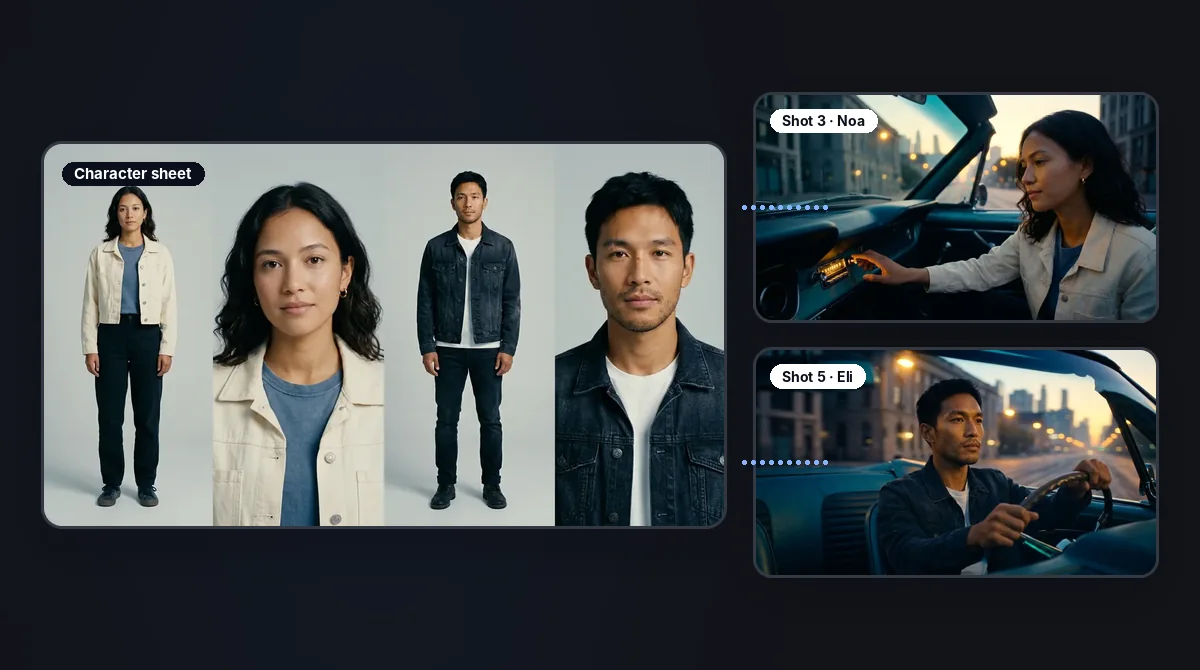
Consistent characters
The same faces, clothes and props in every shot: a character sheet first, every keyframe checked against it.
Learn more
Lip-sync videos
A singer made from one photo, lip-syncing to your vocals where the song is sung.
Learn more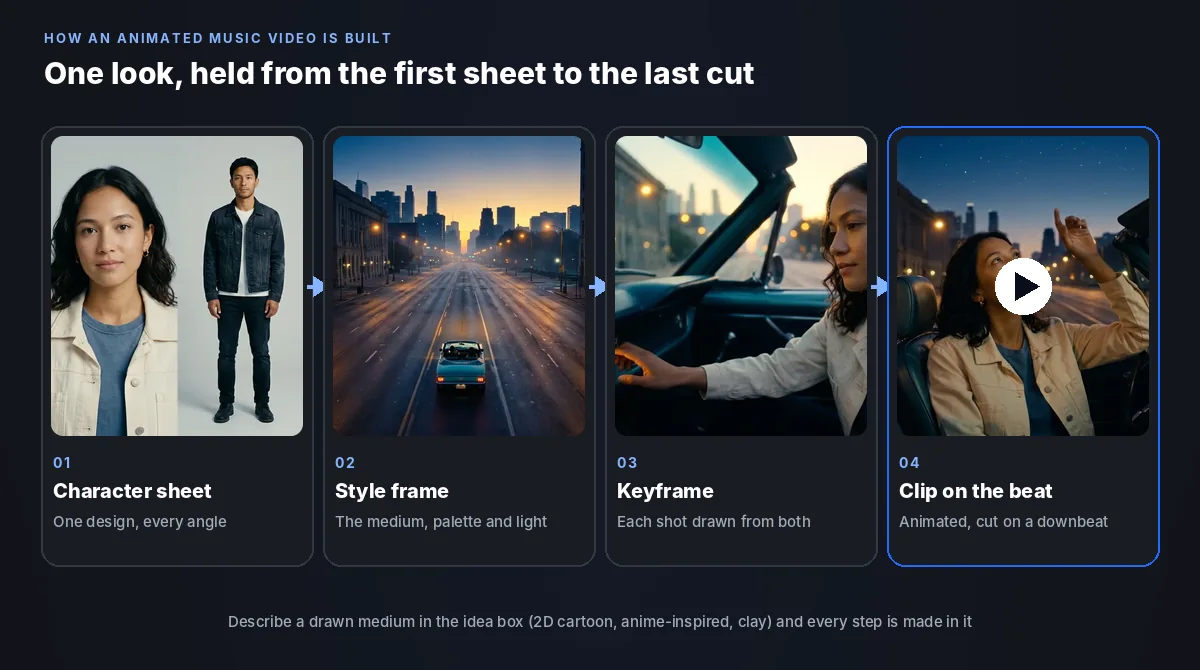
Hailuo AI alternative
Muvora and Hailuo AI side by side: a whole music video planned and cut on your song's beats, against MiniMax's generator of short clips from prompts and references that you cut to the track yourself.
See the comparison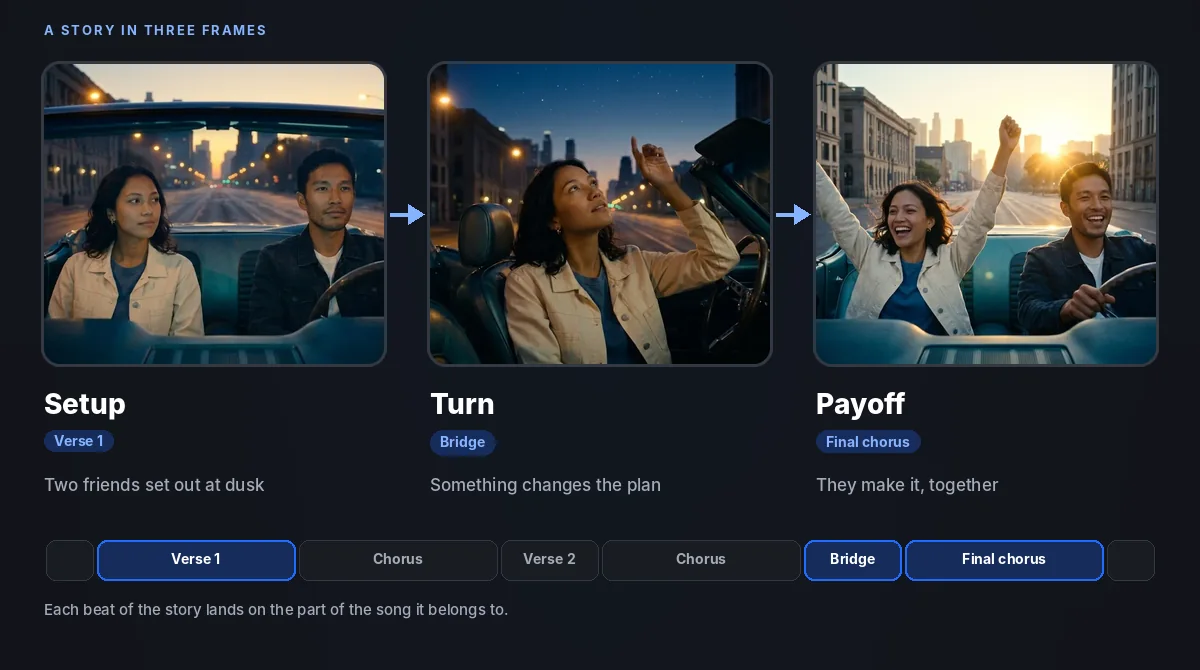
OpenArt alternative
Muvora and OpenArt side by side: a music video storyboarded for free and cut on your song's downbeats, against a creative suite whose Director mode makes music videos among ads, dramas and trailers.
See the comparison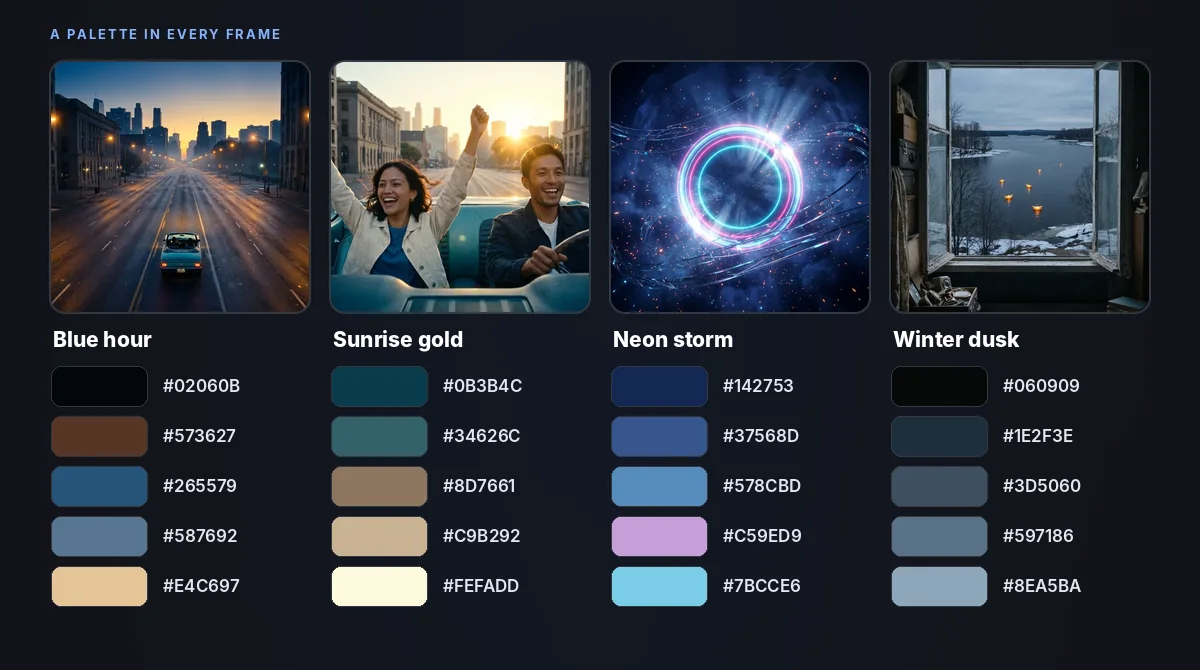
Midjourney alternative
Muvora and Midjourney side by side: a whole music video planned and cut on your song's beats, against short silent clips animated from one image at a time.
See the comparison
Viggle alternative
Muvora and Viggle side by side: a whole music video planned and cut on your song's beats, against an app that puts a character from one image into a dance or motion clip.
See the comparison
Your song deserves a music video
Upload a track and get a free beat-synced storyboard in minutes. Render it when you are ready.
No card needed to start.





