Two friends, one long night
Story style, pop look: a duo whose clothes you can tell apart at a glance, from midnight to sunrise.
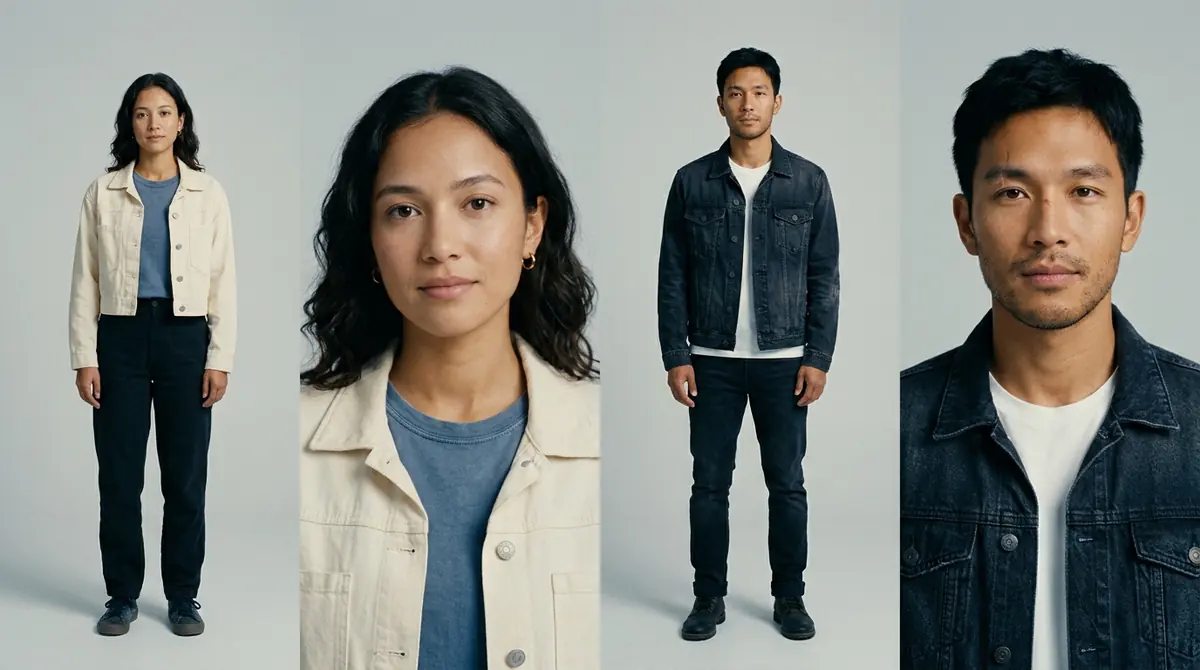
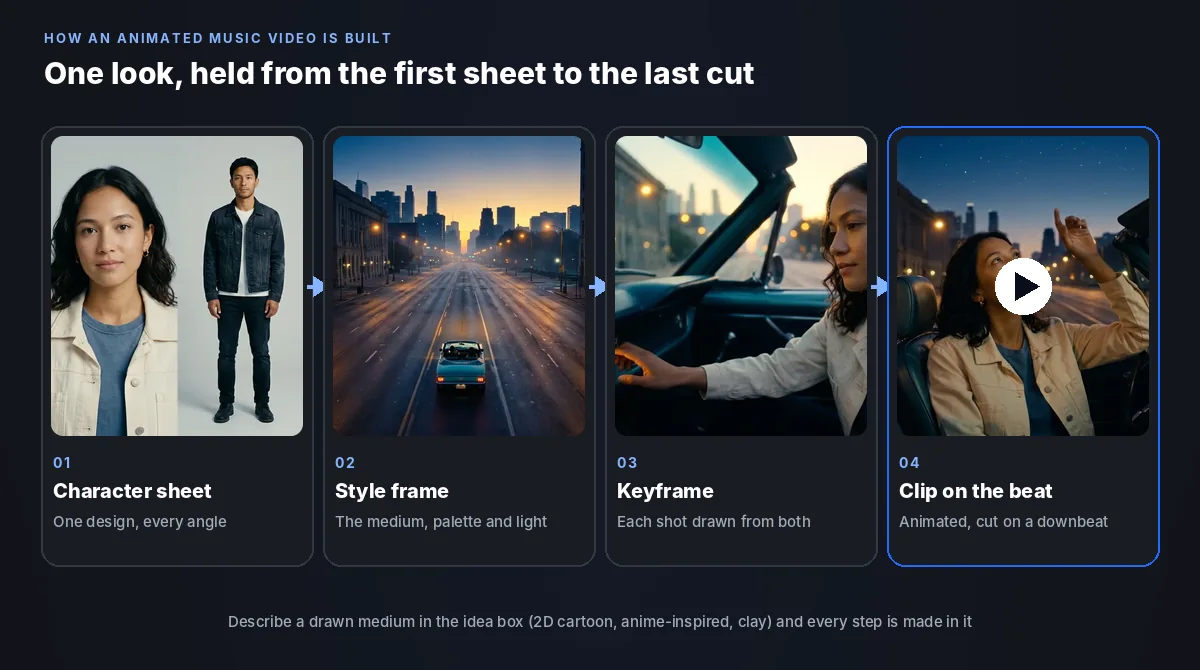
The quickest way to spot an AI video is a lead whose face, hair or jacket changes between cuts. Muvora works against that from the first step: the brief describes each character once, a character sheet is drawn from that description before you pay, every shot's first frame is drawn from the sheet and checked against it, and a frame that drifts is redrawn. After the render you can still re-roll any shot that slipped.
Free to start · 5 storyboards a month · No card needed
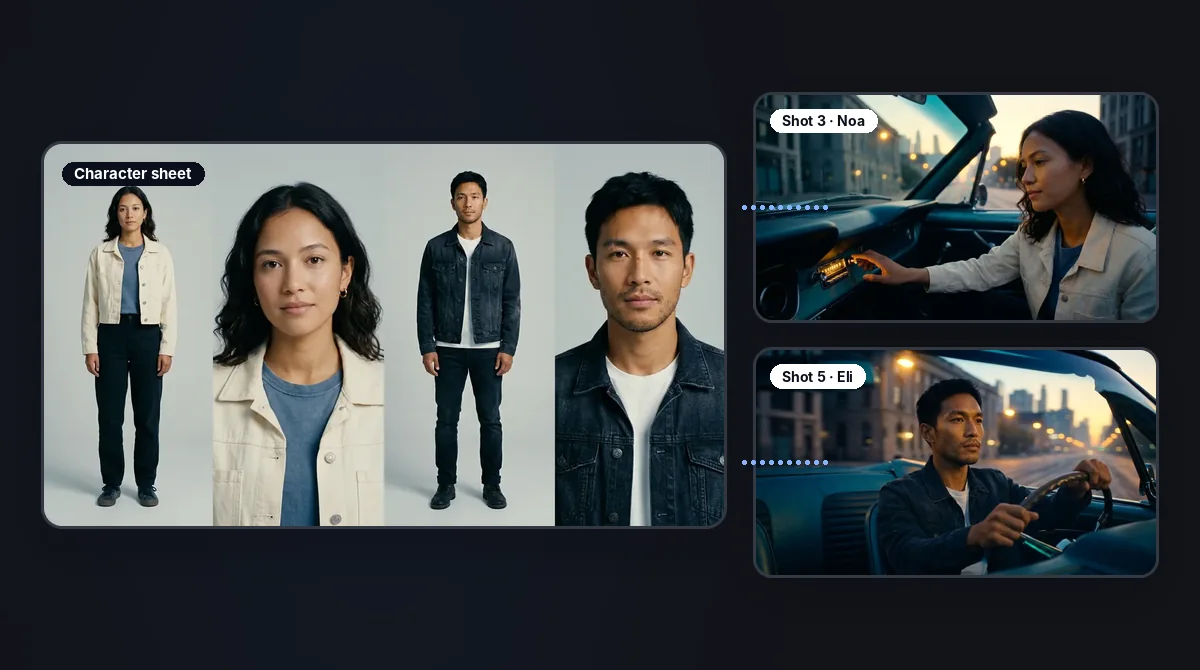
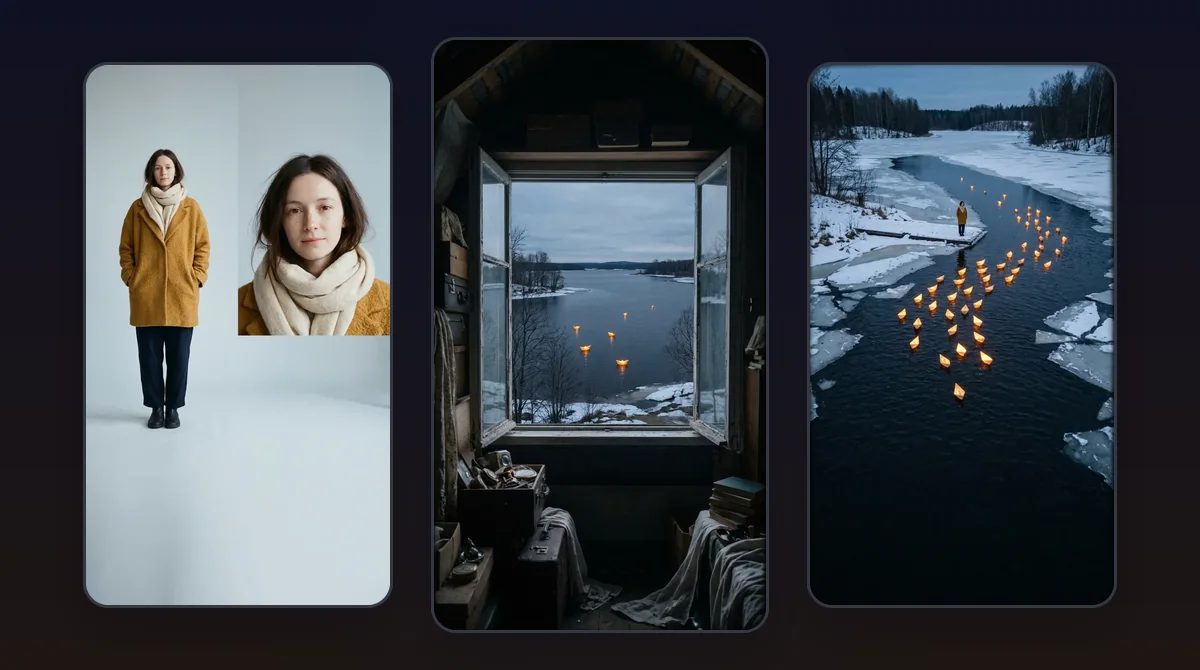
When the AI director writes the storyboard it picks a small cast of up to three, usually with one lead in at least half the shots, and describes each character in one short line of how they look and what they wear in this video. That exact line is pasted word for word into the prompt of every shot that shows them, so no shot paraphrases a character into someone else. With the style frames you see before paying, it then draws a character sheet: the cast full length and in close-up on plain grey, up to two characters on the sheet. Write the look you want into the idea box before the storyboard is written (“a woman in her twenties with a shaved head, a yellow raincoat and silver hoop earrings”), because the sheet is drawn once: editing a description later updates every prompt that repeats it, but not the sheet. The storyboard generator page shows what else the brief holds.
See your song as a storyboard first
Upload the track and the AI director plans every shot on the beat in minutes. Edit anything for free; you only pay if you render.
Rendering starts with a still keyframe for every shot. A shot that shows a character is drawn with the sheet as its reference, then an AI check compares the frame with the sheet (same face, same clothes, same accessories, scored from 0 to 1) and looks for anything a viewer would notice at once, such as an extra hand or the same person twice. A frame that scores low or shows a defect is redrawn once with a firmer instruction, and the better of the two is kept; one still judged off model after that is flagged on the render's progress page, so you know where to look first. The video model then starts each shot from its own checked keyframe and is told to keep the image's faces and look. The how AI music video generators work guide walks through the whole pipeline, and the animated music video maker shows the same process in a drawn medium.
The check looks at each shot's first frame; what happens in the seconds after it is up to the video model, and that's where drift can still creep in: fingers on a guitar neck, a fast spin or a fight, a face turning away from the camera and back, a long walk toward the lens. Silhouettes, distant figures and inserts of hands aren't compared with the sheet at all, since there's no face to judge. Plan around it with short, simple actions in the shots that matter most (the AI music video prompts guide shows how to write them), then use the review page for the rest: re-roll a shot that slipped, edit its prompt first if you like, show it as a still of its keyframe or swap it with a better one, and make a new version of the video for free. Re-rolls cost nothing up to 10% of the video's length. If you'd rather sculpt morphing, audio-reactive motion frame by frame than keep a cast steady, see how Muvora compares with Neural Frames.
Each card opens the upload with an idea that describes its characters once, clearly. Change the faces and clothes to your own before the storyboard is written, since the character sheet is drawn from them.
Story style, pop look: a duo whose clothes you can tell apart at a glance, from midnight to sunrise.
Story style in a 2D cartoon: one character with a shape you'd know anywhere.

Performance style: your photo becomes the lead, singing in the hooks and living the story in the verses.
Drop in an MP3, WAV, M4A or FLAC up to 8 minutes. Muvora finds the tempo, the beats, the downbeats and the sections of your song, like intro, verse and chorus.
An AI director writes a shot-by-shot plan timed to your downbeats. Rewrite any prompt, drag a cut (it snaps to the beat) or ask AI to redo a shot. None of it costs anything.
See the final price, then render. Pick Visualizer, Standard or Cinematic quality. If a shot fails, its credits come straight back.
Free storyboard in minutes. No card needed.
Can't find what you need? Start a free storyboard and see for yourself.
Mostly, when the tool is built around it. Muvora describes each character once, draws a character sheet, draws every shot's first frame from that sheet and checks it, redrawing a frame that drifts. The moving clip can still slip in hard moments such as fast action or close-ups of hands, which is what re-rolls on the review page are for.
Only as the performer in the Performance style: one clear, front-facing photo of you, or of someone who has agreed, with the consent box ticked. A look sheet then fixes the performer's outfit and accessories for the whole video. Story characters are drawn from words, so they match a description rather than a real face.
The director casts up to three, and the character sheet draws up to two of them, so the steadiest videos center on one lead and perhaps one other. Give anyone else a look that holds up on its own, like a red raincoat, a shaved head or a white guitar.
Yes. Describe the medium in the idea box (2D cartoon, anime-inspired, watercolor) and the character sheet, the style frames and every keyframe are drawn in it. A drawn character can also be the Performance style's performer and lip-sync your vocals.
Re-roll that shot on the review page, with a sharper prompt if you like, or show it as a still of its checked keyframe, then make a new version of the video for free. Re-rolls are free until they add up to 10% of the video's length; after that, each one's price is shown before you confirm it.
You can rename them or rewrite their description in the brief, and every shot prompt that repeats it changes too. The character sheet doesn't redraw, though, so a new face or outfit would fight the old sheet. For a big change, write the new look into the idea box and start a fresh storyboard; the free plan makes 5 a month.
Cartoon, anime-inspired or painted: a drawn music video in one consistent style.
Learn moreA shot-by-shot storyboard for your song, timed to the beat and free to edit.
Learn more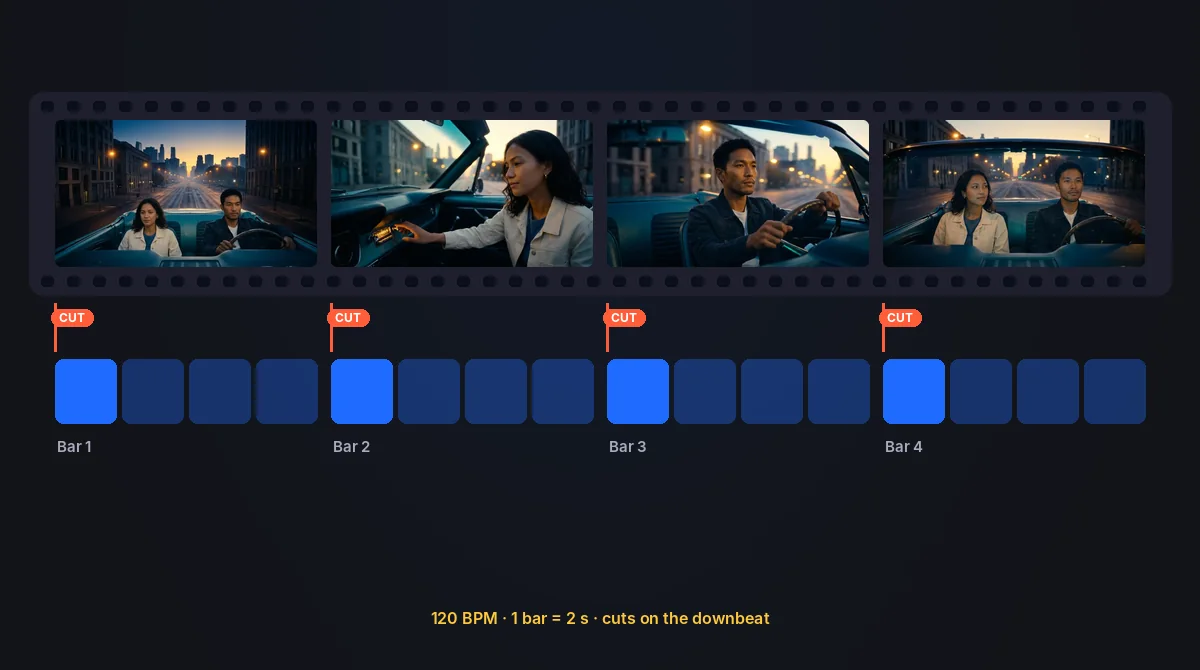
The pipeline in plain English: analysis, cut planning, prompts, keyframes, animation, lip sync and the final edit.
Read the guide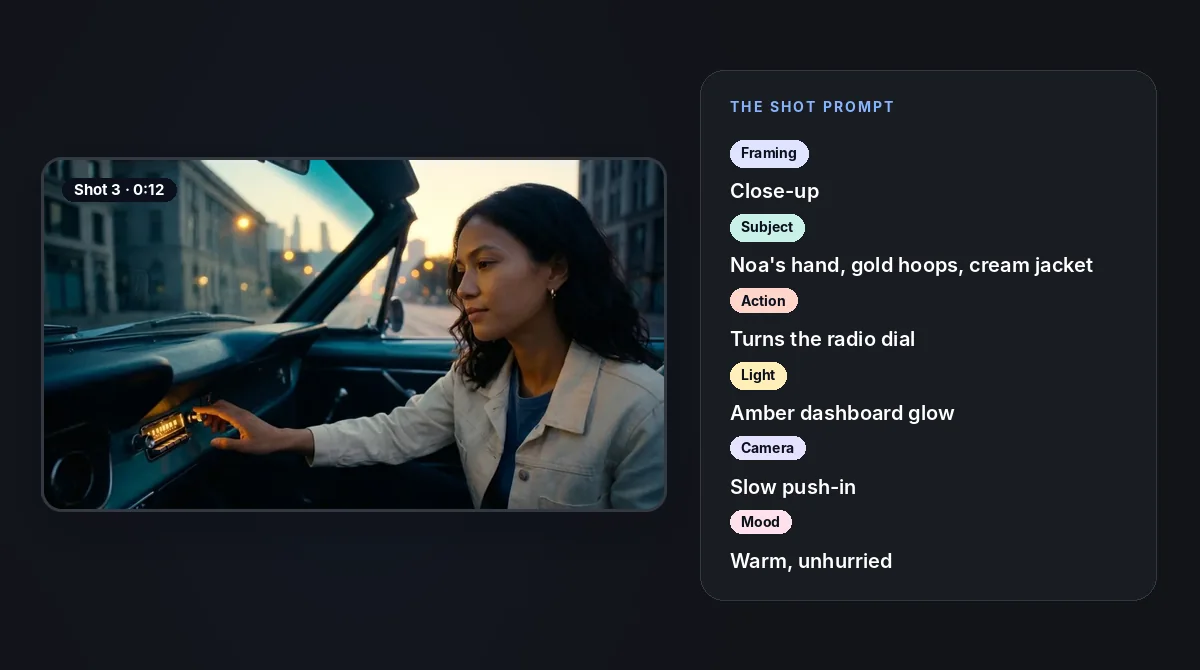
The parts of a shot prompt, image versus motion prompts and 40+ examples written for each section of a song.
Read the guideOne photo of the singer becomes lip-synced performance shots inside a full video.
Learn more
Muvora and Neural Frames side by side: how each plans a video, times its cuts and charges for it.
See the comparisonCartoon, anime-inspired, 3D or clay: what each route takes in drawings, weeks and tools, and how to make one with AI from your song.
Read the guide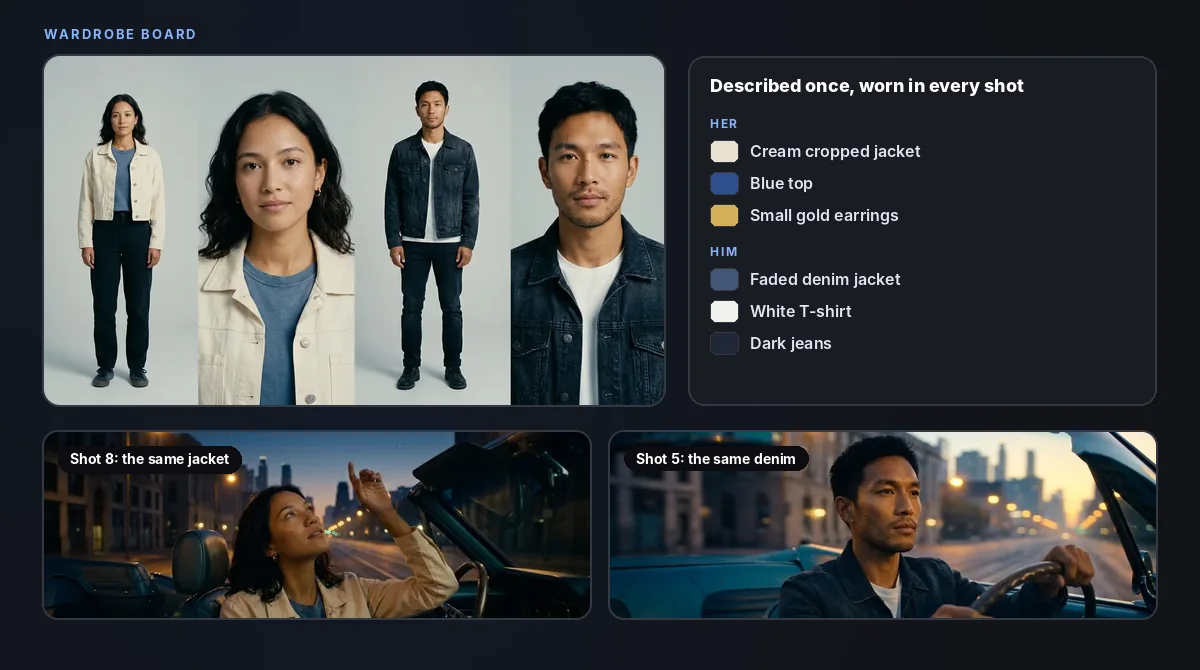
24 outfit ideas by genre and concept, and how to choose wardrobe that works on camera: shape, color, fabric, patterns and continuity.
Read the guide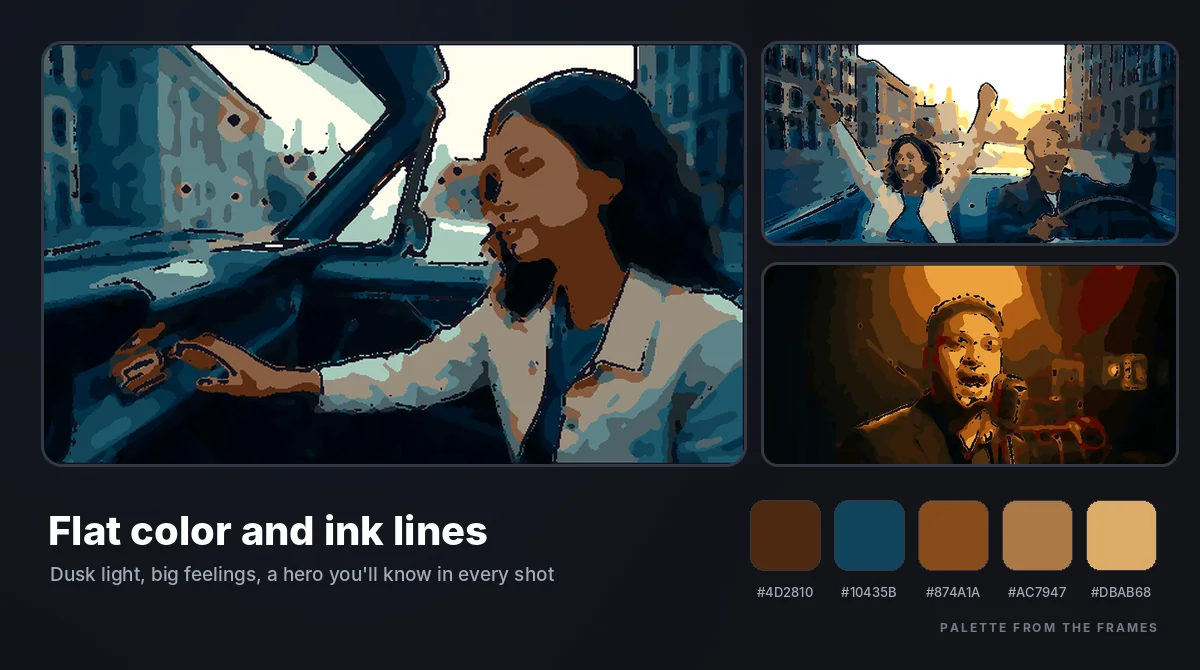
An original anime-style video for your song: your own characters and world, drawn new for every shot and cut on the beat.
Learn more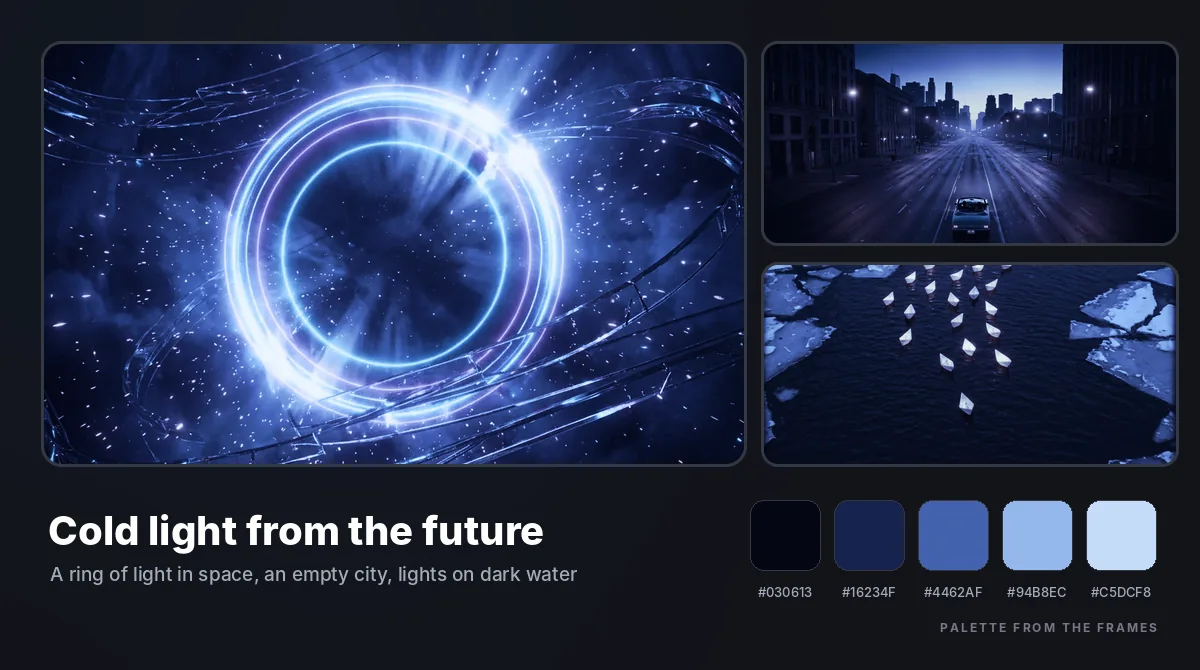
15 sci-fi music video ideas: first contact, space stations, retro futures and neon cities, each made to read as the future without a word on screen.
Read the guideUpload a track and get a free beat-synced storyboard in minutes. Render it when you are ready.
No card needed to start.






