The short answer
To make an animated music video, pick a style (2D cartoon, anime-inspired, 3D, clay or motion graphics), then a route. By hand, a 3-minute video animated on twos is about 2,160 drawings, weeks of an animator's work. With AI, describe the medium in Muvora's idea box: it storyboards the song, draws every shot in that style and cuts them on the beat.
- Choose the look first: it decides the tools, the time and what can go wrong.
- Hand animation is counted in drawings: 12 a second on twos, about 2,160 for a 3-minute song.
- With AI, the medium lives in the words: name it once and keep it the same in every prompt.
- AI animation struggles with hands, fast action, long unbroken moves and lettering; plan around them.
- A drawn singer can lip-sync from one picture in Muvora's Performance style.
On this page (8 sections)ShowHide
- 1.The kinds of animated music video
- 2.The traditional routes and what they take
- 3.The routes compared
- 4.How to make an animated music video with AI, step by step
- 5.How the AI route holds one drawn style
- 6.A drawn singer who lip-syncs
- 7.How to write prompts for a drawn style
- 8.What AI animation still can't do well
- Questions
The kinds of animated music video
"Animated" covers very different looks, and each one has its own tools, costs and weak spots. Decide the look before the route: a clay video and a lyric animation have almost nothing in common except that nobody stood in front of a camera. These are the kinds you'll meet most in music videos, what each looks like and how to name it if you make it with AI.
| Style | What it looks like | Made by hand with | Describe it as |
|---|---|---|---|
| 2D cartoon | Bold outlines, flat colors, simple shapes, big readable poses | Drawings frame by frame, or cut-out rigs, in apps such as Toon Boom Harmony, TVPaint or Krita | "2D cartoon, thick black outlines, flat bright colors, simple rounded shapes" |
| Anime-inspired | Clean line art, cel shading, expressive eyes, painted skies and backgrounds | Key drawings and in-betweens, often held for three frames, over painted backgrounds | "anime-inspired cel shading, clean line art, painted cloudy skies, soft glow on lights" |
| 3D | Modeled, lit and rendered characters and sets, from toy-like to near-real | Modeling, rigging, animating and rendering in Blender, Maya or Cinema 4D | "stylized 3D animation, soft rounded characters, toy-like materials, warm light" |
| Stop-motion and clay | Handmade figures and miniature sets, fingerprints, a slight jitter | Puppets moved and photographed one frame at a time | "claymation look, handmade clay figures, miniature cardboard sets, visible fingerprints" |
| Motion graphics and lyric animation | Shapes, paper cut-outs and type moving to the music | Keyframes in After Effects, with every lyric line timed by hand | "flat paper cut-out shapes sliding over bold color fields" (captions come separately) |
| Rotoscope | Real human movement traced into drawings, outlines that shimmer a little | Filmed footage traced over frame by frame | "rotoscoped look, hand-traced outlines over realistic movement, flat color fills" |
| Painted and watercolor | Brush texture, soft bleeding edges, paper grain | Painted frames on paper or in a digital painting app | "loose watercolor, soft bleeding edges, visible paper texture, muted palette" |
Two of these are really techniques rather than looks. True stop-motion is a physical process, and true rotoscoping starts from your own footage. AI can give you the clay surfaces or the traced-outline style from a description, but not the process: the movement comes out smoother than a puppet moved by hand, and Muvora doesn't take uploaded footage, so there is nothing of yours to trace. If the handmade jitter or a particular dancer's movement is the point, those are jobs for the traditional routes below.
The traditional routes and what they take
Animation is counted in frames. A music video normally runs at 24 frames a second, so a 3-minute song is 4,320 frames. Hand-drawn work is usually "on twos", each drawing held for two frames (12 drawings a second), and limited TV-style animation often goes "on threes" (8 a second). That makes a 3-minute song about 2,160 drawings on twos, or 1,440 on threes, before backgrounds, color and compositing. The figures below are for the animation alone.
- Frame-by-frame 2D, yourself. Design the characters, rough out the key poses, fill in the in-betweens, clean up, color and composite. The animation studio Brown Bag Films has said its character animators produce about 20 seconds of animation a week on a series and about 3 seconds on a feature, and that this counts only the movement, not lighting, rendering, compositing or sound. At the series pace, a 3-minute song is about nine weeks of one animator's movement work.
- Motion graphics and lyric animation in After Effects. Adobe After Effects is the usual tool for animated type, shapes and cut-out art, sold as a subscription. It's the fastest hand-made route, because you animate layers with keyframes instead of drawing every frame, but every move and every lyric line is still placed by hand against the vocal. Templates save time and look like templates.
- 3D in Blender. Blender is a free and open source 3D suite that covers modeling, rigging, animation, rendering and compositing, with tools for 2D animation too. The software costs nothing; the learning and the computer do. Every frame has to be rendered, so at 24 frames a second a 3-minute song is 4,320 renders: at a minute a frame, that's 72 hours of rendering before you fix anything and render again.
- Stop-motion and clay. Puppets are moved and photographed one frame at a time on sets that mustn't shift between shots. At Aardman, Time reported, animators were expected to shoot two to three seconds of footage a day. At that professional pace, one animator needs 60 to 90 shooting days for a 3-minute song, after the puppets and sets are built.
- Hiring an animator or a studio. You write the brief, approve character designs and an animatic (the storyboard timed to the song), then give notes. The weeks above become the animator's weeks, so the price follows the style, the number of characters and backgrounds, the length and the rounds of changes. Ask for a written quote that says what's included and how many revisions, and bring a timed storyboard to the first call.
Skip the blank page
Upload your song and Muvora's AI director plans a shot-by-shot storyboard on the beat. Edit every shot for free, and pay only if you render.
The routes compared
| Route | What you do | Time for 3 minutes | What it costs | Control |
|---|---|---|---|---|
| Frame-by-frame 2D yourself | Design, draw every pose and in-between, color, composite | About 2,160 drawings on twos; about nine weeks at a series studio's pace | A drawing app and a tablet, and your time | Every line of every frame |
| Motion graphics in After Effects | Animate shapes, type and cut-outs with keyframes, time each lyric | Depends on the layers and lines; templates speed it up | A software subscription, plus any templates or assets | Exact timing of everything you animate |
| 3D in Blender | Model, rig, animate, light and render | 4,320 frames to render; 72 hours at a minute a frame | Free software and a strong computer | Total, once you've learned it |
| Stop-motion and clay | Build puppets and sets, shoot one frame at a time | 60 to 90 shooting days at two to three seconds a day | Materials, a camera, lights and a room that stays still | Physical and total, but no undo |
| Hire an animator or studio | Write the brief, approve designs and the animatic, give notes | The animator's weeks, on their schedule | A quote for the style, length and revisions | Through notes and approvals |
| AI with Muvora | Describe the medium, edit the storyboard, review the render | Your time goes into the idea and the storyboard; the render runs on its own | 38 to 110 credits per finished second, shown before you render | Shot by shot (prompts, cuts, re-rolls), not frame by frame |
The routes aren't rivals so much as different trades of time for control. Hand animation buys exact timing and a style that is unmistakably yours, at the cost of weeks. AI buys a whole song in one look from an idea and some storyboard editing, at the cost of frame-level control. Many artists use both: an AI video for the single's release, and a hand-animated loop or teaser for the moment that has to be perfect. For filmed and animated costs side by side, see the music video cost guide.
How to make an animated music video with AI, step by step
- 01
Write the medium in one line
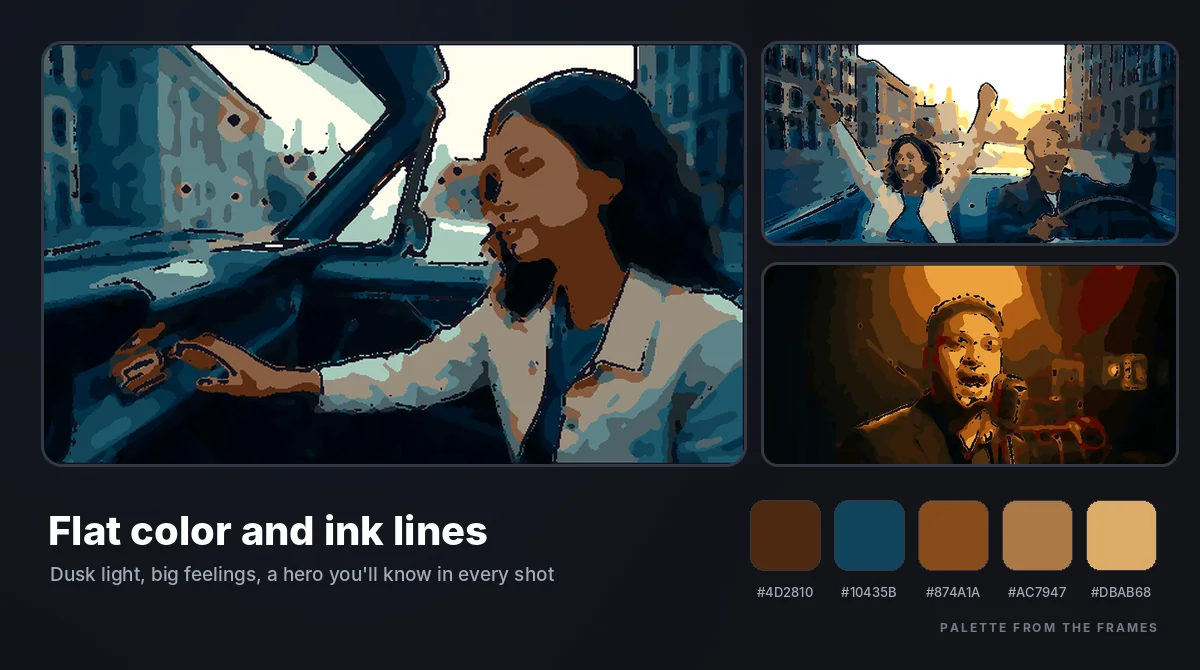
Name the look before anything else: the medium, the line, the color and the texture, such as "2D cartoon, thick black outlines, flat pastel colors, simple rounded shapes". This one line will lead the idea and stay the same in every shot.
- 02
Upload the song
Upload the master (MP3, WAV, M4A, AAC or FLAC, up to 8 minutes) and tick that you own it or have the rights. Paste the lyrics if it has them: the director reads them for meaning, and the Lyric style times captions to them.
- 03
Pick the style and write the idea
Story for a cast and a plot, Abstract for shapes and color, Lyric for karaoke-style captions over drawn scenes, Performance for a drawn singer. In the idea box (up to 600 characters), put the medium line first, then the lead, the world, the palette and what changes in each chorus.
- 04
Judge the style frames
Before you pay anything, look at the establishing frame, the chorus hero frame and the character sheet. If they drifted toward photographs, start a new storyboard with the medium described more precisely (line weight, shading, texture) and lead the idea with it.
- 05
Edit the storyboard
Read every shot. Keep the medium words in each prompt, swap fast hand-heavy actions for clear, simple ones, and drag any cut that lands in the wrong place; it snaps to the nearest beat. Editing is free and the price updates as you go.
- 06
Render, then review
Choose Visualizer, Standard or Cinematic, check the exact price and generate. On the review page, re-roll any shot that slipped off model (free up to 10% of the video's length), then download the 16:9 video, the 9:16 and 1:1 cuts and the 8-second Canvas loop.
See your song drawn before you pay
Upload the track, lead the idea box with your medium and read the storyboard and style frames Muvora draws in it. Everything up to the render is free, with 5 new storyboards a month to try more than one look.
How the AI route holds one drawn style
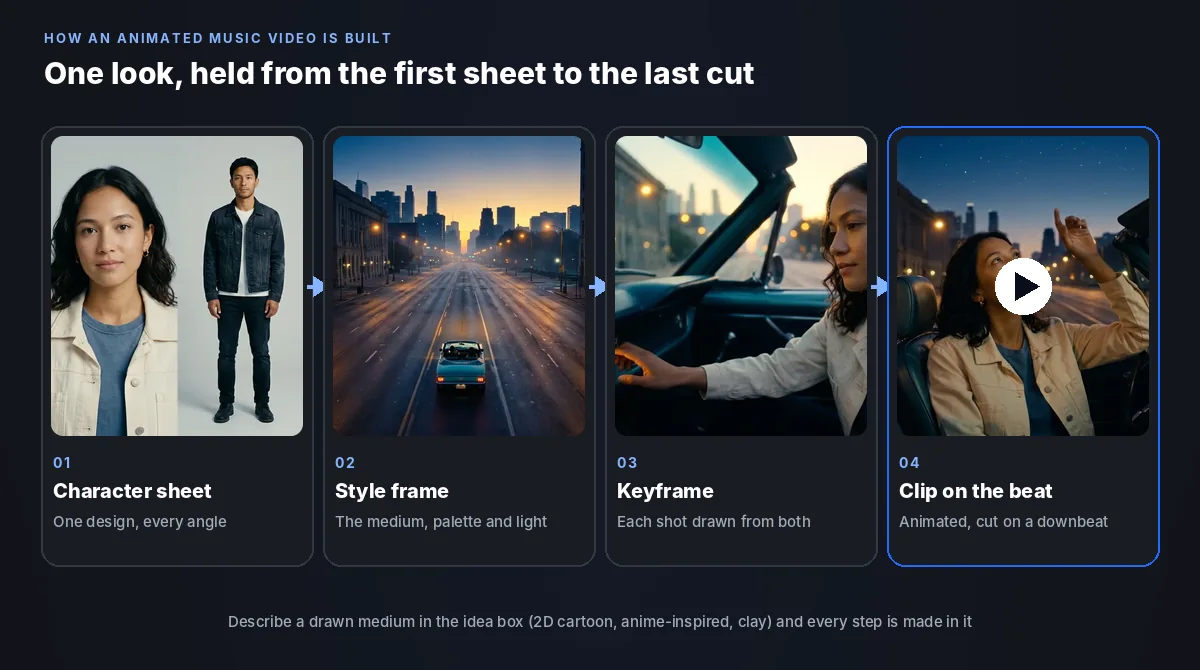
The hard part of AI animation isn't drawing one good frame; it's drawing the hundredth frame in the same style as the first, with the same character. Muvora works in the same order a studio does: design first, then the shots, then the motion.
- The brief is written in your medium. The AI director turns your idea into a concept, a palette, a small cast each described once, the locations and a shot for every slot between cuts, all in the look you named.
- Style frames set the look. An establishing frame, a chorus hero frame and, when there are characters, a character sheet are drawn in the medium before anything is animated, so you approve the design the way a director approves a model sheet.
- Every keyframe starts from the design. Each shot's first frame is drawn with the style frame as a reference for the medium, and any shot showing a character is drawn from the character sheet, then checked against it and redrawn if it drifts off model.
- The motion keeps the drawing. Each keyframe is animated into its own clip, and the video model is told to keep the image's medium, look and faces, so a flat cartoon stays flat instead of turning glossy and photographic.
- The edit follows the song. Cuts land on downbeats, at every section change and every drop, with longer shots in quiet parts and shorter ones in the chorus, and your original recording is the soundtrack.
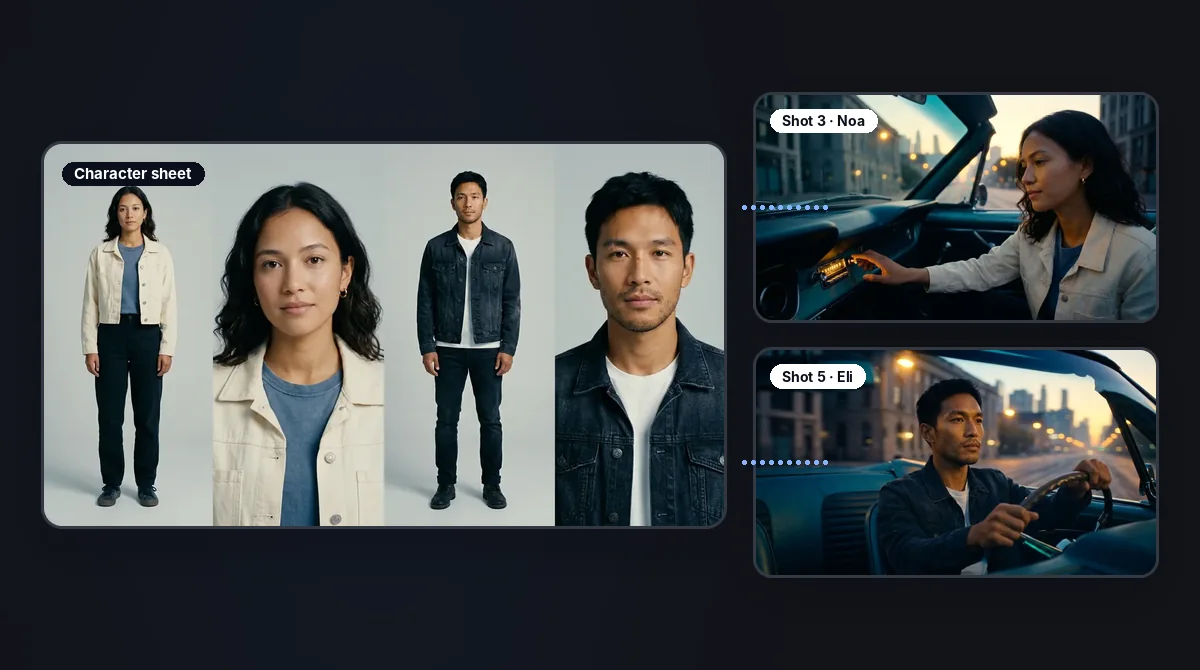
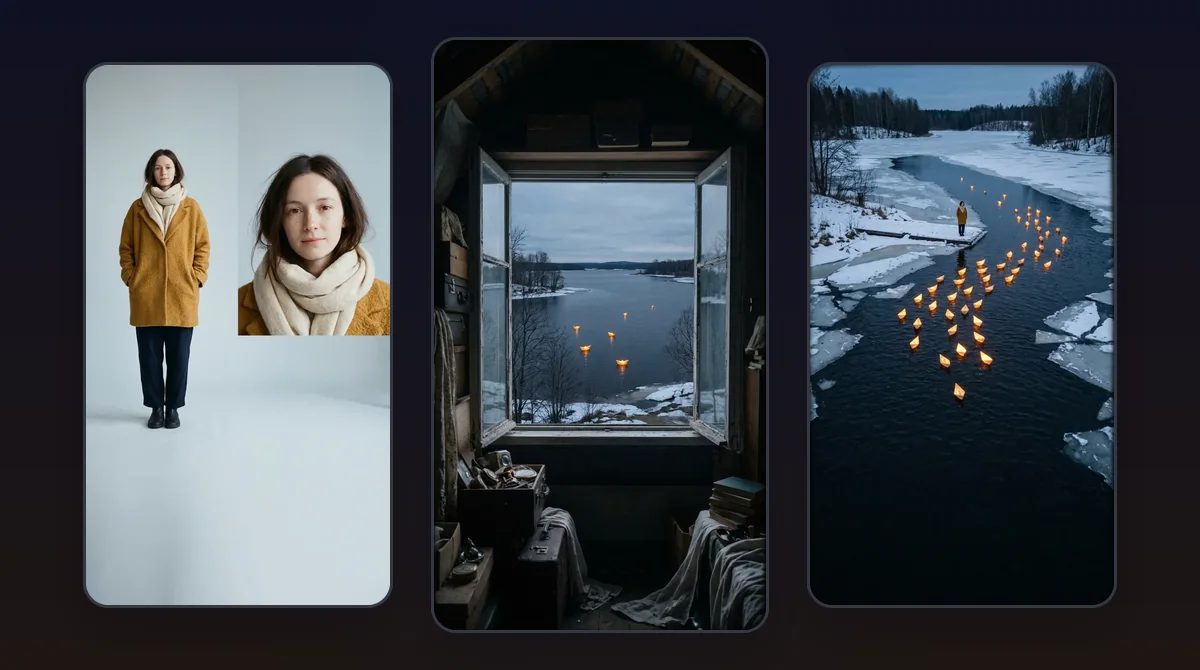
Not every song needs characters. An Abstract video in a drawn medium (ink washes, paper shapes, chalk on a blackboard) has no faces to keep consistent and no hands to get wrong, which makes it the most forgiving animated video to make. A faceless music video in a drawn style works the same way, with a character who never shows their face or no people at all. If the single's cover is drawn too, describe the video in the cover's own words so the two match; the album cover ideas include drawn and painted concepts, each with a video to go with it.
A drawn singer who lip-syncs
An animated video can still have a singer. In the Performance style, the picture you upload can be a drawn, painted or animated character instead of a photo of a person. Muvora checks it for one clear, front-facing face with a visible mouth, notes its medium and makes the whole video in that medium, so a cartoon singer performs in a cartoon world. It separates the vocals, puts the singing shots where the song is sung and lip-syncs them to the voice; the character can appear in the other shots too, without singing.
- Draw the face straight on. One character, facing forward, with the whole face in view and a calm expression. Three-quarter views and profiles are harder to animate as singing.
- Give it a real mouth. A mouth drawn as a dot or left out can't form the shapes of words. Draw lips, or at least a clear mouth line with some width.
- Keep the background plain. The character is drawn into new scenes, so a busy background only adds noise.
- Mind the file. A JPEG, PNG or WebP of up to 7 MB, at least 512 pixels on its shorter side.
- Use a character you have the rights to. Your own design, or one you have permission to use; you confirm the rights in a consent box before the storyboard is made.
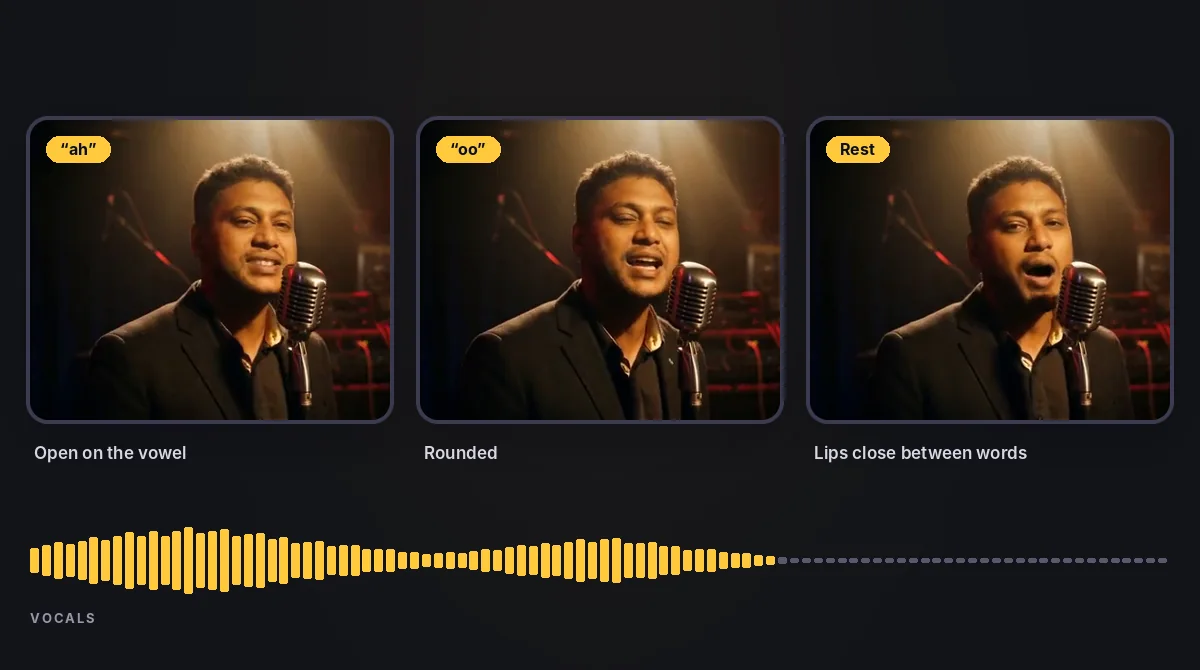
Lip-synced seconds are priced at 75 credits a second, and the rest of the video at the quality you choose; the storyboard shows the exact total before you render. For choosing the picture and placing the singing shots, see how to make a music video from a photo, which applies to drawings too, and the AI lip sync music video page for how the performance is made.
Give your character a voice
Upload the song, choose Performance and add your character's picture: Muvora makes the video in the character's medium and lip-syncs the sung parts to your vocal. Read the storyboard for free before you render.
How to write prompts for a drawn style
Prompts written for live action say "cinematic lighting", "shallow depth of field" and "35mm film", and every one of those words pulls a drawing toward a photograph. A drawn style needs words that describe drawing. The rules below apply to the idea box and to any shot you rewrite in the storyboard; the AI music video prompts guide covers the parts every prompt needs.
- Lead with the medium, every time. Start the idea and each prompt with the same medium line, word for word. A shot that drops it is the one that drifts.
- Describe light the way the medium draws it. "Flat cel shadows", "a soft watercolor wash of evening blue" or "chalky rim light" instead of photographic lighting terms.
- Describe characters by their design. Shape, colors and one signature item ("a girl with a round face, a short black bob and a yellow raincoat"), in the same words in every shot she's in.
- Describe qualities, not studios or living artists. "Painted cloudy skies, clean line art, soft glow on streetlights" gives a look of your own; naming someone else's style borrows theirs.
- Ask for simple, readable actions. A turn, a hop off a curb, an umbrella opening, a wave. Animation reads by its poses, and so does AI video.
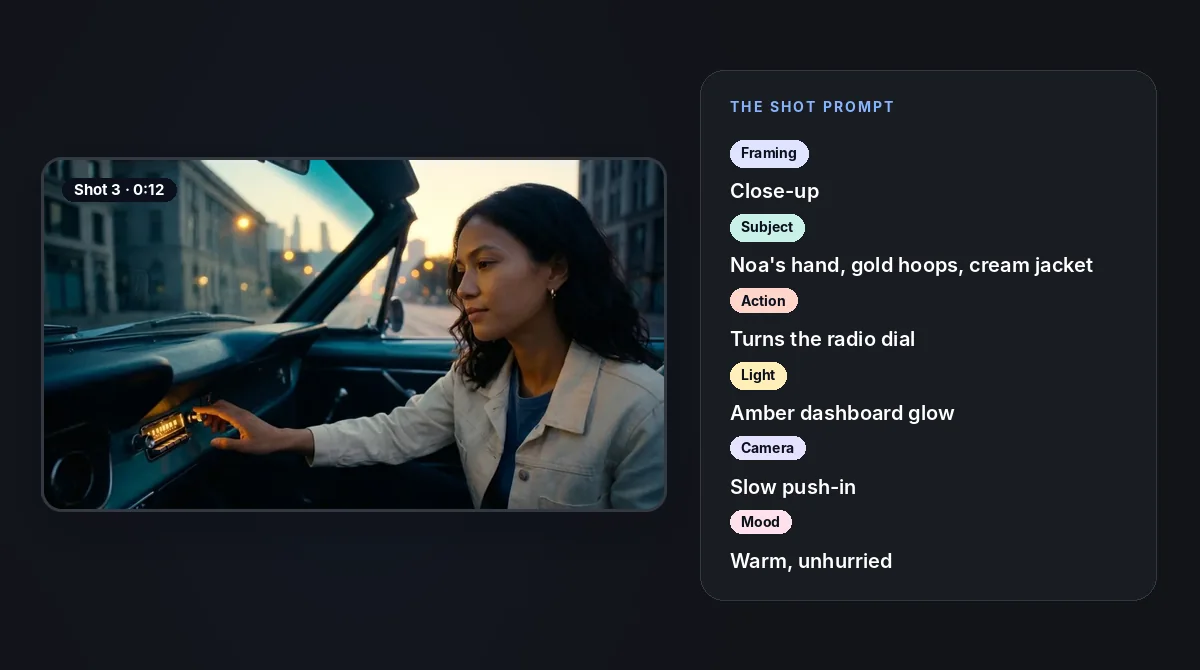
- Leave lettering out. Signs, posters and speech bubbles won't come out readable; in Muvora the frames never carry lettering, and the Lyric style adds captions separately.
What AI animation still can't do well
AI animation is good at a look, a mood and a world, and unreliable at anything that needs precise, sustained motion. Plan the storyboard around these limits rather than hoping a re-roll fixes them.
- Hands. Fingers on a guitar neck or a keyboard rarely match the notes and can come out with the wrong count. Frame players from the chest up or from across the room, and leave the playing to your recording.
- Fast action. Fights, sprints, flips and anything with many limbs moving at once tend to blur or tangle. Show the moment before and the moment after instead of the blow.
- Long continuous motion. Each shot is its own clip of a few seconds, cut on the beat, so a single unbroken minute-long move isn't something the AI route makes. Build movement from shot to shot, the way an edit does.
- Choreography. AI video doesn't follow a dance routine to the beat. A dance-led video is better animated by hand or filmed.
- Lettering. Readable signs, titles and speech bubbles inside the picture aren't possible; captions are added over the video instead.
- Frame-exact timing inside a shot. The cuts land on the beat, but the motion within a shot isn't keyed to the kick drum or a lyric syllable the way a hand animator would key it.
What traditional animation still does better is everything that depends on a hand: a signature line nobody else draws, a character who acts a lyric with exact timing, choreography, a gag that lands on a snare hit. If the video's whole point is one of those, animate by hand or hire an animator, and use an AI storyboard as the plan to brief them with. Muvora's storyboard gives every shot's timing, framing and camera move on the song's beats; the free storyboard template is there if you'd rather sketch your own panels.
Start from the song, in your medium
Upload the track, describe the drawn look in the idea box and get a storyboard cut on the beat, with style frames to judge before you render. For more drawn-style examples, see the animated music video maker.
Written by the Muvora team. Last updated November 14, 2026. Spotted something out of date? Tell us at [email protected].