Convert LRC, SRT and VTT lyric files
Drop in a timed lyric file or paste its text, pick the format you need and download it. If the words run early or late, shift every line at once by a fraction of a second. Everything happens in your browser.
Free, no sign-up. Runs in your browser: nothing is uploaded.
Song finished? Upload it and Muvora plans the whole video on its beats. The storyboard is free.
Make the videoUpload a new songHow to use the lyric file converter
- 01
Add the file
Drop an .lrc, .srt or .vtt file, or paste its text. The format is detected for you.
- 02
Fix the timing
Shift every line earlier or later in steps of a tenth of a second, if it needs it.
- 03
Pick the output
LRC for music players, SRT for most video editors, WebVTT for the web.
- 04
Download
Save the converted file, or copy its text.
Three formats, three jobs
LRC is what music players and lyric apps read: a start time per line. SRT is the subtitle format nearly every video editor and platform imports. WebVTT is the web's caption format, used by HTML video players. The converter reads all three and writes all three.
- LRC with metadata and repeated stamps
- SRT with numbered cues
- WebVTT with cue settings ignored safely
Fix lyrics that run early or late
A lyric file timed to a different master, or with an intro trimmed, is off by the same amount on every line. Shift it by that amount and it lines up again. A line pushed before the start is held at zero rather than lost.
- Shift every line at once
- Steps of a tenth of a second
- Nothing falls off the start
Clean text, safe to import
Styling tags such as italics, colour classes and word-level timestamps are removed, so the result imports cleanly. LRC files get an end marker wherever a gap opens, so the words clear when the singer stops.
- Tags and word times removed
- End markers where gaps open
- UTF-8 text files

Captions timed to every word, made for you
Muvora transcribes your song's lyrics, or aligns the ones you paste, and burns word-by-word captions into the video, each word lighting up as it's sung. Upload a track to make a lyric video.
Questions, answered
Can't find what you need? Start a free storyboard and see for yourself.
Which format should I use?
LRC for music players and lyric apps, SRT for video editors and for uploading captions to most platforms, WebVTT for a video on your own website.
Is my file uploaded anywhere?
No. The converter runs in your browser: the file is read on your device and never sent to a server.
Why do LRC files lose end times?
LRC only stores when each line starts. The converter adds an empty timed line where a gap opens, which players read as 'clear the words', so short gaps between lines close up.
Can I get timed lyrics for a song that has none?
Yes, with the lyric timestamp exporter, which reads the song and gives LRC, SRT and WebVTT files, or in Muvora, which times the lyrics as part of making the video.
Keep exploring
Lyric timestamp exporter
Time your lyrics to the vocals and download LRC, SRT or WebVTT.
Open the toolMake a lyric video
Timed lyrics, readable captions and visuals behind the words, for YouTube and vertical feeds.
Read the guideLyric videos
Karaoke-style captions timed to your vocals, over AI visuals.
Learn moreSpotify Canvas checker
Check a video against Canvas's specs before you upload: length, shape, resolution and format.
Open the toolYouTube description generator
A music video's title, description, chapters, hashtags and tags, checked against YouTube's limits.
Open the tool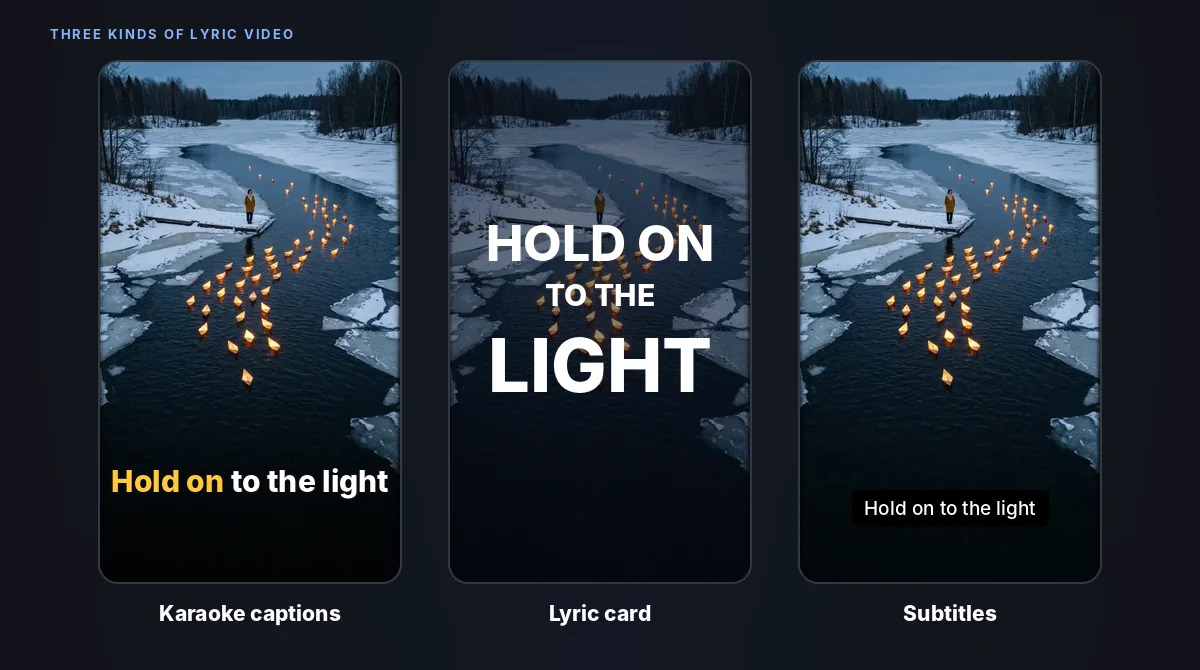
Best lyric video makers
Seven lyric video makers compared on timing and what sits behind the words, and why Muvora is our pick for a lyric video made from your song.
Read the guideLyrics formatter
Paste lyrics from a chord sheet, a notes app or an LRC file and get clean lines: chords, times and stray spacing out, sections in place.
Open the tool
More free tools: lyrics and songwriting
Map out the song's sections, find rhymes, count the syllables in every line, and time your lyrics as LRC, SRT or WebVTT.
Your song deserves a music video
Upload a track and get a free beat-synced storyboard in minutes. Render it when you are ready.
No card needed to start.





