Check your Spotify Canvas before uploading
Drop in the loop you plan to upload and see at once whether it meets Canvas's specs: the length, the shape, the resolution and the format, with what to change if it doesn't. The file stays on your device.
Free, no sign-up. Runs in your browser: nothing is uploaded.
Drop your Canvas video or JPG here
The file is read on your device and never uploaded.
No loop yet? Turn an image into one with the Canvas maker, or get one with every music video.
Make a video and CanvasUpload a new songSong finished? Upload it and Muvora plans the whole video on its beats. The storyboard is free.
Make the videoUpload a new songHow to use the Spotify Canvas checker
- 01
Drop the file
An MP4 video, or a JPG if you plan a still Canvas.
- 02
Read the checks
Length, shape, resolution, format and size, each marked pass, warning or fail.
- 03
Fix and check again
Each failed check says what to change. Re-export and drop the new file in.
The specs it checks
Spotify's Canvas guidelines ask for a vertical 9:16 video of 3 to 8 seconds, at least 720 pixels tall, as an MP4, or a JPG still. The checker reads those facts from the file in your browser and compares them, so a refused upload never costs you an afternoon.
- 3 to 8 seconds
- Vertical 9:16
- At least 720 px tall, MP4 or JPG
Warnings worth reading
Some files upload but look wrong: a 4:5 clip is cropped top and bottom to fill the screen, and a 720 px file is soft on a large phone. Warnings say so, and suggest 1080 by 1920, the size most artists export.
- Off-shape files flagged before the crop
- 1080 × 1920 recommended
- File size shown for the upload page
Beyond the specs
A Canvas that passes can still feel wrong. Watch it loop on a phone for a full minute: the restart should be invisible, the bottom of the frame should stay clear of the player controls, and nothing should strobe. The Spotify Canvas guide covers the design side.
- Seamless loop point
- Keep text and logos out
- No rapid flashing

Get a Canvas with every music video
Every Muvora render exports an 8-second, 9:16, silent Canvas loop cut from the chorus beside the YouTube, vertical and square videos, built to loop seamlessly. Upload a song to make one.
Questions, answered
Can't find what you need? Start a free storyboard and see for yourself.
What length should a Spotify Canvas be?
Between 3 and 8 seconds. Aim for 8 seconds or a little under so the loop doesn't repeat too often.
Does the checker upload my video?
No. It reads the file's length, size and pixels in your browser; nothing leaves your device.
Why can't it check the file size limit?
Spotify for Artists shows its current limit on the upload page and it has changed over time, so the checker shows your file's size for you to compare there rather than guessing a figure.
Can I make a Canvas from a still image?
Yes, Canvas accepts a JPG, but a slow moving loop gets more attention. The free Canvas-from-an-image tool turns a picture into a seamless 1080 by 1920 loop.
Keep exploring
Spotify Canvas guide
Canvas specs, loop design rules, ideas by genre and the quickest way to make one from your video.
Read the guideSpotify Canvas
An 8-second vertical loop cut from your video, sized for Canvas.
Learn moreSpotify Canvas from an image
Turn cover art or a photo into a seamless 8-second vertical loop.
Open the toolAlbum cover checker
Check cover art against Apple Music, Spotify and distributor rules: square, pixel size, format, color mode and file size.
Open the toolMusic video sizes and ratios
16:9, 9:16, 1:1 or 4:5? The right size, shape and frame rate for every platform you release on.
Read the guideAspect ratio calculator
Any frame's ratio, a resize that keeps it, and what cropping or fitting to 9:16, 1:1 or 4:5 does.
Open the toolVideo file checker
Open a video and see its resolution, frame rate, length, codec, bitrate and sound checked against YouTube, Shorts, TikTok, Reels and Canvas.
Open the tool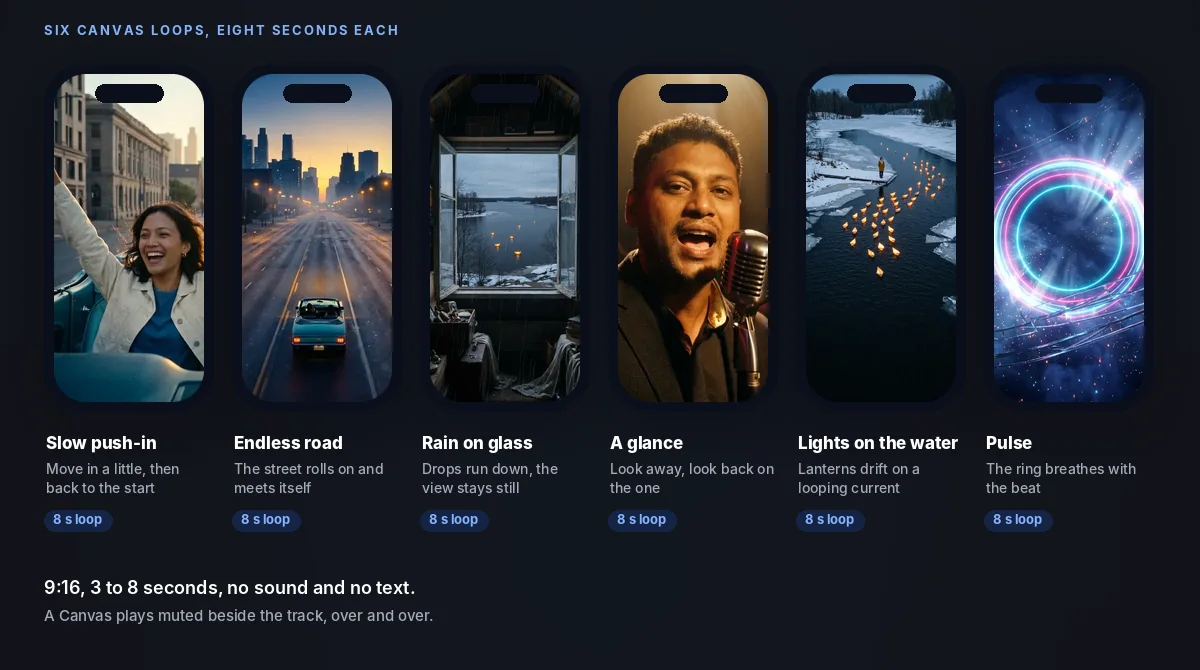
Spotify Canvas ideas
15 eight-second loop ideas for a Spotify Canvas, how each one loops, what Spotify asks for, and a Canvas cut from every music video you render.
Read the guide
More free tools: artwork and video formats
Cover art, Canvas loops, YouTube thumbnails, a spectrum visualizer, sizes, safe zones and bitrates, a video file's specs, and a vertical cut of any clip.
Your song deserves a music video
Upload a track and get a free beat-synced storyboard in minutes. Render it when you are ready.
No card needed to start.





