The short answer
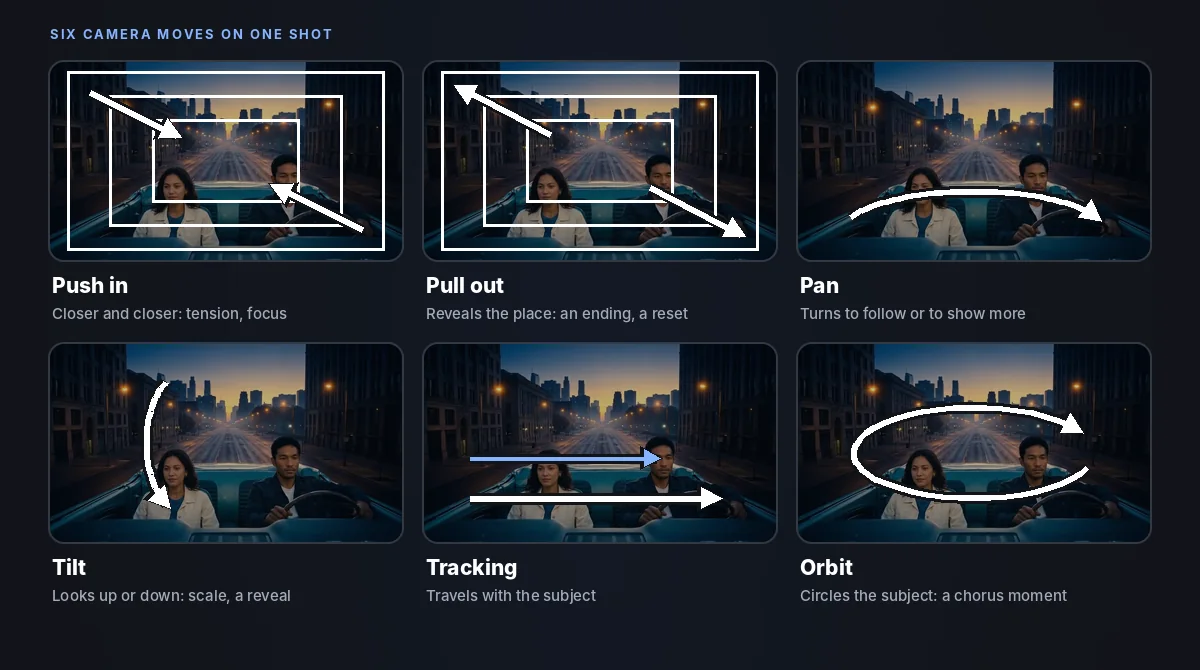
Music videos use fifteen main camera movements: static, push in, pull out, pan, tilt, dolly or truck, tracking, orbit, crane, handheld, Steadicam or gimbal, whip pan, zoom, dolly zoom and rack focus. Keep the camera still or slow in intros and verses, save the bigger, faster moves for choruses and drops, give each move a reason in the scene, and start it on the beat.
- A still camera is a choice: it makes the moves around it count.
- Pans and tilts turn the camera; dollies, trucks, cranes and orbits carry it through space.
- A push in is not a zoom: only a moving camera shifts the background behind the subject.
- Slow in the verses, faster in the chorus, and every move under way on the downbeat.
- When someone walks, plant the camera and let them cross the frame.
On this page (11 sections)ShowHide
- 1.Three kinds of camera move, and what each does to the viewer
- 2.Every camera move in one table
- 3.Moves people mix up: push in or zoom, pan or truck
- 4.Camera pace follows the song's energy
- 5.Moving on the beat
- 6.Motivated movement: give every move a reason
- 7.Camera angles and movements together
- 8.Camera movement mistakes and how to fix them
- 9.Shooting the moves on a phone or a gimbal
- 10.Plan the camera moves for a song, step by step
- 11.How Muvora picks a move for every shot, and how to change it
- Questions
Three kinds of camera move, and what each does to the viewer
Every camera move belongs to one of three families, and knowing which one you're using tells you what it will do on screen. Rotating moves turn the camera where it stands. Traveling moves carry it through the space. Lens and focus moves change the picture while the camera stays put, or work against its travel. Each family moves the viewer in a different way.
- Rotating: pan, tilt and whip pan. The camera turns on its axis, like a head turning to look. The viewer stays in one place and surveys, follows or discovers. Because nothing in the frame shifts against anything else, a pan reads as a glance rather than a journey.
- Traveling: push in, pull out, dolly, truck, tracking, orbit, crane, handheld and gimbal moves. The camera itself goes somewhere, so the foreground slides against the background. That sliding (parallax) is what makes a space feel deep, and why a traveling shot feels like being there.
- Lens and focus: zoom, dolly zoom and rack focus. The viewer's attention moves while their position doesn't. A zoom feels like being pointed at something; a rack focus feels like a thought changing.
Then there is the static shot: the camera locked off, no move at all. It isn't the absence of a decision. In a music video the cuts already move with the beat, so a still frame lets the action and the song carry the shot, and it gives the moving shots around it something to push against.
Every camera move in one table
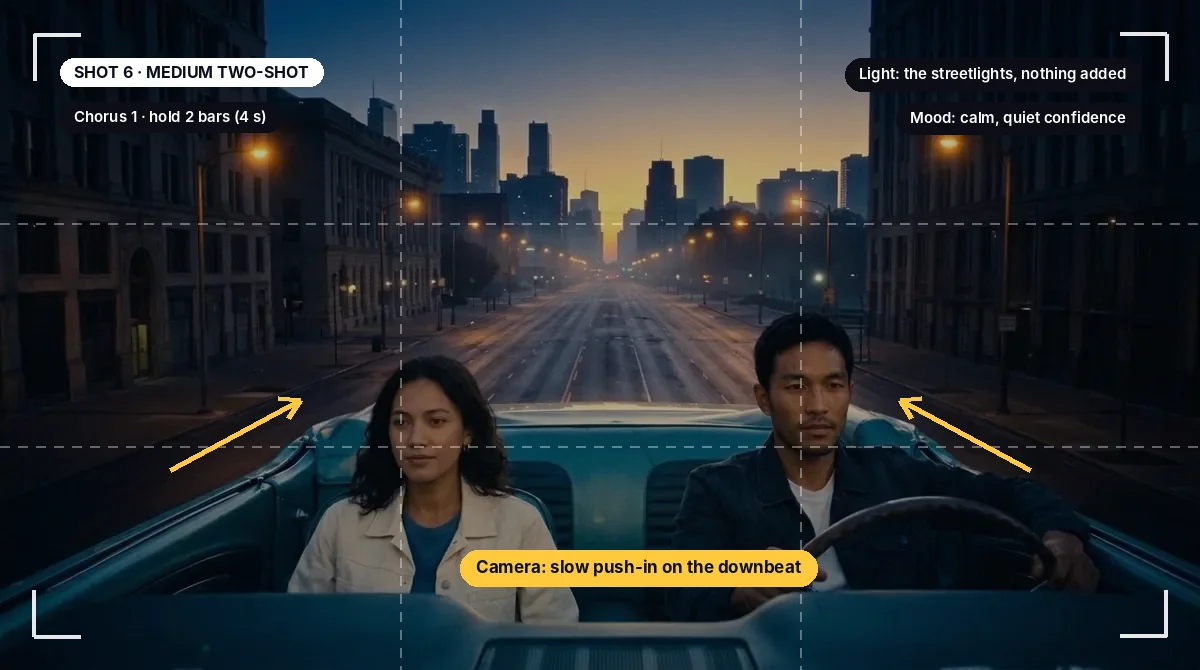
The fifteen moves below cover nearly every music video, from a phone shoot in a bedroom to an arena tour's film. Each row says what the move does to the viewer, where it usually sits in a song, how to make it with a phone or a gimbal, and words that describe it clearly to an AI video model.
| Move | What it does to the viewer | Where in the song | On a phone or gimbal | In a prompt |
|---|---|---|---|---|
| Static (locked off) | Lets the action and the music carry the shot; calm, watchful | Intros, quiet verses, the last image, any shot where the subject moves | A tripod or a phone clamp, focus and exposure locked | “The camera holds still as she crosses the kitchen.” |
| Push in | Draws the viewer closer: tension, realization, intimacy | A key lyric, the pre-chorus, a decision | Walk slowly toward the subject on a gimbal, or roll forward on an office chair | “Slow push in toward his hands on the piano keys.” |
| Pull out | Lets go: a reveal, a release, loneliness | Endings, the bridge, the bar after a drop | Walk backward on a gimbal with a spotter guiding you | “The camera pulls back from her face to reveal the empty gym.” |
| Pan | Turns to follow or survey, like a glance across a space | Following someone across a room, a verse that moves | Turn the gimbal, or turn from the hips with elbows tucked in | “Slow pan right as the bus pulls away, keeping it in frame.” |
| Tilt | Reveals height or a detail, from shoes to face or street to sky | An entrance, a chorus that opens upward | Tilt the gimbal or a tripod head; start low and finish on the face | “The camera tilts up from her boots to her face under the porch light.” |
| Dolly or truck | Glides toward, away from or sideways past the subject | Verses that walk the viewer through a place, a band line-up | A wheelchair, a skateboard or a slider on a smooth floor | “The camera glides sideways past the band, amps sliding by in the foreground.” |
| Tracking | Travels with a moving subject: momentum, a journey | Choruses, driving songs, anything with wheels | From a second car with its own driver, or beside a cyclist on foot | “The camera travels with the car down the coast road, the guardrail streaming past.” |
| Orbit (arc) | Circles the subject: celebration, a moment held in suspense | The chorus peak, a couple, the high note | Gimbal in follow mode, walking a taped circle at a fixed distance | “A slow orbit around the two dancers in the empty parking lot.” |
| Crane or jib | Rises or descends: arrival, scale, a weight lifting | The first bar of a chorus, the final image | Lift the gimbal from knee height to overhead in one smooth move, or use a monopod | “The camera cranes up over the rooftop party to the skyline.” |
| Handheld | Human, urgent and close: a live or documentary feel | Performance, parties, rock and punk energy, a chase | Main or ultra-wide lens, both hands, stabilization on, small steps | “Handheld camera close to the drummer, with real shake.” |
| Steadicam or gimbal | A floating move that follows freely through spaces: dreamlike, continuous | Long verse walk-throughs, a one-take section | A phone gimbal, knees bent, heel-to-toe steps | “A smooth floating camera follows her through the crowded kitchen.” |
| Whip pan | A jolt that blurs the frame: energy, a hidden cut | Into a drop, on a snare hit, between two places | Flick the phone fast at the end of one clip and the start of the next, then cut inside the blur | “A fast whip pan to the right.” |
| Zoom | Magnifies without moving: points at something, flattens space | A snap zoom on an accent, a retro or documentary look | Use the phone's marked lenses only; for a smooth zoom, scale up 4K footage in the edit | “A quick snap zoom onto the ringing phone.” |
| Dolly zoom | The subject holds its size while the background swells or falls away: dread, a world shifting | One shot at the turn of the bridge or a drop, never more | Walk backward on a gimbal in 4K, then scale the clip up in the edit so the subject stays the same size | “A dolly zoom: he stays the same size as the corridor stretches behind him.” |
| Rack focus | Shifts focus from one plane to another: a thought changing, a reveal | A lyric that turns, a detail before a face | Tap one subject, then the other, while recording, or use a portrait video mode that moves focus | “Focus shifts from the glass in the foreground to her face behind it.” |
The prompt column describes the camera's half of a shot. The other half (framing, subject, action, place, light and mood) is covered in the AI music video prompts guide, and what each shot size and angle says is in music video shot types.
Get a camera move planned for every shot
Upload a track and Muvora's AI director writes a framing, a camera move and an action for every shot, timed to your downbeats. Read the plan in the storyboard and change any move before you render.
Moves people mix up: push in or zoom, pan or truck
Five pairs cause most of the confusion on set and in prompts. Getting them right matters, because each pair looks different on screen, and an AI video model given the wrong word makes the wrong shot.
- Push in versus zoom. A push in moves the camera toward the subject, so the background shifts behind them and the space feels deep. A zoom changes the lens from where the camera stands: the whole picture enlarges like a crop, the background keeps its relation to the subject, and the image flattens. Push in for emotion; zoom when you want the viewer to notice the camera pointing.
- Pan versus truck. A pan turns the camera on its axis, sweeping the view across a scene from one spot. A truck carries the camera sideways, so the foreground slides past the background. Pan along a line of singers and you see each at a changing angle; truck along the same line and every face stays square to the lens.
- Tilt versus crane. A tilt points the camera up or down from a fixed spot. A crane lifts or lowers the camera itself (a pedestal is its straight up-and-down cousin), so rooftops and the horizon change their relation as it rises.
- Tracking versus dolly. Crews use both words loosely. Here a dolly is a move toward, away from or past a subject, and tracking means the camera travels with someone or something that is itself moving.
- Handheld versus gimbal. Both are carried by a person. Handheld keeps the human shake on purpose; a gimbal or a Steadicam takes it out, so the camera floats. Pick by feel: shake for urgency, float for a dream.
The dolly zoom pairs a traveling move with a zoom pulling the other way. Push the camera in while zooming out and the background seems to fall away behind the subject; pull back while zooming in and the background seems to swell toward them. The subject stays the same size either way, which is why the effect feels so unsettling. Use it once in a video, at the moment the song or the story tilts.
Skip the blank page
Upload your song and Muvora's AI director plans a shot-by-shot storyboard on the beat. Edit every shot for free, and pay only if you render.
Camera pace follows the song's energy
The same push in can creep or rush, and the speed should come from the music. A quiet verse wants the camera to move slowly or not at all; a chorus can move fast; a drop can take the biggest move in the video. When every shot travels at one speed, picture and sound stop feeling connected.
Measure speed in framings per bar rather than in meters. A slow push in might travel from a medium shot to a medium close-up over four bars; a fast one goes from a medium to a close-up in a single bar. In 4/4 a bar lasts 2 seconds at 120 BPM, about 2.7 seconds at 90 BPM and about 1.7 seconds at 140 BPM, so a fast song's chorus leaves room for one decisive move per shot and no more.
| Energy | Sections | Moves that suit it | Speed | Typical shot length |
|---|---|---|---|---|
| Low | Intro, quiet verse, outro | Static, slow push in, slow pan or tilt, slow pull out | Felt more than seen | Two to four bars |
| Medium | Verse, pre-chorus, bridge | Dolly or truck, gimbal follow, tilt, restrained handheld | Even, about walking pace | One to two bars |
| High | Chorus, drop, final chorus | Orbit, crane up, fast push in, tracking, whip pan | Fast and decisive, landing before the next cut | One bar or less |
Each block is a shot. Same tempo, same bar grid: only the shot length changes with the energy.

Energy is relative to the song. A laid-back track's chorus is its own peak, not a rave: its biggest move might be a slow orbit, and everything before it should be calmer still. Judge each section against the rest of the same song, never against the loudest video you've seen.
Moving on the beat
Cuts land on beats, and a move inside a shot can lock to them too. Three habits make camera movement feel like part of the music.
- Be moving on the first frame. If the cut falls on a downbeat, the move should already be under way when the shot appears, not start half a second later. On a shoot, begin the move a bar early and cut into it.
- Finish on a hit. Time the end of a push in, a tilt or a crane to the next downbeat, a snare or the first word of a line. A move that settles exactly on an accent feels intended; one that drifts past it feels loose.
- Put whip pans on the snare. In 4/4 the snare usually sits on beats 2 and 4 (on beat 3 in halftime grooves). A whip pan timed to it, or into a drop, hides the cut inside the blur and turns the transition into percussion.
Bar 1
Bar 2
Bar 3
Bar 4
Direction counts across a cut as well. A pan right followed by a truck right reads as one long gesture carrying the viewer forward, which suits a build. Reversing direction at a cut jolts, which suits a drop or a turn in the story and little else. Planning a shoot by hand? The free shot list generator times every shot in bars and seconds, so you know how long each move has.
Motivated movement: give every move a reason
A motivated move is one the scene asks for. Something in the frame moves and the camera follows it, the camera uncovers something the viewer needs to see, or the song's emotion turns and the camera leans in with it. An unmotivated move is decoration: the viewer senses an operator showing off, and the shot stops belonging to the song.
| Reason | What happens | Example |
|---|---|---|
| Following | The subject moves and the camera keeps them | A pan holds a cyclist as she rounds the corner under the streetlights |
| Revealing | The move uncovers what the shot is really about | A pull out from a couple slow-dancing finds the hall around them empty |
| Feeling | The music or the story turns and the camera responds | A slow push in on the singer as she reaches the line the whole song has built to |
When none of the three applies, leave the camera still. Many of the strongest images in music videos are static frames where people, light or weather do the moving: rain sheeting down a window, a train crossing the frame, a crowd jumping on the drop. Blocking the people inside those frames is part of how to direct a music video.
Camera angles and movements together
An angle sets how the viewer relates to the subject; a move changes that relationship over the length of the shot. Combine the two on purpose and a single shot can say a great deal.
| Combination | What it says | Where it fits |
|---|---|---|
| Low angle with a push in | Rising power or confidence | An artist's entrance on the first chorus |
| High angle with a pull out | Smallness, being left behind | The end of a breakup song, a lonely bridge |
| Overhead with a crane down | Descending into a scene from above | The opening of a party, a bed, a table of friends |
| Eye level, static | Honesty, nothing between viewer and subject | A confession in a quiet verse |
| Dutch angle, handheld | Unease, a world off its axis | A short burst in a bridge or a drop |
| Point of view with tracking | The viewer becomes the character | Driving, running, walking into a room |
Over-the-shoulder shots usually hold still or drift only slightly, because they depend on a fixed line between two people and a big move breaks the eyeline. Keep the large moves for wides and singles.
Camera movement mistakes and how to fix them
Most camera movement problems come from moving too much, too fast or against the subject. These show up again and again, in filmed videos and AI-made ones alike.
| Mistake | What it does | Fix |
|---|---|---|
| Moving in every shot | Nothing stands out, and the video feels restless rather than energetic | Keep a good share of shots still, mostly in the quiet sections |
| Fighting the subject's motion | A pan left as the dancer spins right blurs both and confuses the eye | Move with the action, or plant the camera and let the action move |
| A walk on the spot | In AI video, a camera traveling beside a walker often freezes them in place, legs moving, going nowhere | Plant the camera and let them cross the frame or walk toward the lens |
| A move too fast for the section | A rushing push in during a hushed verse breaks the mood | Match the speed to the energy: slow when quiet, fast when loud |
| Zooming when you mean push in | The picture flattens and starts to look like security footage | Move the camera, or scale 4K footage in the edit |
| Two or three moves at once | A pan, a tilt and a zoom together read as searching | One move per shot, chosen for one reason |
| A move that stops early | The shot ends on a dead hold, wasting its last beat | Time the move to settle on the next downbeat or accent |
| An orbit around a busy scene in AI video | The model must invent the sides of the place the first frame never showed | Orbit a person or a couple against a simple background, and keep it short |
Shooting the moves on a phone or a gimbal
Every move in the table can be made with a phone, and most with nothing more than an inexpensive gimbal. Technique matters more than gear.
- Walk like the floor is thin ice. Knees bent, heel to toe, the gimbal held in front of your chest. Your legs absorb what the gimbal can't.
- Shoot a bar of handle at each end. Start the move a bar before you need it and keep going a bar after. The edit trims to the beat, and the move is already at speed when the shot begins.
- Lock the picture first. Lock focus and exposure on the subject before you move, or the phone will hunt as the background changes.
- Choose the gimbal mode for the move. Most phone gimbals can follow pans only, lock every axis, or follow everything: pan follow for pans and tracking, lock for level push ins and pull outs, full follow for orbits and crane moves.
- Improvise a dolly. An office chair, a wheelchair or a skateboard on smooth ground travels more steadily than walking. Never film from a car you are driving: shots from a vehicle need a separate driver and a quiet road.
- Repeat the move exactly. Tape start and end marks on the floor so the move matches across the performance takes you'll cut between.
Phone settings, lenses and frame rates are in how to make a music video on your phone. Light changes how a move reads as much as the move itself: a push in toward a face lit by a single lamp feels nothing like the same move under flat overhead light, which is why music video lighting is the companion to this guide.
Plan the camera moves for a song, step by step
- 01
Map the song's energy
Mark where each section starts in bars and rate its energy from quiet to loud. That shows where the camera can stay still and where it can move.
- 02
Choose the video's camera language
Describe the camera's personality in one sentence, such as patient and still in the verses, floating and circling in the choruses. Every later choice follows from it.
- 03
Give each shot one move with a reason
For every shot, pick a move that follows, reveals or responds to a feeling, or leave the camera static. Write the reason beside it.
- 04
Set each move's speed from the energy
Use slow moves in quiet bars, even ones in the middle and fast ones only in the chorus and at drops, each settling before the next cut.
- 05
Save the biggest move for the turn
Hold back the crane, the orbit or the dolly zoom for the first chorus, the drop or the bridge, and use the most unusual one only once.
- 06
Read the shots in order
Check that no two neighboring shots share a move and a size, and that moves carry one direction through a build and change it only at a turn.
- 07
Write the move into the shot list or prompt
Name the move and its speed in plain words, say what the subject does during it, and say where the move ends.
How Muvora picks a move for every shot, and how to change it
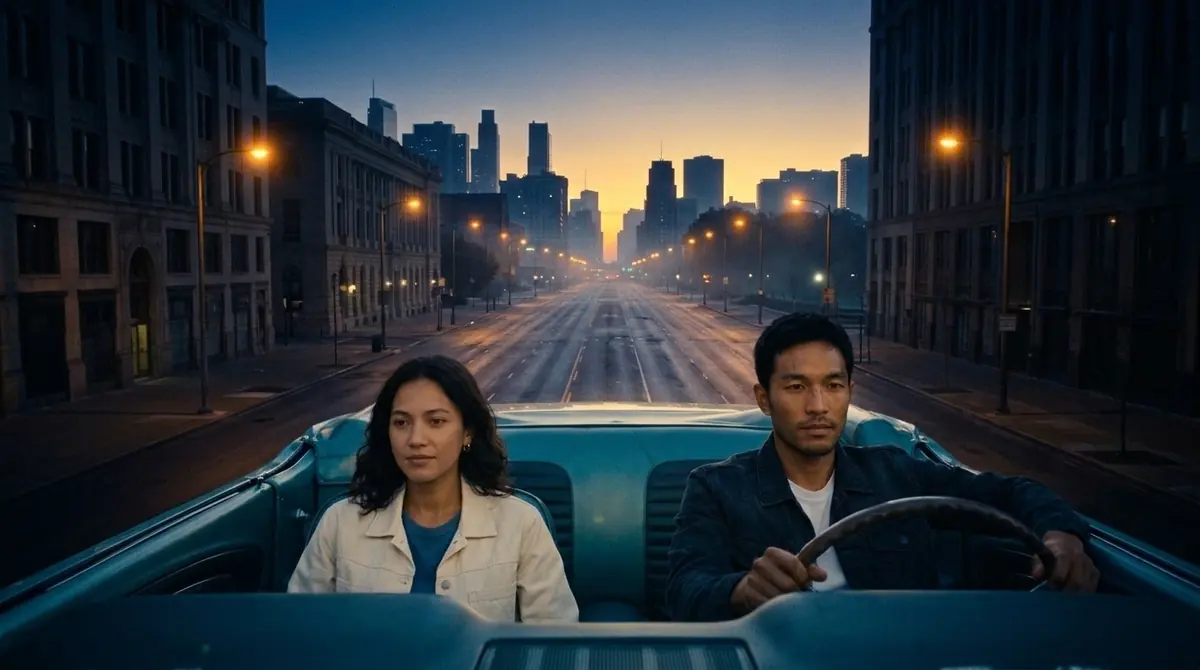
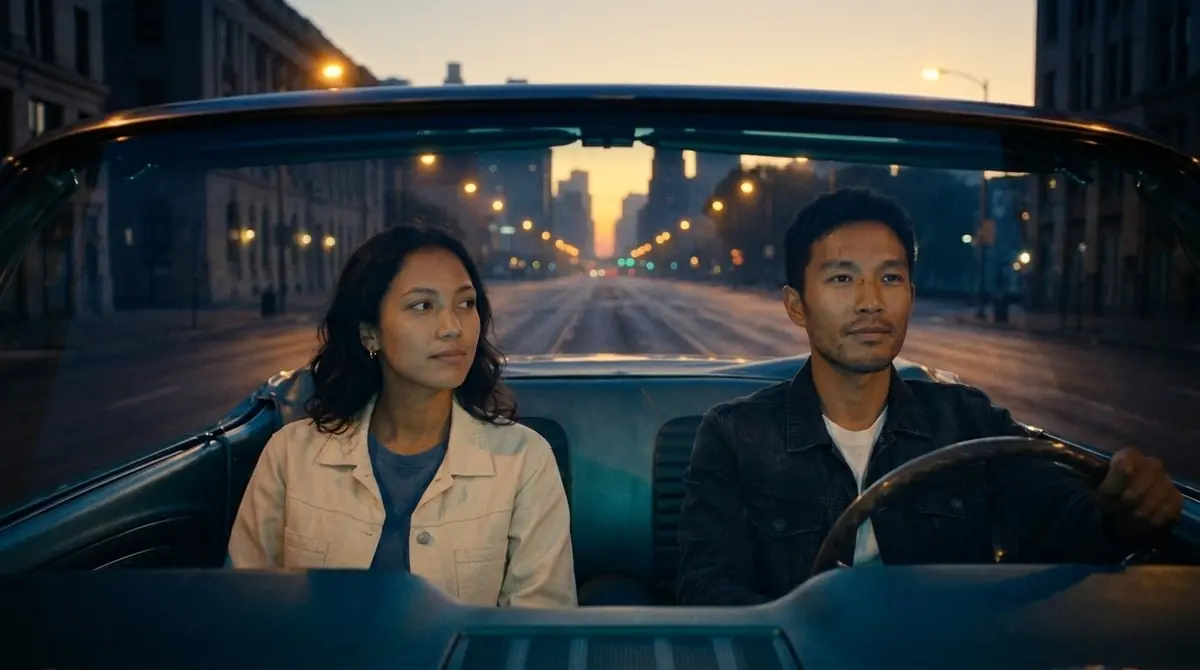
In Muvora the cuts come from the song's analysis: they land on downbeats, every section change and every drop is a cut, and quiet sections get longer shots than choruses. Inside those cuts the AI director chooses the camera. The brief states the video's camera language (the camera's personality and how it changes from the quiet parts to the choruses), and every shot gets a framing, a camera move and an action that suit its place in the song.
The moves come from a list of thirteen: static, push in, pull out, pan left or right, tilt up or down, tracking, orbit, crane up or down, handheld and dolly zoom. Each shot also has an intensity from Calm to All out, and the camera's pace follows it: Calm and Gentle shots move slowly, Strong and All out shots fast, so a pan on one of the loudest shots is asked for as a whip pan. When a shot's action is a walk or a run and its move would travel with the walker (tracking, pulling back ahead of them or orbiting), the camera stays planted instead and the walker covers ground through the frame.
- Pick another move from the Camera list on the shot's card in the storyboard editor.
- Set its speed with the shot's Intensity slider, from Calm to All out.
- Make the motion prompt agree: if the camera now orbits, say what the subject does while it circles and where the move ends.
- Change the framing in the prompt's opening words (“close-up of” instead of “wide shot of”), or type a sentence into Rewrite with AI, such as “make this a low-angle close-up as she looks up”.
Every one of those edits is free, as is everything else in the storyboard. Moves outside the list, such as a zoom or a rack focus, can be described in a shot's motion prompt, though the results are less predictable than the listed moves; after the render, the review page lets you re-roll any shot that came out wrong.
Direct the camera before you spend a credit
Upload your song, read the shot-by-shot storyboard with every framing and camera move, and change any of them for free. The exact price is shown before you render.
Written by the Muvora team. Last updated November 15, 2026. Spotted something out of date? Tell us at [email protected].