The short answer
To direct a music video, start with a one-sentence concept that has a hook, then write a treatment, fix the look (palette, light sources, locations) and plan a shot list timed to the song. On the day, give the performer actions and a mood, not poses, match camera moves to the song's energy, and pace the edit so each chorus lands bigger than the last.
- A concept is one sentence with a lead, a place and a change; the hook is the image people remember.
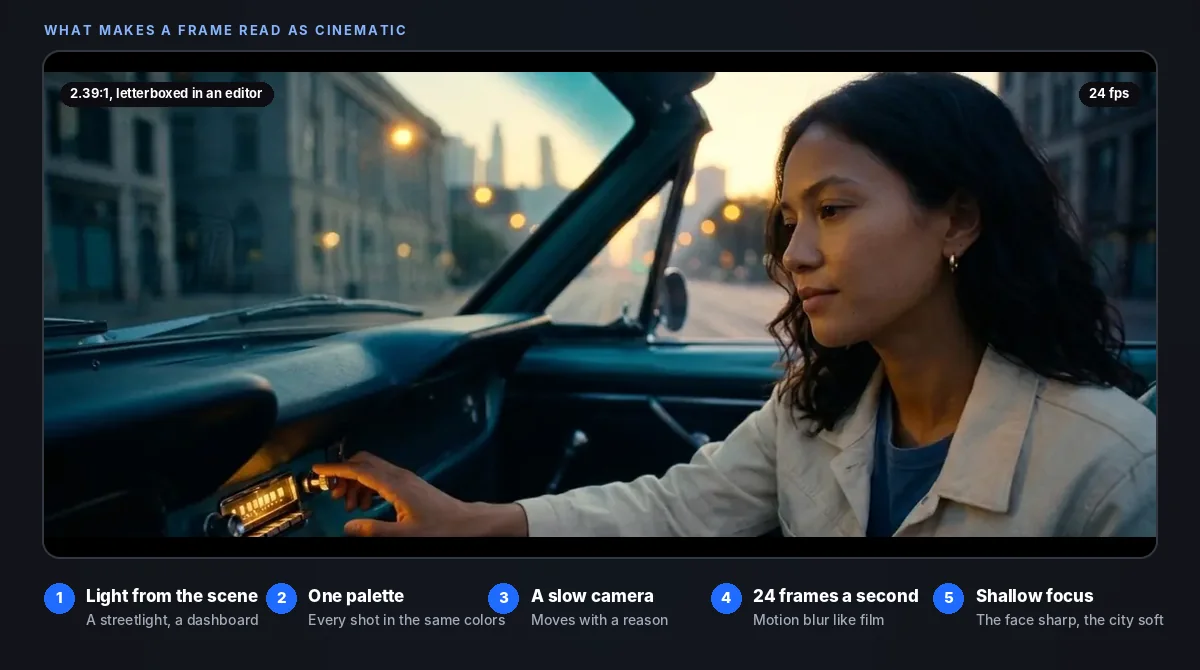
- Name the light source in every scene and keep the palette to three to five colors.
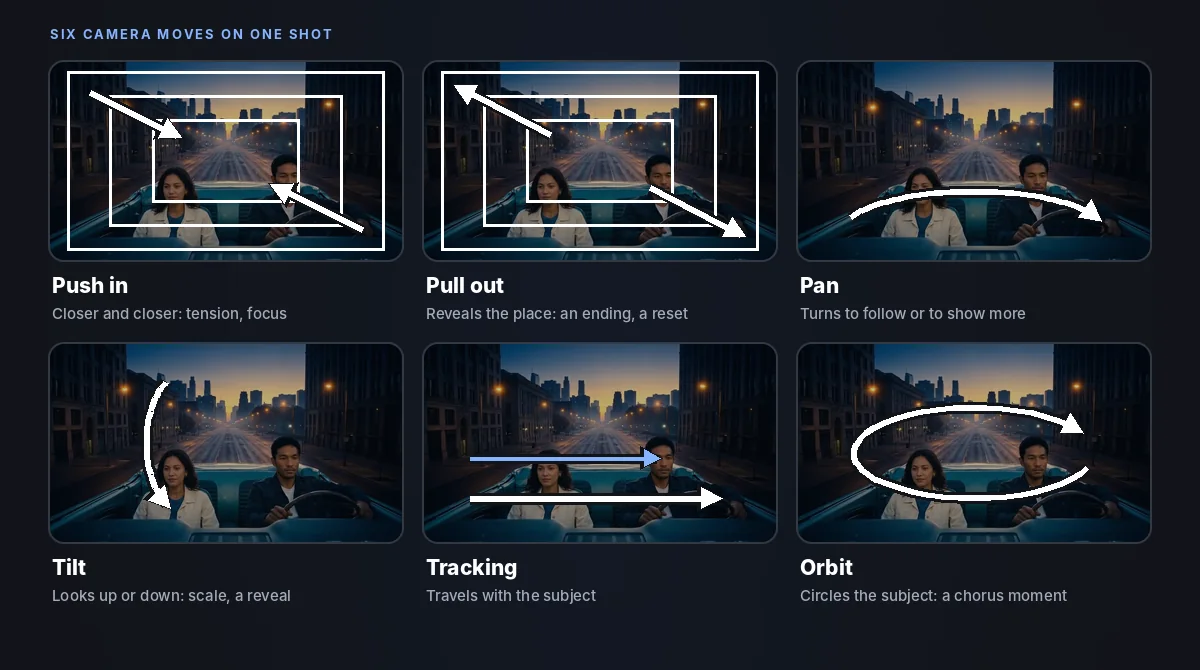
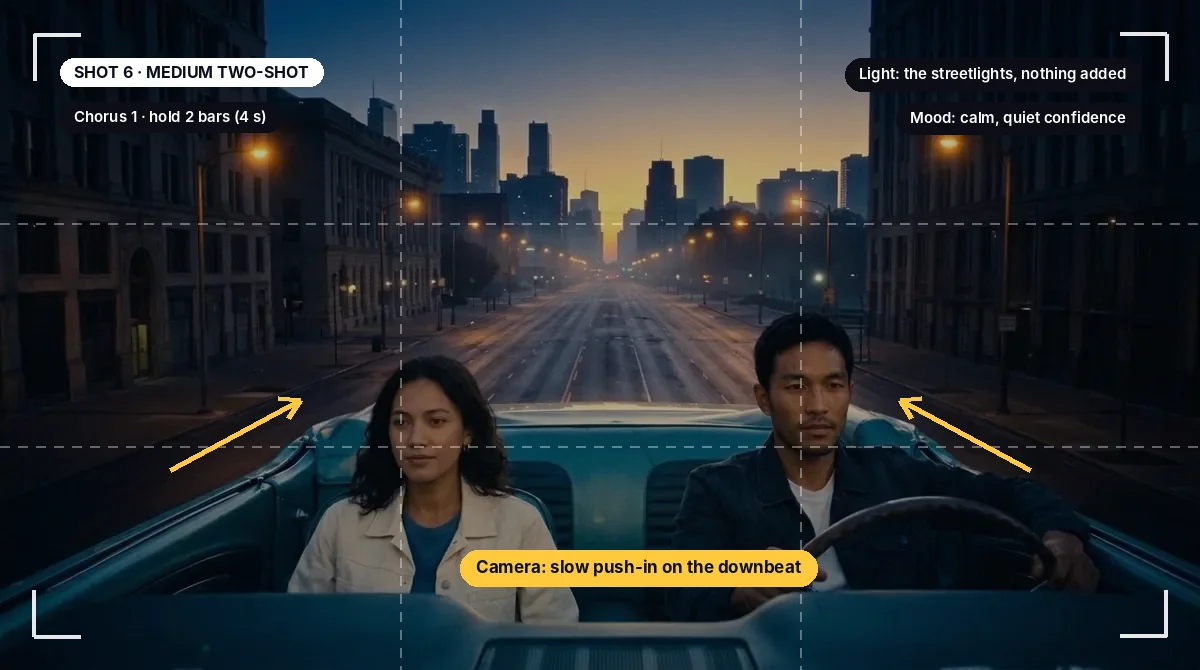
- Tie the camera to the energy: wide and still when the song is quiet, close and moving when it's loud.
- Direct the performer with verbs and a mood, and shoot the whole song for every setup.
- Pace the video by section: a hook in the intro, a turn at the bridge, a final image to end on.
On this page (7 sections)ShowHide
- 1.What a music video director actually does
- 2.Start with a concept that has a hook
- 3.Design the look: palette, light and places
- 4.Shots, camera moves and blocking tied to the song
- 5.Casting and directing the performer
- 6.Pace it to the song's structure, then check your prep
- 7.How directing works with an AI music video
- Questions
What a music video director actually does
On a big production the director leads a crew of dozens; on a small one the director is also the camera operator, the lighting person and the editor. The title doesn't change the job. The director owns every choice the viewer sees and answers for one question above all: does the picture move with the song? Here is the whole job in the order it happens, from the first listen to the final cut.
- 01
Listen until you can name the mood
Play the song on repeat, write three words for how it feels (cool, confident, unbothered), and mark where the energy rises and the hook lands.
- 02
Write the concept and its hook
One sentence with a lead, a place and a change, plus one image the chorus owns that the verses don't have.
- 03
Write the treatment
Give each section one story beat, and describe the look and the cast well enough that someone else could shoot it.
- 04
Design the look
Choose three to five colors, name the light source in each scene, pick three to six locations and fix every character's wardrobe.
- 05
Storyboard the shots on the song's clock
Split the song into shots that start on downbeats, each with a size, a camera move and an action, holding longer where it's quiet.
- 06
Cast and brief the performer
Share the mood words, the actions and each section's energy days before the shoot.
- 07
Block and shoot every setup
Set where people move and where the camera sits, then shoot the whole song for each performance setup, plus the B-roll.
- 08
Cut the edit to the song's structure
Hook the viewer in the intro, move the story in the verses, grow each chorus, turn at the bridge and end the outro on a final image.
- 09
Review it the next day
Watch the cut at full size and on a phone, and replace any shot that drags, repeats or misses the beat.
Start with a concept that has a hook
Every decision after this one gets easier if the concept is sharp. A concept isn't a theme (“it's about heartbreak”) or a list of nice shots; it's a situation that can change over three minutes. Write it as one sentence that names a lead, a world and a change: “A woman empties the house she grew up in, one room per verse, and by the last chorus she carries the one thing she kept out into the morning.”
Then find the hook: the image the chorus owns. The verses build a world and the chorus shows something they don't have: the lights coming up, the whole crew arriving, the car reaching the coast. Each time the chorus returns, that image is bigger, closer or fuller than before.
Mood is the step most often skipped. Write three words for how the song feels rather than what it says: a laid-back love song wants relaxed faces and slow moves even if a lyric mentions a fight. Those words steer the casting, the light, the camera and every note on the day.
The treatment turns the concept into a plan someone else can read. How to write a music video treatment has the format and a worked example; if the blank page is the problem, the music video idea generator and music video ideas offer starting concepts by genre and mood.
Music video treatment generatorDescribe the song and the idea and get a first-draft treatment laid out section by section, ready to rewrite in your own words.Skip the blank page
Upload your song and Muvora's AI director plans a shot-by-shot storyboard on the beat. Edit every shot for free, and pay only if you render.
Design the look: palette, light and places
The look makes a video recognizable from a single frame, and directors settle it before anything is shot, in four written decisions that everyone (or every AI prompt) works from.
- Palette. Three to five colors for the whole video, drawn from the mood: navy, sodium orange and a little teal for a night drive; cream, sage and soft gold for a slow love song. Wardrobe, props and walls come from the same short list.
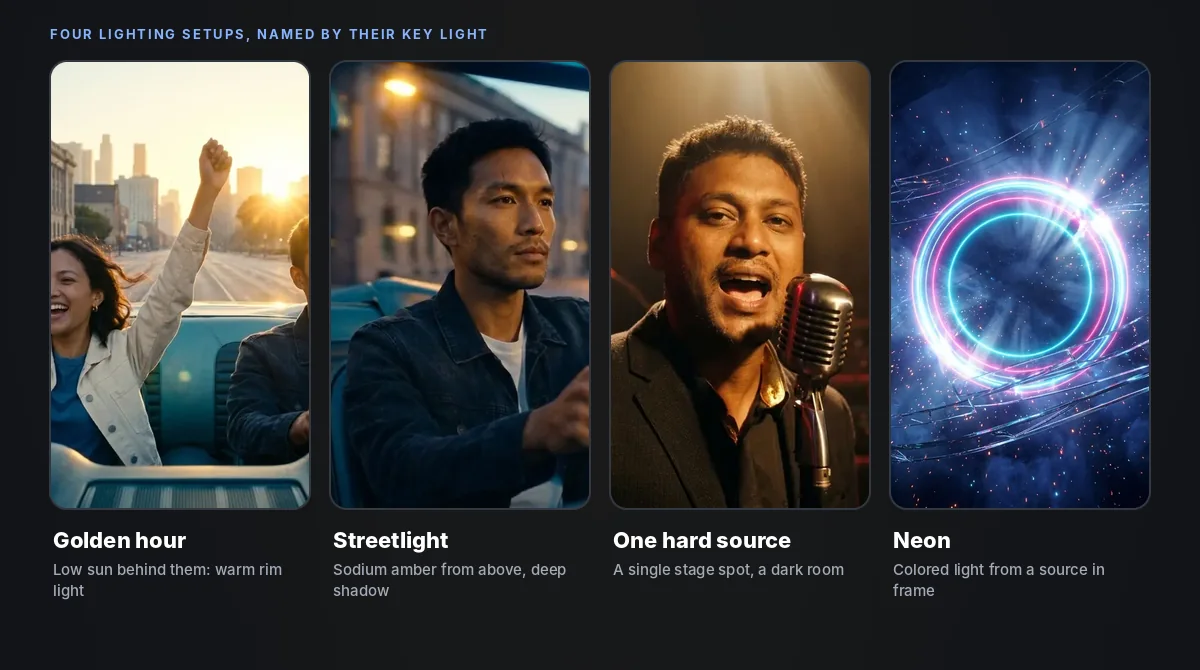
- Light from named sources. Write down what lights each scene: a bedside lamp, an open fridge, a shop window, low sun through blinds. “Moody lighting” isn't a plan; “one bare bulb over the kitchen table” is.
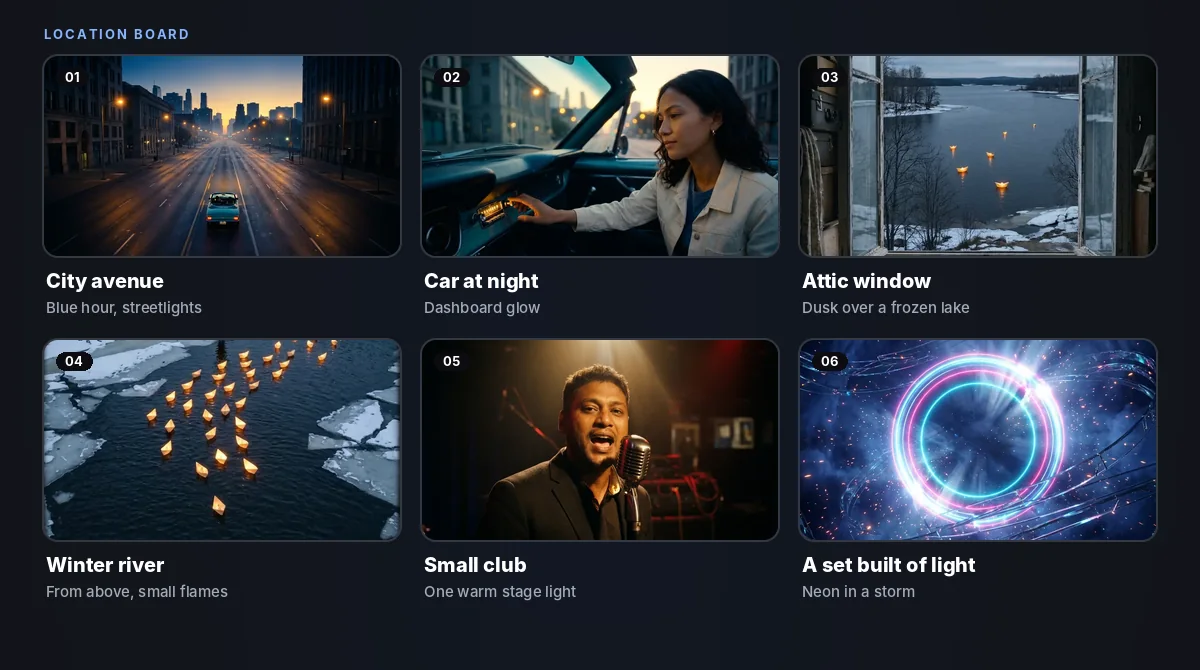
- Locations. Three to six places at most, each with its own light and job in the story. Two well-dressed rooms read as a world; ten rushed ones read as a scrapbook.
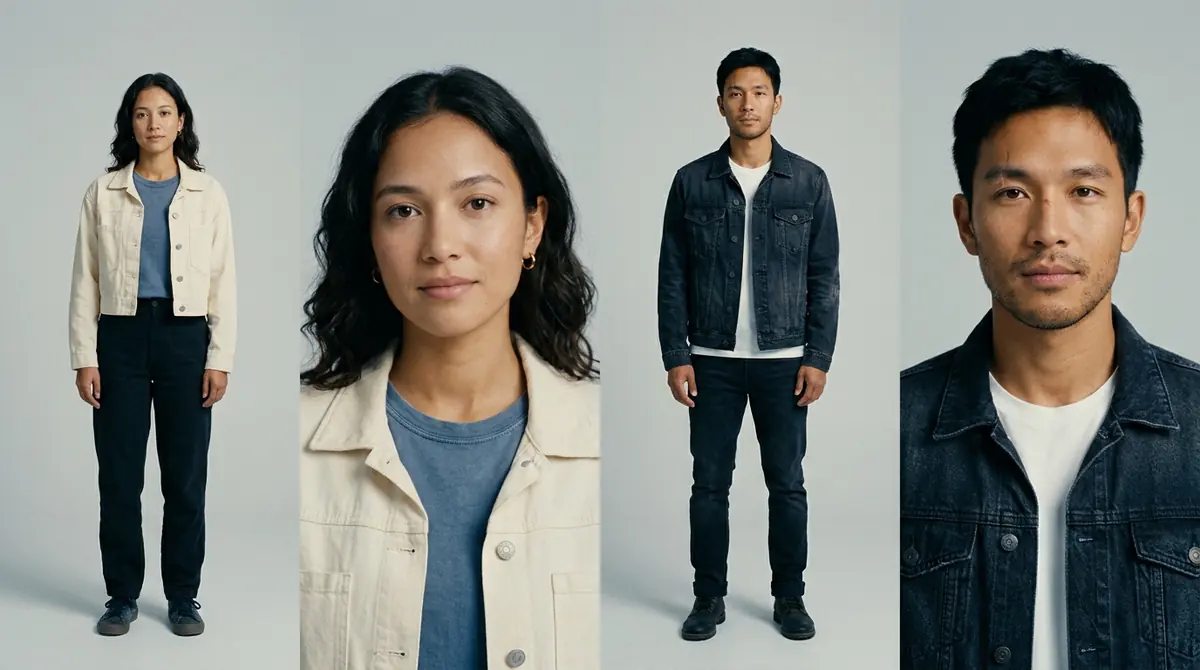
- Wardrobe as continuity. Give each character one signature piece (a red coat, a thin silver chain) and keep its size, color and fit the same in every shot.
| Mood | Light sources | Palette |
|---|---|---|
| Cool, unbothered | Streetlights, a shop's fluorescent tubes, car headlights | Navy, sodium orange, concrete gray |
| Tender, nostalgic | Window light through sheer curtains, a bedside lamp | Cream, faded rose, warm wood |
| Restless, tense | A single bare bulb, a TV's flicker, an open fridge at night | Cold white, bottle green, black |
| Euphoric | Low sun, string lights, colored stage light | Gold, magenta, sky blue |
| Lonely | One streetlight, a phone screen, blue hour | Slate blue, gray, one warm accent |
Change the light as the song changes. Three minutes in the same light feels flat, however good each frame is. Put the verses in cool window light, switch the warm lamps on for the chorus and save the low sun for the last one: a change of light is one of the cheapest ways to make a chorus feel bigger.

Shots, camera moves and blocking tied to the song
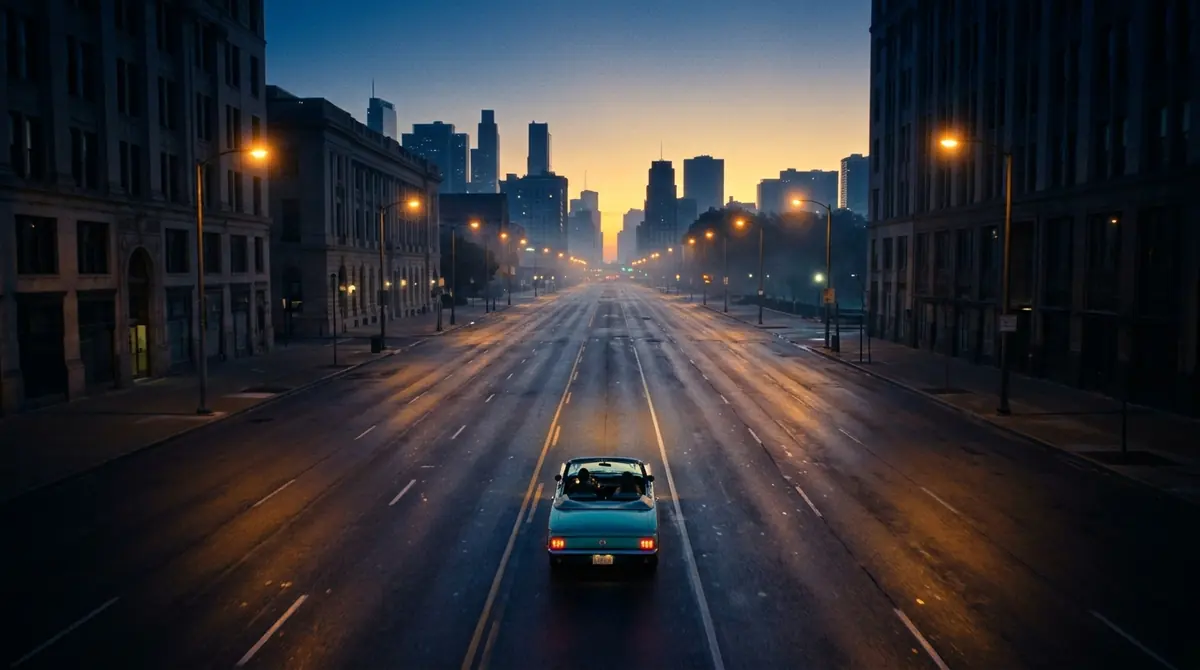
Camera language is how a director makes the picture feel the music, and the rule underneath it is simple: the louder and denser the song, the closer the frames, the bigger the moves and the shorter the shots.
| Section | Shot sizes | Camera | Hold each shot |
|---|---|---|---|
| Intro | An extreme wide, or one telling insert | Locked off, or a slow push-in | 2 to 4 bars |
| Verse | A wide to open each place, then mediums and inserts | Steady; slow pans to follow the action | 1 to 2 bars |
| Pre-chorus | Closer: medium close-ups | A push-in that builds | 1 bar |
| Chorus | Close-ups cut against big wides | Orbit, crane, handheld | A bar or less |
| Bridge | Something new: a high angle, a single long shot | Often still | Hold, then cut on the turn |
| Outro | A wide, or the opening frame answered | Pull-out, or locked off | 2 bars or more |
Knowing when not to cut is as much a director's skill as knowing where to. Hold a shot when the performer is doing something worth watching, when a line needs room to land, or when the song itself holds: a long note, a breakdown, the half bar of silence before a drop. A held shot there makes the first cut after the drop hit twice as hard.
Wide
Where are we?
Medium
What are they doing?
Close-up
How do they feel?
Insert
A detail that matters
Change the framing at every cut, so two shots in a row never look alike.
Blocking is where people stand and move in relation to the camera, planned before the day rather than discovered on it. Three habits keep it clean: plant the camera and let people cross the frame or walk toward the lens instead of chasing them; keep the camera on one side of an imaginary line between two characters so their eyelines match (the 180-degree rule); and give every move a start mark and an end mark, so take five matches take one.
Coverage is the safety net: enough sizes and angles per section that the editor never puts two similar frames side by side. Plan at least four framings for every verse and five or more for each chorus. The music video shot types guide explains every size, angle and move, and how to storyboard a music video lays them out on the song's clock; to sketch by hand, print panels from the storyboard template.
Shot list generatorTurn the song's tempo and sections into a timed shot list with a framing for every shot, then reorder it by setup for the shoot day.Get a first-draft storyboard to direct from
Upload your song and Muvora's AI director writes a concept, a look and a shot for every beat-timed slot. Treat it as the first draft: change anything, keep what works, and pay only if you render it.
Casting and directing the performer
Most music video performers aren't actors, and many have never been filmed. The director's job is to make them comfortable enough to stop performing for the camera and start performing the song. Send the mood words, the concept and what happens in each section a few days ahead, and run the song together once before the shoot.
Cast for the mood as much as the look. A supporting character who's warm on camera beats a striking one who freezes, and an artist who's naturally still deserves a concept built on stillness, not choreography. Match the song's energy: a calm, confident track wants relaxed faces and small, sure movements, and only a genuinely aggressive one should get shouting or snarling.
- Give actions, not poses. “Fix your collar in the mirror, then turn to the door” gives the body something true to do; “look cool” gives it nothing.
- One note per take. Change one thing and roll again. Five corrections at once produce a stiff sixth take.
- Put the energy in numbers. “That was a seven; give me a four for the second verse” is easier to act on than “be calmer.”
- Direct the eyes. Decide for each section whether the performer sings down the lens (direct, intimate) or past it (inward, private), and keep to it.
- Keep rolling between takes. Some of the best moments, a laugh or a glance away, happen just after the performer expects you to stop.
For lip sync, shoot the whole song for every performance setup, with the track playing out loud at full speed and the performer singing at full voice. Then vary the takes on purpose: one at warm-up energy, one straight down the lens, one past it, one all out on the choruses. The practical setup, from the playback file to the clap slate, is in how to make a music video on your phone.

Pace it to the song's structure, then check your prep
A music video takes its shape from the song's structure, and each section has a job. Direct each one for its job and the video gets an arc without a line of plot. Decide it in the storyboard, before the shoot, since it dictates which shots you need.
| Section | Its job | How to direct it |
|---|---|---|
| Intro | Hook the viewer before the first line | Open on the most intriguing frame you have, not the widest, and hold it |
| Verses | Move: something new each time | A new place, time of day or action in every verse; mediums and inserts on steady cuts |
| Pre-chorus | Build | Tighter frames, a push-in, the light starting to change |
| Chorus | Pay off, bigger each time | The hook image; chorus two wider or fuller than chorus one, the last one biggest of all |
| Bridge | Turn | Break the pattern: new light, a new place, one long shot or the first stillness in a minute |
| Outro | End on a button | One final image that answers the first: the empty room, a light going out, the door finally open |
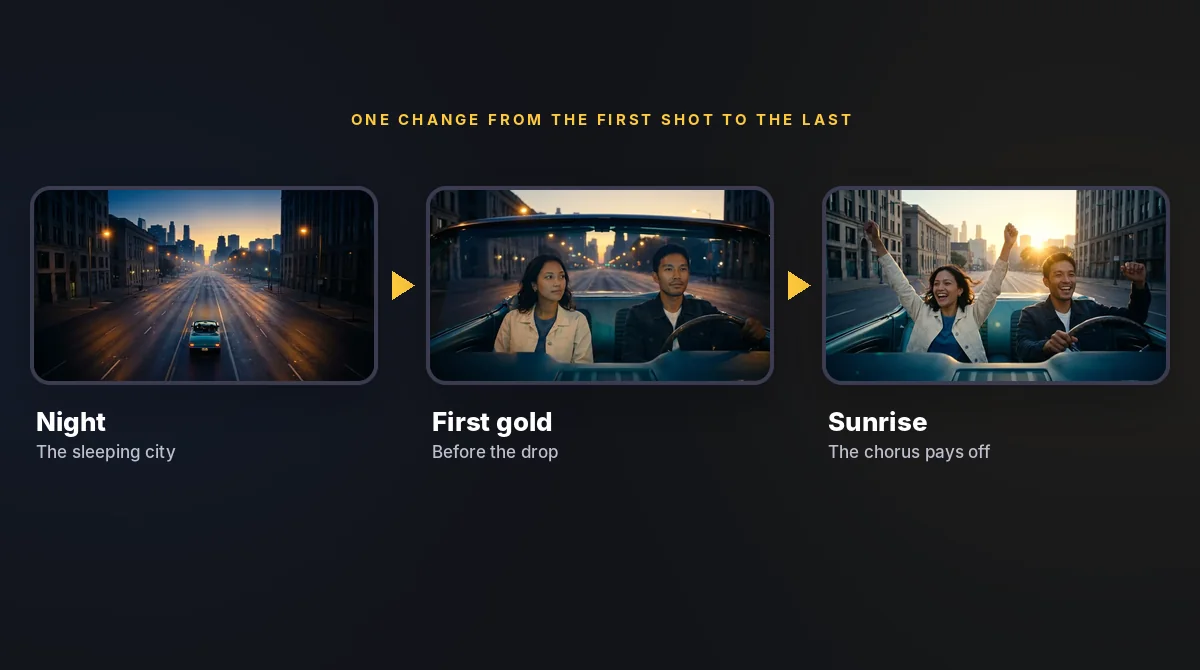
Pace the cuts the same way: two to four bars a shot in quiet sections, one to two in the verses, a bar or less in the chorus, and always a cut where a section starts or a drop hits. The song structure visualizer shows where your track's sections and drops fall, and how to edit a music video to the beat covers the cutting itself.
Before the shoot day, run the whole plan against this list. Anything you can't tick is cheaper to fix now than on set or in the edit.
- The concept fits in one sentence, and the hook image is written down.
- The artist has signed off on the three mood words.
- Every scene has a named light source, and the palette is three to five colors.
- Every location is booked or allowed, and scouted at the hour you'll film it.
- Each character has one fixed description and one signature piece of wardrobe.
- The storyboard covers every second of the song, with every cut on a downbeat.
- The shot list is grouped by setup and light, with a time for each setup.
- The playback file has a count-in, and the speaker is loud enough to sing over.
- The performer has the mood words, the actions and the schedule.
- Batteries, storage, a backup location and a plan for rain are sorted.
How directing works with an AI music video
With AI video there's no set, no crew and no take five, but the director's job doesn't disappear; it moves earlier. In Muvora, an AI director makes the first pass at every decision above by reading the song: its tempo, beats and downbeats, sections, drops, energy and lyrics. It writes a brief (the concept, the mood, the palette, the light, the locations and the characters) and a shot for every slot between cuts. The cuts land on downbeats and always fall at a section change or a drop, with longer shots where the music is quiet. Style frames (an establishing shot, a chorus hero shot and a character sheet) show the look before you pay anything.
You direct by editing. Everything you'd change on a shoot, you change in the storyboard before rendering, at no cost:
- The brief. Adjust the concept, the mood or the palette; the render draws every shot in the brief's look and mood.
- The characters. Change a character's description once and it's replaced in every shot that repeats it, so the lead's coat stays the same coat.
- The shot prompts. Rewrite a shot's prompt by hand to change its action or its light, or ask for a rewrite with AI in a sentence (“make this a close-up, she's laughing”).
- The cuts. Drag a cut and it snaps to the beat, split a long shot in two or merge two short ones.
- The performer. Choose the Performance style with one clear, front-facing photo of you (or of someone who gave permission), and the sung shots are lip-synced to the voice.
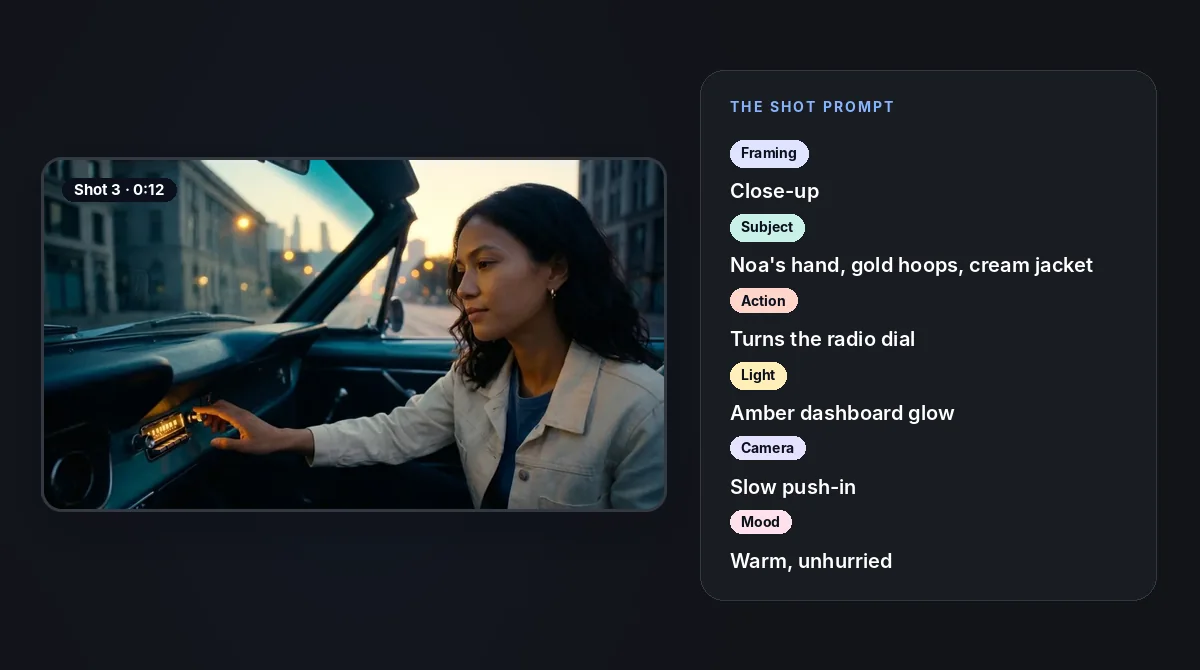
Then render at the quality you choose, from 38 to 110 credits per finished second, with the exact price shown first. The directing carries on in review: re-roll a shot that misses (free up to 10% of the video's length), edit its prompt, show it as a still or swap two shots, then make a new version for free.
Prompts take the same craft as a shoot: an action rather than a pose, a light source rather than a vibe, a planted camera when someone walks. AI music video prompts covers the wording, and the storyboard generator page shows the whole storyboard you get from a song.
Direct your song's video from the storyboard
Upload the track, read the brief and the shots the AI director wrote, and change whatever you'd change on set. Editing the storyboard is free; you pay only when you render it.
Written by the Muvora team. Last updated November 14, 2026. Spotted something out of date? Tell us at [email protected].