Write AI video prompts that hold up in a music video
Pick the framing, describe who is in the shot and what they do, choose where the light comes from and how the camera moves, and get an image prompt and a motion prompt written the way Muvora's AI director writes every shot. The checker flags poses, clichés, lettering and crowds before you spend a credit on them.
Free, no sign-up. Runs in your browser: nothing is uploaded.
Song energy here
2 · quiet verse: sets how fast the camera moves.
Image prompt
A close-up of a woman in her twenties in a cream cropped jacket, small gold hoop earrings turns the radio dial and smiles as the song comes on in the front seat of a vintage teal convertible on an empty city avenue at night. Lit by the amber glow of a car dashboard. Faces soft and open. A real photograph shot on 35mm film, natural skin texture, fine grain.
Motion prompt
The camera pushes in slowly. A woman in her twenties in a cream cropped jacket, small gold hoop earrings turns the radio dial and smiles as the song comes on. Real-time movement with weight, unhurried. Keep the image's look and faces.
Avoid: text, captions, logos, signs with words, watermarks, extra people, distorted hands, extra limbs, warped faces, morphing
The text this tool writes is in English.
No common mistakes found: an action, a named light and nothing a model garbles.
Muvora writes prompts like these for every shot of your song, timed to its beats, for free.
Song finished? Upload it and Muvora plans the whole video on its beats. The storyboard is free.
Make the videoUpload a new songHow to use the music video prompt generator
- 01
Frame the shot
Choose how close the camera is, from an extreme wide to a detail insert, and the look: film, camcorder, cartoon, anime, clay and more.
- 02
Say who does what, and where
Describe the subject, give them an action rather than a pose, and name the place in a few specific words.
- 03
Name the light and the move
Pick a real light source in the scene and a camera move, then set the song's energy at that moment to pace the camera.
- 04
Fix the warnings and copy
Read the checker's notes, adjust your words, then copy both prompts or send the shot to Muvora as your video's starting idea.
Two prompts, because a shot has two jobs
An AI music video is made in two passes: a still keyframe is drawn first, then a video model animates it. The image prompt decides what the frame looks like; the motion prompt decides what moves and how the camera travels. Mixing the two in one block is the most common reason a clip drifts away from the picture you wanted.
- Image prompt: framing, subject, place, light, look
- Motion prompt: camera move, action, pace
- A negative line keeps lettering and extra people out
The checker catches what models get wrong
Video models animate actions well and poses badly, garble any lettering in the frame, melt big crowds and tend to walk a character on the spot when the camera tracks beside them. Generic hype words make every frame look like every other AI video. The tool reads your own words and tells you which of these you have walked into, and how to fix it.
- Poses and stock clichés flagged
- Signs, logos and text flagged
- Walk-and-track shots rewritten automatically
Energy decides the camera's speed
The same push-in should crawl in an intro and rush in at the drop. Set where the shot sits in the song, from a quiet intro to a final chorus, and the motion prompt changes its pace to match, the same rule Muvora's director follows when it plans a whole song.
- Five energy levels from intro to drop
- Slow moves in quiet parts
- Fast moves where the song peaks
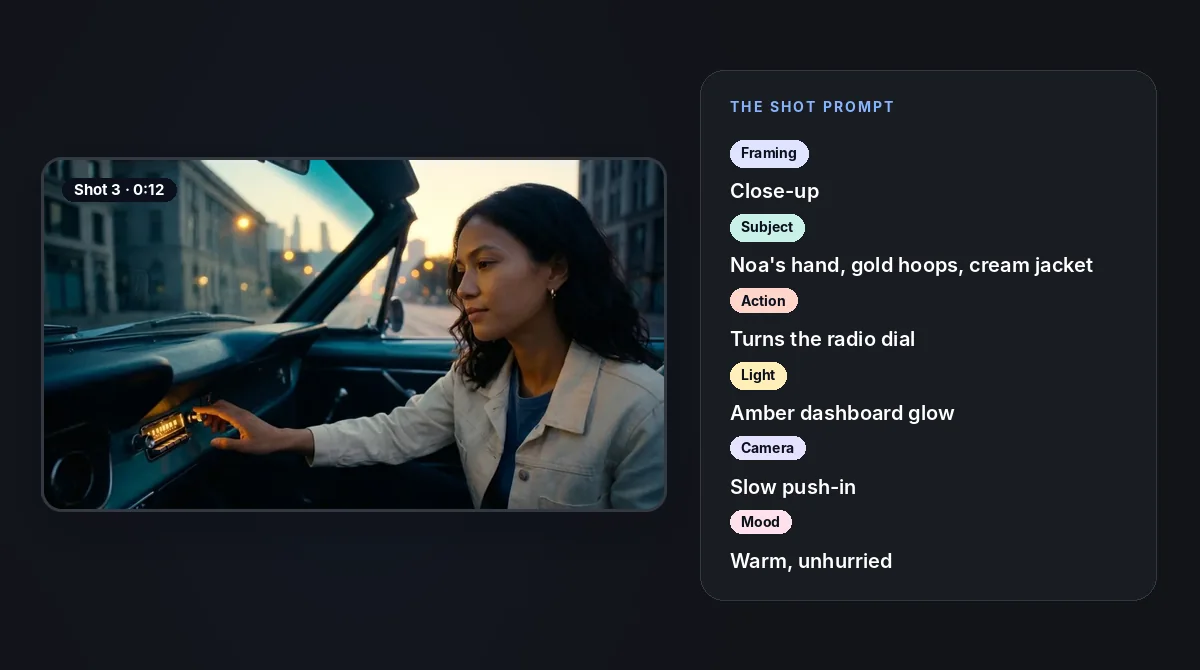
Get a prompt like this for every shot of your song
A music video needs dozens of shots, each with its own prompt, framing and timing. Upload a track and Muvora's director writes all of them on the beat, with a character described once and repeated word for word, and you edit any of them for free before rendering.
Questions, answered
Can't find what you need? Start a free storyboard and see for yourself.
What makes a good AI video prompt for a music video?
One shot, one framing, a subject doing a specific action, a named place, a real light source, one camera move and the mood. Short and concrete beats long and adjective-heavy.
Why does the tool avoid words like cinematic, epic or 8K?
They don't describe anything a model can draw, and they pull every result toward the same glossy stock look. A named light, a place and an action change the picture far more.
Can I use these prompts in other AI video tools?
Yes. They are plain text and work as a starting point in any image or image-to-video model. Muvora also uses the same structure for every shot it plans.
How do I keep the same character across shots?
Describe the character once in a few fixed words for face, hair and wardrobe, and paste that exact description into every shot they appear in. Changing even a word invites the model to change the person.
Keep exploring
AI music video prompts
The parts of a shot prompt, image versus motion prompts and 40+ examples written for each section of a song.
Read the guide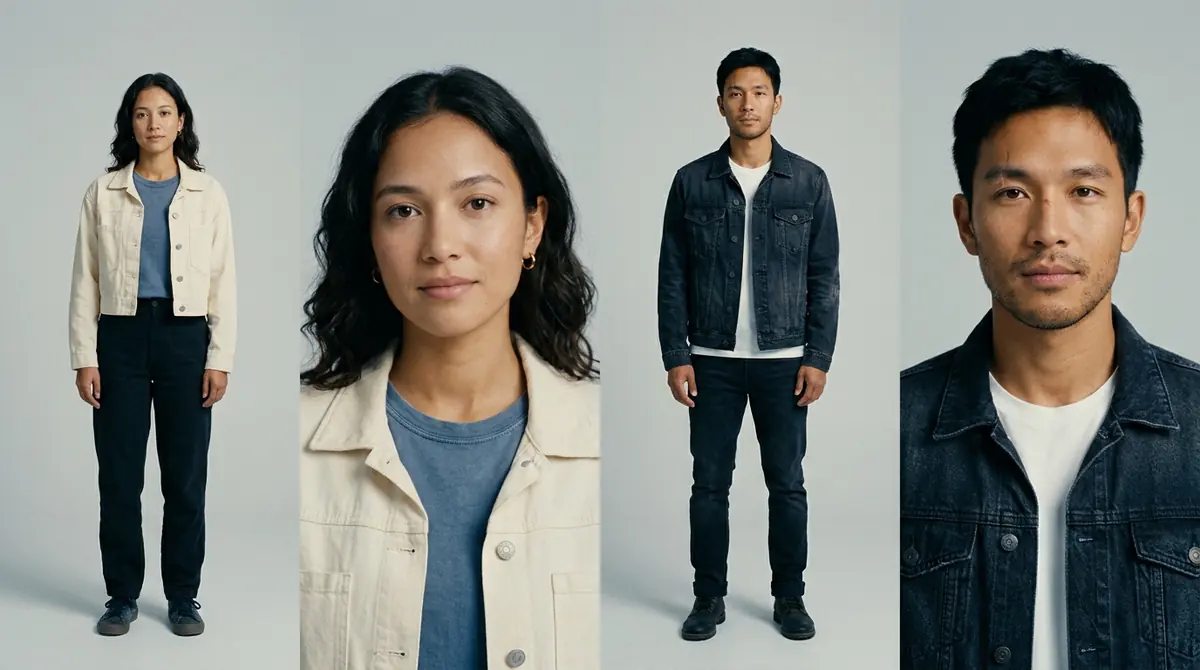
Storyboards
A shot-by-shot storyboard for your song, timed to the beat and free to edit.
Learn moreShot list generator
Type a song's tempo and sections and get a beat-timed shot list, made by Muvora's own planner.
Open the tool
Music video shot types
Every shot size, camera angle and camera move used in music videos, with when each one fits the song.
Read the guideColor palette generator
Drop in any image and get its five to eight main colors with hex codes, shares and readable text colors, ready to copy as CSS or as an idea for a video.
Open the tool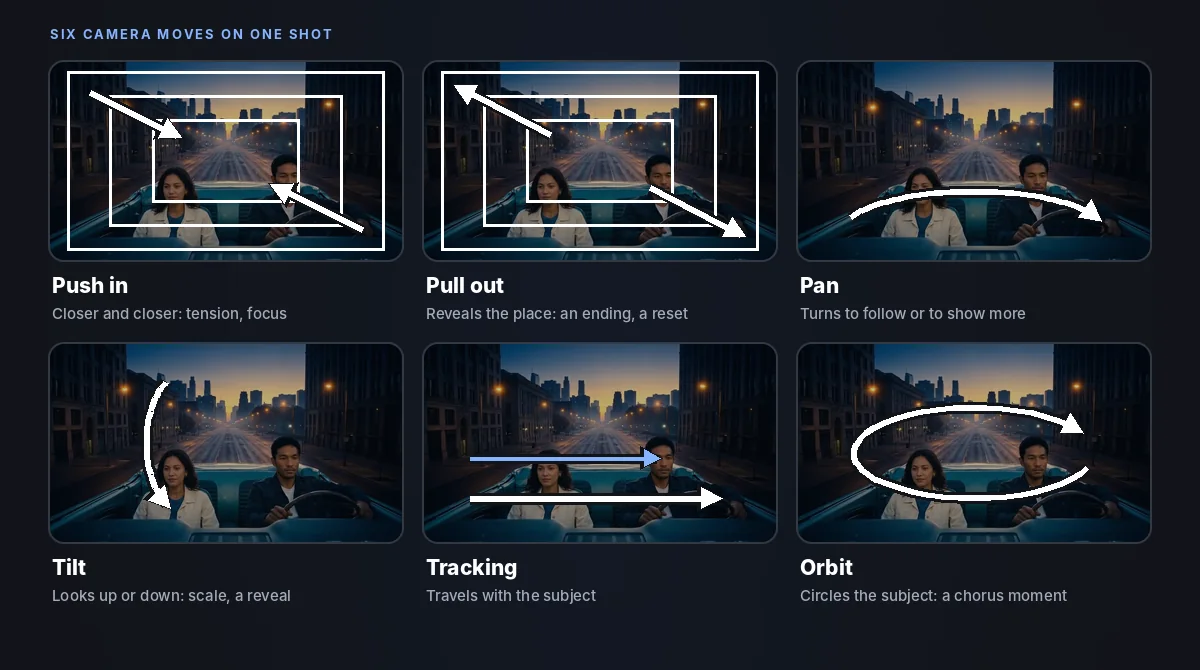
Music video camera moves
Every camera move a music video uses, what each one does to the viewer and where it belongs in the song.
Read the guide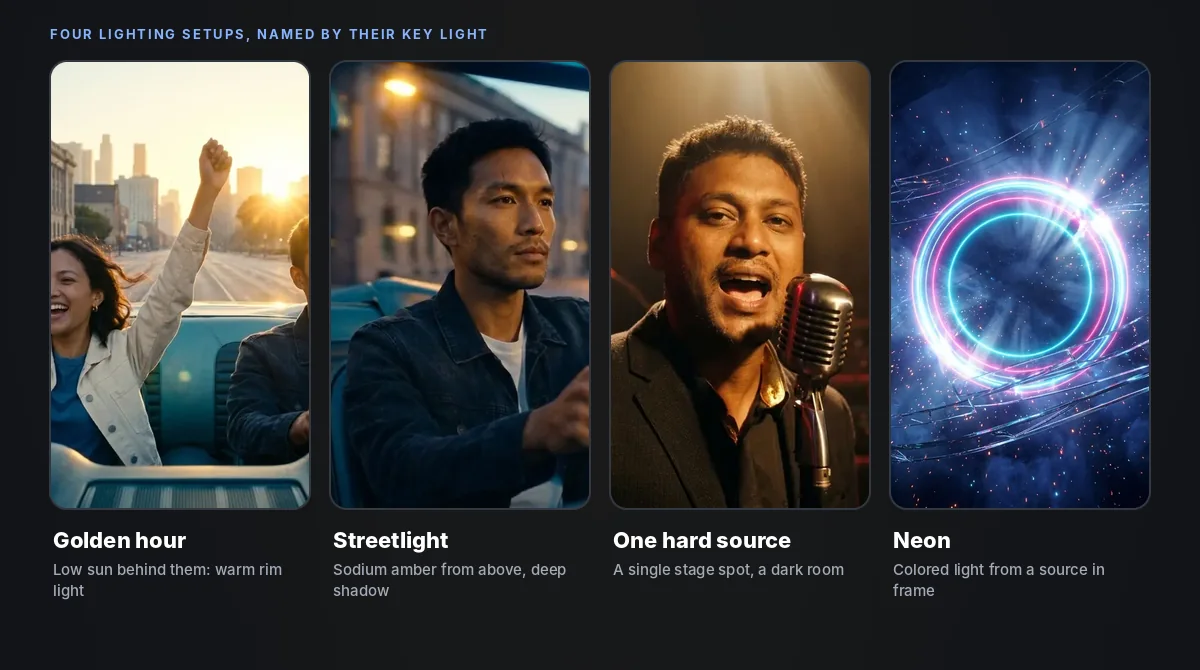
Music video lighting setups
Lighting setups and ideas for music videos: key, fill and back light, practicals, golden hour, neon, haze and one-light looks.
Read the guide
More free tools: plan the video
Ideas, treatments, prompts, shot lists and storyboards timed to the beat, a call sheet for the shoot, and what a render would cost.
Your song deserves a music video
Upload a track and get a free beat-synced storyboard in minutes. Render it when you are ready.
No card needed to start.






