The short answer
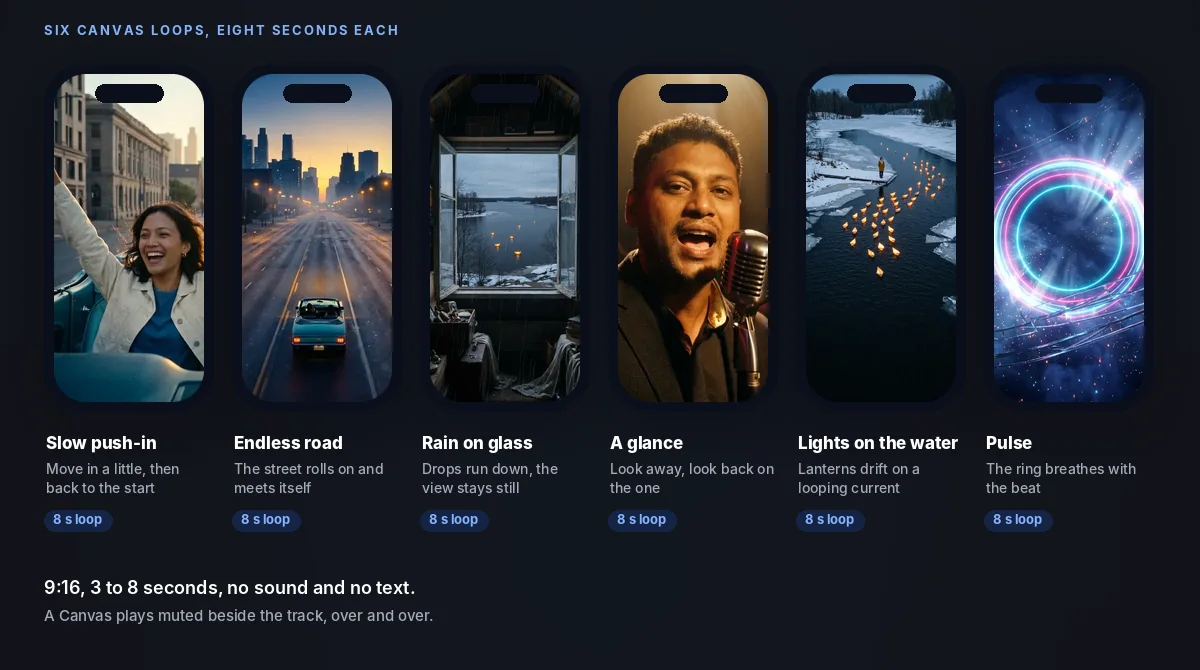
Good Spotify Canvas ideas are a single motion that returns to where it started: a turning record, a swing, wipers in the rain, the same window through four seasons. Keep it 3 to 8 seconds and vertical 9:16, with no text, no singing and nothing flashing, put the subject near the center, and match the song's mood rather than retelling its story.
- Pick a motion that ends where it began: a turn, a swing, a tide or a cycle of light.
- Spotify asks for 3 to 8 seconds at 9:16 and suggests no singing, rapid cuts or flashing.
- Keep the subject central: phone screens can crop the edges, and the title sits over the frame.
- Leave out links, follow requests and the song's name; the app already shows the title.
- Every Muvora render includes an 8-second Canvas cut from the chorus, built to loop.
On this page (7 sections)ShowHide
What makes a Canvas idea work
A Canvas is watched on a phone, silently, while the song plays, and it repeats for as long as the track runs: a 3-minute song shows an 8-second Canvas more than 20 times. So the idea has to survive repetition before anything else. Spotify's Canvas guidelines and Canvas content policy set the rest; this is what they said in November 2026 and what each point means for an idea.
| Spotify says | What it means for the idea |
|---|---|
| 3 to 8 seconds, vertical 9:16, "between 720px - 1080px tall", MP4 or JPG | One motion or one short sequence, composed for a tall frame |
| Choose footage without talking, singing or rapping | A loop can't stay in sync with the lyrics, so faces glance, breathe or turn instead of singing |
| Avoid rapid cuts and intense flashing graphics | Slow motion and gentle changes of light; no strobes |
| The edges may get cut off on some phones | Keep the subject near the center of the frame |
| Consider leaving out the song and artist name | They already show in the Now Playing view, over the picture |
| No links, ticket sellers, follow requests or brands, Spotify's logo included | The Canvas adds to the song; it isn't an ad |
| Mark it explicit if it shows violence, drug use, profanity, sexual behavior or sensitive topics | A darker idea can run when the song calls for it, tagged as explicit |
Spotify also names three kinds of loop, and every idea below is one of them. A continuous loop flows from its last frame straight into its first. A hard cut has clear edit points, which can be disguised. A rebound plays the clip forward and then in reverse, which Spotify calls an easy way to a smooth loop.
Your song
Your name
Loops while the song plays
Length: 3 to 8 seconds
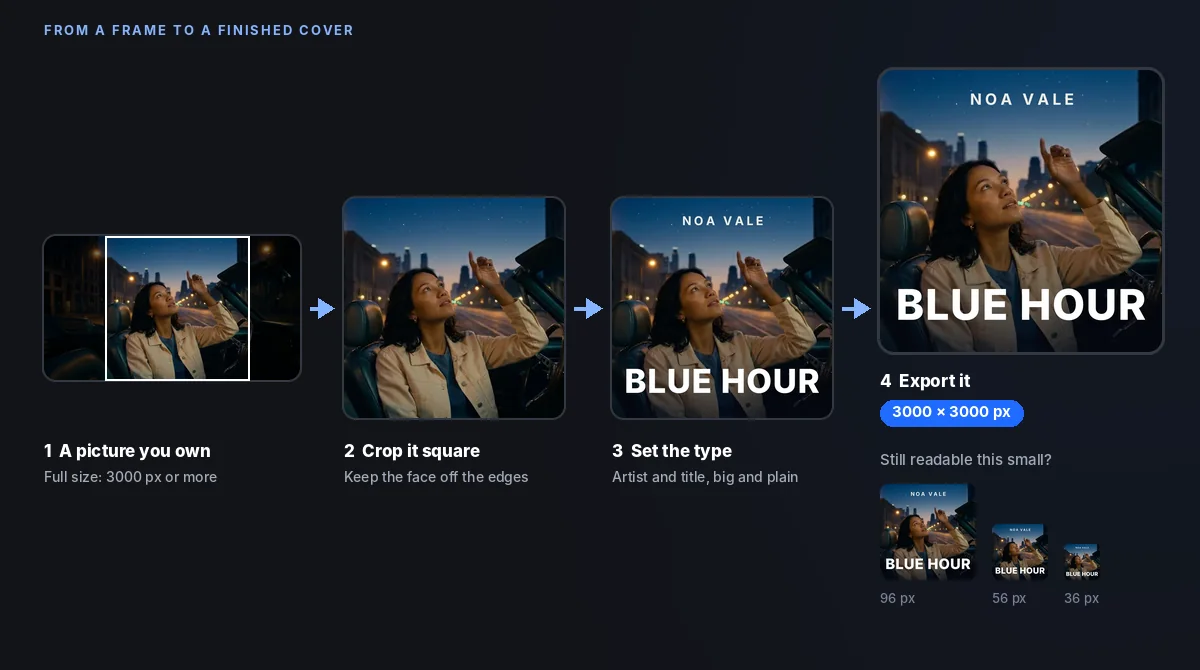
Shape: vertical 9:16, at least 720 px tall
Keep clear: the bottom of the frame, where the player sits
Continuous loops: motion that circles back
The surest loop is a motion with no beginning and no end: something turning, cycling or sweeping. Each idea is written as a whole video concept, so it works in Muvora's idea box, with every chorus built around the moving thing; on its own, each is also a Canvas you could film in an afternoon.
- Continuous loop · one room · night
The record that keeps turning
A small apartment at night lit by one amber lamp, a record turning on a turntable, dust drifting through the lamp's beam. The verses follow the listener around the room; every chorus comes back to the platter from above, the tonearm riding the groove and the label a plain red circle, one endless turn.
Use this idea on my songUse this idea on my song - Continuous loop · fairground · night
Carousel after closing
An empty fairground after closing, one carousel still turning under warm bulbs, its painted horses rising and falling. The lead wanders the dark midway through the verses and steps onto the carousel for each chorus, riding past the camera in a slow circle that keeps bringing the same white horse back into frame.
Use this idea on my songUse this idea on my song - Continuous loop · laundromat · strangers
Late wash
A 24-hour laundromat at 2 a.m. under flat fluorescent light, two strangers waiting on plastic chairs. The verses catch small glances between them; every chorus cuts to the dryers, red and blue shirts tumbling behind round glass doors, until the last chorus, when both their loads stop at the same moment.
Use this idea on my songUse this idea on my song - Continuous loop · coast · night
Lighthouse in the fog
A lighthouse on a rocky point on a foggy night, its beam sweeping slowly through the mist over black water. A keeper climbs the spiral stairs with a lantern through the verses; each chorus holds on the beam turning over the sea, the fog glowing where it passes, a little more of the coast lit each time.
Use this idea on my songUse this idea on my song - Continuous loop · abstract · visualizer
Kaleidoscope in the cover's colors
The cover art's colors, here cobalt, coral and cream, inside a slowly turning kaleidoscope of six mirrored wedges that fold into a flower and open out again. The verses turn gently; on every chorus the pattern blooms wider and turns faster, and each loop folds back to the same first flower.
Use this idea on my songUse this idea on my song
To loop a turning thing yourself, film it with the phone locked on a tripod and trim the clip to whole turns: start on one frame and end one frame before the same position comes round again. A 45 rpm single turns once every 1.33 seconds, so six turns make exactly 8 seconds, and the restart can't be seen.
Build your chorus around a loop
Upload your song in 9:16, paste an idea into the idea box and get a free storyboard with the chorus built around its motif. Every render includes an 8-second Canvas cut from the chorus, ready for Spotify for Artists.
Gestures and swings: people without singing
People make a Canvas personal, but Spotify suggests footage without singing or rapping, since a loop drifts out of sync with the words within seconds. The answer is a gesture: a glance, a turn, a swing, a spin. Gestures that go out and come back make natural rebounds, and the rest loop like the turning things above.
- Rebound · portrait · city night
The glance over the shoulder
The lead walks away from the camera down a street of lit shop windows at night, long coat, hair moving in the wind. Through the verses we only see their back; on every chorus they stop under one warm light, half turn and look back over the shoulder into the lens, then face forward again.
Use this idea on my songUse this idea on my song - Rebound · playground · dusk
Swing at dusk
An empty playground at dusk, a woman in a yellow raincoat on a swing, the chains creaking against an orange sky. The verses gather small moments around the park; every chorus is the swing seen from in front, rising toward the camera and falling away, a little higher each time.
Use this idea on my songUse this idea on my song - Rebound · practice room · afternoon
Metronome on the piano
A songwriter's practice room in late afternoon, a wooden metronome ticking on an upright piano beside a pencil and a cold mug. The verses show the song being worked out at the keys; every chorus cuts to the metronome's arm swinging left and right in window light, the pendulum that keeps the whole video's time.
Use this idea on my songUse this idea on my song - Continuous loop · dance · one light
Spin on the top deck
A dancer in a long skirt on the top floor of an empty parking garage at night, a single sodium light overhead. The verses are slow steps and stretches at the edge of the light; every chorus is one turning spin seen from above, the skirt flaring into a full circle, each spin ending where it began.
Use this idea on my songUse this idea on my song - Continuous loop · car · rain
Wipers in the rain
Two people parked by a harbor in heavy rain, engine running, the dashboard's glow on their faces. They barely speak through the verses; every chorus looks out through the windshield as the wipers sweep the water away and the blurred harbor lights pull into focus, then dissolve again under the next sheet of rain.
Use this idea on my songUse this idea on my song

Skip the blank page
Upload your song and Muvora's AI director plans a shot-by-shot storyboard on the beat. Edit every shot for free, and pay only if you render.
Hard-cut loops: places, seasons and abstract
A hard-cut Canvas strings a few short shots together and cuts back to the first. It's the way a music video is edited, and it's the kind of loop Muvora's Canvas is: a few chorus shots cut on the beat. Hard cuts loop best when every shot shares a place, a light or an object, so the restart looks like the next cut rather than a jump.
- Hard cut · one place · time passing
One window, four seasons
The same attic window seen from inside, framed identically in every shot: frost and blue light in winter, rain in spring, green leaves on a hot afternoon, red leaves at dusk in autumn. The verses watch someone come and go from the room; each chorus cuts through all four seasons, one per bar, and back to winter.
Use this idea on my songUse this idea on my song - Hard cut · four places · one color
Red rooms
Four places lit only in deep red: a concrete stairwell, a phone booth, a corner shop's freezer aisle and a bathroom mirror, with the lead in each slowly lifting their eyes to the lens. The verses move between them unhurried; the chorus cuts from room to room on every downbeat and always returns to the stairwell.
Use this idea on my songUse this idea on my song - Hard cut · abstract · macro
Ink in water
Clouds of ink blooming in a clear tank of water against black, in the cover's two colors, close enough to see every curl. The verses drift through single slow blooms; each chorus cuts between fresh bursts on the beat, colliding and folding into each other, and every chorus ends on the first bloom opening again.
Use this idea on my songUse this idea on my song - Hard cut · metro station · motion
Escalators all night
A deep metro station at night, long escalators climbing toward a pale tiled hall, a few late passengers riding up. The verses ride with one of them; every chorus cuts between the moving steps, a hand sliding along the rubber rail and the ceiling lights passing overhead, all motion that never stops.
Use this idea on my songUse this idea on my song - Continuous loop · sea wall · dawn
Tide on the steps
Stone steps leading down into the sea at dawn, waves washing up over them and drawing back, a pair of shoes left on the top step. The verses follow whoever left them along the empty shore; every chorus returns to the steps as a wave rolls in and slides away, a little higher each time, until it reaches the shoes.
Use this idea on my songUse this idea on my song
How each idea loops
Whether you film a Canvas yourself or cut it from a video, the trick is hiding the moment it starts again. This is the kind of loop each idea makes and what hides its restart.
| Idea | Kind of loop | What hides the restart |
|---|---|---|
| The record that keeps turning | Continuous | Trim to whole turns: six turns of a 45 rpm single are exactly 8 seconds |
| Carousel after closing | Continuous | End as the same horse reaches the same spot in the frame |
| Late wash | Continuous | Tumbling clothes never repeat exactly, so a half-second dissolve covers the join |
| Lighthouse in the fog | Continuous | Start and end with the beam at the same point of its sweep |
| Kaleidoscope in the cover's colors | Continuous | A mirrored pattern repeats itself as it turns, so end on the frame before it matches the opening one |
| The glance over the shoulder | Rebound | Play the turn forward and back while they stand still; walking played backward gives it away |
| Swing at dusk | Rebound | A swing already goes out and back, so one swing forward and then reversed looks natural |
| Metronome on the piano | Rebound | The arm looks the same played backward; trim to whole ticks |
| Spin on the top deck | Continuous | End each spin facing the way it began |
| Wipers in the rain | Continuous | Trim from one wiper position to the same position a sweep later; the rain hides the rest |
| One window, four seasons | Hard cut | Frame every season exactly alike, so the cut back to winter reads as the next season |
| Red rooms | Hard cut | Cut on the downbeat and return to the stairwell; the shared red light ties the rooms together |
| Ink in water | Hard cut | Cut back to the first bloom just before it opens |
| Escalators all night | Hard cut | Steps look identical one after another, so trim to a whole number of steps passing a still camera |
| Tide on the steps | Continuous | Trim between two moments when the water lies flat on the steps |
Those tricks are for a Canvas you film or animate yourself. A Canvas Muvora cuts from your video handles its own join: it starts on a cut, and its last half second dissolves into the frames just before its start, so the restart passes for one more transition. Before you upload any Canvas, watch it loop on your phone for a full minute; if the restart catches your eye, it will catch a listener's too.
Where the Canvas comes from in your song
Every video rendered in Muvora comes with a Canvas among its downloads: 8 seconds, vertical 9:16 and silent, cut from the vertical export (or from the main video when that is already 9:16) at the strongest moment of a chorus, found from the song's energy. It passes over stretches where many frames repeat. So the Canvas is only as strong as the chorus, which is why every idea above puts its loop there.
| Section | What the video does | What it gives the Canvas |
|---|---|---|
| Intro | Shows the place and the moving thing for the first time, slowly | Nothing yet; it sets up the motif |
| Verse | Follows the people or the story around the motif | Variety, so the chorus feels like arriving |
| Pre-chorus | Moves closer to the motif | The build that makes the chorus land |
| Chorus | Comes back to the motif in every shot: the same place, light and motion | The 8 seconds the Canvas is cut from |
| Bridge | Breaks the pattern with a new place, or the motif stopped | Contrast, so the last chorus hits harder |
| Last chorus | Shows the motif at its biggest: the fullest spin, the highest swing | Often the loudest chorus, and so a likely Canvas |
In a loud chorus at a mid tempo, Muvora cuts about once a bar, always on the beat grid, so an 8-second Canvas from a 120 BPM chorus usually holds four or more shots, a hard-cut loop in Spotify's terms. A slower song gives longer shots, and the lo-fi look cuts at the most relaxed pace of the genre looks, which suits a calm Canvas; EDM and hip-hop cut faster, so keep their choruses on one place and one light to keep the loop steady.
Spotify's guidelines also suggest connecting the Canvas to your album art, so carry the cover's palette and its central image into the idea; how to make an album cover covers the cover's side. For more concepts, music video ideas groups ideas by approach, and the dark, sad song and party idea guides have choruses with strong motifs of their own.
From an idea to a Canvas on Spotify
- 01
Pick one idea and its motif
Choose the idea whose moving thing suits the song's mood, and decide how every chorus will show it: the same place, light and motion in each chorus shot.
- 02
Upload the song
Upload the final mix as an MP3, WAV, M4A, AAC or FLAC file of up to 8 minutes, and confirm you have the rights to it. The analysis finds the beats, the sections and the choruses.
- 03
Choose the shape and the style
Pick 9:16 if the Canvas and vertical clips matter most, or 16:9 if YouTube does. Story or Abstract keeps singing out of the Canvas, and the genre look sets the pace of the cuts.
- 04
Write the idea with the chorus in it
Paste the idea into the idea box (up to 600 characters) and say what every chorus returns to. Read the storyboard's chorus shots and edit any that wander off the motif; editing is free.
- 05
Check the style frames, then render
The style frames show the look before you pay. Choose a quality and render; the full price is shown before you click Generate.
- 06
Download the Canvas and check it
Download the 8-second Canvas with the other exports, watch it loop on your phone for a minute and run it through the Canvas checker for length, shape and size.
- 07
Add it in Spotify for Artists
In Spotify for Artists, open Music, select the track and choose Add Canvas, on the web or in the mobile app. A Canvas can go on any track, upcoming releases included, and you can change it whenever you like.
The upload steps are on Spotify's adding a Canvas page. If the Canvas doesn't show after that, its troubleshooting page says Canvas plays only in the Spotify mobile app and in the countries it lists, and that listeners need Data Saver off and Canvas switched on in the app's settings. For the specs in more depth and other ways to make one, see the Spotify Canvas guide.
Get a Canvas with your next video
Upload the song, pick a loop idea and get a free storyboard, with 5 new storyboards a month on the free plan. Every render exports the Canvas beside the widescreen, vertical and square videos; the Spotify Canvas maker shows how it's made.
Written by the Muvora team. Last updated November 17, 2026. Spotted something out of date? Tell us at [email protected].