Make a music video for your YouTube channel
YouTube is where a song's full video lives, and a still image with a waveform rarely holds anyone past the first chorus. Muvora makes a real music video for the whole track, in widescreen and cut on the beat, and gives you the vertical cut for Shorts from the same render.
Free to start · 5 storyboards a month · No card needed

Full length, widescreen, on the beat
The main export is 16:9 and exactly as long as your song, with your original audio from the first sample. Every shot starts on a downbeat, the picture changes at every section, and a flash hits every drop. Cinematic quality makes its clips at up to 1080p; the other qualities can export at 1080p, scaled up.
- 16:9 at up to 1080p
- Exactly the song's length
- Your original audio, never the AI's
See your song as a storyboard first
Upload the track and the AI director plans every shot on the beat in minutes. Edit anything for free; you only pay if you render.
Shorts from the same render
Every render also exports a 9:16 cut: each shot is cropped to its centre, and wide shots stay whole over a blurred fill so nothing important is lost. Post the hook as a Short that links back to the full video; the YouTube Shorts page shows how to cut a whole series from it.
- A vertical cut of the whole video
- A square cut for community posts
- An 8-second loop for your Spotify Canvas
Ready for the upload
Turn on karaoke-style lyric captions, burned in and timed to each word, or leave the picture clean. The song's sections become chapter times, and the free YouTube description generator writes the title, description and chapters in the format official uploads use.
- Optional word-by-word lyric captions
- Chapter times from the song's sections
- A share link with a preview card
From your song to a finished video
- 01
Upload your song
Drop in an MP3, WAV, M4A or FLAC up to 8 minutes. Muvora finds the tempo, the beats, the downbeats and the sections of your song, like intro, verse and chorus.
- 02
Edit your free storyboard
An AI director writes a shot-by-shot plan timed to your downbeats. Rewrite any prompt, drag a cut (it snaps to the beat) or ask AI to redo a shot. None of it costs anything.
- 03
Generate your video
See the final price, then render. Pick Visualizer, Standard or Cinematic quality. If a shot fails, its credits come straight back.
The storyboard is free. Rendering is priced per second.
- Visualizer38 credits/s6,840 for 3 minutes
- Standard60 credits/s10,800 for 3 minutes
- Cinematic110 credits/s19,800 for 3 minutes
- The exact price is shown before you generate
- Failed shots cost nothing
- 16:9, 9:16, 1:1 and a Canvas loop from one widescreen render
Free storyboard in minutes. No card needed.
Questions, answered
Can't find what you need? Start a free storyboard and see for yourself.
Can I monetize a Muvora music video on YouTube?
Yes. You keep the rights to the videos you render and can use them commercially, as long as you own the song or have the rights to use it, and the same for anything else you uploaded.
What resolution are the videos?
Cinematic makes its clips at up to 1080p. Visualizer and Standard can export at 1080p as well, scaled up from the resolution their clips are made at.
Can I add the lyrics on screen?
Yes. Paste your lyrics when you upload and turn on captions: each word highlights as it is sung, burned into the video. Leave captions off for a clean picture.
Keep exploring

YouTube Shorts
Shorts cut from the same render as your channel's full video, each opening on a beat.
Learn moreUpload a music video to YouTube
The title format, a description template, chapters, thumbnail, captions, premiere and the Short, in the order you set them.
Read the guideYouTube description generator
A music video's title, description, chapters, hashtags and tags, checked against YouTube's limits.
Open the tool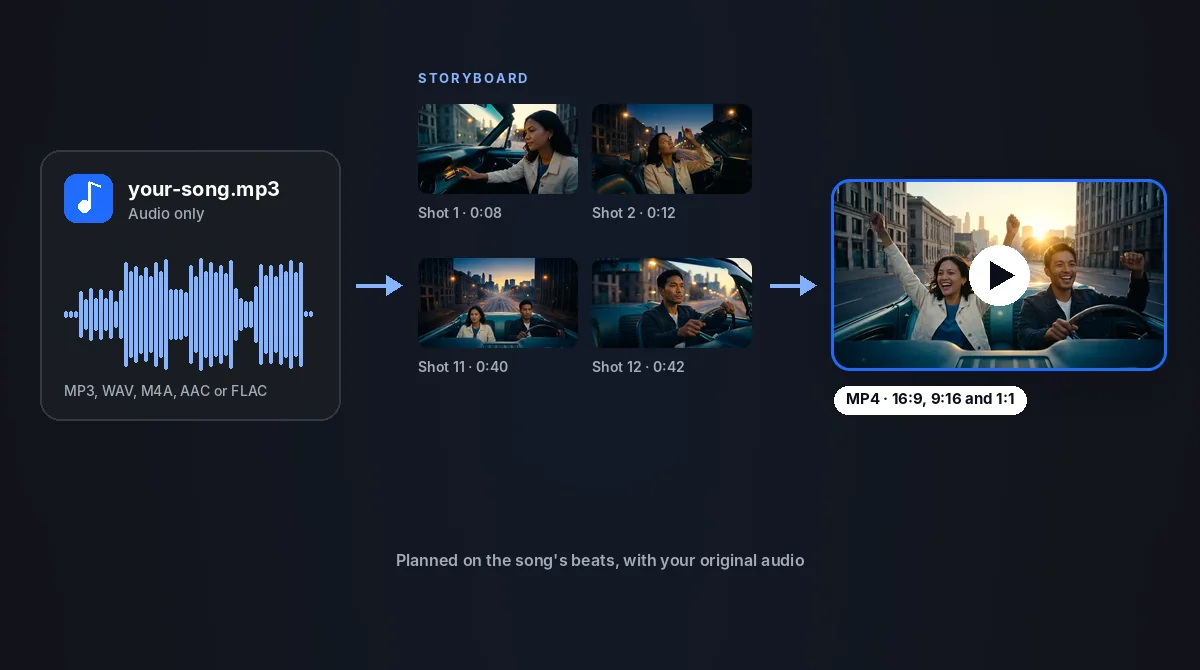
MP3 to video
Convert an MP3 or WAV into an MP4 with AI visuals cut to the song, ready for YouTube.
Learn more
Lyric videos
Karaoke-style captions timed to your vocals, over AI visuals.
Learn more
TikTok, Reels & Shorts
Vertical 9:16 cuts of your hook, priced by the second.
Learn more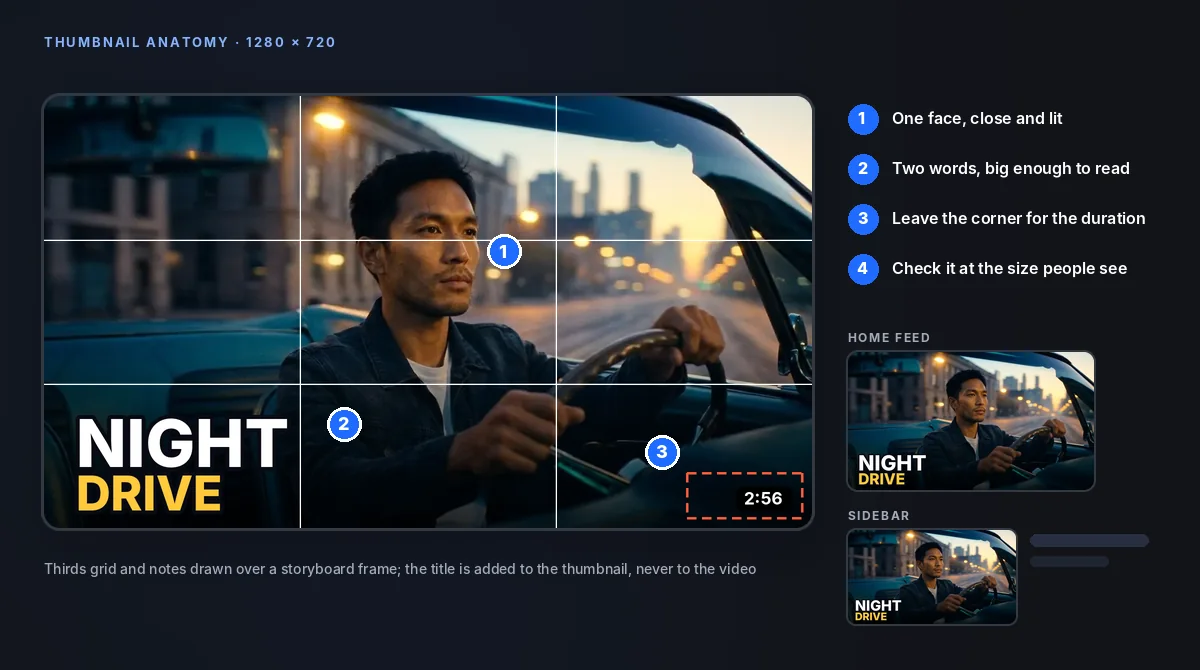
Music video thumbnails
YouTube's size and file rules, what gets a music video thumbnail clicked, grabbing the right frame, the words, the color and testing.
Read the guide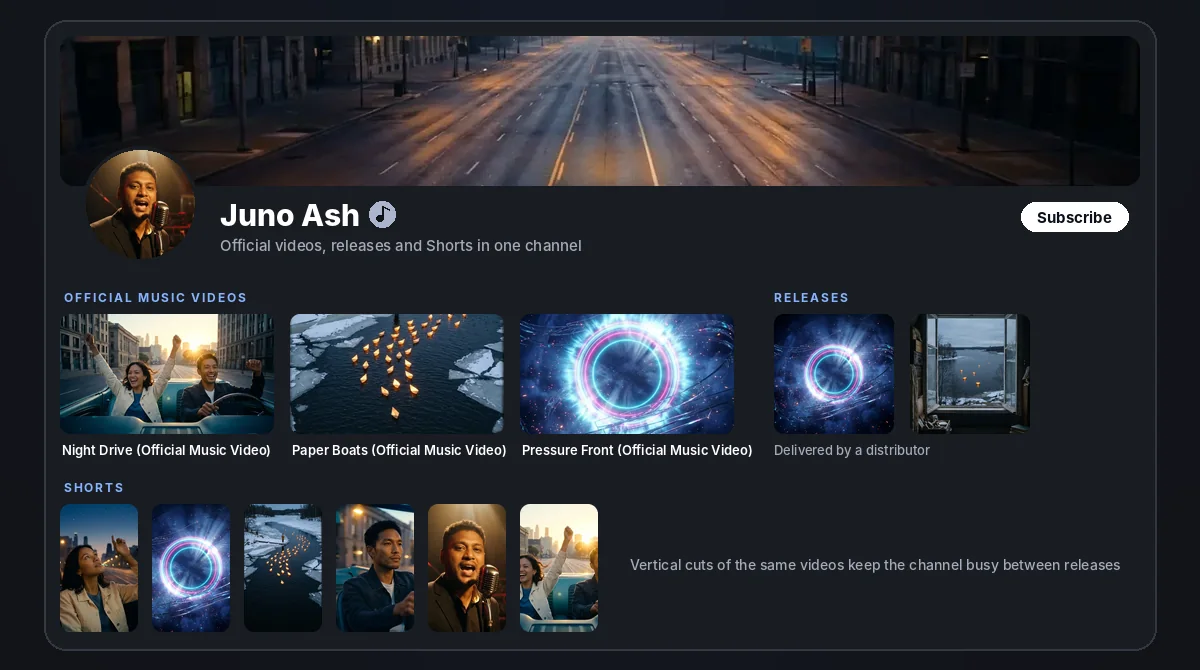
YouTube Official Artist Channel
What the music note changes, YouTube's requirements, what to send your distributor, why requests fail and how to set the channel up.
Read the guide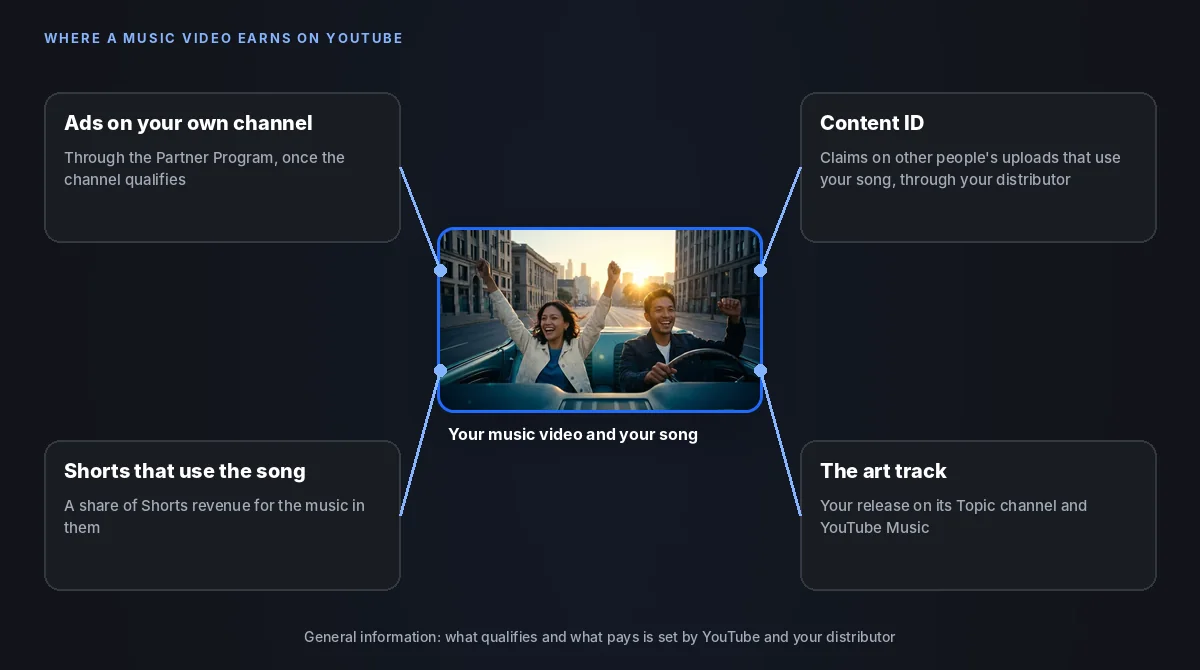
Monetize music on YouTube
The Partner Program's thresholds and the 2027 changes, Content ID through a distributor, art tracks, Shorts that use your song and what views pay.
Read the guide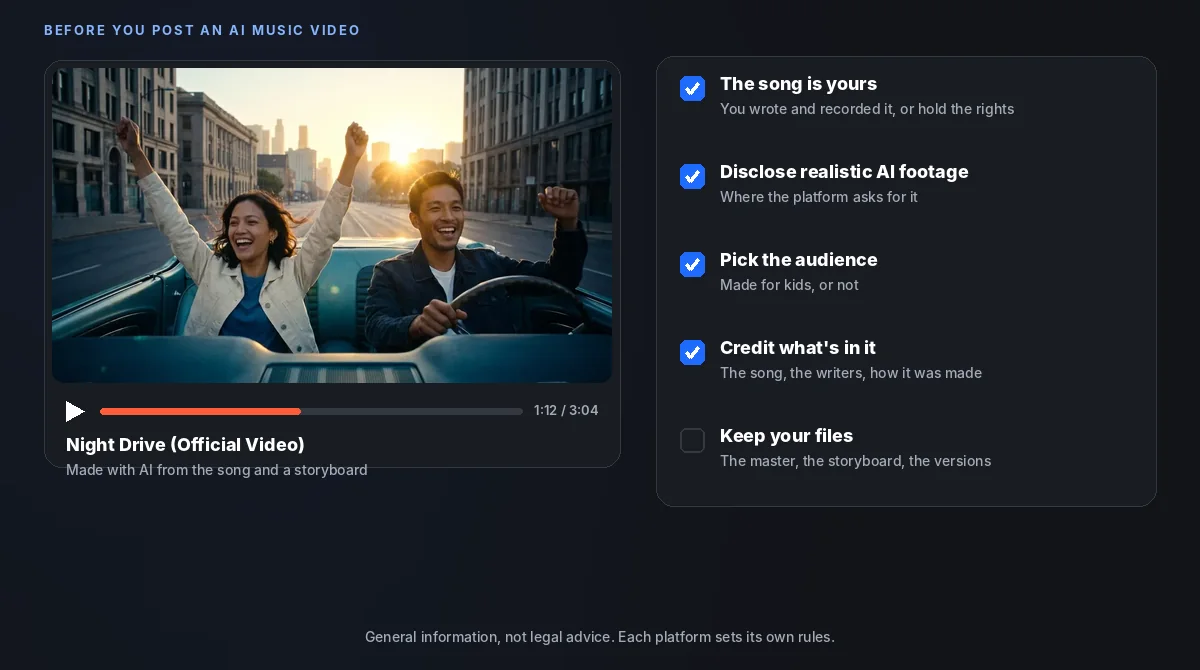
AI music videos on YouTube
When YouTube wants AI disclosed and what the label does, whether an AI music video can earn, Content ID on your own song and the made-for-kids setting.
Read the guideMusic video thumbnail maker
Make a 16:9 YouTube thumbnail from your photo or a frame of your video, with the title set big and the duration corner kept clear.
Open the tool
Your song deserves a music video
Upload a track and get a free beat-synced storyboard in minutes. Render it when you are ready.
No card needed to start.





