The short answer
To add album art to an MP3, embed a square JPEG or PNG in the file's ID3 tag as its front cover, using a tag editor such as Muvora's free MP3 tag editor (in your browser), the Music app on a Mac, Mp3tag or Kid3, then save. The audio doesn't change. Streaming services ignore embedded art, because your distributor sends the cover to them separately.
- The cover sits in the MP3's ID3 tag, in a picture frame marked as the front cover, next to the title and artist.
- Writing a new tag leaves the audio frames as they were, so the song sounds exactly the same.
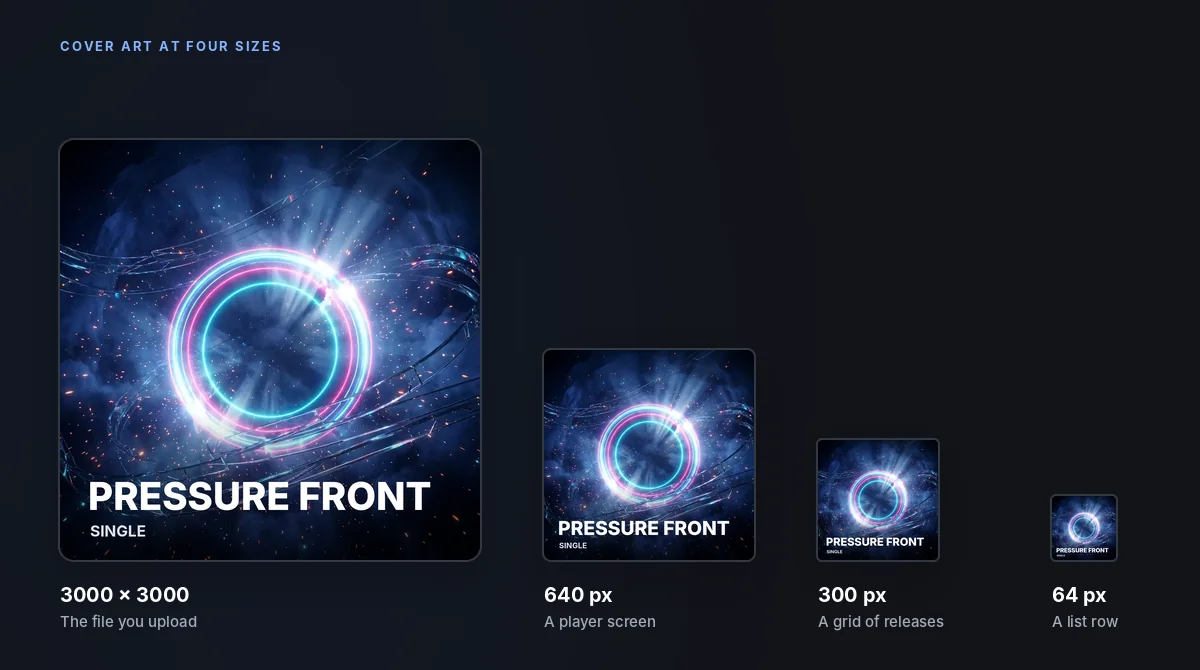
- Embed a square sRGB JPEG of about 1000 to 1400 pixels a side; keep the 3000 x 3000 master for your distributor.
- Spotify and Apple Music show the cover and credits your distributor delivers, never the ones inside a file.
- A Muvora video's soundtrack is the file you upload, but the MP4 it exports carries none of the MP3's tags.
On this page (7 sections)ShowHide
- 1.What album art in an MP3 actually is
- 2.How to add album art to an MP3, step by step
- 3.Adding album art with desktop apps
- 4.What size and format to embed
- 5.Why Spotify and Apple Music ignore the art in your file
- 6.M4A, FLAC and WAV carry their art differently
- 7.Album art, the song file and your music video
- Questions
What album art in an MP3 actually is
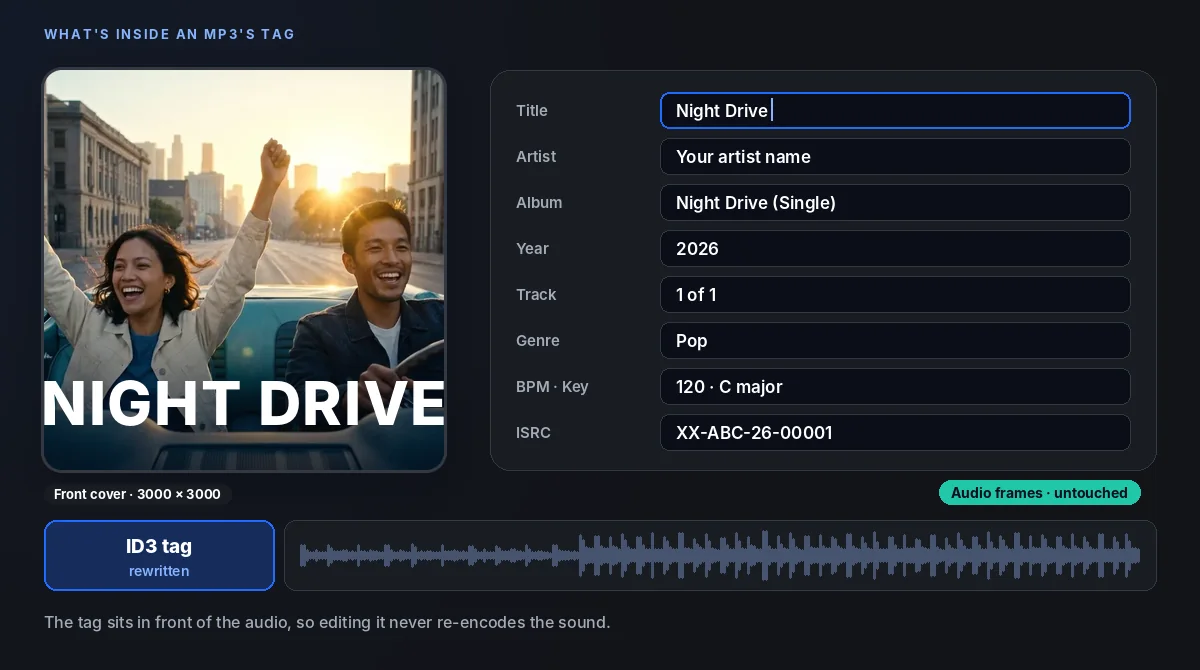
The MP3 format itself has no place for a title or a picture: the file is a run of audio frames. Everything else lives in a tag. The first one, ID3v1, is a fixed 128 bytes at the very end of the file with 30 characters for the title and no room for images. The one players rely on today is ID3v2, which the ID3v2.3 specification puts at the start, as "the first information in the file", built from frames that each hold one thing. The cover is an "attached picture" frame (APIC), and its picture type 3 means "Cover (front)".
| Frame | What it holds | What a player does with it |
|---|---|---|
| TIT2 | The title | Shows it as the song name |
| TPE1 | The lead performer | Shows it as the artist and groups songs by it |
| TALB | The album, EP or single's title | Groups the tracks of one release |
| TRCK and TPOS | Track number and disc number | Sorts the release in order |
| TYER | The year | Sorts and filters by year |
| TCON | The genre | Groups songs by genre |
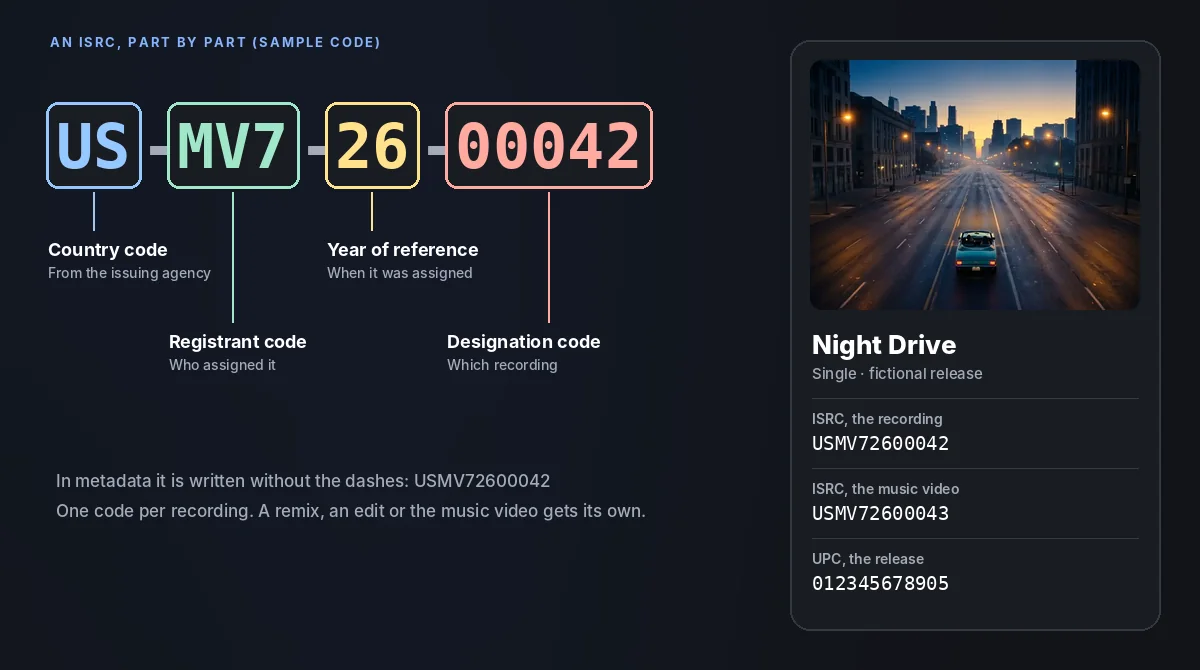
| TSRC | The recording's ISRC | Usually nothing on screen; it's a reference code |
| USLT | Unsynchronized lyrics | Shows the words in players that support it |
| APIC | An attached picture, with its type, format and a short description | Shows the front cover in lists, on the lock screen and in the car |
Because the tag sits before the audio and declares its own size, a player reads the tag, skips past it and starts decoding the sound. That's why changing a cover never changes the music: a tag editor rewrites the tag at the front of the file and copies the audio frames behind it as they were. The only thing that changes is the file's size, which grows by roughly the size of the picture.
How to add album art to an MP3, step by step
This routine works with any tag editor. The free one below runs in your browser, so the MP3 and the picture never leave your computer or phone.
- 01
Make the cover square
Start from the cover you release with, cropped to a perfect square, in RGB color and saved as a JPEG; the album cover maker exports one from your own photo if you don't have it yet.
- 02
Make a copy of the MP3
Work on a copy and keep the original untouched until you've played the new file, so a mistake never costs you the only version you have.
- 03
Open the MP3 in a tag editor
Open the copy in the free MP3 tag editor in your browser, or in a desktop editor, and look at what's already in the tag before you change anything.
- 04
Fix the text fields first
Type the title and artist exactly as they appear on the release, then the album, track number and year, so the file sorts and displays correctly beside your other songs.
- 05
Add the picture as the front cover
Choose the square image as the front cover, replacing any old picture, so players have one clear cover to show.
- 06
Save the new file and test it
Save the tagged MP3, then open it in a different player, such as your phone's music app, and check that the cover, title and artist all appear.
The cover is done. Now the video
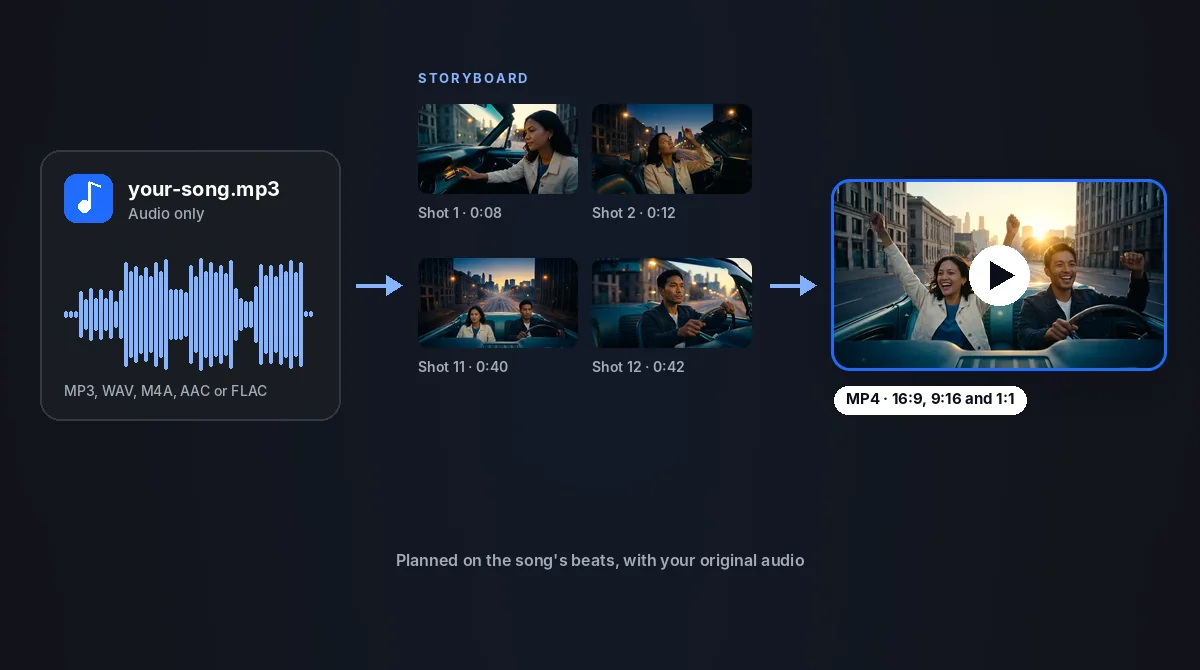
Upload the same MP3 and Muvora measures its tempo, downbeats and sections, then writes a shot-by-shot storyboard you can edit for free, with 5 new storyboards a month on the free plan.
Adding album art with desktop apps
On a Mac, Apple's Music User Guide says you can add your own artwork to any song in your library: select the songs, choose Song, then Get Info, click Artwork, then click Add Artwork or drag an image onto the artwork area. It lists JPEG, PNG, GIF, TIFF and Photoshop files among the images it takes. The guide describes artwork in your Music library, so if the cover has to travel with the file to someone else, check the copy you send in a different player.
- Mp3tag is a tag editor for Windows; its installation page lists Windows 7 to 11. Its Manage Covers dialog adds, removes, replaces and reorders embedded cover art in one file or many, and lets you set each picture's type and description.
- Kid3 is an open-source tag editor for Linux, Windows, macOS and Android. Its home page says it edits every ID3v2.3 and ID3v2.4 frame, converts between ID3v1.1, ID3v2.3 and ID3v2.4, and edits many files at once.
- Any of them, for a whole release. Select every track of an EP or album together and set the cover, album, album artist and year once, then number the tracks one by one.
Whichever app you use, the test at the end is the same: play the saved file somewhere that has never seen it. A cover that only exists in one app's library won't be there when a fan, a DJ or a journalist opens the file.
Skip the blank page
Upload your song and Muvora's AI director plans a shot-by-shot storyboard on the beat. Edit every shot for free, and pay only if you render.
What size and format to embed
There's no store rule for embedded art, because no store reads it. The question is what looks sharp in players without bloating every copy of the file. The picture is stored whole inside each MP3: a song at 320 kbps runs about 2.4 MB a minute, and a 3000 x 3000 JPEG saved at high quality can add several megabytes of its own to every copy you send. A copy around 1000 to 1400 pixels a side still fills a phone's lock screen sharply at a fraction of that size.
| Use | Size | Format and color |
|---|---|---|
| The master you keep | 3000 x 3000 or larger | PNG or a top-quality JPEG, sRGB |
| Your distributor's upload | Usually 3000 x 3000; check your distributor's page | JPG or PNG, sRGB, as it asks |
| Embedded in MP3s you send or sell | About 1000 to 1400 pixels a side | JPEG, sRGB, square |
| Your thumbnail test | 64 pixels a side | Look at it on screen: if the main shape still reads, the cover works |
- JPEG or PNG only. The specification says "image/png" or "image/jpeg" should be used when interoperability is wanted, so skip WebP, HEIC and GIF inside an MP3.
- Square, in sRGB. A wide or tall picture gets cropped or squeezed differently by every player, and a picture in another color space can look washed out in some of them.
- One front cover. A tag can hold several pictures, each with its own description, but players look for the front cover first, so make sure exactly one is marked that way.
- The same words as the release. Keep any text on the cover to the artist name and title, matching the tags, so the file and the release look like one thing.
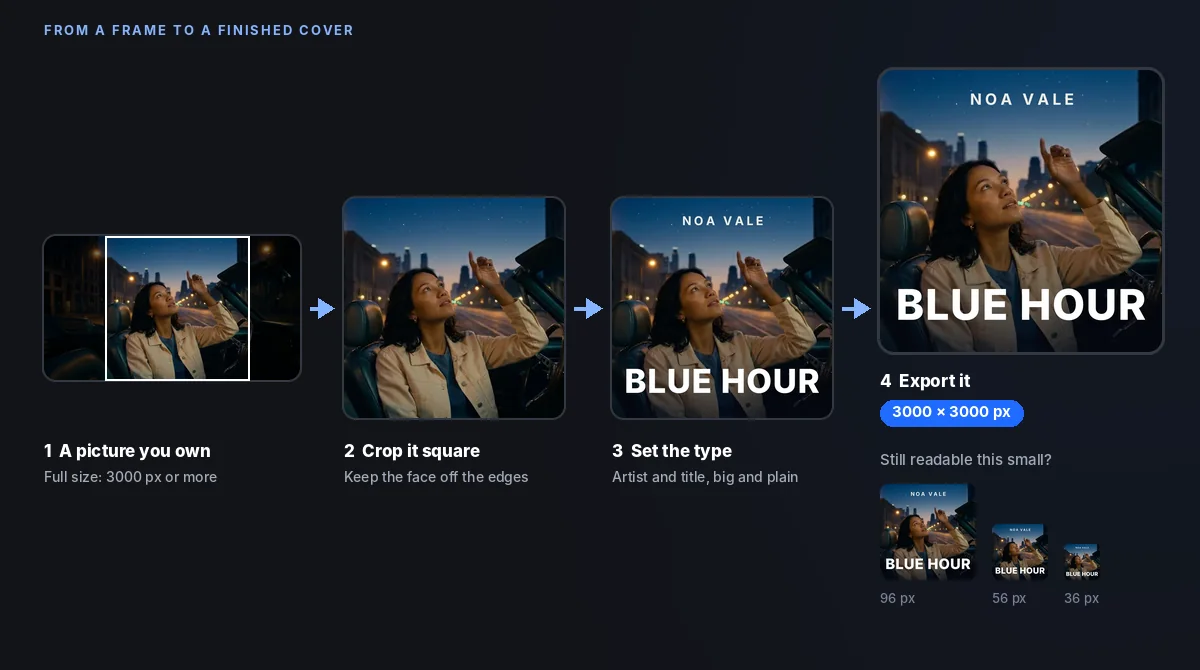
The album cover maker exports a cover at 3000, 1400, 1000 or 640 pixels from your own photo, so the master and the copy to embed come from the same design, and the album cover checker reads a file's size, color mode and profile before you use it. The album cover size guide lists what each store and distributor asks for, and how to make an album cover covers the design itself.
Why Spotify and Apple Music ignore the art in your file
When you release a song, the audio, the cover and the credits reach the streaming services as separate pieces, through your distributor. Spotify's metadata guidelines say a release's metadata is set by your label or distributor before delivery, that Spotify displays it exactly as delivered, and that fixing it takes an update from the distributor. Its cover art requirements apply to that delivered image: TIFF, PNG or JPG, square, 640 to 10,000 pixels a side. A cover embedded in an MP3 on your laptop changes none of it.
- Downloads you sell or give away. The file fans keep in their own library is the one with your tags in it.
- Promo copies. MP3s sent to press, radio, playlist curators and DJs land in folders and libraries where a cover and a correct title make yours easy to find again.
- Collaborators and demos. A mix sent for approval with the right title, version and cover gets mixed up with other versions less often.
- Your own archive. Every version of a song, tagged properly, sorts itself in any player for years.
M4A, FLAC and WAV carry their art differently
ID3 is the MP3's tag. Other formats have their own, so an editor built for MP3s can't write a cover into them, and converting a file from one format to another can drop the art along the way.
| Format | Where tags and art live | Worth knowing |
|---|---|---|
| MP3 | An ID3v2 tag at the start, sometimes an ID3v1 tag at the end | ID3v1 has no picture, so the cover is always in ID3v2 |
| M4A | MP4 metadata inside the file's container, which Mp3tag's format list calls MP4/iTunes metadata | Not an ID3 tag, so an MP3 tag editor can't write it |
| AAC (a bare .aac file) | ID3 tags, the same family as an MP3's, in Mp3tag's list | Different from an M4A, though both hold AAC audio |
| FLAC | Vorbis comments for text, and a PICTURE metadata block of its own in the FLAC format | A lossless file that can carry a cover properly |
| WAV | A RIFF INFO chunk for text; some editors also write an ID3v2 chunk | No picture field of its own, and not every player reads an ID3 chunk |
So keep the WAV for your distributor, who asks for the cover as a separate image anyway, and tag the MP3 or FLAC copies you share. If you need a WAV from a lossy file for an editor, the MP3 to WAV converter makes one on your device, and the lost detail doesn't come back.
Album art, the song file and your music video
Muvora reads the audio, not the tag. Upload the MP3 tagged or untagged (MP3, WAV, M4A, AAC or FLAC, up to 8 minutes and 60 MB): the analysis finds the tempo, every beat and downbeat, the sections and the drops from the sound itself. Every export is an MP4 with H.264 video and AAC sound whose soundtrack is your upload from its first sample, so the video sounds exactly like the file. The MP3's title, cover and other tags aren't carried into the MP4.
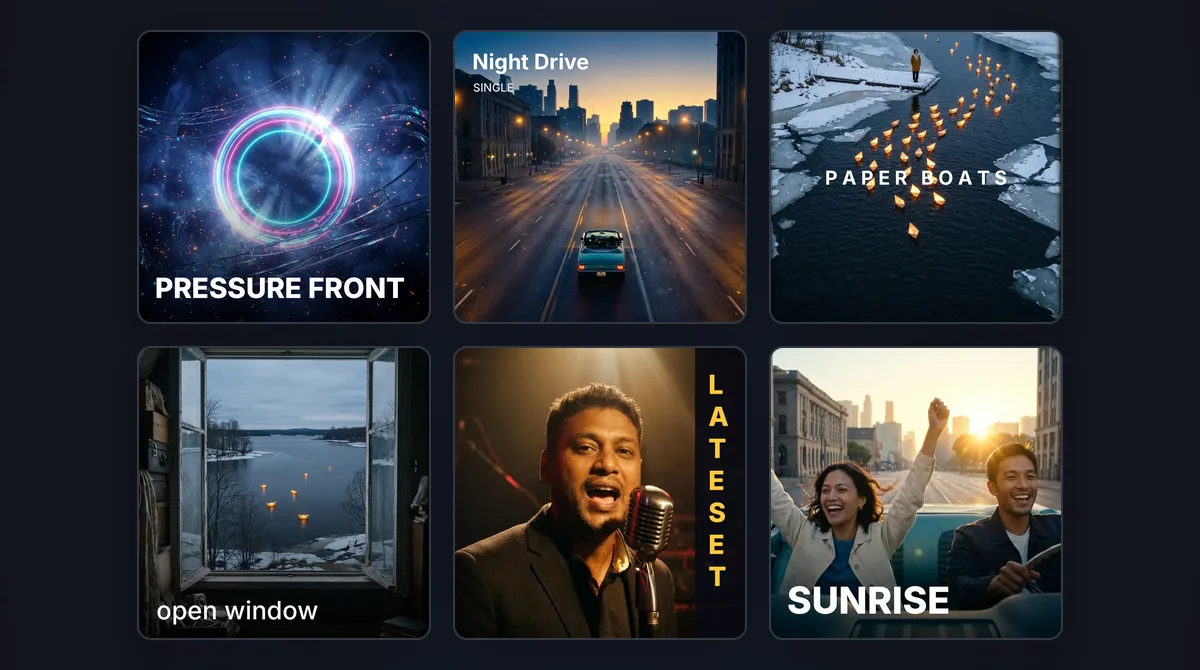
What can carry over is the look. Describe the cover in the idea box (up to 600 characters): its palette by name, its central object, its place and its light, and the storyboard is written in that world. Every widescreen render also exports a 9:16 cut, a square post and an 8-second Canvas loop for Spotify, so the cover, the video and the loop behind the song on a phone read as one release. Going the other way, the video frame grabber saves any frame of the finished MP4 as a still; at 1920 x 1080 a square crop is 1080 x 1080, which is short of a store's 3000 x 3000.
Turn the tagged MP3 into a music video
Upload the song, describe the cover's palette and imagery in the idea box, and read the whole storyboard before you pay anything. MP3 to video shows what one upload gives you.
Written by the Muvora team. Last updated November 18, 2026. Spotted something out of date? Tell us at [email protected].