The short answer
To monetize music on YouTube, release it through a distributor that delivers to YouTube and offers Content ID, so your art tracks, YouTube Music streams and other people's uploads of the song earn for you. Then join the YouTube Partner Program to earn from ads on your own videos: 1,000 subscribers plus 4,000 public watch hours in 12 months or 10 million Shorts views in 90 days.
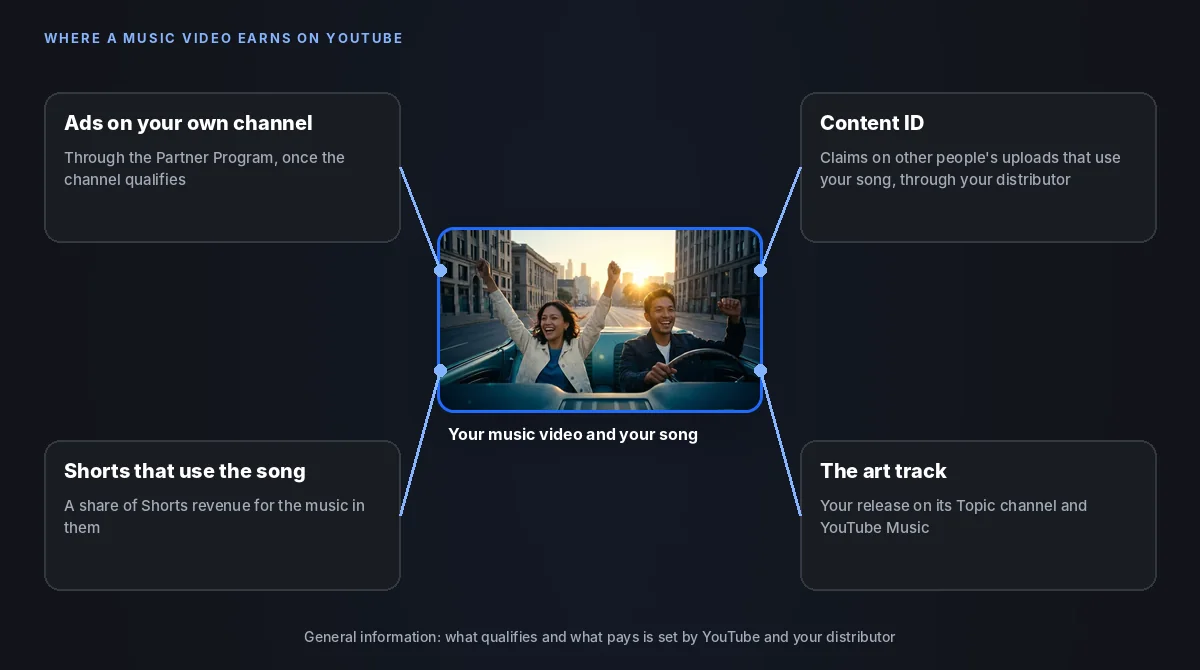
- Art tracks, YouTube Music, Content ID and Shorts that use your song pay through your distributor, with no subscriber threshold.
- Ads on your own videos need the Partner Program: 1,000 subscribers and 4,000 watch hours in a year, or 10 million Shorts views in 90 days.
- From February 1, 2027, new applicants need 8,000 hours or 20 million Shorts views, and Shorts pay needs 10 million qualified views every 90 days.
- There's no fixed rate: independent artists' 2024 statements averaged about 4.80 US dollars per 1,000 YouTube streams.
- None of it pays you without the rights to the song, and your own channel set up with your distributor.
On this page (8 sections)ShowHide
- 1.Every way music earns on YouTube
- 2.How to start earning from your music on YouTube, step by step
- 3.Ads on your own videos: the YouTube Partner Program
- 4.Content ID: getting paid when other people use your song
- 5.Shorts that use your song, and Shorts of your own
- 6.What YouTube pays for music: reported figures, not promises
- 7.Where your own music video fits
- 8.Mistakes that send your YouTube money elsewhere
- Questions
Every way music earns on YouTube
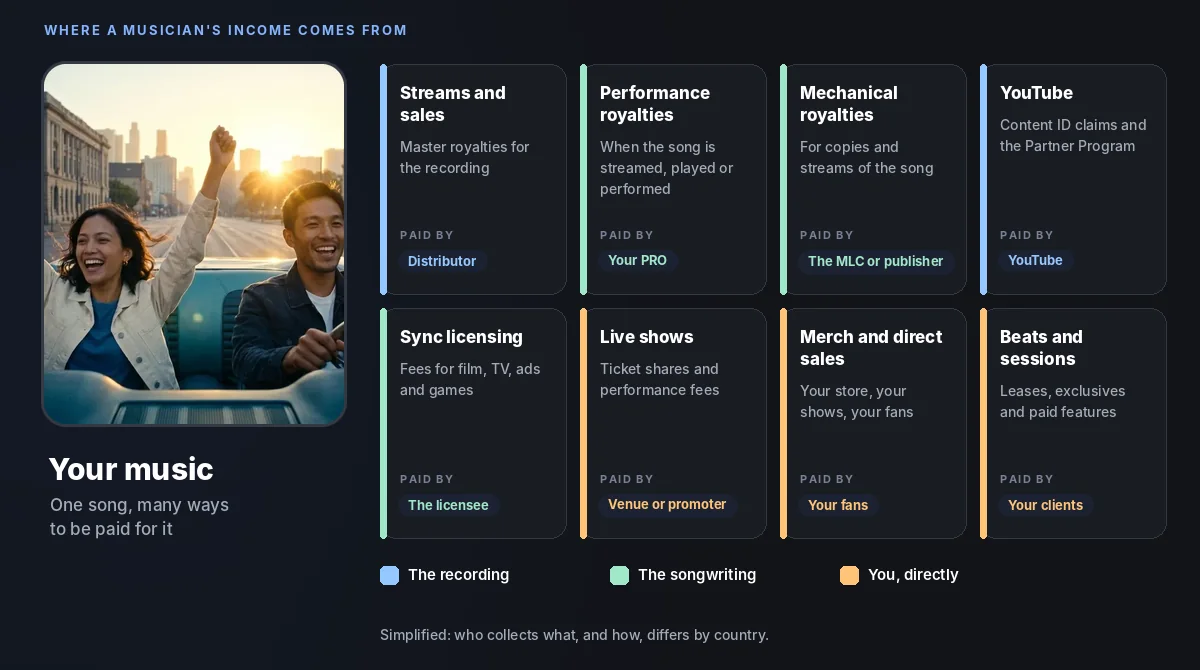
YouTube pays for music through several separate pipes, and they don't all run through your channel. Some need the Partner Program, some need only a distributor, and the songwriting side needs a publisher or a collecting society. Knowing which is which tells you what to set up first, and why a new artist with forty subscribers can still see YouTube lines on a distributor statement.
| Source | What earns | What you need | Paid through |
|---|---|---|---|
| Ads on your own videos | The music video, the lyric video and anything else you upload | The YouTube Partner Program | Your channel's AdSense account |
| Your own Shorts | A share of the Shorts ad pool, by your Shorts' engaged views | The Partner Program; from February 2027, 10 million qualified Shorts views in 90 days | Your channel |
| Art tracks and YouTube Music | Ads and Premium subscriptions on the auto-generated versions of your releases | A distributor that delivers to YouTube | Your distributor |
| Content ID | Ads on other people's videos that use your recording | A distributor or label that offers Content ID, and exclusive rights to the recording | Your distributor |
| Shorts that use your song | The music licensing share of the Shorts ad pool | Your song delivered to YouTube by a music partner | Your distributor |
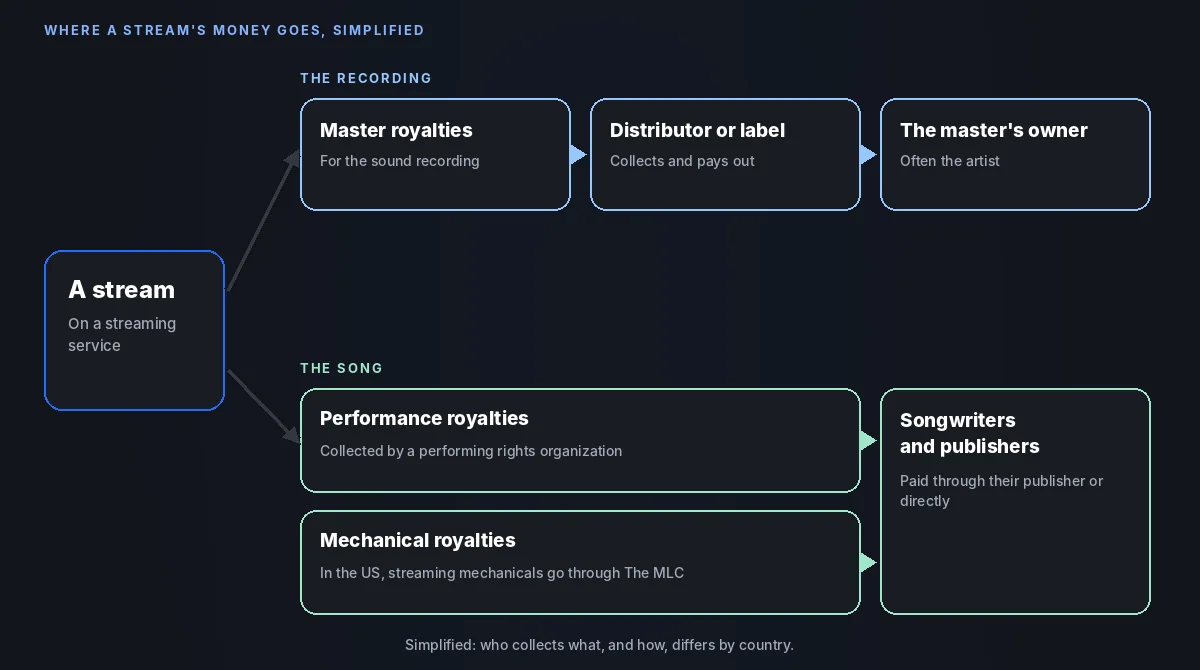
| Songwriting royalties | The composition's share of what YouTube pays for music | A publisher, a publishing administrator or a collecting society | Them |
| Fan funding and merch | Channel memberships, Super Chat, Super Stickers, Super Thanks and your store | The Partner Program's lower tier, and a connected store for merch | Your channel |
The art tracks are the part most artists overlook. An art track is the automatically generated YouTube version of a song on a release: the sound recording with its cover art, one for each ISRC, made from what your distributor delivers. It plays in YouTube Music and on your Topic or Official Artist Channel, earns from ads and Premium where your distributor claims the rights, and the distributor passes your share on. YouTube's page on music aggregators says its preferred distributors must offer art track delivery and Content ID rights management, so ask any distributor whether it does both.
How to start earning from your music on YouTube, step by step
- 01
Check that you control the song
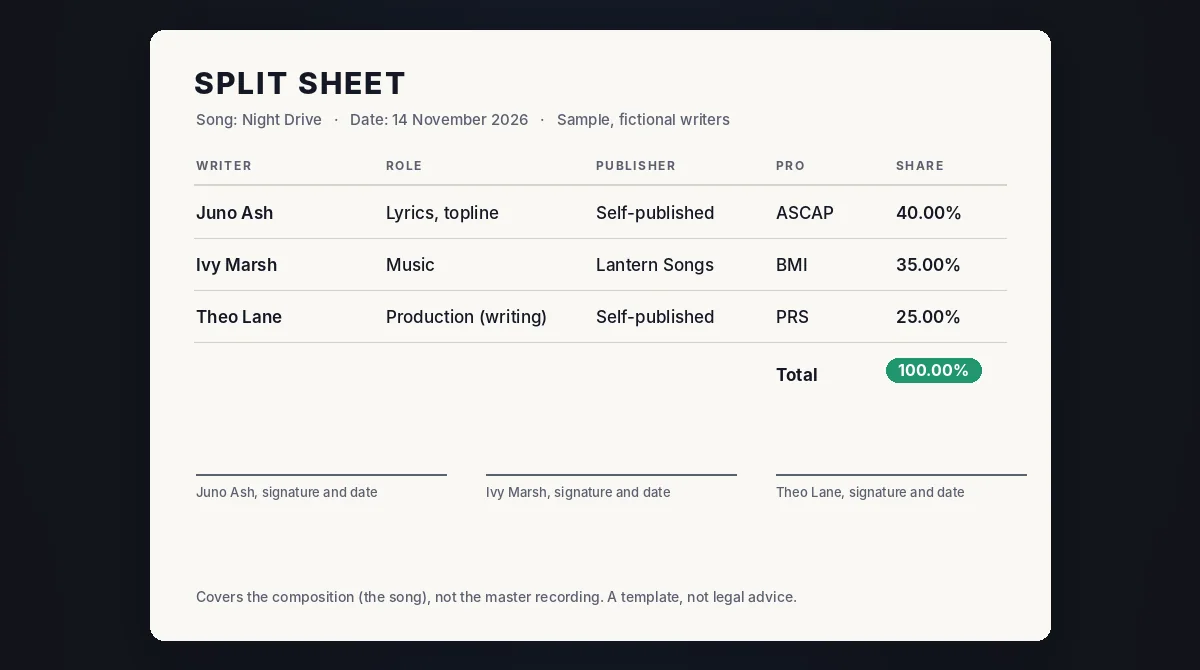
You need the rights to the recording and the composition, or permission from whoever holds them, before anything can be monetized. Agree the songwriting shares with every co-writer in writing, ideally before release.
- 02
Choose a distributor that covers YouTube
Pick one that delivers art tracks to YouTube and YouTube Music and offers Content ID, and read what share of YouTube income it keeps and how it treats your own channel.
- 03
Tell the distributor which channel is yours
Agree how your own uploads are handled before the music video goes up: claimed, so their ads pay through the distributor, or allowlisted, so they pay your channel once it's in the Partner Program.
- 04
Request an Official Artist Channel
Ask the distributor to request an Official Artist Channel, so your releases, your videos and your subscribers sit in one channel and every view counts toward the same thresholds.
- 05
Upload the music video and its versions
Post the official music video, then a lyric video or a visualizer, each with the streaming links, credits and chapters in its description.
- 06
Post Shorts cut from the video
Cut the hook, the drop and a lyric line into vertical Shorts and set each one's related video to the full music video.
- 07
Apply to the Partner Program at the threshold
When the channel reaches the subscribers and the watch hours or Shorts views, turn on 2-Step Verification, apply in the Earn section of YouTube Studio and link an AdSense account for payments.
- 08
Register the songwriting
Register each composition with a publishing administrator or your collecting society, so the songwriting share of YouTube's music payments reaches every writer.
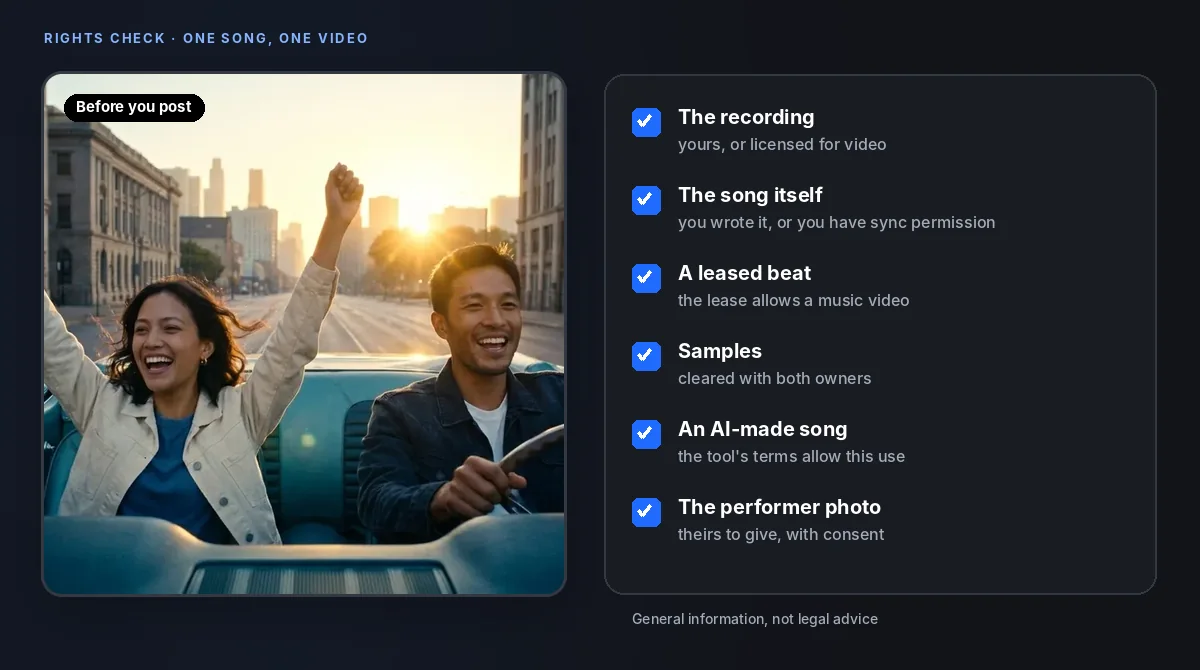
Step 1 is where most problems start: a leased beat, an uncleared sample or a co-writer who never agreed a share can each hold money up later. Music video copyright explains the two copyrights in every song, and what a split sheet is covers the one-page agreement that settles who wrote what; the free split sheet generator makes one to print and sign. For step 4, the Official Artist Channel guide has the requirements, what to send and why requests fail.
Skip the blank page
Upload your song and Muvora's AI director plans a shot-by-shot storyboard on the beat. Edit every shot for free, and pay only if you render.
Ads on your own videos: the YouTube Partner Program
Your own uploads earn from ads only once your channel is in the YouTube Partner Program. YouTube's eligibility page and its page on changes to the program set out the thresholds below as they stood in November 2026; the change for new applicants was announced on YouTube's blog. Check the live pages before you plan around a number.
| Tier | Subscribers | And one of these | What it opens |
|---|---|---|---|
| Ad revenue, until January 31, 2027 | 1,000 | 4,000 public watch hours in the last 12 months, or 10 million public Shorts views in the last 90 days | Ads and Premium revenue on your videos and Shorts, plus the fan funding and Shopping features |
| Ad revenue, new applicants from February 1, 2027 | 1,000 | 8,000 qualified watch hours in the last 365 days, or 20 million qualified Shorts views in the last 90 days | The same |
| Fan funding and Shopping | 500 | 3 public uploads in the last 90 days, plus 3,000 watch hours in 12 months or 3 million Shorts views in 90 days | Memberships, Super Chat, Super Stickers, Super Thanks and Shopping, but no ad revenue |
- Shorts feed views don't add watch hours. The 4,000 hours come from long-form viewing; Shorts count only through the Shorts views route.
- Reaching the numbers starts a review. YouTube checks the channel against its monetization policies, an active Community Guidelines strike stops an application, and the account needs 2-Step Verification.
- Channels already in the program keep their place after February 1, 2027, but must accept the updated terms in YouTube Studio by January 31, 2027 to keep earning from the features they cover.
- Shorts pay gets a floor of its own. From the same date, YouTube's Shorts monetization policies pay a channel from the Shorts ad pool only for periods with 10 million qualified Shorts views in the last 90 days; a channel below that stays in the program and keeps its long-form earnings.
- The lower tier has its own rules. Each fan funding feature lists its own conditions on YouTube's page on earning money, and some music channels can't use every one of them.
Once you're in, YouTube's partner earnings overview puts the creator's share at 55% of the net ad revenue from your videos' watch pages, including when the video plays embedded on another site. That is the share on your own music video. Shorts work differently: their ad money is pooled, and creators keep 45% of what's allocated to them by their engaged views.
Content ID: getting paid when other people use your song
Content ID compares uploads with the audio rights holders have registered. When it finds your recording in someone's video, the rights holder's settings decide what happens: block the video, track its viewing, or monetize it with ads and collect the revenue, and the choice can differ by country. A dance video, a cover sung over your instrumental, a fan's slideshow of your album: each can pay you without you ever seeing it.
YouTube grants Content ID directly only to owners of exclusive rights to a substantial body of original material that's often uploaded, which leaves out nearly every independent artist; its page on copyright management tools notes that many owners use a service provider instead. For musicians, that provider is the distributor or label: it registers each release, collects from the claims and keeps a share, which varies, so read its terms for the figure.
- Register only audio you own outright. A beat leased non-exclusively, an uncleared sample or a loop from a sample pack can sit in other people's songs too, and registering it starts claims on their videos and disputes on yours. Many beat leases forbid registering the beat at all.
- Decide how your own uploads are treated. Before your channel is in the Partner Program, a claim from your distributor on your own music video can let its ads pay you through the distributor. Once the channel earns, allowlisting it sends those ads' share to the channel instead. Either way, agree it before release day.
- Long Shorts and claims don't mix. YouTube blocks a Short that runs over a minute and carries an active Content ID claim, your own song's included, as the YouTube Shorts guide explains; allowlisting your channel avoids it.
Creator Music is a related route. Songs their owners make available there can be licensed by YouTube creators for their own monetized videos, and a creator who uses a revenue-sharing track shares that video's ad revenue with the music's owners, as YouTube's Creator Music FAQ explains. Ask your distributor whether it can put your catalog there.
Shorts that use your song, and Shorts of your own
Shorts pay musicians in two different ways. When someone makes a Short with your song, part of the Shorts ad money goes to music licensing. YouTube's Shorts monetization policies describe the split: the revenue from a Short's views is divided between the Creator Pool and music licensing by the number of tracks it uses, so a Short with one track sends half to the pool and half to cover the music. Only music from YouTube's music industry partners is counted, so your song has to reach YouTube through a distributor for its share to find you.
Your own Shorts are the other half. In the Partner Program, the part of the pool allocated to your channel by your Shorts' engaged views pays you 45% of it, whether a Short uses music or not, and from February 2027 only in 90-day windows with 10 million qualified Shorts views. For most artists the bigger value of a Short is the tap through to the full video, where a viewer hears the whole song and the ad share is the long-form one, so set every Short's related video to the music video.

Get the video and its Shorts from one render
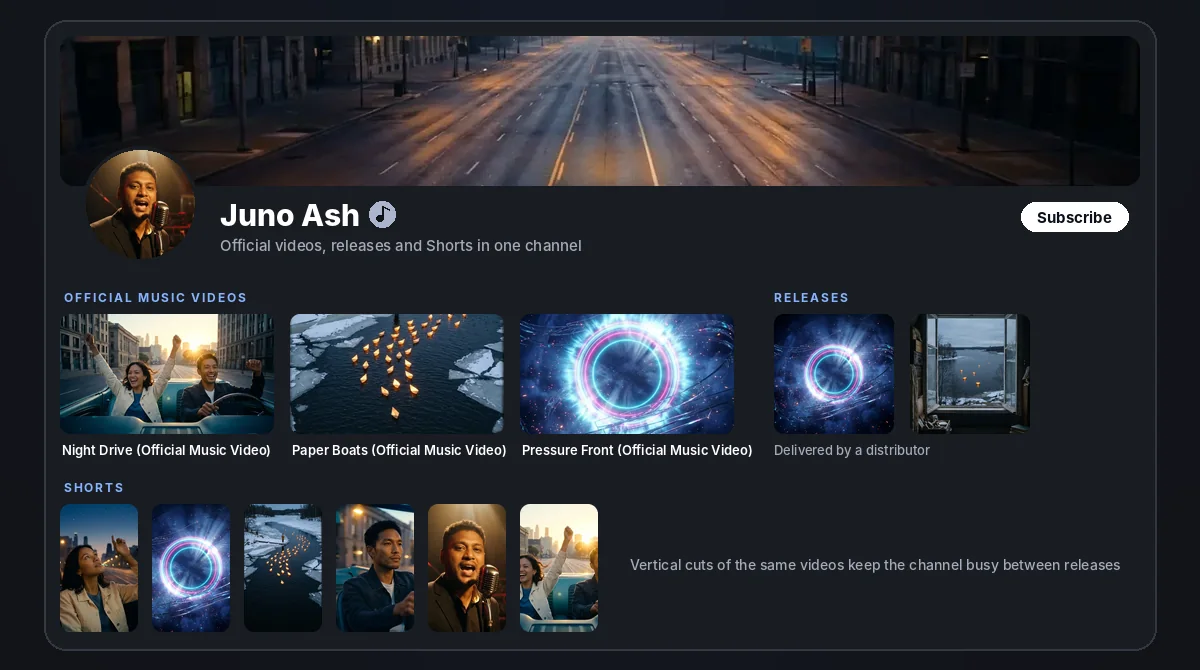
Upload your song and Muvora plans a music video on its beats in a free storyboard. One render gives the 16:9 video for your channel and a 9:16 cut to make Shorts from, with the same faces and light. More on the YouTube Shorts music video maker.
What YouTube pays for music: reported figures, not promises
Nobody can tell you what a view will pay. YouTube's partner earnings overview states the share, not a rate, and says it doesn't commit to how much, or whether, a creator is paid. Ad prices move with the viewer's country, the time of year, the advertisers bidding and how long people watch, and Premium subscriptions pay differently from ads. What you can use are averages other people have measured:
| Figure | What it measures | Source |
|---|---|---|
| About 4.80 US dollars per 1,000 streams | What independent master owners received from YouTube as a whole in 2024, up 50 cents from 2023, with subscriptions driving the rise | Duetti's 2024 Music Economics Report |
| About 2.30 US dollars per 1,000 views | The median revenue per 1,000 views kept by 300 monetized channels of every kind, May 2025 to May 2026; not music only | AIR Media-Tech's RPM study |
| More than 8 billion US dollars | What YouTube says it paid the music industry from ads and subscriptions in the 12 months to mid-2025 | YouTube's blog |
Use them for orders of magnitude, not budgets. At rates between those two averages, 100,000 views of your own music video would come to roughly 230 to 480 US dollars before anyone's share, and a song that earns mostly through art tracks and Content ID shows up on your distributor's statement after the distributor's cut. The figures do show where the money is: a song that keeps being played, in a video people watch to the end, usually earns more over a year than one that spikes for a week.
Streaming royalty calculatorPut in your streams on YouTube Music and the other services, your distributor's cut and your share of the master, and see what reaches you, or how many streams a target needs.Where your own music video fits
The official music video is the one upload where you control the ad share, the description, the thumbnail and where viewers go next, which makes it the anchor for everything else: Shorts point to it, the lyric video sits beside it, the Official Artist Channel features it. It earns for you only if you have the rights to everything in it, starting with the song.
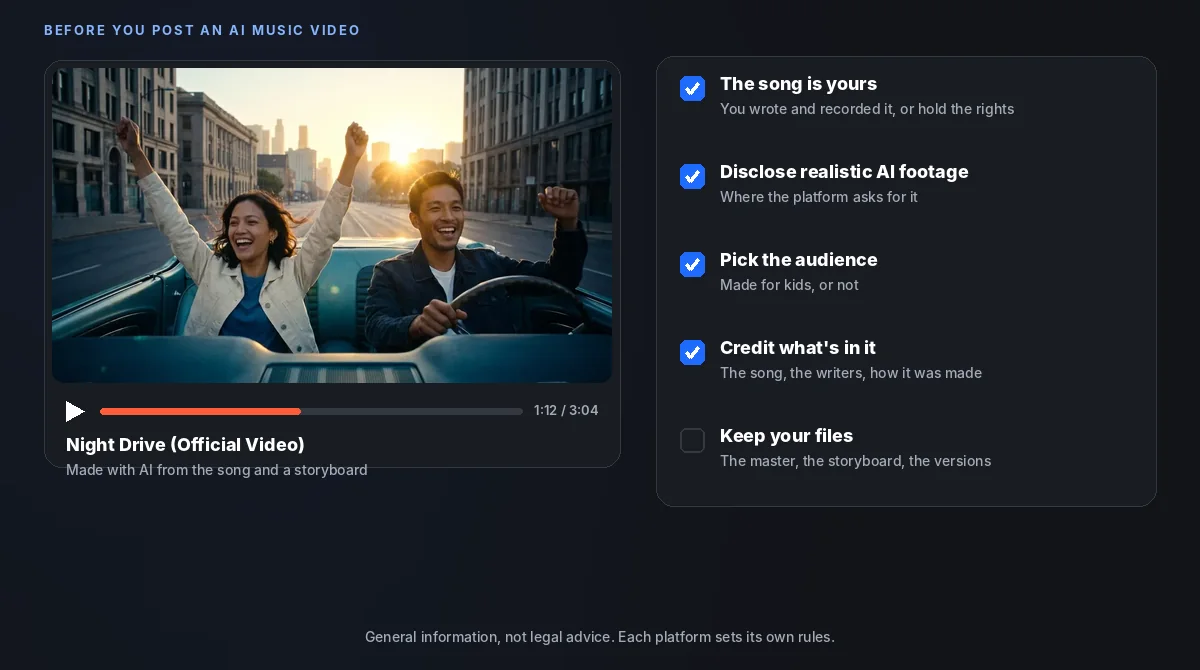
An AI music video can be monetized like any other when that holds. Videos rendered with Muvora are yours to use commercially, monetized on YouTube included, as long as you have the rights to the song and anything else you uploaded; the pictures never show real people other than a consented performer photo, and never draw logos or lettering. At upload, YouTube asks you to disclose realistic altered or synthetic content, which applies to lifelike scenes and not to clearly stylized ones.
Two of YouTube's monetization policies decide whether a music channel gets in at all. Reused content, meaning material that isn't clearly yours such as collections of songs by different artists (even with permission) or songs only sped up or pitched, isn't eligible; the inauthentic content policy, renamed from repetitious content in July 2025, covers repetitive or mass-produced uploads. A video made for your own song is neither. Fifty near-identical visualizers in a week can look mass-produced, so make fewer videos, each for its song.

Package it so the views come. Give it a frame from the chorus as its thumbnail, write the title, credits and chapters with the YouTube description generator, and follow the YouTube upload guide for the settings. The YouTube music video maker shows what each export from one render is for.
Make the video your channel earns from
Upload your song (MP3, WAV, M4A, AAC or FLAC, up to 8 minutes) and get a free storyboard planned on its beats. You see the price before you render, and the finished video is yours to monetize when the song is yours. See what a music video costs made other ways.
Mistakes that send your YouTube money elsewhere
- Two artist channels. Uploads split between an old channel and a new one split the watch hours toward the threshold too. Pick one and ask for an Official Artist Channel on it.
- Your release claiming your own video by surprise. Agree with the distributor how your channel is treated before the upload, not after a claim notice appears on release day.
- Registering audio you don't own outright. Leased beats, samples and pack loops in Content ID claim other artists' songs that share them, and the disputes that follow can freeze what the claims earn.
- Shares nobody signed. A co-writer who disputes a share can hold up publishing income for everyone; settle the splits on paper before release.
- Reposting other artists' songs. Compilations and sped-up versions count as reused content, can keep a channel out of the Partner Program, and their owners collect through Content ID anyway.
- Setting music videos as made for kids when they aren't: those videos lose personalized ads and features such as comments.
- Buying views. Sold views, likes and subscribers break YouTube's fake engagement policy, aren't counted, and put the channel at risk.
For the release around all this (distribution, pitching, the weeks before and after), see how to release music independently; for the titles, thumbnails and numbers that bring viewers in, how to get more views on a music video.
Written by the Muvora team. Last updated November 14, 2026. Spotted something out of date? Tell us at [email protected].