Music video storyboard
Page 1 of 1
16:9
Free storyboard template from www.muvora.ai
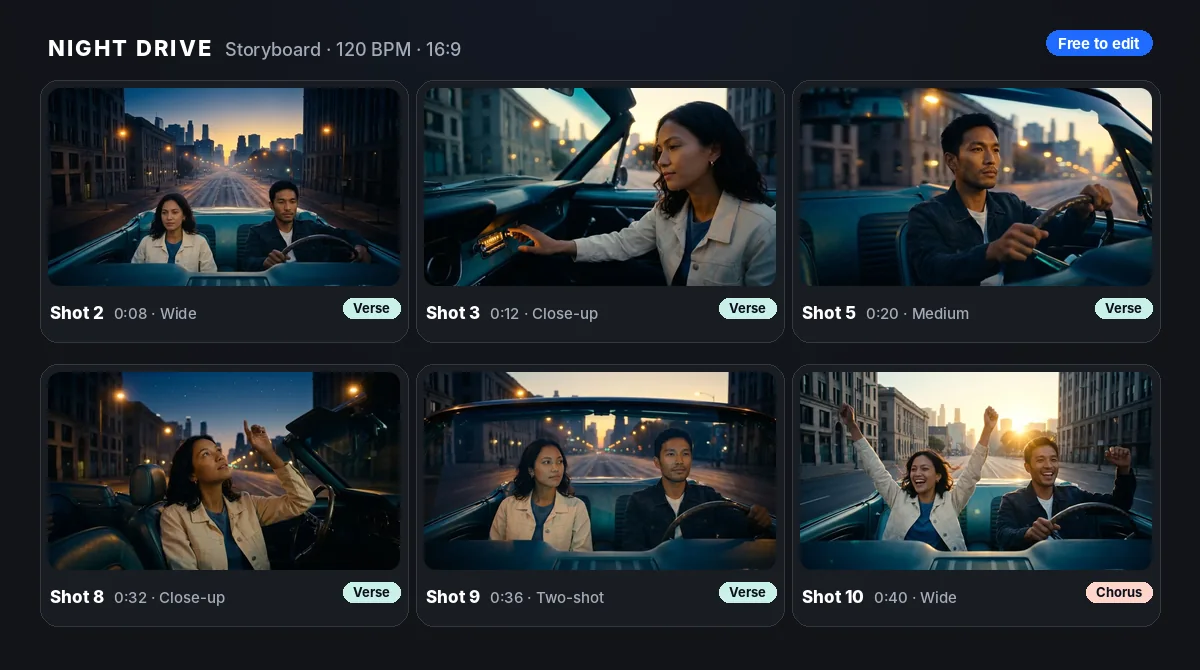
Choose the shape of your video, how many frames fit on a page and which lines sit under each one, then print the sheets or save them as a PDF. Give it your song's tempo and every panel gets its own time, so the sketches you draw already line up with the bars of the song.
Free, no sign-up. Runs in your browser: nothing is uploaded.
Frame shape
16:9 widescreen
Panels per page
Portrait, on Letter or A4. For a file, choose Save as PDF as the printer. Only the sheets print.
Music video storyboard
Page 1 of 1
16:9
Free storyboard template from www.muvora.ai
Song finished? Upload it and Muvora plans the whole video on its beats. The storyboard is free.
Make the videoUpload a new songChoose 16:9 for YouTube, 9:16 for Shorts, Reels and TikTok, 1:1 for a feed post, or 4:3 for an older, boxier look.
Choose 4, 6, 8 or 12 frames a page and tick the lines you want under each: shot number, time, section, camera, and action or notes.
Enter the BPM and how many bars each shot lasts. Add the song's length too and the template times every shot to the last bar, adding pages as it goes.
Press the print button, then pick your printer or Save as PDF in the dialog. Only the sheets print, one to each page, in portrait.
Sketching a vertical video inside widescreen boxes hides the real question: what fits in a tall, narrow frame. The template draws every panel at the exact ratio you will deliver, and arranges each page so the frames stay as large as they can while the lines under them stay wide enough to write on.
Music videos cut on the beat, so the useful unit for a shot is a bar, not a round number of seconds. Tell the template the tempo and how many bars each shot holds, and every panel prints its start and end, from 0:00 to the song's last bar. At 120 BPM with two bars a shot, a new panel begins every four seconds.
A printed board is the quickest way to think a video through with a pencil, a band or a camera operator. When you would rather not count beats at all, Muvora reads the audio itself, finds every downbeat and section change, and writes a shot-by-shot storyboard you can edit for free before anything is rendered.

Upload the song and Muvora's AI director writes each shot for you: an image prompt, a motion prompt, the framing and the camera move, with every cut on a downbeat. Style frames show the look before you pay, the storyboard is yours to edit for free, and credits are spent only when you render.
Can't find what you need? Start a free storyboard and see for yourself.
A grid of empty frames, one per shot, with lines under each for the shot's number, its time in the song, the section it belongs to, the camera move and what happens in it. You sketch the picture in the frame and fill in the lines.
The shape you will deliver: 16:9 for YouTube, 9:16 for Shorts, Reels, TikTok and a Spotify Canvas, 1:1 for a square post. If you plan one widescreen video and cut vertical versions from it, sketch in 16:9 and keep the action near the middle of each frame.
That depends on how fast you cut. Two bars a shot at 120 BPM is a shot every four seconds, or 45 panels for three minutes; one bar a shot doubles that. Enter the tempo and the length and the template counts them and adds the pages.
Press Print or save as PDF, then choose Save as PDF (or Microsoft Print to PDF on Windows) as the printer in your browser's print dialog. Keep the orientation on portrait; the sheets fit both Letter and A4 paper.
Yes. Switch the meter to 3/4 for a waltz feel and use any tempo from 40 to 300 BPM. Times that fall between whole seconds are printed to a tenth of a second, like 0:04.8.
No. The title, the artist and every setting stay on this page in your browser; the sheets are drawn here and printed from here.
Ideas, treatments, prompts, shot lists and storyboards timed to the beat, a call sheet for the shoot, and what a render would cost.
Upload a track and get a free beat-synced storyboard in minutes. Render it when you are ready.
No card needed to start.