Build a music video mood board from your own images
Open up to nine pictures (your photos, location and wardrobe shots, frames you saved as references) and lay them out as a hero and two, a row of three, a hero and four, or a grid of four, six or nine. Drag each picture to choose what its cell shows, add short captions and a title, and the board's color palette appears along the bottom, read from the pictures as they sit. Save it as a 1920 × 1080 PNG, and take the look with you as one line of words: your notes, the colors' names and your captions, ready for Muvora's idea box. The pictures are opened in your browser and never uploaded.
Free, no sign-up. Runs in your browser: nothing is uploaded.
Drop up to 9 images here
JPG, PNG, WebP or GIF: your own photos, location and wardrobe shots, frames you saved as references. They're read on your device and never uploaded, and the board is drawn only once you pick them.
Or paste one with Ctrl+V (⌘V on a Mac).
Song finished? Upload it and Muvora plans the whole video on its beats. The storyboard is free.
Make the videoUpload a new songHow to use the music video mood board
- 01
Open your pictures
Choose, drop or paste up to nine images: JPG, PNG, WebP or GIF. The board starts as a hero and two, and moves to a layout with more cells as you add more.
- 02
Pick a layout and frame each picture
Choose one of six layouts. Select a picture to drag it inside its cell, zoom in, give it a caption of a few words, move it earlier or later, or make it the hero.
- 03
Read the palette and add your notes
Up to six of the board's main colors appear with their names, hex codes and shares. Untick any that don't belong, then write a line about the place, the light and what people wear.
- 04
Save the board and take the look
Save the 1920 × 1080 PNG for your crew or your phone, copy the line of words, or press the upload button to start a video with that line already in the idea box.
What earns a place on a mood board
A mood board answers one question before anything is shot or drawn: what does this video feel like? Each picture should carry a decision you can name. One shows the light (a sodium streetlight, a window at dusk), one the place, one what people wear, one a texture or a prop, one a framing you'd like to borrow. The hero cell holds the picture closest to the whole feeling, the one you'd point at if you could show only one. Five strong pictures say more than nine that repeat each other, and a board of references is a look, not yet a concept: a treatment or one of these story ideas gives it a story.
- One decision a picture: light, place, wardrobe, texture, framing
- The hero holds the whole feeling
- A look still needs a story
How the board's palette is read
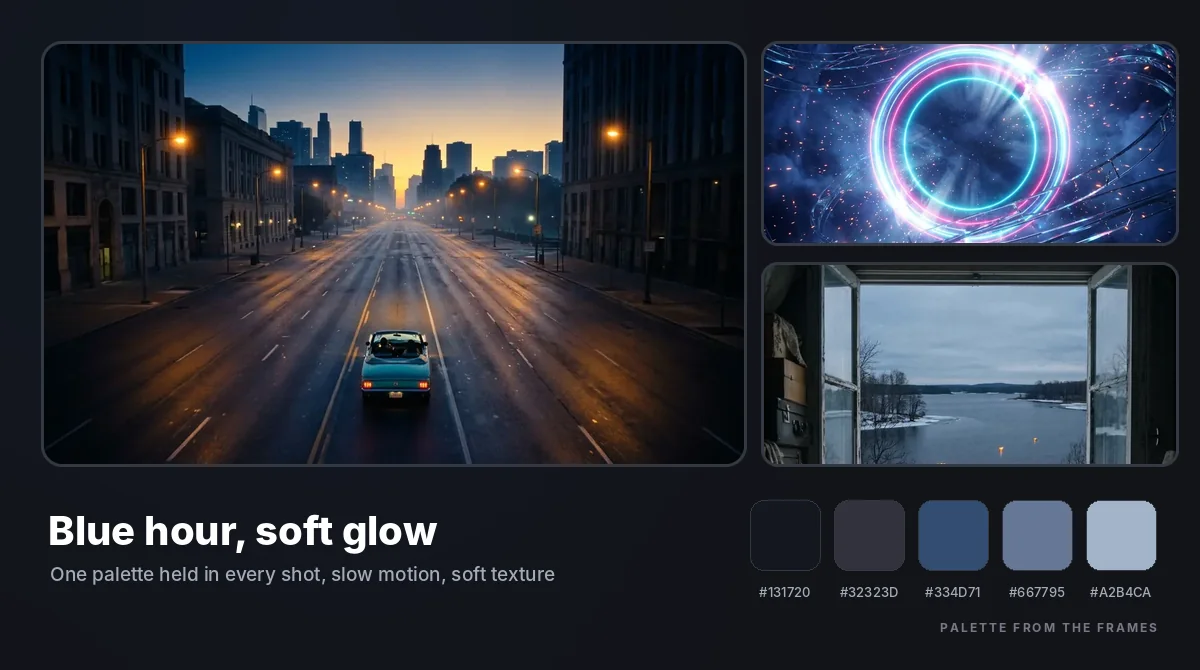
The colors come from the board as you see it, not from the files. Each picture is drawn small in its cell, at the crop and zoom you set, and its pixels are grouped by how alike they look, the same method the color palette generator uses. A picture counts for the space it fills: in a hero-and-two layout the hero is about two thirds of the picture area, so its colors lead, and dragging a red sign out of a crop takes it out of the palette. The gaps and the background never count. Untick a color and it leaves both the strip on the board and the sentence; if one you want is missing, give it a cell of its own or zoom in on it.
- Read from the crops you set
- Bigger cells weigh more
- Untick a color to leave it out
Words a director can work from
A board works for the people looking at it together. A crew in another city, or an AI director, works better from words, so the tool writes the look as one line: your notes first, then the kept colors in order of how much of the board they fill, then your captions after “Mood board:”. It adds nothing of its own beyond a few joining words (“A palette of”, “with”, “plus small touches of”), and it stays inside the 600 characters Muvora's idea box takes, leaving out the last captions first if it must. Name places and light sources in your notes (a corner shop at 2 a.m., one red coat, rain on the glass); the location ideas and outfit ideas have plenty to borrow.
- Your notes, the colors, your captions
- Within the idea box's 600 characters
- Color names approximate, hex codes exact
Turn the board into a storyboard for your song
Press “Make a video in this look” and upload the song: the line from your board is waiting in the idea box. Muvora's AI director reads it beside the song's sections, energy and lyrics, writes a brief whose palette, light, locations and characters follow your words, and plans every shot on the beat. Style frames show the look before you pay, the storyboard is free to read and change, and your pictures stay on this device: the director works from the words alone.
Questions, answered
Can't find what you need? Start a free storyboard and see for yourself.
Is the mood board maker free, and are my pictures uploaded?
It's free and needs no account. Your browser opens the pictures and draws the board on your device; nothing is sent anywhere or stored, and closing the tab clears the board, so save the PNG if you want to keep it.
Can I put screenshots from films or other music videos on my board?
Most mood boards start from references like these, for planning. The pictures still belong to whoever made them, so treat the board as a private reference: before you post it, share it publicly or use any of its pictures in a video or a release, you need the rights to each one. A board of your own photos avoids the question.
What size and format is the saved board?
A 1920 × 1080 PNG, the shape of a laptop screen, a TV or a slide, on a dark or a light background. The palette sits in a strip along the bottom with each color's name and hex code, beside the title if you give one. Hide the strip and leave the title empty, and the pictures fill the whole board.
Does Muvora use my mood board pictures to make the video?
No. Only the line of words travels, through the upload button or a copy and paste, and you can change it in the idea box. The director builds its own pictures around those words, so the video can share your board's colors, places and light without copying any picture on it.
How many pictures should a music video mood board have?
Three to six is plenty for one look. A grid of nine suits a video that moves between places, or between a verse look and a chorus look. Past that, pictures start repeating each other, so give each one a job and put the strongest in the hero cell.
Why did the palette change when I moved a picture?
Because the palette is read from what each cell shows. Drag a bright sky out of a crop, zoom into a coat or swap the hero, and each color's share changes with it. That's on purpose: the colors match the board you save, not the files you opened.
Keep exploring
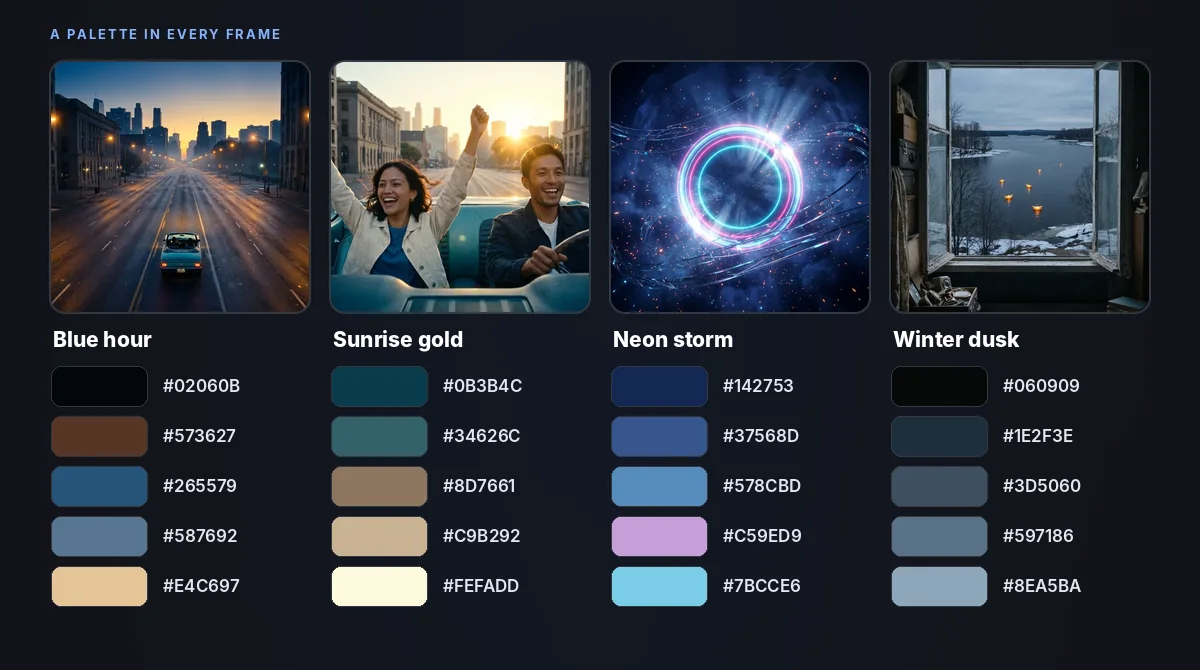
Music video color palettes
Example palettes by mood and genre with hex codes, warm and cool light, color schemes in plain words, and how the colors should grow into the chorus.
Read the guideColor palette generator
Drop in any image and get its five to eight main colors with hex codes, shares and readable text colors, ready to copy as CSS or as an idea for a video.
Open the tool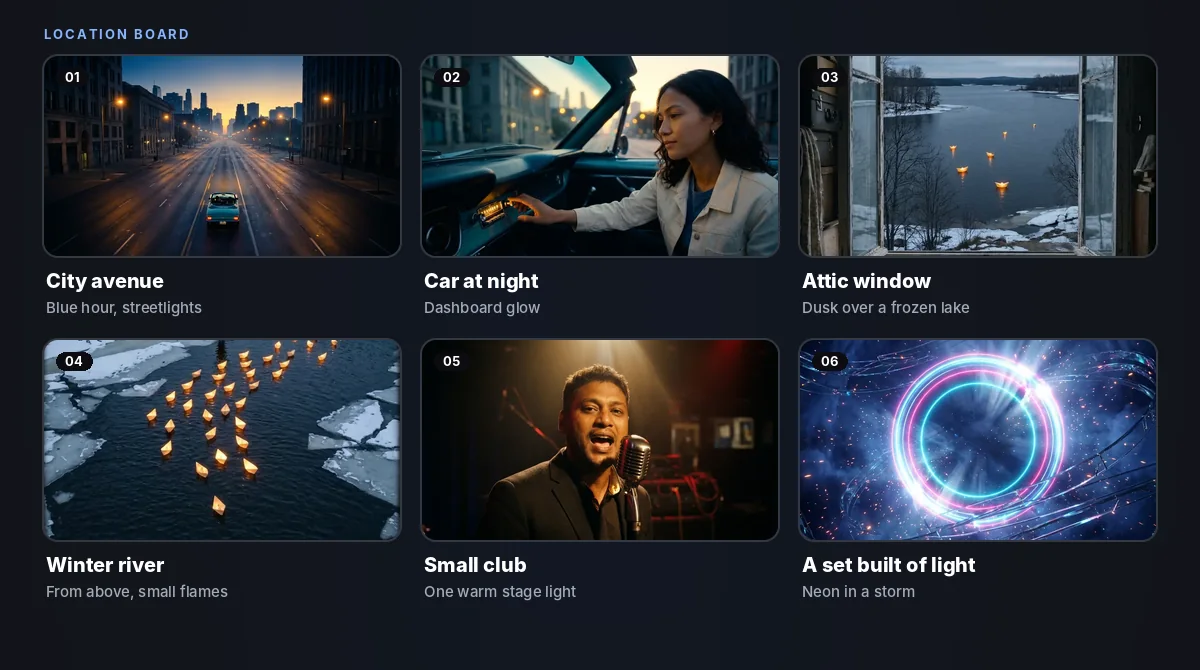
Music video location ideas
31 places to film a music video, each with its light and its chorus moment, plus scouting, permits and how many locations a video needs.
Read the guide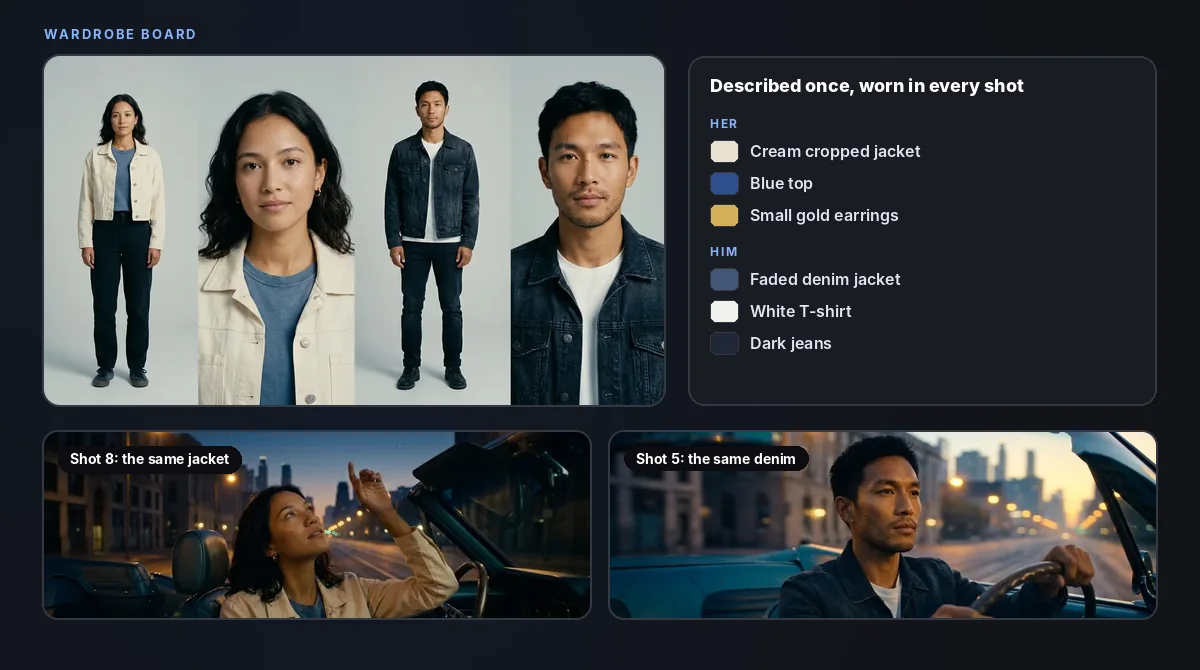
Music video outfit ideas
24 outfit ideas by genre and concept, and how to choose wardrobe that works on camera: shape, color, fabric, patterns and continuity.
Read the guide
Storyboard a music video
Treatment, storyboard and shot list, then every panel timed to the beat, with a sample page.
Read the guideShot list generator
Type a song's tempo and sections and get a beat-timed shot list, made by Muvora's own planner.
Open the tool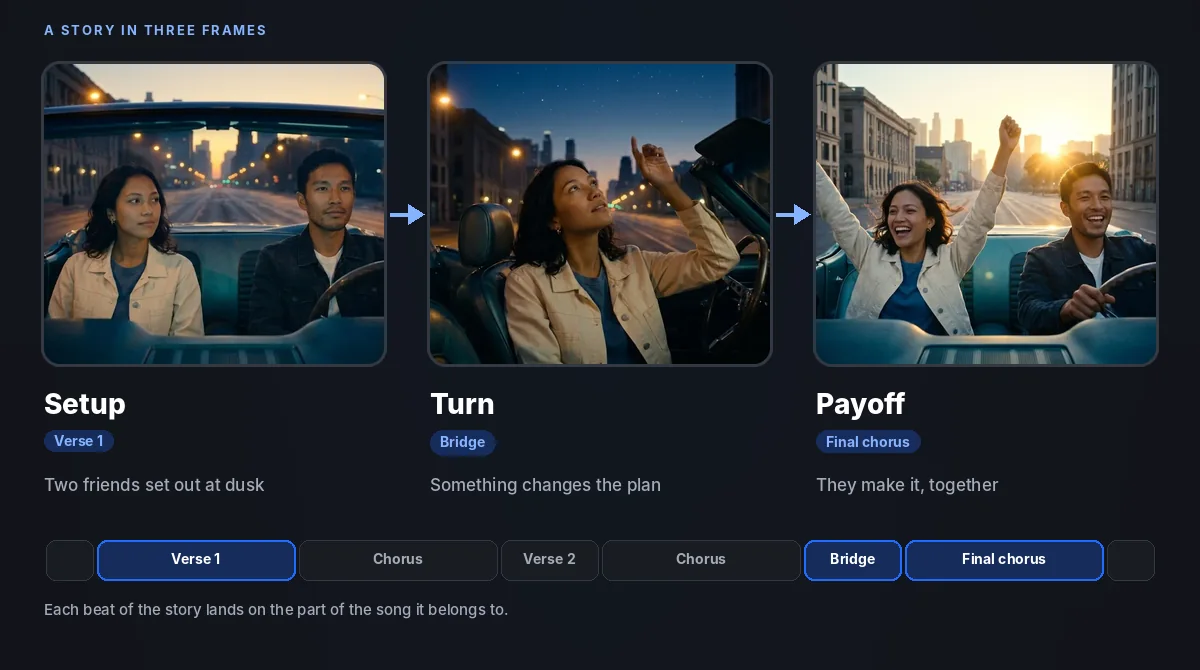
Music video story ideas
15 story concepts with a setup, a turn and a payoff, from a summer on the high dive to roommates who never meet, mapped to a song's sections.
Read the guideMidjourney alternative
Muvora and Midjourney side by side: a whole music video planned and cut on your song's beats, against short silent clips animated from one image at a time.
See the comparisonGig poster maker
Make a show poster from your photo, a video frame or a color: act, date, venue and tickets laid out for print and Instagram, with a QR code.
Open the tool
More free tools: plan the video
Ideas, treatments, prompts, shot lists and storyboards timed to the beat, a call sheet for the shoot, and what a render would cost.
Your song deserves a music video
Upload a track and get a free beat-synced storyboard in minutes. Render it when you are ready.
No card needed to start.






