Make a click track and download it as a WAV
Set the tempo (type it, step it or tap it), the time signature, a count-in and how long the song runs, in bars or in minutes and seconds, then preview the track and download it as a WAV. Beat one can be accented, softer clicks can fill in 8ths, triplets or 16ths, and 6/8, 7/8 and 12/8 are grouped the way players count them. The file is built in your browser with every click on its exact sample, and nothing is uploaded.
Free, no sign-up. Runs in your browser: nothing is uploaded.
Allegro (about 120 to 155 BPM). A beat every 0.500 s.
Time signature
4/4: 4 beats a bar, each a quarter note.
Subdivision
Count-in (beats only)
Length
2:08.000 of song after the count-in.
Sound
- Length
- 2:10.000 (65 bars, 1 of them count-in)
- Bar 1 starts
- 0:02.000, sample 88,200
- File
- WAV, mono, 16-bit, 44.1 kHz, 11.5 MB
The file is made in your browser, sample by sample: every click starts on the sample its beat falls on. Nothing is uploaded. On a phone, keep this page on screen while the preview plays.
Song finished? Upload it and Muvora plans the whole video on its beats. The storyboard is free.
Make the videoUpload a new songHow to use the click track generator
- 01
Set the tempo
Type the song's BPM (to two decimals if it has them), step it with the minus and plus buttons, or press Tap along with a recording. In 6/8, 7/8 and 12/8, say whether the number counts the meter's own beat or quarter notes, as many DAWs do.
- 02
Choose the meter and the clicks
Pick the time signature and, for 5/4 or 7/8, how its beats are grouped, then the subdivision between beats, one of three sounds, the volume and whether beat one is accented.
- 03
Add a count-in and the length
Give it up to four bars of count-in, then the song's length in bars, or in minutes and seconds rounded up to whole bars. The summary shows the file's length and the time and sample where bar 1 starts.
- 04
Preview it, then download the WAV
Press Preview to hear the file's own clicks, then Download WAV. Place the file at the very start of your session or your show's playlist, so its bar 1 lines up with the song's.
What a click track is for
A click track is a metronome turned into an audio file, and it does three jobs. In the studio it keeps every take at one tempo, so the song's bars line up with the DAW's grid and parts recorded on different days fit together. On stage it goes to the band's in-ear monitors (never to the PA), often beside backing tracks, so the drummer counts the band in and the songs hold the record's tempo. In rehearsal it tells you whether the set really runs at the speed you think it does. A count-in of one or two bars lets everyone come in together, and at slow tempos 8th or 16th clicks keep a player from rushing the long gaps. To practice along live rather than to a file, use the metronome.
- The same tempo every take
- In-ear monitors on stage, never the PA
- A count-in so everyone starts together
Compound and odd meters, counted the way you play them
In 6/8 and 12/8 the beat you tap your foot to is a dotted quarter, three eighth notes long, so a bar of 6/8 has two beats and a bar of 12/8 four; with 8ths on, you hear all six or twelve eighths with the accent on each beat. 7/8 is counted in eighth notes grouped 2+2+3, 3+2+2 or 2+3+2, with a lighter accent at the start of each group, and 5/4 can be split 3+2 or 2+3. The catch is the tempo: musicians usually quote 6/8 in dotted quarters, while many DAWs count quarter notes in every meter, so a 6/8 song felt at 80 sits at 120 in the session. Tell the tool which one your number means and the clicks land in the same place either way. New to tempo itself? Start with what BPM means.
- 6/8 at 80 dotted quarters is 120 quarter notes
- 7/8 grouped 2+2+3, 3+2+2 or 2+3+2
- 5/4 split 3+2 or 2+3
Every click on its exact sample
The file isn't recorded from a live metronome: each click is written into the WAV at the sample nearest its exact time, worked out from the start of the file rather than added up click by click, so the error never grows. At 44.1 kHz a click is at most half a sample, about 11 microseconds, from its beat, and a 10-minute track ends exactly on its last bar line. That is what lets the track sit at bar 1 of a session's grid, go into a playback rig with the backing tracks, or be sent to a session player who must play to exactly the same click. The file is mono 16-bit PCM WAV at 44.1 kHz, which every DAW opens, at about 5.3 MB a minute; tracks run up to 15 minutes. Need the bar lengths in seconds or frames first? The BPM calculator has them.
- Within half a sample of every beat
- Mono 16-bit WAV at 44.1 kHz
- About 5.3 MB a minute
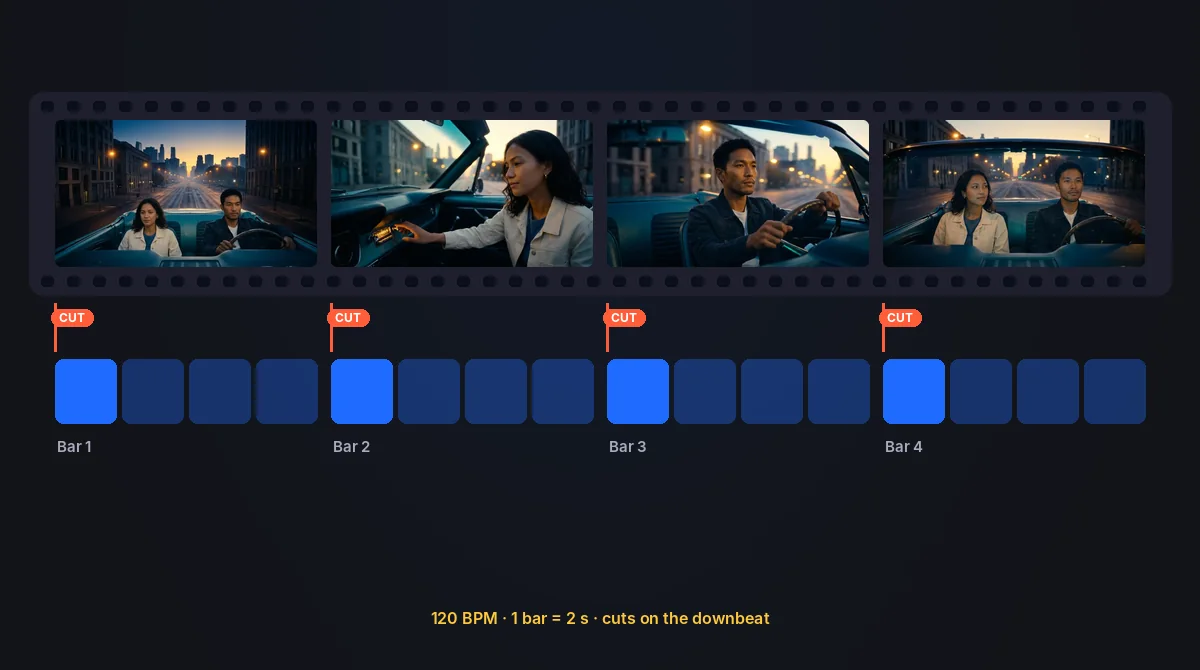
Playing to a click live? Give the screen the same timing
A band that plays to a click has its timing on stage solved, and a screen behind it can share that timing. Upload the recorded song and Muvora finds every beat, section and drop, then writes a storyboard cut on the downbeats; reading and changing it is free, and you see the price before you render. At the show, play the finished video muted and start it with the song itself at bar 1, after the count-in, so its cuts fall on the beats you play.
Questions, answered
Can't find what you need? Start a free storyboard and see for yourself.
What is a click track?
A click track is a metronome recorded as audio: a steady click on every beat, often with beat one accented and softer clicks between the beats, that musicians hear in headphones or in-ear monitors while they record or perform. It keeps every take and every show at the same tempo, and it is never meant for the audience to hear.
How do I make a click track for a song?
Find the song's tempo by tapping along or reading it from your DAW, set the time signature, add a bar or two of count-in, set the length to the song's bars or its running time, and download the WAV. Then line its bar 1 up with the song's first downbeat in your session or playback app.
What tempo do I type for a song in 6/8?
It depends on what counts the beat. Musicians usually count 6/8 in dotted quarters, two to a bar, while many DAWs count quarter notes whatever the meter. A dotted quarter is one and a half quarter notes, so 6/8 felt at 80 is 120 in quarter notes. Choose what your number counts under The tempo counts and the click comes out the same.
How long should a count-in be?
One bar is enough for most songs; two bars helps at slow tempos, in odd meters, or when the singer starts alone. The count-in plays the beats only, with beat one accented, and the summary shows the exact time and sample where bar 1 starts, which is where the song's first downbeat goes.
Can I use the click track on stage with backing tracks?
Yes. Load the WAV beside your backing tracks in your playback app or DAW, starting at the same point, and send the click only to the in-ear mixes. If a music video plays on a screen behind you, start it with the song at bar 1, after the count-in, and keep its sound muted, since the band is the sound.
Is anything uploaded when I make a click track?
No. The clicks are synthesized in your browser, the WAV is written there and saved straight to your device, and nothing is sent over the network. When you close the tab, nothing remains.
Keep exploring
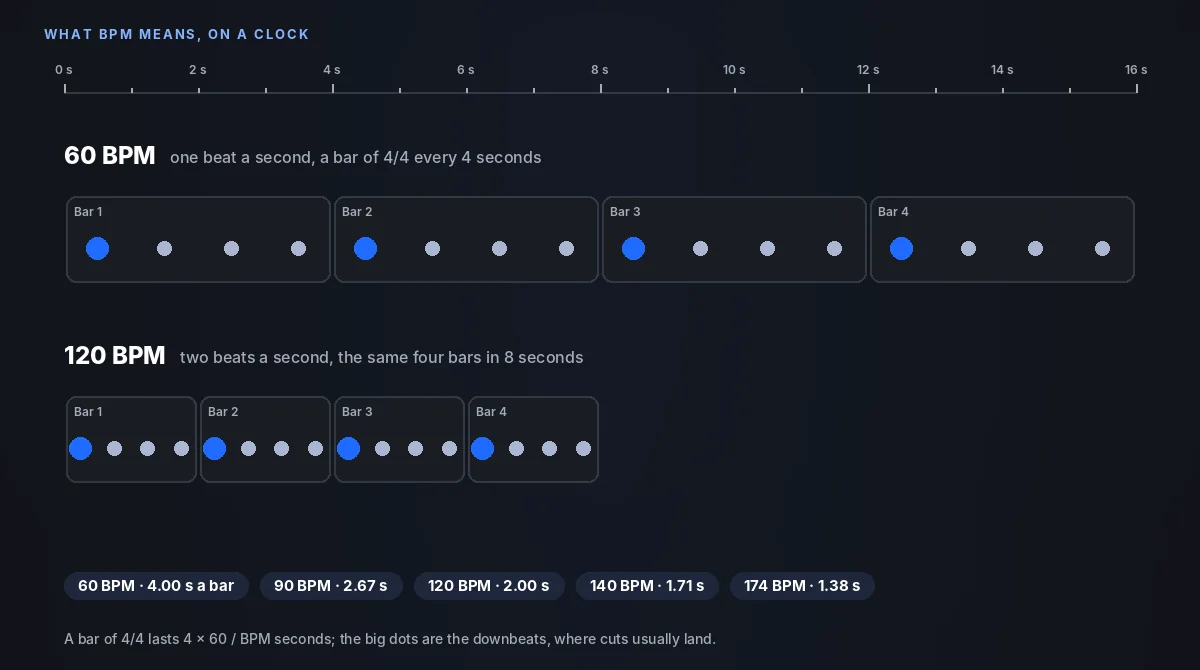
What is BPM?
Beats per minute explained: what BPM measures, how to find a song's tempo, half and double time, tempos by genre and how BPM sets a video's cuts.
Read the guideMetronome
A steady click from 20 to 300 BPM in seven time signatures, with accents, subdivisions, tap tempo and a tempo trainer.
Open the tool
Concert visuals
A video for each song in your set, cut on its beat, for the screen behind you on stage.
Learn moreDrum machine
A 16-step drum sequencer in your browser: eight synthesized drums, grooves by genre, swing, accents and rolls, saved as a WAV loop or a MIDI file.
Open the toolBPM calculator
Beats and bars in seconds, frames and milliseconds: cut lengths for video and delay times for mixing.
Open the tool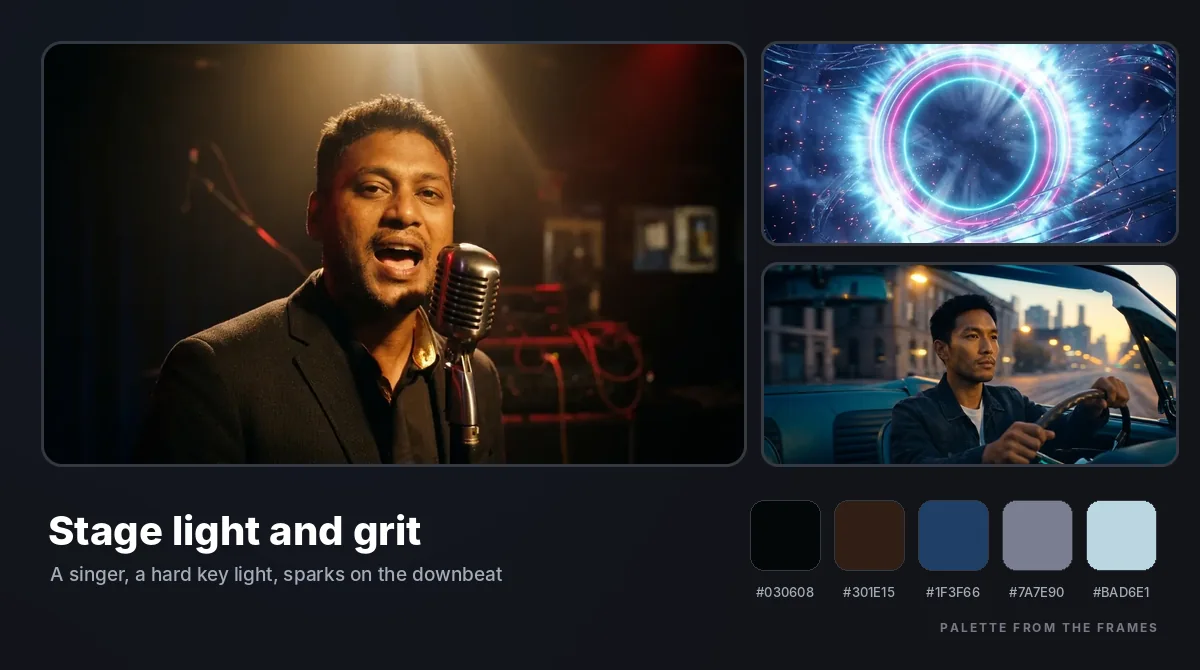
Bands
The singer lip-synced from one photo, the rest of the band written into the story, every release format.
Learn more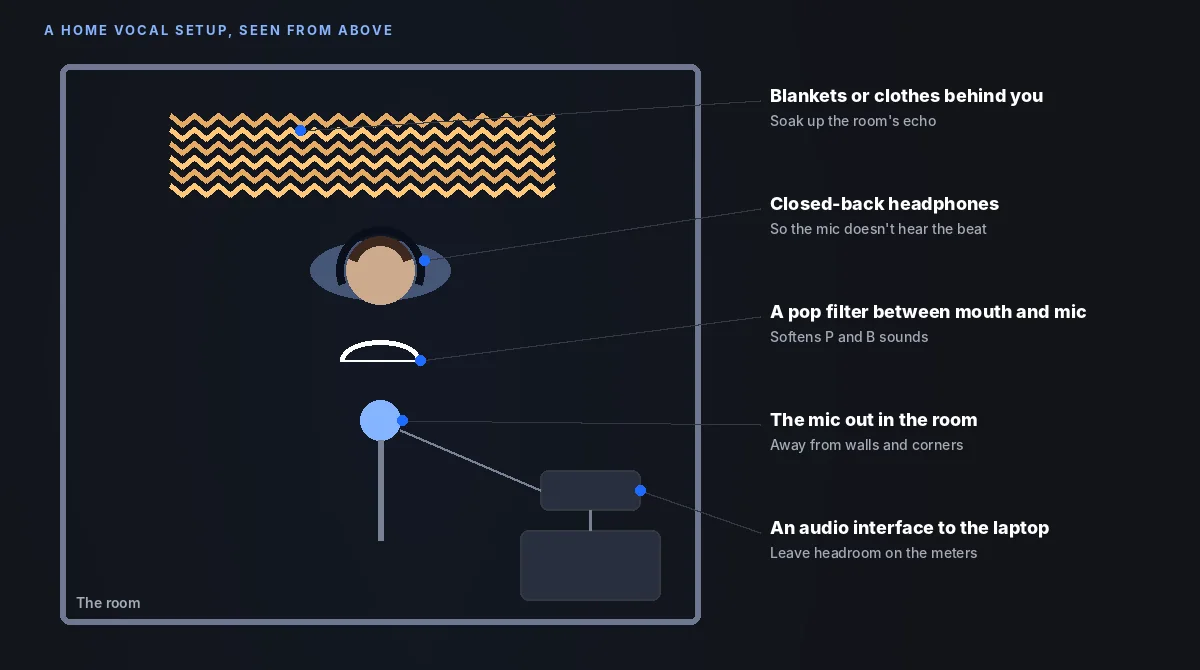
Record vocals at home
A quiet room, soft things behind the singer, the right distance from the mic, gain with headroom and a comped take: home vocal recording, step by step.
Read the guideSetlist maker
A printable setlist in large type: the songs in order with keys, tempos and lengths, sets and an encore, and each set's running time.
Open the toolTempo markings chart
Largo to prestissimo with each marking's BPM range from a cited chart, the names any tempo goes by, and a click to hear each one.
Open the tool
More free tools: tempo and timing
Keep time, make a click track, find the BPM, work out bar lengths and mark the beats for a video editor.
Your song deserves a music video
Upload a track and get a free beat-synced storyboard in minutes. Render it when you are ready.
No card needed to start.






