Hashtags for your music, sized to each platform
Pick the platform, the genre and what the post is for, add your artist name and the song, and get a short set of hashtags that says exactly what the clip is, with a caption to start from. TikTok and Instagram now take five hashtags a post, so every tag here has to earn its slot.
Free, no sign-up. Runs in your browser: nothing is uploaded.
Your set for TikTok
5 of 5#pop #indiepop #newmusic #musictok #popmusic
TikTok takes five hashtags a post, so each one has to describe this song or this post.
More to swap in
Take one out of the set to add another: TikTok takes 5.
Caption to start from
The new song is out now. Full song at the link in my bio.

#pop #indiepop #newmusic #musictok #popmusic
The text this tool writes is in English.
Need the clip itself? Muvora makes the music video and its vertical cut from one render.
Make the videoUpload a new songSong finished? Upload it and Muvora plans the whole video on its beats. The storyboard is free.
Make the videoUpload a new songHow to use the music hashtag generator
- 01
Pick the platform
TikTok, Instagram Reels or YouTube Shorts: the set is sized to that platform's rules.
- 02
Describe the post
Choose the genre from more than 30 and what the post is: a release, a teaser, the music video, behind the scenes, a live take, a lyric video or a cover reveal.
- 03
Add your names
Type the artist and the song title; they become clean tags such as #NightDrive, with spaces and punctuation taken out.
- 04
Adjust and copy
Swap any tag for one of the alternatives, then copy the set or the whole caption into the app.
Five slots, so each tag has a job
TikTok's app caps a post at five hashtags, and Instagram announced the same limit for posts and Reels in December 2025, down from 30. With five slots the set is built from the specific outward: your artist name so every post links together, the song title, the genre, a scene or sub-genre where its fans gather, and what the post is. Broad tags such as #newmusic come in when a slot is free.
- Artist and song first
- Genre and scene next
- The post's purpose to finish
YouTube Shorts counts differently
YouTube shows up to three of a description's hashtags beside the title, choosing the ones it finds most engaging, and ignores every hashtag on a video that carries more than 60. That leaves room, but a handful of precise tags still says more than a wall of them, so the set starts at five and the tool stops at 15.
- Up to three shown by the title
- Over 60 and all are ignored
- Five to start, 15 at most here
Names that work as tags
A hashtag ends at the first space or punctuation mark, so Don't Stop (Remix) would break after Don. The generator takes out spaces, apostrophes, hyphens, dots and emoji, turns & into And, keeps accented and non-Latin letters, and capitalizes each word, as in #DontStopRemix, which screen readers can then read word by word. A name made only of digits is left out, since several platforms don't link a tag without a letter.
- Spaces and punctuation removed
- Each word capitalized
- Accents and non-Latin scripts kept

Something worth tagging: the video itself
Hashtags say what a clip is; the clip still has to make people stop scrolling. Upload the song and Muvora plans a music video on the beat and exports a vertical 9:16 cut beside the widescreen one, ready for TikTok, Reels and Shorts from the same render.
Questions, answered
Can't find what you need? Start a free storyboard and see for yourself.
How many hashtags should I use on TikTok?
Five at most: TikTok's app limits a post to five hashtags. Spend them on the artist, the song, the genre, the scene and what the clip is, rather than tags that could describe any video.
How many hashtags can you use on Instagram Reels?
Five. Instagram announced in December 2025 that posts and Reels would take up to five hashtags instead of 30, so pick precise ones over popular-sounding ones.
Do hashtags work on YouTube Shorts?
Yes. Add them to the description; up to three of them appear by the title, chosen by YouTube. Stay well under 60, because YouTube ignores every hashtag on a video that has more.
Should I use #fyp or #foryou on a music post?
They say nothing about your song, so with five slots they push out a tag that does. The tool leaves them out: a genre or scene tag tells listeners far more about the clip.
Should I make a hashtag of my artist name?
Yes. Use the same one on every post so they all link together, written as one word with each part capitalized, like #NoaVale. The generator makes it from the name you type.
Does the tool show how popular each hashtag is?
No. Popularity counts change quickly and differ by country, so the lists are hand-picked tags that describe the music. Tap a tag in the app to see what is posted under it before you use it.
Where should hashtags go in a caption?
At the end, after a line that gives people a reason to listen, which is how the caption template is laid out. Only the start of a caption shows before it is cut off, so keep that part about the song.
Keep exploring
Promote music on TikTok
Make the song an official sound, lead with the hook, and post a six-week plan of vertical clips that send people to it.
Read the guide
TikTok, Reels & Shorts
Vertical 9:16 cuts of your hook, priced by the second.
Learn moreSafe zone checker
Shade the TikTok, Reels or Shorts buttons over your frame, check where a caption stays clear and download an overlay.
Open the toolYouTube description generator
A music video's title, description, chapters, hashtags and tags, checked against YouTube's limits.
Open the toolRelease timeline planner
A dated release plan from your release day: the master, the video, the pitch, the Canvas and the clips.
Open the toolMusic release checklist
What to finish six weeks, four weeks and two weeks before release day, and what to do that week.
Read the guide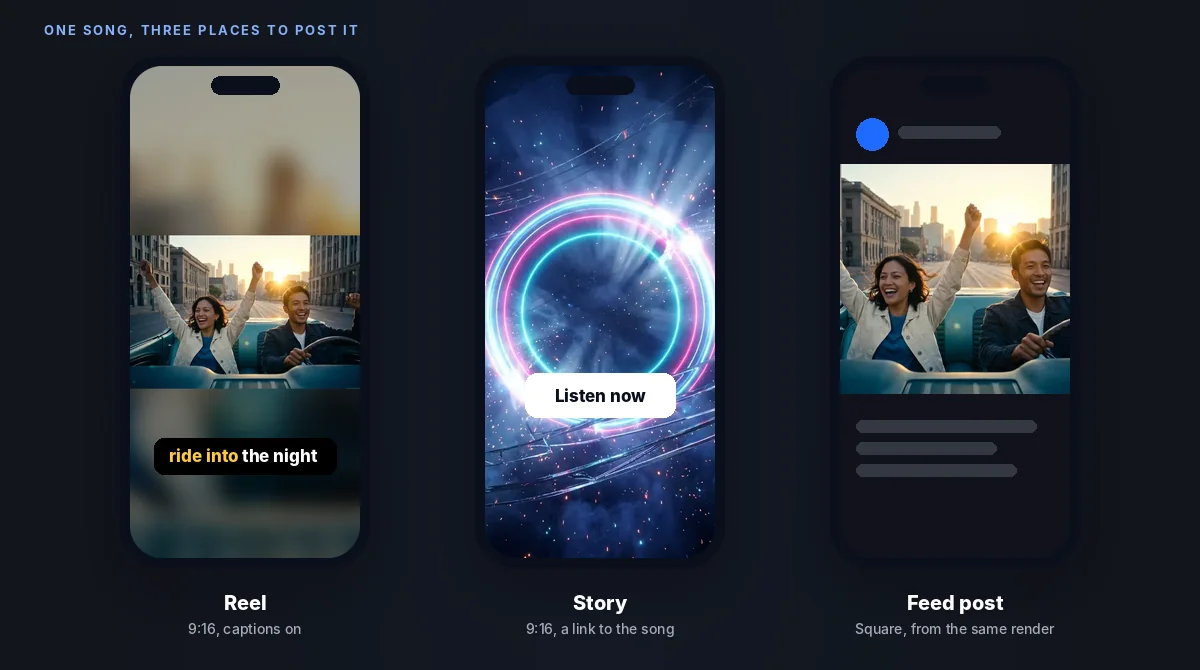
Promote music on Instagram
Reels for new listeners, Stories for fans, your song in Instagram's music library, five hashtags, Trial Reels and a six-week plan.
Read the guideMusic QR code generator
A QR code for a song, pre-save, video or link page, in your colors, saved as PNG or SVG for flyers, posters and merch.
Open the tool
More free tools: release and promotion
Pitch the song, write the press release, build the press kit, plan release week, write the YouTube description and estimate what streams pay.
Your song deserves a music video
Upload a track and get a free beat-synced storyboard in minutes. Render it when you are ready.
No card needed to start.






