Turn a song link into a QR code for print
Paste the address of a song, a pre-save, a music video or your link page and get a QR code any phone camera can open. Pick the error correction and the colors, see the contrast and the smallest size to print it, and save a PNG for screens or an SVG for flyers, posters, stickers and merch. The code holds your link and nothing else: it isn't shortened, tracked or redirected, and nothing you type leaves your device.
Free, no sign-up. Runs in your browser: nothing is uploaded.
A static code: it holds the link itself. Nothing is shortened, tracked or redirected, and nothing leaves this page, so a new link needs a new code. Scan it with two different phones before you print.
Song finished? Upload it and Muvora plans the whole video on its beats. The storyboard is free.
Make the videoUpload a new songHow to use the music QR code generator
- 01
Paste the link
Copy the address from the app's share button or the browser's address bar and paste it. The tool checks that it's a web address a phone can open, and says what to fix when it isn't.
- 02
Choose the error correction
Leave it at M for flyers and posters, or pick Q or H for stickers, merch and anything that gets handled. Each level shows how many modules your link needs at it.
- 03
Set the colors
Keep a dark code on a light background. The contrast ratio updates as you pick, with a warning below 4:1 and another for a light code on a dark background.
- 04
Save it and test it
Download a PNG at screen or print size, or the SVG, which stays sharp at any size. Print one at its real size and scan it with two different phones before you print the run.
A static code: the link is the pattern
A QR code is a grid of dark and light squares, called modules, that spells out its text byte by byte. The codes made here are static: your link is written into the pattern itself, so the code opens it for as long as the link works, with no account, no expiry and no service in between. The catch is that a printed code can't be pointed somewhere new. Dynamic QR services print a short link of their own and redirect it, which lets them change the destination and count scans, but the code then depends on that service staying up and paid for. For anything printed, point a static code at a page you control, such as your website's music page or a link page, and update the page rather than the code.
- Your link, written into the code as you typed it
- No redirect, no expiry, nothing counted
- Print codes that point to a page you can update
Error correction, contrast and the quiet zone
Every QR code carries Reed-Solomon error correction, so a reader can rebuild part of a damaged code: about 7% of it at level L, 15% at M, 25% at Q and 30% at H. A higher level survives a scuffed sticker or a creased flyer, but it adds modules, so the same link makes a denser pattern that needs printing bigger. Phones find a code by its contrast and by the empty margin around it, the quiet zone, which the QR standard sets at four modules on every side; this tool never draws less. Readers expect dark modules on a light background. A light code on a dark background opens in many camera apps but not in every scanner, and the tool warns below a contrast ratio of 4:1, a safety margin of its own rather than a figure from the standard.
- L, M, Q and H rebuild about 7, 15, 25 and 30%
- A quiet zone of four modules on every side
- Dark on light, for every reader
Where the code goes, and how big
Codes earn their place on paper and fabric: gig flyers and posters, stickers, merch tags, the back of a CD or vinyl sleeve, a download card, the merch table and a stage banner. As a rule of thumb, print a short link's code about 2 cm (0.8 inch) across at the smallest, and larger for a longer link, which needs more modules, or for scanning from a distance: about 1 cm of code for every 10 cm between the phone and the code is a common guide, so a poster read from 2 meters wants a code around 20 cm wide. Keep codes out of the art you deliver to stores, which turn down cover art with a QR code on it; Apple Music's rules refuse them in a music video's picture too, as getting your music on Apple Music explains. The guide to promoting your music covers the campaign the code is part of, and the EPK generator makes the press kit a code on a one-sheet can open.
- About 2 cm across at the smallest
- Roughly 1 cm of code per 10 cm of distance
- Never on the cover art you send to stores

Give the code a music video to open
A code on a flyer is only as good as the page it opens, and a music video is what most people scanning a poster want to see. Upload the song and Muvora plans a video on its beats, with a storyboard that's free to read and edit. A widescreen render gives you the video, vertical and square cuts for the posts that go with the flyer, and an 8-second Canvas loop, priced before it renders.
Questions, answered
Can't find what you need? Start a free storyboard and see for yourself.
Do these QR codes expire?
No. The link is written into the code itself, with no redirect or account behind it, so the code opens it for as long as the link works. If the page moves or the address changes, make a new code; that's why a page you control is the safest thing to point a printed code at.
Can I make a QR code for a Spotify song?
Yes. Copy the song's link from Spotify's share menu and paste it here; phones with the Spotify app usually open it there, and others in the browser. Spotify also has its own Spotify Codes, which are scanned from inside the Spotify app, while a QR code opens from any phone's camera.
Which error correction level should I choose?
M for most flyers, posters and screens: it rebuilds about 15% of a damaged code. Q or H for stickers, merch, fabric and anything handled, at the cost of a denser code that needs printing a little bigger. L makes the smallest code, for clean prints and screens.
Can I put my logo in the middle of the code?
This tool doesn't, because a logo covers modules and leans on the error correction to rebuild them. If you add one in a design app, make the code at level H, keep the logo small and away from the three corner squares, and test it with several phones before printing.
Can a QR code go on my album cover?
Not on the cover art you send to streaming services: stores turn down cover art with QR codes, web addresses and social handles on it. Put the code on the printed side of a release instead, such as a CD or vinyl sleeve's back, an insert or a download card, and on posters and merch.
Is it free, and is anything I type sent anywhere?
It's free with no sign-up, and the code is made in your browser: the link and the files stay on your device and nothing is logged. QR codes follow an international standard, ISO/IEC 18004, and need no license to make or print. QR Code is a registered trademark of DENSO WAVE INCORPORATED.
Keep exploring
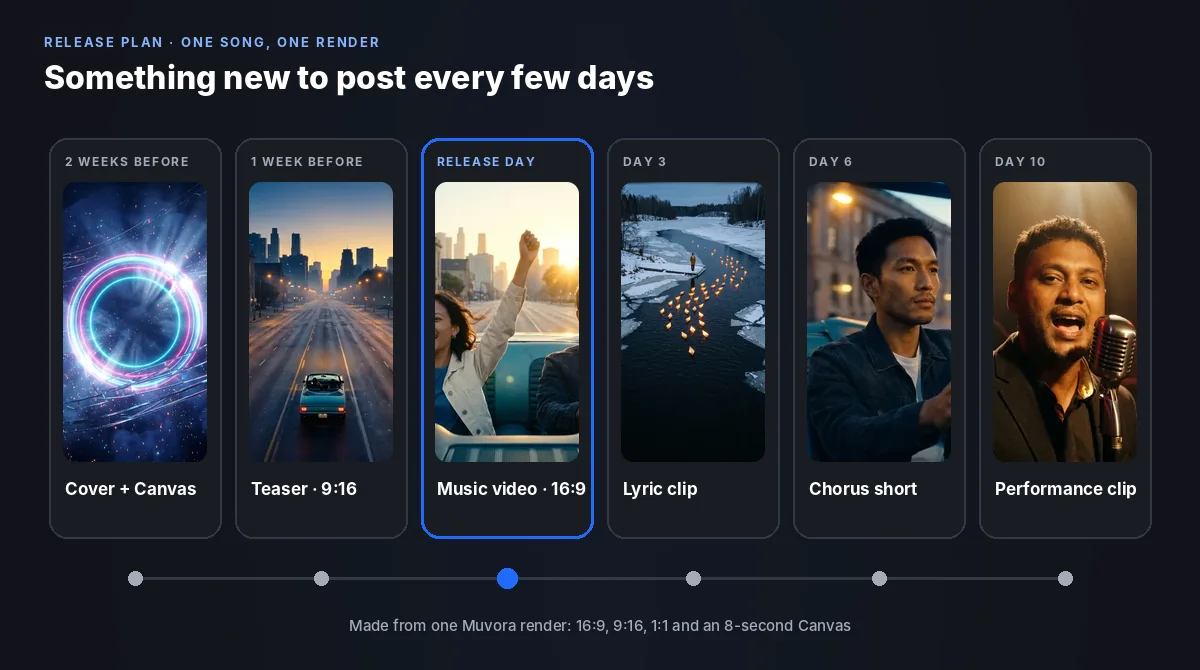
Promote your music
A release plan from six weeks out to a month after: the story, pre-saves, the pitch, the visuals, a posting calendar and what to measure.
Read the guide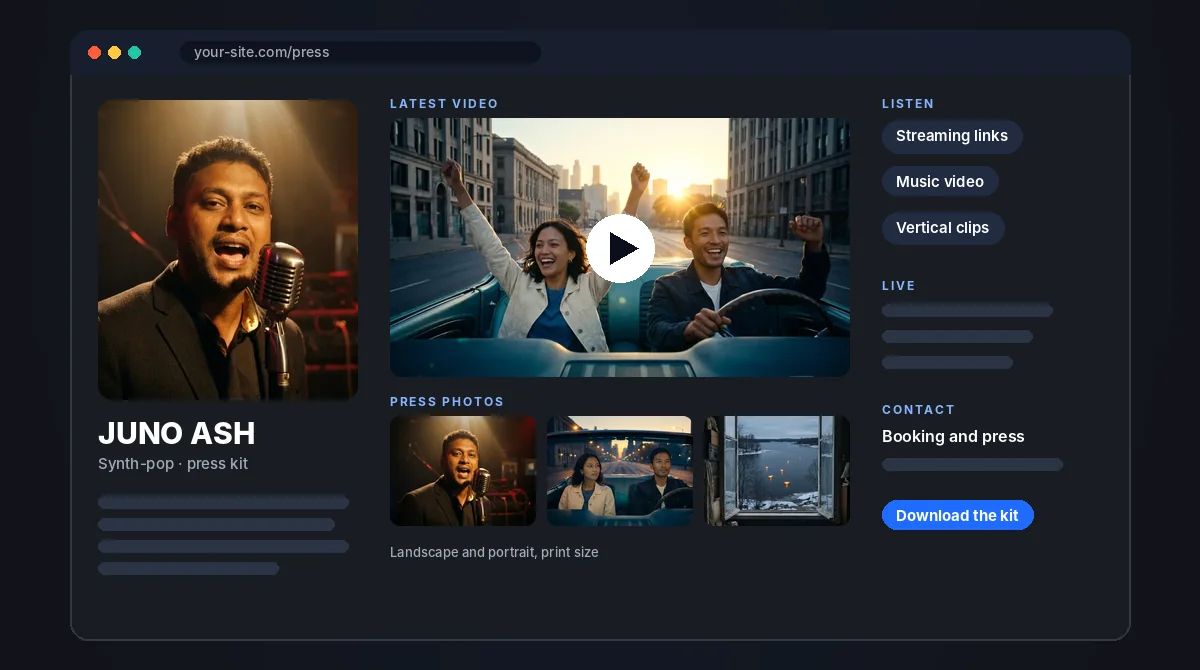
Make an EPK
What goes in an electronic press kit, who reads it, photo and video specs, a web page or a PDF, and how to send it.
Read the guideMusic hashtag generator
Hashtags for a song post on TikTok, Reels or Shorts, sized to each platform's limit, with a caption to start from.
Open the toolEPK generator
A one-page electronic press kit from your own bio, photos, links, music video and contacts, printed or saved as a single HTML file.
Open the toolMusic promo videos
A teaser, the full video, vertical and square cuts and a Canvas loop for one release.
Learn moreMusic release checklist
What to finish six weeks, four weeks and two weeks before release day, and what to do that week.
Read the guideGig poster maker
Make a show poster from your photo, a video frame or a color: act, date, venue and tickets laid out for print and Instagram, with a QR code.
Open the tool
More free tools: release and promotion
Pitch the song, write the press release, build the press kit, plan release week, write the YouTube description and estimate what streams pay.
Your song deserves a music video
Upload a track and get a free beat-synced storyboard in minutes. Render it when you are ready.
No card needed to start.






