The short answer
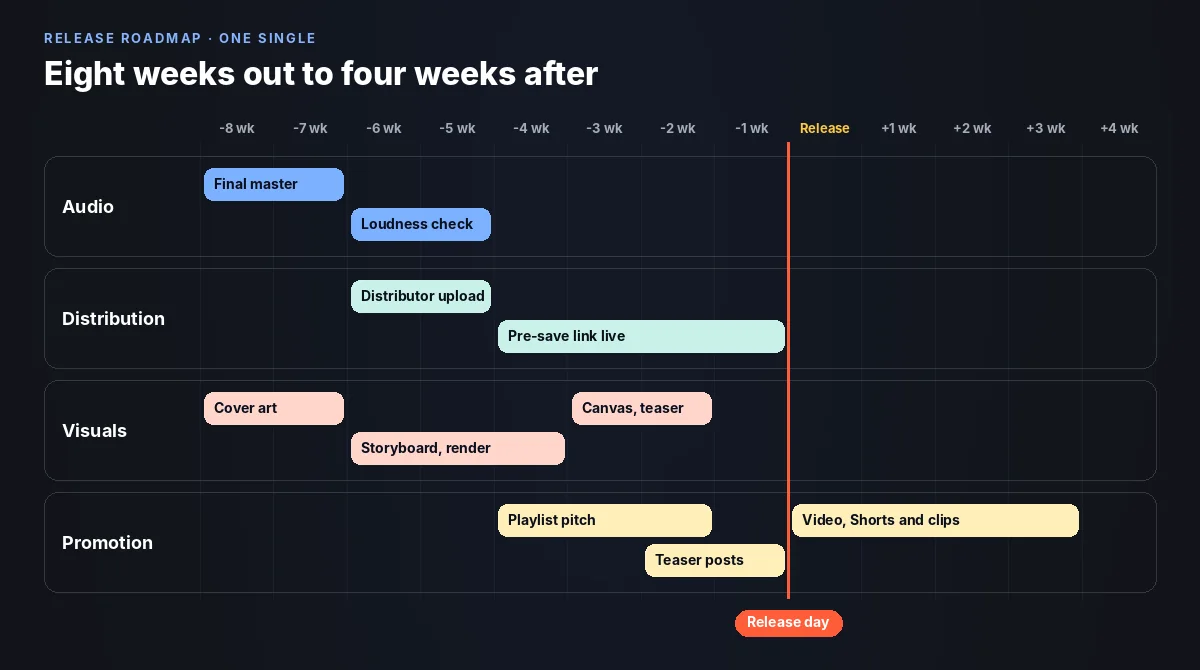
A release checklist has four stages. Six weeks out, finish the master, the metadata and the visual plan. Four weeks out, deliver to your distributor, pitch the song in Spotify for Artists and render the music video. Two weeks out, prepare the Canvas, vertical clips and lyric video. In release week, premiere the video, set chapters and links, and post a clip a day.
- Deliver to your distributor about four weeks early: stores and editors need the time.
- Pitch on Spotify for Artists at least 7 days before release, or the song misses followers' Release Radar.
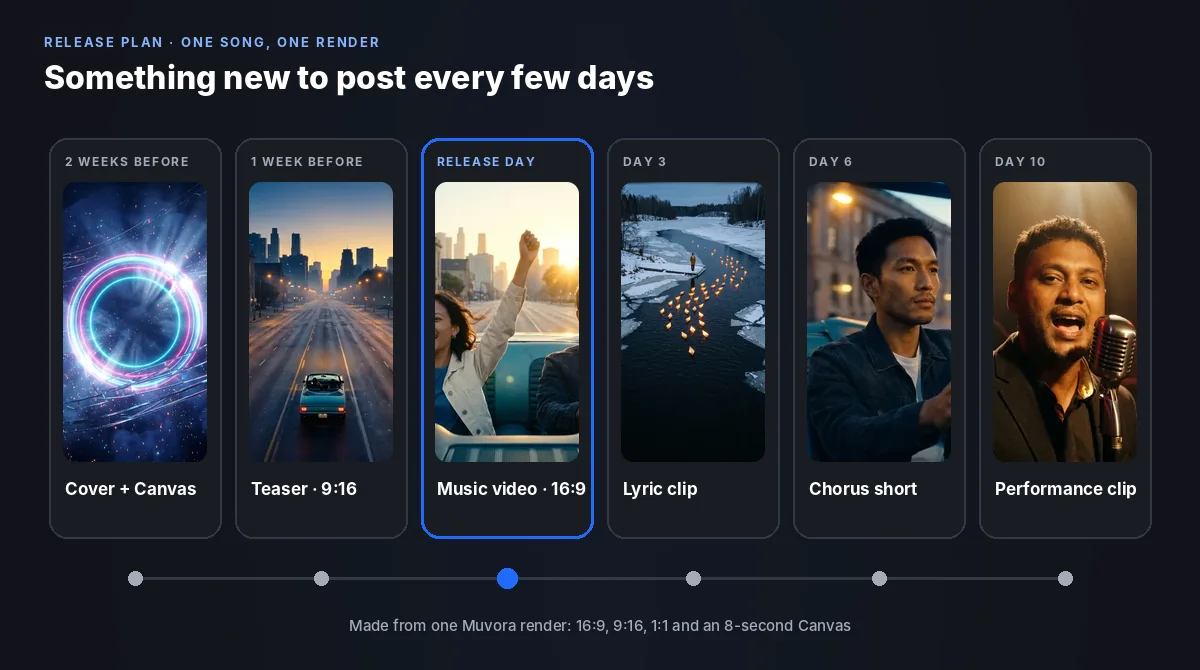
- Plan every visual from one idea: video, vertical clips, Canvas, lyric video and cover art.
- Have two weeks of short clips ready before release day, not after it.
- Keep posting after week one: most songs find their audience slowly.
On this page (6 sections)ShowHide
The release timeline at a glance
Six weeks is a comfortable runway for an independent single: long enough to deliver on time, pitch properly and make the visuals, short enough to keep momentum. For an EP or album, start the same list two to four weeks earlier and stagger the singles.
- 01
6 weeks out
- · Song mastered
- · Pick the visual idea
- · Storyboard drafted
- 02
4 weeks out
- · Pitch the song
- · Render the video
- · Cover art final
- 03
2 weeks out
- · Canvas uploaded
- · Vertical teasers cut
- · Lyric video ready
- 04
Release week
- · Premiere the video
- · Post a clip a day
- · Chapters and links set
- 01
Six weeks out: finish the song and plan the visuals
Lock the master, collect the credits and splits, choose the release date and decide on one visual idea that every asset will share.
- 02
Four weeks out: deliver, pitch and render
Upload the release to your distributor, pitch the song to Spotify's editors once it appears in Spotify for Artists, and make the music video.
- 03
Two weeks out: build the short-form kit
Upload the Canvas, cut vertical teasers from the video, finish the lyric video and schedule the premiere.
- 04
Release week: launch and keep showing up
Premiere the video, add chapters and links, post a clip a day and answer every comment.
Six weeks out: finish the song and plan the visuals
- Final master approved, exported as WAV (and the instrumental, if you'll want it for clips or sync)
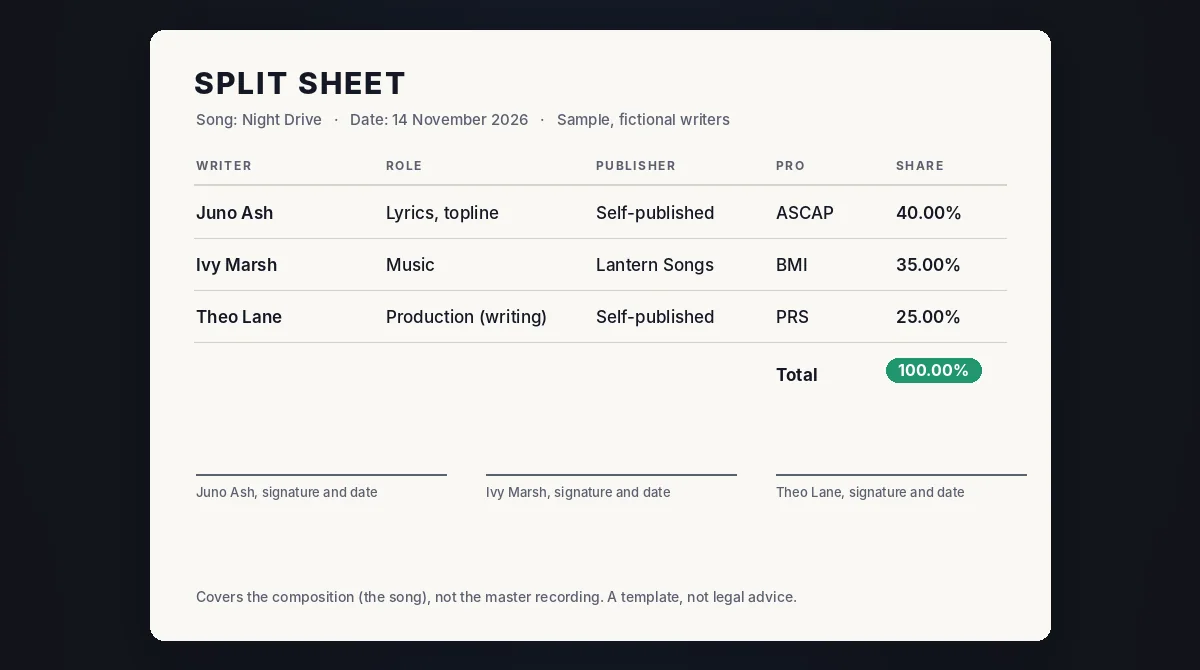
- Title, featured artists, writers, producers and splits agreed and written down (no title yet? The song title generator finds candidates in your lyrics)
- For a new act, the name searched on the streaming services, the social platforms and a trademark database before anything is printed (the band name generator helps you build a shortlist)
- Release date chosen (most releases go out on a Friday)
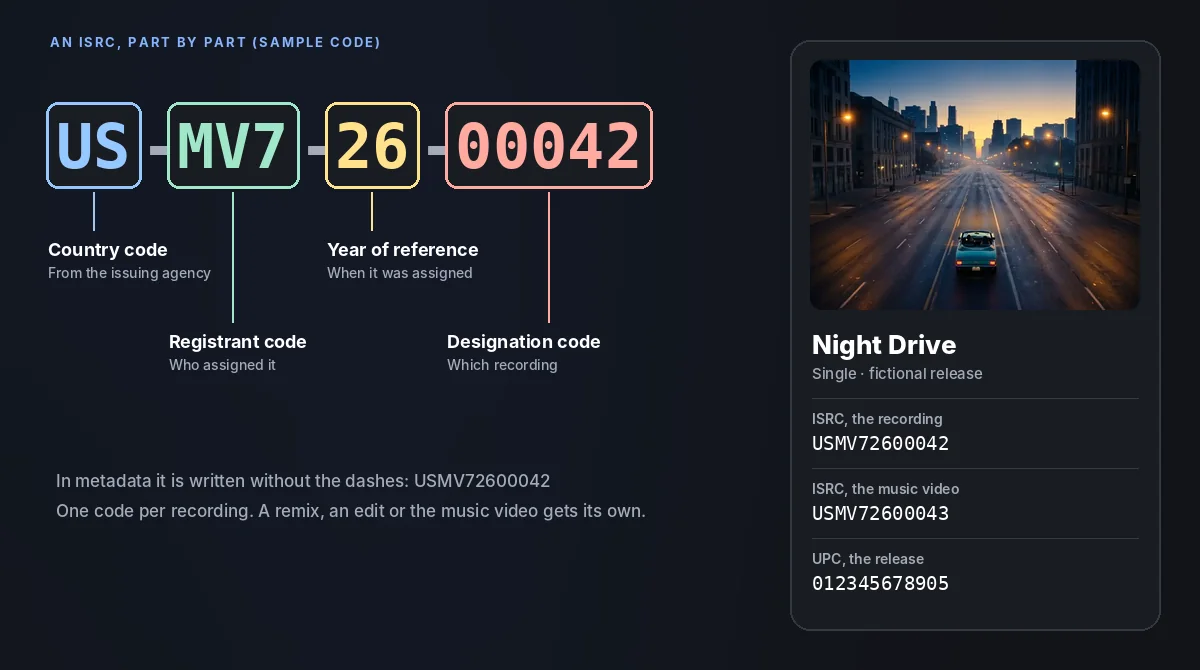
- Distributor chosen; ISRC codes assigned (most distributors do this for you)
- Cover art at 3000 x 3000 pixels, square, RGB JPG or PNG
- One visual idea for the whole release, written as a single sentence
- A list of the visual assets you'll need (see the table below)
The visual idea is the step most artists skip, and the one that makes a release look professional. Pick one world (a place, a color, a character) and let the video, the cover, the Canvas and every clip come from it. Need a starting point? Try the music video idea generator or the ideas by genre.
| Asset | Shape and size | Where it goes |
|---|---|---|
| Cover art | Square, 3000 x 3000 px | Every store and streaming service |
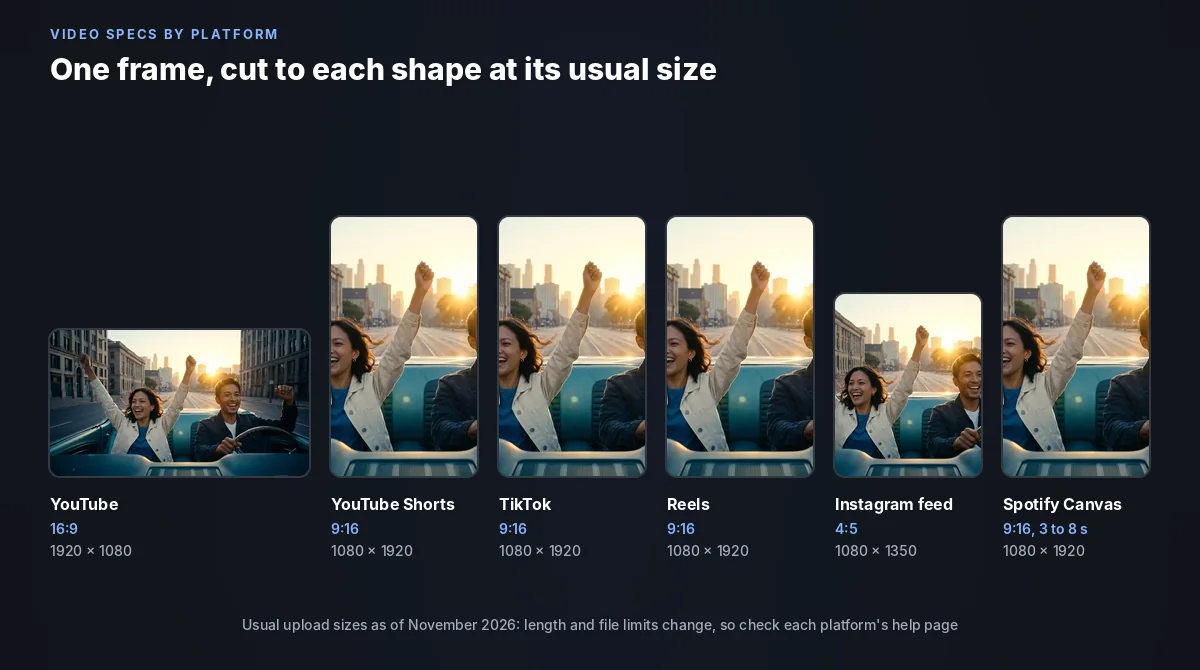
| Music video | 16:9, 1920 x 1080 | YouTube, your website, press |
| Vertical clips | 9:16, 1080 x 1920 | Shorts, Reels, TikTok, Stories |
| Spotify Canvas | 9:16 loop, 3 to 8 seconds | Spotify's Now Playing screen |
| Lyric video | 16:9 or 9:16 with captions | YouTube and short-form |
| Thumbnail | 16:9, 1280 x 720 | The YouTube video |
Every shape is explained in music video sizes and aspect ratios.
Skip the blank page
Upload your song and Muvora's AI director plans a shot-by-shot storyboard on the beat. Edit every shot for free, and pay only if you render.
Four weeks out: deliver, pitch and render
- Release uploaded to your distributor with the final metadata
- Pre-save link set up, if your distributor or a link service offers one
- Song pitched in Spotify for Artists once it shows under upcoming releases
- Music video storyboarded and rendered
- YouTube channel ready: banner, links and an artist profile if you qualify
Spotify lets you pitch one unreleased song to its playlist editors from Spotify for Artists. Its help page on pitching to playlist editors says a pitch submitted at least 7 days before release day puts the song on your followers' Release Radar playlists. Deliver early enough that the song shows up in Spotify for Artists well before that: a pitch made on the last day leaves editors little time to listen.
Make the video now, not in release week: renders, re-rolls and versions take time, and every short clip and the Canvas are cut from it. With Muvora you upload the master, edit a free storyboard timed to the beat, see the price, and render once for every format. The how to make a music video with AI guide covers the process.
Get the video done four weeks early
Upload your master and Muvora plans every shot on the beat for free. Render once and you get the YouTube video, vertical cuts and a Canvas loop.
Two weeks out: build the short-form kit
- Spotify Canvas uploaded for the track in Spotify for Artists
- Five to ten vertical clips cut from the video: the hook, the chorus, the drop, a striking shot
- Lyric video finished, or captions burned into a version of the video
- YouTube Premiere scheduled for release day, with a custom thumbnail
- Release-day posts drafted for every platform you use
Short clips do most of the discovery work for new music. Build a bank of them before release so you can post daily without editing every night. Start each clip on the hook rather than the intro, and keep the cuts on the beat so even a 10-second clip feels like the song. For the loop, see the Spotify Canvas guide; for words on screen, see how to make a lyric video.



Release week: launch and keep showing up
- Video premiered, with the song's links in the first lines of the description
- YouTube chapters added (Intro, Verse, Chorus…), starting at 0:00
- Lyrics in the description or as captions
- A clip posted every day, each with the song as its sound
- Bio links, pinned posts and your website pointing at the new song
- Every comment answered in the first days
Chapters help viewers find the chorus and help search engines understand the video. YouTube needs at least three, the first at 0:00, each at least 10 seconds long, written as timestamps in the description. The free song structure visualizer writes them for you from your song's sections.
After release: the long tail
Most songs don't peak in their first week. Keep posting clips for at least a month, try new hooks and new shots, and watch which ones bring listeners to the song. When a moment works, make more like it: a second vertical cut, a lyric version, a fresh Canvas. The promotion side of the same weeks (pre-saves, the pitch, a posting calendar, email and live shows) is laid out in how to promote your music.
- Check Spotify for Artists and YouTube Studio weekly: which clip, playlist or video sent people to the song?
- Re-cut the best-performing moment in a new shape (square for the feed, vertical for Stories).
- Change the Canvas after a few weeks to give returning listeners something new.
- Start the next release's checklist while this one still has momentum.
Turn your next single into a full release kit
Upload the song for a free storyboard. One render gives you the music video, 9:16 and 1:1 cuts, and a Spotify Canvas, all on the beat.
Written by the Muvora team. Last updated November 14, 2026. Spotted something out of date? Tell us at [email protected].