Check your vertical video against each app's buttons
Pick a frame from your device or use the sample, choose TikTok, Reels or Shorts, and the app's top bar, caption area and right-hand buttons are shaded over it. Move a caption box to see where text stays readable, then download the shading as a transparent 1080 × 1920 PNG to line text up in any editor.
Free, no sign-up. Runs in your browser: nothing is uploaded.
Loading the sample frame. Drawn on your device, never uploaded.
Clear on TikTok: nothing in the app covers the box.
A box this size stays clear with its foot from 25% to 84% up the frame (484 to 1622 px).
Muvora's captions (foot 384 px up (20%), 76 px in from each side): the lowest line sits inside TikTok's caption area here, so keep the post's own caption short.
- TikTokClear
- ReelsClear
- ShortsCovered by the action rail
Adjust TikTok's areas
In pixels on a 1080 × 1920 frame. Measure a screenshot of your own phone if it differs.
TikTok's areas, transparent, 1080 × 1920.
Approximate: apps move their buttons between versions and phones crop the frame differently. Figures: Creator guides that measure the app (Bundle.social, Spilno Agency), checked 2026-11-14.
Song finished? Upload it and Muvora plans the whole video on its beats. The storyboard is free.
Make the videoUpload a new songHow to use the safe zone checker
- 01
Pick a frame
Choose a still from your video, or keep the sample; a picture of any shape is cropped to 9:16 from its middle, the way the apps fill a phone screen.
- 02
Choose the app
Switch between TikTok, Reels and Shorts, and between the figures for a typical post and the stricter ad templates.
- 03
Place your caption
Set the caption box's height, width and number of lines; it turns green where nothing covers it, and the result names what does.
- 04
Download the overlay
Save the shading as a transparent 1080 × 1920 PNG, lay it on the top track in your editor and hide it before you export.
What each app lays over a vertical video
All three put a bar across the top (TikTok's Following and For You tabs, the Reels title and camera, the Shorts search and menu), a column of buttons down the right for liking, commenting and sharing, and the account name, caption and sound across the bottom. Whatever sits under them is hard to read or hidden, so text, faces and logos belong in the middle of the frame, a touch left of center.
- A top bar across the frame
- An action rail down the right
- Name, caption and sound at the bottom
Why every figure here is approximate
None of the three apps publishes a safe zone for ordinary posts, their layouts change between versions and phone shapes, and a long post caption reaches higher than a short one. The typical figures are what creator guides measure on 1080 × 1920 frames: 484 px at the bottom and 140 px down the right on TikTok, 250 px at the top and 340 at the bottom on Reels, and anywhere from 320 to 461 px at the bottom on Shorts. The ad templates from TikTok, Meta and Google are stricter, since ads carry extra buttons. Every area can be changed to match your own phone.
- Typical figures from creator guides
- Ad templates from the platforms
- Every area can be adjusted
Where Muvora's captions fall
Muvora's karaoke captions sit a fifth of the way up the vertical export: on a 1080 × 1920 frame the foot of the lowest line is 384 px from the bottom, the words are 70 px tall and they keep 76 px in from each side, one or two lines at a time. That clears the caption area guides measure for Reels. On TikTok and Shorts, where guides measure the post's own text up to 484 and 461 px, the lowest line shares that band, so keep the post's caption to a line and check a test post on your phone. Tick Muvora's captions in the checker to see them on your frame.
- Lowest line's foot 384 px up
- 70 px words, 76 px in from each side
- Captions on or off when you render

Vertical cuts from the same render
Muvora renders your music video once and exports a 9:16 version beside the widescreen one: wide shots stay whole over a blurred fill of themselves, other shots are cropped to their center, and the karaoke captions are placed for the tall frame. Upload a song and the storyboard is free; check the vertical cut against this overlay before you post it.
Questions, answered
Can't find what you need? Start a free storyboard and see for yourself.
What is the TikTok safe zone?
The part of a 9:16 video the app's buttons and text leave uncovered. Creator guides measuring a 1080 × 1920 frame keep about 130 px clear at the top, 484 px at the bottom, 140 px down the right and 44 px at the left. TikTok's in-feed ad template is stricter, with 240 px at the top and 660 at the bottom.
What is the Instagram Reels safe zone in pixels?
Guides most often keep about 250 px clear at the top, 340 at the bottom and 120 down the right of a 1080 × 1920 Reel. Meta's guidance for Reels ads asks for more: the top 14% (about 269 px), the bottom 35% (672 px), 6% at each side and the lower right corner where the buttons sit.
Is there a YouTube Shorts safe zone template?
Google publishes one for vertical video ads, keeping 288 px clear at the top, 672 at the bottom, 48 at the left and 192 at the right of a 1080 × 1920 frame. For ordinary Shorts guides disagree, measuring the bottom anywhere from 320 to 461 px; the checker's typical figures use 154 at the top, 461 at the bottom and 173 on the right.
How do I use the overlay in CapCut or Premiere Pro?
Put the PNG on the track above your video and fit it to the 1080 × 1920 frame. Line your text and faces up outside the shaded areas, then hide or delete the overlay track before you export, so it doesn't end up in the video.
Is my image uploaded anywhere?
No. It's drawn on a canvas in your browser and stays on your device, and the overlay you download holds only the shaded areas, never your picture.
Where should lyrics go in a vertical video?
In the middle band: below the face, above the post's own caption and clear of the buttons on the right. On the typical figures that means about a quarter of the way up or higher on TikTok and Shorts, and a little lower on Reels. Put your longest line in the checker to see whether it reaches under the buttons.
Why do the buttons cover more on some phones?
Phones taller than 9:16 show the video between the app's bars or crop its sides, and a long post caption wraps onto more lines. That's why every figure is approximate: check a test post on the phones your listeners use.
Keep exploring
Promote music on YouTube Shorts
Pick the 10 to 30 seconds, win the first second, cut a series from one video and link every Short to the full music video.
Read the guideAspect ratio calculator
Any frame's ratio, a resize that keeps it, and what cropping or fitting to 9:16, 1:1 or 4:5 does.
Open the tool
TikTok, Reels & Shorts
Vertical 9:16 cuts of your hook, priced by the second.
Learn more
Instagram Reels
Reels drawn tall from the first frame, cut on the beat, with lyrics set above the buttons.
Learn moreYouTube Shorts
Shorts cut from the same render as your channel's full video, each opening on a beat.
Learn moreMusic hashtag generator
Hashtags for a song post on TikTok, Reels or Shorts, sized to each platform's limit, with a caption to start from.
Open the tool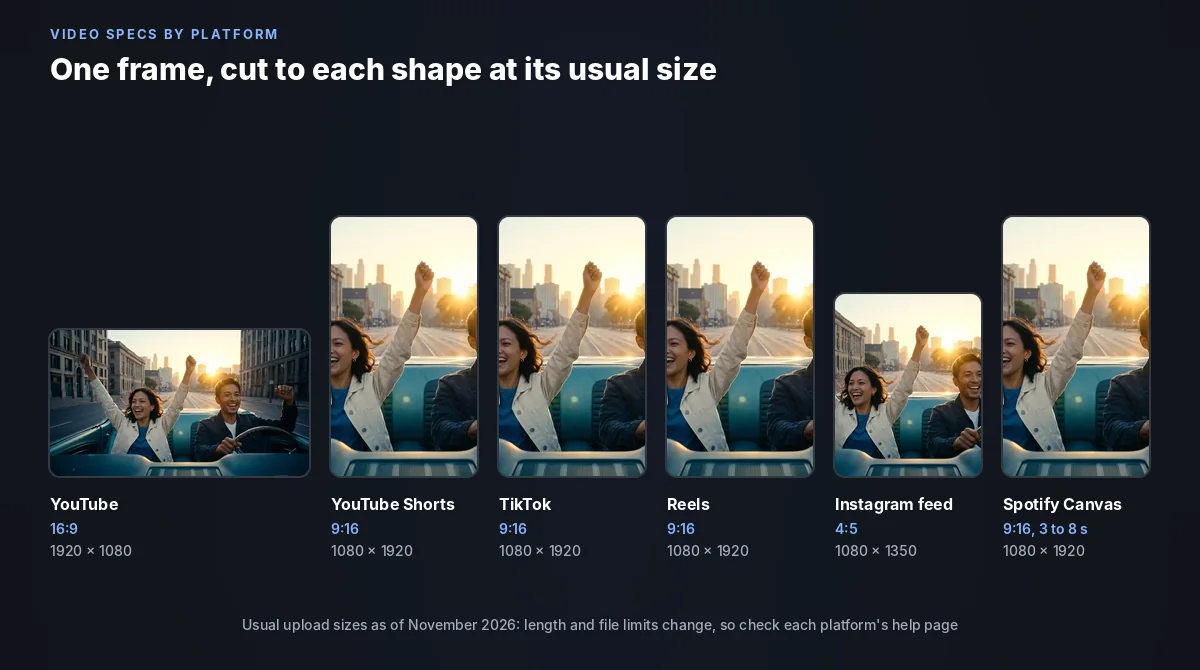
Social media video specs
Shape, size, length limit, file size and frame rate for YouTube, Shorts, TikTok, Reels, Facebook, X, Canvas and Apple Music, each sourced.
Read the guide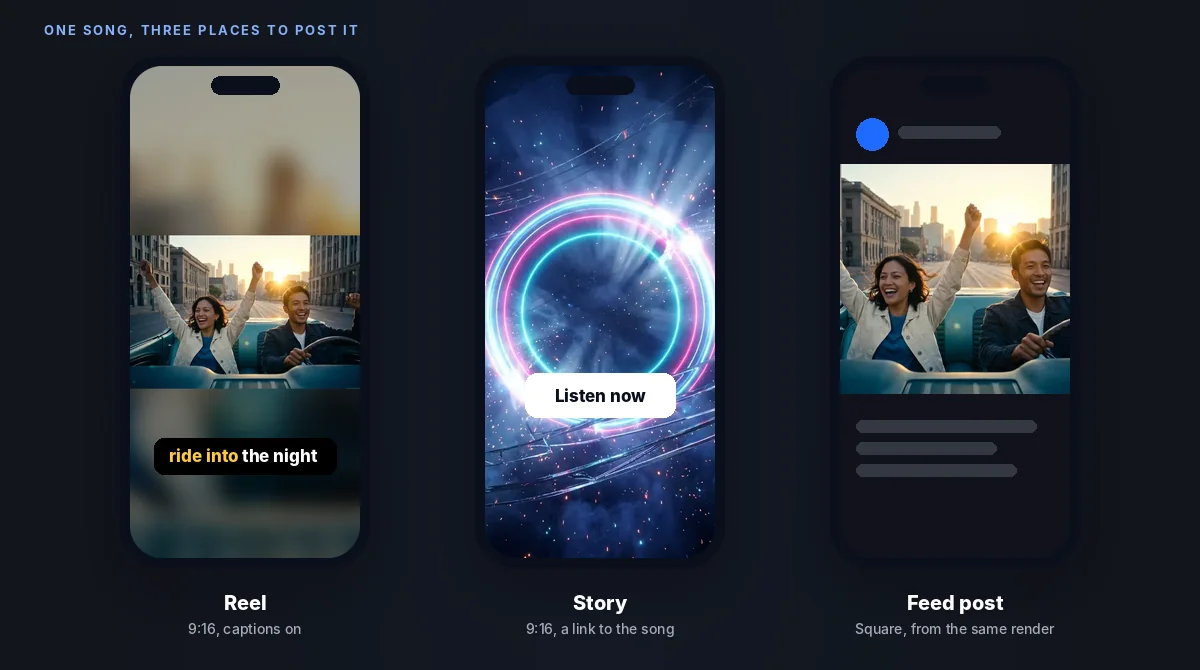
Promote music on Instagram
Reels for new listeners, Stories for fans, your song in Instagram's music library, five hashtags, Trial Reels and a six-week plan.
Read the guideVertical video converter
Turn a horizontal clip into a 9:16 video for TikTok, Reels and Shorts: crop with a position you choose, or fit it over a blurred fill.
Open the tool
More free tools: artwork and video formats
Cover art, Canvas loops, YouTube thumbnails, a spectrum visualizer, sizes, safe zones and bitrates, a video file's specs, and a vertical cut of any clip.
Your song deserves a music video
Upload a track and get a free beat-synced storyboard in minutes. Render it when you are ready.
No card needed to start.






