The short answer
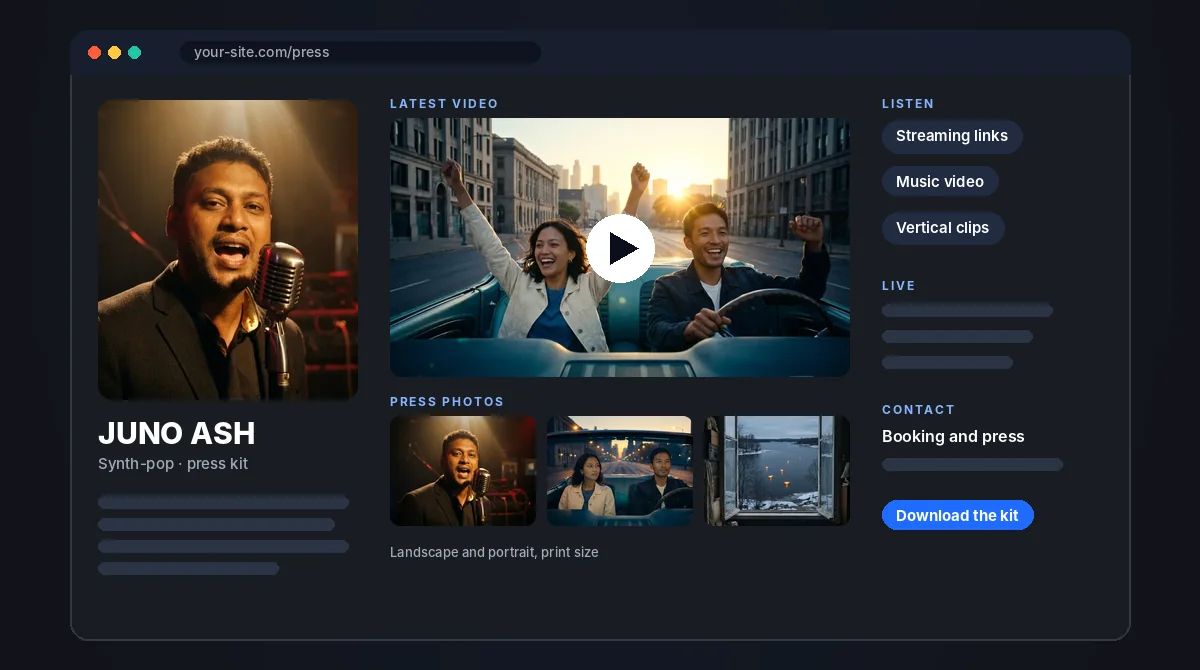
An EPK, or electronic press kit, is one page (usually on your website) that gives bookers, journalists, curators and labels what they need: a short and a long bio, press photos in landscape and portrait at print size, your music and newest music video, real press and numbers, live dates, a tech rider for live acts, and one contact. Keep it short and current.
- Make the EPK a page on your own site, with the full-size photos in a downloadable folder.
- Put the music and the newest music video at the top, before the bio.
- Supply press photos in landscape and portrait at print size, each credited to its photographer.
- Use only real quotes and numbers, each with its source and date.
- Give one contact for booking and press, and a tech rider if you play live.
On this page (7 sections)ShowHide
What an EPK is and who reads it
The electronic press kit replaced the envelope of photos, a CD and a printed bio that artists used to post to venues and magazines. Today it's usually a single web page behind a short link, and its job hasn't changed: give a busy person everything they need to decide, in one place, without a follow-up email.
| Reader | What they're deciding | What they look for first |
|---|---|---|
| Bookers and promoters | Whether you'll draw a crowd and fit the bill | Live video, past shows, a local following, the tech rider and a contact |
| Journalists and bloggers | Whether there's a story worth writing | The bio's hook, the latest release and photos they can print |
| Playlist and radio curators | Whether the song suits their listeners | The track, its genre and mood, and the release date |
| Labels, managers and agents | Whether there's something to build on | Real numbers over time, the release history and the plan |
| Music supervisors | Whether a track can be cleared for a scene | Instrumentals, who owns the recording and the song, and a fast contact |
Every one of them is short of time, so the first screen should answer the first question: what does this sound like? That's why the music and the newest video sit at the top, and the long bio comes after them.
How to make an EPK in seven steps
- 01
Choose where it lives
Make it a page on your own website, at an address like yoursite.com/press, so the link never changes and you can update it whenever you like. A link-in-bio page or a press kit builder works too if you don't have a site.
- 02
Write the bios
Put a short bio of 50 to 80 words near the top and a long one of 250 to 300 further down, both in the third person and both naming the latest release.
- 03
Pick the press photos
Choose three to five photos: at least one landscape and one portrait, one with the whole lineup if you're a band, all at print size and each credited to its photographer.
- 04
Put the music and the video first
Add the streaming links, your newest music video and one or two live clips at the top of the page, where every reader lands.
- 05
Add the proof
List published press quotes with the outlet and a link, notable shows with their dates and venues, and any numbers you can show, each with where and when it was measured.
- 06
Add the practical details
Include upcoming dates, a tech rider and stage plot if you play live, the social profiles you actually use, and one email address for booking and press.
- 07
Test it on a phone, then send it
Open the link on a phone, play every track and video, try every download, and then send it in a short email that says why you're writing to that person.
Skip the blank page
Upload your song and Muvora's AI director plans a shot-by-shot storyboard on the beat. Edit every shot for free, and pay only if you render.
What goes in an EPK: a checklist
Use this list as an EPK template. Everything in it belongs in every press kit; what comes after it depends on what you do and who you're sending the kit to.
- The act's name and a one-line description at the top
- Streaming links to the latest release, plus a private link for anything unreleased
- The newest music video, embedded or linked, and its vertical cuts
- A short bio of 50 to 80 words and a long one of 250 to 300
- Three to five press photos, landscape and portrait, at print size and credited
- The latest cover art, square and at full size
- One contact for booking and press, with a name and an email address
- Links to your website and the social profiles you keep up to date
Then add what fits the act. Anyone who plays shows needs live video and upcoming dates; a band needs a tech rider (the gear, the inputs and anything you need from the venue) and a stage plot (a simple drawing of where everyone stands). Add press quotes and notable placements once you have them, and lyrics or an instrumental for writers and music supervisors.
Start with the words, since the rest of the page hangs off them. How to write an artist bio covers the four lengths and what goes first, and the artist bio generator turns your facts into all four versions at once.
Artist bio generatorType in your facts once and copy the short and long bios the press kit needs, in the third person, with word counts. It adds nothing you didn't type.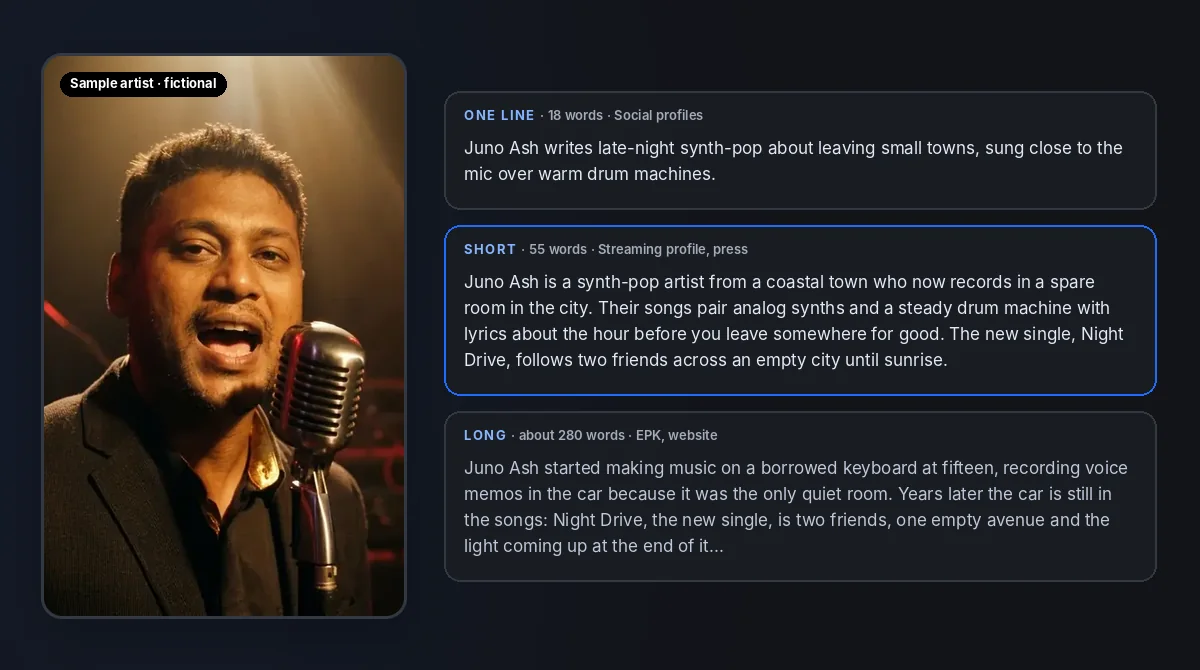
Press photos and the music video
Photos are the part of a press kit that gets reused the most, so make them easy to use. Supply at least one landscape and one portrait shot, because a website banner and a magazine column need different shapes. Print needs about 300 pixels per inch at the printed size: a 4 x 6 inch photo needs 1,200 x 1,800 pixels and a full letter-size page about 2,550 x 3,300, so link to the original files rather than copies saved from social media.
| What | Why |
|---|---|
| Landscape and portrait versions | Banners and web features are wide; magazine columns and posters are tall |
| About 300 pixels per inch at print size | A file that looks sharp on a screen can look soft on paper |
| Space around the subject | Editors crop to fit their layout and sometimes set a headline over the picture |
| The photographer's name in the file name and next to the photo | Publications credit photographers, and a missing credit slows them down |
| Recent, and in the look of the current release | An old look beside a new single makes a reader wonder which is current |
Video is what most readers open first, and many judge the music by it. Put the newest music video at the top, its vertical cuts beside it for anyone booking for social channels, and live footage lower down for promoters. If the current release has no video yet, that's the gap to close before the kit goes out.
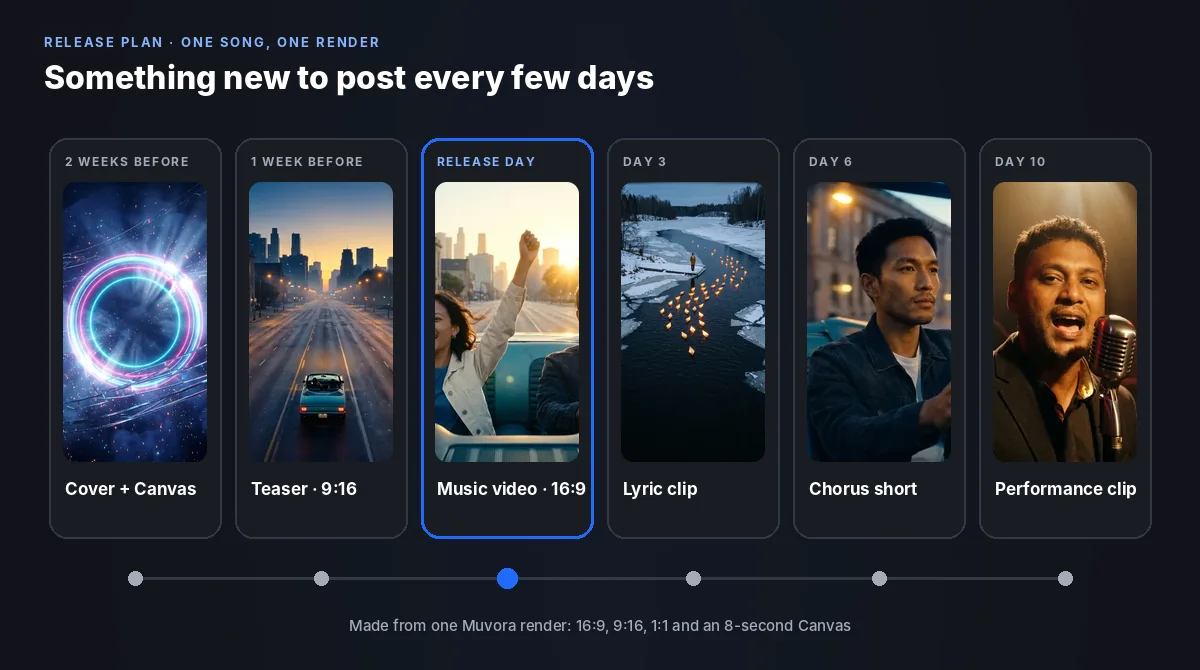
Muvora's music promo video maker starts from the song: upload it, edit a free storyboard planned on its beats, and render once. Choose 16:9 at upload and the render gives you the widescreen music video, a 9:16 cut for Reels, TikTok and Shorts, a square post and an 8-second Spotify Canvas loop, which covers the press kit's video row in one go. For a still from the finished video, open the exported MP4 in the video frame grabber: a 1080p frame works on a web page, though it's too small for print.

The video at the top of your press kit
Upload the song and get a storyboard planned on its beats, free to read and edit. Render it once for the widescreen video, the vertical cuts and a Canvas loop in one look, and see the price before you pay.
One web page or a PDF?
A web page is the better default. It opens on any phone, plays the music and the video in place, can be found by search engines, and stays current without sending anything again. A PDF still has its uses: some festivals and grant applications ask for one, and a single-page PDF is handy when a booker wants a file to forward.
| Web page | ||
|---|---|---|
| Plays music and video in place | Yes | No: it links out |
| Easy to update | Change it once and every link shows the new version | A new file each time, while old copies keep circulating |
| Reads well on a phone | Yes, with a layout that fits the screen | Small text and a lot of zooming |
| Works offline and as an attachment | No | Yes |
| Best for | Almost every reader | Applications that ask for a file, and anything printed |
Keeping it light, honest and current
The best press kits are short. A reader should be able to hear the music, watch the video and find the email address within a minute, and reach everything else by scrolling. Every extra paragraph, slideshow or track that starts by itself gets in the way of that.
- One screen first: the name, one line, the music, the video and the contact before anything else.
- No autoplay: let the reader press play, since sound that starts by itself in an open office is a fast way to get a tab closed.
- Quick to load: show compressed photos on the page and link to the full-size files.
- Three quotes at most: the best ones, each with the outlet's name and a link.
- Numbers with dates: monthly listeners, followers or tickets sold, each with where and when it was measured.
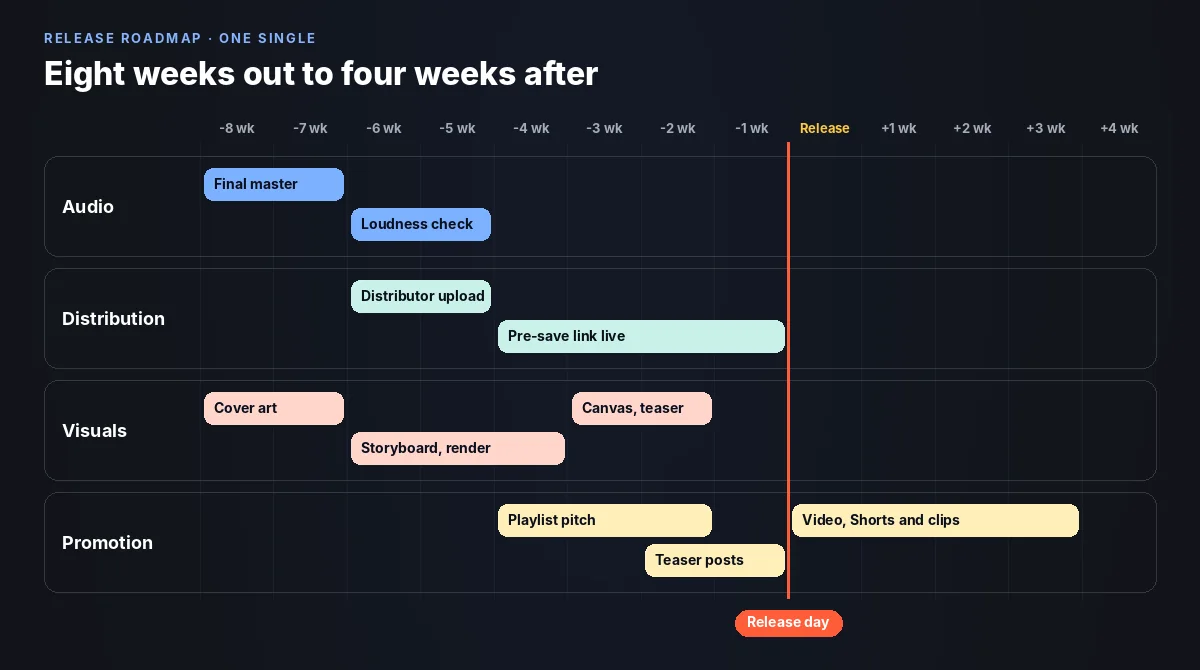
Update the page with every release: the new video at the top, the release line in both bios, new photos when the look changes, and the dates. The release timeline planner puts the press kit update in the same week as the rest of the visuals.
Sending your EPK
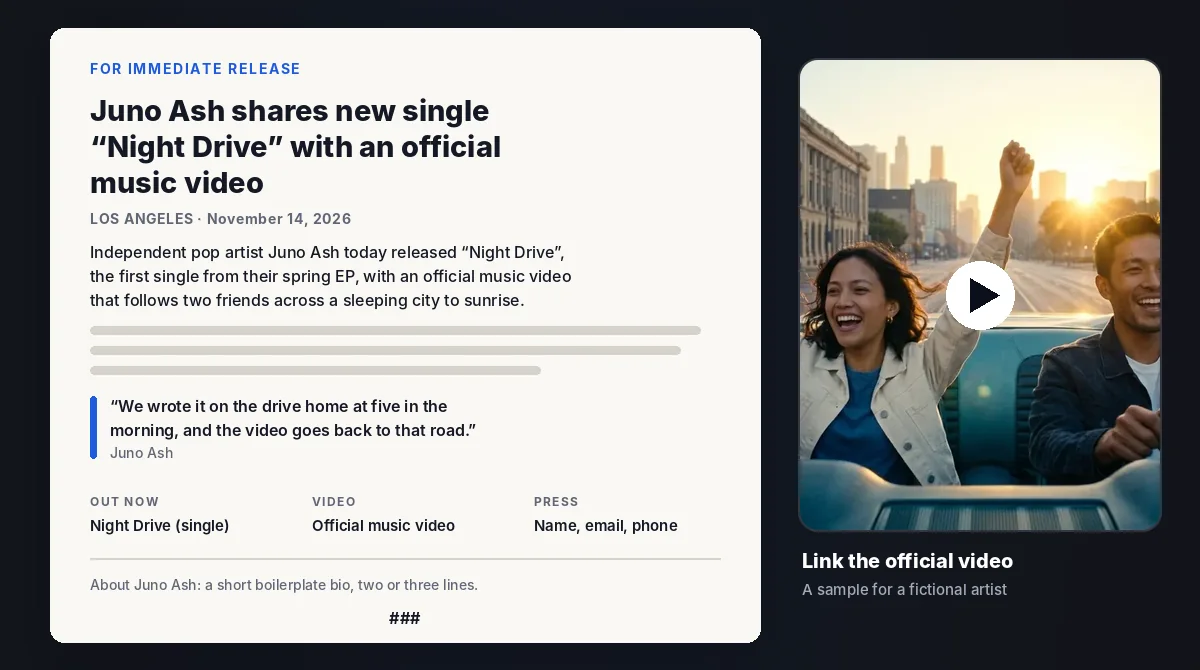
The email matters as much as the kit. Write to one person by name, say in the first sentence why you're writing to them in particular, give the one fact that makes your act a fit, and put the link on its own line. Three or four sentences is plenty, since everything else is on the page.
- Subject line: the act, the release or the date, and what you're asking for.
- First line: why them: the night they book, the writer's beat, the sound of the playlist.
- Second line: the one fact that fits, such as a local following, a new single or a video premiere.
- The links: the press kit on its own line, then the streaming link to the song you most want heard.
- Sign-off: your name, your role and the same email address the kit gives.
Follow up once, about a week later, ideally with something new: the video is out, or a date was added. For the rest of the launch around it, see how to release music independently and how to promote your music.
Send the kit with a video at the top
A press kit with a music video at the top gets watched before it gets read. Upload your song for a free storyboard (the free plan includes 5 new storyboards a month), and choose the Performance style to put yourself in the video from one photo, lip-synced to your vocals.
Written by the Muvora team. Last updated November 14, 2026. Spotted something out of date? Tell us at [email protected].