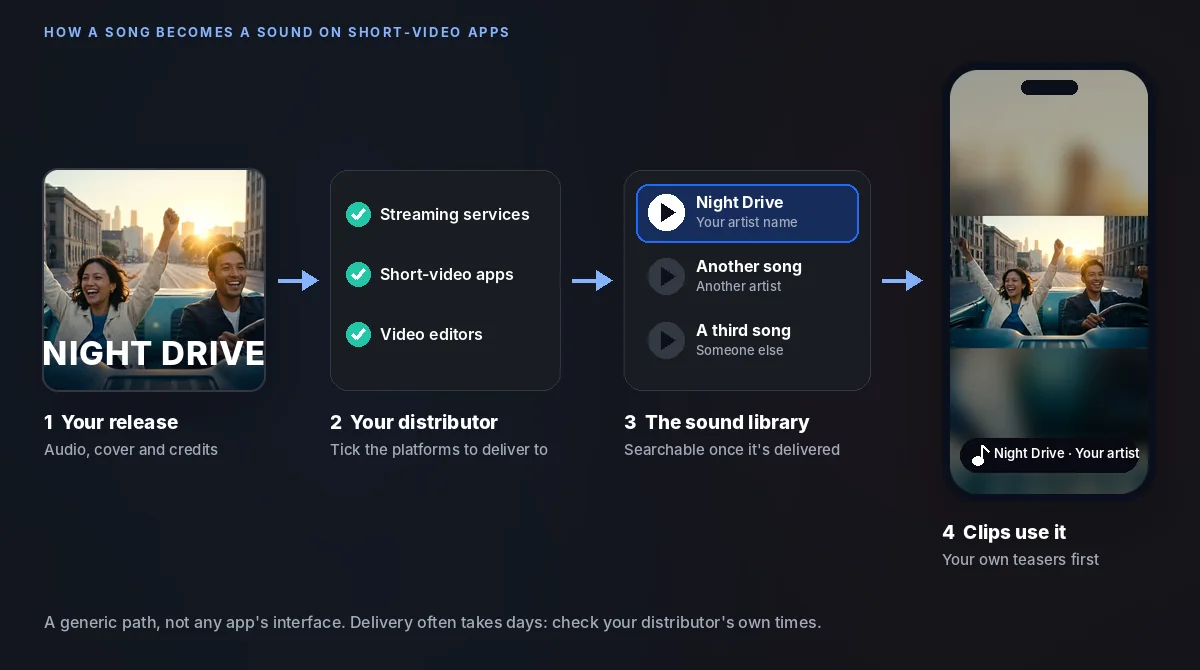
The short answer
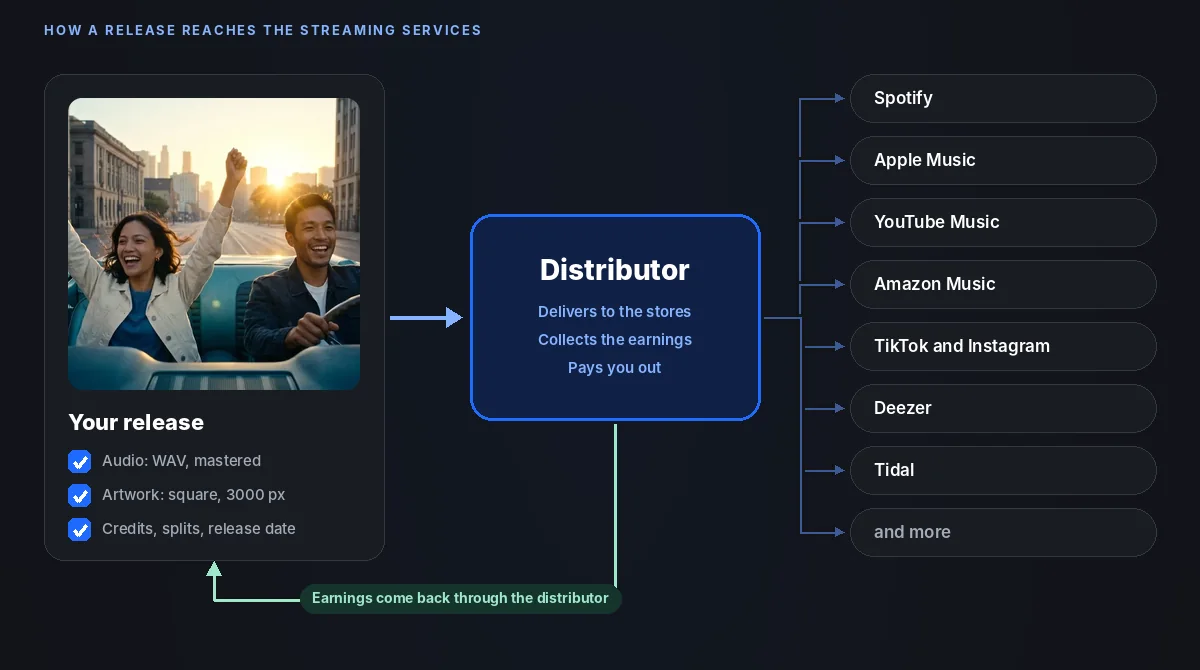
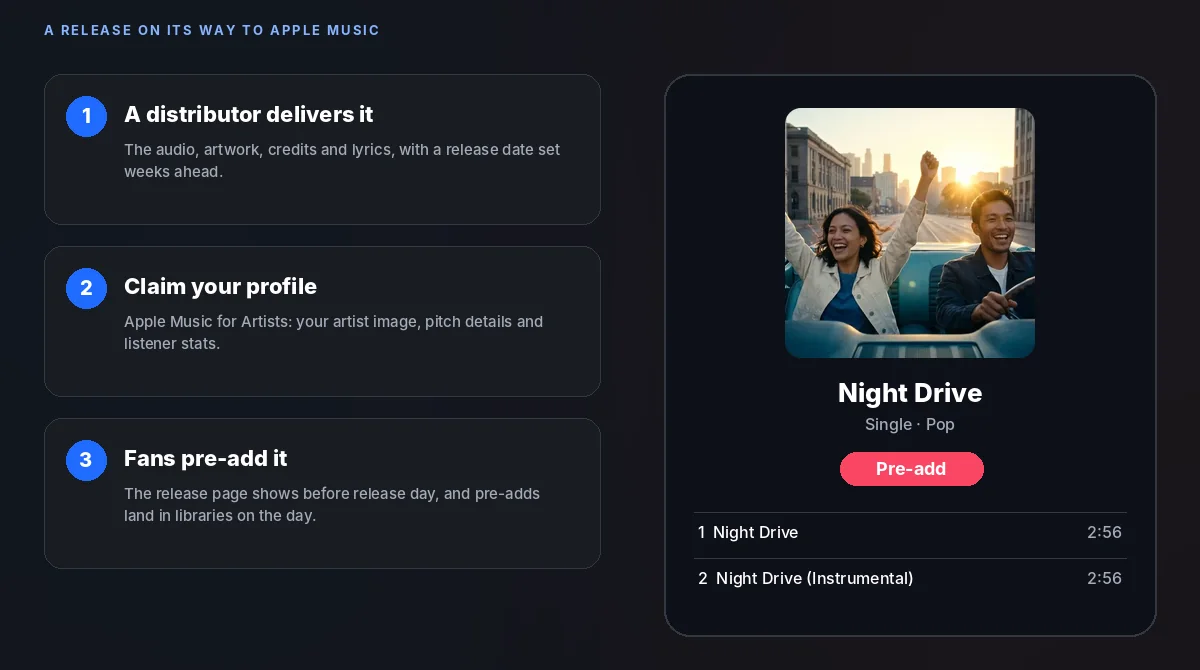
You can't upload songs to Apple Music yourself: a distributor or a label delivers them. Give your distributor a mastered WAV, square cover art and complete credits at least four weeks before release day, and ask it for a pre-add and a pitch to Apple's editors. Once the music has been live five business days, claim your page in Apple Music for Artists.
- Only a distributor or a label can deliver to Apple Music, and Apple raises any problem with them, not you.
- Apple's partner directory shows which distributors deliver Dolby Atmos, credits, lyrics and motion artwork.
- Pre-adds and pitches to Apple's editors go through your distributor or label.
- Claim Apple Music for Artists once your music has been live at least five business days.
- Apple turns away music videos with burnt-in subtitles, so deliver the video with captions off.
On this page (10 sections)ShowHide
- 1.How music gets onto Apple Music
- 2.Getting a release on Apple Music, step by step
- 3.What Apple asks for in a release
- 4.Singles, EPs and albums on Apple Music
- 5.Choosing a distributor for Apple Music
- 6.Apple Music for Artists and Shazam
- 7.Pre-adds and pitching Apple's editors
- 8.Lyrics and time-synced lyrics
- 9.Motion artwork and music videos
- 10.Release week on Apple Music
- Questions
How music gets onto Apple Music
Apple takes music from labels and distributors only. Its page on distributing your music says it works directly with labels and distributors that have large catalogs and the technical tools to deliver them, and encourages independent artists and small labels to use one of its preferred distributors. The same page explains the arrangement after release: Apple communicates with your distributor about any issue with your metadata or files, and the distributor handles your streaming, financial and royalty information.
- One delivery reaches three places. A release delivered to Apple can appear in Apple Music and the iTunes Store, and Apple's FAQ says Shazam artist pages are created when your distributor delivers your music.
- Changes go through the distributor too. Apple's FAQ says updates to release dates, titles and capitalization must reach Apple from your distributor or label.
- Your own tools come after release. Apple Music for Artists, for your artist page, lyrics, stats and promotion, opens to you once the music is live.
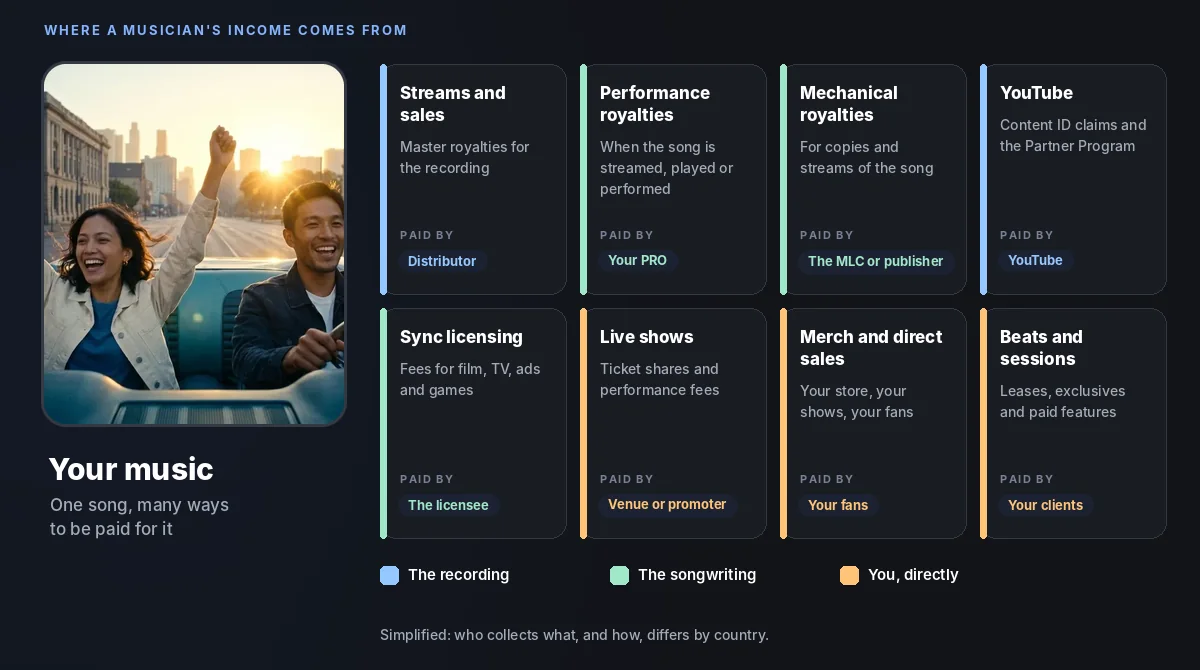
The songwriting royalties Apple Music pays for each stream don't come through your distributor: they need a performing rights organization and, in the US, The MLC. How to make money from music lists every registration, and how to choose a music distributor covers the choice that decides the rest of this guide.
Getting a release on Apple Music, step by step
- 01
Finish the master and the credits
Approve the final master, export it as a WAV at the format your distributor lists, and write down every primary and featured artist, songwriter, producer and performer as they should appear.
- 02
Make the cover to Apple's rules
Design a perfect square, at least 4000 x 4000 pixels as Apple Music for Artists lists it, with no web addresses, social handles, logos, prices or dates on it, and export the size your distributor asks for.
- 03
Choose a distributor that supports what you need
Check whether it delivers to Apple Music with the features your release needs, such as synced lyrics, Dolby Atmos, detailed credits, motion artwork or music videos, using Apple's partner directory as a guide.
- 04
Deliver four or more weeks before release
Upload the audio, cover and metadata with the release date set, reuse any existing ISRCs, and ask the distributor to make the release available for pre-add and to pitch it to Apple's editors.
- 05
Send the lyrics
Have the distributor deliver the lyrics, time-synced to the exact audio if it can, or add static lyrics yourself in Apple Music for Artists once the song is live.
- 06
Claim your artist page
When the music has been live on Apple Music for at least five business days, request access in Apple Music for Artists as the primary artist or their manager, and sign in to your social or distributor accounts to speed up verification.
- 07
Set up the page and promote
Add an artist image, check your bio and concert dates, share your Apple Music links and Promote cards, and watch Shazam and listener stats in the first week.
- 08
Deliver the music video
If your distributor delivers video, send the official music video in 16:9 with no captions burned in, so it appears beside the song on Apple Music.
Make the music video while the release is in review
Upload the master you're delivering and Muvora writes a storyboard on its beats for free. Render the 16:9 video with captions off for Apple Music, and the same render gives you vertical clips and a Spotify Canvas.
What Apple asks for in a release
Apple's Music Style Guide is the rulebook distributors check releases against, and its quality team reviews what's delivered. The style guide's own introduction says that following it makes a ticket less likely and gets music live sooner. These are the rules that most often hold an independent release up.
| Part of the release | What Apple asks | What gets a release sent back |
|---|---|---|
| Cover art | A perfect square, at least 4000 x 4000 pixels on Apple Music for Artists' page, as JPG, PNG or GIF | Web addresses, social handles, logos, prices, dates, barcodes, blurry or tilted images, images you have no permission for |
| Artist names | Each artist in the right role: primary, featuring or with | A featured artist typed into the title, or a name spelled differently from the existing page |
| Titles | Versions such as Remix or Live in the version field; "- Single" or "- EP" is added for you | Search terms, keywords or words like "Royalty Free" in a title |
| Explicit content | Explicit tracks flagged; "clean" used only when an explicit version exists | A clean version with no explicit counterpart, or explicit audio left unflagged |
| Language | The metadata language and each track's audio language set | Metadata and audio languages mixed up |
| Duplicates | One delivery per release | The same songs resubmitted under a slightly different title or artist |
| Misleading content | Music that is what it says it is | Sound-alikes, music made to mimic popular content, and AI used in a misleading manner |
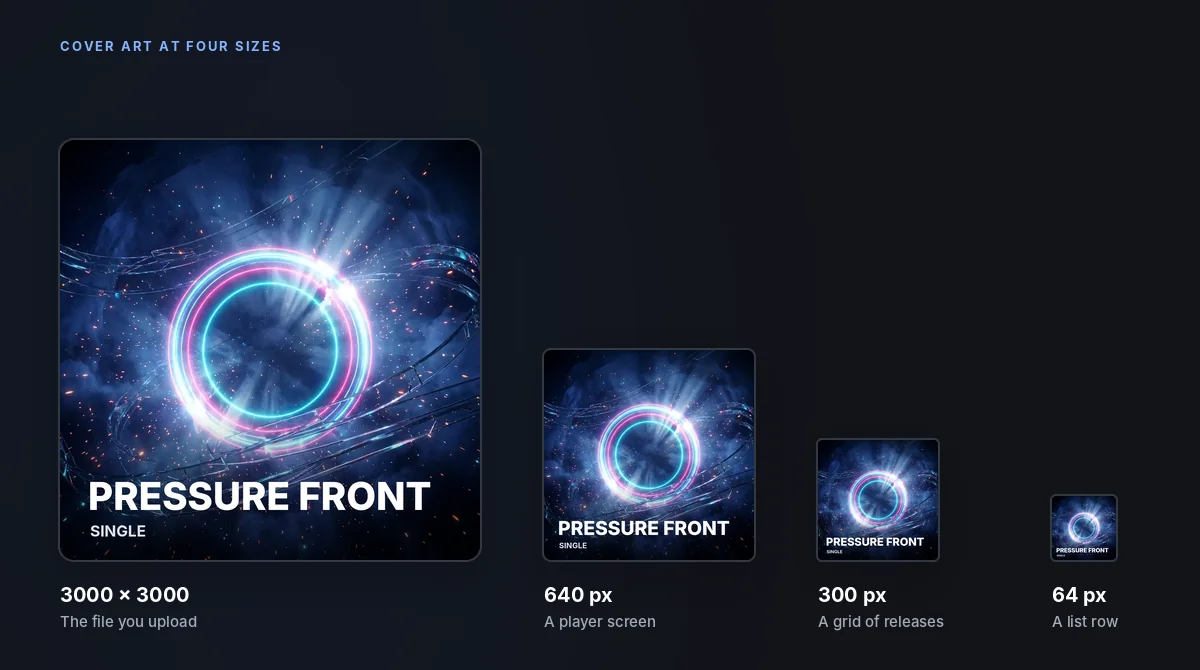
The cover rules come from Apple Music for Artists' cover art page; Apple's provider guide, which distributors deliver to, recommends 3000 x 3000 or larger, so design at 4000 or more and export what your distributor's form accepts. Album cover size compares every service's numbers. On loudness, Apple doesn't publish a reference level; LUFS for streaming gives the figure engineers report for Sound Check and why one master works everywhere.
Album cover checkerDrop in your cover to check it's square, large enough and the right type, and preview it at thumbnail size before your distributor sees it.Skip the blank page
Upload your song and Muvora's AI director plans a shot-by-shot storyboard on the beat. Edit every shot for free, and pay only if you render.
Singles, EPs and albums on Apple Music
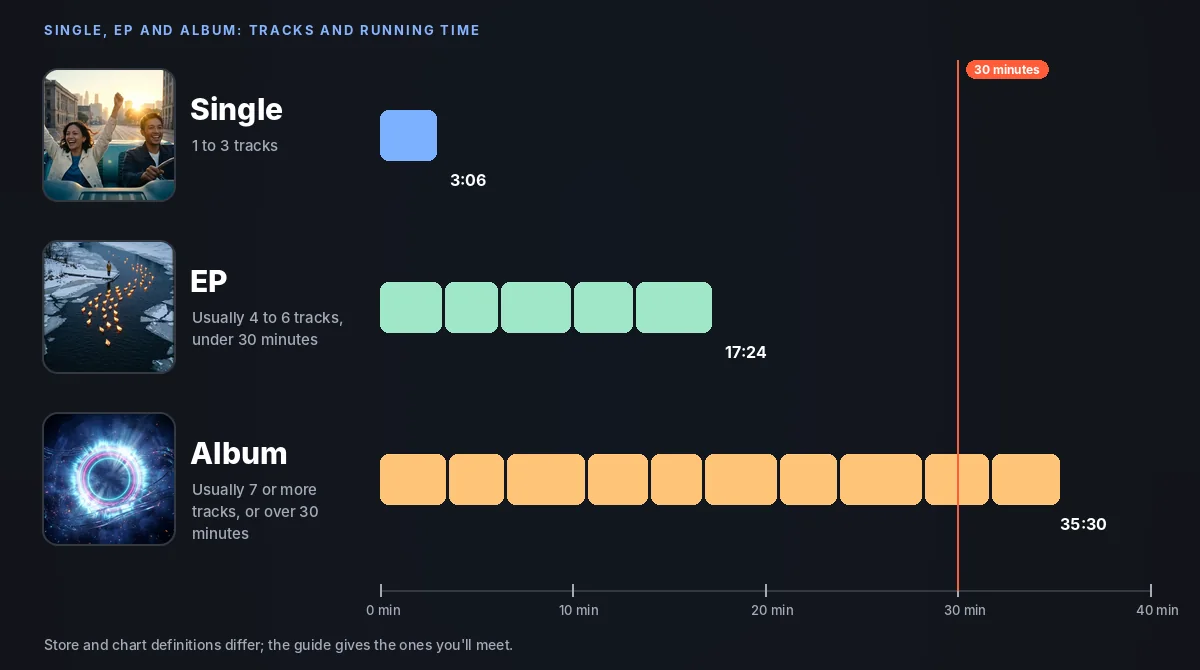
Apple labels every release by its track count and running time, and adds "- Single" or "- EP" to the title itself if you leave it off. The definitions in section 3 of its style guide are the ones many distributors quote, so a release planned as an EP that breaks them will be shown as something else.
| Release | Tracks | Length rule |
|---|---|---|
| Single | 1 to 3 | Each song under 10 minutes |
| EP | 1 to 3 | At least one song 10 minutes or longer, and 30 minutes or less in all |
| EP | 4 to 6 | 30 minutes or less in all |
| Album | 7 or more, or any release over 30 minutes | Anything that isn't a single or an EP |
So a four-song release counts as an EP on Apple Music, and three short songs count as a single however you name them. What is an EP covers why artists choose each format and how to sequence one; whichever you release, plan a video for the focus track and something to watch for the rest.
Choosing a distributor for Apple Music
Most distributors deliver to Apple Music. What differs is which Apple features come with the delivery. Apple's partner directory lists the preferred distributors and marks, for each, whether it delivers Dolby Atmos, detailed credits, lyrics and album motion artwork, and whether it offers analytics. Apple's distribution page says preferred distributors are vetted for a low rejection rate and support for Spatial Audio, motion artwork, credits and lyrics.
- Lyrics. Synced lyrics come with the delivery, so check the plan: DistroKid's plans page, for one, lists synced lyrics in Apple Music from its Musician Plus plan up.
- Dolby Atmos. Apple's page on Dolby Atmos says a finished Atmos mix reaches Apple Music through your label or distributor, and the style guide rejects Atmos mixes made by automatically upmixing a stereo master.
- Motion artwork. Delivered with the release by a distributor that supports it; Apple's partner directory shows which do.
- Music videos. Only some distributors deliver them, often as an extra: as of November 2026, Amuse sells music video distribution to Spotify, Apple Music and Vevo as an add-on, and DistroKid's DistroVid is a separate yearly plan for videos on Apple Music and other services.
If a distributor you like isn't in Apple's directory, that doesn't mean it can't deliver to Apple Music; it means you should ask it directly which of these features it supports. How to choose a music distributor covers the rest of the comparison: pricing models, Content ID, splits and what happens if you stop paying.
Apple Music for Artists and Shazam
Apple Music for Artists, on the web and as an iOS app, is where you run your page once the music is live. Apple's page on claiming your artist page sets three conditions: your content must have been live on Apple Music for at least five business days, you must be the primary artist on the album you search for (a featured artist can't claim it), and Apple must verify your identity or your relationship to the artist, for which it suggests signing in to your social media or distributor accounts. Requests show as Pending, and Apple's FAQ says to contact it if you've heard nothing after 10 business days.
| Tool | What it does | Worth knowing |
|---|---|---|
| Artist image | Your picture on Apple Music and Shazam | Reviewed by Apple, which can take up to five business days |
| Logo, button color and Spotlight | A logo on your page, colored buttons, and one album, video or playlist pinned at the top for up to 18 months | Only content where you're the primary artist can be pinned |
| Bio | The text on your artist page | Apple's FAQ says biographies come from Xperi, so ask Xperi to add or change one |
| Shazam data | Shazam counts, charts and where people Shazam you | A weekly email when your music is trending on Shazam |
| Promote | Share cards for releases, pre-adds and Milestones, in seven languages, with a Linkfire link | Made for Instagram Stories and other social apps |
| Concerts | Your shows in Apple Music, Shazam, Spotlight Search and Apple Maps | Dates come from Bandsintown, and Ticketmaster shows may appear |
Shazam deserves more attention than it usually gets. Every time someone hears your song in a shop, a show or a video and identifies it, that's a count in your stats and a signal of where the song is spreading on its own. Apple's FAQ adds two practical points: Shazam's lyrics come from Musixmatch, not from Apple, and the videos on Shazam's track pages come from YouTube, matched by the title on your official channel, so keep the title of your YouTube music video identical to the song's.
Pre-adds and pitching Apple's editors
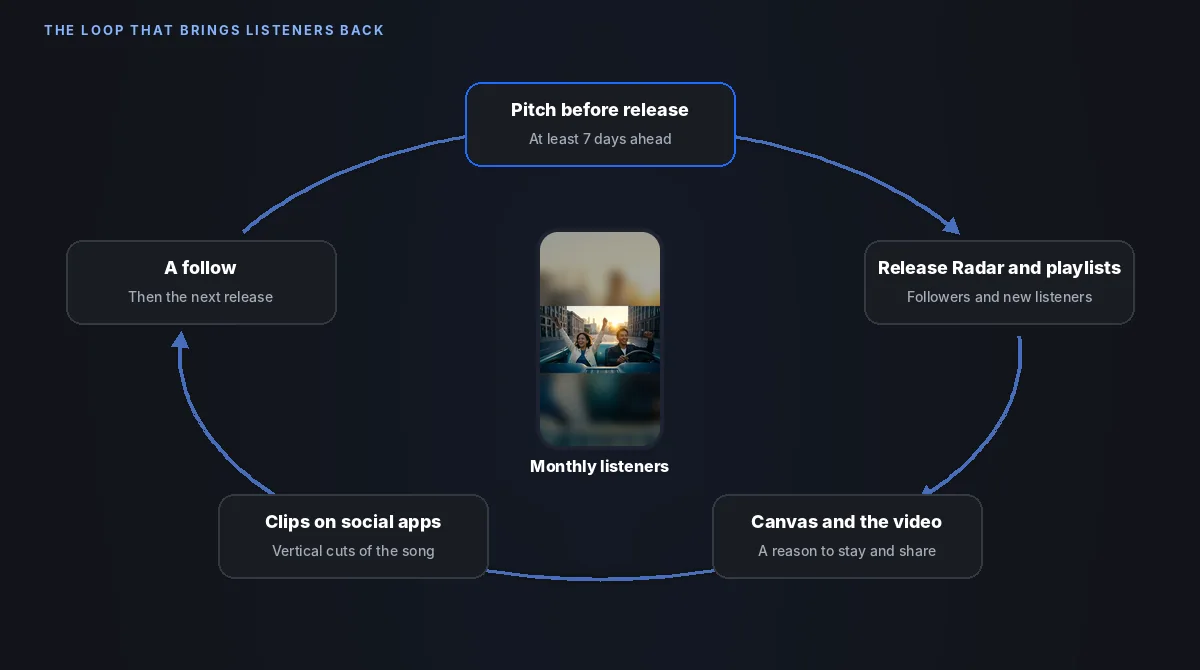
A pre-add is Apple Music's pre-save: fans add an upcoming release to their library before it's out, and Apple's page on pre-adds says they're notified the moment it's available. It also says that for independent artists the distributor works with you to meet the pre-add specifications, so ask yours when you upload. The earlier the release is delivered, the longer the pre-add link has to collect fans.
Pitching works differently from Spotify. Apple's pitching tool sits in Music Connect, a hub Apple describes as for labels and distributors, where they pitch priority releases to its editorial teams. So the pitch for an independent release goes through your distributor, if it pitches Apple at all and if it chooses your release. Ask before you sign up, and send it the same short facts you'd put in a Spotify pitch: genre, mood, instruments, the story, and what's planned for release week. Apple's partner page on New Release Insights adds that a release should be mapped to the right artist page at least 10 days ahead for its release-day stats to work.
Spotify pitch generatorWrite the pitch once from the song's facts: the same description works for Spotify's form and for the notes your distributor sends Apple.Lyrics and time-synced lyrics
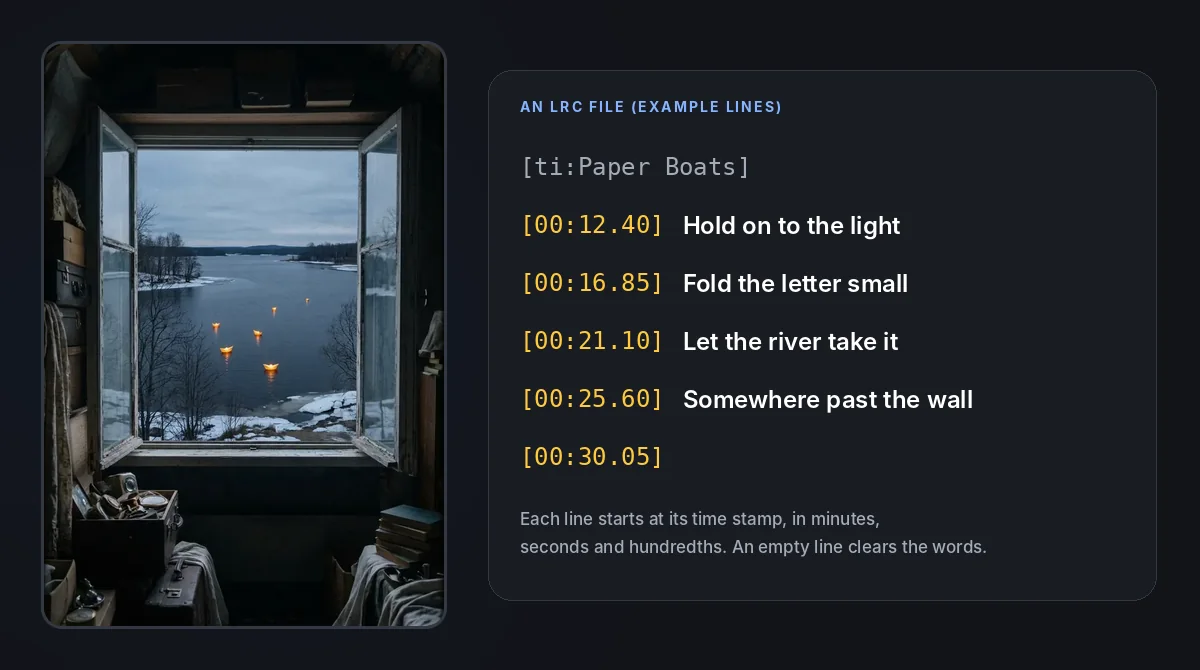
Apple Music shows lyrics two ways: static, the whole text, and time-synced, each line highlighted as it's sung. There are two routes to get them there. A distributor that delivers lyrics sends them with the release; Apple's style guide says time-sync must match the exact audio version delivered, so a remix or radio edit needs its own timing. Or, once your page is claimed, Apple's page on adding lyrics explains how to paste lyrics for any song without them under Artist Content, and how to request a change to lyrics that are wrong.
- Write repeats out. Apple's lyrics guidelines ask for every repeated line in full, not "(x3)".
- No end-of-line periods or commas. Only question marks, exclamation points and quotation marks end a line.
- Background vocals go in parentheses at the end of the line, starting with a capital.
- Explicit words are written as heard on the explicit version; on a clean version, removed words become asterisks.
- Shazam is separate. Its lyrics come from Musixmatch, so submit them there too.
Motion artwork and music videos
Apple Music has no Canvas. Its moving visuals are album motion artwork and music videos, and both arrive with the delivery. Motion artwork animates the cover: Apple's motion guide asks for a 3:4 file at 2048 x 2732 and a 1:1 file at 3840 x 3840, each 8 to 35 seconds, looping, with no audio, and the style guide adds that it must start on the album cover and stay true to it. Apple's page on creating motion artwork names tools and animation studios that make it. Muvora doesn't: its square export is 1080 x 1080 and it has no 3:4 cut, so use your video's look as the brief for whoever animates the cover.
A music video is a separate delivery, with its own ISRC, through a distributor that handles video. Apple's style guide defines it as a unique video for a song, and its music video rules, last revised in October 2026, are worth knowing before you make one:
- No burnt-in subtitles. Captions must come as a separate file, so a version with karaoke captions burned in won't be accepted.
- No chyrons, lower thirds, release dates, logos, QR codes or ads in the picture.
- No promotional still-image videos: the cover art over the audio, or a slideshow, isn't a music video to Apple.
- One song per video, uncut: no medleys, trailers or shortened edits.
- The cover is a frame from the video, at least 1920 wide or 1080 high, with no text naming the artist or title.
Apple's video and audio asset guide, which distributors deliver to, asks for HD music videos in Apple ProRes at 1920 x 1080 or 1280 x 720, at the source's own frame rate (24 fps is on its list), with uncompressed stereo audio, and says every music video must begin and end with at least one black frame. You don't make that master file yourself unless your distributor asks: ask it which file it wants from you and whether it adds the black frames.

A Muvora video already meets the picture rules above: it's moving AI video of the whole song, made from a storyboard of it, with no lettering, logos or text drawn into the pictures, and the soundtrack is your uploaded master, untouched. Two settings matter for Apple: render at 1080p, and turn karaoke captions off for the version you deliver, since captions are burned into every export of a render when they're on. The main export is an H.264 MP4 at 24 fps with AAC audio: ask your distributor whether it takes that file as it is. Grab the cover frame from the finished video with the video frame grabber, and check the file with the video file checker.
Make the official video for Apple Music
Upload the song, edit the free storyboard until every shot is right, and render in 16:9 at 1080p with captions off. Rendering costs credits per finished second, from 38 a second, and the price shows before you pay.
Release week on Apple Music
- The release plays on Apple Music on a phone, under the right artist page, with "- Single" or "- EP" as you expected
- Featured artists and credits show as delivered
- Synced or static lyrics appear, and match the audio
- Pre-adders got the release (check your library from a test account if you pre-added it)
- Your Apple Music link and Promote card are in your bio and on every platform
- The music video, if delivered, plays beside the song, with a cover frame you'd choose
- Your Shazam page shows the right image and the song
- Concert dates appear, if you're playing
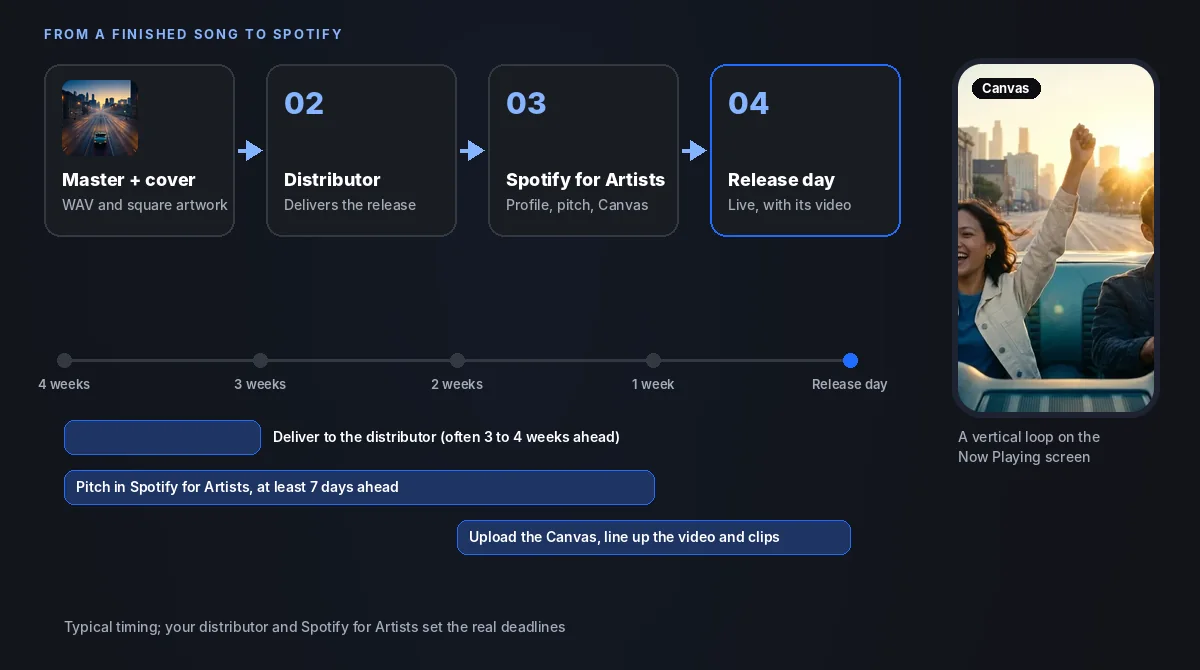
If a release lands on the wrong artist page, Apple's FAQ asks you to contact it with links to every album and the correct page; corrections to the release itself go through your distributor. For the rest of release week, the music release checklist covers every service at once, and how to get your music on Spotify covers Spotify's side, with its own pitch and its Canvas.
Written by the Muvora team. Last updated November 17, 2026. Spotted something out of date? Tell us at [email protected].