The short answer
Muvora is our pick for a music visualizer made from your song: it reads the beats, sections and drops, cuts new AI video on the downbeats with a flash at every drop, and lets you read and edit the whole storyboard for free before paying. The other kinds, as of November 2026, are spectrum templates, editor waveforms, audio-reactive AI animation and live stage visuals.
- Muvora is our pick for a visualizer of your own song: new AI video cut on the downbeats, planned in a storyboard you read and edit for free.
- Bars over a still are quick and cheap, but the picture itself barely changes across a whole song.
- Audio-reactive animation follows the sound frame by frame; Muvora cuts on the song's structure, giving the chorus and the drop pictures of their own.
- A single widescreen Muvora render covers YouTube, the vertical feeds and Spotify: 16:9, 9:16 and 1:1 files plus an 8-second Canvas loop.
- Facts about other products are as of November 2026, each linked to the company's own pages.
On this page (12 sections)ShowHide
- 1.How we compared them
- 2.Five kinds of music visualizer
- 3.The visualizer makers at a glance
- 4.Muvora: our pick for a visualizer made from your song
- 5.Specterr: classic spectrum templates in the browser
- 6.Renderforest: a large template library, plus AI scenes
- 7.Neural Frames: stem-driven AI animation
- 8.Kaiber: Flipbook animation that moves with the track
- 9.VEED and Kapwing: a waveform in an editor
- 10.Synesthesia and VJ software: visuals for a live show
- 11.Matching the visualizer to the release
- 12.How to choose and make your visualizer
- Questions
How we compared them
We looked at each tool through the questions that decide whether a visualizer gets watched past the first chorus, and whether it fits the place it's going. Every fact about another product comes from that company's own product pages, help center or pricing page, or from the reviews named beside it, and was checked in November 2026. Prices are described in words only, since plans and promotions change often; check each pricing page before you buy.
- What drives the motion. The loudness of each frequency band, separated stems such as the kick and the vocal, a live audio input, or the song's beats, sections and drops.
- What's in the picture. Your cover art, template graphics, AI animation from an image, or video generated shot by shot.
- How it holds a whole song. Whether the picture changes when the song does, or stays one scene from the intro to the outro.
- Where it plays. A YouTube upload, a vertical feed, a Spotify Canvas, or a screen behind a live set.
- Getting started. The free plan or trial, any watermark, and how the paid plans are billed.
- Built for. The job each tool is made to do, as its own pages describe it.
Five kinds of music visualizer
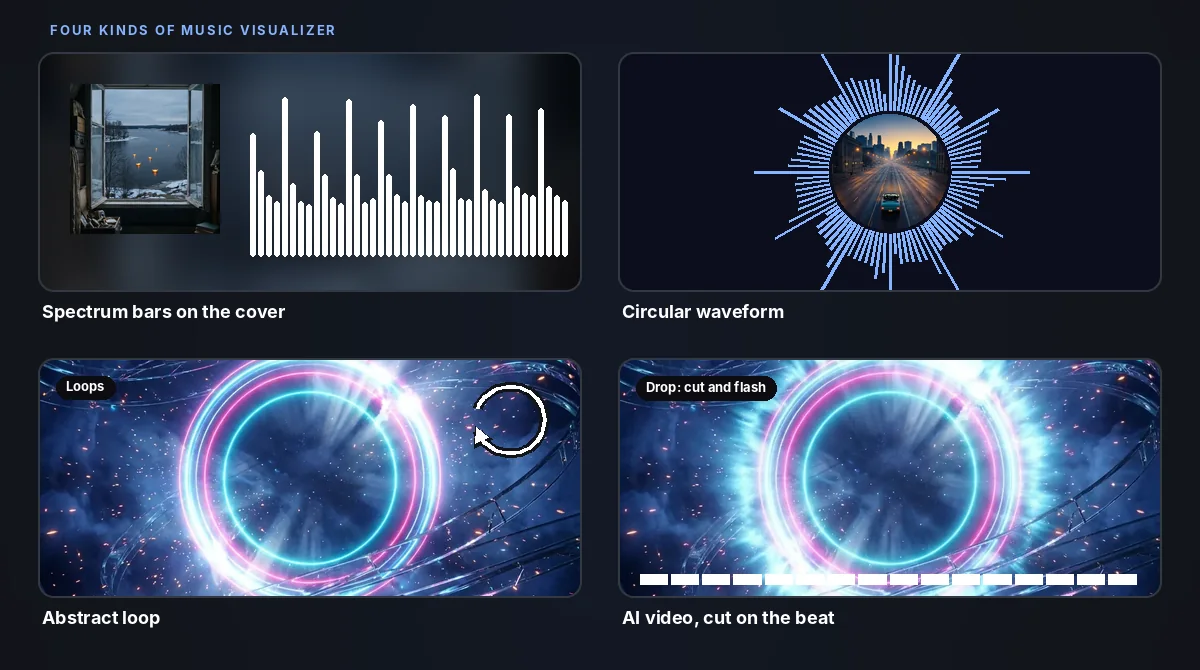
Most confusion about visualizers comes from treating them as one thing. They differ in what moves the picture and in how long they can hold a viewer. Muvora makes the first kind in the table, where the picture itself changes with the song; the other four follow as their makers present them.
| Kind | What moves | Tools here | Built for |
|---|---|---|---|
| AI video cut on the beat | New shots that change on downbeats, sections and drops | Muvora | A whole song's visualizer for YouTube, the feeds and the Canvas, from one widescreen render |
| Spectrum or waveform template | Bars, circles or lines that follow the audio over a still or a loop | Specterr, Renderforest | Album tracks, quick uploads, cover-art videos |
| Waveform in an editor | A sound-wave element laid over your footage or an image | VEED, Kapwing | Teasers, audiograms and podcast-style clips |
| Audio-reactive AI animation | Generated imagery whose zoom, rotation or strength follows the sound | Neural Frames, Kaiber | Animation that pulses with each hit or stem |
| Live visuals | Scenes generated in real time from the sound in the room | Synesthesia, with VJ software such as Resolume | Club nights, DJ sets and concerts |
For a closer look at what keeps each kind watchable, from cutting on the downbeat to hitting every drop, read how to make a music visualizer.
Skip the blank page
Upload your song and Muvora's AI director plans a shot-by-shot storyboard on the beat. Edit every shot for free, and pay only if you render.
The visualizer makers at a glance
The first table sets out what each tool makes and what drives it; the second shows how to start and how each one charges, in words. Each tool then gets its own section with links to its pages.
| Tool | Kind | What drives the motion | What's in the picture | Built for |
|---|---|---|---|---|
| Muvora | AI video cut on the beat | The song's downbeats, sections, energy and drops | New AI video shots, abstract or with a story | A visualizer for a whole song that changes in every section, planned in a free storyboard |
| Specterr | Spectrum or waveform template | The audio, frame by frame | Your background image with bars, waveforms or particles | Classic visualizers over cover art, up to 4K |
| Renderforest | Spectrum template, plus an AI generator | The audio for templates; beat-cut scenes in its AI generator | Template graphics over an image, footage or colors | Template visualizers alongside logos, intros and promos |
| Neural Frames | Audio-reactive AI animation | Separated stems (kick, snare, bass, vocals and more) | AI animation shaped frame by frame | Shaping each pulse by hand from separated stems |
| Kaiber | Audio-reactive AI animation | The track, through Flipbook's camera moves | AI animation grown from an image you give it | One continuous animation grown from a single image |
| VEED and Kapwing | Waveform in an editor | The audio, through a sound-wave element | Your footage or an image with a waveform on top | Waveform teasers and audiograms inside a general video editor |
| Synesthesia | Live visuals | A live audio input, in real time | Built-in generative scenes, switched live | Real-time visuals that react to the sound at a show |
| Tool | Free to start | Paid |
|---|---|---|
| Muvora | 5 new storyboards a month with the song's analysis and style frames, no card needed | Credits per finished second, from 38 a second in Visualizer quality, with the price shown before you render |
| Specterr | A free plan exporting 720p at 30 fps with a watermark | Plans billed yearly, according to reviews of its pricing page |
| Renderforest | A free plan with watermarked, low-resolution exports, according to reviews | Lite, Pro and Business plans, cheapest billed yearly; AI scenes spend credits |
| Neural Frames | A free workspace to try the editor | Monthly plans, cheaper billed yearly; credits roll over up to 300% while you stay subscribed |
| Kaiber | No free trial credits in Superstudio; a short paid trial | Starter, Creator and Pro plans billed monthly, about 20% less billed yearly |
| VEED and Kapwing | Free plans whose exports carry a watermark | Paid plans export without it |
| Synesthesia | A free trial with no time limit, its logo on the output | A license bought once that doesn't expire |
Sources: Specterr's music visualizer and free plan, with VidMuse's review for its paid plans; Renderforest's visualizer templates, AI music video generator and plans; Neural Frames' audio visualizer, help center and pricing; Kaiber's help center on Flipbook, plans and trials; VEED's music visualizer and watermark help; Kapwing's music visualizer and watermark policy; Synesthesia's features, pricing and FAQ.
Muvora: our pick for a visualizer made from your song
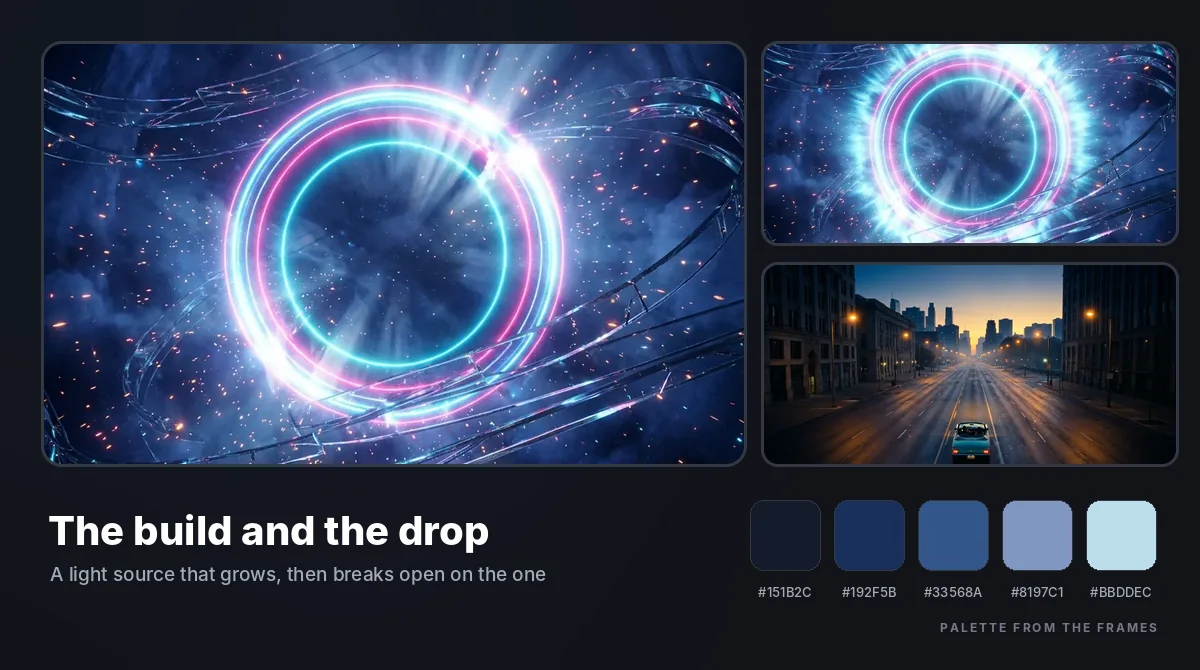
Muvora treats a visualizer as an edit rather than an effect. Choose the Abstract style and every shot is generated AI video with no cast (light, shape, texture and motion) in the genre look you pick, from hip-hop and pop to EDM, rock and lo-fi. The free analysis maps every beat and downbeat, the sections, the energy of each beat and the drops, and code places the cuts from that map: on downbeats, at every section change and every drop, holding longer in quiet stretches and cutting faster in loud ones, with a short white flash on each drop.
The result follows the song's structure instead of its volume, so the chorus looks different from the verse and the drop lands as an event. It isn't a frame-by-frame reactive effect: there are no bars or waveforms, and the picture changes by cutting rather than pulsing with every sound. Visualizer, the most affordable of Muvora's three qualities, covers a whole song at 38 credits a finished second, or 6,840 credits for 3 minutes, and one render gives 16:9, 9:16 and 1:1 versions plus an 8-second Spotify Canvas loop.
What makes it our pick is that you see the whole visualizer before paying for it. The storyboard lists every shot with its prompt, and style frames show the look before a credit is spent; you can rewrite a shot, drag a cut (it snaps to the beat) or put your cover's palette in the idea box. Once you render, failed shots cost nothing, and re-rolls are free up to 10% of the video's length.
- Built for: a single or an album track that needs moving pictures for its whole length, cut on the beat, in a look you can read and change before paying.
- Why we pick it: cuts from the song's own beat grid and sections; a free storyboard of every shot; style frames before any credit is spent; every shape from one widescreen render over your untouched master.
- What it doesn't do: spectrum bars or waveforms, live reaction to a room, or 4K (exports are 720p or 1080p). Rendering always uses credits, with the price shown first.

Turn your track into a visualizer that changes with it
Upload the song, pick the Abstract style and read the whole shot plan for free, with the exact price shown before you render. The music visualizer page shows what Visualizer quality covers.
Specterr: classic spectrum templates in the browser
Specterr, called Vizfly until 2020, makes the classic visualizer in a browser. Its music visualizer takes an MP3 or WAV, and you pick a template (spectrum bars, waveforms, particles) and set its colors, shape, motion and text over a background image you upload or choose from its catalog; the background itself can react to the audio too.
Its free plan exports 720p at 30 fps with a watermark. Reviews that read its pricing page in October 2026, such as VidMuse's, list a yearly plan with an allowance of videos at 1080p and 60 fps and a larger one with no cap on the number of videos, in 4K at 60 fps. Muvora as a Specterr alternative sets the two side by side.
- Built for: spectrum bars, waveforms or particles over a background image, with 4K on its largest plan according to reviews.
- Where Muvora differs: each stretch between cuts is a new AI video shot rather than graphics over one background, so the verse, the chorus and the drop each get a picture of their own.
Renderforest: a large template library, plus AI scenes
Renderforest is an online maker of template videos, and its music visualizer library held 128 templates when we checked: spectrum bars, circles, waveforms and particles that move with your track over an image, footage or colors you choose, several of them flexible in length, up to 10 minutes. Its newer AI music video generator takes an MP3 or WAV with an optional prompt, makes scenes it cuts to the beat, and also makes short 9:16 Canvas loops.
Its plans (Lite, Pro and Business) cost least billed yearly, and AI scenes spend credits on top. Reviews describe free exports as watermarked and low-resolution, and list 4K on Business. Muvora as a Renderforest alternative compares the two in detail.
- Built for: template videos of many kinds from one account, from visualizers and promos to logos, intros and websites.
- Where Muvora differs: before any credit is spent, an AI director writes a storyboard of every shot from your song's downbeats and sections, and you edit it for free.
Neural Frames: stem-driven AI animation
Neural Frames makes audio-reactive AI animation that you shape by hand. Its help center describes separating the track into stems (the kick, snare, hi-hats, bass and vocals among them) and letting each one modulate the animation's strength, zoom, pan or rotation, so the kick can punch the frame in while the snare drives something else. Its audio visualizer page builds on the same frame-by-frame editor, with a free workspace to try it and stem reactivity, longer renders and watermark-free downloads on paid plans.
As of November 2026, its pricing page lists three monthly plans, cheaper billed yearly; credits roll over up to 300% while you stay subscribed, and failed generations cost nothing. See Muvora as a Neural Frames alternative for a closer comparison.
- Built for: setting by hand what each stem (the kick, the snare, the vocal) does to the animation, frame by frame.
- Where Muvora differs: the song's analysis places every cut for you, and you work on shots and prompts in a storyboard, with nothing to set per stem.
Kaiber: Flipbook animation that moves with the track
Kaiber's Flipbook grows an animation from one image and your track. Its help center describes choosing up to four camera movements, a reactivity setting for how strongly the visuals follow the music, and songs of up to 8 minutes, with the animation running as long as the track. The result is one continuous, flowing piece rather than an edit of separate shots.
Kaiber's plans are Starter, Creator and Pro, billed monthly with about 20% off yearly, plus Visionary by quote, and its Superstudio gives no free trial credits; a short paid trial is the way in. Muvora as a Kaiber alternative covers the rest of its toolkit.
- Built for: one continuous, morphing animation grown from your cover art or a key image, running the length of the track.
- Where Muvora differs: the visualizer is an edit of separate shots that changes on the downbeats and at each section, and its storyboard and style frames are free to read before you pay.
VEED and Kapwing: a waveform in an editor
Both are browser editors with a sound-wave element. In VEED, its music visualizer adds an animated waveform from the Elements panel that you resize, recolor and place over your video or an image. Kapwing's music visualizer offers several waveform styles, such as circles, bubbles and stacked bars, with their color, position and aspect ratio to set.
Free exports carry a watermark in both: VEED's help center puts its free exports at 720p with one, and Kapwing's watermark policy adds one to every free-plan export, with its visualizer page tying clean exports to Pro. Muvora as a VEED alternative goes further into what each is for.
- Built for: adding a waveform to footage or an image inside a general browser editor, for teasers, audiograms and podcast clips.
- Where Muvora differs: no footage or image is needed, since every shot is generated from the song, and a widescreen render comes back in 16:9, 9:16 and 1:1 with a Canvas loop, ready for a waveform on top if you want one.
Synesthesia and VJ software: visuals for a live show
Live visuals are their own kind, made while the music plays. Synesthesia is desktop software for Mac and Windows whose built-in scenes react to the music as it happens. Its FAQ explains that it listens to an audio input device, such as an audio interface fed from the mixer, rather than the computer's own playback (a virtual input is the workaround), and its features page covers real-time output to a projector or a livestream and control from a MIDI controller. Its pricing page offers a free trial with no time limit whose output carries its logo, and licenses bought once that don't expire.
For mixing clips live, VJ software such as Resolume Avenue and Arena layers video with effects that respond to the sound and clips that lock to a tempo you set or tap in. A finished Muvora video works on that screen too: the concert visuals page explains how to play it muted from the same cue as the track, so its cuts land on the beat in the room.
- Built for: visuals that answer the room in real time, run from a laptop by someone at the show.
- Where Muvora differs: it doesn't react live; it gives each song in the set a finished video cut on its downbeats, and the same render serves the release online.
Matching the visualizer to the release
Where a visualizer will be seen decides its shape and length: a YouTube upload has to hold a viewer for minutes, a Canvas only for seconds, and a screen behind a set has to start with the track. Here is what each place needs, and what one Muvora render gives it:
| Release | What it needs | What Muvora gives it |
|---|---|---|
| A single's YouTube upload | Pictures that change with the sections, to keep viewers past the first chorus | New shots cut on the downbeats, with a look of their own for the verse, the chorus and the drop |
| Every track of an album or EP | One look across the record | A storyboard per track, cut to that song's beats, with the same style, genre look and idea wording for all of them |
| A Spotify Canvas | A short vertical loop with no sound | An 8-second loop from the strongest chorus moment, included in every render |
| Shorts, Reels and TikTok | A vertical clip that opens on the biggest moment | A 9:16 version of the whole video from the same render, ready to trim to the drop or the chorus |
| A live show | A screen that runs with the music, reacting live or started on the track's cue | The finished video played muted from the track's cue, so its cuts land on the beat in the room (it doesn't react live to the sound) |
| A teaser or podcast clip | A short, recognizable clip for the feed | The chorus or the drop from the square or vertical export, with a waveform added in any editor if you want one |
| Cover art, a thumbnail or merch | A still picture of the song | The free waveform generator draws the song's shape as PNG or SVG art on your device |

For a whole record in one look, album visualizers explains how to keep every track's video in the same world. For the loop on the Now Playing screen, the Spotify Canvas maker and the Spotify Canvas guide cover the format. If you're weighing a visualizer against other formats, visualizer vs lyric video vs music video sets out the trade-offs, and the best lyric video makers compares the tools for putting words on screen.
One render for YouTube, the feed and the Canvas
Get a free storyboard for your song, then render it once in 16:9 for the visualizer, the 9:16 and 1:1 cuts and an 8-second Canvas loop, all over your original audio.
How to choose and make your visualizer
- 01
Name where it will play
Write down every place the visualizer goes: YouTube, a vertical feed, the Spotify Canvas, a screen behind a live set. Each wants a different shape and length, and that list decides the kind.
- 02
Decide what should change on screen
Graphics can move over one still, an animation can pulse with the sound, or the picture can change with each stretch of the song. For a song people should watch to the end, we'd have the picture itself change with the music, which is what Muvora's Abstract style does: a new shot on the downbeats and at every section and drop.
- 03
Find the tempo and the big moments
Read the song's BPM and note where the chorus and the drop land. A bar of 4/4 lasts 240 divided by the BPM in seconds, so you can plan every change in bars.
- 04
Read a free storyboard of a song you know
Upload a track you know well and check the plan: whether every cut lands on the beat, whether the chorus looks different from the verse, and whether the style frames match the release. All of it is free to read and change before you render.
- 05
Match the look to the release
Carry the cover's palette and imagery into the visualizer. In Muvora, describe them in the idea box (the colors, the materials, what happens at the drop) and check the style frames before rendering.
- 06
Export every shape you need
Rendered in 16:9, one Muvora video gives 16:9 for YouTube, 9:16 for Shorts, Reels and TikTok, 1:1 for a square post and an 8-second loop for the Canvas. Check each one on the device it will play on.
To pull a palette from your cover for the idea box, the color palette generator reads one from any image on your device. For the wider field of generators that make full music videos, see the best AI music video generators.
Written by the Muvora team. Last updated November 17, 2026. Spotted something out of date? Tell us at [email protected].