The short answer
To make a karaoke video, time every line of the lyrics (ideally every word) to the song, show them as large, high-contrast captions that light up as they're sung, and keep the visuals behind them calm. For a sing-along of your finished song, Muvora times the words to your vocals automatically. For an instrumental backing track, tap the timing yourself and finish it in a video editor.
- Decide first: a sing-along with the vocals in, or a backing track with them taken out.
- Word-by-word highlighting is what turns a lyric video into a karaoke video.
- Short phrases, two lines on screen at most, strong contrast, nothing near the frame's edges.
- Show each line just before it's sung, and count singers back in after long instrumental gaps.
- Muvora times captions to the vocals in your upload, so it makes sing-alongs, not instrumental tracks.
On this page (8 sections)ShowHide
- 1.Two kinds of karaoke video
- 2.How to make a karaoke video, step by step
- 3.Route one: a sing-along video with Muvora
- 4.Route two: a classic karaoke track over an instrumental
- 5.Captions a singer can read mid-song
- 6.What to put behind the words
- 7.Whose song can you make karaoke of?
- 8.Where to post a karaoke video
- Questions
Two kinds of karaoke video
When people look for a karaoke version of a song, they usually mean one of two things. A sing-along video plays the finished track, vocals and all, with the lyrics on screen and each word lighting up as the artist sings it. Fans use it to learn the words and sing with the record. A classic karaoke video plays an instrumental or backing track with the lead vocal taken out, so the person holding the microphone becomes the singer, and the highlighted lyrics are their only guide.
The difference decides how the timing gets made. In a sing-along the vocal is right there in the audio, so software can listen to it and place every word. On a backing track there's nothing to listen to: someone who knows the song has to time the words, ideally against the vocal version first. Pick the one you need before you start. The lyric video guide covers the plainer cousin of both, where whole lines appear without a word-by-word highlight.
| What changes | Sing-along lyric video (Muvora) | Classic karaoke over an instrumental (do it yourself) |
|---|---|---|
| Audio | Your finished song, vocals included; the soundtrack is your upload | An instrumental or backing track with the lead vocal removed |
| Who sings | The artist, with the audience singing along | Whoever holds the microphone |
| Timing | Automatic: pasted lyrics are aligned to the vocals word by word | By hand: tap each line in, ideally against the vocal version |
| Highlight | Each word lights up as it's sung | Whatever your editor or karaoke effect can do |
| Visuals | AI video shots cut to the beat, from a storyboard you edit | Footage, stills or a plain background you add in an editor |
| Shapes | 16:9, 9:16 and 1:1 from one render | Whatever you export from your editor |
| Best for | A release video, fans learning the words, chorus clips for Shorts and Reels | Karaoke nights, practice, covers and live shows |
| Cost | A free storyboard; credits per finished second to render | Your time, plus any editing software |
How to make a karaoke video, step by step
- 01
Choose the audio
Use the finished, mastered song for a sing-along. For a classic karaoke track, use an instrumental bounced from the same session as the release, so its length and arrangement match the vocal version exactly.
- 02
Write the lyrics exactly as sung
Type every repeat and every ad-lib you want people to sing, spelled the way you want them copied. Leave out section labels such as Chorus or Verse 2, and break the lines where the singer breathes rather than where the lyric sheet wraps.
- 03
Time every line, and every word if you can
A sing-along can be aligned to the vocal automatically. For a backing track, tap the start of each line while listening to the vocal version, then use those times on the instrumental, which runs on the same clock.
- 04
Set the captions for reading
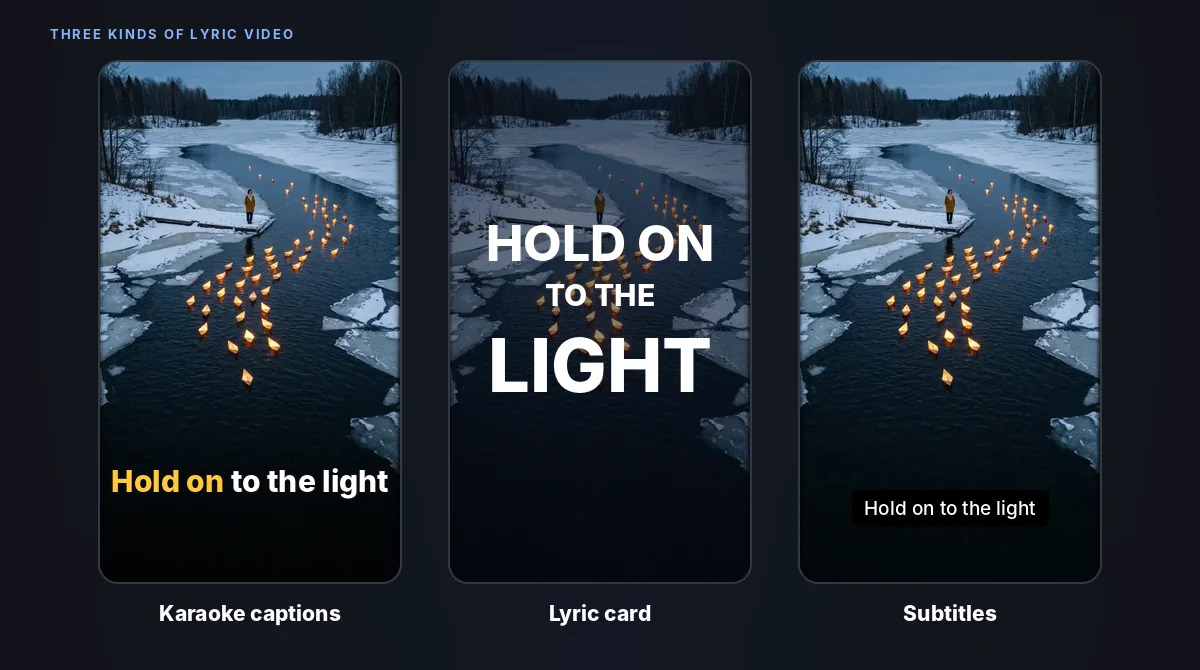
Use a heavy, plain typeface, a short phrase per line and one or two lines on screen, with light text, a dark outline and a highlight color for the sung words that stands out against both the text and the picture.
- 05
Give singers a lead-in
Show each line a moment before its first word, and after a long instrumental stretch add a countdown or a progress cue so the singer knows exactly when to come back in.
- 06
Put calm visuals behind the words
Choose slow movement, darker areas where the text sits and no lettering in the picture itself, so the background sets the mood without competing with the words.
- 07
Sing it through once
Play the whole video and sing along out loud. You'll feel a late line or a rushed highlight long before you'd see it, so mark those moments, fix them and play the sections around them again.
- 08
Export every shape you'll post
Make a 16:9 version for YouTube and TV screens and a 9:16 cut of the chorus for Shorts, Reels and TikTok, with the captions set again for the tall frame rather than cropped from the wide one.
Skip the blank page
Upload your song and Muvora's AI director plans a shot-by-shot storyboard on the beat. Edit every shot for free, and pay only if you render.
Route one: a sing-along video with Muvora
Upload the song (MP3, WAV, M4A or FLAC, up to 8 minutes), tick the box confirming you own it or have the rights to use it, and paste your lyrics. Muvora finds the tempo, the beats and the sections, and aligns each pasted word to the vocals, so every word gets its own time stamp. If you don't paste lyrics, they're transcribed instead, which is quicker but leaves the spelling to the transcript. In the vibe step, choose the Lyric style, a genre look and the shape, and describe the picture you want in the idea box.
The AI director then writes a storyboard: a brief for the look, and a shot for every slot the music cuts into, with cuts on the downbeats and shorter shots in the choruses. Edit it as much as you like for free; the free plan gives you 5 new storyboards a month. When it's right, switch on the karaoke captions and render. Each word lights up as it's sung, burned into the video, and the timing is identical in every export because they all come from one render.

Sing-alongs suit the Visualizer quality: at 38 credits per finished second it's the most affordable way to cover a whole song, and a 3-minute video comes to 6,840 credits. Standard (60 a second) and Cinematic (110 a second) buy stronger visuals. The exact price is shown before you click Generate, and a shot that fails is retried automatically; if it still fails, its credits come back.
Make the sing-along version of your song
Upload the track, paste the words and get a free storyboard. Turn on karaoke captions when you render, and every word lights up on the vocal.
Route two: a classic karaoke track over an instrumental
A classic karaoke video needs three things Muvora doesn't provide: an instrumental, line timing made by hand, and a video editor to put them together. The best instrumental is the one from your own session. Ask whoever mixed the song for an instrumental bounce of the final mix (many artists already have one for live shows and sync pitches). It matches the release to the sample, which makes the timing far easier.
- Open the LRC maker, load the vocal version of the song from your device, and paste the lyrics with one sung phrase per line.
- Play it and tap as each line starts. Hearing the words is what makes the timing accurate, which is why you time against the vocal version, not the instrumental.
- Export the timing as SRT, which most video editors import as a caption track, or keep the LRC for a karaoke app.
- In the editor, put the instrumental on the timeline, import the SRT and check that the first line lands on its first word. If both files came from the same session, every other line will land too.
- Style the captions, add a countdown before the first verse and after any long break, then export.
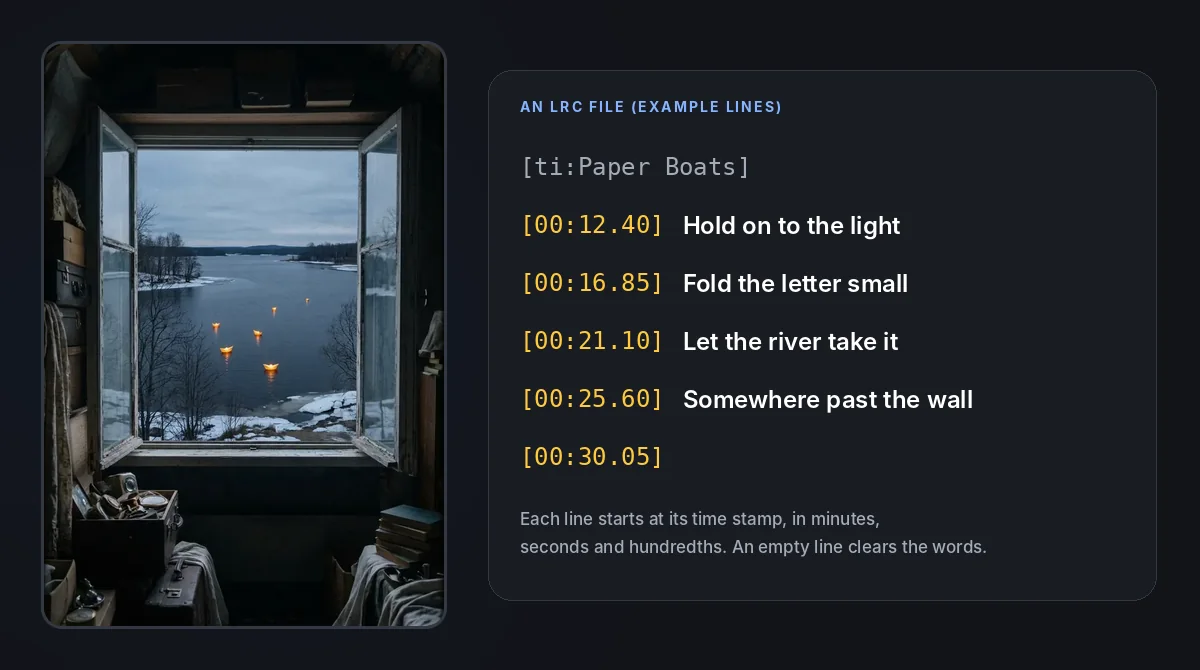
The file format behind all this is simple once you've seen it; how to make an LRC file walks through every tag. If your editor wants a different format, or the whole file runs a little early or late, the lyric file converter turns LRC into SRT or WebVTT and shifts every line at once.
Captions a singer can read mid-song
A karaoke viewer reads while doing something harder: singing. They need to see the next words before they arrive, follow the highlight without hunting for it, and never lose a line behind a bright patch of picture. These rules of thumb come from subtitling practice and from the way karaoke screens have long been laid out.
| Rule | Sing-along over video | Classic karaoke |
|---|---|---|
| Lines on screen | One phrase at a time, so the picture stays visible | Two: the line being sung and the next one |
| Words per line | About 4 to 7, at most around 42 characters | About 4 to 7; split long lines at a breath |
| Text size | Readable on a phone held at arm's length | Readable from the back of the room |
| Colors | White text, a dark outline or shadow, a bright highlight for sung words | The same, often over a plain dark background |
| Lead-in | Each phrase appears a moment before its first word | The next line is already up; a countdown after long gaps |
| Position | Inside the safe area, clear of app buttons on vertical | Lower half, centered, well away from the edges |
- Safe areas. On a 16:9 frame, keep text inside the central 90% of the width and height, the title-safe area broadcasters use, so no screen or player crops it. On a 9:16 frame, keep it out of the bottom fifth and away from the right edge, where Shorts, Reels and TikTok put their buttons and captions.
- Contrast before color. A yellow highlight next to white text only reads with a dark outline around both. Test the captions over the brightest shot in the video, not the darkest.
- Highlight timing. The sweep should reach the end of a word just as the singer finishes it. A highlight that runs ahead makes people rush; one that lags makes them drag.
- Cues after gaps. Anything longer than about four bars without vocals needs a cue before the singer comes back: three dots counting down, or the next line appearing early with a short progress bar.
[00:12.40] Hold on to the light
A line time (LRC) shows the line; word times let each word light up as it is sung.
What to put behind the words
Classic karaoke screens ran whatever footage was cheap: stock beaches, city timelapses, couples walking on a pier. Nobody remembers them, and that was the point, because the eye belongs to the words. A sing-along of your own song can do better, since the picture can belong to the song. Choose one world and a few images that come back, keep the movement slow enough that the text never fights it, and leave darker space where the captions sit.
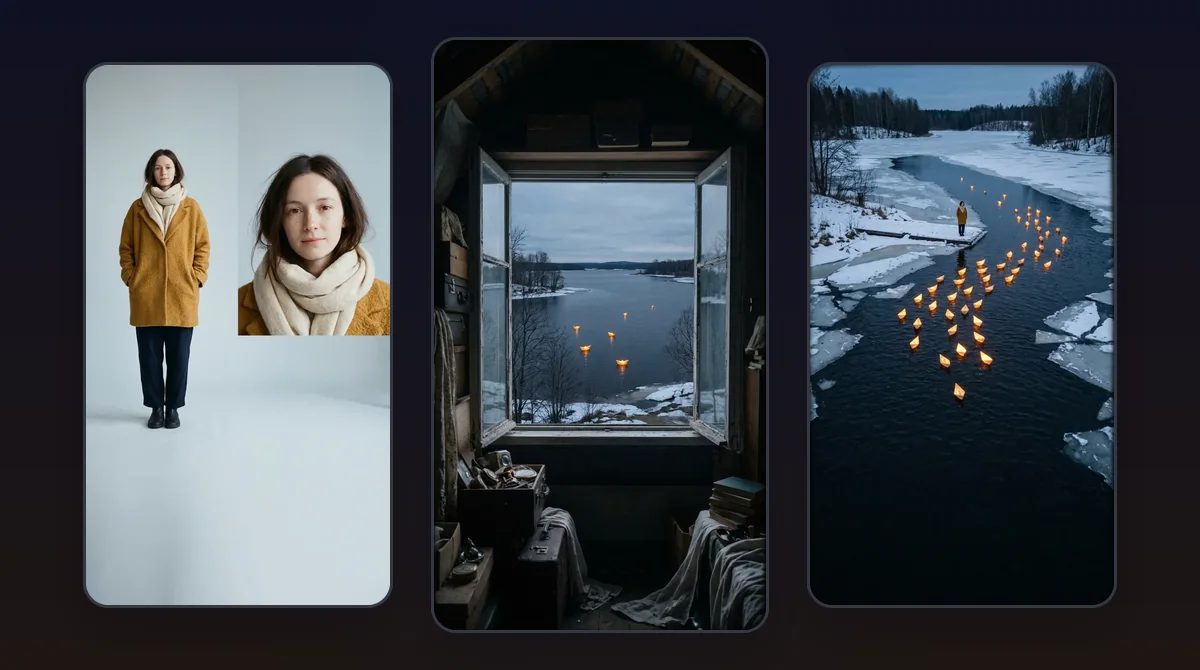
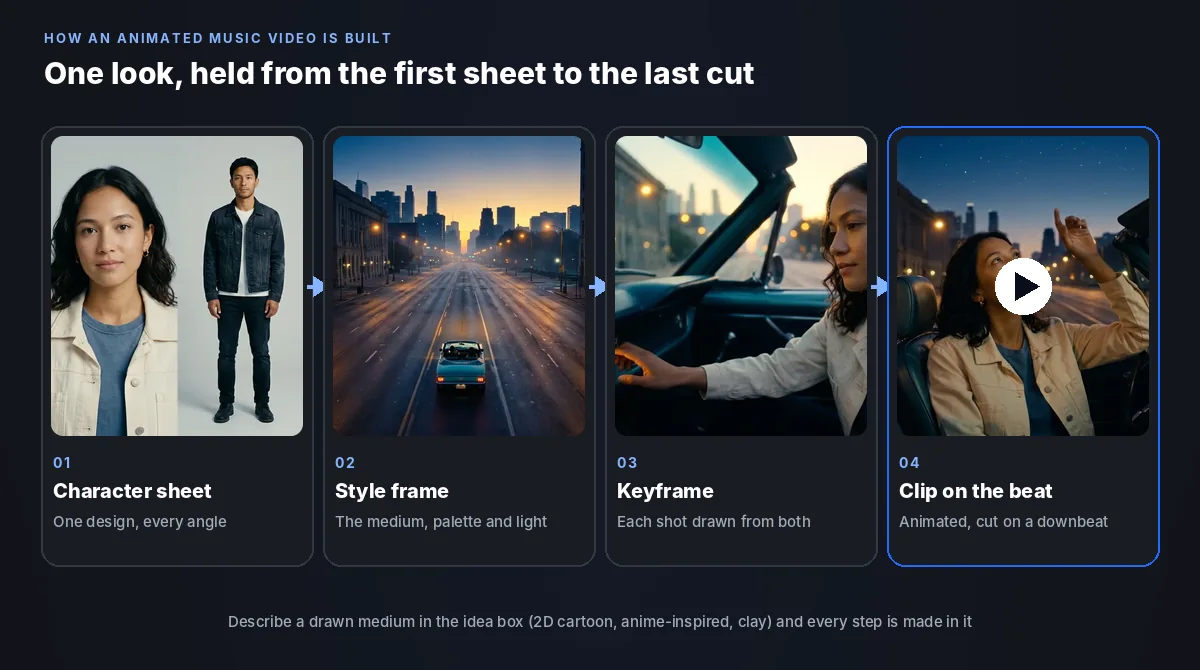
In Muvora's Lyric style the storyboard is written to sit behind the words. The director uses the lyrics for what the song means rather than illustrating each line, and no text or logos are ever drawn into the pictures, so your captions are the only words on screen. If you'd rather keep the picture abstract, how to make a music visualizer covers looks that never compete with text.
Whose song can you make karaoke of?
Your own songs are the easy case: make sing-alongs and instrumental versions as often as you like and post them wherever you post your music. Someone else's song is different. Showing a song's lyrics in time with its music is generally treated as a synchronization use of the composition, which usually needs permission from whoever controls it (typically the publisher), even when you recorded the cover yourself. Platforms may claim or remove a karaoke upload that doesn't have it.
Where to post a karaoke video
- YouTube. Post the full widescreen video and put the version in the title so searchers find the right one: Song Title (Lyrics) or (Sing-Along) for the vocal version, (Karaoke Version) or (Instrumental with Lyrics) for the backing track. Write the lyrics out in the description and add chapters for the verses and choruses; the YouTube description generator drafts both.
- Shorts, Reels and TikTok. Post a 9:16 cut of the chorus, 15 to 45 seconds long, and link the full video from your profile or a pinned comment. A sing-along chorus invites duets, where people film themselves singing beside it.
- Your own pages. A share link to the finished video, with a preview card, works in a newsletter, a link in bio or a message to fans.
- Streams and shows. An instrumental karaoke version of your own song makes an easy encore for a livestream or a fan night: the audience sings, you hand them the line.

Timing the release matters as much as the format. A sing-along posted with the release gives fans somewhere to learn the words in the first week, while an instrumental version a few weeks later gives the song a second moment. The release timeline planner puts dates on the whole run, from the main video to the vertical clips.
Get your sing-along ready for release week
One render gives you widescreen for YouTube and vertical for the chorus clips. See the shots in a free storyboard first, or read how the karaoke video maker works.
Written by the Muvora team. Last updated November 14, 2026. Spotted something out of date? Tell us at [email protected].